display LINCOLN MKT 2019 Owners Manual
[x] Cancel search | Manufacturer: LINCOLN, Model Year: 2019, Model line: MKT, Model: LINCOLN MKT 2019Pages: 575, PDF Size: 4.66 MB
Page 486 of 575
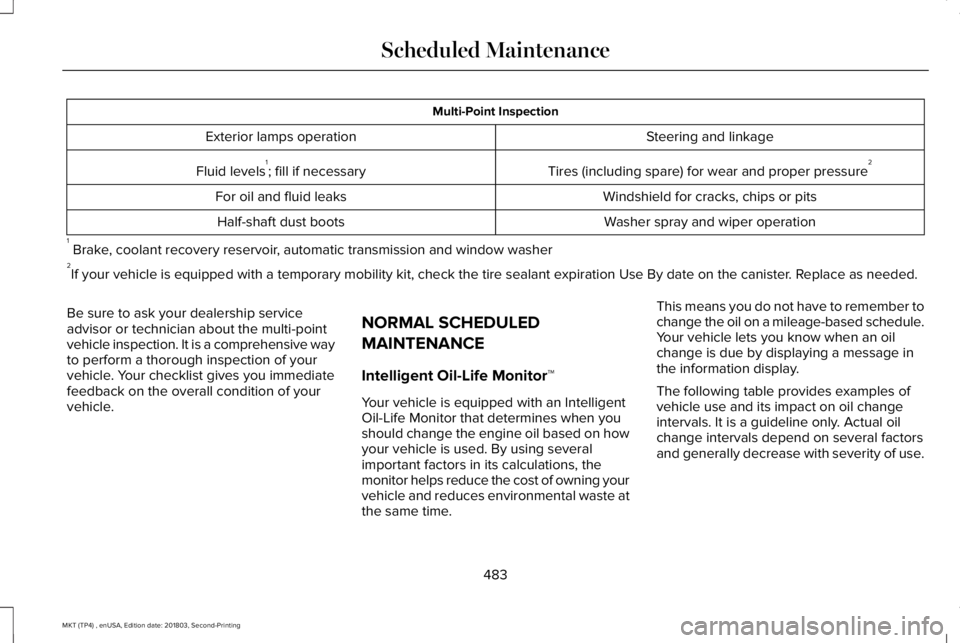
Multi-Point Inspection
Steering and linkageExterior lamps operation
Tires (including spare) for wear and proper pressure2Fluid levels1; fill if necessary
Windshield for cracks, chips or pitsFor oil and fluid leaks
Washer spray and wiper operationHalf-shaft dust boots
1 Brake, coolant recovery reservoir, automatic transmission and window washer2If your vehicle is equipped with a temporary mobility kit, check the tire sealant expiration Use By date on the canister. Replace as needed.
Be sure to ask your dealership serviceadvisor or technician about the multi-pointvehicle inspection. It is a comprehensive wayto perform a thorough inspection of yourvehicle. Your checklist gives you immediatefeedback on the overall condition of yourvehicle.
NORMAL SCHEDULED
MAINTENANCE
Intelligent Oil-Life Monitor™
Your vehicle is equipped with an IntelligentOil-Life Monitor that determines when youshould change the engine oil based on howyour vehicle is used. By using severalimportant factors in its calculations, themonitor helps reduce the cost of owning yourvehicle and reduces environmental waste atthe same time.
This means you do not have to remember tochange the oil on a mileage-based schedule.Your vehicle lets you know when an oilchange is due by displaying a message inthe information display.
The following table provides examples ofvehicle use and its impact on oil changeintervals. It is a guideline only. Actual oilchange intervals depend on several factorsand generally decrease with severity of use.
483
MKT (TP4) , enUSA, Edition date: 201803, Second-Printing
Scheduled Maintenance
Page 488 of 575
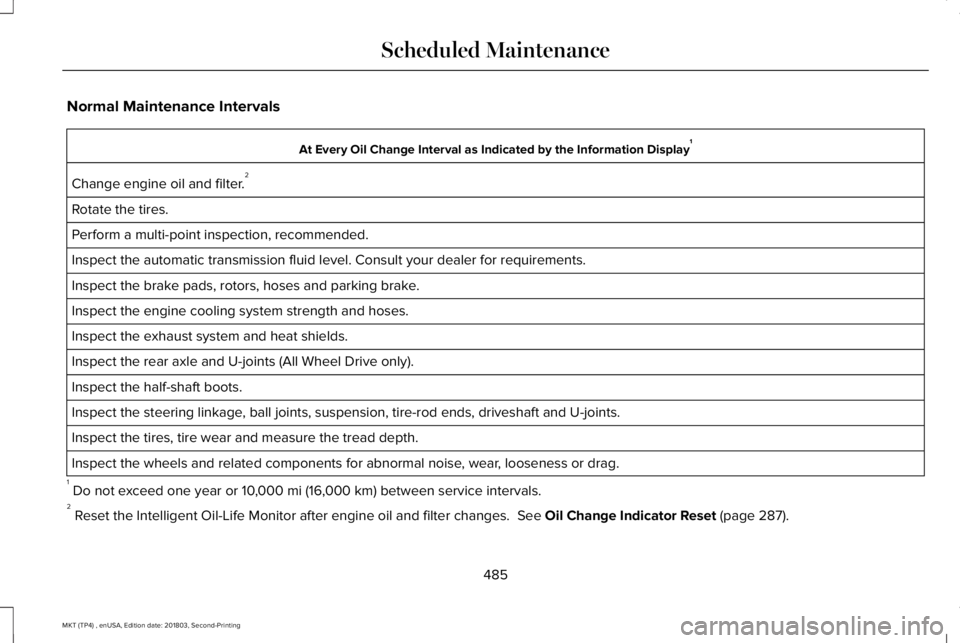
Normal Maintenance Intervals
At Every Oil Change Interval as Indicated by the Information Display1
Change engine oil and filter.2
Rotate the tires.
Perform a multi-point inspection, recommended.
Inspect the automatic transmission fluid level. Consult your dealer for requirements.
Inspect the brake pads, rotors, hoses and parking brake.
Inspect the engine cooling system strength and hoses.
Inspect the exhaust system and heat shields.
Inspect the rear axle and U-joints (All Wheel Drive only).
Inspect the half-shaft boots.
Inspect the steering linkage, ball joints, suspension, tire-rod ends, driveshaft and U-joints.
Inspect the tires, tire wear and measure the tread depth.
Inspect the wheels and related components for abnormal noise, wear, looseness or drag.
1 Do not exceed one year or 10,000 mi (16,000 km) between service intervals.2 Reset the Intelligent Oil-Life Monitor after engine oil and filter changes. See Oil Change Indicator Reset (page 287).
485
MKT (TP4) , enUSA, Edition date: 201803, Second-Printing
Scheduled Maintenance
Page 490 of 575
SPECIAL OPERATING CONDITIONS
SCHEDULED MAINTENANCE
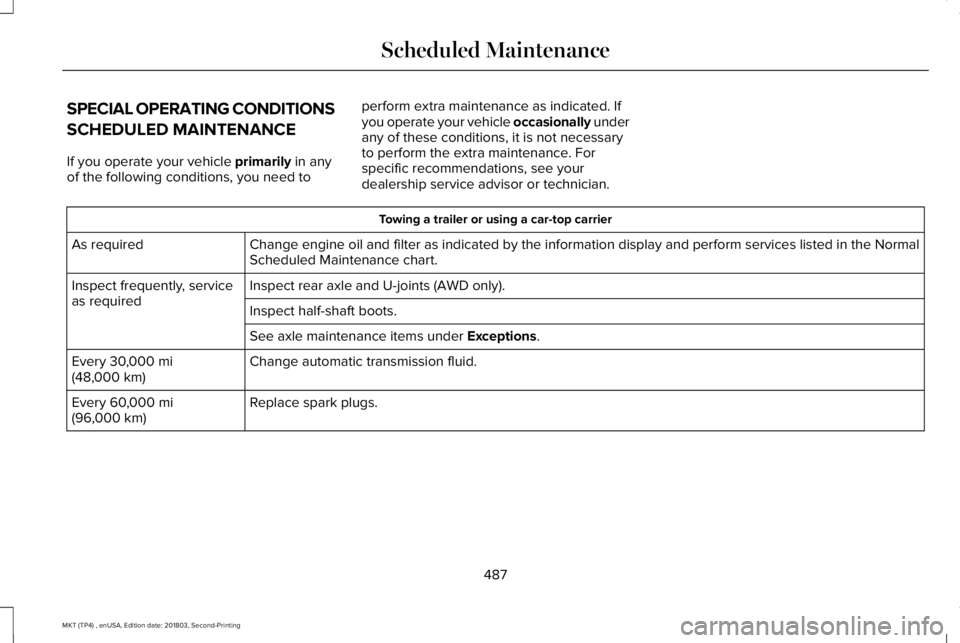
If you operate your vehicle primarily in anyof the following conditions, you need to
perform extra maintenance as indicated. Ifyou operate your vehicle occasionally underany of these conditions, it is not necessaryto perform the extra maintenance. Forspecific recommendations, see yourdealership service advisor or technician.
Towing a trailer or using a car-top carrier
Change engine oil and filter as indicated by the information display and perform services listed in the NormalScheduled Maintenance chart.As required
Inspect rear axle and U-joints (AWD only).Inspect frequently, serviceas requiredInspect half-shaft boots.
See axle maintenance items under Exceptions.
Change automatic transmission fluid.Every 30,000 mi(48,000 km)
Replace spark plugs.Every 60,000 mi(96,000 km)
487
MKT (TP4) , enUSA, Edition date: 201803, Second-Printing
Scheduled Maintenance
Page 491 of 575
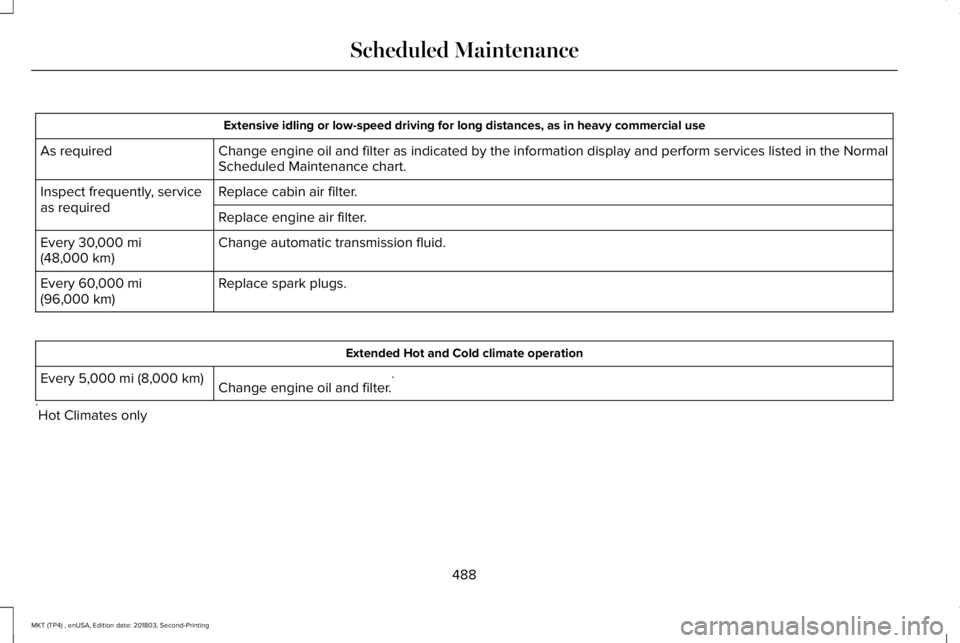
Extensive idling or low-speed driving for long distances, as in heavy commercial use
Change engine oil and filter as indicated by the information display and perform services listed in the NormalScheduled Maintenance chart.As required
Replace cabin air filter.Inspect frequently, serviceas requiredReplace engine air filter.
Change automatic transmission fluid.Every 30,000 mi(48,000 km)
Replace spark plugs.Every 60,000 mi(96,000 km)
Extended Hot and Cold climate operation
Change engine oil and filter.*Every 5,000 mi (8,000 km)
*Hot Climates only
488
MKT (TP4) , enUSA, Edition date: 201803, Second-Printing
Scheduled Maintenance
Page 540 of 575
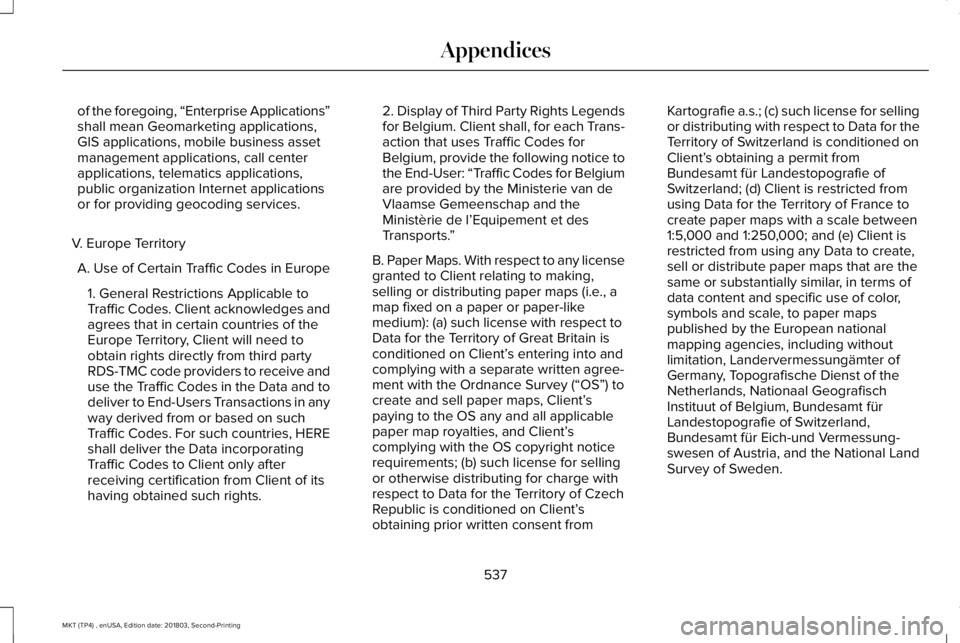
of the foregoing, “Enterprise Applications”shall mean Geomarketing applications,GIS applications, mobile business assetmanagement applications, call centerapplications, telematics applications,public organization Internet applicationsor for providing geocoding services.
V. Europe Territory
A. Use of Certain Traffic Codes in Europe
1. General Restrictions Applicable toTraffic Codes. Client acknowledges andagrees that in certain countries of theEurope Territory, Client will need toobtain rights directly from third partyRDS-TMC code providers to receive anduse the Traffic Codes in the Data and todeliver to End-Users Transactions in anyway derived from or based on suchTraffic Codes. For such countries, HEREshall deliver the Data incorporatingTraffic Codes to Client only afterreceiving certification from Client of itshaving obtained such rights.
2. Display of Third Party Rights Legendsfor Belgium. Client shall, for each Trans-action that uses Traffic Codes forBelgium, provide the following notice tothe End-User: “Traffic Codes for Belgiumare provided by the Ministerie van deVlaamse Gemeenschap and theMinistèrie de l’Equipement et desTransports.”
B. Paper Maps. With respect to any licensegranted to Client relating to making,selling or distributing paper maps (i.e., amap fixed on a paper or paper-likemedium): (a) such license with respect toData for the Territory of Great Britain isconditioned on Client’s entering into andcomplying with a separate written agree-ment with the Ordnance Survey (“OS”) tocreate and sell paper maps, Client’spaying to the OS any and all applicablepaper map royalties, and Client’scomplying with the OS copyright noticerequirements; (b) such license for sellingor otherwise distributing for charge withrespect to Data for the Territory of CzechRepublic is conditioned on Client’sobtaining prior written consent from
Kartografie a.s.; (c) such license for sellingor distributing with respect to Data for theTerritory of Switzerland is conditioned onClient’s obtaining a permit fromBundesamt für Landestopografie ofSwitzerland; (d) Client is restricted fromusing Data for the Territory of France tocreate paper maps with a scale between1:5,000 and 1:250,000; and (e) Client isrestricted from using any Data to create,sell or distribute paper maps that are thesame or substantially similar, in terms ofdata content and specific use of color,symbols and scale, to paper mapspublished by the European nationalmapping agencies, including withoutlimitation, Landervermessungämter ofGermany, Topografische Dienst of theNetherlands, Nationaal GeografischInstituut of Belgium, Bundesamt fürLandestopografie of Switzerland,Bundesamt für Eich-und Vermessung-swesen of Austria, and the National LandSurvey of Sweden.
537
MKT (TP4) , enUSA, Edition date: 201803, Second-Printing
Appendices
Page 569 of 575
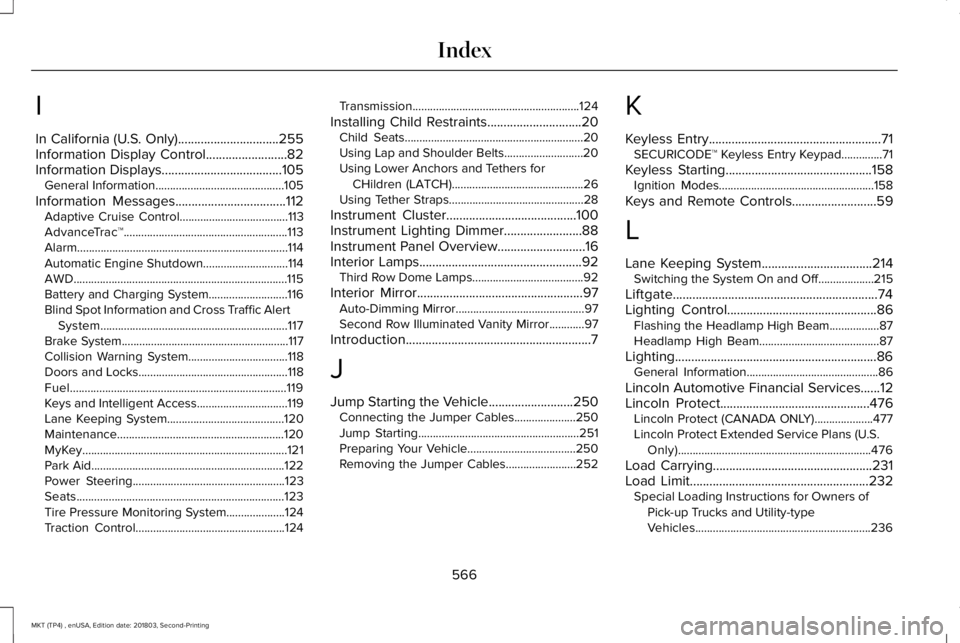
I
In California (U.S. Only)...............................255Information Display Control.........................82Information Displays.....................................105General Information............................................105
Information Messages..................................112Adaptive Cruise Control.....................................113AdvanceTrac™........................................................113Alarm........................................................................114Automatic Engine Shutdown.............................114AWD.........................................................................115Battery and Charging System...........................116Blind Spot Information and Cross Traffic AlertSystem................................................................117Brake System.........................................................117Collision Warning System..................................118Doors and Locks...................................................118Fuel..........................................................................119Keys and Intelligent Access...............................119Lane Keeping System........................................120Maintenance.........................................................120MyKey......................................................................121Park Aid..................................................................122Power Steering....................................................123Seats.......................................................................123Tire Pressure Monitoring System....................124Traction Control...................................................124
Transmission.........................................................124
Installing Child Restraints.............................20Child Seats.............................................................20Using Lap and Shoulder Belts...........................20Using Lower Anchors and Tethers forCHildren (LATCH).............................................26Using Tether Straps..............................................28
Instrument Cluster........................................100Instrument Lighting Dimmer........................88Instrument Panel Overview...........................16Interior Lamps..................................................92Third Row Dome Lamps......................................92
Interior Mirror...................................................97Auto-Dimming Mirror............................................97Second Row Illuminated Vanity Mirror............97
Introduction.........................................................7
J
Jump Starting the Vehicle..........................250Connecting the Jumper Cables.....................250Jump Starting.......................................................251Preparing Your Vehicle.....................................250Removing the Jumper Cables........................252
K
Keyless Entry.....................................................71SECURICODE™ Keyless Entry Keypad..............71
Keyless Starting.............................................158Ignition Modes.....................................................158
Keys and Remote Controls..........................59
L
Lane Keeping System..................................214Switching the System On and Off...................215
Liftgate...............................................................74Lighting Control..............................................86Flashing the Headlamp High Beam.................87Headlamp High Beam.........................................87
Lighting..............................................................86General Information.............................................86
Lincoln Automotive Financial Services......12Lincoln Protect..............................................476Lincoln Protect (CANADA ONLY)....................477Lincoln Protect Extended Service Plans (U.S.Only)..................................................................476
Load Carrying.................................................231Load Limit.......................................................232Special Loading Instructions for Owners ofPick-up Trucks and Utility-typeVehicles............................................................236
566
MKT (TP4) , enUSA, Edition date: 201803, Second-Printing
Index
Page 570 of 575
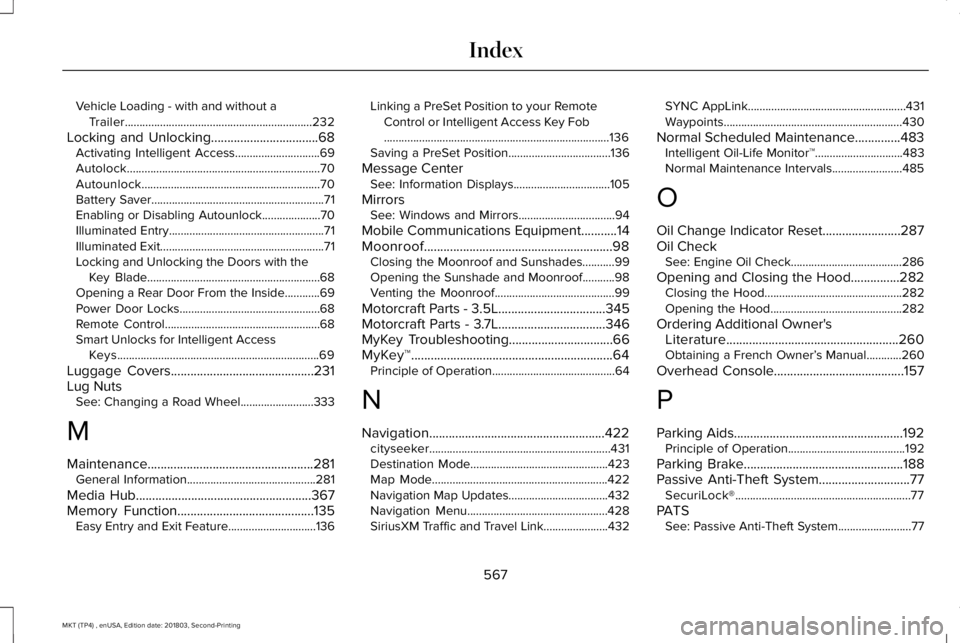
Vehicle Loading - with and without aTrailer................................................................232
Locking and Unlocking.................................68Activating Intelligent Access.............................69Autolock..................................................................70Autounlock.............................................................70Battery Saver...........................................................71Enabling or Disabling Autounlock....................70Illuminated Entry.....................................................71Illuminated Exit........................................................71Locking and Unlocking the Doors with theKey Blade...........................................................68Opening a Rear Door From the Inside............69Power Door Locks................................................68Remote Control.....................................................68Smart Unlocks for Intelligent AccessKeys.....................................................................69
Luggage Covers............................................231Lug NutsSee: Changing a Road Wheel.........................333
M
Maintenance...................................................281General Information............................................281
Media Hub......................................................367Memory Function..........................................135Easy Entry and Exit Feature..............................136
Linking a PreSet Position to your RemoteControl or Intelligent Access Key Fob.............................................................................136Saving a PreSet Position...................................136
Message CenterSee: Information Displays.................................105
MirrorsSee: Windows and Mirrors.................................94
Mobile Communications Equipment...........14Moonroof..........................................................98Closing the Moonroof and Sunshades...........99Opening the Sunshade and Moonroof...........98Venting the Moonroof.........................................99
Motorcraft Parts - 3.5L.................................345Motorcraft Parts - 3.7L.................................346MyKey Troubleshooting................................66MyKey™..............................................................64Principle of Operation..........................................64
N
Navigation......................................................422cityseeker..............................................................431Destination Mode...............................................423Map Mode............................................................422Navigation Map Updates..................................432Navigation Menu................................................428SiriusXM Traffic and Travel Link......................432
SYNC AppLink......................................................431Waypoints.............................................................430
Normal Scheduled Maintenance..............483Intelligent Oil-Life Monitor™..............................483Normal Maintenance Intervals........................485
O
Oil Change Indicator Reset........................287Oil CheckSee: Engine Oil Check......................................286
Opening and Closing the Hood...............282Closing the Hood...............................................282Opening the Hood.............................................282
Ordering Additional Owner'sLiterature.....................................................260Obtaining a French Owner’s Manual............260
Overhead Console........................................157
P
Parking Aids....................................................192Principle of Operation........................................192
Parking Brake.................................................188Passive Anti-Theft System............................77SecuriLock®............................................................77
PATSSee: Passive Anti-Theft System.........................77
567
MKT (TP4) , enUSA, Edition date: 201803, Second-Printing
Index
Page 572 of 575
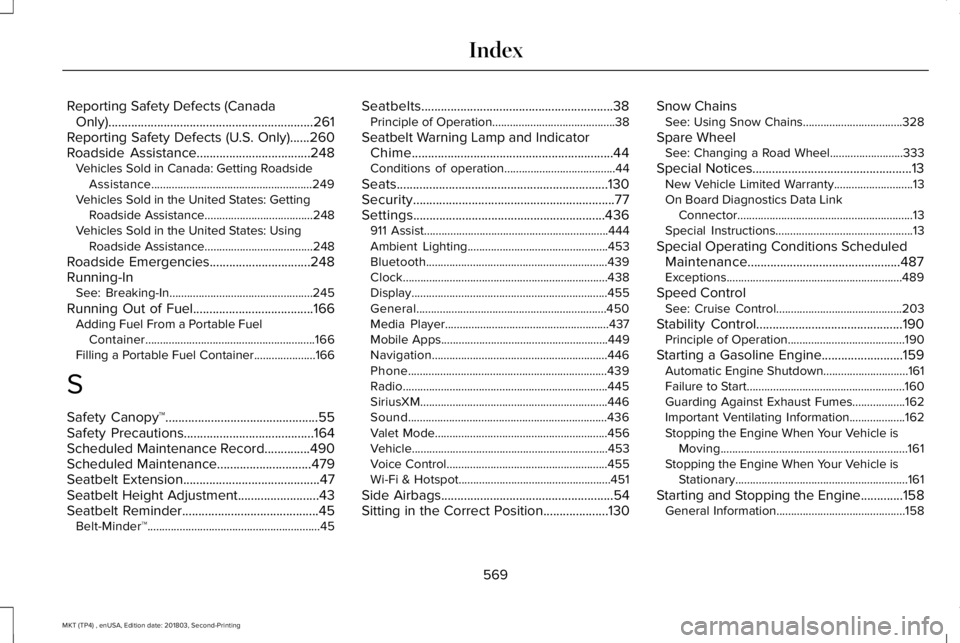
Reporting Safety Defects (CanadaOnly)...............................................................261Reporting Safety Defects (U.S. Only)......260Roadside Assistance...................................248Vehicles Sold in Canada: Getting RoadsideAssistance.......................................................249Vehicles Sold in the United States: GettingRoadside Assistance.....................................248Vehicles Sold in the United States: UsingRoadside Assistance.....................................248
Roadside Emergencies...............................248Running-InSee: Breaking-In.................................................245
Running Out of Fuel.....................................166Adding Fuel From a Portable FuelContainer..........................................................166Filling a Portable Fuel Container.....................166
S
Safety Canopy™...............................................55Safety Precautions........................................164Scheduled Maintenance Record..............490Scheduled Maintenance.............................479Seatbelt Extension..........................................47Seatbelt Height Adjustment.........................43Seatbelt Reminder..........................................45Belt-Minder™...........................................................45
Seatbelts...........................................................38Principle of Operation..........................................38
Seatbelt Warning Lamp and IndicatorChime..............................................................44Conditions of operation......................................44
Seats.................................................................130Security..............................................................77Settings...........................................................436911 Assist...............................................................444Ambient Lighting................................................453Bluetooth..............................................................439Clock......................................................................438Display...................................................................455General.................................................................450Media Player........................................................437Mobile Apps.........................................................449Navigation............................................................446Phone....................................................................439Radio......................................................................445SiriusXM................................................................446Sound....................................................................436Valet Mode...........................................................456Vehicle...................................................................453Voice Control.......................................................455Wi-Fi & Hotspot....................................................451
Side Airbags.....................................................54Sitting in the Correct Position....................130
Snow ChainsSee: Using Snow Chains..................................328
Spare WheelSee: Changing a Road Wheel.........................333
Special Notices.................................................13New Vehicle Limited Warranty...........................13On Board Diagnostics Data LinkConnector............................................................13Special Instructions...............................................13
Special Operating Conditions ScheduledMaintenance...............................................487Exceptions............................................................489
Speed ControlSee: Cruise Control...........................................203
Stability Control.............................................190Principle of Operation........................................190
Starting a Gasoline Engine.........................159Automatic Engine Shutdown.............................161Failure to Start......................................................160Guarding Against Exhaust Fumes..................162Important Ventilating Information...................162Stopping the Engine When Your Vehicle isMoving................................................................161Stopping the Engine When Your Vehicle isStationary...........................................................161
Starting and Stopping the Engine.............158General Information............................................158
569
MKT (TP4) , enUSA, Edition date: 201803, Second-Printing
Index
Page 574 of 575

Changing the Set Speed..................................207Detection Issues.................................................208Following a Vehicle...........................................205Hilly Condition Usage.......................................208Overriding the Set Speed................................207Resuming the Set Speed..................................207Setting the Adaptive Cruise Speed...............205Setting the Gap Distance.................................206Switching Adaptive Cruise Control Off........208Switching Adaptive Cruise Control On........205Switching to Normal Cruise Control................211System Not Available........................................209
Using All-Wheel Drive..................................179Driving In Special Conditions With All-WheelDrive (AWD).......................................................181Operating AWD Vehicles With MismatchedTires.....................................................................181Operating AWD Vehicles With SpareTires...................................................................180
Using Cruise Control...................................203Canceling the Set Speed.................................204Changing the Set Speed..................................203Resuming the Set Speed.................................204Setting the Cruise Speed.................................203Switching Cruise Control Off...........................204Switching Cruise Control On...........................203
Using MyKey With Remote StartSystems..........................................................66
Using Snow Chains......................................328Using Stability Control..................................191Using Traction Control.................................189Switching the System Off..................................189System Indicator Lights and Messages.........189Using a Switch.....................................................189Using the Information Display Controls........189
Using Voice Recognition............................386Audio Voice Commands...................................388Climate Voice Commands................................389Mobile App Voice Commands........................394Navigation Voice Commands..........................392Phone Voice Commands..................................389SiriusXM Traffic and Travel Link VoiceCommands......................................................394Voice Settings Commands..............................395
Utilizing the Mediation/Arbitration Program(Canada Only).............................................257
V
Vehicle Care..................................................303General Information...........................................303
Vehicle Certification Label.........................347Vehicle Identification Number...................347Vehicle Storage...............................................311Battery....................................................................312Body.........................................................................311
Brakes....................................................................312Cooling system....................................................312Engine.....................................................................311Fuel system............................................................311General....................................................................311Miscellaneous......................................................312Removing Vehicle From Storage.....................312Tires........................................................................312
VentilationSee: Climate Control..........................................125
VINSee: Vehicle Identification Number...............347
Voice Control....................................................81
W
Warning Lamps and Indicators...................101Adaptive Cruise Control.....................................101Airbag Readiness.................................................101Anti-Lock Braking System..................................101Battery.....................................................................101Brake System Warning Light............................102Charging System.................................................102Cruise Control......................................................102Direction Indicator..............................................102Door Ajar...............................................................102Engine Coolant Temperature...........................102Engine Oil..............................................................102
571
MKT (TP4) , enUSA, Edition date: 201803, Second-Printing
Index
Page 575 of 575
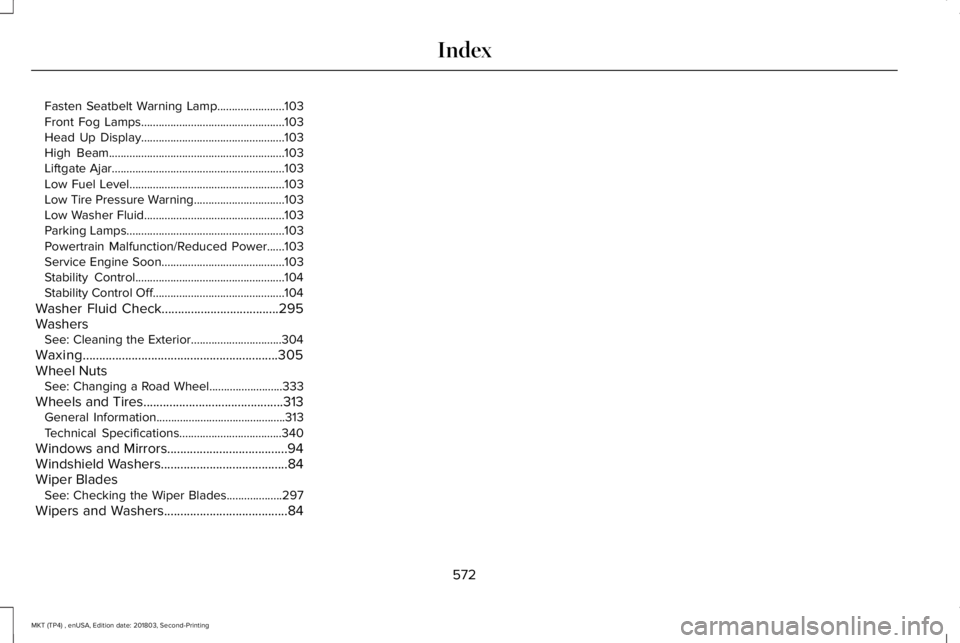
Fasten Seatbelt Warning Lamp.......................103Front Fog Lamps.................................................103Head Up Display.................................................103High Beam............................................................103Liftgate Ajar...........................................................103Low Fuel Level.....................................................103Low Tire Pressure Warning...............................103Low Washer Fluid................................................103Parking Lamps......................................................103Powertrain Malfunction/Reduced Power......103Service Engine Soon..........................................103Stability Control...................................................104Stability Control Off.............................................104
Washer Fluid Check....................................295WashersSee: Cleaning the Exterior...............................304
Waxing............................................................305Wheel NutsSee: Changing a Road Wheel.........................333
Wheels and Tires...........................................313General Information............................................313Technical Specifications...................................340
Windows and Mirrors.....................................94Windshield Washers.......................................84Wiper BladesSee: Checking the Wiper Blades...................297
Wipers and Washers......................................84
572
MKT (TP4) , enUSA, Edition date: 201803, Second-Printing
Index