seat LINCOLN MKX 2008 User Guide
[x] Cancel search | Manufacturer: LINCOLN, Model Year: 2008, Model line: MKX, Model: LINCOLN MKX 2008Pages: 328, PDF Size: 2.62 MB
Page 55 of 328
Audio interaction
You can then also use the front audio controls to advance, reverse, play
and pause a DVD. While a DVD is playing you may use the following
controls on the front radio:
•SEEK: Press to advance to the previous (
) or next () DVD
chapters.
•
: Press to play a DVD or to pause the DVD.
When the radio displays “DVD MENU”, press PLAY on the radio
(memory preset #6), to play the disc.
Parental control for the DVD system
Your Family Entertainment System (FES) allows you to have control
over the rear seat controls in a few different ways. The DVD system is
automatically activated when the vehicle ignition is ON, which allows the
rear seat passengers to use the DVD system.
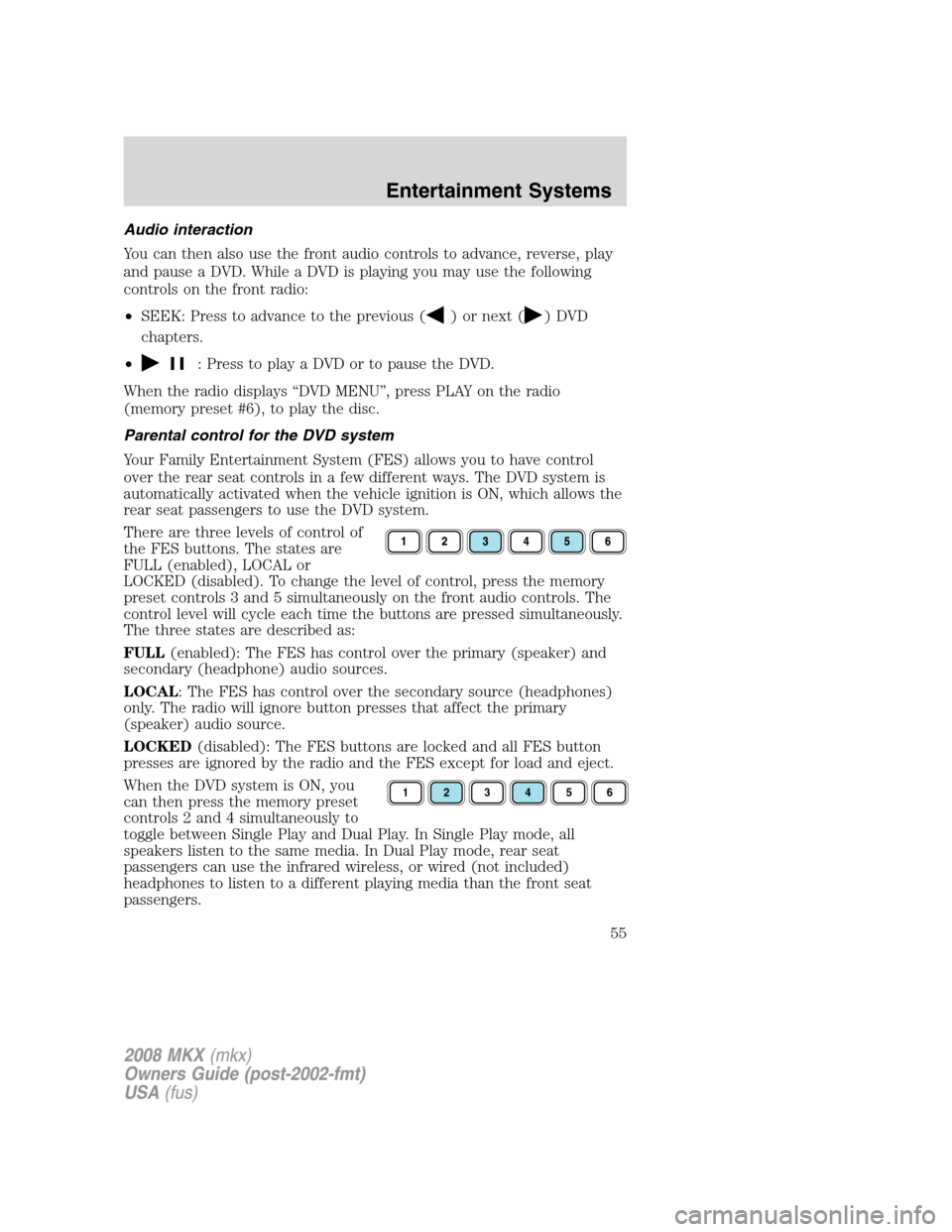
There are three levels of control of
the FES buttons. The states are
FULL (enabled), LOCAL or
LOCKED (disabled). To change the level of control, press the memory
preset controls 3 and 5 simultaneously on the front audio controls. The
control level will cycle each time the buttons are pressed simultaneously.
The three states are described as:
FULL(enabled): The FES has control over the primary (speaker) and
secondary (headphone) audio sources.
LOCAL: The FES has control over the secondary source (headphones)
only. The radio will ignore button presses that affect the primary
(speaker) audio source.
LOCKED(disabled): The FES buttons are locked and all FES button
presses are ignored by the radio and the FES except for load and eject.
When the DVD system is ON, you
can then press the memory preset
controls 2 and 4 simultaneously to
toggle between Single Play and Dual Play. In Single Play mode, all
speakers listen to the same media. In Dual Play mode, rear seat
passengers can use the infrared wireless, or wired (not included)
headphones to listen to a different playing media than the front seat
passengers.
123456
2008 MKX(mkx)
Owners Guide (post-2002-fmt)
USA(fus)
Entertainment Systems
55
Page 57 of 328
Do not attempt to service, repair or modify the Family Entertainment
System (FES). See your dealer.
Do not insert foreign objects into the DVD compartment.
Do not leave children unattended in the vehicle and do not let
children operate the system while unsupervised. If wired
headphones or auxiliary systems are used, children may become
entangled in the cords and seriously injure themselves.
The front glass on the liquid crystal display (LCD) flip-down
screen may break when hit with a hard surface. If the glass
breaks, do not touch the liquid crystalline material. In case of contact
with skin, wash immediately with soap and water.
The driver should not attempt to operate any function of the
DVD system while the vehicle is in motion. Give full attention to
driving and to the road. Pull off the road in a safe place before
inserting or extracting DVDs from the system. A remote control is
included in the system to allow the rear seat occupants to operate the
FES functions without distracting the driver.
Do not expose the liquid crystal display (LCD) flip-down screen
to direct sunlight or intensive ultraviolet rays for extensive
periods of time. Ultraviolet rays deteriorate the liquid crystal.
Be sure to review User Manuals for video games and video game
equipment when used as auxiliary inputs for your Family Entertainment
System (FES).
Do not operate video games or video equipment if the power cords
and/or cables are broken, split or damaged. Carefully place cords and/or
cables where they will not be stepped on or interfere with the operation
of seats and/or compartments.
Disconnect video games and video equipment power cords and/or cables
when not in use.
Avoid touching auxiliary input jacks with your fingers. Do not blow on
them or allow them to get wet or dirty.
Do not clean any part of the DVD player with benzene, paint thinner or
any other solvent.
2008 MKX(mkx)
Owners Guide (post-2002-fmt)
USA(fus)
Entertainment Systems
57
Page 60 of 328
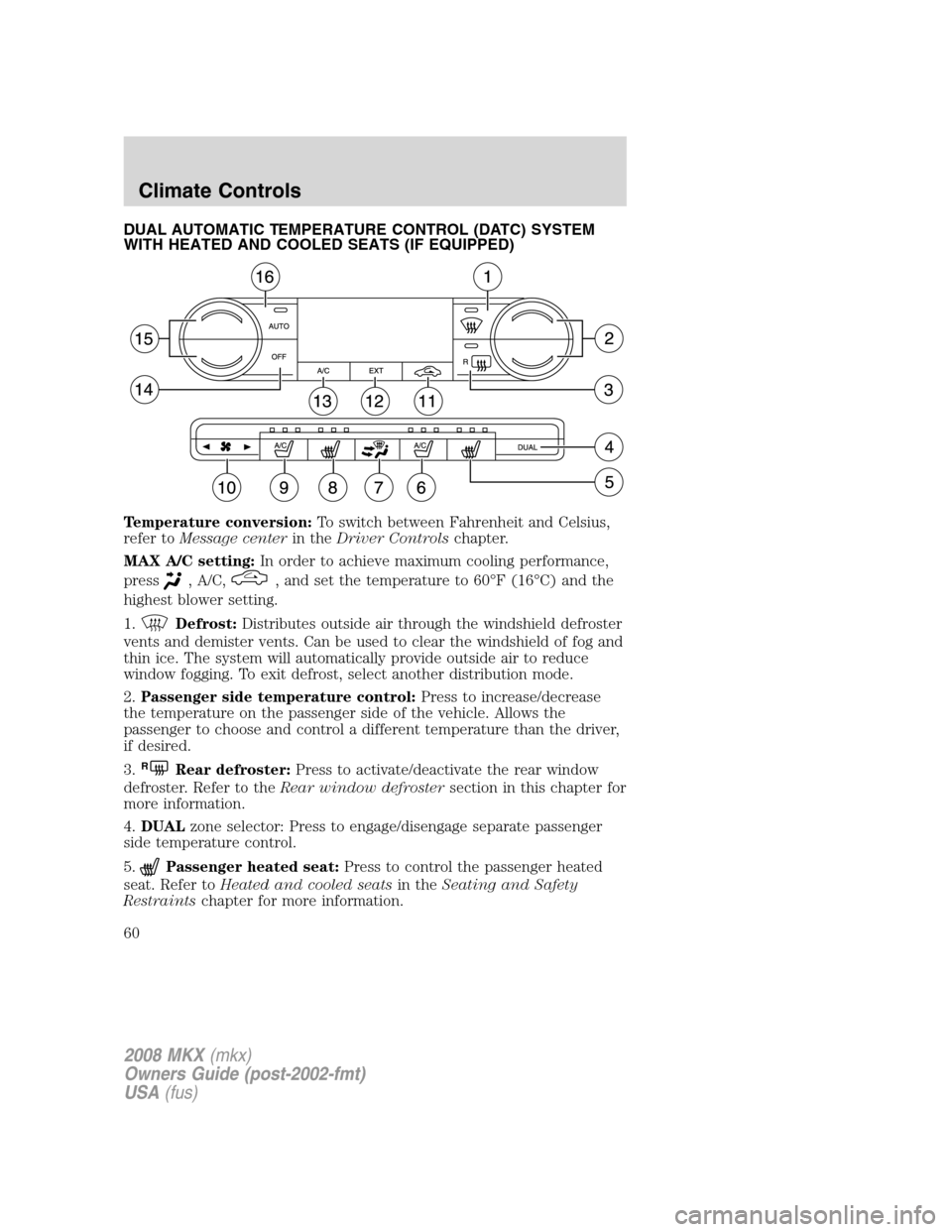
DUAL AUTOMATIC TEMPERATURE CONTROL (DATC) SYSTEM
WITH HEATED AND COOLED SEATS (IF EQUIPPED)
Temperature conversion:To switch between Fahrenheit and Celsius,
refer toMessage centerin theDriver Controlschapter.
MAX A/C setting:In order to achieve maximum cooling performance,
press
, A/C,, and set the temperature to 60°F (16°C) and the
highest blower setting.
1.
Defrost:Distributes outside air through the windshield defroster
vents and demister vents. Can be used to clear the windshield of fog and
thin ice. The system will automatically provide outside air to reduce
window fogging. To exit defrost, select another distribution mode.
2.Passenger side temperature control:Press to increase/decrease
the temperature on the passenger side of the vehicle. Allows the
passenger to choose and control a different temperature than the driver,
if desired.
3.
RRear defroster:Press to activate/deactivate the rear window
defroster. Refer to theRear window defrostersection in this chapter for
more information.
4.DUALzone selector: Press to engage/disengage separate passenger
side temperature control.
5.
Passenger heated seat:Press to control the passenger heated
seat. Refer toHeated and cooled seatsin theSeating and Safety
Restraintschapter for more information.
2008 MKX(mkx)
Owners Guide (post-2002-fmt)
USA(fus)
Climate Controls
60
Page 61 of 328
6.Passenger cooled seat:Press to control the passenger cooled
seat. Refer toHeated and cooled seatsin theSeating and Safety
Restraintschapter for more information.
7.
Manual override controls:Allows you to manually select where
airflow is distributed. Press to toggle through the air distribution modes
listed below. The selected mode will illuminate in the display. To return
to full automatic control, press AUTO.
:Distributes air through the windshield defroster vents, demister
vents, floor vents and rear seat floor vents. The system will automatically
provide outside air to reduce window fogging.
:Distributes air through the floor vents and rear seat floor vents.
The system will automatically provide outside air to reduce window
fogging.Note:You may notice a small amount of air flowing from the
demister and defroster vents.
:Distributes air through the instrument panel vents, center console
vents, floor vents and rear seat floor vents.
:Distributes air through the instrument panel vents and center
console vents.
8.
Driver heated seat:Press to control the driver heated seat. Refer
toHeated and cooled seatsin theSeating and Safety Restraints
chapter for more information.
9.
Driver cooled seat:Press to control the driver cooled seat.
Refer toHeated and cooled seatsin theSeating and Safety Restraints
chapter for more information.
10.
Fan Speed:Press to manually increase or decrease the fan
speed. To return to automatic fan operation, press AUTO.
11.
Recirculated air:Press to activate/deactivate air recirculation
in the vehicle. Recirculated air may reduce the amount of time need to
cool down the interior of the vehicle and may also help reduce undesired
odors from reaching the interior of the vehicle. Recirculation can be
engaged manually in any airflow selection except defrost. Recirculation
may turn off automatically in some airflow modes to reduce fog potential.
12.EXT:Press to display outside temperature. Press again to display
cabin temperature settings.Note:Exterior readings are more accurate
when the vehicle is moving.
13.A/C:Press to activate/deactivate air conditioning. Use with
recirculated air to improve cooling performance and efficiency. Engages
automatically in AUTO,
(defrost) and(floor/defrost).
14.OFF:Outside air is shut out and the fan will not operate.
2008 MKX(mkx)
Owners Guide (post-2002-fmt)
USA(fus)
Climate Controls
61
Page 62 of 328
15.Driver side temperature control:Press to increase/decrease the
temperature on the driver side of the vehicle in dual zone or the
temperature of both the driver and passenger sides in single zone.
16.AUTO:To engage automatic temperature control, press AUTO and
select the desired temperature using the temperature control. The
system will automatically determine fan speed, airflow distribution, A/C
on or off, and outside or recirculated air, to heat or cool the vehicle to
reach the desired temperature.
Operating tips
•To reduce fog build up on the windshield during humid weather,
select
(defrost) or(floor/defrost).
•To reduce humidity build up inside the vehicle, do not drive with the
system OFF or with
(recirculated air) engaged and A/C off.
•Do not put objects under the front seats that will interfere with the
airflow to the back seats.
•Remove any snow, ice or leaves from the air intake area at the base of
the windshield.
•To improve the A/C cool down, drive with the windows slightly open
for 2-3 minutes after start up or until the vehicle has been “aired out.”
For maximum cooling performance in MAX A/C mode:
•Automatic operation:
1. Press AUTO for full automatic operation.
2. Do not override A/C or
(recirculated air).
3. Set the temperature to 60°F (16°C).
•Manual operation:
1. Select
or.
2. Select A/C and
(recirculated air). Use(recirculated air)
with A/C to provide colder airflow.
3. Set the temperature to 60°F (16°C).
4. Set highest fan setting initially, then adjust to maintain comfort.
To aid in side window defogging/demisting in cold weather:
1. Select
.
2. Select A/C.
3. Adjust the temperature control to maintain comfort.
2008 MKX(mkx)
Owners Guide (post-2002-fmt)
USA(fus)
Climate Controls
62
Page 79 of 328
To have full capacity usage of your power point, the engine is required to
be running to avoid unintentional discharge of the battery. To prevent
the battery from being discharged:
•do not use the power point longer than necessary when the engine is
not running,
•do not leave battery chargers, video game adapters, computers and
other devices plugged in overnight or when the vehicle is parked for
extended periods.
Always keep the power point caps closed when not being used.
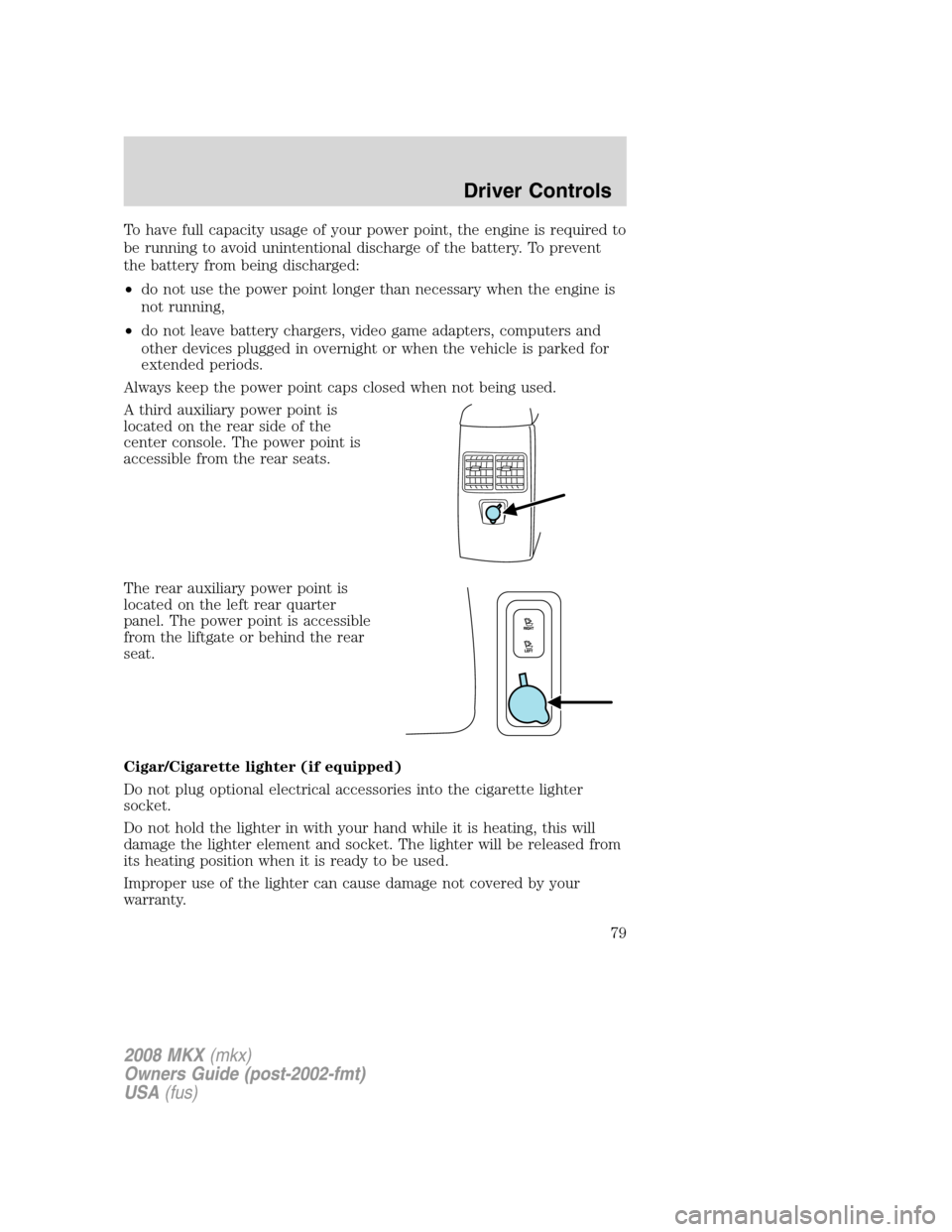
A third auxiliary power point is
located on the rear side of the
center console. The power point is
accessible from the rear seats.
The rear auxiliary power point is
located on the left rear quarter
panel. The power point is accessible
from the liftgate or behind the rear
seat.
Cigar/Cigarette lighter (if equipped)
Do not plug optional electrical accessories into the cigarette lighter
socket.
Do not hold the lighter in with your hand while it is heating, this will
damage the lighter element and socket. The lighter will be released from
its heating position when it is ready to be used.
Improper use of the lighter can cause damage not covered by your
warranty.
2008 MKX(mkx)
Owners Guide (post-2002-fmt)
USA(fus)
Driver Controls
79
Page 98 of 328
•Power Liftgate (if equipped)
•Easy entry/exit seat (if equipped)
•Reverse sensing system (Park Assist) (if equipped)
•Language
System check
Selecting this function from the
SETUP menu causes the message
center to cycle through each of the
systems being monitored. For each
of the monitored systems, the
message center will indicate either an OK message or a warning message
for two to four seconds.
Pressing the RESET control cycles the message center through each of
the systems being monitored.
The sequence of the system check report is as follows:
1. DOORS CLOSED
2. ENGINE TEMPERATURE
3. OIL PRESSURE
4. BRAKE FLUID LEVEL
5. WASHER FLUID LEVEL
6. FUEL LEVEL
7. DISTANCE TO EMPTY
Units (English/Metric)
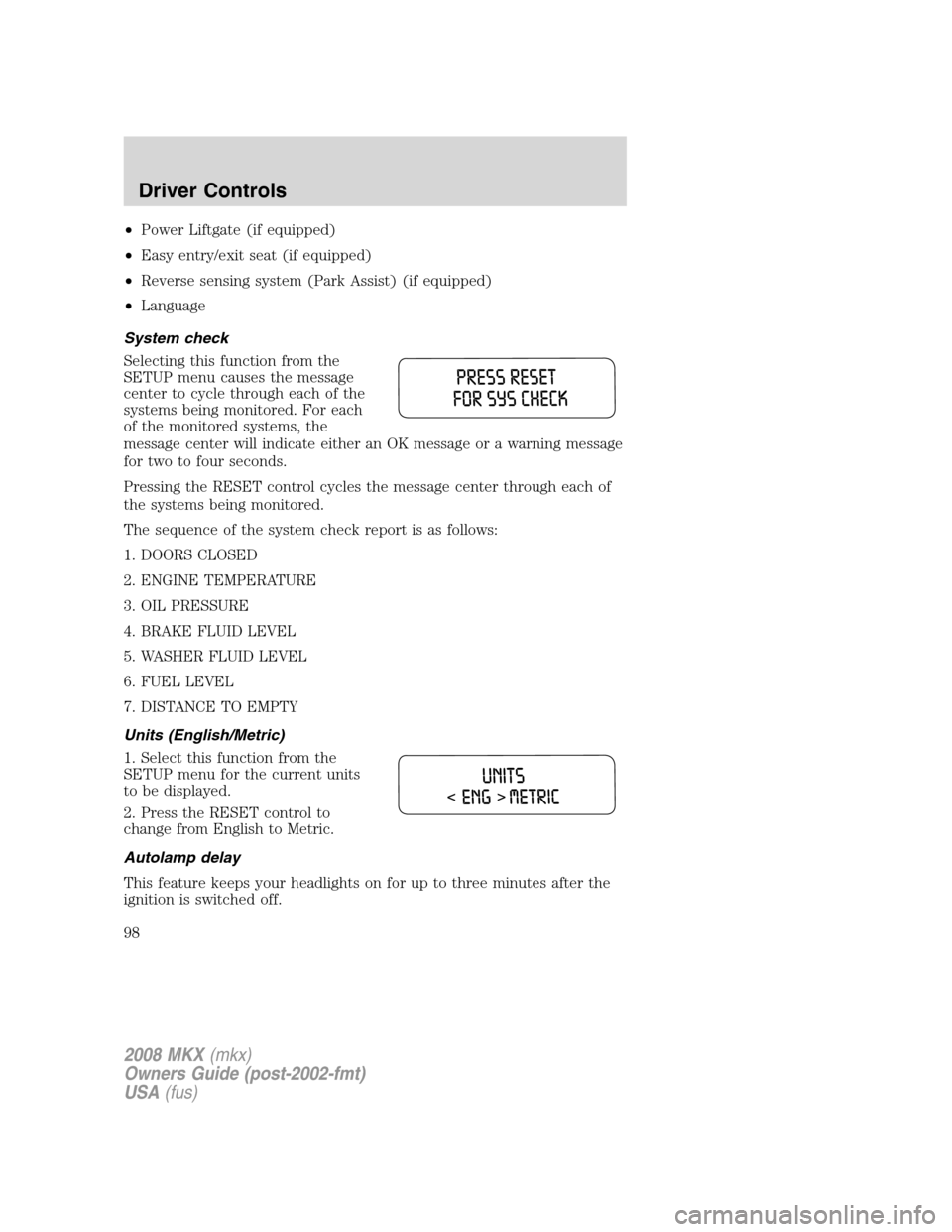
1. Select this function from the
SETUP menu for the current units
to be displayed.
2. Press the RESET control to
change from English to Metric.
Autolamp delay
This feature keeps your headlights on for up to three minutes after the
ignition is switched off.
2008 MKX(mkx)
Owners Guide (post-2002-fmt)
USA(fus)
Driver Controls
98
Page 99 of 328
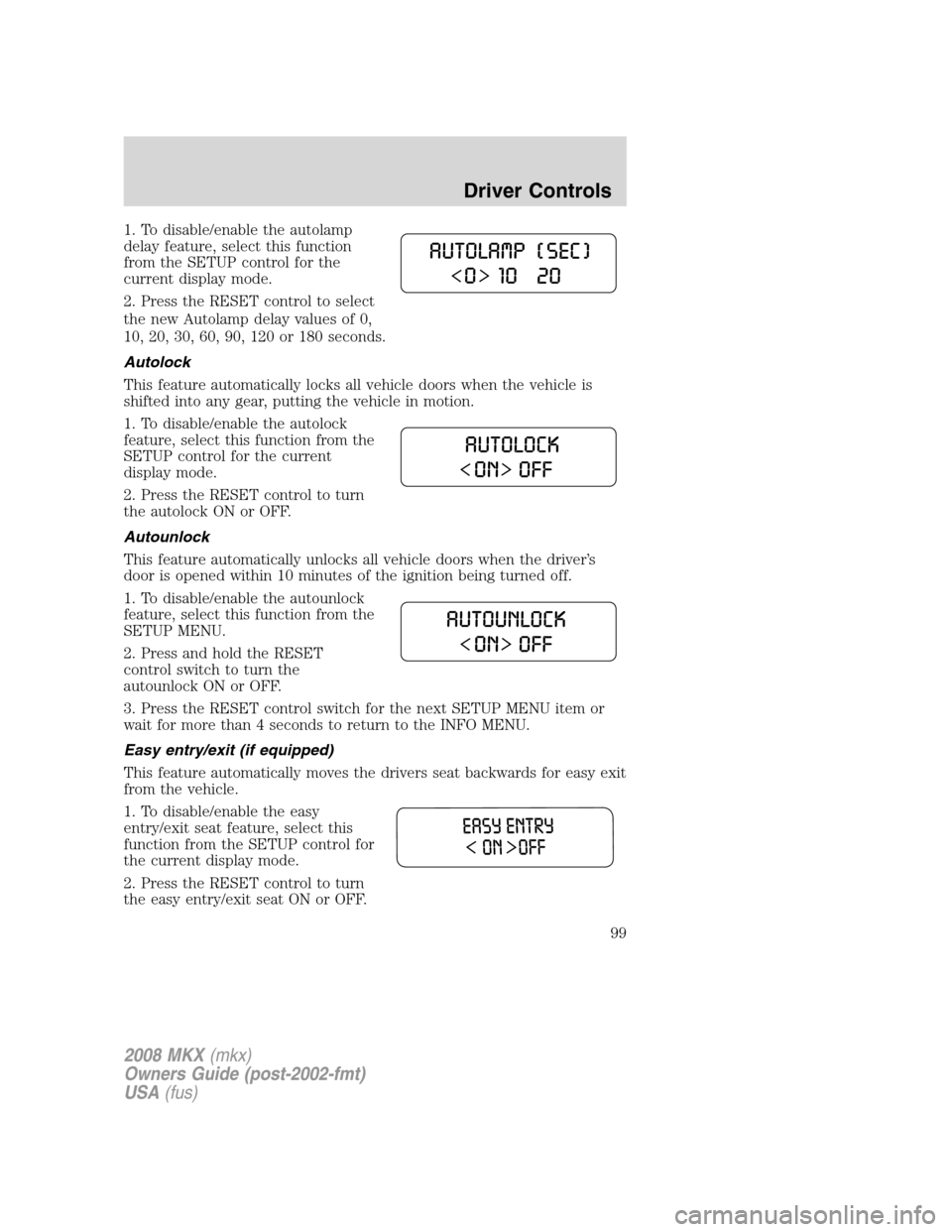
1. To disable/enable the autolamp
delay feature, select this function
from the SETUP control for the
current display mode.
2. Press the RESET control to select
the new Autolamp delay values of 0,
10, 20, 30, 60, 90, 120 or 180 seconds.
Autolock
This feature automatically locks all vehicle doors when the vehicle is
shifted into any gear, putting the vehicle in motion.
1. To disable/enable the autolock
feature, select this function from the
SETUP control for the current
display mode.
2. Press the RESET control to turn
the autolock ON or OFF.
Autounlock
This feature automatically unlocks all vehicle doors when the driver’s
door is opened within 10 minutes of the ignition being turned off.
1. To disable/enable the autounlock
feature, select this function from the
SETUP MENU.
2. Press and hold the RESET
control switch to turn the
autounlock ON or OFF.
3. Press the RESET control switch for the next SETUP MENU item or
wait for more than 4 seconds to return to the INFO MENU.
Easy entry/exit (if equipped)
This feature automatically moves the drivers seat backwards for easy exit
from the vehicle.
1. To disable/enable the easy
entry/exit seat feature, select this
function from the SETUP control for
the current display mode.
2. Press the RESET control to turn
the easy entry/exit seat ON or OFF.
2008 MKX(mkx)
Owners Guide (post-2002-fmt)
USA(fus)
Driver Controls
99
Page 119 of 328
Note:The panic alarm will only operate when the ignition is in the 1
(LOCK) position.
Memory feature
The Integrated Keyhead Transmitter allows you to recall the memory
seat/mirror feature.
Press
to automatically move the seat/mirrors to the desired memory
position.Note:The seat will not travel to its final position if the key is
not in the ignition and the easy entry feature is enabled.
Activating the memory feature
To activate this feature:
1. Position the seat and mirrors to the desired positions.
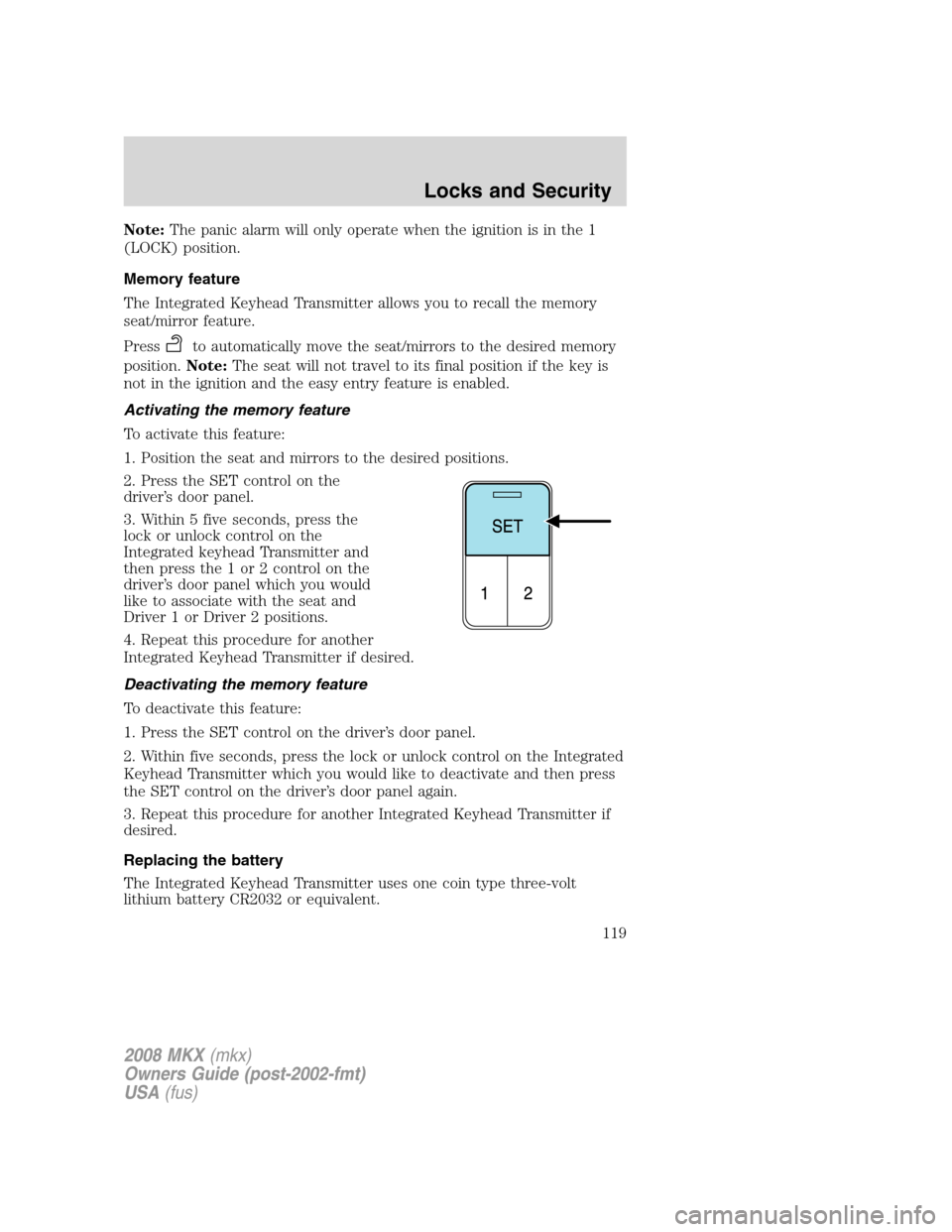
2. Press the SET control on the
driver’s door panel.
3. Within 5 five seconds, press the
lock or unlock control on the
Integrated keyhead Transmitter and
then press the 1 or 2 control on the
driver’s door panel which you would
like to associate with the seat and
Driver 1 or Driver 2 positions.
4. Repeat this procedure for another
Integrated Keyhead Transmitter if desired.
Deactivating the memory feature
To deactivate this feature:
1. Press the SET control on the driver’s door panel.
2. Within five seconds, press the lock or unlock control on the Integrated
Keyhead Transmitter which you would like to deactivate and then press
the SET control on the driver’s door panel again.
3. Repeat this procedure for another Integrated Keyhead Transmitter if
desired.
Replacing the battery
The Integrated Keyhead Transmitter uses one coin type three-volt
lithium battery CR2032 or equivalent.
2008 MKX(mkx)
Owners Guide (post-2002-fmt)
USA(fus)
Locks and Security
119
Page 120 of 328
To replace the battery:
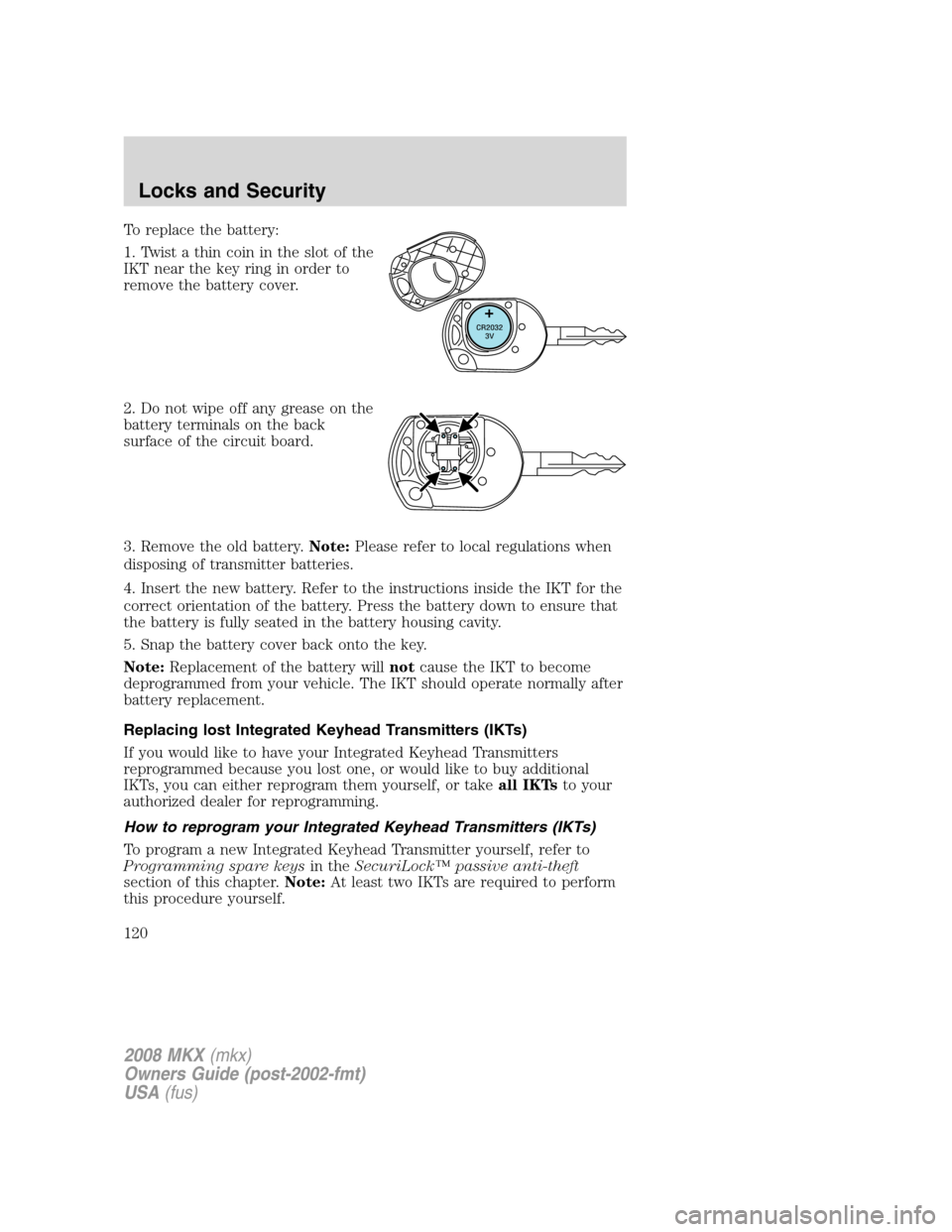
1. Twist a thin coin in the slot of the
IKT near the key ring in order to
remove the battery cover.
2. Do not wipe off any grease on the
battery terminals on the back
surface of the circuit board.
3. Remove the old battery.Note:Please refer to local regulations when
disposing of transmitter batteries.
4. Insert the new battery. Refer to the instructions inside the IKT for the
correct orientation of the battery. Press the battery down to ensure that
the battery is fully seated in the battery housing cavity.
5. Snap the battery cover back onto the key.
Note:Replacement of the battery willnotcause the IKT to become
deprogrammed from your vehicle. The IKT should operate normally after
battery replacement.
Replacing lost Integrated Keyhead Transmitters (IKTs)
If you would like to have your Integrated Keyhead Transmitters
reprogrammed because you lost one, or would like to buy additional
IKTs, you can either reprogram them yourself, or takeall IKTsto your
authorized dealer for reprogramming.
How to reprogram your Integrated Keyhead Transmitters (IKTs)
To program a new Integrated Keyhead Transmitter yourself, refer to
Programming spare keysin theSecuriLock™ passive anti-theft
section of this chapter.Note:At least two IKTs are required to perform
this procedure yourself.
2008 MKX(mkx)
Owners Guide (post-2002-fmt)
USA(fus)
Locks and Security
120