All LINCOLN MKX 2008 Workshop Manual
[x] Cancel search | Manufacturer: LINCOLN, Model Year: 2008, Model line: MKX, Model: LINCOLN MKX 2008Pages: 328, PDF Size: 2.62 MB
Page 72 of 328
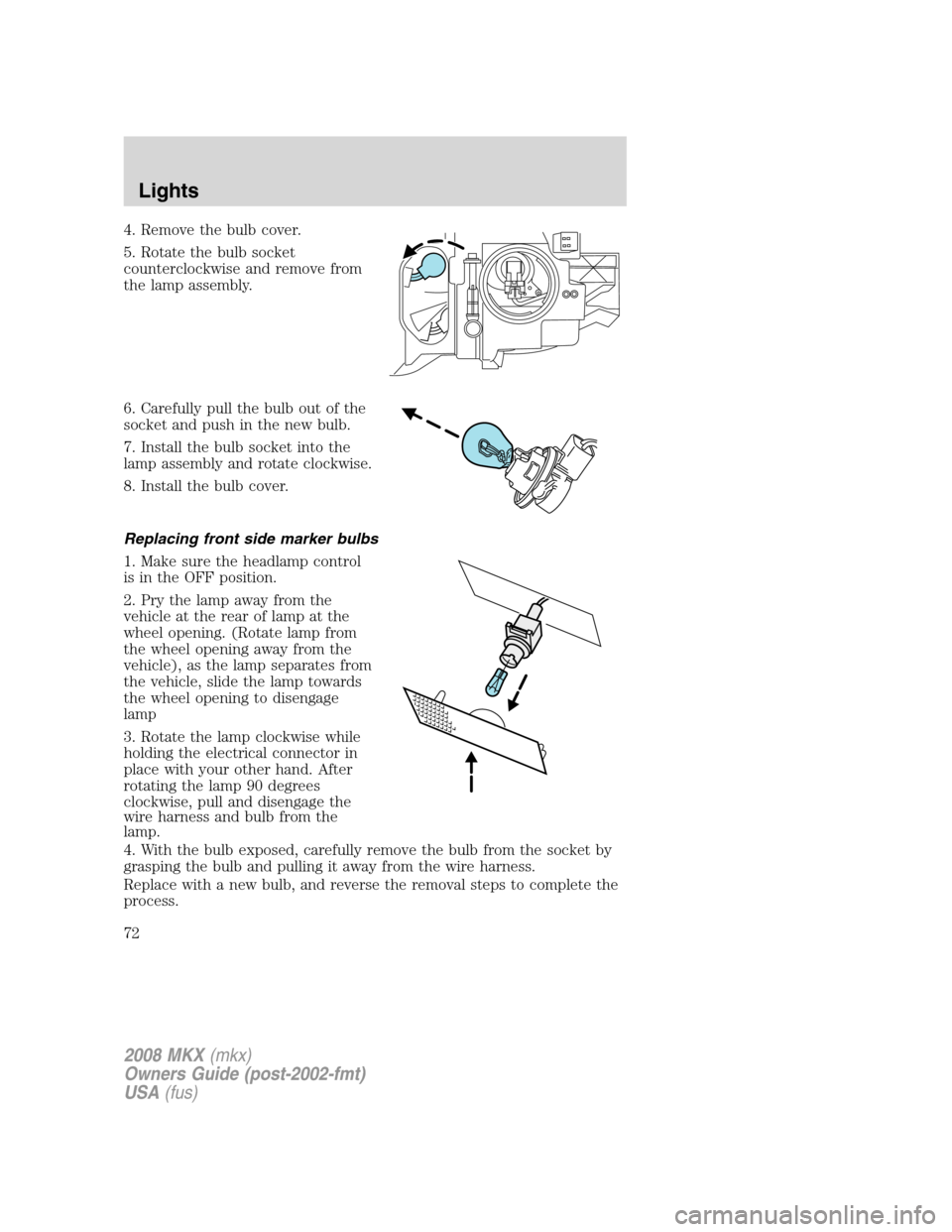
4. Remove the bulb cover.
5. Rotate the bulb socket
counterclockwise and remove from
the lamp assembly.
6. Carefully pull the bulb out of the
socket and push in the new bulb.
7. Install the bulb socket into the
lamp assembly and rotate clockwise.
8. Install the bulb cover.
Replacing front side marker bulbs
1. Make sure the headlamp control
is in the OFF position.
2. Pry the lamp away from the
vehicle at the rear of lamp at the
wheel opening. (Rotate lamp from
the wheel opening away from the
vehicle), as the lamp separates from
the vehicle, slide the lamp towards
the wheel opening to disengage
lamp
3. Rotate the lamp clockwise while
holding the electrical connector in
place with your other hand. After
rotating the lamp 90 degrees
clockwise, pull and disengage the
wire harness and bulb from the
lamp.
4. With the bulb exposed, carefully remove the bulb from the socket by
grasping the bulb and pulling it away from the wire harness.
Replace with a new bulb, and reverse the removal steps to complete the
process.
2008 MKX(mkx)
Owners Guide (post-2002-fmt)
USA(fus)
Lights
72
Page 73 of 328
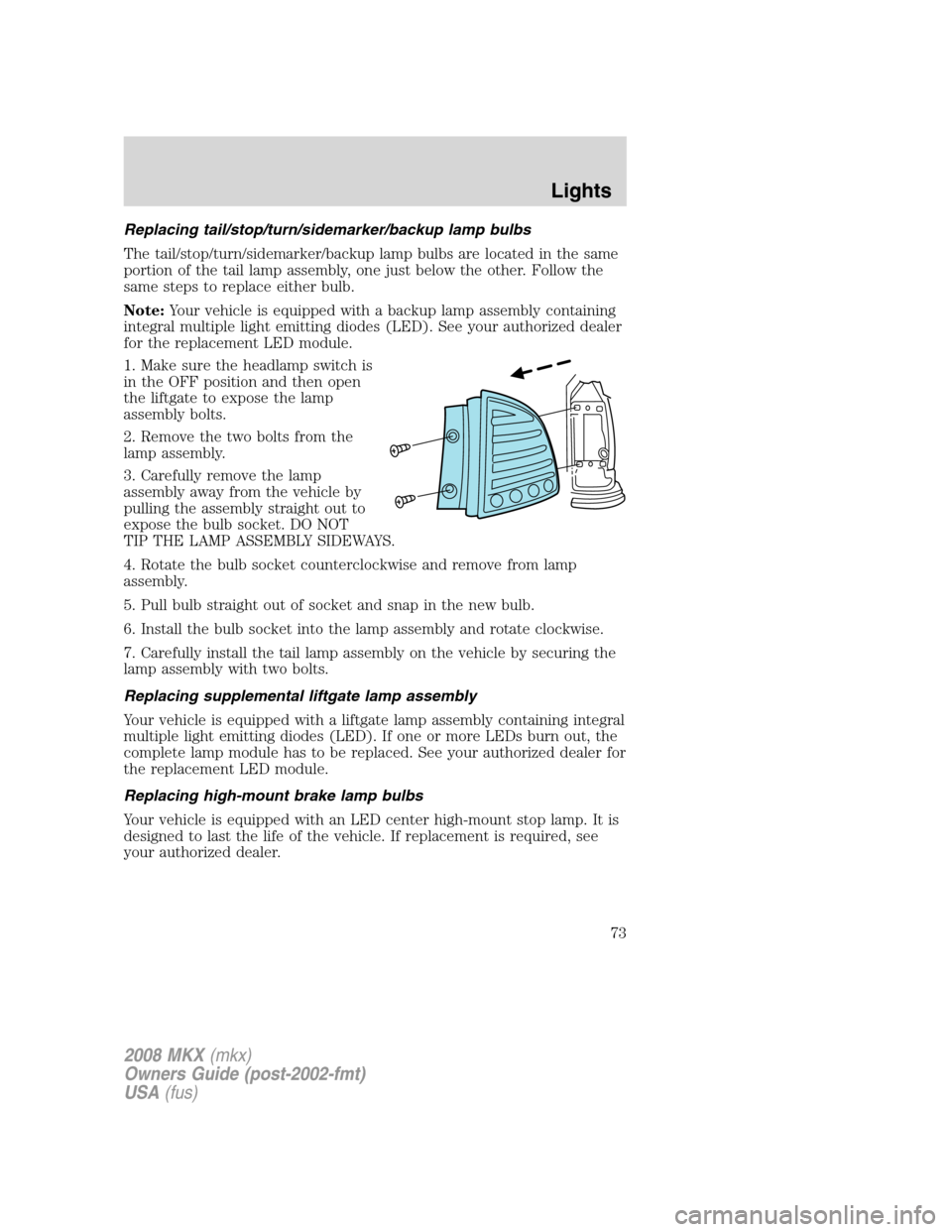
Replacing tail/stop/turn/sidemarker/backup lamp bulbs
The tail/stop/turn/sidemarker/backup lamp bulbs are located in the same
portion of the tail lamp assembly, one just below the other. Follow the
same steps to replace either bulb.
Note:Your vehicle is equipped with a backup lamp assembly containing
integral multiple light emitting diodes (LED). See your authorized dealer
for the replacement LED module.
1. Make sure the headlamp switch is
in the OFF position and then open
the liftgate to expose the lamp
assembly bolts.
2. Remove the two bolts from the
lamp assembly.
3. Carefully remove the lamp
assembly away from the vehicle by
pulling the assembly straight out to
expose the bulb socket. DO NOT
TIP THE LAMP ASSEMBLY SIDEWAYS.
4. Rotate the bulb socket counterclockwise and remove from lamp
assembly.
5. Pull bulb straight out of socket and snap in the new bulb.
6. Install the bulb socket into the lamp assembly and rotate clockwise.
7. Carefully install the tail lamp assembly on the vehicle by securing the
lamp assembly with two bolts.
Replacing supplemental liftgate lamp assembly
Your vehicle is equipped with a liftgate lamp assembly containing integral
multiple light emitting diodes (LED). If one or more LEDs burn out, the
complete lamp module has to be replaced. See your authorized dealer for
the replacement LED module.
Replacing high-mount brake lamp bulbs
Your vehicle is equipped with an LED center high-mount stop lamp. It is
designed to last the life of the vehicle. If replacement is required, see
your authorized dealer.
2008 MKX(mkx)
Owners Guide (post-2002-fmt)
USA(fus)
Lights
73
Page 74 of 328
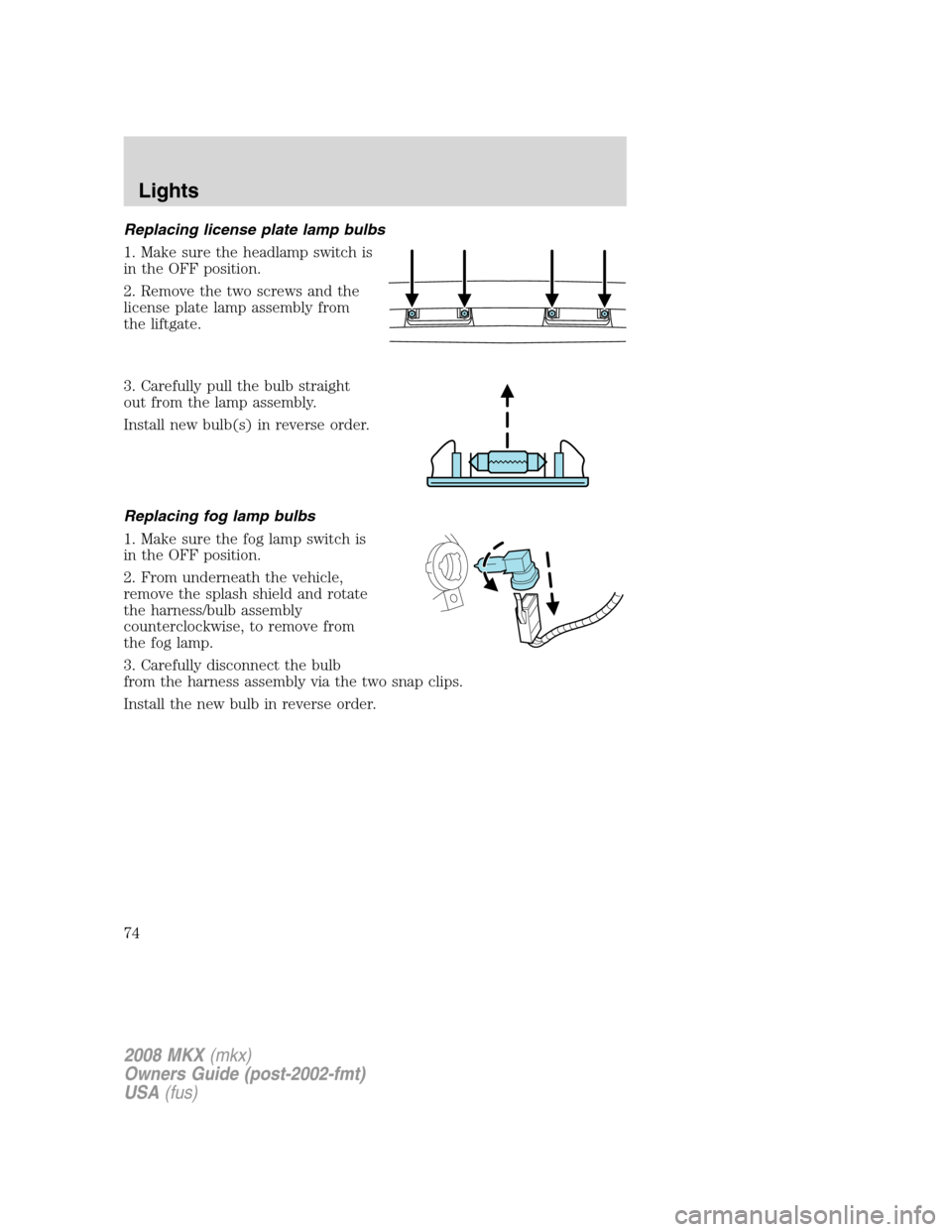
Replacing license plate lamp bulbs
1. Make sure the headlamp switch is
in the OFF position.
2. Remove the two screws and the
license plate lamp assembly from
the liftgate.
3. Carefully pull the bulb straight
out from the lamp assembly.
Install new bulb(s) in reverse order.
Replacing fog lamp bulbs
1. Make sure the fog lamp switch is
in the OFF position.
2. From underneath the vehicle,
remove the splash shield and rotate
the harness/bulb assembly
counterclockwise, to remove from
the fog lamp.
3. Carefully disconnect the bulb
from the harness assembly via the two snap clips.
Install the new bulb in reverse order.
2008 MKX(mkx)
Owners Guide (post-2002-fmt)
USA(fus)
Lights
74
Page 75 of 328
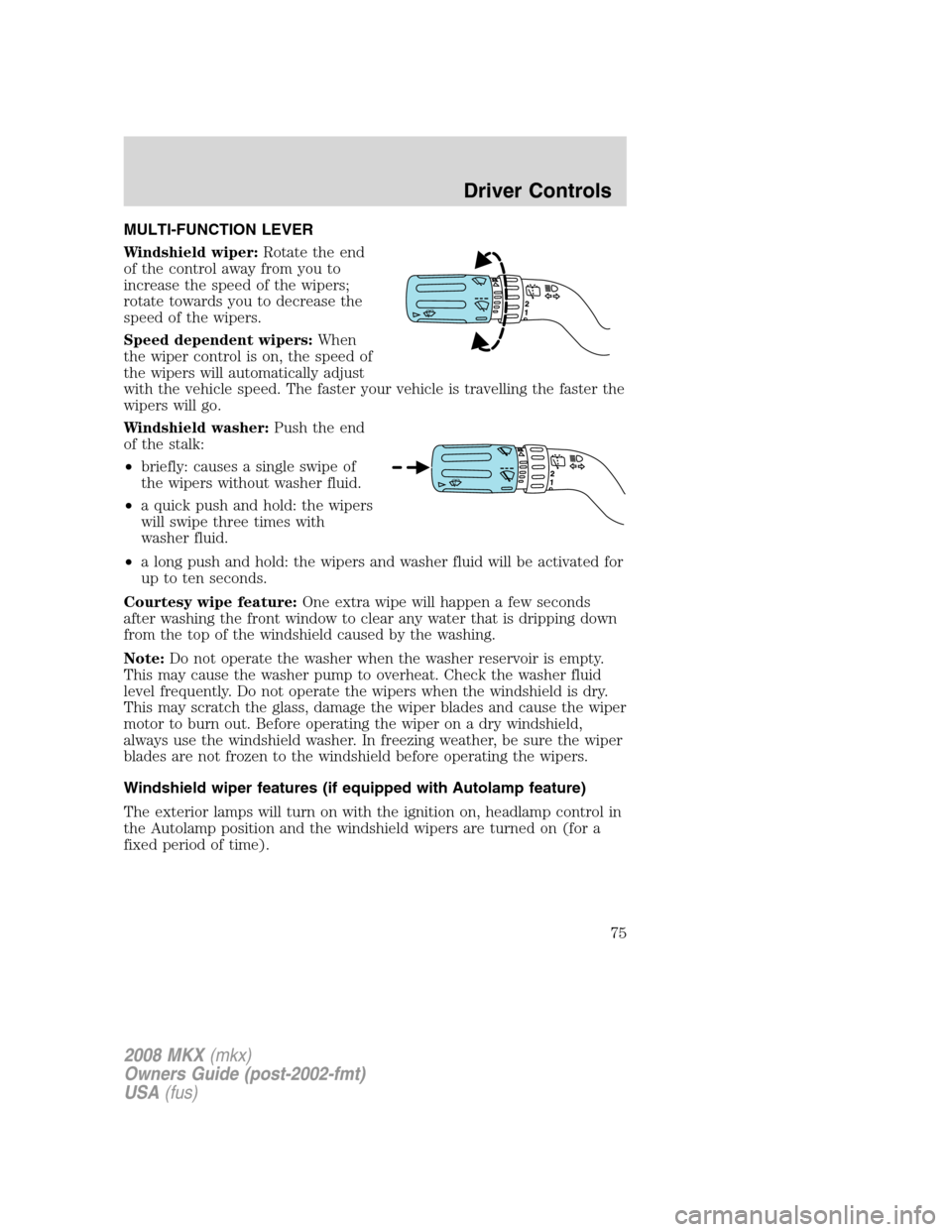
MULTI-FUNCTION LEVER
Windshield wiper:Rotate the end
of the control away from you to
increase the speed of the wipers;
rotate towards you to decrease the
speed of the wipers.
Speed dependent wipers:When
the wiper control is on, the speed of
the wipers will automatically adjust
with the vehicle speed. The faster your vehicle is travelling the faster the
wipers will go.
Windshield washer:Push the end
of the stalk:
•briefly: causes a single swipe of
the wipers without washer fluid.
•a quick push and hold: the wipers
will swipe three times with
washer fluid.
•a long push and hold: the wipers and washer fluid will be activated for
up to ten seconds.
Courtesy wipe feature:One extra wipe will happen a few seconds
after washing the front window to clear any water that is dripping down
from the top of the windshield caused by the washing.
Note:Do not operate the washer when the washer reservoir is empty.
This may cause the washer pump to overheat. Check the washer fluid
level frequently. Do not operate the wipers when the windshield is dry.
This may scratch the glass, damage the wiper blades and cause the wiper
motor to burn out. Before operating the wiper on a dry windshield,
always use the windshield washer. In freezing weather, be sure the wiper
blades are not frozen to the windshield before operating the wipers.
Windshield wiper features (if equipped with Autolamp feature)
The exterior lamps will turn on with the ignition on, headlamp control in
the Autolamp position and the windshield wipers are turned on (for a
fixed period of time).
2008 MKX(mkx)
Owners Guide (post-2002-fmt)
USA(fus)
Driver Controls
75
Page 76 of 328
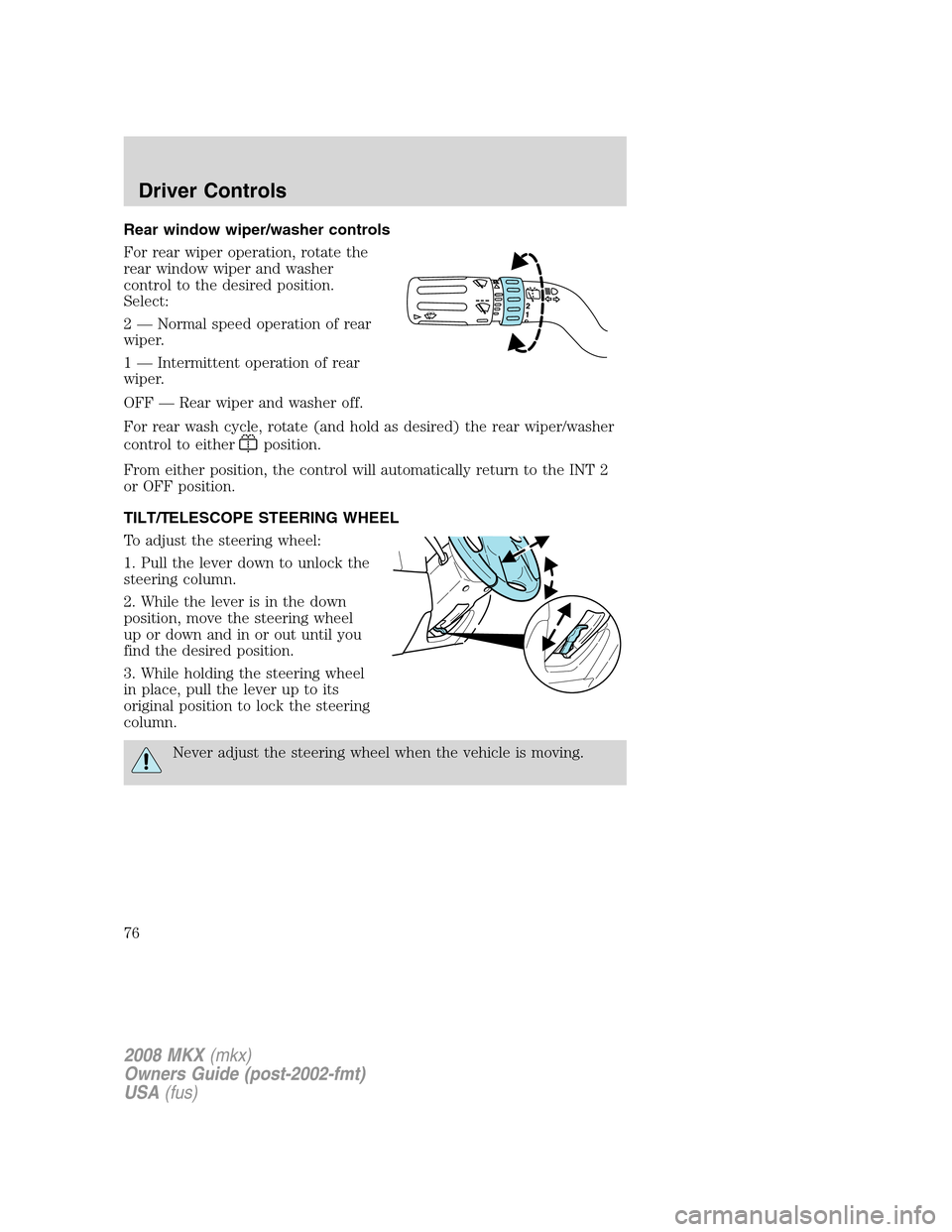
Rear window wiper/washer controls
For rear wiper operation, rotate the
rear window wiper and washer
control to the desired position.
Select:
2 — Normal speed operation of rear
wiper.
1 — Intermittent operation of rear
wiper.
OFF — Rear wiper and washer off.
For rear wash cycle, rotate (and hold as desired) the rear wiper/washer
control to either
position.
From either position, the control will automatically return to the INT 2
or OFF position.
TILT/TELESCOPE STEERING WHEEL
To adjust the steering wheel:
1. Pull the lever down to unlock the
steering column.
2. While the lever is in the down
position, move the steering wheel
up or down and in or out until you
find the desired position.
3. While holding the steering wheel
in place, pull the lever up to its
original position to lock the steering
column.
Never adjust the steering wheel when the vehicle is moving.
2008 MKX(mkx)
Owners Guide (post-2002-fmt)
USA(fus)
Driver Controls
76
Page 80 of 328
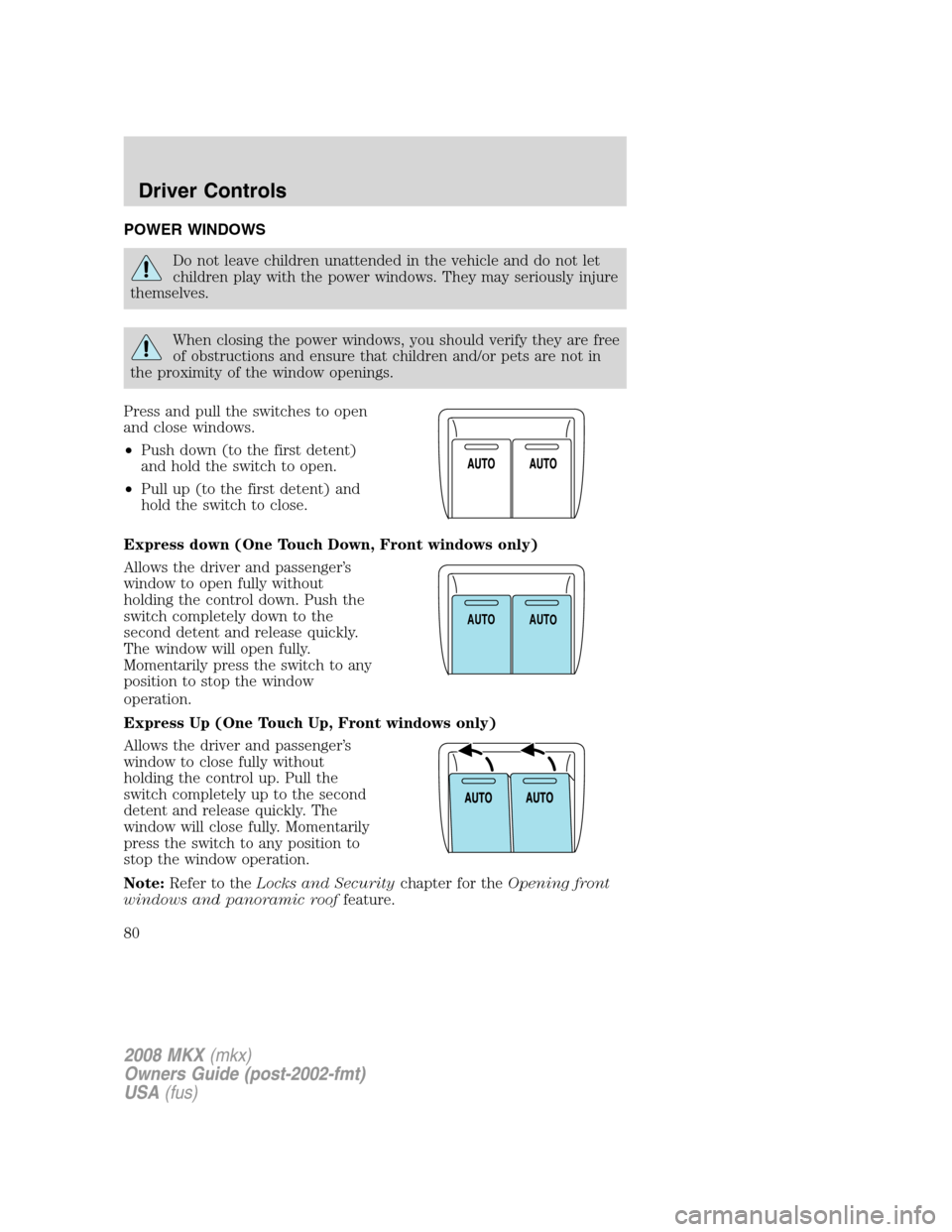
POWER WINDOWS
Do not leave children unattended in the vehicle and do not let
children play with the power windows. They may seriously injure
themselves.
When closing the power windows, you should verify they are free
of obstructions and ensure that children and/or pets are not in
the proximity of the window openings.
Press and pull the switches to open
and close windows.
•Push down (to the first detent)
and hold the switch to open.
•Pull up (to the first detent) and
hold the switch to close.
Express down (One Touch Down, Front windows only)
Allows the driver and passenger’s
window to open fully without
holding the control down. Push the
switch completely down to the
second detent and release quickly.
The window will open fully.
Momentarily press the switch to any
position to stop the window
operation.
Express Up (One Touch Up, Front windows only)
Allows the driver and passenger’s
window to close fully without
holding the control up. Pull the
switch completely up to the second
detent and release quickly. The
window will close fully. Momentarily
press the switch to any position to
stop the window operation.
Note:Refer to theLocks and Securitychapter for theOpening front
windows and panoramic rooffeature.
AUTOAUTO
2008 MKX(mkx)
Owners Guide (post-2002-fmt)
USA(fus)
Driver Controls
80
Page 81 of 328
Bounce-Back
When the window is moving upward and an obstacle or a rough road
condition interferes with the window’s movement, the window will
automatically reverse direction and move down. This is known as
“bounce-back”. If the ignition is turned OFF (without accessory delay
being active) during bounce-back, the window will move down until the
bounce back position is reached.
Security Override
If during a bounce-back condition, the switch is released to the neutral
position, then held in the one touch up position within two seconds after
the window reaches the bounce-back position,the window will travel
up with no bounce-back protection.If the switch is released before
the window reaches fully closed or the ignition is turned OFF (without
accessory delay being active), the window will stop. Security override
can be used if the window movement is restricted in some way, for
example, if there is ice on the window or seals.
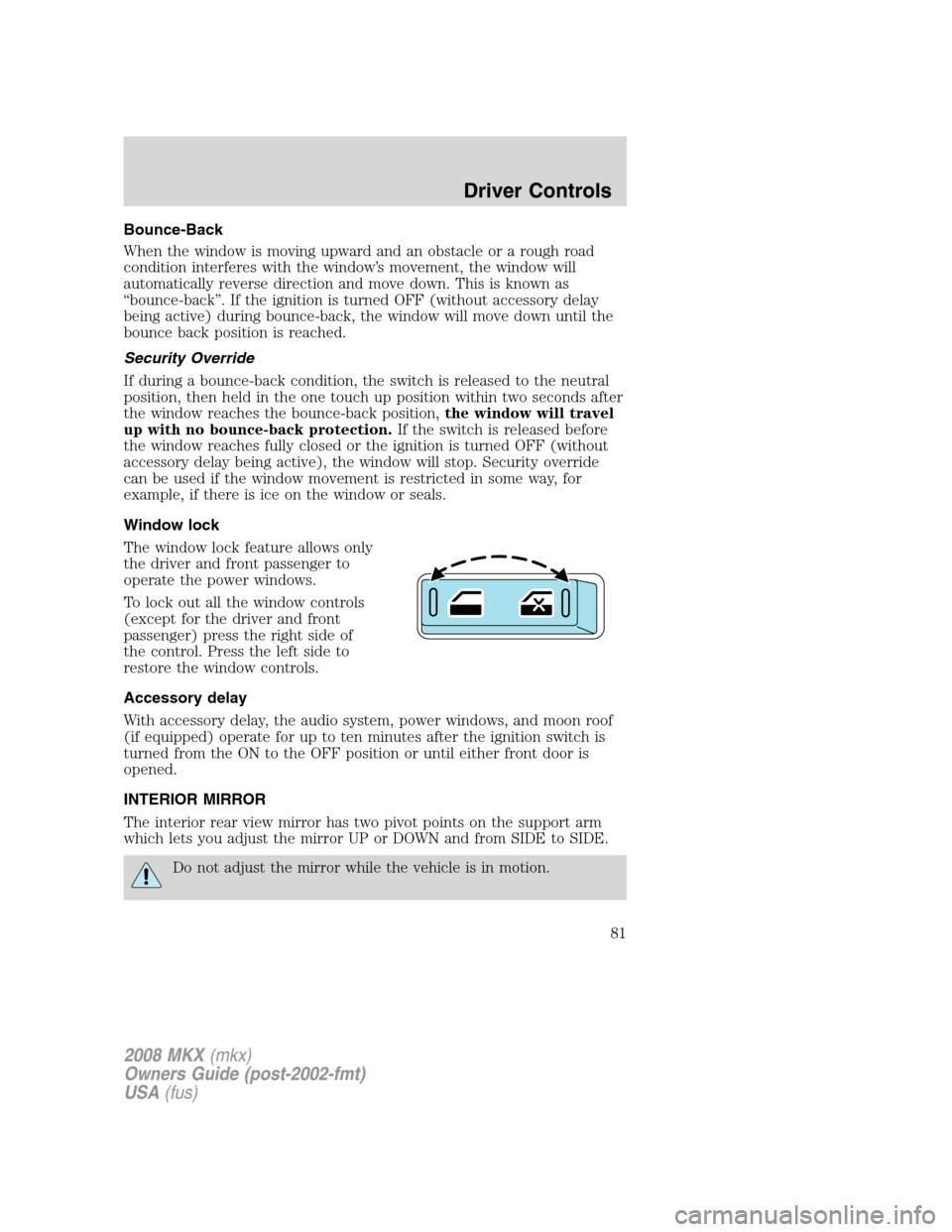
Window lock
The window lock feature allows only
the driver and front passenger to
operate the power windows.
To lock out all the window controls
(except for the driver and front
passenger) press the right side of
the control. Press the left side to
restore the window controls.
Accessory delay
With accessory delay, the audio system, power windows, and moon roof
(if equipped) operate for up to ten minutes after the ignition switch is
turned from the ON to the OFF position or until either front door is
opened.
INTERIOR MIRROR
The interior rear view mirror has two pivot points on the support arm
which lets you adjust the mirror UP or DOWN and from SIDE to SIDE.
Do not adjust the mirror while the vehicle is in motion.
2008 MKX(mkx)
Owners Guide (post-2002-fmt)
USA(fus)
Driver Controls
81
Page 82 of 328
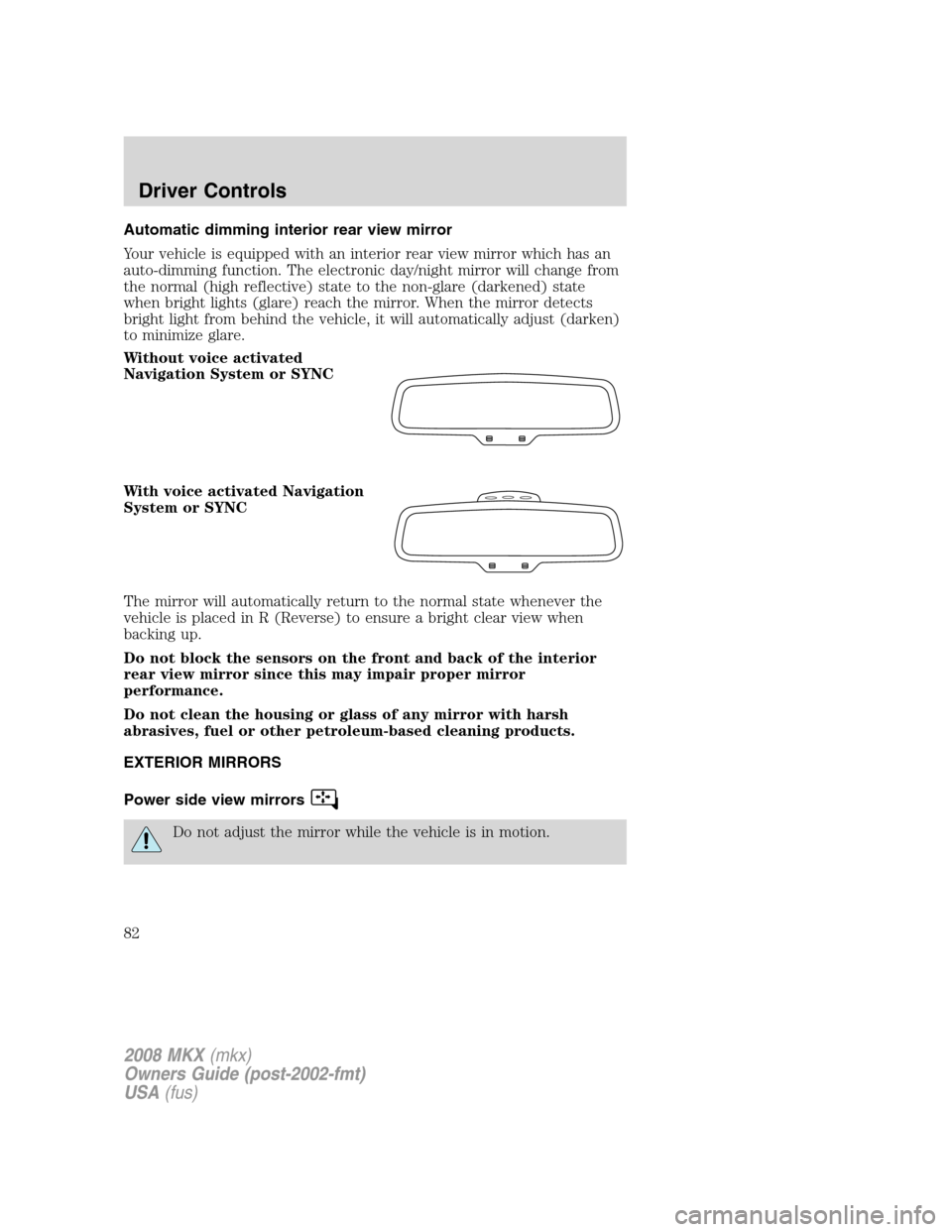
Automatic dimming interior rear view mirror
Your vehicle is equipped with an interior rear view mirror which has an
auto-dimming function. The electronic day/night mirror will change from
the normal (high reflective) state to the non-glare (darkened) state
when bright lights (glare) reach the mirror. When the mirror detects
bright light from behind the vehicle, it will automatically adjust (darken)
to minimize glare.
Without voice activated
Navigation System or SYNC
With voice activated Navigation
System or SYNC
The mirror will automatically return to the normal state whenever the
vehicle is placed in R (Reverse) to ensure a bright clear view when
backing up.
Do not block the sensors on the front and back of the interior
rear view mirror since this may impair proper mirror
performance.
Do not clean the housing or glass of any mirror with harsh
abrasives, fuel or other petroleum-based cleaning products.
EXTERIOR MIRRORS
Power side view mirrors
Do not adjust the mirror while the vehicle is in motion.
2008 MKX(mkx)
Owners Guide (post-2002-fmt)
USA(fus)
Driver Controls
82
Page 83 of 328
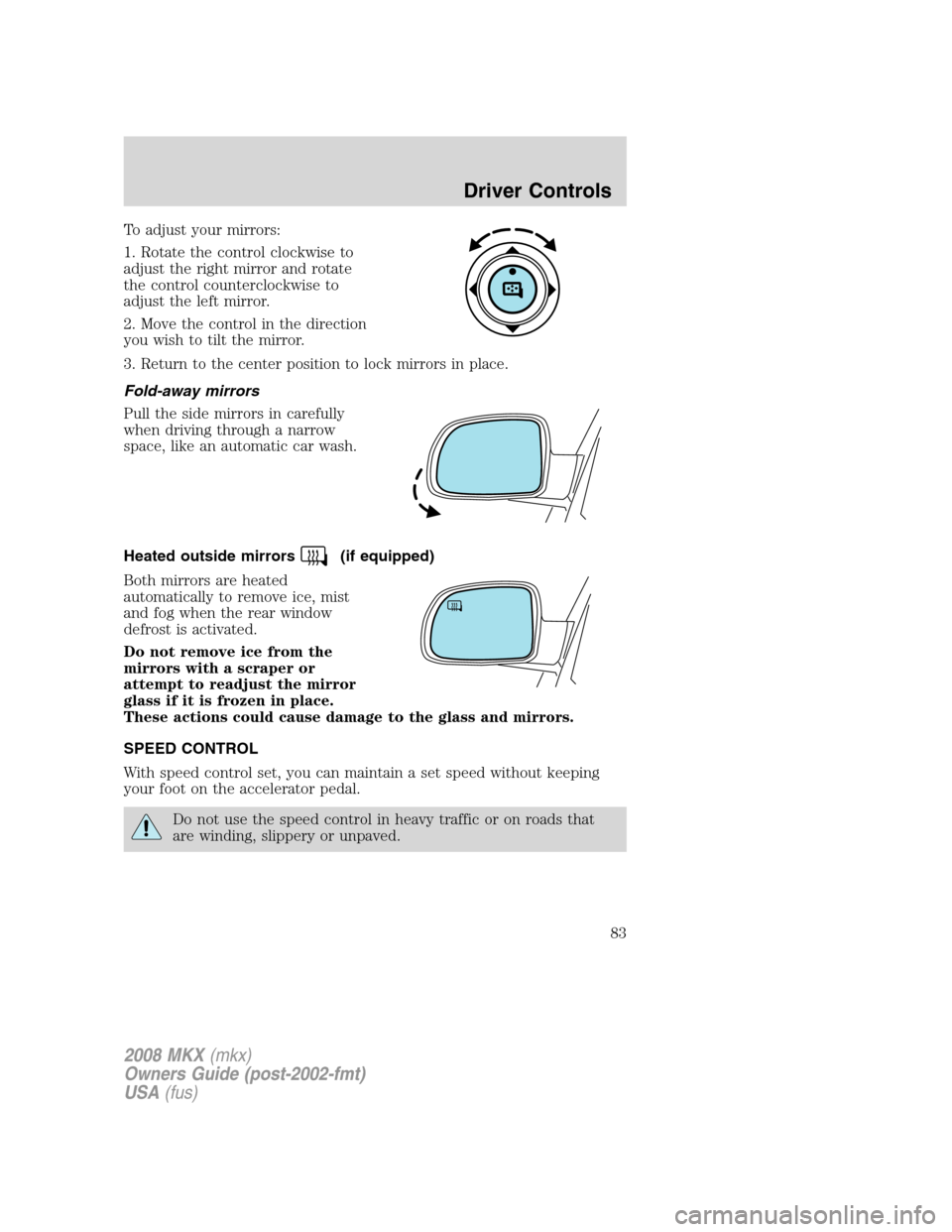
To adjust your mirrors:
1. Rotate the control clockwise to
adjust the right mirror and rotate
the control counterclockwise to
adjust the left mirror.
2. Move the control in the direction
you wish to tilt the mirror.
3. Return to the center position to lock mirrors in place.
Fold-away mirrors
Pull the side mirrors in carefully
when driving through a narrow
space, like an automatic car wash.
Heated outside mirrors
(if equipped)
Both mirrors are heated
automatically to remove ice, mist
and fog when the rear window
defrost is activated.
Do not remove ice from the
mirrors with a scraper or
attempt to readjust the mirror
glass if it is frozen in place.
These actions could cause damage to the glass and mirrors.
SPEED CONTROL
With speed control set, you can maintain a set speed without keeping
your foot on the accelerator pedal.
Do not use the speed control in heavy traffic or on roads that
are winding, slippery or unpaved.
2008 MKX(mkx)
Owners Guide (post-2002-fmt)
USA(fus)
Driver Controls
83
Page 85 of 328
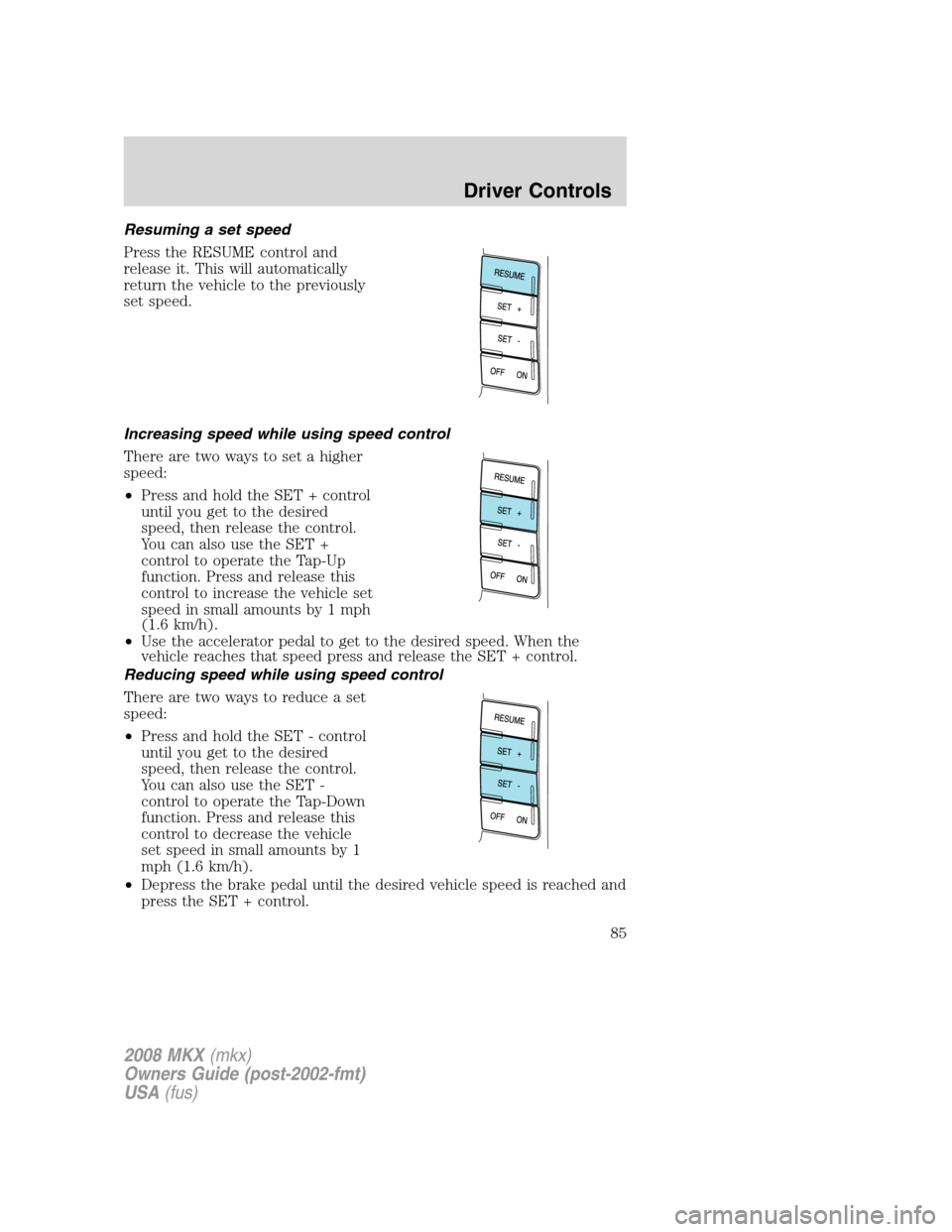
Resuming a set speed
Press the RESUME control and
release it. This will automatically
return the vehicle to the previously
set speed.
Increasing speed while using speed control
There are two ways to set a higher
speed:
•Press and hold the SET + control
until you get to the desired
speed, then release the control.
You can also use the SET +
control to operate the Tap-Up
function. Press and release this
control to increase the vehicle set
speed in small amounts by 1 mph
(1.6 km/h).
•Use the accelerator pedal to get to the desired speed. When the
vehicle reaches that speed press and release the SET + control.
Reducing speed while using speed control
There are two ways to reduce a set
speed:
•Press and hold the SET - control
until you get to the desired
speed, then release the control.
You can also use the SET -
control to operate the Tap-Down
function. Press and release this
control to decrease the vehicle
set speed in small amounts by 1
mph (1.6 km/h).
•Depress the brake pedal until the desired vehicle speed is reached and
press the SET + control.
2008 MKX(mkx)
Owners Guide (post-2002-fmt)
USA(fus)
Driver Controls
85