instrument panel LINCOLN MKX 2011 User Guide
[x] Cancel search | Manufacturer: LINCOLN, Model Year: 2011, Model line: MKX, Model: LINCOLN MKX 2011Pages: 367, PDF Size: 2.56 MB
Page 84 of 367
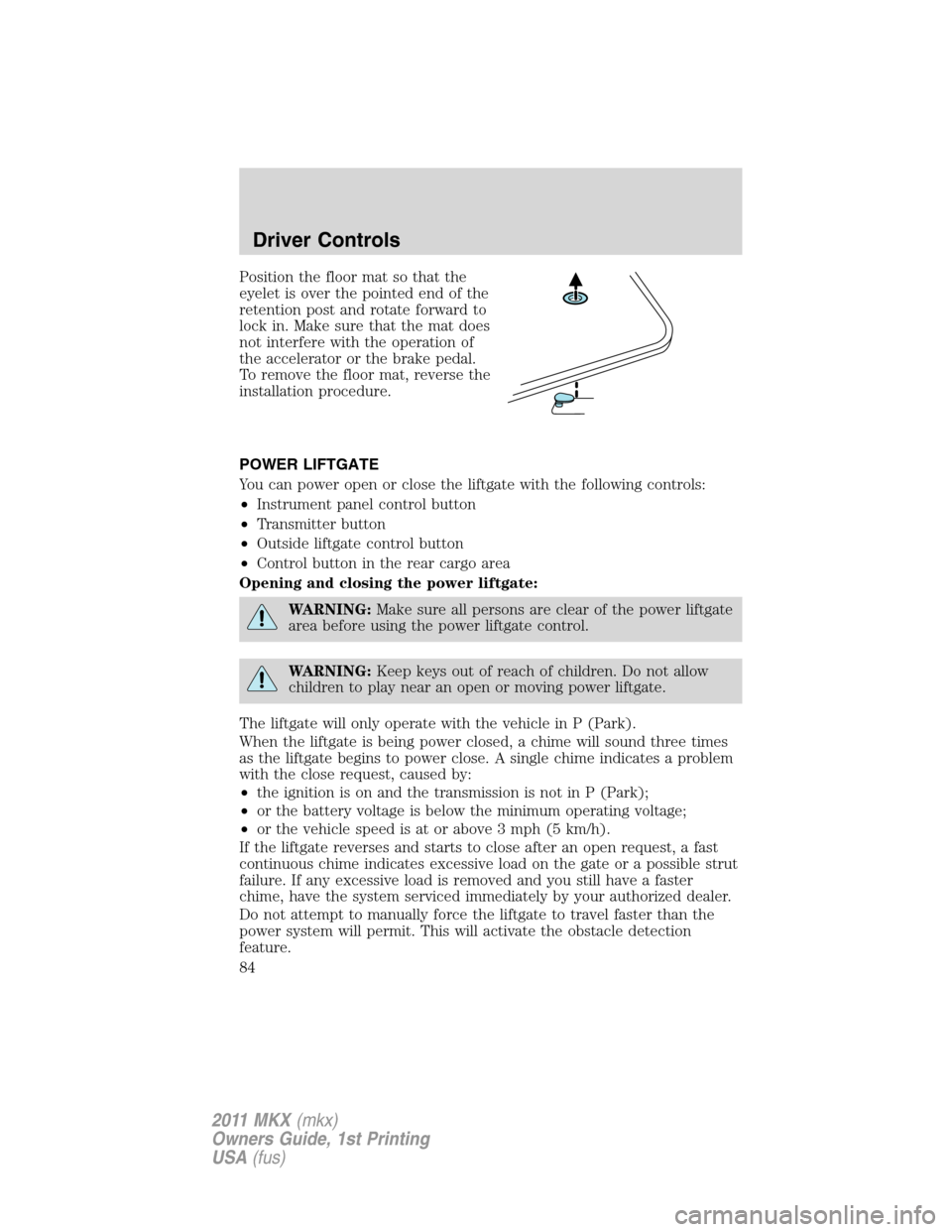
Position the floor mat so that the
eyelet is over the pointed end of the
retention post and rotate forward to
lock in. Make sure that the mat does
not interfere with the operation of
the accelerator or the brake pedal.
To remove the floor mat, reverse the
installation procedure.
POWER LIFTGATE
You can power open or close the liftgate with the following controls:
•Instrument panel control button
•Transmitter button
•Outside liftgate control button
•Control button in the rear cargo area
Opening and closing the power liftgate:
WARNING:Make sure all persons are clear of the power liftgate
area before using the power liftgate control.
WARNING:Keep keys out of reach of children. Do not allow
children to play near an open or moving power liftgate.
The liftgate will only operate with the vehicle in P (Park).
When the liftgate is being power closed, a chime will sound three times
as the liftgate begins to power close. A single chime indicates a problem
with the close request, caused by:
•the ignition is on and the transmission is not in P (Park);
•or the battery voltage is below the minimum operating voltage;
•or the vehicle speed is at or above 3 mph (5 km/h).
If the liftgate reverses and starts to close after an open request, a fast
continuous chime indicates excessive load on the gate or a possible strut
failure. If any excessive load is removed and you still have a faster
chime, have the system serviced immediately by your authorized dealer.
Do not attempt to manually force the liftgate to travel faster than the
power system will permit. This will activate the obstacle detection
feature.
Driver Controls
84
2011 MKX(mkx)
Owners Guide, 1st Printing
USA(fus)
Page 85 of 367
Note:Cycling the ignition prior to completely latching the liftgate could
result in damage to the liftgate and/or its power components. Make sure
the liftgate is fully latched before operating the vehicle.
Care should be exercised in starting the engine before the liftgate is fully
closed (latched). If the ignition is cycled during a liftgate power close
cycle and the liftgate is 6–10 inches (15–24 cm) from being latched, the
liftgate may reverse to the full open position. Verify that the gate is
closed before operating or moving the vehicle, especially in an enclosure,
like a garage or a parking structure. The liftgate or its components could
be damaged in an enclosure if the liftgate is open while the vehicle is
being operated.
When power operating the liftgate at temperatures below 32°F (0°C), the
liftgate may stop about 5 inches (12.7 cm) from the full open position.
The liftgate can be fully opened by pushing it upward to the maximum
open position.
The power liftgate feature can be enabled or disabled using the message
center controls. With the setting turned off, power operation is disabled
from the liftgate handle button and from the rear cargo area button. The
transmitter and instrument panel switch will still continue to operate the
liftgate regardless of the position state of the message center. Refer to
Message centerin theInstrument Clusterchapter.
To power open or close the
liftgate from the instrument
panel:
Press the button, located to the left
of the steering column, once to
power open or close the liftgate.
To power open or close the liftgate with the transmitter:
Press
twice within three seconds to power open or close the liftgate.
Refer toRemote entry systemin theLocks and Securitychapter.
Driver Controls
85
2011 MKX(mkx)
Owners Guide, 1st Printing
USA(fus)
Page 86 of 367
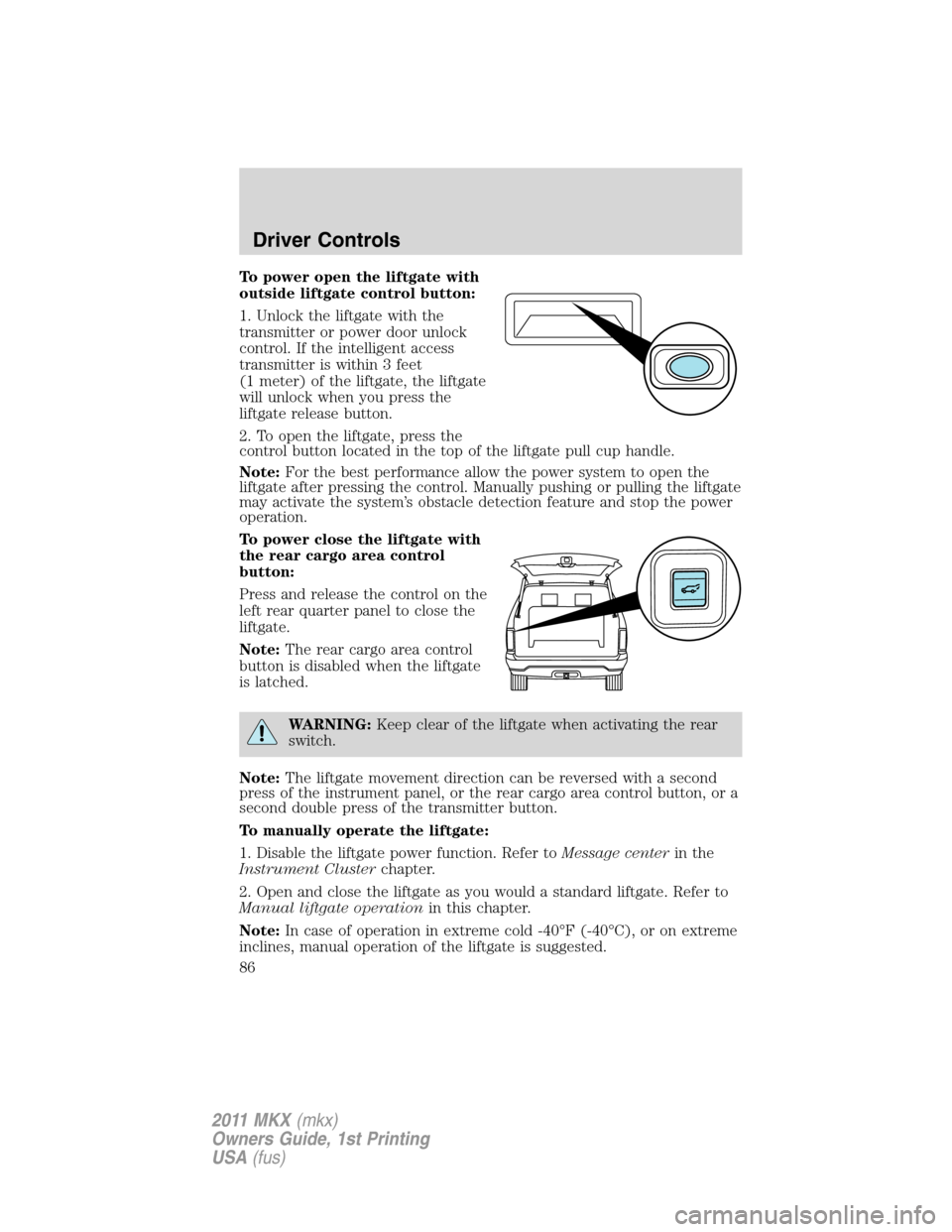
To power open the liftgate with
outside liftgate control button:
1. Unlock the liftgate with the
transmitter or power door unlock
control. If the intelligent access
transmitter is within 3 feet
(1 meter) of the liftgate, the liftgate
will unlock when you press the
liftgate release button.
2. To open the liftgate, press the
control button located in the top of the liftgate pull cup handle.
Note:For the best performance allow the power system to open the
liftgate after pressing the control. Manually pushing or pulling the liftgate
may activate the system’s obstacle detection feature and stop the power
operation.
To power close the liftgate with
the rear cargo area control
button:
Press and release the control on the
left rear quarter panel to close the
liftgate.
Note:The rear cargo area control
button is disabled when the liftgate
is latched.
WARNING:Keep clear of the liftgate when activating the rear
switch.
Note:The liftgate movement direction can be reversed with a second
press of the instrument panel, or the rear cargo area control button, or a
second double press of the transmitter button.
To manually operate the liftgate:
1. Disable the liftgate power function. Refer toMessage centerin the
Instrument Clusterchapter.
2. Open and close the liftgate as you would a standard liftgate. Refer to
Manual liftgate operationin this chapter.
Note:In case of operation in extreme cold -40°F (-40°C), or on extreme
inclines, manual operation of the liftgate is suggested.
Driver Controls
86
2011 MKX(mkx)
Owners Guide, 1st Printing
USA(fus)
Page 87 of 367
Obstacle detection:
The power liftgate system is equipped with an obstacle detection feature.
If the power liftgate is closing, the system will reverse to full open when
it detects an obstacle. A chime will sound three times when an obstacle
is detected as the liftgate begins to reopen. Once the obstacle is
removed, the liftgate can be closed under power.
If the power liftgate is opening, the system will stop and a chime will
sound three times when an obstacle is detected. Once the obstacle is
removed, the liftgate can again be operated normally.
Resetting the power liftgate:
The power liftgate may not operate properly and may need to be reset if
any of these conditions occur:
•a low voltage or dead battery
•disconnected battery
•the liftgate is manually closed and left ajar (unlatched)
To reset the power liftgate:
1. Disconnect the battery for 20 seconds then, reconnect the battery.
2. Manually close and fully latch the liftgate.
3. Power open the liftgate by using the transmitter, or the instrument
panel control button.
Note:If the power liftgate system is turned off in the message center,
the system cannot be activated with the outside release handle or rear
cargo area control button. The system will need to be turned on to
resume operation with the outside release handle or rear cargo area
control button. The power liftgate is still operational through the use of
the remote entry transmitter and instrument panel button when the
power liftgate is turned off in the message center.
Driver Controls
87
2011 MKX(mkx)
Owners Guide, 1st Printing
USA(fus)
Page 88 of 367
Manual liftgate operation
The liftgate cargo area is only intended for cargo, not for passengers.
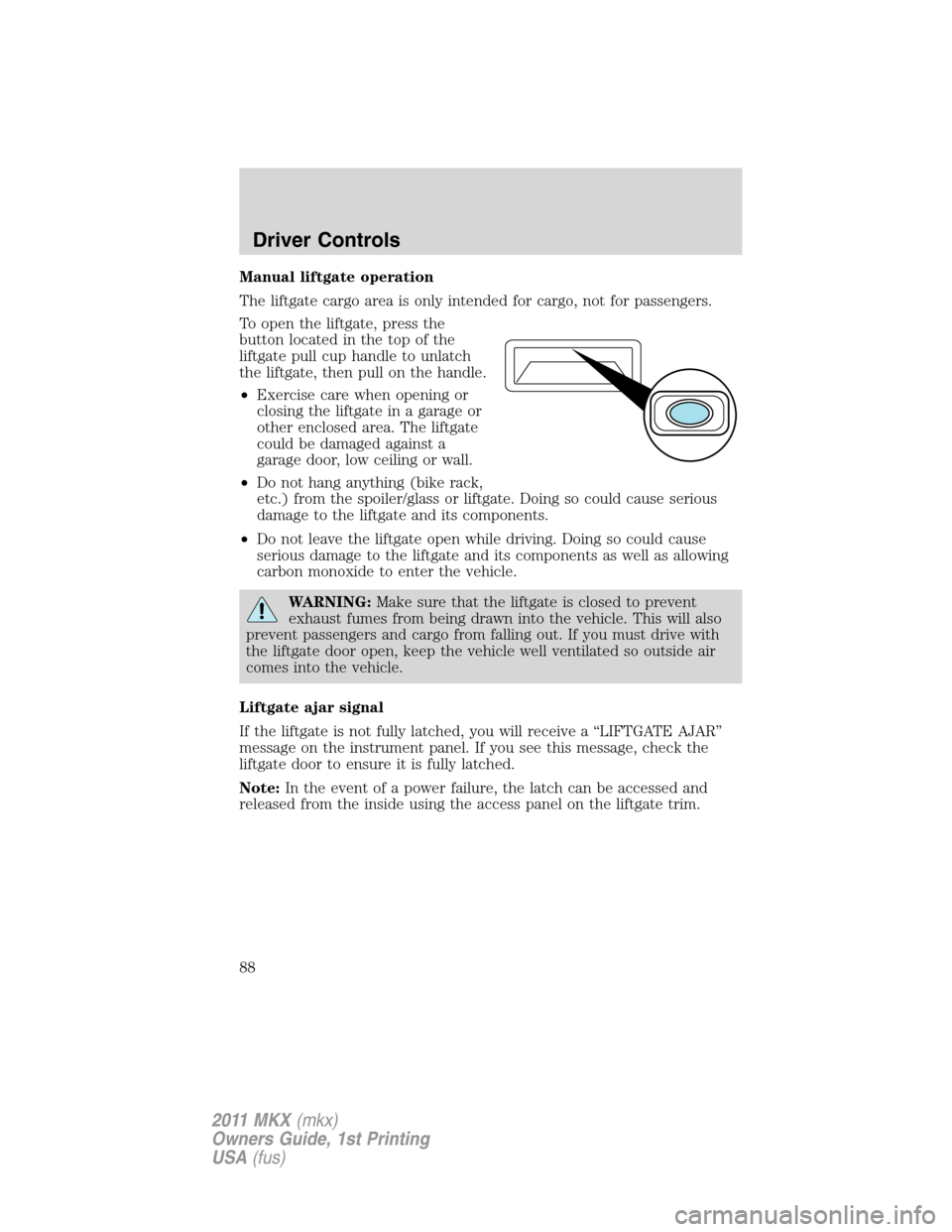
To open the liftgate, press the
button located in the top of the
liftgate pull cup handle to unlatch
the liftgate, then pull on the handle.
•Exercise care when opening or
closing the liftgate in a garage or
other enclosed area. The liftgate
could be damaged against a
garage door, low ceiling or wall.
•Do not hang anything (bike rack,
etc.) from the spoiler/glass or liftgate. Doing so could cause serious
damage to the liftgate and its components.
•Do not leave the liftgate open while driving. Doing so could cause
serious damage to the liftgate and its components as well as allowing
carbon monoxide to enter the vehicle.
WARNING:Make sure that the liftgate is closed to prevent
exhaust fumes from being drawn into the vehicle. This will also
prevent passengers and cargo from falling out. If you must drive with
the liftgate door open, keep the vehicle well ventilated so outside air
comes into the vehicle.
Liftgate ajar signal
If the liftgate is not fully latched, you will receive a “LIFTGATE AJAR”
message on the instrument panel. If you see this message, check the
liftgate door to ensure it is fully latched.
Note:In the event of a power failure, the latch can be accessed and
released from the inside using the access panel on the liftgate trim.
Driver Controls
88
2011 MKX(mkx)
Owners Guide, 1st Printing
USA(fus)
Page 100 of 367
Note:The doors will not autounlock if the vehicle has been
electronically locked before the driver door is opened.
Deactivating/activating autounlock feature
Your vehicle comes with the autounlock features activated; there are four
methods to enable/disable this feature:
•Through your authorized dealer,
•by using a power door unlock/lock sequence,
•using a keypad procedure, or
•or by using the instrument cluster message center. Refer toMessage
centerin theInstrument Clusterchapter.
Note:The autounlock feature can be activated/deactivated
independently of the autolock feature.
Power door lock switch autounlock enable/disable procedure
Before starting, ensure the ignition is off and all vehicle doors are closed.
You must complete Steps 1–5 within 30 seconds or the procedure will
have to be repeated. If the procedure needs to be repeated, wait a
minimum of 30 seconds before beginning again.
1. Turn the ignition on.
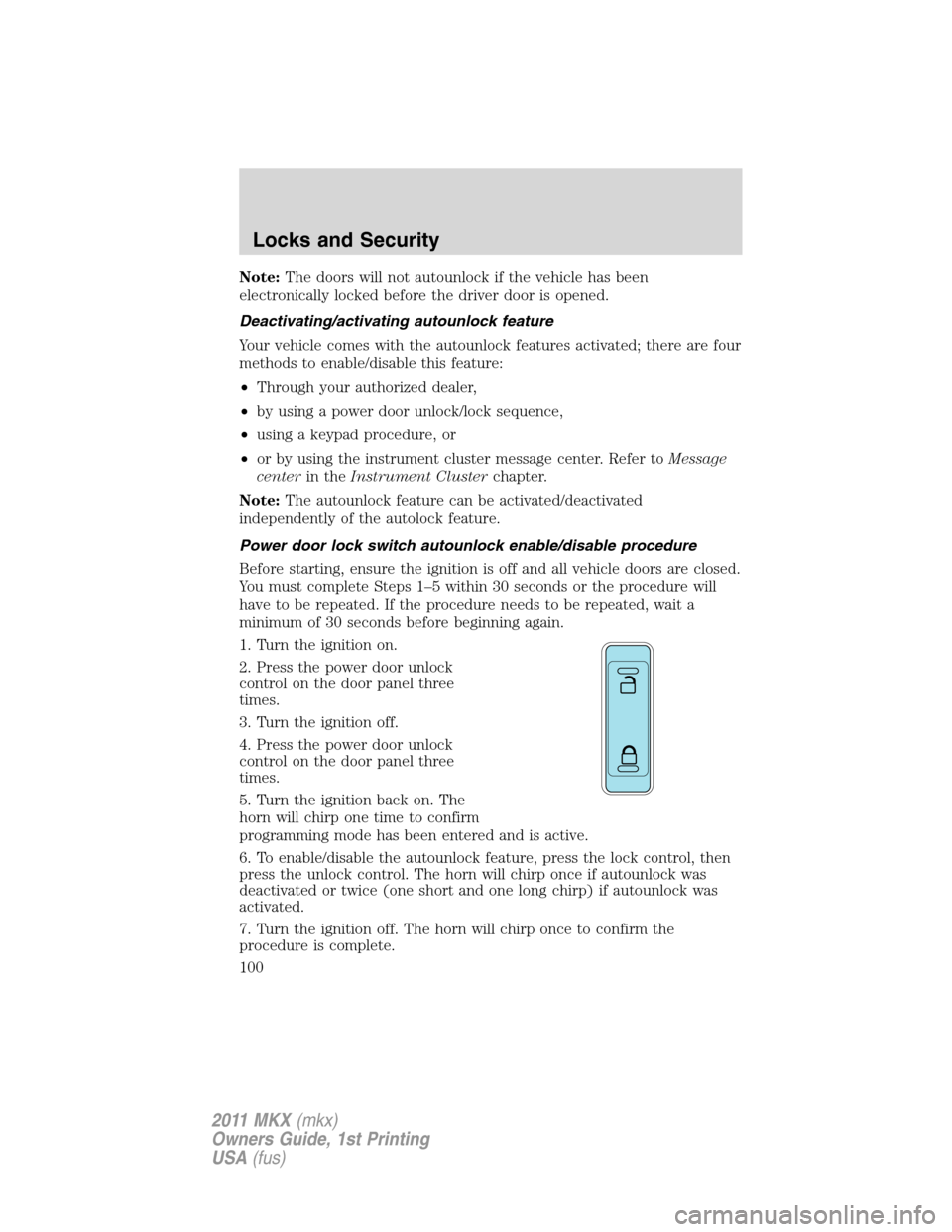
2. Press the power door unlock
control on the door panel three
times.
3. Turn the ignition off.
4. Press the power door unlock
control on the door panel three
times.
5. Turn the ignition back on. The
horn will chirp one time to confirm
programming mode has been entered and is active.
6. To enable/disable the autounlock feature, press the lock control, then
press the unlock control. The horn will chirp once if autounlock was
deactivated or twice (one short and one long chirp) if autounlock was
activated.
7. Turn the ignition off. The horn will chirp once to confirm the
procedure is complete.
Locks and Security
100
2011 MKX(mkx)
Owners Guide, 1st Printing
USA(fus)
Page 108 of 367
•If the dome lamps were turned on using the panel dimmer control, the
battery saver will shut them off 10 minutes after the ignition has been
turned off.
•If the courtesy lamps were turned on because one of the vehicle doors
or the trunk was opened, the battery saver will shut them off
10 minutes after the ignition has been turned off.
•The battery saver will shut off the headlamps 10 minutes after the
ignition has been turned off.
Accessory mode battery saver for intelligent access keys with
push button start
The battery saver will shut off the ignition approximately 45 minutes
after the vehicle is left in accessory mode, in order to preserve the
vehicle’s battery.
Remote start
The remote start feature allows you to start the engine from outside the
vehicle. If your transmitter has a
icon, you have remote start. The
remote start feature has an extended operating range which allows you
to remote start your vehicle from a farther distance from your vehicle.
All the buttons have this increased range performance capability when
equipped with remote start.
Vehicles with automatic climate control can be configured to operate
when the vehicle is started. Refer toRemote start climate optionsin
theClimate Controlschapter for more information and also refer to
Message centerin theInstrument Clusterchapter to learn how to
enable different climate options. A manual climate control system will
run at the setting it was set to when the vehicle was last turned off.
To help make the vehicle as comfortable as possible, the engine idle can
be increased during a remote start. You can enable or disable engine idle
increase by selecting Remote Start Quiet in the message center. Refer to
Message centerin theInstrument Clusterchapter.
Many states and provinces have restrictions for the use of remote start.
Check your local and state or provincial laws for specific requirements
regarding remote start systems.
Note:Do not use remote start if your vehicle is low on fuel.
WARNING:To avoid exhaust fumes, do not use remote start if
your vehicle is parked indoors or areas that are not well
ventilated.
Locks and Security
108
2011 MKX(mkx)
Owners Guide, 1st Printing
USA(fus)
Page 109 of 367
The remote start system will not work if:
•The ignition is on.
•The alarm system is triggered.
•The feature has been disabled.
•The hood is not closed.
•Two remote vehicle starts have already been attempted within the last
hour.
•The vehicle is not in P (Park).
Starting the engine with remote start
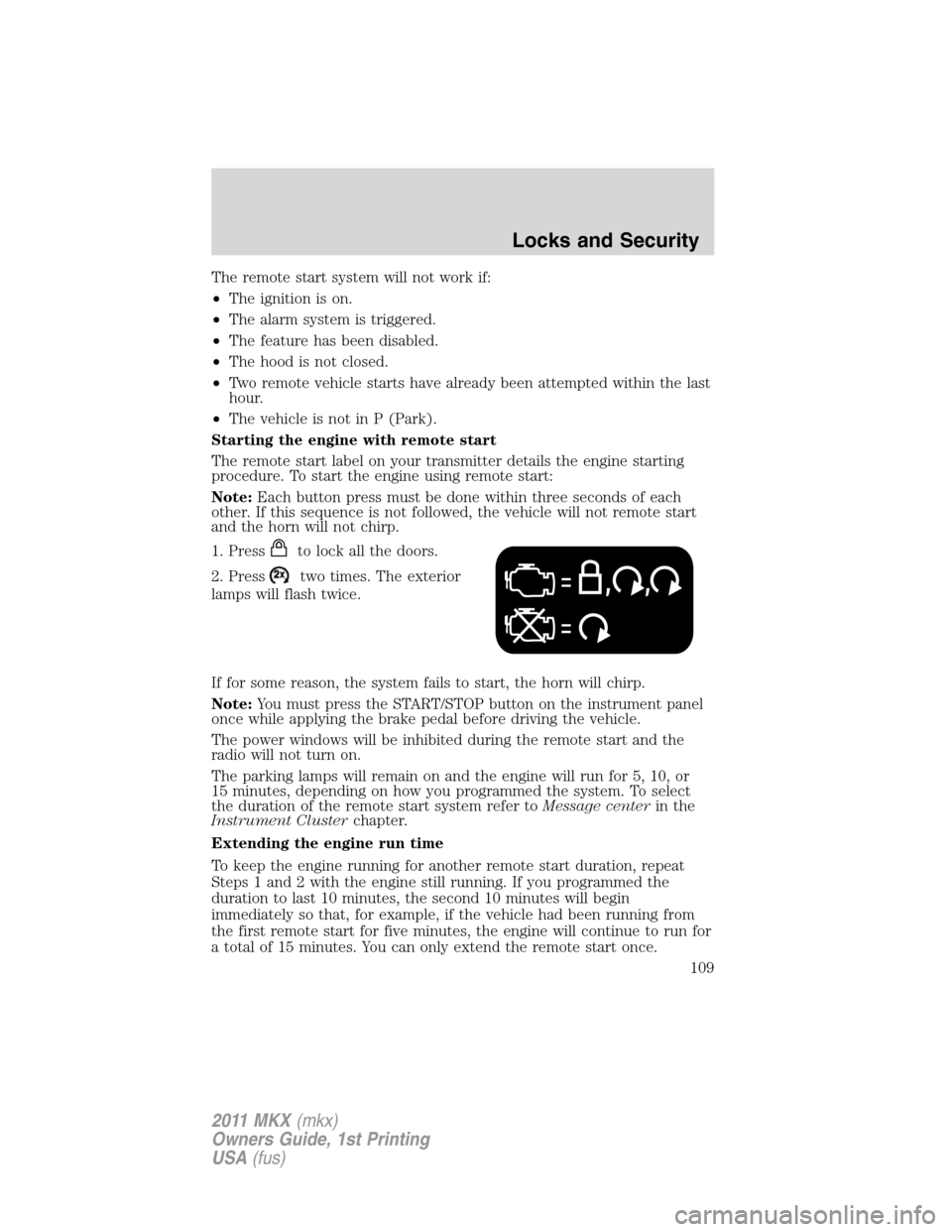
The remote start label on your transmitter details the engine starting
procedure. To start the engine using remote start:
Note:Each button press must be done within three seconds of each
other. If this sequence is not followed, the vehicle will not remote start
and the horn will not chirp.
1. Press
to lock all the doors.
2. Press
two times. The exterior
lamps will flash twice.
If for some reason, the system fails to start, the horn will chirp.
Note:You must press the START/STOP button on the instrument panel
once while applying the brake pedal before driving the vehicle.
The power windows will be inhibited during the remote start and the
radio will not turn on.
The parking lamps will remain on and the engine will run for 5, 10, or
15 minutes, depending on how you programmed the system. To select
the duration of the remote start system refer toMessage centerin the
Instrument Clusterchapter.
Extending the engine run time
To keep the engine running for another remote start duration, repeat
Steps 1 and 2 with the engine still running. If you programmed the
duration to last 10 minutes, the second 10 minutes will begin
immediately so that, for example, if the vehicle had been running from
the first remote start for five minutes, the engine will continue to run for
a total of 15 minutes. You can only extend the remote start once.
Locks and Security
109
2011 MKX(mkx)
Owners Guide, 1st Printing
USA(fus)
Page 123 of 367
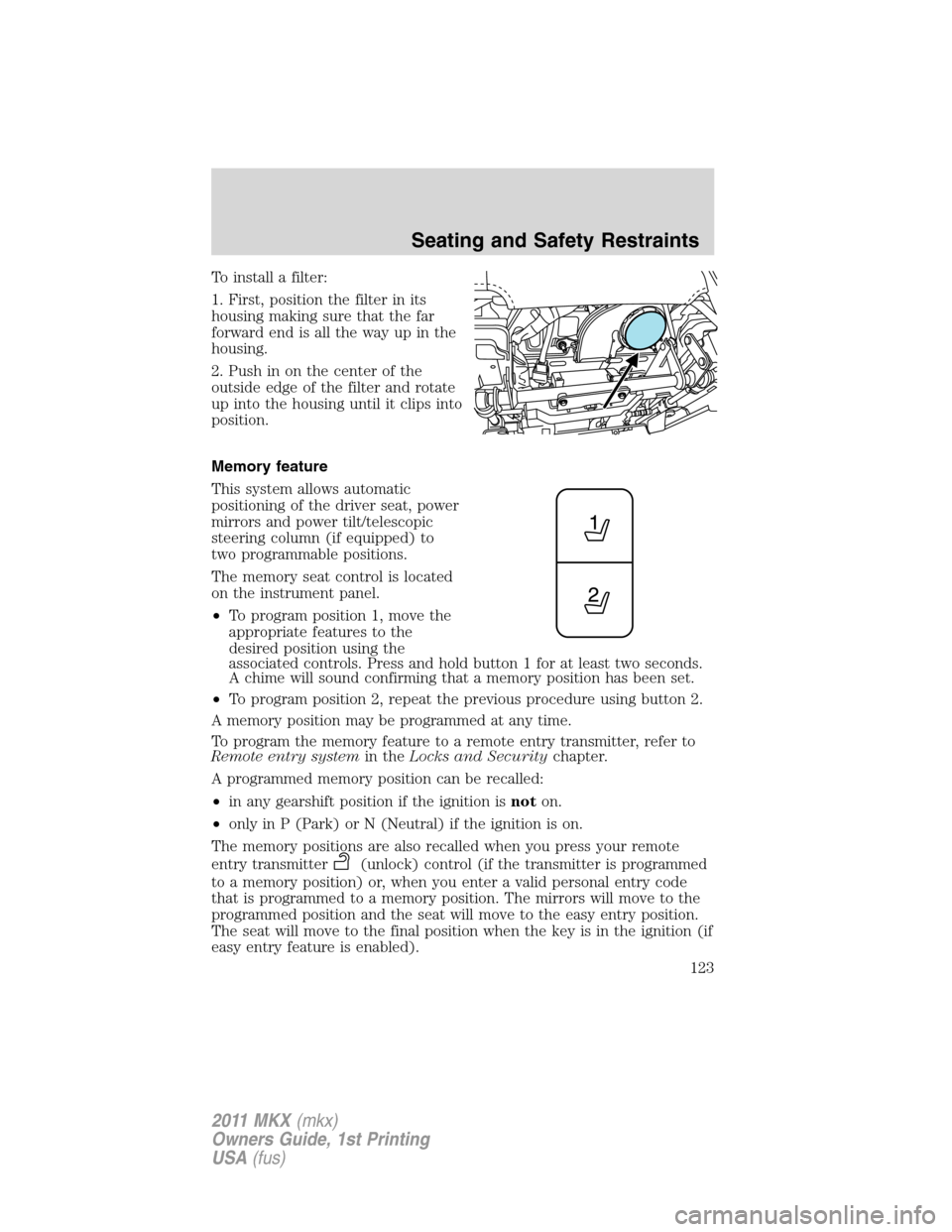
To install a filter:
1. First, position the filter in its
housing making sure that the far
forward end is all the way up in the
housing.
2. Push in on the center of the
outside edge of the filter and rotate
up into the housing until it clips into
position.
Memory feature
This system allows automatic
positioning of the driver seat, power
mirrors and power tilt/telescopic
steering column (if equipped) to
two programmable positions.
The memory seat control is located
on the instrument panel.
•To program position 1, move the
appropriate features to the
desired position using the
associated controls. Press and hold button 1 for at least two seconds.
A chime will sound confirming that a memory position has been set.
•To program position 2, repeat the previous procedure using button 2.
A memory position may be programmed at any time.
To program the memory feature to a remote entry transmitter, refer to
Remote entry systemin theLocks and Securitychapter.
A programmed memory position can be recalled:
•in any gearshift position if the ignition isnoton.
•only in P (Park) or N (Neutral) if the ignition is on.
The memory positions are also recalled when you press your remote
entry transmitter
(unlock) control (if the transmitter is programmed
to a memory position) or, when you enter a valid personal entry code
that is programmed to a memory position. The mirrors will move to the
programmed position and the seat will move to the easy entry position.
The seat will move to the final position when the key is in the ignition (if
easy entry feature is enabled).
Seating and Safety Restraints
123
2011 MKX(mkx)
Owners Guide, 1st Printing
USA(fus)
Page 148 of 367
The front passenger sensing system will disable (will not inflate) the
front passenger’s frontal airbag if:
•the front passenger seat is unoccupied, or has small/medium objects in
the front seat.
•the system determines that an infant is present in a rear-facing infant
seat that is installed according to the manufacturer’s instructions.
•the system determines that a small child is present in a forward-facing
child restraint that is installed according to the manufacturer’s
instructions.
•the system determines that a small child is present in a booster seat.
•a front passenger takes his/her weight off of the seat for a period of
time.
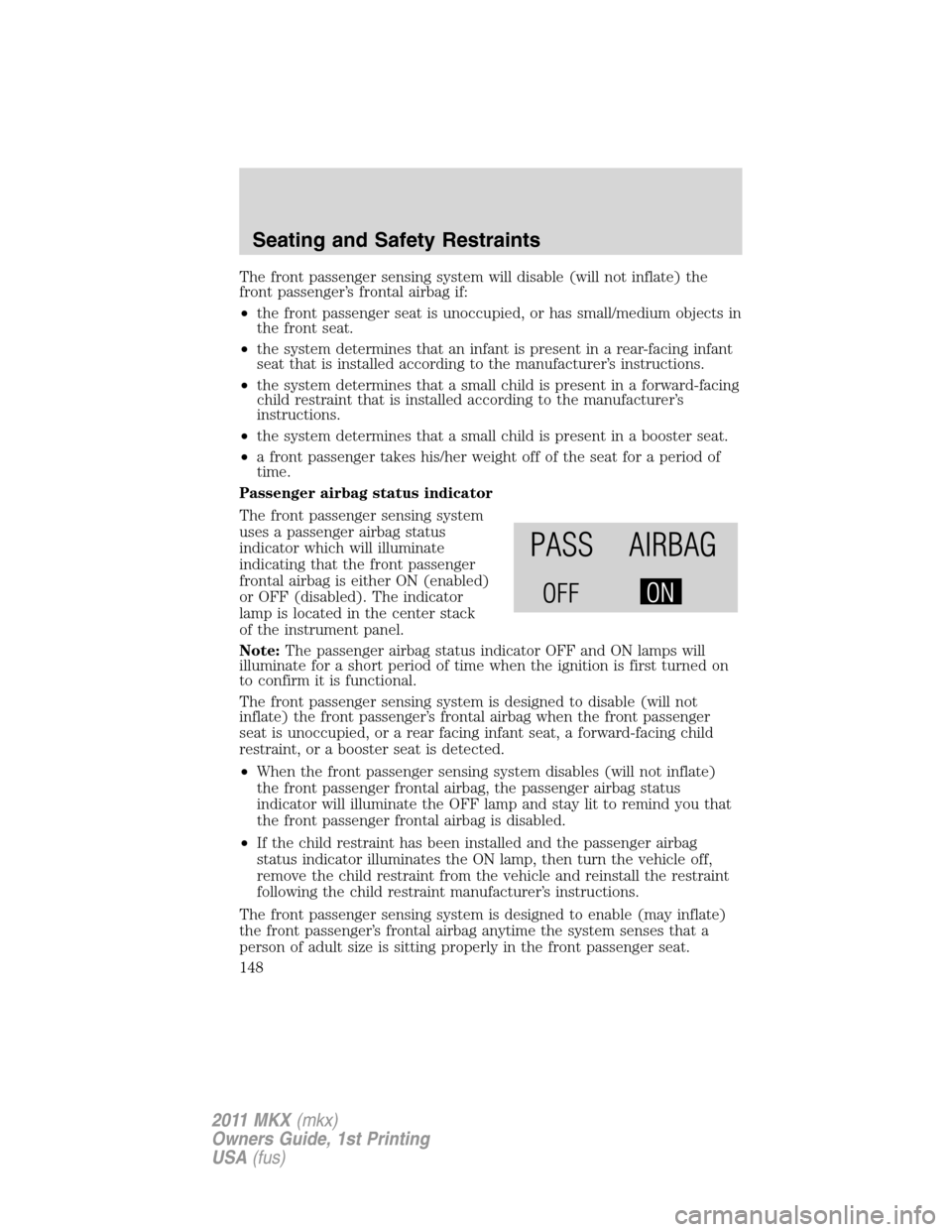
Passenger airbag status indicator
The front passenger sensing system
uses a passenger airbag status
indicator which will illuminate
indicating that the front passenger
frontal airbag is either ON (enabled)
or OFF (disabled). The indicator
lamp is located in the center stack
of the instrument panel.
Note:The passenger airbag status indicator OFF and ON lamps will
illuminate for a short period of time when the ignition is first turned on
to confirm it is functional.
The front passenger sensing system is designed to disable (will not
inflate) the front passenger’s frontal airbag when the front passenger
seat is unoccupied, or a rear facing infant seat, a forward-facing child
restraint, or a booster seat is detected.
•When the front passenger sensing system disables (will not inflate)
the front passenger frontal airbag, the passenger airbag status
indicator will illuminate the OFF lamp and stay lit to remind you that
the front passenger frontal airbag is disabled.
•If the child restraint has been installed and the passenger airbag
status indicator illuminates the ON lamp, then turn the vehicle off,
remove the child restraint from the vehicle and reinstall the restraint
following the child restraint manufacturer’s instructions.
The front passenger sensing system is designed to enable (may inflate)
the front passenger’s frontal airbag anytime the system senses that a
person of adult size is sitting properly in the front passenger seat.
Seating and Safety Restraints
148
2011 MKX(mkx)
Owners Guide, 1st Printing
USA(fus)