lift gate LINCOLN MKX 2011 User Guide
[x] Cancel search | Manufacturer: LINCOLN, Model Year: 2011, Model line: MKX, Model: LINCOLN MKX 2011Pages: 367, PDF Size: 2.56 MB
Page 88 of 367
Manual liftgate operation
The liftgate cargo area is only intended for cargo, not for passengers.
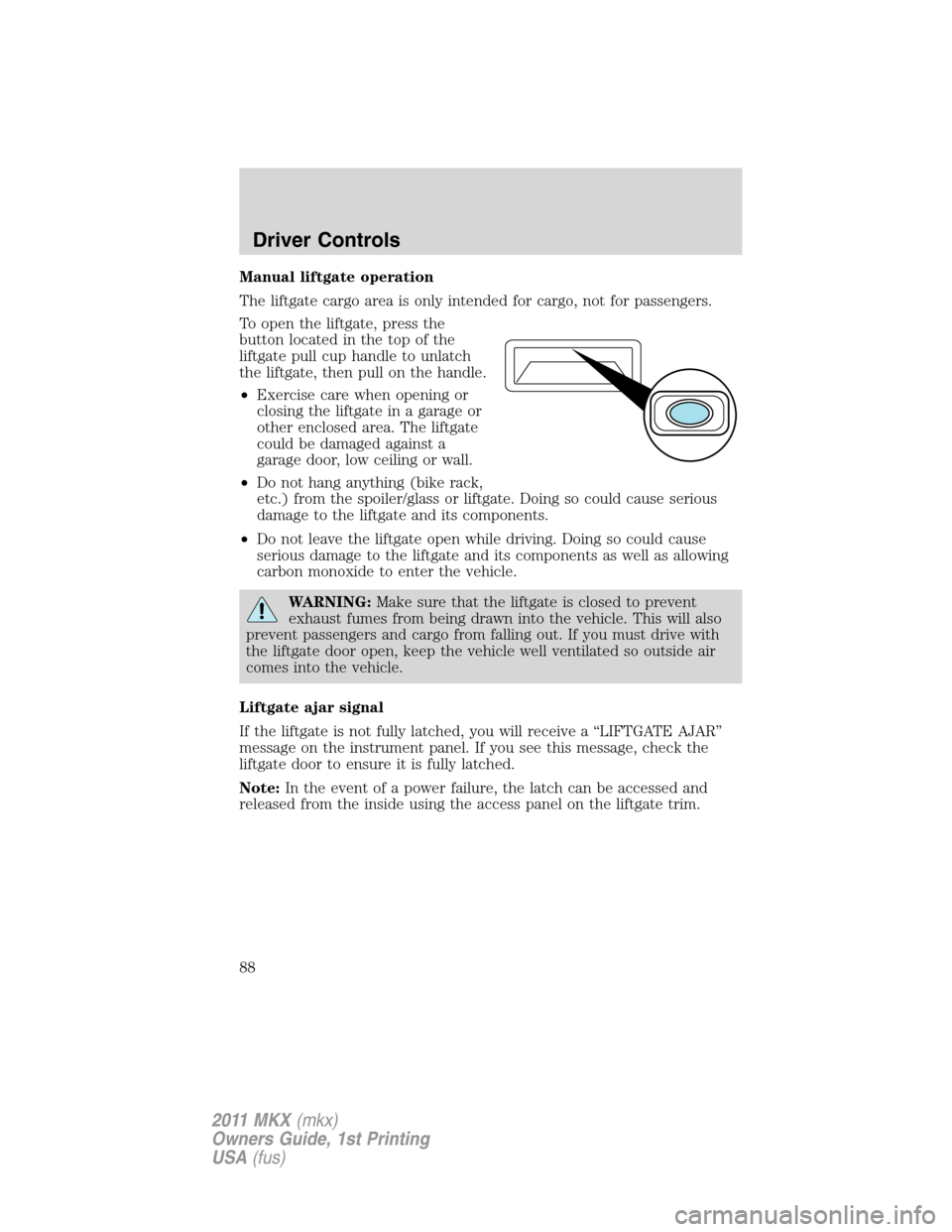
To open the liftgate, press the
button located in the top of the
liftgate pull cup handle to unlatch
the liftgate, then pull on the handle.
•Exercise care when opening or
closing the liftgate in a garage or
other enclosed area. The liftgate
could be damaged against a
garage door, low ceiling or wall.
•Do not hang anything (bike rack,
etc.) from the spoiler/glass or liftgate. Doing so could cause serious
damage to the liftgate and its components.
•Do not leave the liftgate open while driving. Doing so could cause
serious damage to the liftgate and its components as well as allowing
carbon monoxide to enter the vehicle.
WARNING:Make sure that the liftgate is closed to prevent
exhaust fumes from being drawn into the vehicle. This will also
prevent passengers and cargo from falling out. If you must drive with
the liftgate door open, keep the vehicle well ventilated so outside air
comes into the vehicle.
Liftgate ajar signal
If the liftgate is not fully latched, you will receive a “LIFTGATE AJAR”
message on the instrument panel. If you see this message, check the
liftgate door to ensure it is fully latched.
Note:In the event of a power failure, the latch can be accessed and
released from the inside using the access panel on the liftgate trim.
Driver Controls
88
2011 MKX(mkx)
Owners Guide, 1st Printing
USA(fus)
Page 97 of 367
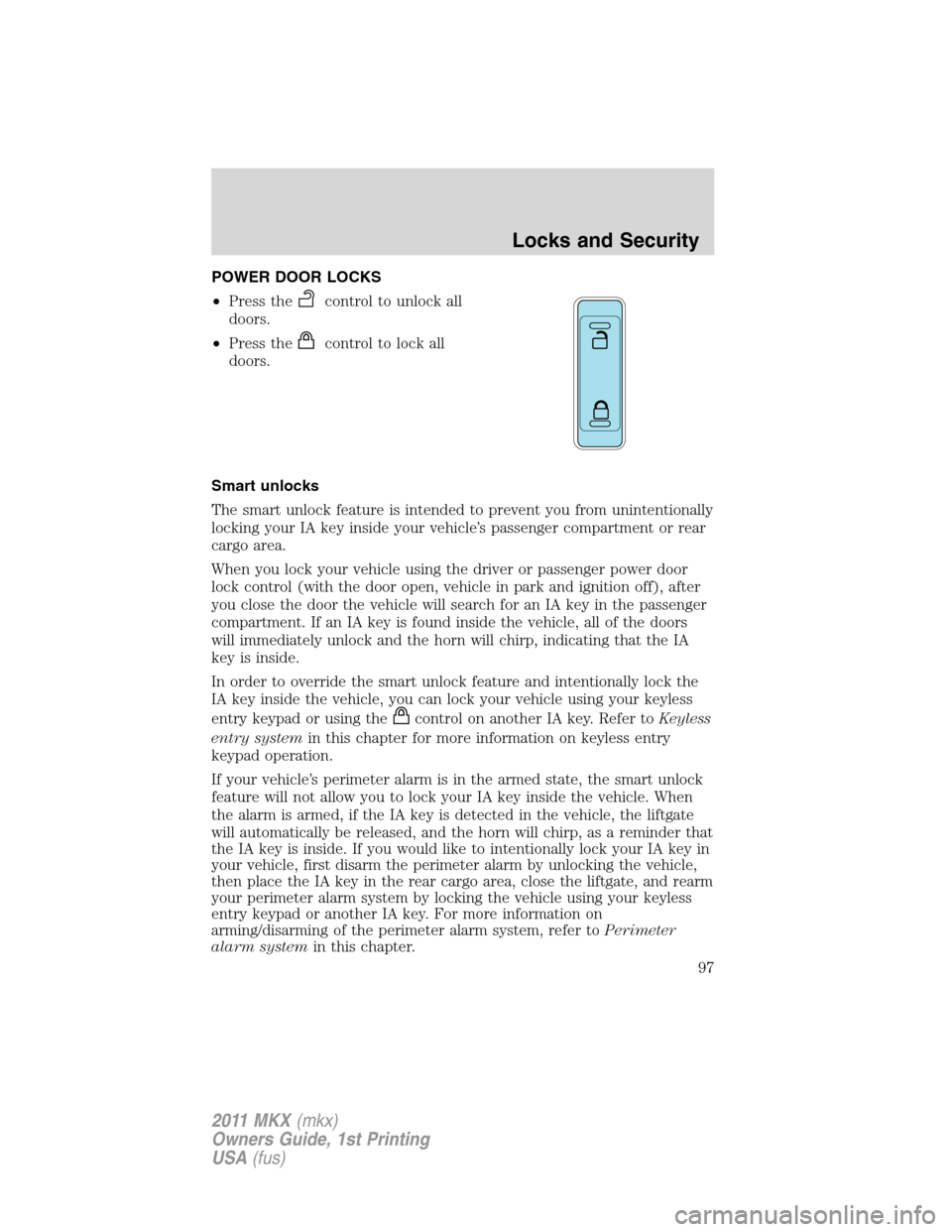
POWER DOOR LOCKS
•Press the
control to unlock all
doors.
•Press the
control to lock all
doors.
Smart unlocks
The smart unlock feature is intended to prevent you from unintentionally
locking your IA key inside your vehicle’s passenger compartment or rear
cargo area.
When you lock your vehicle using the driver or passenger power door
lock control (with the door open, vehicle in park and ignition off), after
you close the door the vehicle will search for an IA key in the passenger
compartment. If an IA key is found inside the vehicle, all of the doors
will immediately unlock and the horn will chirp, indicating that the IA
key is inside.
In order to override the smart unlock feature and intentionally lock the
IA key inside the vehicle, you can lock your vehicle using your keyless
entry keypad or using the
control on another IA key. Refer toKeyless
entry systemin this chapter for more information on keyless entry
keypad operation.
If your vehicle’s perimeter alarm is in the armed state, the smart unlock
feature will not allow you to lock your IA key inside the vehicle. When
the alarm is armed, if the IA key is detected in the vehicle, the liftgate
will automatically be released, and the horn will chirp, as a reminder that
the IA key is inside. If you would like to intentionally lock your IA key in
your vehicle, first disarm the perimeter alarm by unlocking the vehicle,
then place the IA key in the rear cargo area, close the liftgate, and rearm
your perimeter alarm system by locking the vehicle using your keyless
entry keypad or another IA key. For more information on
arming/disarming of the perimeter alarm system, refer toPerimeter
alarm systemin this chapter.
Locks and Security
97
2011 MKX(mkx)
Owners Guide, 1st Printing
USA(fus)
Page 102 of 367
Changes or modifications not expressly approved by the party
responsible for compliance could void the user’s authority to
operate the equipment.
The typical operating range for your transmitter is approximately 33 feet
(10 meters). A decrease in operating range could be caused by:
•weather conditions,
•nearby radio towers,
•structures around the vehicle, or
•other vehicles parked next to your vehicle.
The transmitter allows you to:
•remotely unlock the vehicle doors
.
•remotely lock all the vehicle doors
.
•remotely open the power liftgate
.
•remotely start the vehicle
.
•activate the personal alarm
.
•arm and disarm the perimeter anti-theft system.
•operate the illuminated entry feature.
•activate the global opening windows feature.
Refer toIntelligent accessin this section for more features.
The remote entry lock/unlock feature operates in any ignition position
except while the vehicle is in the start position. The panic feature
operates with the ignition off.
If there are problems with the remote entry system, make sure to take
ALL intelligent access keyswith you to the authorized dealer in order
to aid in troubleshooting the problem.
Intelligent access
WARNING:Radio waves from the intelligent access system
transmitters in the vehicle may affect certain implanted medical
devices such as pacemakers or cardiac defibrillators. People having
such implanted medical devices should ask the medical device
manufacturer or their physician whether the intelligent access system
may affect the equipment before coming into close proximity with a
vehicle equipped with intelligent access. Failure to do so may result in
interference with the medical device, which could result in serious
injury.
Locks and Security
102
2011 MKX(mkx)
Owners Guide, 1st Printing
USA(fus)
Page 103 of 367
Your intelligent access system uses a radio frequency (RF) signal to
communicate with your vehicle and authorize your vehicle to unlock
when commanded (either by touching the inside of the driver or front
passenger exterior door handle, the power liftgate button, or a button on
the transmitter itself). If excessive RF interference is present in the area,
or if your vehicle battery is low, it may be necessary to mechanically
unlock your door. The mechanical key blade in your IA key can be used
to open the driver’s door in this situation (refer toIntelligent access key
in this chapter for more information on the location and use of the
mechanical key blade).
Your vehicle will allow you to unlock and enter your vehicle without
actively using a key or transmitter. You can use the intelligent access
feature at the front doors or at the liftgate. You can activate the
intelligent access feature as long as you have one of your IA keys within
range of the front doors or the liftgate.
Activating intelligent access at the front doors:If your IA key is
within 3 feet (1 meter) of the front doors you can activate your
intelligent access system by touching the inside of the driver or front
passenger exterior door handle. The door(s) will automatically unlock
and the door can be opened.
To lock the doors, press the lock area on either door handle (black
button on chrome handled doors or the small bump on painted door
handles).
Activating intelligent access at the liftgate:If your IA key is within
3 feet (1 meter) of the liftgate, you can activate your intelligent access
system by pressing the exterior liftgate release button, hidden under the
trim above the license plate. The liftgate will release and open.
Push button start:The push button start system allows you to start
your vehicle without using a key. Refer toPush button startin the
Drivingchapter.
Unlocking the doors/two stage unlock
1. Pressand release to unlock the driver’s door.
Note:The interior lamps and parking lamps will illuminate.
2. Press
and release again within three seconds to unlock all the
doors.
The remote entry system activates the illuminated entry feature; this
feature turns on the lamps for 25 seconds or until the ignition is turned
on.
Locks and Security
103
2011 MKX(mkx)
Owners Guide, 1st Printing
USA(fus)
Page 104 of 367
The battery saver feature will turn off the lamps 10 minutes after the
ignition is turned off.
Two stage unlocking may be disabled or re-enabled by simultaneously
pressing the
andcontrols on the transmitter for four seconds
(disabling two stage unlock allows all vehicle doors to unlock
simultaneously). The parking lamps will illuminate twice to indicate that
two-stage unlock was enabled or disabled.
If equipped with IA key, when two stage unlocking is disabled, intelligent
access at the driver’s door results in an unlock of all doors (not just the
driver door).
Locking the doors
1. Pressand release to lock all the doors. The parking lamps will
illuminate.
2. Press
and release again within three seconds to confirm that all
the doors are closed.Note:The doors will lock again, the horn will chirp
and the turn lamps will illuminate if all the doors and liftgate are closed.
Note:If any door or the liftgate is not closed, the horn will chirp twice
and the lamps will not flash.
Car finder
Press
twice within three seconds. The horn will chirp and the turn
lamps will flash. It is recommended that this method be used to locate
your vehicle, rather than using the panic alarm.
Sounding a panic alarm
Press
to activate the alarm. Press again or turn the ignition to on to
deactivate.
Note:The panic alarm will only operate when the ignition is off.
Opening the power liftgate
Presstwice within three seconds to fully unlatch and open the
liftgate.
WARNING:Make sure all persons are clear of the liftgate area
before using power liftgate control.
In order to fully lower and latch the liftgate, press the control twice.
Locks and Security
104
2011 MKX(mkx)
Owners Guide, 1st Printing
USA(fus)
Page 105 of 367
If the liftgate stops mid-travel, it may have detected an obstacle. Check
to ensure the liftgate swing zone is free from obstruction and reset the
power assist by manually closing the liftgate. Normal operation can then
be resumed.
WARNING:Make sure the liftgate is closed to prevent exhaust
fumes from being drawn into the vehicle. This will also prevent
passengers and cargo from falling out. If you must drive with the
liftgate open, keep the vents open so outside air comes into the
vehicle.
Memory feature (seat, mirrors and steering column)
The intelligent access key (IA key) allows you to recall the memory
seat/power mirrors/steering column feature.
Press
to automatically move the seat, power mirrors and steering
column to the desired memory position. The mirrors will move to the
programmed position and the seat will move to the easy entry position.
The seat will move to the final position when the ignition is switched out
of off (if easy entry feature is enabled).
Programming the memory feature to the transmitter
To activate this feature:
1. Move the driver seat, power mirrors and steering column to the
desired positions using the associated controls.
2. Press and hold button 1 for five
seconds. A tone will be heard after
about two seconds confirming
memory position has been set.
Continue to hold until a second tone
is heard after five seconds.
3. Within three seconds press
.
4. Press
.
5. Repeat this procedure for
memory 2 and another transmitter if
desired.
Deprogramming the memory feature from the transmitter
To deactivate this feature:
1. Press and hold either the 1 or 2 button for five seconds. A tone will be
heard after 1
12seconds when the memory store is done, continue to
hold until a second tone is heard after five seconds.
Locks and Security
105
2011 MKX(mkx)
Owners Guide, 1st Printing
USA(fus)
Page 114 of 367
been programmed to your vehicle, you cannot program anymore and the
message MAX # OF KEYS LEARNED will be displayed on the message
center.
7. Remove intelligent access key from utility compartment pocket and
press the
orcontrol on the newly programmed intelligent access
keys to exit programming mode.
8. Verify that the remote entry functions operate (lock, unlock) and that
the vehicle starts with new intelligent access key.
If the intelligent access key has been successfully programmed, it can be
used to activate the Intelligent Access with Push Button Start feature
and can be used to start your vehicle.
Note:To program MyKey™ features, refer toMyKey™in this chapter.
PERIMETER ALARM SYSTEM
The perimeter alarm system will help protect your vehicle from
unauthorized entry.
When the following types of unauthorized entry occur:
•any door, the hood or the liftgate/trunk is opened without using the
keypad or the remote entry transmitter,
•or if the ignition is turned on when using an invalid key,
the perimeter alarm will flash the turn signal lamps and sound the horn.
ARMING THE SYSTEM
The system is ready to arm whenever the ignition is off. To arm the
system, do one of the following:
•Press the
control on the remote entry transmitter.
Note:If you press the
control twice on the remote entry
transmitter within three seconds, the horn will chirponceto let you
know that all doors, the hood and the liftgate/trunk are closed. If any
of these are not closed, the horn will chirptwiceto warn you that
they are still open.
•Press the driver or passenger interior door lock control
while the
door is open, then close the door.
•Lock the doors using the intelligent access method (press the lock
area in either front door handle).
•Press and hold the 7•8 and 9•0 controls together on the keyless
entry pad to lock the doors (driver’s door must be closed).
Locks and Security
114
2011 MKX(mkx)
Owners Guide, 1st Printing
USA(fus)
Page 125 of 367
WARNING:To prevent possible damage to the seat or safety
belts, ensure that the safety belts are not buckled when moving
the seat to the load floor position.
2nd row manual folding seat
To fold down the rear seat, pull up
on the lever on the outboard side of
the seat cushion and let the
seatback rotate downward into the
load floor position.
2nd row EasyFold™ seatback release (if equipped)
WARNING:Ensure that the seat is unoccupied when folding it
down. Folding the seat while occupied could result in damage to
the seat or injury.
Note:The power feature is operational when the vehicle is in park and
the liftgate has been open for less than 10 minutes.
The control buttons are located on the left-hand rear quarter trim panel
(accessible from the liftgate area).
Seating and Safety Restraints
125
2011 MKX(mkx)
Owners Guide, 1st Printing
USA(fus)
Page 232 of 367
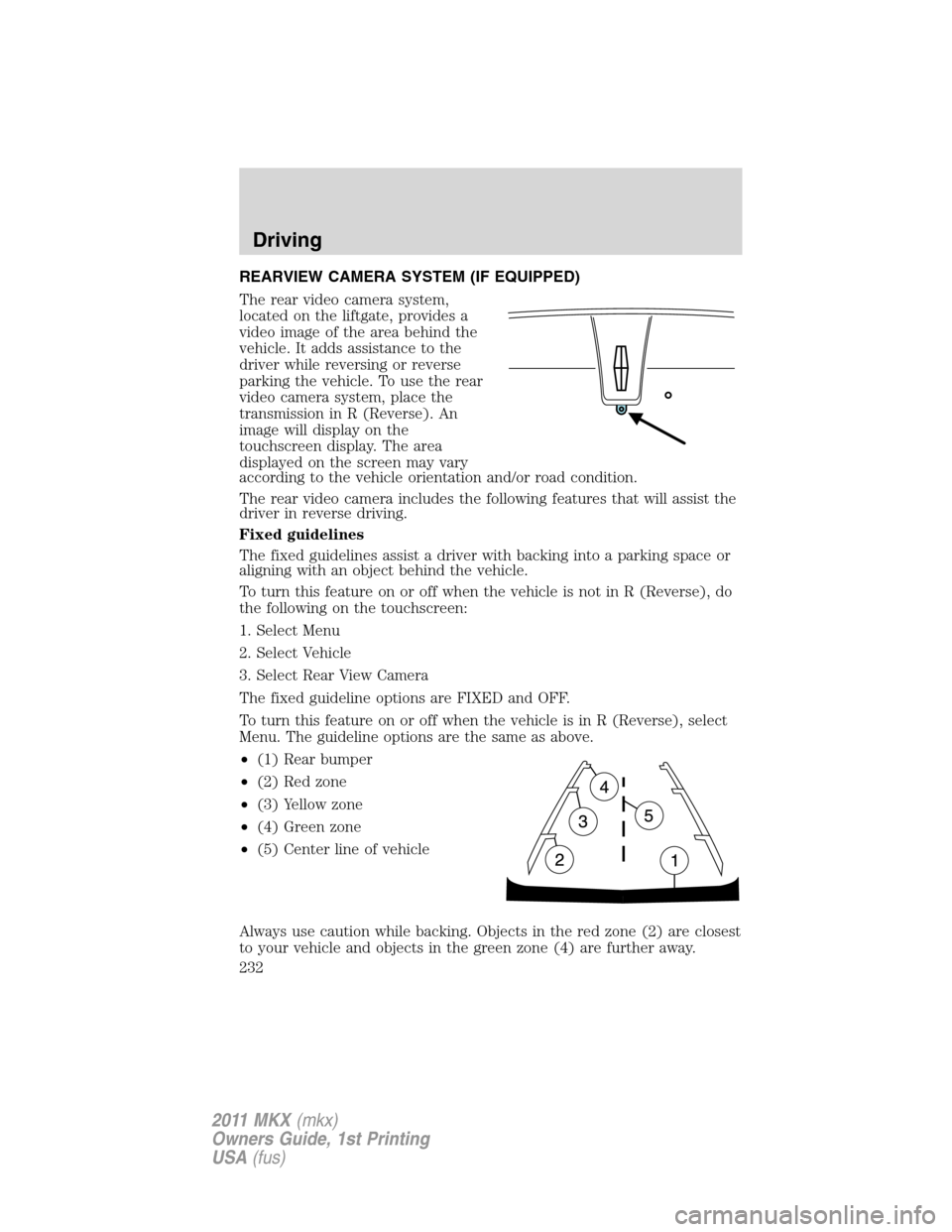
REARVIEW CAMERA SYSTEM (IF EQUIPPED)
The rear video camera system,
located on the liftgate, provides a
video image of the area behind the
vehicle. It adds assistance to the
driver while reversing or reverse
parking the vehicle. To use the rear
video camera system, place the
transmission in R (Reverse). An
image will display on the
touchscreen display. The area
displayed on the screen may vary
according to the vehicle orientation and/or road condition.
The rear video camera includes the following features that will assist the
driver in reverse driving.
Fixed guidelines
The fixed guidelines assist a driver with backing into a parking space or
aligning with an object behind the vehicle.
To turn this feature on or off when the vehicle is not in R (Reverse), do
the following on the touchscreen:
1. Select Menu
2. Select Vehicle
3. Select Rear View Camera
The fixed guideline options are FIXED and OFF.
To turn this feature on or off when the vehicle is in R (Reverse), select
Menu. The guideline options are the same as above.
•(1) Rear bumper
•(2) Red zone
•(3) Yellow zone
•(4) Green zone
•(5) Center line of vehicle
Always use caution while backing. Objects in the red zone (2) are closest
to your vehicle and objects in the green zone (4) are further away.
Driving
232
2011 MKX(mkx)
Owners Guide, 1st Printing
USA(fus)
Page 234 of 367
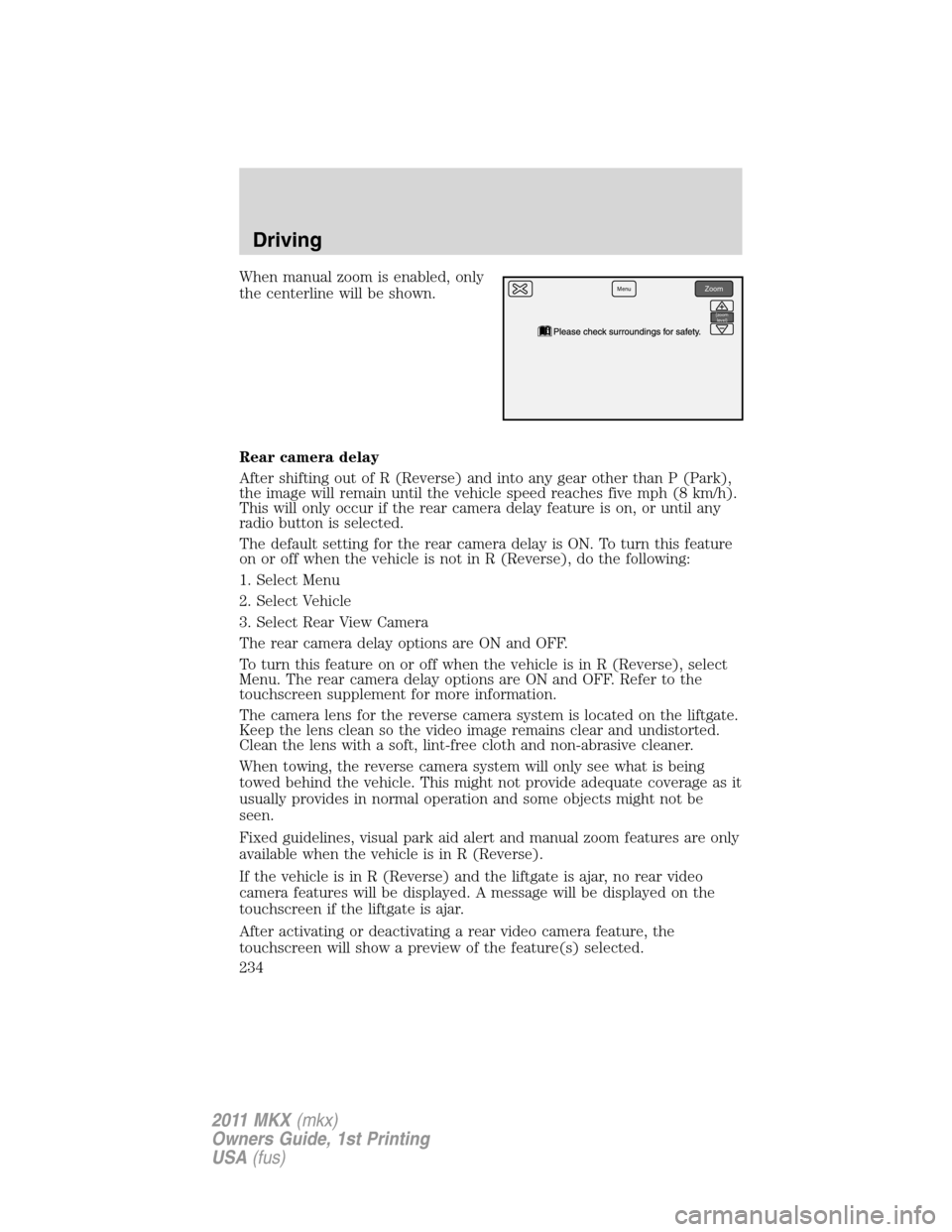
When manual zoom is enabled, only
the centerline will be shown.
Rear camera delay
After shifting out of R (Reverse) and into any gear other than P (Park),
the image will remain until the vehicle speed reaches five mph (8 km/h).
This will only occur if the rear camera delay feature is on, or until any
radio button is selected.
The default setting for the rear camera delay is ON. To turn this feature
on or off when the vehicle is not in R (Reverse), do the following:
1. Select Menu
2. Select Vehicle
3. Select Rear View Camera
The rear camera delay options are ON and OFF.
To turn this feature on or off when the vehicle is in R (Reverse), select
Menu. The rear camera delay options are ON and OFF. Refer to the
touchscreen supplement for more information.
The camera lens for the reverse camera system is located on the liftgate.
Keep the lens clean so the video image remains clear and undistorted.
Clean the lens with a soft, lint-free cloth and non-abrasive cleaner.
When towing, the reverse camera system will only see what is being
towed behind the vehicle. This might not provide adequate coverage as it
usually provides in normal operation and some objects might not be
seen.
Fixed guidelines, visual park aid alert and manual zoom features are only
available when the vehicle is in R (Reverse).
If the vehicle is in R (Reverse) and the liftgate is ajar, no rear video
camera features will be displayed. A message will be displayed on the
touchscreen if the liftgate is ajar.
After activating or deactivating a rear video camera feature, the
touchscreen will show a preview of the feature(s) selected.MenuZoom
{zoom
level}
Driving
234
2011 MKX(mkx)
Owners Guide, 1st Printing
USA(fus)