lock LINCOLN MKX 2014 Owners Manual
[x] Cancel search | Manufacturer: LINCOLN, Model Year: 2014, Model line: MKX, Model: LINCOLN MKX 2014Pages: 455, PDF Size: 6.1 MB
Page 375 of 455
system in order to connect to, and use, SYNC Services. SeePhone
earlier in this chapter for pairing instructions.
Note:This feature does not function properly if you have enabled caller
ID blocking on your mobile phone. Make sure your mobile phone is not
blocking caller ID before using SYNC Services.
Note:The driver is ultimately responsible for the safe operation of the
vehicle, and therefore, must evaluate whether it is safe to follow the
suggested directions. Any navigation features are provided only as an aid.
Make your driving decisions based on your observations of local
conditions and existing traffic regulations. Do not follow the route
suggestions if doing so would result in an unsafe or illegal maneuver, if
you would be placed in an unsafe situation, or if you would be directed
into an area that you consider unsafe. Maps used by this system may be
inaccurate because of errors, changes in roads, traffic conditions or
driving conditions.
Note:When you connect, the service uses GPS technology and advanced
vehicle sensors to collect your vehicle’s current location, travel direction
and speed to help provide you with the directions, traffic reports, or
business searches you request. Further, to provide the services you
request, for continuous improvement, the service may collect and record
call details and voice communications. For more information, see SYNC
Services Terms and Conditions at www.SYNCMyRide.com. If you do not
want Ford or its service providers to collect your vehicle travel
information or other information identified in the Terms and Conditions,
do not subscribe or use the service.
SYNC Services uses advanced vehicle sensors, integrated GPS technology
and comprehensive map and traffic data, to give you personalized traffic
reports, precise turn-by-turn directions, business search, news, sports,
weather and more. For a complete list of services, or to learn more,
please visit www.SYNCMyRide.com.
Connecting to SYNC Services Using Voice Commands
Press the voice button on the steering wheel controls.
1. When prompted, say “Services”. This initiates an outgoing call to
SYNC Services using your paired and connected Bluetooth-enabled
cellular phone.
2. Once you connect to the service, follow the voice prompts to request
the desired service, such as “Traffic” or “Directions”. You can also
say, “What are my choices?” to receive a list of available services
from which to choose.
3. Say, “Services” to return to the Services main menu or for help, say,
“Help”.
374MyLincoln Touch™
2014 MKX(mkx)
Owners Guide gf, 2nd Printing, March 2014
USA(fus)
Page 384 of 455
Vehicle Health Report (If Equipped, United States Only)
WARNING:Always follow scheduled maintenance instructions,
regularly inspect your vehicle, and seek repair for any damage or
problem you suspect. Vehicle Health Report supplements, but cannot
replace, normal maintenance and vehicle inspection. Vehicle Health
Report only monitors certain systems electronically monitored by your
vehicle and will not monitor or report the status of any other system,
(such as brake lining wear). Failure to perform scheduled maintenance
and regularly inspect your vehicle may result in vehicle damage and
serious injury.
Note:Your Vehicle Health Report feature requires activation prior to
use. Visit www.SYNCMyRide.com to register. There is no fee or
subscription associated with Vehicle Health Report, but you must register
to use this feature.
Note:This feature may not function properly if you have enabled caller
ID blocking on your mobile phone. Before running a report, review the
Vehicle Health Report Privacy Notice.
Note:In order to allow a break-in period for your vehicle, you may not
be able to create a Vehicle Health Report until your vehicle odometer has
reached 200 miles.
Note:Cellular phone and SMS charges may apply when making a report.
Register for Vehicle Health Report and set your report preferences at
www.SYNCMyRide.com. After registering, you can request a Vehicle
Health Report (inside your vehicle). Return to your account at
www.SYNCMyRide.com to view your report. You can also choose for
SYNC to remind you automatically to run reports at specific mileage
intervals. Cellular phone airtime usage may apply when reporting.
The system allows you to check your vehicle’s overall health in the form
of a diagnostic report card. The Vehicle Health Report contains valuable
information, such as:
•Vehicle Diagnostic Information
•Scheduled maintenance
•Open Recalls and Field Service Actions
•Items noted during vehicle inspections by your authorized dealer that
still need servicing.
MyLincoln Touch™383
2014 MKX(mkx)
Owners Guide gf, 2nd Printing, March 2014
USA(fus)
Page 386 of 455
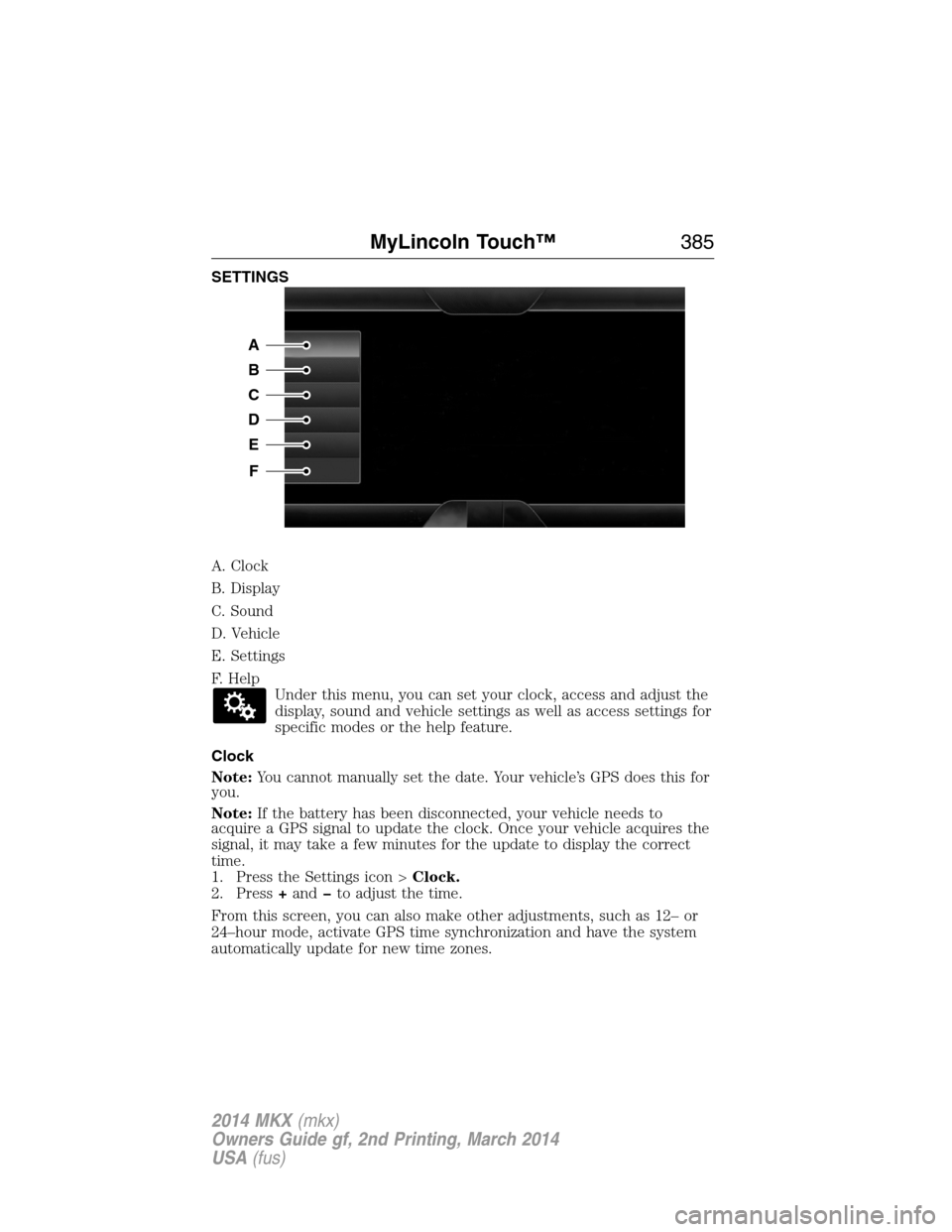
SETTINGS
A. Clock
B. Display
C. Sound
D. Vehicle
E. Settings
F. Help
Under this menu, you can set your clock, access and adjust the
display, sound and vehicle settings as well as access settings for
specific modes or the help feature.
Clock
Note:You cannot manually set the date. Your vehicle’s GPS does this for
you.
Note:If the battery has been disconnected, your vehicle needs to
acquire a GPS signal to update the clock. Once your vehicle acquires the
signal, it may take a few minutes for the update to display the correct
time.
1. Press the Settings icon >Clock.
2. Press+andto adjust the time.
From this screen, you can also make other adjustments, such as 12– or
24–hour mode, activate GPS time synchronization and have the system
automatically update for new time zones.
A
B
C
D
E
F
MyLincoln Touch™385
2014 MKX(mkx)
Owners Guide gf, 2nd Printing, March 2014
USA(fus)
Page 389 of 455
Door Keypad Code
To change the keypad code for your keyless entry keypad system:
1. Press the Settings icon >Vehicle>Door Keypad Code.
2. Enter your current factory code, then, when prompted, enter your
new code.
Rear View Camera
This menu allows you to access settings for your rear view camera.
Press the Settings icon >Vehicle>Rear View Camera,then select
from the following settings:
•Rear Camera Delay
•Visual Park Aid Alert
•Guidelines.
Enable Valet Mode
Valet mode allows you to lock the system. No information is accessible
until the system is unlocked with the correct PIN.
1. Press the Settings icon >Vehicle>Enable Valet Mode.
2. When prompted, enter a four-digit PIN.
After you press Continue, the system locks until you enter the PIN again.
Note:If the system locks, and you need to reset the PIN, enter 3681 and
the system unlocks.
Settings
Access and adjust system settings, voice features, as well as phone,
navigation and wireless settings.
System
Press the Settings icon >Settings>System,then select from
the following:
System
LanguageSelect to have the touchscreen display in
English, Spanish or French.
DistanceSelect to display units in kilometers or miles.
TemperatureSelect to display units in Celsius or
Fahrenheit.
System Prompt
VolumeAdjust the volume of voice prompts from the
system.
388MyLincoln Touch™
2014 MKX(mkx)
Owners Guide gf, 2nd Printing, March 2014
USA(fus)
Page 400 of 455
•Touch and holdMyTempto select a temperature you would like your
vehicle to remember and maintain for you.
•If your vehicle is equipped with a heated steering wheel, touch the
heated steering wheel icon to warm the steering wheel.
Note:If your vehicle is equipped with a wood-trimmed steering wheel, it
does not heat between the 10 o’clock and 2 o’clock positions.
Climate Control Voice Commands
The following voice commands are available at the main menu
level of a voice session. For example, press the voice button
and after the prompt, “Say a command”; say any of the
following commands:
Climate control voice commands
“Climate automatic”
“Climate my temperature”
“Climate off”
“Climate on”
“Climate temperature <15.5–29.5> degrees”
“Climate temperature <60–85> degrees”
“Help”
There are additional climate control commands but in order to access
them, you have to say “Climate” first, then when the system is ready to
listen, you may say any of the following commands:
Additional climate control voice commands
“Automatic” “Panel on”
“A/C off” “Rear defrost off”
“A/C on” “Rear defrost on”
“Defrost off” “Recirc off”
“Defrost on” “Recirc on”
“Dual off” “Temperature”
*
“Fan decrease” “Temperature <15.5–29.5>
degrees”
“Fan increase” “Temperature <60–85> degrees”
“Floor on” “Temperature decrease”
“Max A/C off” “Temperature high”
MyLincoln Touch™399
2014 MKX(mkx)
Owners Guide gf, 2nd Printing, March 2014
USA(fus)
Page 407 of 455
Avoid Areas
Avoid Areasallows you to choose areas which you want the system to
avoid when calculating a route for you.
PressAddto program an entry. Once you make a selection, the system
tries to avoid the area(s) if possible for all routes. To delete a selection,
choose the listing on the screen. When the screen changes toAvoid
Areas Edit,you can pressDeleteat the bottom right of the screen.
Map Mode
Press the green bar in the upper right area of the touchscreen to view
map mode. Map mode shows advanced viewing comprised of both 2D
city maps as well as 3D landmarks (when available).
2D city mapsshow detailed outlines of buildings, visible land use and
land elements and detailed railway infrastructure for the most essential
cities around the globe. These maps also contain features, such as town
blocks, building footprints, and railways.
3D landmarksappear as clear, visible objects that are typically
recognizable and have a certain tourist value. The 3D landmarks appear
in 3D map mode only. Coverage varies, and improves with updated map
releases.
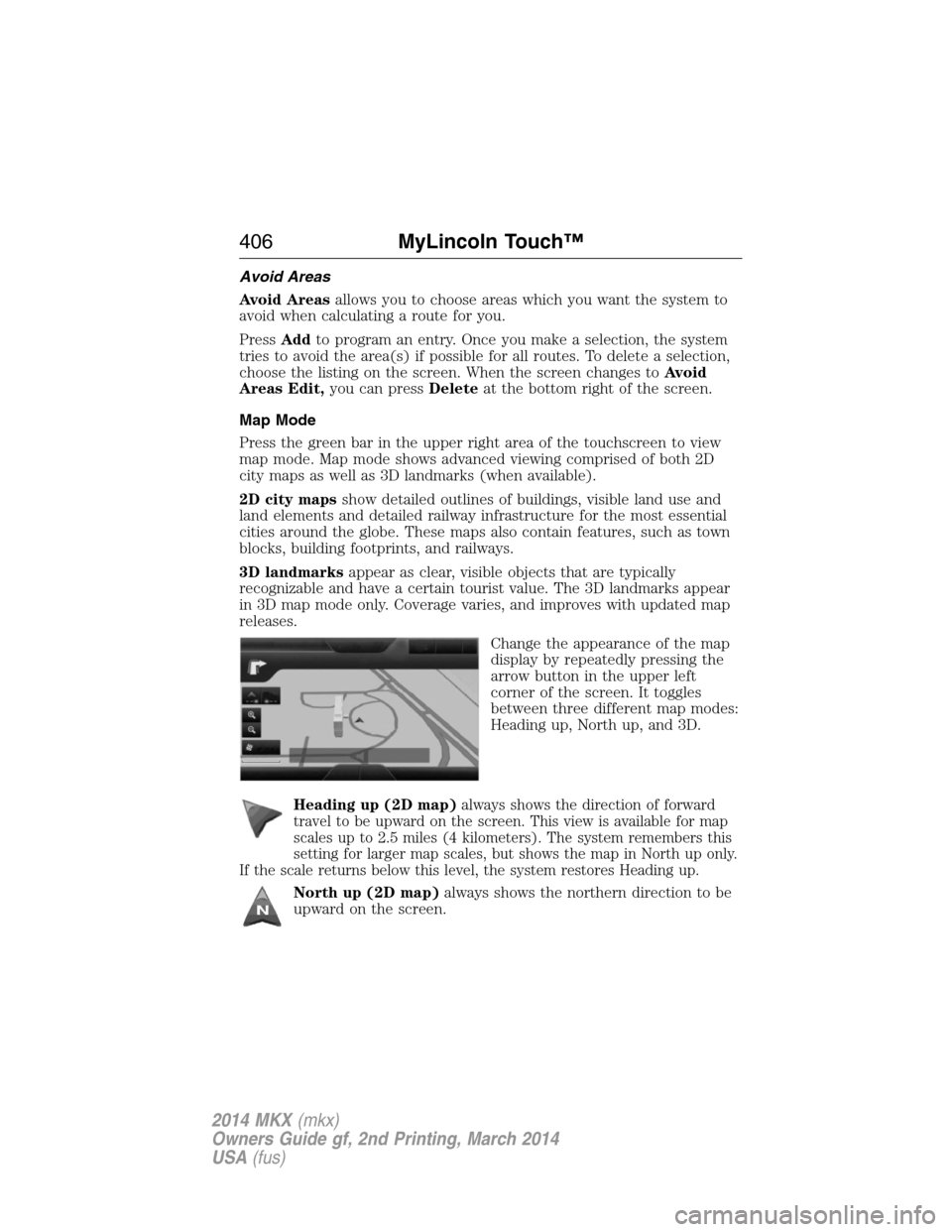
Change the appearance of the map
display by repeatedly pressing the
arrow button in the upper left
corner of the screen. It toggles
between three different map modes:
Heading up, North up, and 3D.
Heading up (2D map)
always shows the direction of forward
travel to be upward on the screen. This view is available for map
scales up to 2.5 miles (4 kilometers). The system remembers this
setting for larger map scales, but shows the map in North up only.
If the scale returns below this level, the system restores Heading up.
North up (2D map)always shows the northern direction to be
upward on the screen.
406MyLincoln Touch™
2014 MKX(mkx)
Owners Guide gf, 2nd Printing, March 2014
USA(fus)
Page 434 of 455
Additives and Chemicals
Ford Motor Company recommended additives and chemicals are listed in
the owner manual and in the Ford Workshop Manual. Additional
chemicals or additives not approved by Ford Motor Company are not
recommended as part of normal maintenance. Please consult your
warranty information.
Oils, Fluids and Flushing
In many cases, fluid discoloration is a normal operating characteristic
and, by itself, does not necessarily indicate a concern or that the fluid
needs to be changed. However, discolored fluids that also show signs of
overheating and foreign material contamination should be inspected
immediately by a qualified expert, such as the factory-trained technicians
at your dealership. Your vehicle’s oils and fluids should be changed at the
specified intervals or in conjunction with a repair. Flushing is a viable
way to change fluid for many vehicle sub-systems during scheduled
maintenance. It is critical that systems are flushed only with new fluid
that is the same as that required to fill and operate the system, or using
a Ford-approved flushing chemical.
Owner Checks and Services
Certain basic maintenance checks and inspections should be performed
every month or at six month intervals.
Check every month
Engine oil level.
Function of all interior and exterior lights.
Tires (including spare) for wear and proper pressure.
Windshield washer fluid level.
Check every six months
Battery connections. Clean if necessary.
Body and door drain holes for obstructions. Clean if necessary.
Cooling system fluid level and coolant strength.
Door weatherstrips for wear. Lubricate if necessary.
Hinges, latches and outside locks for proper operation. Lubricate if
necessary.
Parking brake for proper operation.
Safety belts and seat latches for wear and function.
Scheduled Maintenance433
2014 MKX(mkx)
Owners Guide gf, 2nd Printing, March 2014
USA(fus)
Page 449 of 455
911 Assist™ ..............................380
A
ABS (see Brakes) .....................173
Accessing and using your USB
port ............................................359
Accessing your calendar ..........380
Accessory delay ..........................95
Adaptive Cruise Control ...........186
Adding (pairing) a phone ........367
Airbag supplemental restraint
system ..........................................46
and child safety seats ..............47
description ................................46
disposal ......................................56
driver airbag ..............................46
passenger airbag .......................46
side airbag ...........................46, 52
Air cleaner filter .......267–268, 320
Air filter, cabin ..........................125
All Wheel Drive (AWD),
driving off road .........................166
Ambient mood/lighting .............387
AM/FM .......................................346
Antifreeze (see Engine
coolant) .....................................256
Anti-lock brake system (see
Brakes) ......................................173
Anti-theft system ..................77, 79
arming the system ..............77, 79
disarming a triggered system ..79
Armrests ....................................136
Audio system
Single CD ................................330
Audio system (see Radio) .......330Automatic transmission
driving an automatic
overdrive .................................161
fluid, adding ............................261
fluid, checking ........................261
fluid, refill capacities ..............317
fluid, specification ..................317
Selectshift (SST) ....................162
Auxiliary Input Jack .................355
Auxiliary powerpoint ................143
A/V inputs ..........................331, 363
Axle
lubricant specifications ..........317
B
Battery .......................................263
acid, treating emergencies .....263
jumping a disabled battery ....230
maintenance-free ....................263
replacement, specifications ...320
servicing ..................................263
Blind Spot Information
System .......................................195
Booster seats ...............................22
Brakes ........................................173
anti-lock ...................................173
anti-lock brake system (ABS)
warning light ...........................173
brake warning light ................173
fluid, checking and adding ....262
fluid, refill capacities ..............317
fluid, specifications .................317
lubricant specifications ..........317
parking ....................................174
shift interlock ..........................164
trailer .......................................219
C
Capacities for refilling fluids ....317
448Index
2014 MKX(mkx)
Owners Guide gf, 2nd Printing, March 2014
USA(fus)
Page 450 of 455
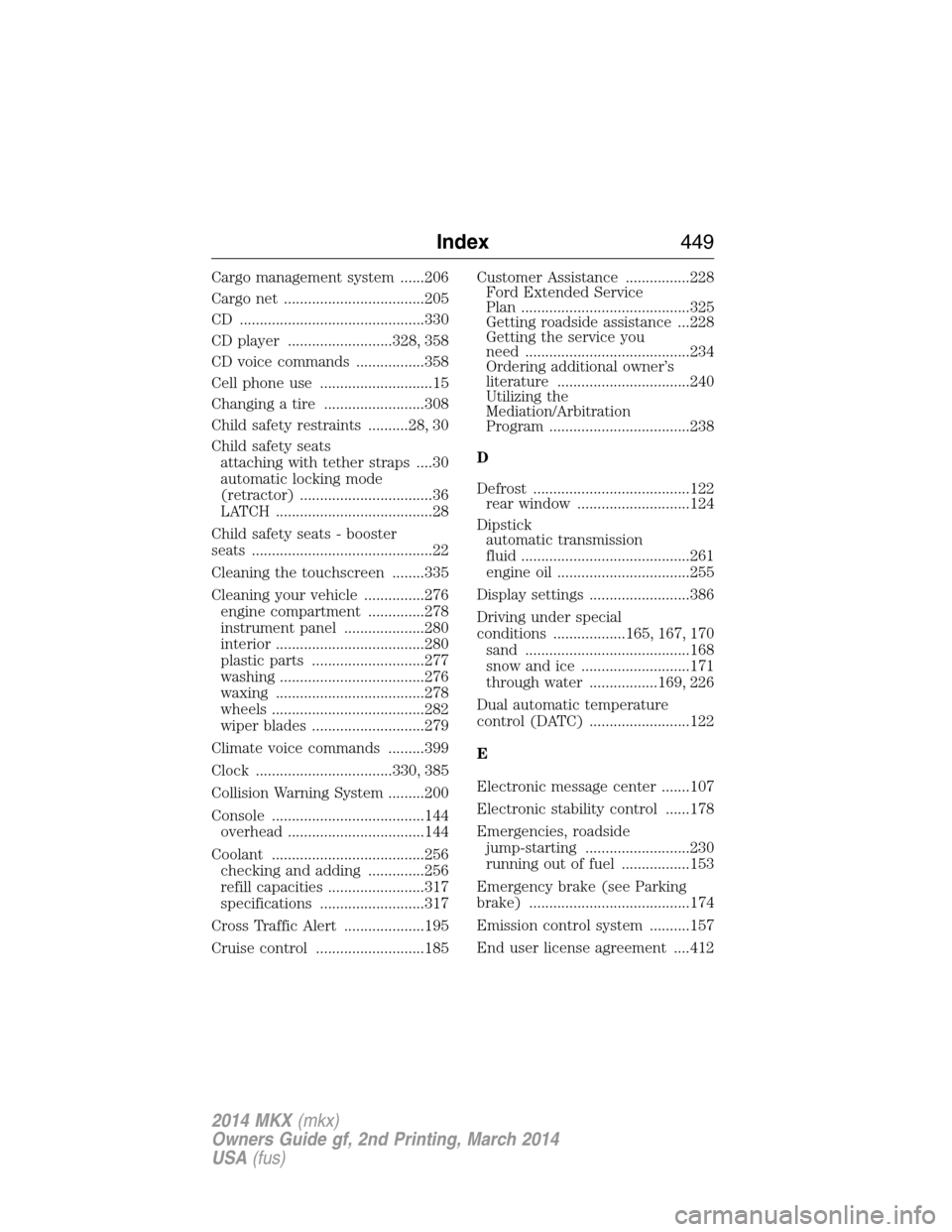
Cargo management system ......206
Cargo net ...................................205
CD ..............................................330
CD player ..........................328, 358
CD voice commands .................358
Cell phone use ............................15
Changing a tire .........................308
Child safety restraints ..........28, 30
Child safety seats
attaching with tether straps ....30
automatic locking mode
(retractor) .................................36
LATCH .......................................28
Child safety seats - booster
seats .............................................22
Cleaning the touchscreen ........335
Cleaning your vehicle ...............276
engine compartment ..............278
instrument panel ....................280
interior .....................................280
plastic parts ............................277
washing ....................................276
waxing .....................................278
wheels ......................................282
wiper blades ............................279
Climate voice commands .........399
Clock ..................................330, 385
Collision Warning System .........200
Console ......................................144
overhead ..................................144
Coolant ......................................256
checking and adding ..............256
refill capacities ........................317
specifications ..........................317
Cross Traffic Alert ....................195
Cruise control ...........................185Customer Assistance ................228
Ford Extended Service
Plan ..........................................325
Getting roadside assistance ...228
Getting the service you
need .........................................234
Ordering additional owner’s
literature .................................240
Utilizing the
Mediation/Arbitration
Program ...................................238
D
Defrost .......................................122
rear window ............................124
Dipstick
automatic transmission
fluid ..........................................261
engine oil .................................255
Display settings .........................386
Driving under special
conditions ..................165, 167, 170
sand .........................................168
snow and ice ...........................171
through water .................169, 226
Dual automatic temperature
control (DATC) .........................122
E
Electronic message center .......107
Electronic stability control ......178
Emergencies, roadside
jump-starting ..........................230
running out of fuel .................153
Emergency brake (see Parking
brake) ........................................174
Emission control system ..........157
End user license agreement ....412
Index449
2014 MKX(mkx)
Owners Guide gf, 2nd Printing, March 2014
USA(fus)
Page 451 of 455
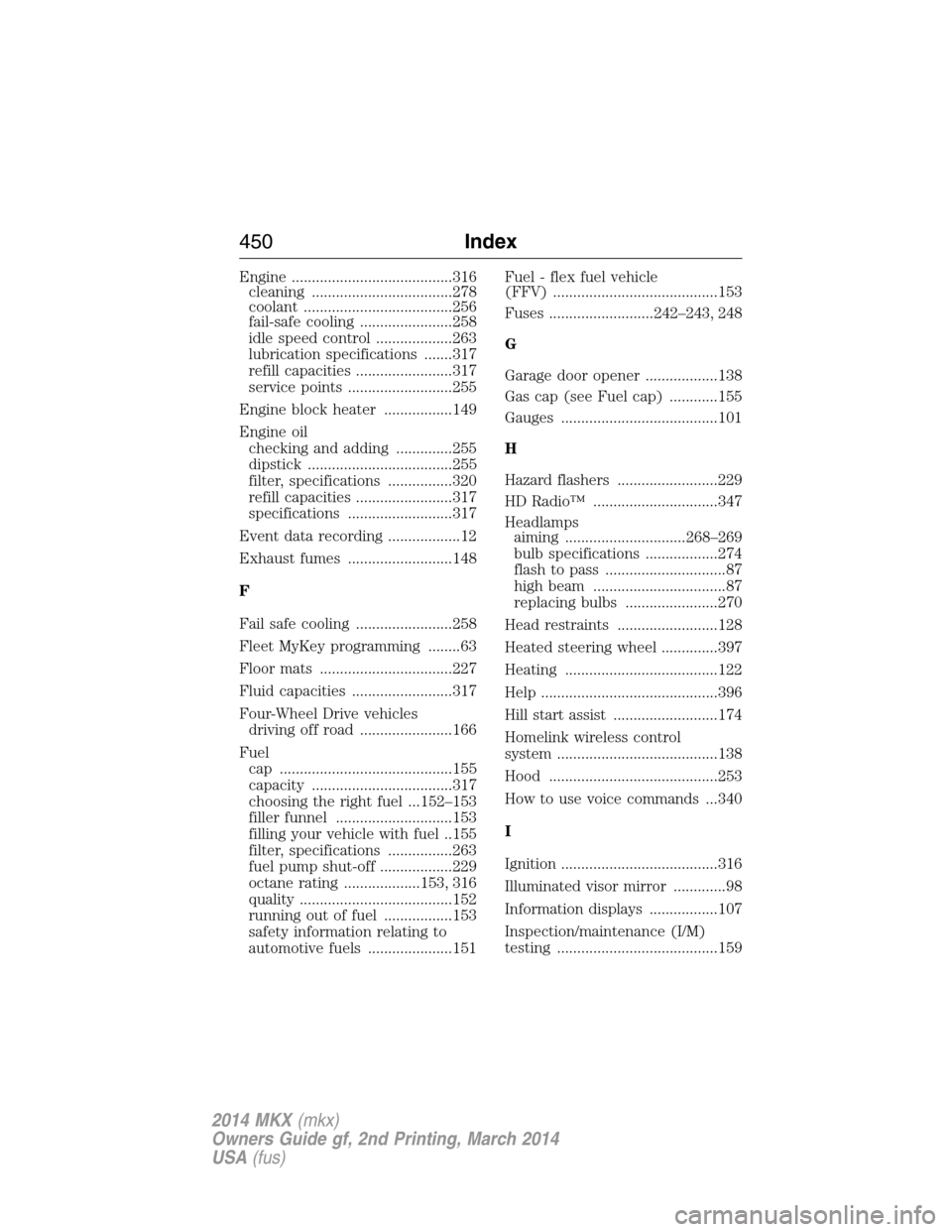
Engine ........................................316
cleaning ...................................278
coolant .....................................256
fail-safe cooling .......................258
idle speed control ...................263
lubrication specifications .......317
refill capacities ........................317
service points ..........................255
Engine block heater .................149
Engine oil
checking and adding ..............255
dipstick ....................................255
filter, specifications ................320
refill capacities ........................317
specifications ..........................317
Event data recording ..................12
Exhaust fumes ..........................148
F
Fail safe cooling ........................258
Fleet MyKey programming ........63
Floor mats .................................227
Fluid capacities .........................317
Four-Wheel Drive vehicles
driving off road .......................166
Fuel
cap ...........................................155
capacity ...................................317
choosing the right fuel ...152–153
filler funnel .............................153
filling your vehicle with fuel ..155
filter, specifications ................263
fuel pump shut-off ..................229
octane rating ...................153, 316
quality ......................................152
running out of fuel .................153
safety information relating to
automotive fuels .....................151Fuel - flex fuel vehicle
(FFV) .........................................153
Fuses ..........................242–243, 248
G
Garage door opener ..................138
Gas cap (see Fuel cap) ............155
Gauges .......................................101
H
Hazard flashers .........................229
HD Radio™ ...............................347
Headlamps
aiming ..............................268–269
bulb specifications ..................274
flash to pass ..............................87
high beam .................................87
replacing bulbs .......................270
Head restraints .........................128
Heated steering wheel ..............397
Heating ......................................122
Help ............................................396
Hill start assist ..........................174
Homelink wireless control
system ........................................138
Hood ..........................................253
How to use voice commands ...340
I
Ignition .......................................316
Illuminated visor mirror .............98
Information displays .................107
Inspection/maintenance (I/M)
testing ........................................159
450Index
2014 MKX(mkx)
Owners Guide gf, 2nd Printing, March 2014
USA(fus)