auto lock LINCOLN MKX 2014 User Guide
[x] Cancel search | Manufacturer: LINCOLN, Model Year: 2014, Model line: MKX, Model: LINCOLN MKX 2014Pages: 455, PDF Size: 6.1 MB
Page 70 of 455
At the Liftgate
Press the exterior liftgate release button on the top of the liftgate
pull-cup handle.
Smart Unlocks
The smart unlock feature is intended to prevent you from unintentionally
locking your intelligent access key inside your vehicle’s passenger
compartment or rear cargo area.
When you lock your vehicle using the driver or passenger power door
lock control (with the door open, transmission is inPand ignition off),
after you close the door your vehicle will search for an intelligent access
key in the passenger compartment. If your vehicle finds a key, all of the
doors will immediately unlock and the horn will sound, indicating that a
key is inside.
You can override the smart unlock feature and intentionally lock the
intelligent access key inside your vehicle. To do this, lock your vehicle
after you have closed all the doors by:
•using the keyless entry keypad
•pressing the lock button on another intelligent access key
•touching the locking area on the handle with another intelligent access
key in your hand.
When you open one of the front doors and lock your vehicle using the
power door lock control, all doors will lock then unlock if:
•the ignition is on, or
•the ignition is off and the transmission is not inP.
Autolock Feature (If Enabled)
The autolock feature will lock all the doors when:
•all the doors are closed,
•the ignition is on,
•you shift into any gear putting your vehicle in motion, and
•your vehicle reaches a speed greater than 12 mph (20 km/h).
The autolock feature repeats when:
•you open then close any door while the ignition is on and the vehicle
speed is 9 mph (15 km/h) or lower, and
•your vehicle then reaches a speed greater than 12 mph (20 km/h).
Locks69
2014 MKX(mkx)
Owners Guide gf, 2nd Printing, March 2014
USA(fus)
Page 71 of 455
Autounlock Feature (If Enabled)
The autounlock feature unlocks all the doors when:
•the ignition is on, all the doors are closed, and your vehicle has been
in motion at a speed greater than 12 mph (20 km/h);
•your vehicle has then come to a stop and you switch the off ignition
or to accessory; and
•you open the driver door within 10 minutes of switching the ignition
off or to accessory.
Note:The doors will not autounlock if you electronically lock your
vehicle after you switch the ignition off and before you open the driver
door.
Enabling or Disabling
Note:You can enable or disable the autolock and autounlock features
independently of each other.
You can enable or disable these features:
•through an authorized dealer
•using the information display.
Illuminated Entry
The interior lamps and select exterior lamps illuminate when you use the
intelligent access key or the keyless entry keypad to unlock your vehicle.
The system will turn off the lights if:
•you switch the ignition on
•you press the lock button on the remote control
•you lock your vehicle using the keyless entry keypad
•they have been on for 25 seconds.
The lights will not turn off if:
•you have turned them on with the dimmer control
•any door is open.
70Locks
2014 MKX(mkx)
Owners Guide gf, 2nd Printing, March 2014
USA(fus)
Page 76 of 455
If your vehicle has lost power, you can release the latch from inside your
vehicle. Use the access panel on the liftgate trim.
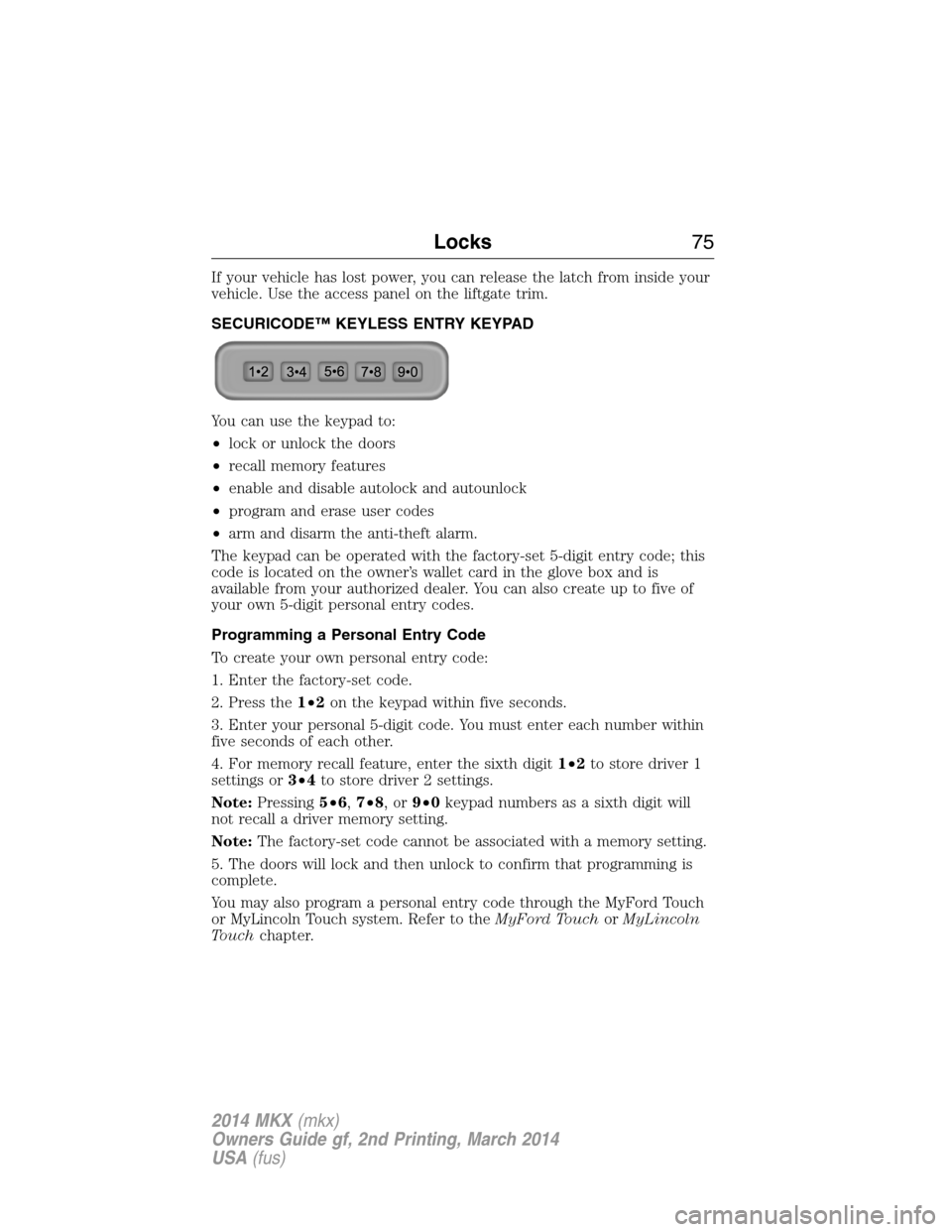
SECURICODE™ KEYLESS ENTRY KEYPAD
You can use the keypad to:
•lock or unlock the doors
•recall memory features
•enable and disable autolock and autounlock
•program and erase user codes
•arm and disarm the anti-theft alarm.
The keypad can be operated with the factory-set 5-digit entry code; this
code is located on the owner’s wallet card in the glove box and is
available from your authorized dealer. You can also create up to five of
your own 5-digit personal entry codes.
Programming a Personal Entry Code
To create your own personal entry code:
1. Enter the factory-set code.
2. Press the1•2on the keypad within five seconds.
3. Enter your personal 5-digit code. You must enter each number within
five seconds of each other.
4. For memory recall feature, enter the sixth digit1•2to store driver 1
settings or3•4to store driver 2 settings.
Note:Pressing5•6,7•8,or9•0keypad numbers as a sixth digit will
not recall a driver memory setting.
Note:The factory-set code cannot be associated with a memory setting.
5. The doors will lock and then unlock to confirm that programming is
complete.
You may also program a personal entry code through the MyFord Touch
or MyLincoln Touch system. Refer to theMyFord TouchorMyLincoln
Touchchapter.
Locks75
2014 MKX(mkx)
Owners Guide gf, 2nd Printing, March 2014
USA(fus)
Page 78 of 455
SECURILOCK® PASSIVE ANTI-THEFT SYSTEM
Note:The system is not compatible with non-Ford aftermarket remote
start systems. Use of these systems may result in vehicle starting
problems and a loss of security protection.
Note:Metallic objects, electronic devices or a second coded key on the
same key chain may cause vehicle starting issues if they are too close to
the key when starting your vehicle. Prevent these objects from touching
the coded key while starting the engine. Switch the ignition off, move all
objects on the key chain away from the coded key and restart your
vehicle if a problem occurs.
Note:Do not leave a duplicate coded key in your vehicle. Always take
your keys and lock all doors when leaving your vehicle.
The system helps prevent the engine from starting unless you use a
coded key programmed to your vehicle. Using the wrong key may
prevent your vehicle from starting. A message may appear in the
information display.
If you are unable to start your vehicle with a correctly coded key, a
malfunction has occurred. A message may appear in the information
display.
Automatic Arming
Your vehicle arms immediately after you switch the ignition off.
Automatic Disarming
Your vehicle disarms when you switch the ignition on with a coded key.
Replacement Keys
Note:Your vehicle comes with two intelligent access keys.
The intelligent access key functions as a programmed key that operates
the driver door lock and activates the intelligent access with push button
start systems, as well as a remote control.
If your intelligent access key is lost or stolen and you do not have an
extra coded key, you will need to have your vehicle towed to an
authorized dealer. The key codes need to be erased from your vehicle
and new coded keys will need to be programmed.
Store an extra programmed key away from your vehicle in a safe place to
help prevent any inconveniences. See an authorized dealer to purchase
additional spare or replacement keys.
Security77
2014 MKX(mkx)
Owners Guide gf, 2nd Printing, March 2014
USA(fus)
Page 92 of 455
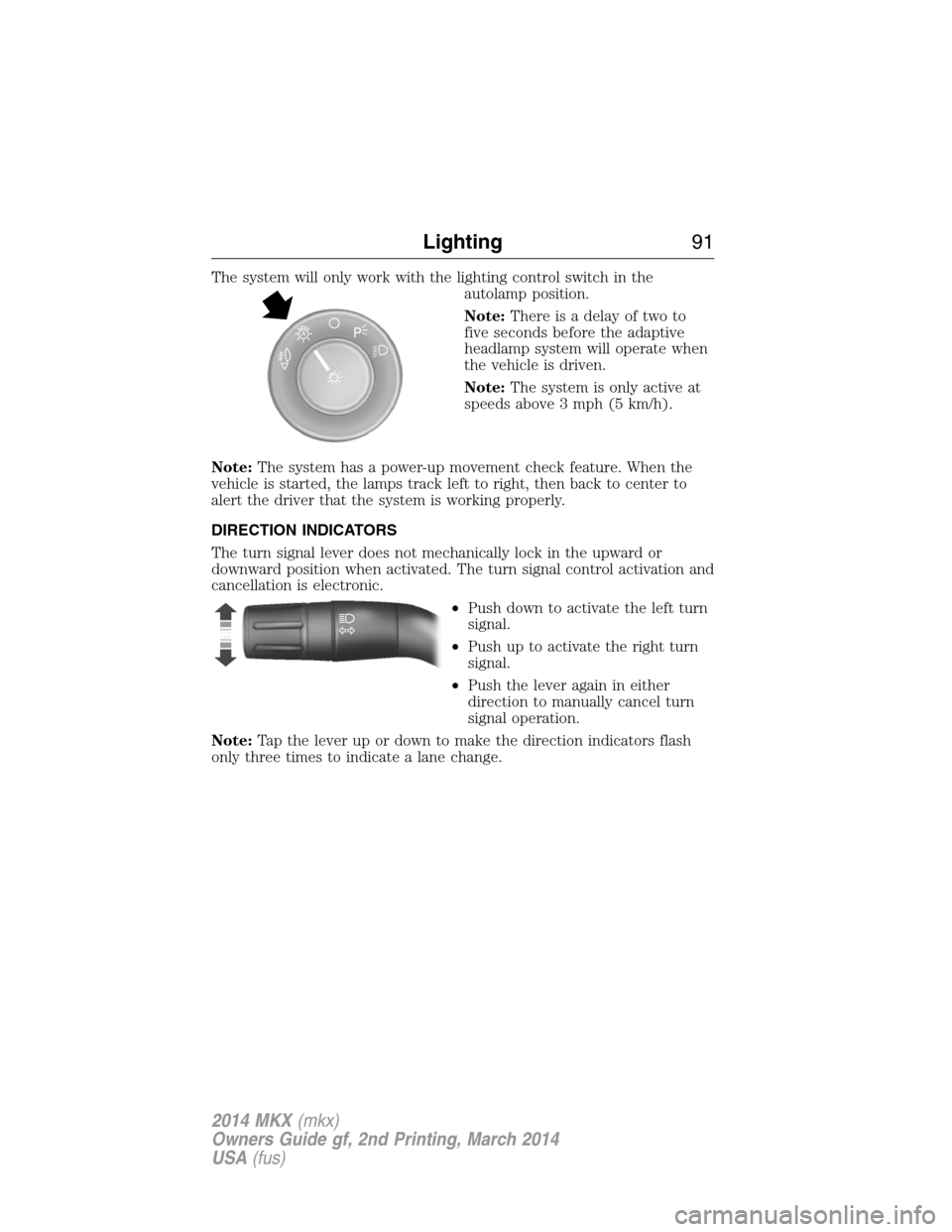
The system will only work with the lighting control switch in the
autolamp position.
Note:There is a delay of two to
five seconds before the adaptive
headlamp system will operate when
the vehicle is driven.
Note:The system is only active at
speeds above 3 mph (5 km/h).
Note:The system has a power-up movement check feature. When the
vehicle is started, the lamps track left to right, then back to center to
alert the driver that the system is working properly.
DIRECTION INDICATORS
The turn signal lever does not mechanically lock in the upward or
downward position when activated. The turn signal control activation and
cancellation is electronic.
•Push down to activate the left turn
signal.
•Push up to activate the right turn
signal.
•Push the lever again in either
direction to manually cancel turn
signal operation.
Note:Tap the lever up or down to make the direction indicators flash
only three times to indicate a lane change.
A
Lighting91
2014 MKX(mkx)
Owners Guide gf, 2nd Printing, March 2014
USA(fus)
Page 95 of 455
POWER WINDOWS
WARNING:Do not leave children unattended in your vehicle
and do not let children play with the power windows. They may
seriously injure themselves.
WARNING:When closing the power windows, you should verify
they are free of obstructions and make sure that children and
pets are not in the proximity of the window openings.
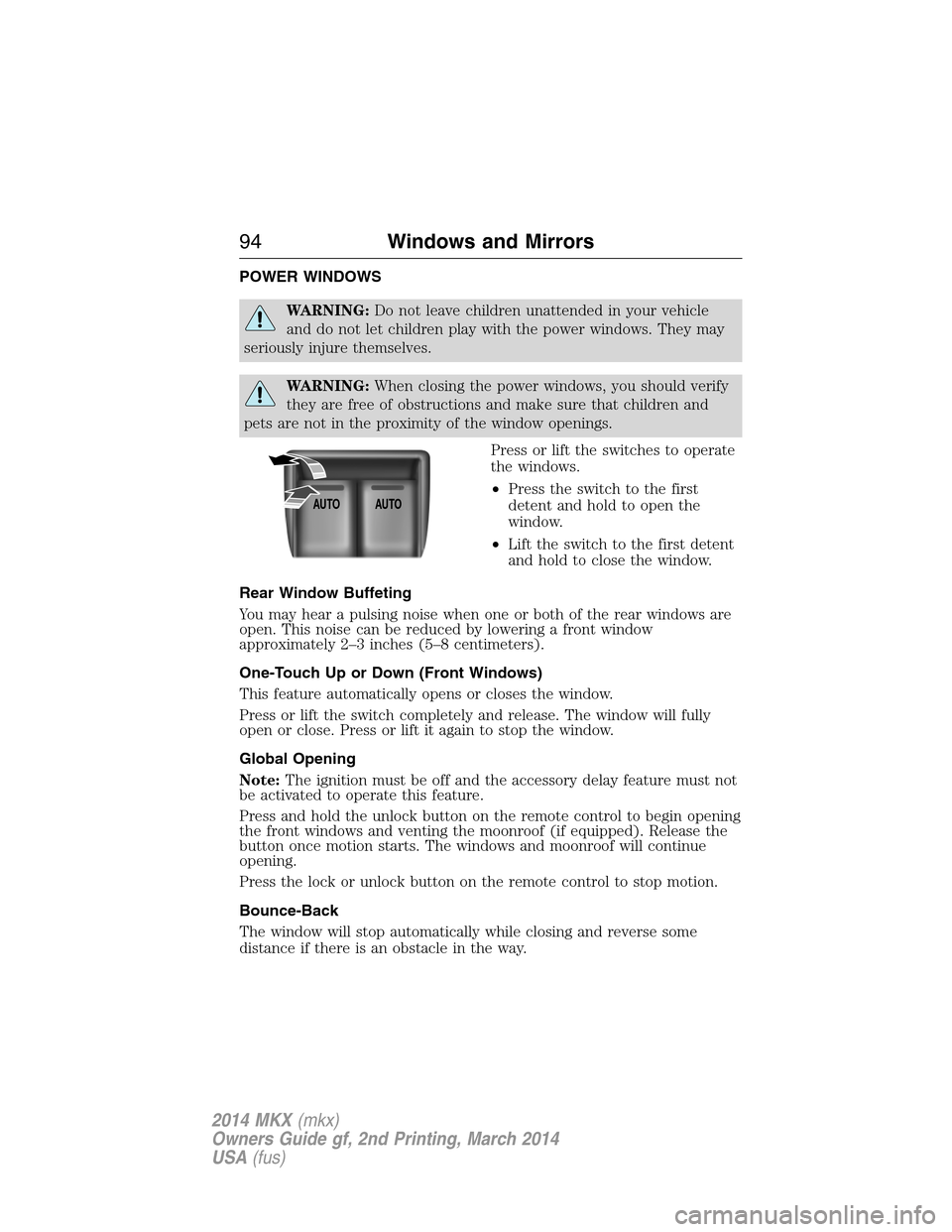
Press or lift the switches to operate
the windows.
•Press the switch to the first
detent and hold to open the
window.
•Lift the switch to the first detent
and hold to close the window.
Rear Window Buffeting
You may hear a pulsing noise when one or both of the rear windows are
open. This noise can be reduced by lowering a front window
approximately 2–3 inches (5–8 centimeters).
One-Touch Up or Down (Front Windows)
This feature automatically opens or closes the window.
Press or lift the switch completely and release. The window will fully
open or close. Press or lift it again to stop the window.
Global Opening
Note:The ignition must be off and the accessory delay feature must not
be activated to operate this feature.
Press and hold the unlock button on the remote control to begin opening
the front windows and venting the moonroof (if equipped). Release the
button once motion starts. The windows and moonroof will continue
opening.
Press the lock or unlock button on the remote control to stop motion.
Bounce-Back
The window will stop automatically while closing and reverse some
distance if there is an obstacle in the way.
AUTOAUTO
94Windows and Mirrors
2014 MKX(mkx)
Owners Guide gf, 2nd Printing, March 2014
USA(fus)
Page 97 of 455
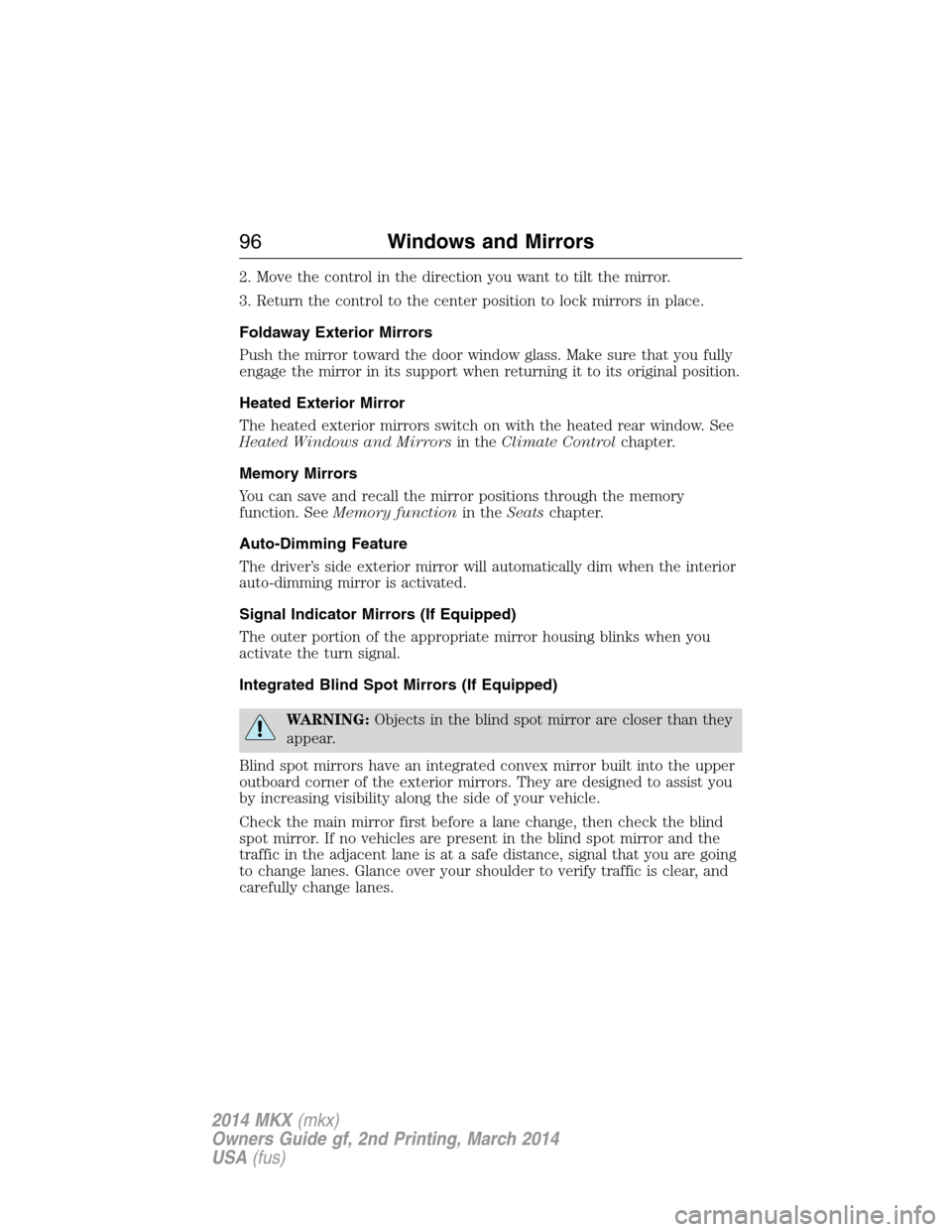
2. Move the control in the direction you want to tilt the mirror.
3. Return the control to the center position to lock mirrors in place.
Foldaway Exterior Mirrors
Push the mirror toward the door window glass. Make sure that you fully
engage the mirror in its support when returning it to its original position.
Heated Exterior Mirror
The heated exterior mirrors switch on with the heated rear window. See
Heated Windows and Mirrorsin theClimate Controlchapter.
Memory Mirrors
You can save and recall the mirror positions through the memory
function. SeeMemory functionin theSeatschapter.
Auto-Dimming Feature
The driver’s side exterior mirror will automatically dim when the interior
auto-dimming mirror is activated.
Signal Indicator Mirrors (If Equipped)
The outer portion of the appropriate mirror housing blinks when you
activate the turn signal.
Integrated Blind Spot Mirrors (If Equipped)
WARNING:Objects in the blind spot mirror are closer than they
appear.
Blind spot mirrors have an integrated convex mirror built into the upper
outboard corner of the exterior mirrors. They are designed to assist you
by increasing visibility along the side of your vehicle.
Check the main mirror first before a lane change, then check the blind
spot mirror. If no vehicles are present in the blind spot mirror and the
traffic in the adjacent lane is at a safe distance, signal that you are going
to change lanes. Glance over your shoulder to verify traffic is clear, and
carefully change lanes.
96Windows and Mirrors
2014 MKX(mkx)
Owners Guide gf, 2nd Printing, March 2014
USA(fus)
Page 99 of 455
Auto-Dimming Mirror
Note:Do not block the sensors on the front and back of the mirror.
Mirror performance may be affected. A rear center passenger or raised
rear center head restraint may also block light from reaching the sensor.
The mirror will dim automatically to reduce glare when bright lights are
detected from behind your vehicle. It will automatically return to normal
reflection when you select reverse gear to make sure you have a clear
view when backing up.
SUN VISORS
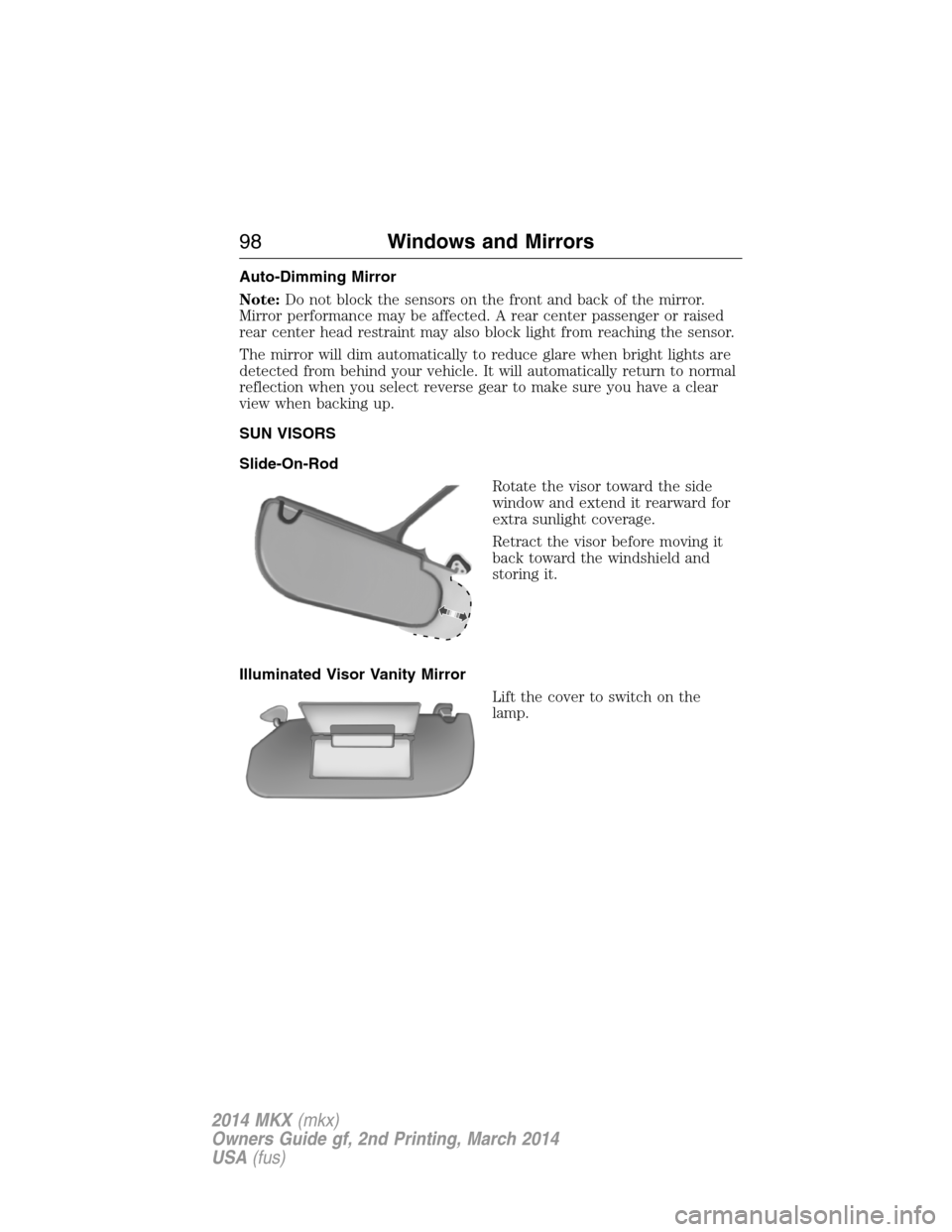
Slide-On-Rod
Rotate the visor toward the side
window and extend it rearward for
extra sunlight coverage.
Retract the visor before moving it
back toward the windshield and
storing it.
Illuminated Visor Vanity Mirror
Lift the cover to switch on the
lamp.
98Windows and Mirrors
2014 MKX(mkx)
Owners Guide gf, 2nd Printing, March 2014
USA(fus)
Page 112 of 455
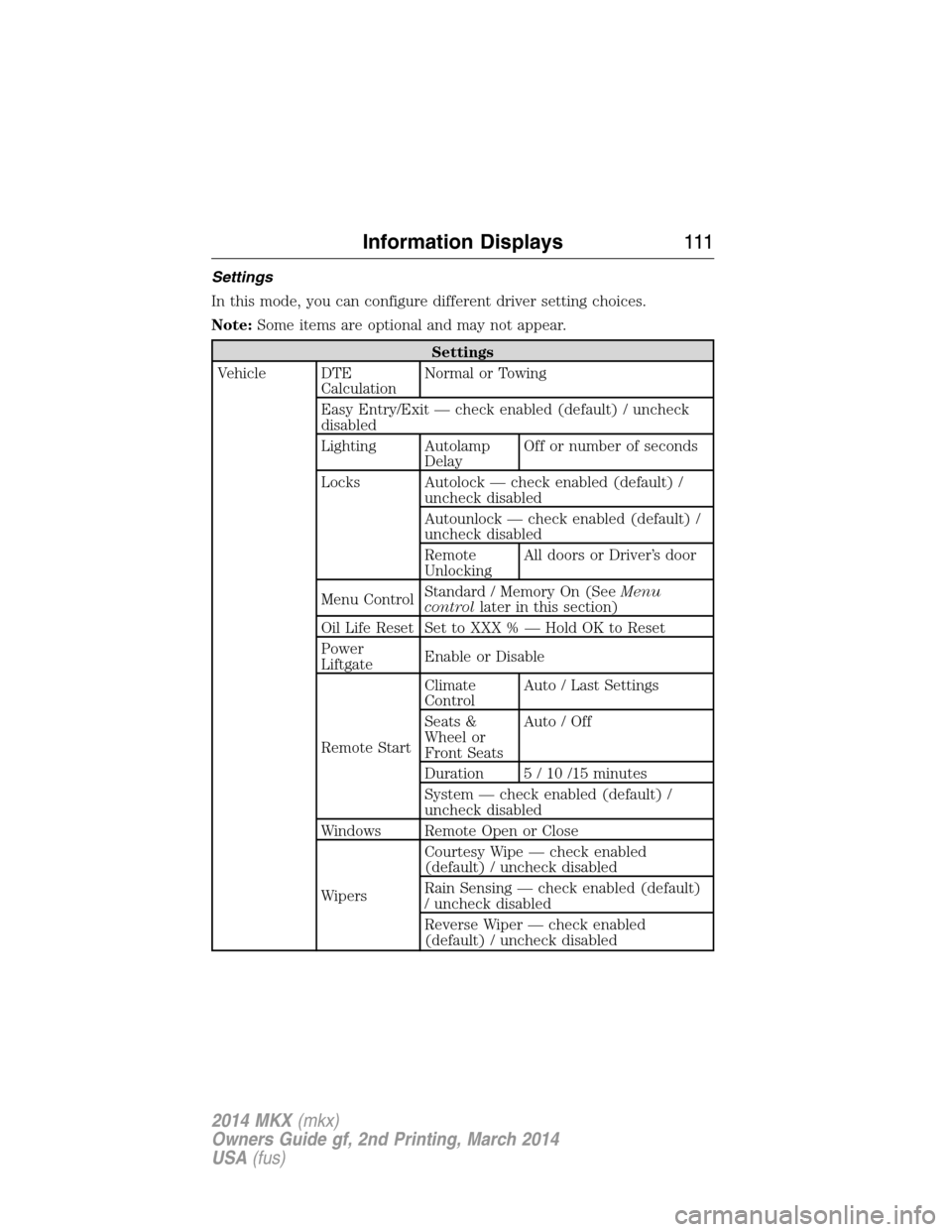
Settings
In this mode, you can configure different driver setting choices.
Note:Some items are optional and may not appear.
Settings
Vehicle DTE
CalculationNormal or Towing
Easy Entry/Exit — check enabled (default) / uncheck
disabled
Lighting Autolamp
DelayOff or number of seconds
Locks Autolock — check enabled (default) /
uncheck disabled
Autounlock — check enabled (default) /
uncheck disabled
Remote
UnlockingAll doors or Driver’s door
Menu ControlStandard / Memory On (SeeMenu
controllater in this section)
Oil Life Reset Set to XXX % — Hold OK to Reset
Power
LiftgateEnable or Disable
Remote StartClimate
ControlAuto / Last Settings
Seats &
Wheel or
Front SeatsAuto / Off
Duration 5 / 10 /15 minutes
System — check enabled (default) /
uncheck disabled
Windows Remote Open or Close
WipersCourtesy Wipe — check enabled
(default) / uncheck disabled
Rain Sensing — check enabled (default)
/ uncheck disabled
Reverse Wiper — check enabled
(default) / uncheck disabled
Information Displays111
2014 MKX(mkx)
Owners Guide gf, 2nd Printing, March 2014
USA(fus)
Page 114 of 455
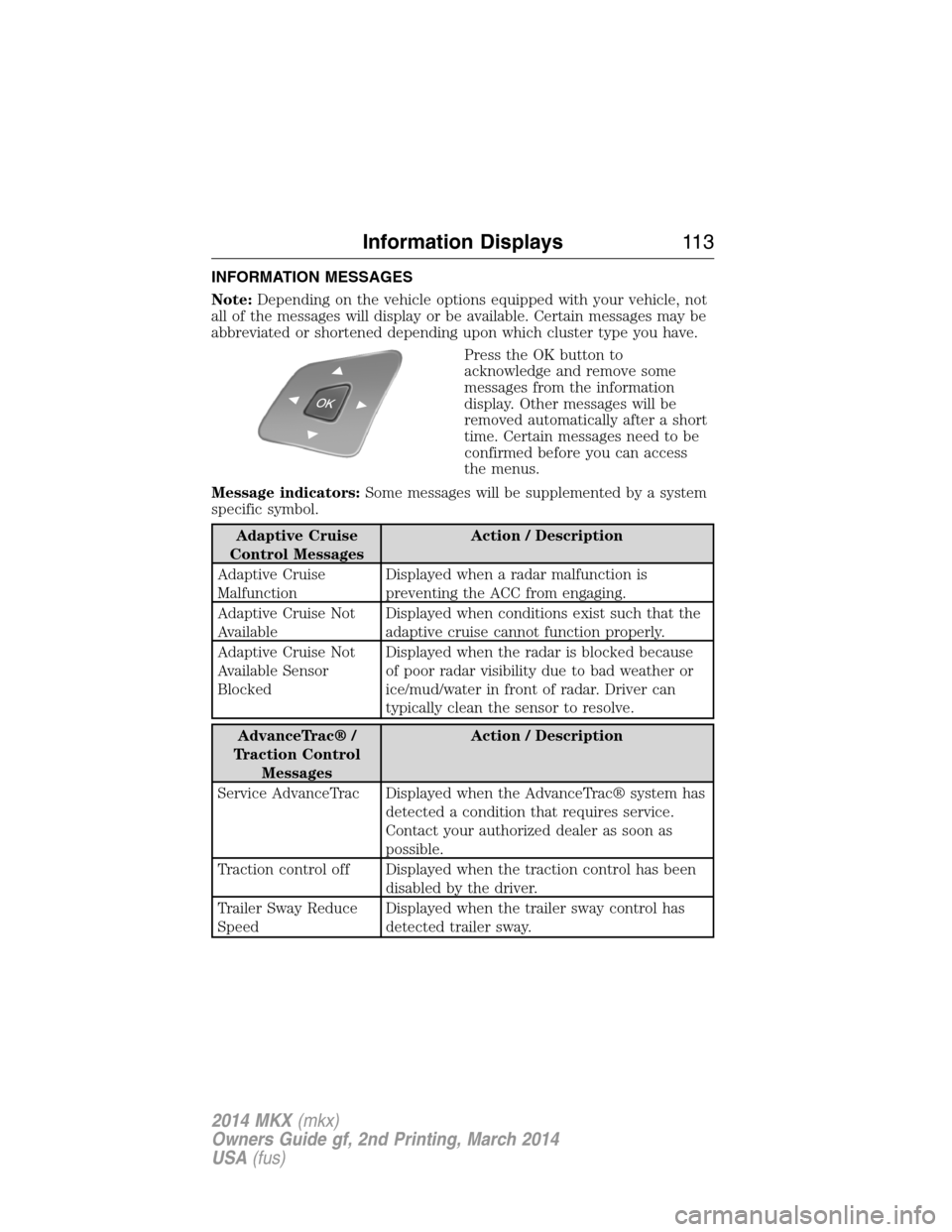
INFORMATION MESSAGES
Note:Depending on the vehicle options equipped with your vehicle, not
all of the messages will display or be available. Certain messages may be
abbreviated or shortened depending upon which cluster type you have.
Press the OK button to
acknowledge and remove some
messages from the information
display. Other messages will be
removed automatically after a short
time. Certain messages need to be
confirmed before you can access
the menus.
Message indicators:Some messages will be supplemented by a system
specific symbol.
Adaptive Cruise
Control MessagesAction / Description
Adaptive Cruise
MalfunctionDisplayed when a radar malfunction is
preventing the ACC from engaging.
Adaptive Cruise Not
AvailableDisplayed when conditions exist such that the
adaptive cruise cannot function properly.
Adaptive Cruise Not
Available Sensor
BlockedDisplayed when the radar is blocked because
of poor radar visibility due to bad weather or
ice/mud/water in front of radar. Driver can
typically clean the sensor to resolve.
AdvanceTrac® /
Traction Control
MessagesAction / Description
Service AdvanceTrac Displayed when the AdvanceTrac® system has
detected a condition that requires service.
Contact your authorized dealer as soon as
possible.
Traction control off Displayed when the traction control has been
disabled by the driver.
Trailer Sway Reduce
SpeedDisplayed when the trailer sway control has
detected trailer sway.
Information Displays11 3
2014 MKX(mkx)
Owners Guide gf, 2nd Printing, March 2014
USA(fus)