Light control LINCOLN MKX 2014 Owner's Manual
[x] Cancel search | Manufacturer: LINCOLN, Model Year: 2014, Model line: MKX, Model: LINCOLN MKX 2014Pages: 455, PDF Size: 6.1 MB
Page 107 of 455
Stability Control System
Displays when the AdvanceTrac®/Traction control is active. If
the light remains on, have the system serviced immediately.
Stability Control System Off
Illuminates when AdvanceTrac®/Traction control has been
disabled by the driver.
AUDIBLE WARNINGS AND INDICATORS
Key In Ignition Warning Chime
Sounds when the key is left in the ignition in the off or accessory
position and the driver’s door is opened.
Keyless Warning Alert (If Equipped)
Sounds the horn twice when you exit your vehicle with the intelligent
access key, after the last door is closed and your keyless vehicle is in
RUN, indicating your vehicle is still on.
Headlamps On Warning Chime
Sounds when the headlamps or parking lamps are on, the ignition is off
(the key is not in the ignition) and the driver’s door is opened.
Parking Brake On Warning Chime
Sounds when you have left the parking brake on and drive your vehicle.
If the warning chime remains on after you have released the parking
brake, have the system checked by your authorized dealer immediately.
106Instrument Cluster
2014 MKX(mkx)
Owners Guide gf, 2nd Printing, March 2014
USA(fus)
Page 108 of 455
GENERAL INFORMATION
WARNING:Driving while distracted can result in loss of vehicle
control, crash and injury. We strongly recommend that you use
extreme caution when using any device that may take your focus off
the road. Your primary responsibility is the safe operation of your
vehicle. We recommend against the use of any handheld device while
driving and encourage the use of voice-operated systems when possible.
Make sure you are aware of all applicable local laws that may affect the
use of electronic devices while driving..
Various systems on your vehicle can be controlled using the information
display controls on the steering wheel. Corresponding information is
displayed in the information display.
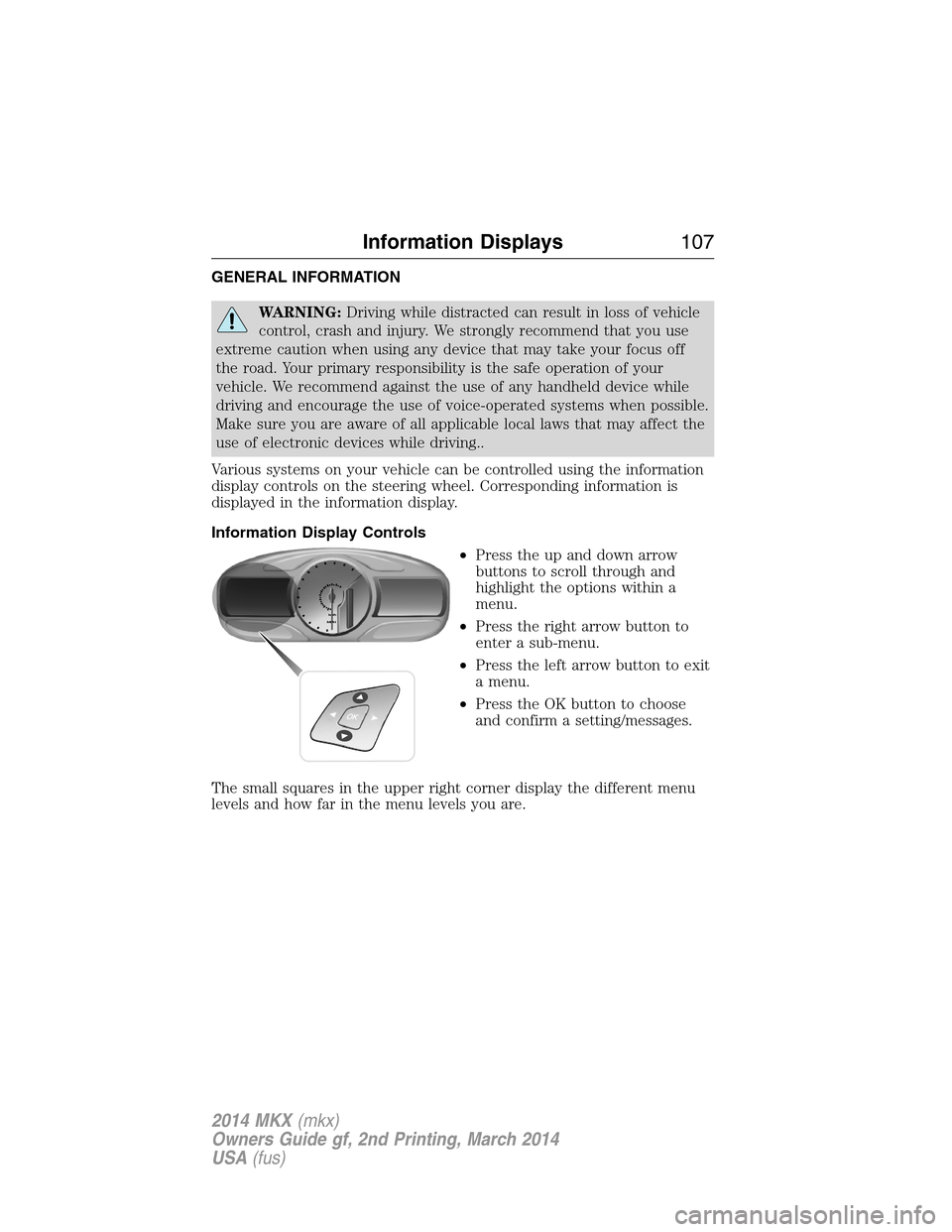
Information Display Controls
•Press the up and down arrow
buttons to scroll through and
highlight the options within a
menu.
•Press the right arrow button to
enter a sub-menu.
•Press the left arrow button to exit
a menu.
•Press the OK button to choose
and confirm a setting/messages.
The small squares in the upper right corner display the different menu
levels and how far in the menu levels you are.
Information Displays107
2014 MKX(mkx)
Owners Guide gf, 2nd Printing, March 2014
USA(fus)
Page 112 of 455
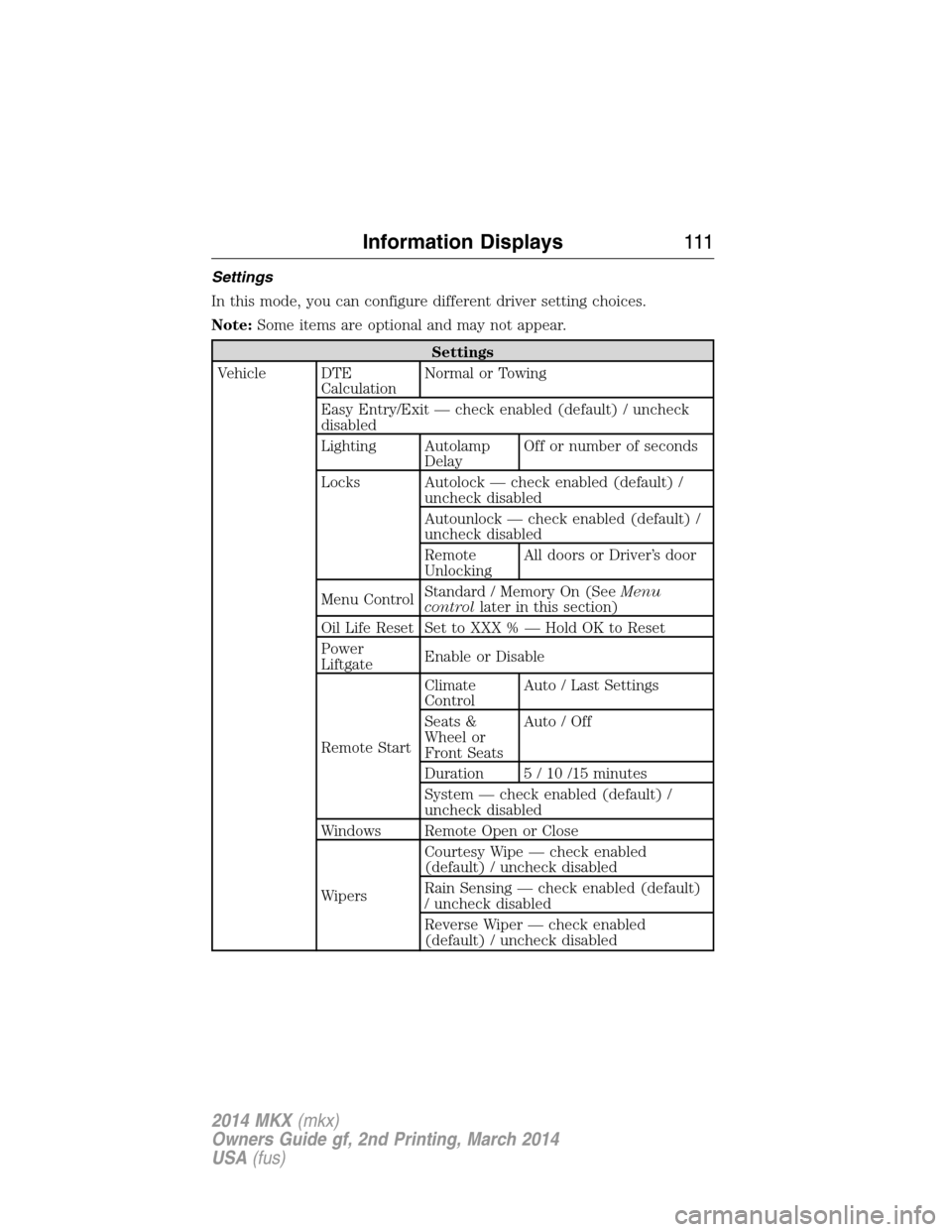
Settings
In this mode, you can configure different driver setting choices.
Note:Some items are optional and may not appear.
Settings
Vehicle DTE
CalculationNormal or Towing
Easy Entry/Exit — check enabled (default) / uncheck
disabled
Lighting Autolamp
DelayOff or number of seconds
Locks Autolock — check enabled (default) /
uncheck disabled
Autounlock — check enabled (default) /
uncheck disabled
Remote
UnlockingAll doors or Driver’s door
Menu ControlStandard / Memory On (SeeMenu
controllater in this section)
Oil Life Reset Set to XXX % — Hold OK to Reset
Power
LiftgateEnable or Disable
Remote StartClimate
ControlAuto / Last Settings
Seats &
Wheel or
Front SeatsAuto / Off
Duration 5 / 10 /15 minutes
System — check enabled (default) /
uncheck disabled
Windows Remote Open or Close
WipersCourtesy Wipe — check enabled
(default) / uncheck disabled
Rain Sensing — check enabled (default)
/ uncheck disabled
Reverse Wiper — check enabled
(default) / uncheck disabled
Information Displays111
2014 MKX(mkx)
Owners Guide gf, 2nd Printing, March 2014
USA(fus)
Page 115 of 455
Alarm/Security
MessagesAction / Description
To Stop Alarm, Start
VehicleDisplayed when the perimeter alarm system is
armed and the vehicle is entered using the key
on the driver’s side door. In order to prevent
the perimeter alarm system from triggering,
the ignition must be turned to start or on
before the 12 second chime expires.
AWD Messages Action / Description
AWD Off Displayed when the AWD system has been
automatically disabled to protect itself. This is
caused by operating the vehicle with the
compact spare tire installed or if the system is
overheating. The AWD system will resume
normal function and clear this message after
driving a short distance with the road tire
re-installed or after the system is allowed to
cool.
Check AWD Displayed in conjunction with the Throttle
Control/Transmission/AWD light when the
AWD system is not operating properly. If the
warning stays on or continues to come on,
contact your authorized dealer as soon as
possible.
11 4Information Displays
2014 MKX(mkx)
Owners Guide gf, 2nd Printing, March 2014
USA(fus)
Page 123 of 455
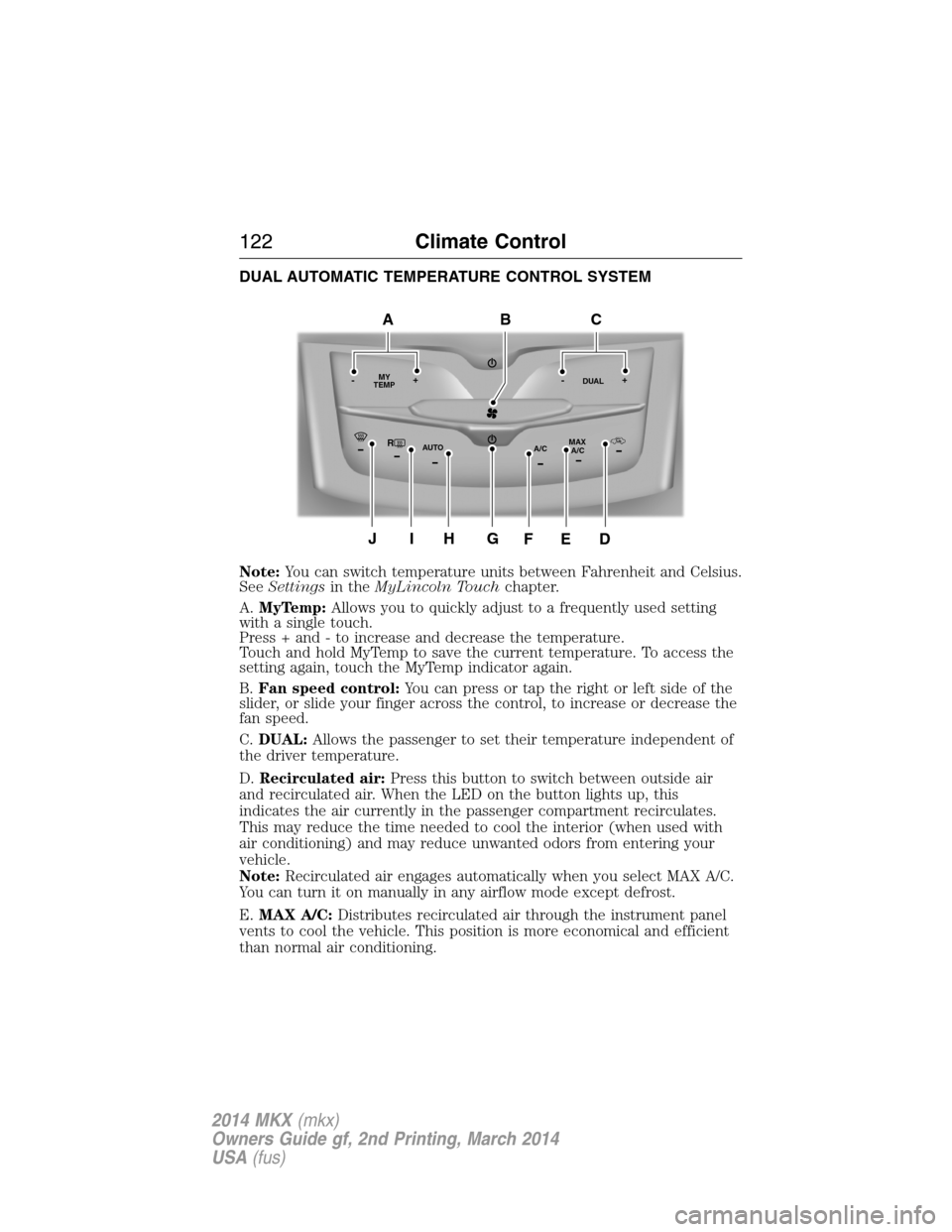
DUAL AUTOMATIC TEMPERATURE CONTROL SYSTEM
Note:You can switch temperature units between Fahrenheit and Celsius.
SeeSettingsin theMyLincoln Touchchapter.
A.MyTemp:Allows you to quickly adjust to a frequently used setting
with a single touch.
Press + and - to increase and decrease the temperature.
Touch and hold MyTemp to save the current temperature. To access the
setting again, touch the MyTemp indicator again.
B.Fan speed control:You can press or tap the right or left side of the
slider, or slide your finger across the control, to increase or decrease the
fan speed.
C.DUAL:Allows the passenger to set their temperature independent of
the driver temperature.
D.Recirculated air:Press this button to switch between outside air
and recirculated air. When the LED on the button lights up, this
indicates the air currently in the passenger compartment recirculates.
This may reduce the time needed to cool the interior (when used with
air conditioning) and may reduce unwanted odors from entering your
vehicle.
Note:Recirculated air engages automatically when you select MAX A/C.
You can turn it on manually in any airflow mode except defrost.
E.MAX A/C:Distributes recirculated air through the instrument panel
vents to cool the vehicle. This position is more economical and efficient
than normal air conditioning.
RMAX
A/C A/C
TEMP
AUTO MY-+DUAL-+
GJIH
BAC
DEF
122Climate Control
2014 MKX(mkx)
Owners Guide gf, 2nd Printing, March 2014
USA(fus)
Page 124 of 455
F.A/C:Press to turn air conditioning off and on. Air conditioning cools
the vehicle using outside air. To improve air conditioning when starting
your vehicle, drive with the windows slightly open for two to three
minutes.
Use air conditioning with recirculated air to improve cooling performance
and efficiency.
Note:Air conditioning turns on automatically in MAX A/C, Defrost and
Floor/Defrost.
G.Power:Press to turn the system off and on. When the system is off,
outside air cannot enter the vehicle.
H.AUTO:Press to turn on fully automatic operation. Select the desired
temperature using the temperature control. The system automatically
determines fan speed, air distribution, air conditioning operation, and
outside or recirculated air, to heat or cool the vehicle to maintain the
selected temperature.
I.Rear defrost:Turns the heated windows and mirrors off and on. See
Heated windows and mirrorslater in this chapter for more
information. If your vehicle is equipped with heated mirrors, this button
turns them on also.
J.Defrost:Distributes air through the windshield defroster vents and
demister vents. You can also use this setting to defog and clear the
windshield of a thin covering of ice.
GENERAL OPERATING TIPS
•To reduce fog build-up on the windshield during humid weather,
select defrost. Temperature and fan speed can also be increased to
improve clearing.
•To reduce humidity build-up inside the vehicle, do not drive with the
system off or with recirculated air engaged.
•Do not put objects under the front seats that will interfere with the
airflow to the back seats.
•Remove any snow, ice or leaves from the air intake area at the base
of the windshield.
•To improve the air conditioning cool down, drive with the windows
slightly open for 2-3 minutes after start-up or until the vehicle has
been aired out.
•A small amount of air may be felt from the floor vent regardless of
the air distribution setting that is selected.
Climate Control123
2014 MKX(mkx)
Owners Guide gf, 2nd Printing, March 2014
USA(fus)
Page 135 of 455
To operate the heated seats:
Press the heated seat symbol located on the touchscreen
to cycle through the various heat settings and off. Warmer
settings are indicated by more indicator lights.
If the engine falls below 350 RPM while the heated seats are on, the
feature will turn itself off. You will need to reactivate it.
Cooled Seats
The cooled seats will only function when the engine is running.
To operate the cooled seats:
Press the cooled seat symbol located on the touchscreen to
cycle through the various cooling settings and off. Cooler
settings are indicated by more indicator lights.
If the engine falls below 350 RPM while the cooled seats are on, the
feature will turn itself off. You will need to reactivate it.
Heated and Cooled Seat Air Filter Replacement (If Equipped)
The climate controlled seat system includes air filters. You must replace
them periodically. See thescheduled maintenance information.
Locate the filters under each front seat and access them from the
second-row foot-well area. Move the front seats all the way forward and
to the full up positions to ease access.
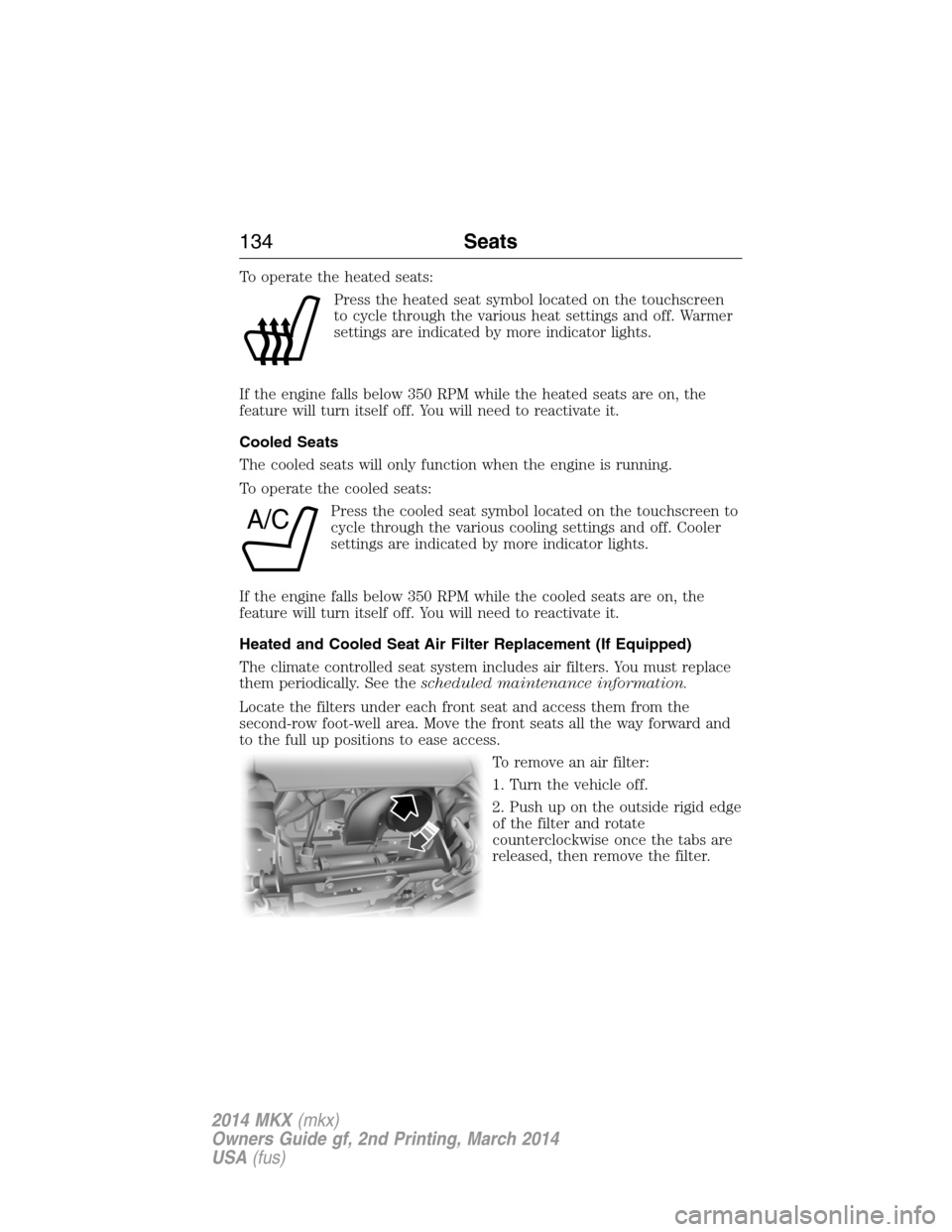
To remove an air filter:
1. Turn the vehicle off.
2. Push up on the outside rigid edge
of the filter and rotate
counterclockwise once the tabs are
released, then remove the filter.
A/C
134Seats
2014 MKX(mkx)
Owners Guide gf, 2nd Printing, March 2014
USA(fus)
Page 138 of 455
Note:Do not do the following:
•Place heavy objects on the seat
•Operate the seat heater if water or any other liquid is spilled on the
seat. Allow the seat to dry thoroughly.
The rear seat heat controls are located on the rear door panels.
The heated seats only operate when the ignition is on. To operate the
heated seats:
•Press the indicated side of the control for maximum
heat.
•Press again to deactivate.
•Press the indicated side of the control for minimum
heat.
•Press again to deactivate.
The heated seat module resets at every ignition run cycle. While the
ignition is in the on position, activating the high or low heated seat
switch enables heating mode. When activated, they will turn off
automatically when the engine is turned off.
The indicator light will illuminate when the heated seats have been
activated.
Seats137
2014 MKX(mkx)
Owners Guide gf, 2nd Printing, March 2014
USA(fus)
Page 139 of 455
HOMELINK® WIRELESS CONTROL SYSTEM (IF EQUIPPED)
WARNING:Make sure that the garage door and security device
are free from obstruction when you are programming. Do not
program the system with the vehicle in the garage.
WARNING:Do not use the system with any garage door opener
that does not have the safety stop and reverse feature as
required by U.S. Federal Safety Standards (this includes any garage
door opener manufactured before April 1, 1982).
Note:Make sure you keep the original remote control transmitter for
use in other vehicles as well as for future system programming.
Note:We recommend that upon the sale or lease termination of your
vehicle, you erase the programmed function buttons for security reasons.
SeeErasing the function button codeslater in this section.
Note:You can program a maximum of three devices. To change or
replace any of the three devices after it has been initially programmed,
you must first erase the current settings. SeeErasing the function
button codeslater in this section.
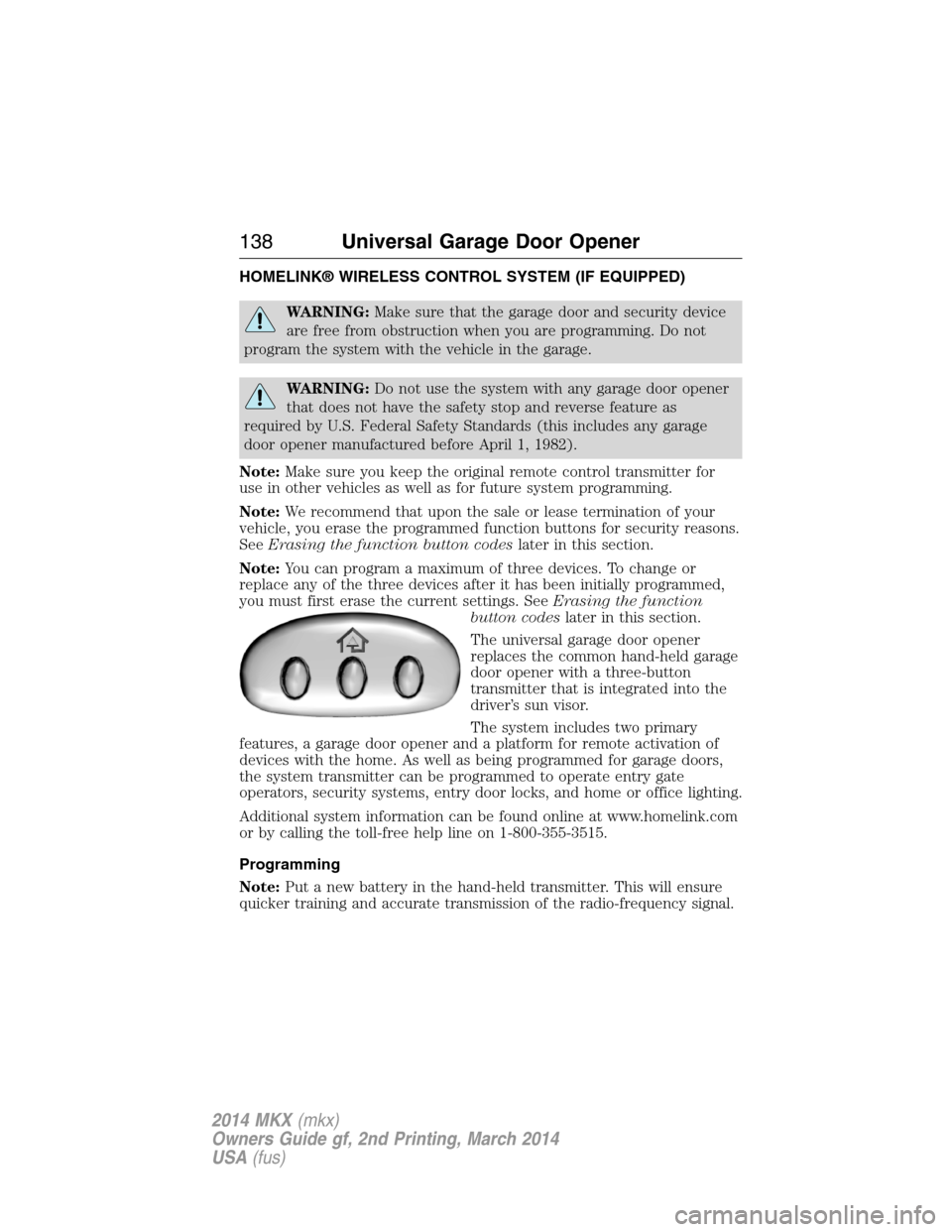
The universal garage door opener
replaces the common hand-held garage
door opener with a three-button
transmitter that is integrated into the
driver’s sun visor.
The system includes two primary
features, a garage door opener and a platform for remote activation of
devices with the home. As well as being programmed for garage doors,
the system transmitter can be programmed to operate entry gate
operators, security systems, entry door locks, and home or office lighting.
Additional system information can be found online at www.homelink.com
or by calling the toll-free help line on 1-800-355-3515.
Programming
Note:Put a new battery in the hand-held transmitter. This will ensure
quicker training and accurate transmission of the radio-frequency signal.
138Universal Garage Door Opener
2014 MKX(mkx)
Owners Guide gf, 2nd Printing, March 2014
USA(fus)
Page 147 of 455
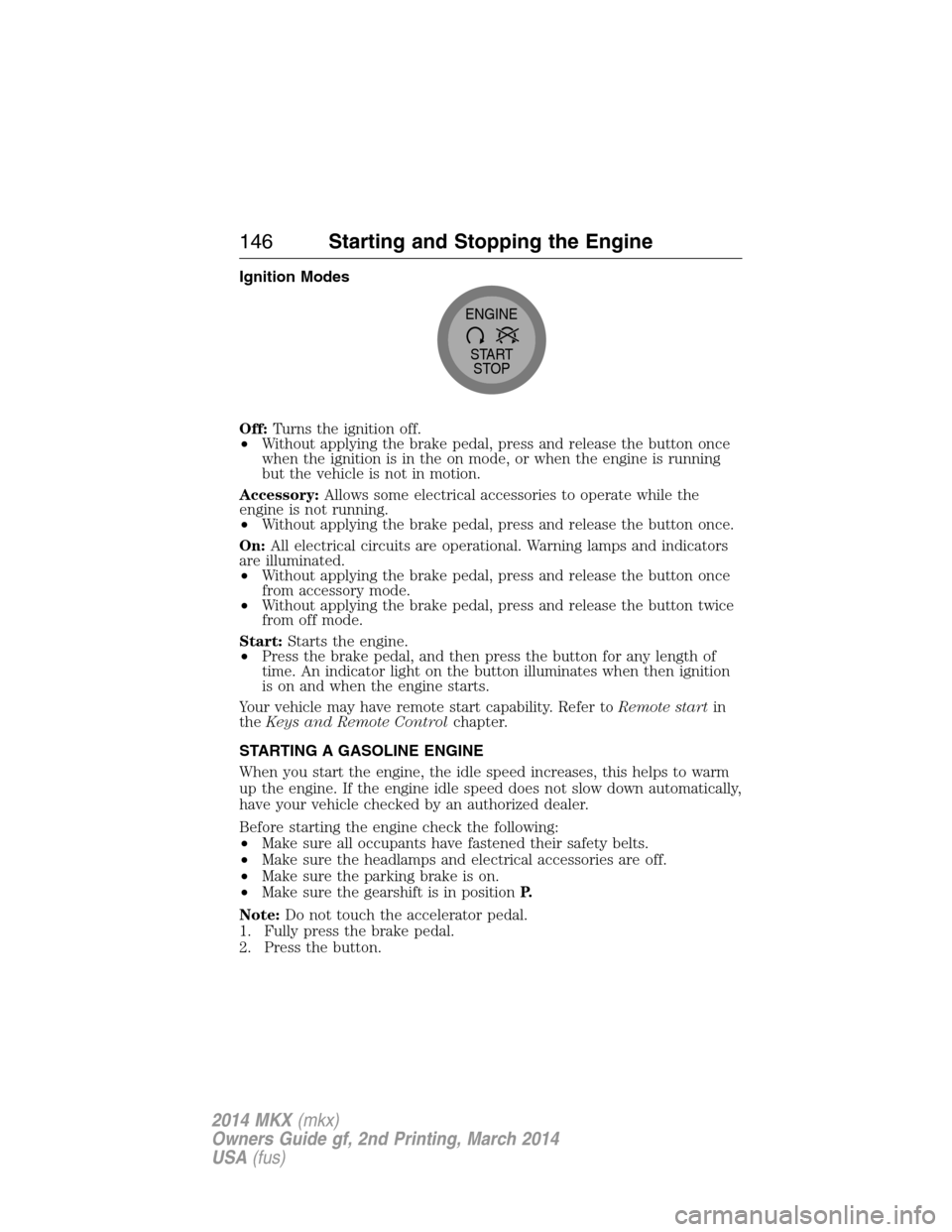
Ignition Modes
Off:Turns the ignition off.
•Without applying the brake pedal, press and release the button once
when the ignition is in the on mode, or when the engine is running
but the vehicle is not in motion.
Accessory:Allows some electrical accessories to operate while the
engine is not running.
•Without applying the brake pedal, press and release the button once.
On:All electrical circuits are operational. Warning lamps and indicators
are illuminated.
•Without applying the brake pedal, press and release the button once
from accessory mode.
•Without applying the brake pedal, press and release the button twice
from off mode.
Start:Starts the engine.
•Press the brake pedal, and then press the button for any length of
time. An indicator light on the button illuminates when then ignition
is on and when the engine starts.
Your vehicle may have remote start capability. Refer toRemote startin
theKeys and Remote Controlchapter.
STARTING A GASOLINE ENGINE
When you start the engine, the idle speed increases, this helps to warm
up the engine. If the engine idle speed does not slow down automatically,
have your vehicle checked by an authorized dealer.
Before starting the engine check the following:
•Make sure all occupants have fastened their safety belts.
•Make sure the headlamps and electrical accessories are off.
•Make sure the parking brake is on.
•Make sure the gearshift is in positionP.
Note:Do not touch the accelerator pedal.
1. Fully press the brake pedal.
2. Press the button.
START
STOP ENGINE
146Starting and Stopping the Engine
2014 MKX(mkx)
Owners Guide gf, 2nd Printing, March 2014
USA(fus)