ECO mode LINCOLN MKX 2016 User Guide
[x] Cancel search | Manufacturer: LINCOLN, Model Year: 2016, Model line: MKX, Model: LINCOLN MKX 2016Pages: 563, PDF Size: 4.96 MB
Page 81 of 563
Locking and Unlocking the Doors
Locking All Doors
Press and hold 7·8 and 9·0 simultaneously
with the driver door closed. You do not need
to enter the keypad code first.
Unlocking the Driver Door
Enter the factory-set or your personal
five-digit code. You must press each number
within five seconds of each other. The
interior lamps illuminate.
Note: All doors unlock if you switch on the
all-door unlocking mode.
See Locking and
Unlocking (page 67).
Unlocking All Doors
Enter the factory-set or your personal
five-digit code, then press
3·4 within five
seconds.
To Release the Liftgate
Enter the factory-set or your personal
five-digit code, then press
5·6 within five
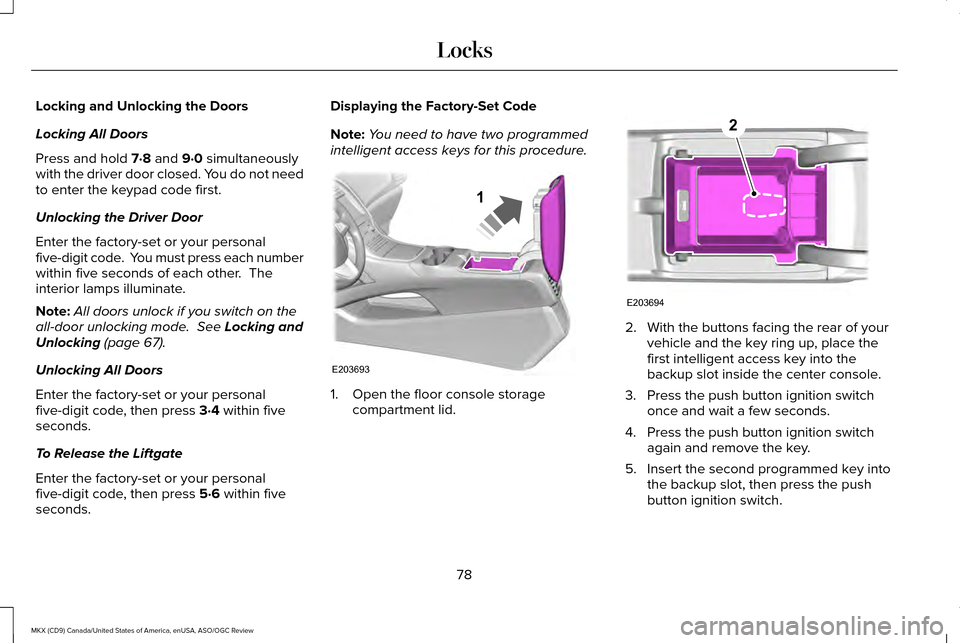
seconds. Displaying the Factory-Set Code
Note:
You need to have two programmed
intelligent access keys for this procedure. 1. Open the floor console storage
compartment lid. 2. With the buttons facing the rear of your
vehicle and the key ring up, place the
first intelligent access key into the
backup slot inside the center console.
3. Press the push button ignition switch once and wait a few seconds.
4. Press the push button ignition switch again and remove the key.
5. Insert the second programmed key into the backup slot, then press the push
button ignition switch.
78
MKX (CD9) Canada/United States of America, enUSA, ASO/OGC Review LocksE203693
1 E203694
2
Page 96 of 563
The headlamps remain on for a period of
time after you switch the ignition off. Use the
information display controls to adjust the
period of time that the headlamps remain
on. See Information Displays (page 114).
Note: With the headlamps in the autolamps
position, you cannot switch the high beam
headlamps on until the autolamps system
turns the low beam headlamps on.
Windshield Wiper Activated Headlamps
The windshield wiper activated headlamps
turn on within 10 seconds when you switch
the windshield wipers on and the lighting
control is in the autolamps position. They
turn off approximately 60 seconds after you
switch the windshield wipers off.
The headlamps will not turn on by wiper
activation:
• During a mist wipe.
• When the wipers are on to clear washer
fluid during a wash condition.
• If the wipers are in intermittent mode. Note:
If you switch autolamps and
autowipers on, the headlamps will
automatically turn on when the windshield
wipers continuously operate.
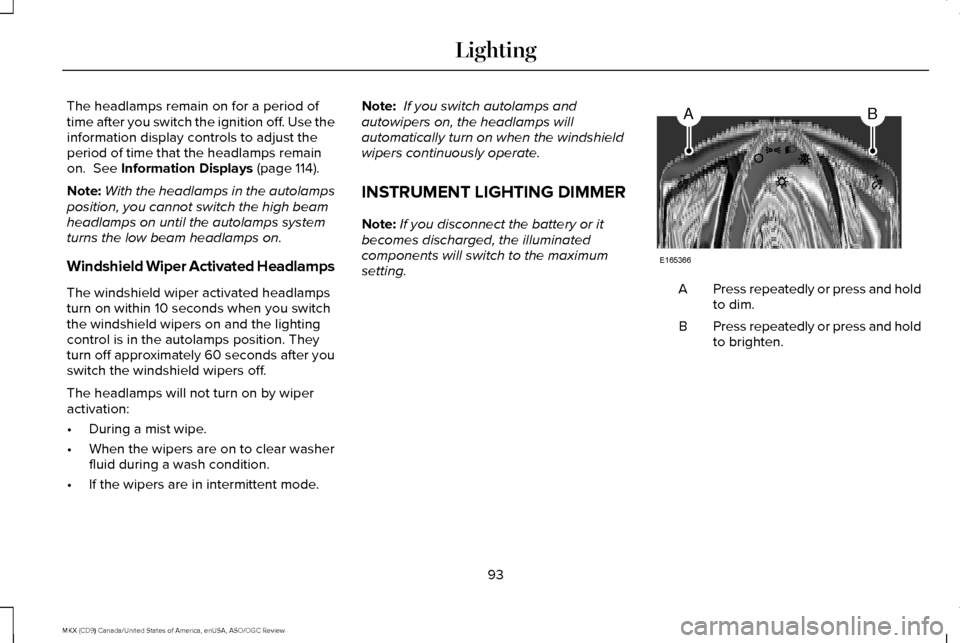
INSTRUMENT LIGHTING DIMMER
Note: If you disconnect the battery or it
becomes discharged, the illuminated
components will switch to the maximum
setting. Press repeatedly or press and hold
to dim.
A
Press repeatedly or press and hold
to brighten.
B
93
MKX (CD9) Canada/United States of America, enUSA, ASO/OGC Review LightingAB
E165366
Page 112 of 563
Engine Coolant Temperature Gauge
Indicates engine coolant temperature. At
normal operating temperature, the level
indicator will be in the normal range. If the
engine coolant temperature exceeds the
normal range, stop the vehicle as soon as
safely possible, switch off the engine and let
the engine cool.
WARNING
Never remove the coolant reservoir
cap while the engine is running or hot.
WARNING LAMPS AND
INDICATORS
The following warning lamps and indicators
alert you to a vehicle condition that may
become serious. Some lamps illuminate
when you start your vehicle to make sure
they work. If any lamps remain on after
starting your vehicle, refer to the respective
system warning lamp for further information. Note:
Some warning indicators appear in
the information display and function the
same as a warning lamp, but do not display
when you start your vehicle.
Adaptive Cruise Control (If Equipped) The speed control system indicator
light changes color to indicate
what mode the system is in.
See
Using Adaptive Cruise Control (page 224).
On (white light): Illuminates when you switch
on the adaptive cruise control system. Turns
off when you switch off the speed control
system.
Engaged (green light): Illuminates when you
engage the adaptive cruise control system.
Turns off when you disengage the speed
control system. Anti-Lock Braking System If it illuminates when you are
driving, this indicates a
malfunction. You continue to have
the normal braking system (without ABS)
unless the brake system warning lamp is also
illuminated. Have the system checked by an
authorized dealer.
Autohold Active It illuminates when the system
holds your vehicle stationary.
Autohold Unavailable It illuminates when the system is
on, but unavailable to hold your
vehicle stationary.
Automatic High Beam Control It will illuminate when this feature
is on.
See Automatic High Beam
Control (page 95).
109
MKX (CD9) Canada/United States of America, enUSA, ASO/OGC Review Instrument ClusterE144524 E197933 E197934
Page 115 of 563
Low Washer Fluid
It illuminates when the windshield
washer fluid is low.
Parking Lamps It illuminates when you switch the
parking lamps on.
Powertrain Fault Illuminates when the system
detects a powertrain or an AWD
fault. Contact an authorized dealer
as soon as possible. Service Engine Soon If the service engine soon indicator
light stays illuminated after you
start the engine, it indicates that
the On Board Diagnostics system (OBD) has
detected a malfunction of the vehicle
emissions control system. Refer to On board
diagnostics (OBD) in the Fuel and Refueling
chapter for more information about having
your vehicle serviced. See Emission Control
System (page 179).
If the light is blinking, engine misfire is
occurring which could damage your catalytic
converter. Drive in a moderate fashion (avoid
heavy acceleration and deceleration) and
have your vehicle serviced immediately. WARNING
Under engine misfire conditions,
excessive exhaust temperatures could
damage the catalytic converter, the fuel
system, interior floor coverings or other
vehicle components, possibly causing a fire.
Have your vehicle serviced immediately. The service engine soon indicator light
illuminates when you first switch the ignition
on before engine start to check the bulb and
to indicate whether the vehicle is ready for
Inspection/Maintenance (I/M) testing.
Normally, the service engine soon light stays
on until you crank the engine, then turns
itself off if no malfunctions are present.
However, if after 15 seconds the service
engine soon light blinks eight times, it means
that the vehicle is not ready for I/M testing.
See Emission Control System (page 179).
Stability Control It flashes when the system is
active. If it remains illuminated or
does not illuminate when you
switch the ignition on, this indicates a
malfunction. During a malfunction the system
switches off. Have the system checked by
an authorized dealer immediately.
See
Using Stability Control (page 204).
112
MKX (CD9) Canada/United States of America, enUSA, ASO/OGC Review Instrument ClusterE132353 E138639
Page 119 of 563

Fuel Economy
Instant Fuel Economy
Fuel History
Average Speed
• Instant Fuel Economy - Shows a visual graph of your instantaneous fuel e\
conomy since the function was last reset.
• Fuel History - Shows a bar chart of your fuel history.
• Average Speed - Displays the average speed you have driven.
Driver Assist
In this mode, you can configure different
driver setting choices. Note:
Some items are optional and may not
appear. Driver Assist
Traction Control - check enabled or uncheck disabled Sport or Normal
Steering in "D"
Adaptive Steering
Sport or Normal
Steering in "S"
Blind Spot - check enabled or uncheck disabled
Cross Traffic Alert - check enabled or uncheck disabled
116
MKX (CD9) Canada/United States of America, enUSA, ASO/OGC Review Information Displays
Page 121 of 563
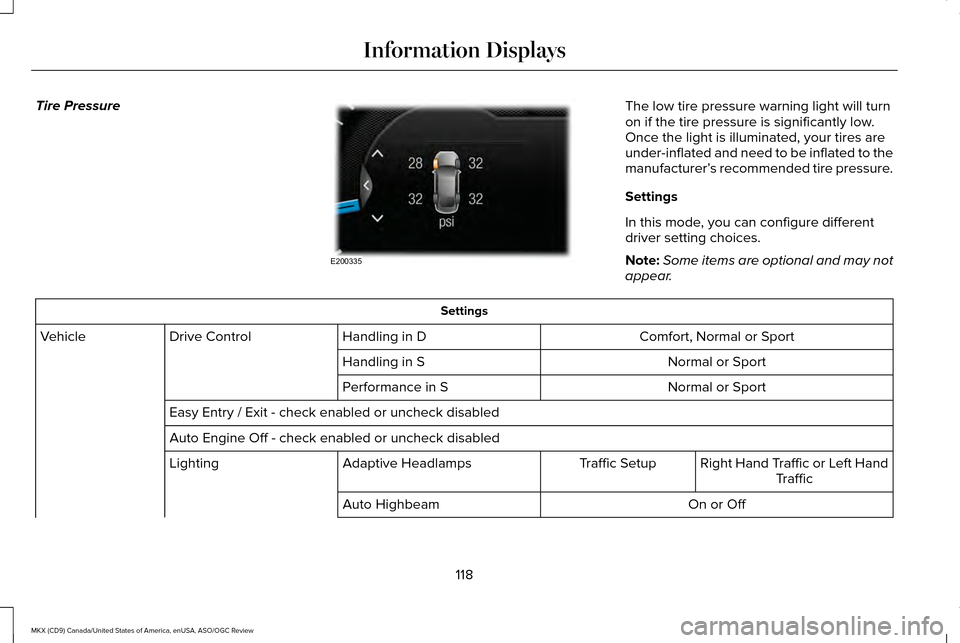
Tire Pressure
The low tire pressure warning light will turn
on if the tire pressure is significantly low.
Once the light is illuminated, your tires are
under-inflated and need to be inflated to the
manufacturer’
s recommended tire pressure.
Settings
In this mode, you can configure different
driver setting choices.
Note: Some items are optional and may not
appear. Settings
Comfort, Normal or Sport
Handling in D
Drive Control
Vehicle
Normal or Sport
Handling in S
Normal or Sport
Performance in S
Easy Entry / Exit - check enabled or uncheck disabled
Auto Engine Off - check enabled or uncheck disabled Right Hand Traffic or Left HandTraffic
Traffic Setup
Adaptive Headlamps
Lighting
On or Off
Auto Highbeam
118
MKX (CD9) Canada/United States of America, enUSA, ASO/OGC Review Information DisplaysE200335
Page 140 of 563
Transmission
Action
Message
See an authorized dealer.
Transmission Malfunction Service Now
The transmission is overheating and needs to cool. Stop in a safe place as soon as it’ s possible.
Transmission Overheating Stop Safely
The transmission has overheated and needs to cool. Stop in a safe place as soon as it’ s possible.
Transmission Overtemperature Stop Safely
See an authorized dealer.
Transmission Service Required
Transmission is getting hot. Stop to let it cool.
Transmission Too Hot Press Brake
Displays when the transmission has overheated and has limited functional\
ity. See Automatic
Transmission (page 182).
Transmission Limited Function See Manual
Transmission is too cold. Wait for it to warm up before you drive.
Transmission Warming Up Please Wait
A reminder to shift into park. In addition, this message is typical afte\
r reconnecting or rechargingthe battery until you cycle the ignition to the on mode.
See Changing the 12V Battery (page
316).
Transmission Not in Park
Displays when the transmission has adjusted the shift strategy.
Transmission Adjusted
Displays when the transmission is adjusting the shift strategy.
Transmission Adapt Mode
Displays when the transmission shift lever is locked and unable to select gears.
Transmission Indicate Mode Lockup On
Displays when the transmission shift lever is unlocked and free to select gears.
Transmission Indicate Mode Lockup Off
Displays when an invalid gear has been selected.
Invalid Gear Selection
137
MKX (CD9) Canada/United States of America, enUSA, ASO/OGC Review Information Displays
Page 144 of 563
Left-hand temperature control: Adjust the temperature setting using the control on the left-hand side. This control also adjusts the
right-hand side temperature when you switch off dual zone mode.
A
Fan speed control: Adjust the volume of air circulated in the vehicle.
B
Right-hand temperature control:
Adjust the temperature on the right-hand side.
C
A/C:
Press the button to switch the air conditioning on or off. Air conditioning cools your vehicle using outside air. To improve the
time to reach a comfortable temperature in hot weather, drive with the windows open until you feel cold air through the air ve\
nts.
D
MAX A/C:
Press the button for maximum cooling. Recirculated air flows through the instrument panel vents, air conditioni\
ng
automatically turns on, and the fan automatically adjusts to the highest\
speed.
E
Recirculated air: Press the button to switch between outside air and recirculated air. The air currently in the passenger compartment
recirculates. This can reduce the time needed to cool the interior and r\
educe unwanted odors from entering your vehicle.
F
Note:
Recirculated air may also turn on and off automatically in instrument pan\
el or instrument panel and floor airflow modes during
hot weather to improve cooling efficiency.
Heated seats:
Press the button to switch the heated seats on and off. See Heated Seats (page 154).
G
Climate controlled seats:
Press the button to switch the climate controlled seats on and off. See Climate Controlled Seats (page
155).
H
DUAL:
Press the button to switch separate passenger side temperature control \
off and on. When dual zone is off, passenger
temperature settings remain the same as the driver settings.
I
Note:
Dual zone automatically turns on when you adjust the right-hand setting\
s.
AUTO:
Press the button to switch on automatic operation. Adjust to select the\
desired temperature. Fan speed, air distribution, air
conditioning operation, and outside or recirculated air are automaticall\
y adjusted to heat or cool the vehicle to maintain the desired
temperature. You can also switch off dual zone mode by pressing and holding the button\
for more than two seconds.
J
Power:
Press the button to switch the system on and off. When the system is off, it prevents outside air from entering the vehicle.
K
141
MKX (CD9) Canada/United States of America, enUSA, ASO/OGC Review Climate Control
Page 153 of 563
Power Lumbar (If Equipped)
Adjusting the Length of the Seat Cushion
(If equipped) Adjusting the Upper Seatback and Head
Restraint (If equipped)
Multi-Contour Front Seats With Active
Motion
(If Equipped)
Note: The massage system will turn off after
20 minutes.
Note: The engine must be running or the
vehicle must be in accessory mode to
activate the seats.
Note: Allow a few seconds for any selection
to activate. The seatback and cushion
massage cannot function at the same time. 150
MKX (CD9) Canada/United States of America, enUSA, ASO/OGC Review SeatsE165608 E196924 E200950 E156301
Page 154 of 563
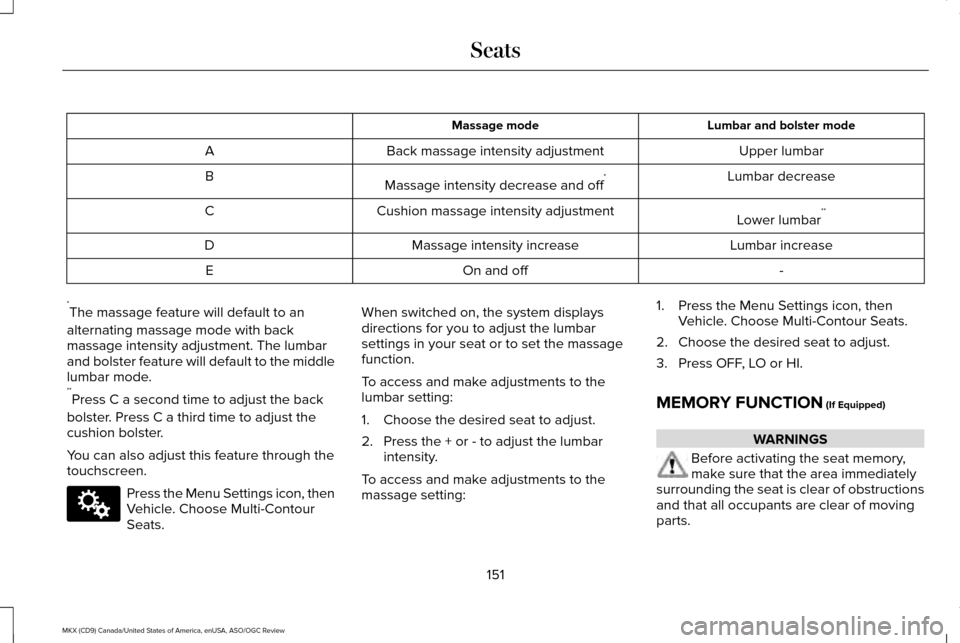
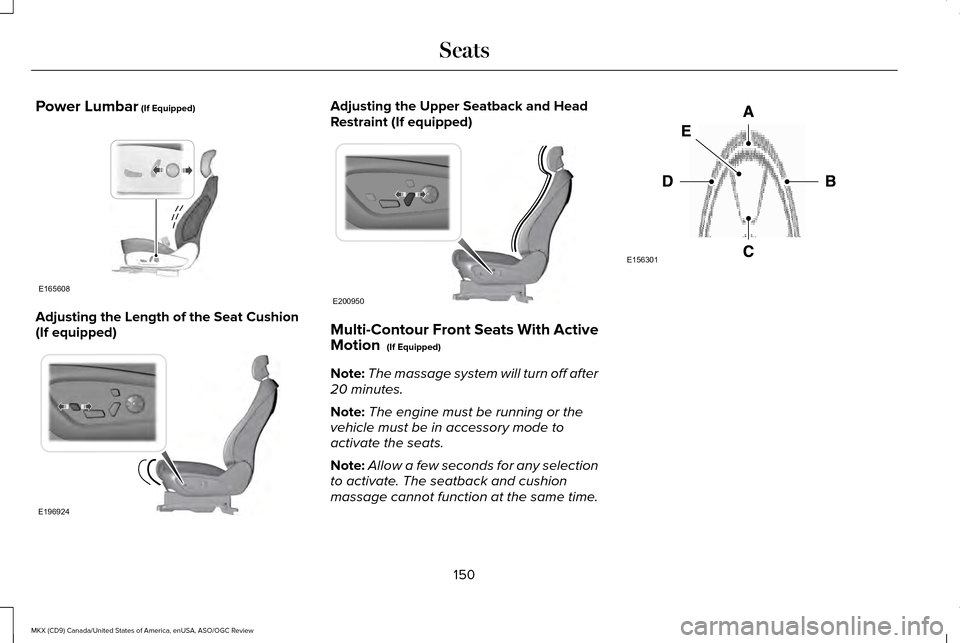
Lumbar and bolster mode
Massage mode
Upper lumbar
Back massage intensity adjustment
A
Lumbar decrease
Massage intensity decrease and off *
B
Lower lumbar**
Cushion massage intensity adjustment
C
Lumbar increase
Massage intensity increase
D
-
On and off
E
* The massage feature will default to an
alternating massage mode with back
massage intensity adjustment. The lumbar
and bolster feature will default to the middle
lumbar mode.
** Press C a second time to adjust the back
bolster. Press C a third time to adjust the
cushion bolster.
You can also adjust this feature through the
touchscreen. Press the Menu Settings icon, then
Vehicle. Choose Multi-Contour
Seats. When switched on, the system displays
directions for you to adjust the lumbar
settings in your seat or to set the massage
function.
To access and make adjustments to the
lumbar setting:
1. Choose the desired seat to adjust.
2. Press the + or - to adjust the lumbar
intensity.
To access and make adjustments to the
massage setting: 1. Press the Menu Settings icon, then
Vehicle. Choose Multi-Contour Seats.
2. Choose the desired seat to adjust.
3. Press OFF, LO or HI.
MEMORY FUNCTION (If Equipped) WARNINGS
Before activating the seat memory,
make sure that the area immediately
surrounding the seat is clear of obstructions
and that all occupants are clear of moving
parts.
151
MKX (CD9) Canada/United States of America, enUSA, ASO/OGC Review SeatsE142607