ECO mode LINCOLN MKX 2016 Owner's Guide
[x] Cancel search | Manufacturer: LINCOLN, Model Year: 2016, Model line: MKX, Model: LINCOLN MKX 2016Pages: 563, PDF Size: 4.96 MB
Page 315 of 563
How Fail-Safe Cooling Works
If the engine begins to overheat, the engine
coolant temperature gauge moves to the red
(hot) area and:
A high engine temperature
message appears in the
information display.
The service engine soon indicator
appears in the information display.
If the engine reaches a preset
over-temperature condition, the engine
automatically switches to alternating cylinder
operation. Each disabled cylinder acts as an
air pump and cools the engine.
If this occurs, your vehicle still operates.
However:
• The engine power becomes limited.
• The air conditioning system becomes
disabled.
Continued operation increases the engine
temperature and the engine completely
shuts down, causing steering and braking
effort to increase. Once the engine temperature cools, the
engine can be re-started. Take your vehicle
to an authorized dealer as soon as possible
to minimize engine damage.
When Fail-Safe Mode Is Activated
WARNINGS
Fail-safe mode is for use during
emergencies only. Operate your
vehicle in fail-safe mode only as long as
necessary to bring your vehicle to rest in a
safe location and seek immediate repairs.
When in fail-safe mode, your vehicle will have
limited power, will not be able to maintain
high-speed operation, and may completely
shut down without warning, potentially losing
engine power, power steering assist, and
power brake assist, which may increase the
possibility of a crash resulting in serious
injury. Never remove the coolant reservoir
cap while the engine is running or hot. Your vehicle has limited engine power when
in the fail-safe mode. Drive your vehicle with
caution. Your vehicle does not maintain
high-speed operation and the engine
operates poorly.
Remember that the engine is capable of
automatically shutting down to prevent
engine damage. In this situation:
1. Pull off the road as soon as safely
possible and switch off the engine.
2. Tow your vehicle to an authorized dealer.
3. If this is not possible, wait a short period
for the engine to cool.
4. Check the coolant level and add if low.
5. Re-start the engine and drive your vehicle
to an authorized dealer.
Note: Driving your vehicle without repair
increases the chance of engine damage.
See an authorized dealer as soon as
possible.
312
MKX (CD9) Canada/United States of America, enUSA, ASO/OGC Review Maintenance
Page 392 of 563
Do not expose discs to direct sunlight or heat
sources for extended periods.
MP3 Track and Folder Structure
Audio systems capable of recognizing and
playing MP3 individual tracks and folder
structures work as follows:
•
There are two different modes for MP3
disc playback: MP3 track mode (system
default) and MP3 folder mode.
• MP3 track mode ignores any folder
structure on the MP3 disc. The player
numbers each MP3 track on the disc
(noted by the .mp3 file extension) from
T001 to a maximum of T255. The
maximum number of playable MP3 files
may be less depending on the structure
of the CD and exact model of radio
present. •
MP3 folder mode represents a folder
structure consisting of one level of
folders. The CD player numbers all MP3
tracks on the disc (noted by the .mp3 file
extension) and all folders containing MP3
files, from F001 (folder) T001 (track) to
F253 T255.
• Creating discs with only one level of
folders helps with navigation through the
disc files.
If you are burning your own MP3 discs, it is
important to understand how the system
reads the structures you create. While
various files may be present, (files with
extensions other than mp3), only files with
the .mp3 extension are played; other files
are ignored by the system. This enables you
to use the same MP3 disc for a variety of
tasks on your work computer, home
computer and your in-vehicle system.
In track mode, the system displays and plays
the structure as if it were only one level deep
(all .mp3 files play, regardless of being in a
specific folder). In folder mode, the system
only plays the .mp3 files in the current folder. AUDIO UNIT - VEHICLES WITH:
PREMIUM AM/FM/CD WARNING
Driving while distracted can result in
loss of vehicle control, crash and injury.
We strongly recommend that you use
extreme caution when using any device that
may take your focus off the road. Your
primary responsibility is the safe operation
of your vehicle. We recommend against the
use of any hand-held device while driving
and encourage the use of voice-operated
systems when possible. Make sure you are
aware of all applicable local laws that may
affect the use of electronic devices while
driving. Note:
The MyLincoln Touch system controls
most of the audio features. See
Entertainment (page 422).
389
MKX (CD9) Canada/United States of America, enUSA, ASO/OGC Review Audio System
Page 449 of 563
Message
Item
Phone
A
Quick Dial
B
Phonebook
C
History
D
Messaging
E
Settings
F
Hands-free calling is one of the main features
of SYNC®. Once you pair your cell phone,
you can access many options using the
touchscreen or voice commands. While the
system supports a variety of features, many
are dependent on your cell phone ’s
functionality.
At a minimum, most cell phones with
Bluetooth wireless technology support the
following functions:
• Answering an incoming call.
• Ending a call. •
Using privacy mode.
• Dialing a number.
• Redialing.
• Call waiting notification.
• Caller ID.
Other features, such as text messaging using
Bluetooth and automatic phonebook
download, are cell phone-dependent
features. To check your cell phone ’s
compatibility, see your cell phone ’s user
manual and visit www.SYNCMyRide.com,
www.SYNCMyRide.ca or
www.syncmaroute.ca. Pairing Your Cell Phone for the First
Time WARNING
Driving while distracted can result in
loss of vehicle control, crash and injury.
We strongly recommend that you use
extreme caution when using any device that
may take your focus off the road. Your
primary responsibility is the safe operation
of your vehicle. We recommend against the
use of any hand-held device while driving
and encourage the use of voice-operated
systems when possible. Make sure you are
aware of all applicable local laws that may
affect the use of electronic devices while
driving. The first thing you must do to use the phone
features of SYNC is to pair your
Bluetooth-enabled cell phone with SYNC.
This allows you to use your cell phone in a
hands-free manner.
Note:
This is a speed-dependent feature. It
is unavailable when your vehicle is traveling
at speeds over 3 mph (5 km/h).
446
MKX (CD9) Canada/United States of America, enUSA, ASO/OGC Review MyLincoln Touch™
Page 474 of 563

Note: The passenger side temperature and the Dual indicator automatically turn on when the passenger is adjusting their t\
emperature
control.
Fan speed:
Touch + or - to increase or decrease the volume of air circulated in your vehicle.
C
Note:
When the system is controlling the fan speed automatically, all the fan speed indicators turn off.
Recirculated air:
Touch the button to switch between outside air and recirculated air. When you select recirculated air, the air
currently in the passenger compartment recirculates. This may reduce the\
time needed to cool the interior (when used with A/C)
and may reduce unwanted odors from entering your vehicle.
D
Note:
Recirculated air may turn off automatically (or be prevented from turnin\
g on) in all airflow modes except Max A/C to reduce
risk of fogging. Recirculated air may also turn on and off automatically in Panel or Panel and Floor airflow modes during hot weather
in order to improve cooling efficiency.
Max A/C:
Touch the button to maximize cooling. Recirculated air flows through the instrument panel vents, air conditioni\
ng
automatically turns on, and the fan automatically adjusts to the highest\
speed.
E
A/C:
Touch the button to switch air conditioning compressor on or off. Use air conditioning with recirculated air to improve cooling
performance and efficiency.
F
Note:
In certain conditions (such as when using Max Defrost), the air condi\
tioning compressor may continue to operate even after
you switch off the air conditioning with the A/C button.
Auto:
Touch the button to switch on automatic operation. Select the desired tem\
perature using the temperature control. The system
adjusts fan speed, air distribution, air conditioning operation, and sel\
ects outside air or recirculated air to heat or cool the vehicle
in order to maintain the desired temperature. You can also use the
Auto button to switch off dual zone operation by touching and
holding the button for more than two seconds.
G
Heated rear window:
Turns the heated rear window on and off. See Heated Windows and Mirrors (page 143).
H
471
MKX (CD9) Canada/United States of America, enUSA, ASO/OGC Review MyLincoln Touch™
Page 484 of 563

Avoid Area
Second Level Messages, Actions and Descriptions
Menu Item
Choose areas which you want the system to avoid when calculating a route\
for you
Avoid Areas
Then select any of the following:
Once you make a selection, the system tries to avoid the area(s) if possible for a\
ll routes. Select
this button to program an entry, then choose a destination entry method. You can edit the name
or location of a destination or remove it from your selections.
Add
To remove an area from your selection, choose the listing on the screen. \
The screen will change,
then press delete and confirm the deletion.
Delete
Map Mode
Press the green bar in the upper right area
of the touchscreen to view map mode. Map
mode shows advanced viewing comprised
of both 2D city maps as well as 3D landmarks
(when available). 2D city maps show detailed outlines of
buildings, visible land use and land elements
and detailed railway infrastructure for the
most essential cities around the globe. These
maps also contain features, such as town
blocks, building footprints and railways.
3D landmarks appear as clear, visible objects
that are typically recognizable and have a
certain tourist value. The 3D landmarks
appear in 3D map mode only. Coverage
varies and improves with updated map
releases.
481
MKX (CD9) Canada/United States of America, enUSA, ASO/OGC Review MyLincoln Touch™
Page 555 of 563
Engine Oil Check.........................................308
Adding Engine Oil..............................................308
Engine Oil Dipstick - 2.7L EcoBoost™......307
Engine Oil Dipstick - 3.7L...........................308
Engine Specifications - 2.7L EcoBoost™....................................................370
Drivebelt Routing................................................370
Engine Specifications - 3.7L
........................371
Drivebelt Routing.................................................371
Entertainment................................................422 AM/FM Radio.......................................................423
Bluetooth Audio..................................................444
CD........................................................................\
...438
SD Card Slot and USB Port..............................440
SIRIUS® Satellite Radio (If Activated)..............431
Supported Media Players, Formats and
Metadata Information....................................444
Environment......................................................15
EPB See: Electric Parking Brake..............................195 Essential Towing Checks
............................
264
Before Towing a Trailer.....................................265
Hitches..................................................................264
Launching or Retrieving a Boat or Personal
Watercraft (PWC)............................................265
Safety Chains......................................................264
Trailer Brakes.......................................................264
Trailer Lamps.......................................................264
When Towing a Trailer......................................265
Event Data Recording See: Data Recording..............................................9
Export Unique Options...................................14
Extended Service Plan (ESP)
.....................496
SERVICE PLANS (CANADA ONLY).................497
SERVICE PLANS (U.S. Only)............................496
Exterior Mirrors
...............................................101
Auto-dimming Feature.......................................103
Auto-Folding Mirrors..........................................102
Blind Spot Information System........................104
Fold-Away Exterior Mirrors...............................102
Heated Exterior Mirrors ....................................103
Integrated Blind Spot Mirror.............................103
Lincoln Welcome Mat.........................................103
Memory Mirrors ..................................................103
Power Exterior Mirrors........................................101
Signal Indicator Mirrors .....................................103 F
Fastening the Safety Belts...........................34
Rear Inflatable Safety Belt...................................37
Safety Belt Extension Assembly.......................38
Safety Belt Locking Modes................................35
Using a Sliding Clip..............................................34
Using Safety Belts During Pregnancy.............35
Flat Tire Inflation See: Temporary Mobility Kit.............................336
Floor Mats
........................................................271
Front Parking Aid.........................................206
Obstacle Distance Indicator............................207
Front Passenger Sensing System
..............46
Fuel and Refueling........................................173
Fuel Consumption.........................................178
Calculating Fuel Economy................................179
Filling the Tank.....................................................178
Fuel Filler Funnel Location..........................175
Fuel Filter.........................................................316
Fuel Quality
.....................................................174
Choosing the Right Fuel....................................174
Fuel Shutoff
....................................................273
Fuses...............................................................284
Fuse Specification Chart
............................284
Passenger Compartment Fuse Panel...........295
Power Distribution Box.....................................284
552
MKX (CD9) Canada/United States of America, enUSA, ASO/OGC Review Index
Page 558 of 563
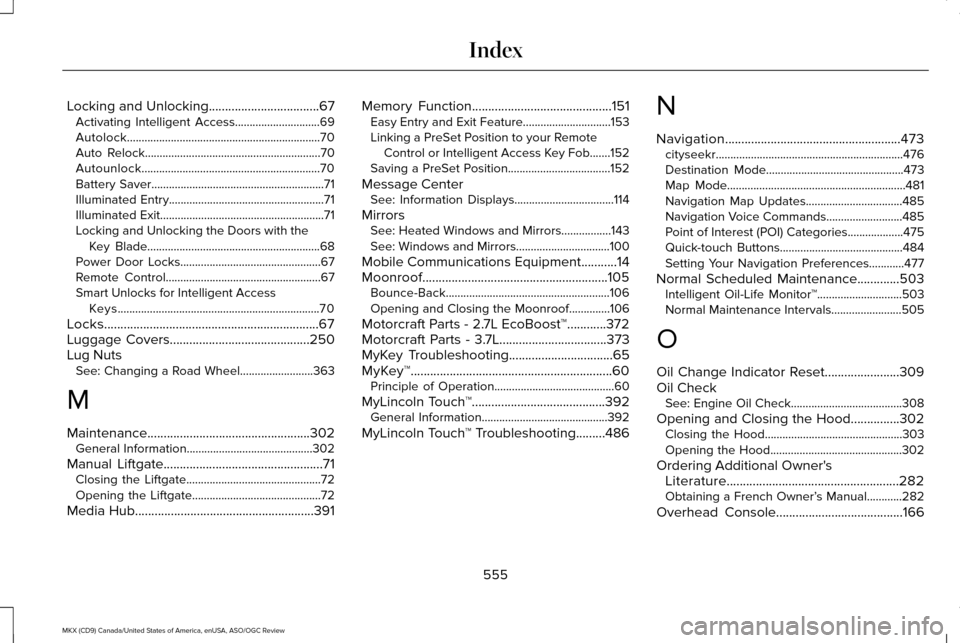
Locking and Unlocking..................................67
Activating Intelligent Access.............................69
Autolock..................................................................70
Auto Relock............................................................70
Autounlock.............................................................70
Battery Saver...........................................................71
Illuminated Entry.....................................................71
Illuminated Exit........................................................71
Locking and Unlocking the Doors with the
Key Blade...........................................................68
Power Door Locks................................................67
Remote Control.....................................................67
Smart Unlocks for Intelligent Access Keys.....................................................................70
Locks..................................................................67
Luggage Covers...........................................250
Lug Nuts See: Changing a Road Wheel.........................363
M
Maintenance..................................................302 General Information...........................................302
Manual Liftgate
.................................................71
Closing the Liftgate..............................................72
Opening the Liftgate............................................72
Media Hub.......................................................391 Memory Function
...........................................151
Easy Entry and Exit Feature..............................153
Linking a PreSet Position to your Remote
Control or Intelligent Access Key Fob.......
152
Saving a PreSet Position...................................152
Message Center See: Information Displays..................................114
Mirrors See: Heated Windows and Mirrors.................143
See: Windows and Mirrors................................100
Mobile Communications Equipment
...........14
Moonroof.........................................................105 Bounce-Back........................................................106
Opening and Closing the Moonroof..............106
Motorcraft Parts - 2.7L EcoBoost™............372
Motorcraft Parts - 3.7L.................................373
MyKey Troubleshooting................................65
MyKey™..............................................................60 Principle of Operation.........................................60
MyLincoln Touch ™
.........................................392
General Information...........................................392
MyLincoln Touch ™ Troubleshooting
.........486N
Navigation......................................................473
cityseekr................................................................476
Destination Mode...............................................473
Map Mode.............................................................481
Navigation Map Updates.................................485
Navigation Voice Commands..........................485
Point of Interest (POI) Categories...................475
Quick-touch Buttons..........................................484
Setting Your Navigation Preferences............
477
Normal Scheduled Maintenance.............503 Intelligent Oil-Life Monitor™.............................503
Normal Maintenance Intervals........................505
O
Oil Change Indicator Reset.......................309
Oil Check See: Engine Oil Check......................................308
Opening and Closing the Hood...............302 Closing the Hood...............................................303
Opening the Hood.............................................302
Ordering Additional Owner's Literature.....................................................282
Obtaining a French Owner’ s Manual............282
Overhead Console.......................................166
555
MKX (CD9) Canada/United States of America, enUSA, ASO/OGC Review Index