Front LINCOLN MKX 2016 Manual PDF
[x] Cancel search | Manufacturer: LINCOLN, Model Year: 2016, Model line: MKX, Model: LINCOLN MKX 2016Pages: 563, PDF Size: 4.96 MB
Page 227 of 563
Canceling the Set Speed
Press and release CNCL or tap the brake
pedal. The set speed does not erase.
Resuming the Set Speed
Press and release
RES.
Switching Cruise Control Off
Press and release
OFF when the system is
in stand by mode or switch the ignition off.
Note: You erase the set speed when you
switch the system off.
USING ADAPTIVE CRUISE
CONTROL
(If Equipped) WARNINGS
Always pay close attention to changing
road conditions, especially when using
adaptive cruise control. Adaptive cruise
control cannot replace attentive driving.
Failing to follow any of the warnings below
or failing to pay attention to the road may
result in a crash, serious injury or death. WARNINGS
Adaptive cruise control is not a crash
warning or avoidance system.
Adaptive cruise control does not detect
stationary or slow moving vehicles
below 6 mph (10 km/h). Adaptive cruise control does not detect
pedestrians or objects in the roadway.
Adaptive cruise control does not detect
oncoming vehicles in the same lane.
Do not use the adaptive cruise control
when entering or leaving a highway, in
heavy traffic or on roads that are winding,
slippery or unpaved. Do not use in poor visibility, specifically
fog, rain, spray or snow.
Note:
It is your responsibility to stay alert,
drive safely and be in control of the vehicle
at all times.
The system adjusts your speed to maintain
a proper distance between you and the
vehicle in front of you in the same lane. You
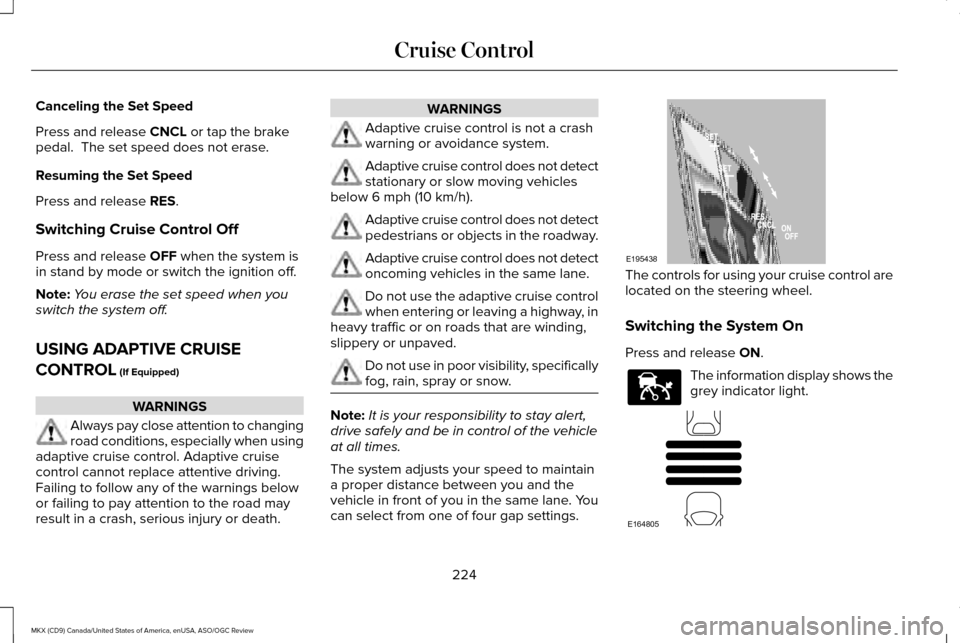
can select from one of four gap settings. The controls for using your cruise control are
located on the steering wheel.
Switching the System On
Press and release
ON.
The information display shows the
grey indicator light.
224
MKX (CD9) Canada/United States of America, enUSA, ASO/OGC Review Cruise ControlE195438 E144529 E164805
Page 228 of 563
The current gap setting and SET also display.
Setting a Speed
1. Accelerate to the desired speed.
2. Press and release SET+. The vehicle
speed is stored in the memory.
3. The information display shows a green indicator light, current gap setting and
desired set speed.
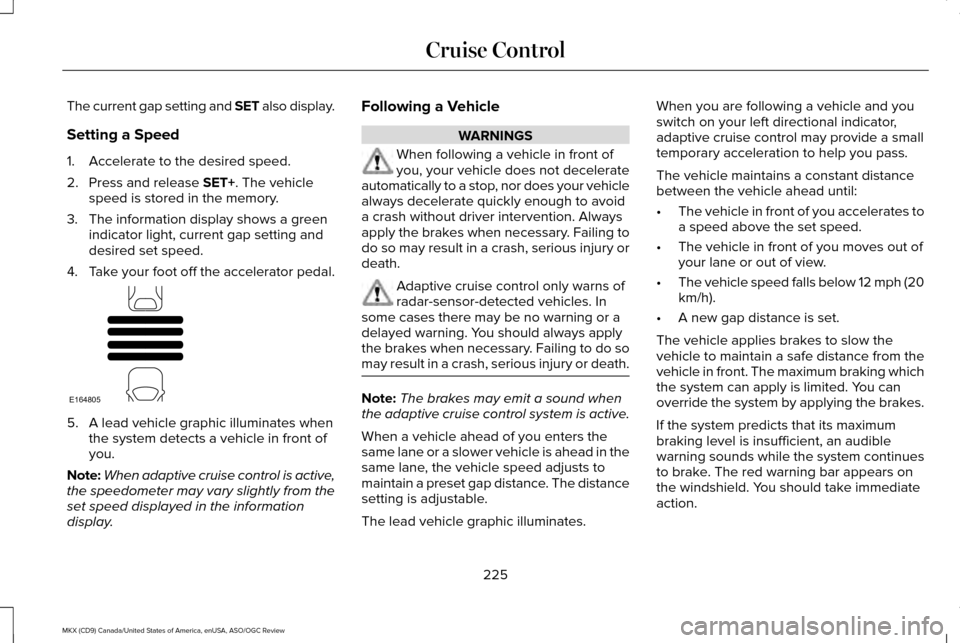
4. Take your foot off the accelerator pedal. 5. A lead vehicle graphic illuminates when
the system detects a vehicle in front of
you.
Note: When adaptive cruise control is active,
the speedometer may vary slightly from the
set speed displayed in the information
display. Following a Vehicle WARNINGS
When following a vehicle in front of
you, your vehicle does not decelerate
automatically to a stop, nor does your vehicle
always decelerate quickly enough to avoid
a crash without driver intervention. Always
apply the brakes when necessary. Failing to
do so may result in a crash, serious injury or
death. Adaptive cruise control only warns of
radar-sensor-detected vehicles. In
some cases there may be no warning or a
delayed warning. You should always apply
the brakes when necessary. Failing to do so
may result in a crash, serious injury or death. Note:
The brakes may emit a sound when
the adaptive cruise control system is active.
When a vehicle ahead of you enters the
same lane or a slower vehicle is ahead in the
same lane, the vehicle speed adjusts to
maintain a preset gap distance. The distance
setting is adjustable.
The lead vehicle graphic illuminates. When you are following a vehicle and you
switch on your left directional indicator,
adaptive cruise control may provide a small
temporary acceleration to help you pass.
The vehicle maintains a constant distance
between the vehicle ahead until:
•
The vehicle in front of you accelerates to
a speed above the set speed.
• The vehicle in front of you moves out of
your lane or out of view.
• The vehicle speed falls below 12 mph (20
km/h).
• A new gap distance is set.
The vehicle applies brakes to slow the
vehicle to maintain a safe distance from the
vehicle in front. The maximum braking which
the system can apply is limited. You can
override the system by applying the brakes.
If the system predicts that its maximum
braking level is insufficient, an audible
warning sounds while the system continues
to brake. The red warning bar appears on
the windshield. You should take immediate
action.
225
MKX (CD9) Canada/United States of America, enUSA, ASO/OGC Review Cruise ControlE164805
Page 229 of 563
Setting the Gap Distance
Note:
It is your responsibility to select a gap
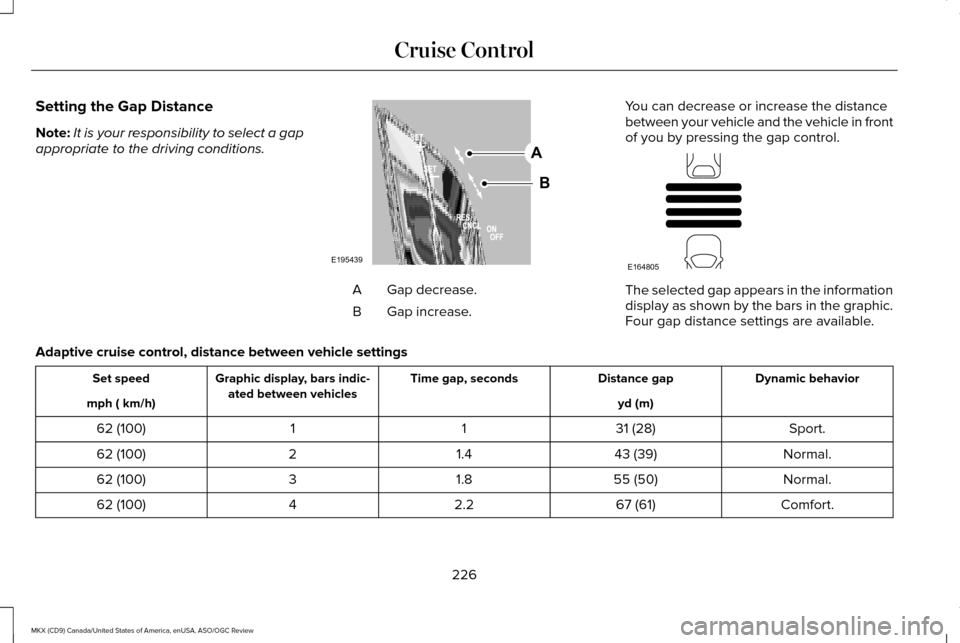
appropriate to the driving conditions. Gap decrease.
A
Gap increase.
B You can decrease or increase the distance
between your vehicle and the vehicle in front
of you by pressing the gap control. The selected gap appears in the information
display as shown by the bars in the graphic.
Four gap distance settings are available.
Adaptive cruise control, distance between vehicle settings Dynamic behavior
Distance gap
Time gap, seconds
Graphic display, bars indic-
ated between vehicles
Set speed
yd (m)
mph ( km/h)
Sport.
31 (28)
1
1
62 (100)
Normal.
43 (39)
1.4
2
62 (100)
Normal.
55 (50)
1.8
3
62 (100)
Comfort.
67 (61)
2.2
4
62 (100)
226
MKX (CD9) Canada/United States of America, enUSA, ASO/OGC Review Cruise ControlE195439
A
B E164805
Page 231 of 563
Switching the System Off
Press and release OFF when the system is
in stand by mode or switch the ignition off.
Note: The set speed memory erases when
you switch off the system.
Detection Issues WARNING
On rare occasions, detection issues
can occur due to the road
infrastructures, for example bridges, tunnels
and safety barriers. In these cases, the
system may brake late or unexpectedly. At
all times, you are responsible for controlling
your vehicle, supervising the system and
intervening, if required. The radar sensor has a limited field of vision.
It may not detect vehicles at all or detect a
vehicle later than expected in some
situations. The lead vehicle graphic does not
illuminate if the system does not detect a
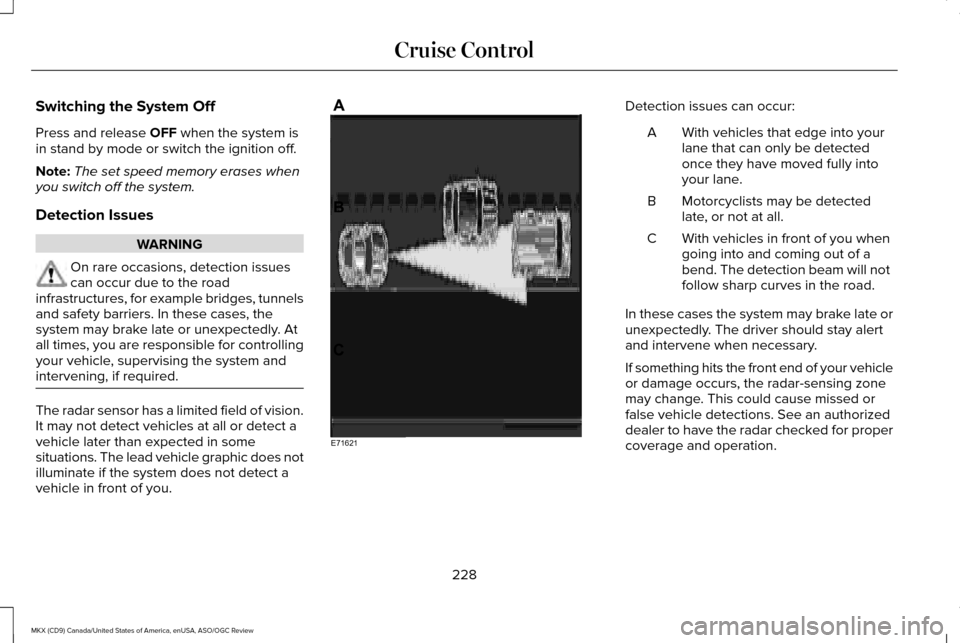
vehicle in front of you. Detection issues can occur:
With vehicles that edge into your
lane that can only be detected
once they have moved fully into
your lane.
A
Motorcyclists may be detected
late, or not at all.
B
With vehicles in front of you when
going into and coming out of a
bend. The detection beam will not
follow sharp curves in the road.
C
In these cases the system may brake late or
unexpectedly. The driver should stay alert
and intervene when necessary.
If something hits the front end of your vehicle
or damage occurs, the radar-sensing zone
may change. This could cause missed or
false vehicle detections. See an authorized
dealer to have the radar checked for proper
coverage and operation.
228
MKX (CD9) Canada/United States of America, enUSA, ASO/OGC Review Cruise ControlE71621
Page 233 of 563
Action
Cause
Clean the grille surface in front of the radar or remove the object
causing the obstruction.
The surface of the radar in the grille is dirty or obstructed in some
way.
Wait a short time. It may take several minutes for the radar to detect
that it is free from obstruction.
The surface of the radar in the grille is clean but the message remains
in the display.
Do not use the system in these conditions because it may not detect
any vehicles ahead.
Heavy rain or snow is interfering with the radar signals.
Do not use the system in these conditions because it may not detect
any vehicles ahead.
Swirling water, or snow or ice on the surface of the road may interfere
with the radar signals.
Wait a short time or switch to normal cruise control.
You are in a desert or remote area with no other vehicles and no
roadside objects.
Due to the nature of radar technology, it is
possible to get a blockage warning with no
actual block. This happens, for example,
when driving in sparse rural or desert
environments. A false blocked condition
either self clears or clears after a you restart
your vehicle. Switching to Normal Cruise Control WARNING
Normal cruise control does not brake
for slower vehicles. Always be aware
of which mode you have selected and apply
the brakes when necessary. You can manually change from adaptive
cruise control to normal cruise control
through the information display.
The cruise control indicator light
replaces the adaptive cruise
control indicator light if you select
normal cruise control. The gap setting does
not display, the system does not
automatically respond to lead vehicles and
automatic braking does not activate.
230
MKX (CD9) Canada/United States of America, enUSA, ASO/OGC Review Cruise ControlE71340
Page 234 of 563
DRIVER ALERT (If Equipped)
PRINCIPLE OF OPERATION WARNING
The driver alert system is designed to
aid you. It is not intended to replace
your attention and judgment. You are still
responsible to drive with due care and
attention. Note:
The system will store the on or off
setting in the information display menu
through ignition cycles.
Note: If enabled in the menu, the system will
be active at speeds above 40 mph (64 km/h).
When below the activation speed, the
information display will inform the driver that
the system is unavailable.
Note: The system works as long as one lane
marking can be detected by the camera.
Note: If the camera is blocked or if the
windshield is damaged, the system may not
function. Note:
The system may not be available in
poor weather or other low visibility
conditions.
The system automatically monitors your
driving behavior using various inputs
including the front camera sensor.
If the system detects that your driving
alertness is reduced below a certain
threshold, the system will alert you using a
chime and a message in the cluster display.
USING DRIVER ALERT
Switching the System On and Off
Switch the system on or off using the
information display.
See General
Information (page 114).
When activated, the system will monitor your
alertness level based upon your driving
behavior in relation to the lane markings, and
other factors.
System Warnings
Note: The system will not issue warnings
below approximately
40 mph (64 km/h). The warning system has two stages. At first,
the system issues a temporary warning that
you need to take a rest. This message will
only appear for a short time. If the system
detects further reduction in driving alertness,
it may issue another warning that will remain
in the information display for a longer time.
You can press OK on the steering wheel
control to clear the warning.
System Display
When active the system will run automatically
in the background and only issue a warning
if required. You can view the status at any
time using the information display.
See
General Information (page 114).
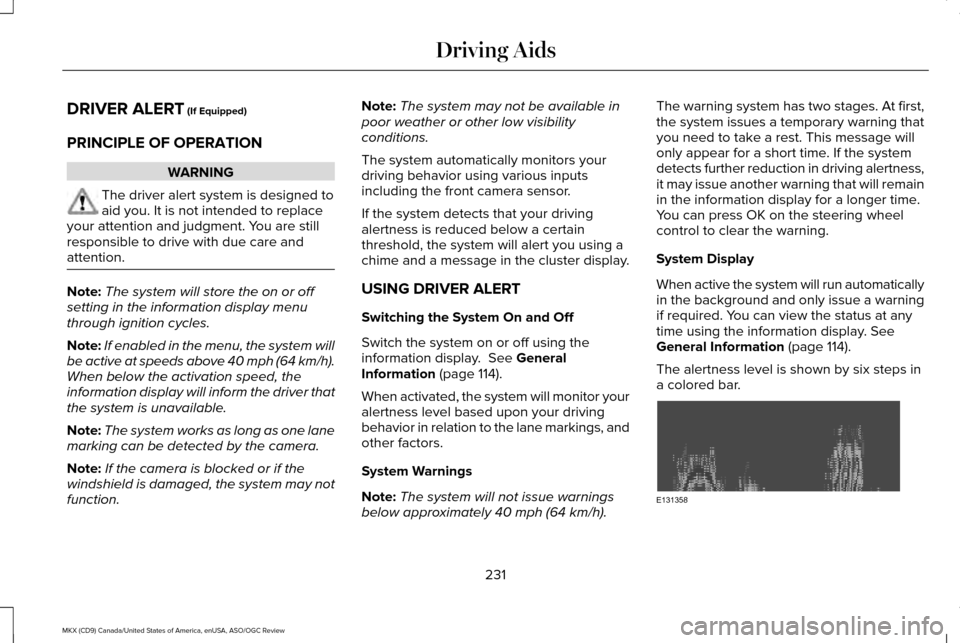
The alertness level is shown by six steps in
a colored bar. 231
MKX (CD9) Canada/United States of America, enUSA, ASO/OGC Review Driving AidsE131358
Page 236 of 563
Note:
When Aid mode is on and the system
detects no steering activity for a short period,
the system will alert you to put your hands
on the steering wheel. The system may
detect a light grip or touch on the steering
wheel as hands off driving.
The system notifies you to stay in your lane
through the steering system and the
instrument cluster display when the front
camera detects an unintentional drift out of
your lane is likely to occur. The system
automatically detects and tracks the road
lane markings using a camera mounted
behind the interior rear view mirror.
Switching the System On and Off
Note: The system on or off setting is stored
until it is manually changed, unless a MyKey
is detected. If the system detects a MyKey
it defaults to on and the mode is set to Alert.
Note: If a MyKey is detected, pressing the
button will not affect the on or off status of
the system. Press the button located on the left
steering wheel stalk to switch the
system on or off. System Settings
The system has optional setting menus
available. To view or adjust the settings, See
General Information (page 114). The system
stores the last-known selection for each of
these settings. You do not need to readjust
your settings each time you turn on the
system.
Mode: This setting allows you to select which
of the system features you can enable.
Alert only – Provides a steering wheel
vibration when the system detects an
unintended lane departure. Aid only – Provides an assistance steering
torque input toward the lane center when
the system detects an unintended lane
departure.
233
MKX (CD9) Canada/United States of America, enUSA, ASO/OGC Review Driving AidsE144813 E165515 E165516
Page 239 of 563
 when I can s\
ee the lane markings on the road?
Camera blockage due to dirt, grime, fog, frost or water on the windshield
Driving too close to")
Why is the feature not available (line markings are gray) when I can s\
ee the lane markings on the road?
Camera blockage due to dirt, grime, fog, frost or water on the windshield
Driving too close to the vehicle in front of you
Transitioning between no lane markings to lane markings or vice versa
Standing water on the road
Faint lane markings (partial yellow lane markings on concrete roads)
Lane width too narrow or too wide
Camera not calibrated after a windshield replacement
Driving on tight roads or on uneven roads Why does the vehicle not come back toward the middle of the lane, as expected, in the Aid or Aid + Alert mode?
High cross winds
Large road crown
Rough roads, grooves, shoulder drop-offs
Heavy uneven loading of the vehicle or improper tire inflation pressure
If the tires have been exchanged (including snow tires), or the suspension has been modified
236
MKX (CD9) Canada/United States of America, enUSA, ASO/OGC Review Driving Aids
Page 244 of 563
The system uses radar sensors which are
located behind the bumper fascia on each
side of your vehicle. Do not allow mud, snow
or bumper stickers to obstruct these areas,
this can cause degraded system
performance.
If the system detects a degraded
performance condition, a message warning
of a blocked sensor or low visibility will
appear in the information display along with
a warning indicator. You can clear the
information display warning but the warning
indicator will remain illuminated.
When you remove a blockage, you can reset
the system in two ways:
•
While driving, the system detects at least
two objects.
• You cycle the ignition from on to off and
then back on.
If the blockage is still present after the key
cycle and driving in traffic, check again for a
blockage. Reasons for messages being displayed
Clean the fascia area in frontof the radar or remove the obstruction.
The radar
surface is dirty or
obstructed
Drive normally in traffic for afew minutes to allow theradar to detect passing
vehicles so it can clear the blocked state.
The radar
surface is
not dirty or obstructed
No action required. The
system automatically resets to an unblocked state once the rainfall or snowfall rate
decreases or stops. Do not
use the Blind Spot Informa- tion System or cross traffic alert in these conditions.
Heavy rain-
fall or snow- fall inter-
feres with the radar signals System Limitations
The Blind Spot Information and cross traffic
alert systems do have their limitations;
situations such as severe weather conditions
or debris build-up on the sensor area may
limit vehicle detection.
The following are other situations that may
limit the Blind Spot Information System:
•
Vehicles passing through the blind zone
at very quickly.
• When several vehicles closely following
each other pass through the blind zone.
The following are other situations that may
limit the cross traffic alert system:
• Adjacently parked vehicles or objects
obstructing the sensors.
• Approaching vehicles passing at speeds
greater than 37 mph (60 km/h).
• Driving in reverse faster than
7 mph
(12 km/h).
• Backing out of an angled parking spot.
241
MKX (CD9) Canada/United States of America, enUSA, ASO/OGC Review Driving Aids
Page 246 of 563
Extreme continuous steering may increase
the effort required for you to steer your
vehicle. This increased effort prevents
overheating and permanent damage to the
steering system. You do not lose the ability
to steer your vehicle manually. Typical
steering and driving maneuvers allow the
system to cool and return to normal
operation.
Steering Tips
If the steering wanders or pulls, check for:
•
Correct tire pressures.
• Uneven tire wear.
• Loose or worn suspension components.
• Loose or worn steering components.
• Improper vehicle alignment.
Note: A high crown in the road or high
crosswinds may also make the steering
seem to wander or pull. Adaptive Learning
The electronic power steering system
adaptive learning helps correct road
irregularities and improves overall handling
and steering feel. It communicates with the
brake system to help operate advanced
stability control and accident avoidance
systems. Additionally, whenever the battery
is disconnected or a new battery installed,
you must drive your vehicle a short distance
before the system relearns the strategy and
reactivates all systems.
PRE-COLLISION ASSIST
WARNINGS
You are responsible for controlling your
vehicle at all times. The system does
not relieve you of your responsibility to drive
with due care and attention. Failure to take
care may result in the loss of control of your
vehicle, serious personal injury or death. WARNINGS
To achieve full system performance
you must break in the braking system.
See General Information (page 194). Failure
to take care may result in the loss of control
of your vehicle, serious personal injury or
death. The system does not react to cyclists,
animals, pedestrians at night, or
vehicles that are driving in a different
direction. Failure to take care may result in
the loss of control of your vehicle, serious
personal injury or death. The system does not operate during
harsh acceleration or steering. Failure
to take care may lead to a crash or personal
injury. The system may or may not operate or
may operate with reduced function
during cold or severe weather conditions.
Snow, ice, rain, spray and fog can influence
the system. Keep the front camera and radar
free of snow and ice. Failure to take care
may result in the loss of control of your
vehicle, serious personal injury or death.
243
MKX (CD9) Canada/United States of America, enUSA, ASO/OGC Review Driving Aids