Page 75 LINCOLN MKX 2016 Manual PDF
[x] Cancel search | Manufacturer: LINCOLN, Model Year: 2016, Model line: MKX, Model: LINCOLN MKX 2016Pages: 563, PDF Size: 4.96 MB
Page 199 of 563
The brake system warning lamp flashes for
approximately 2 seconds then stays
illuminated to confirm that the electric
parking brake has been applied. See
Information Displays (page 114).
Apply the electric parking brake when the
vehicle is moving WARNINGS
Applying the electric parking brake
while moving will result in the
engagement of the anti-lock braking system.
Do not use the electric parking brake system
when the vehicle is moving unless the normal
brake system is unable to stop the vehicle. With the exception of emergency
conditions (for example, the brake
pedal is broken or is blocked), do not apply
the electric parking brake while the vehicle
is moving. On bends, or poor road surfaces
or weather conditions, emergency braking
can cause the vehicle to skid out of control
or off the road. If you apply the electric parking brake when
your vehicle is moving, the brake system
warning lamp will illuminate and a warning
chime will sound. See Information Displays
(page 114).
If your vehicle speed is above
4 mph
(6 km/h), the braking force is applied as long
as the switch is pulled. Releasing or pressing
the switch or pressing the accelerator pedal
will stop the braking force.
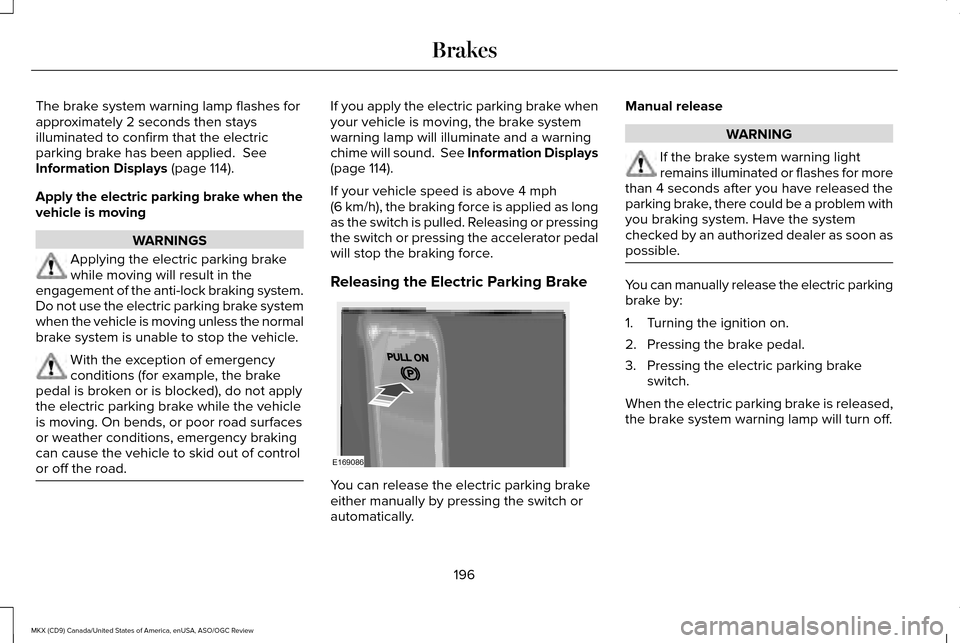
Releasing the Electric Parking Brake You can release the electric parking brake
either manually by pressing the switch or
automatically.Manual release WARNING
If the brake system warning light
remains illuminated or flashes for more
than 4 seconds after you have released the
parking brake, there could be a problem with
you braking system. Have the system
checked by an authorized dealer as soon as
possible. You can manually release the electric parking
brake by:
1. Turning the ignition on.
2. Pressing the brake pedal.
3. Pressing the electric parking brake
switch.
When the electric parking brake is released,
the brake system warning lamp will turn off.
196
MKX (CD9) Canada/United States of America, enUSA, ASO/OGC Review BrakesE169086
Page 200 of 563
Automatic release - drive away release
Your vehicle will automatically release the
parking brake if all of the following conditions
exist:
•
The driver door is closed.
• The accelerator pedal is pressed.
• There are no faults detected in the
parking brake system.
Note: If the electric parking brake warning
lamp stays illuminated, the electric parking
brake will not automatically release. You
must release the electric parking brake using
the electric parking brake switch while your
foot is on the brake and the ignition is on.
The brake system warning lamp will go off
to confirm that the electric parking brake has
been released.
Note: The electric parking brake drive away
release makes starting on a hill easier. This
feature will release the parking brake
automatically when the vehicle has sufficient
torque force to move up the hill. To assure
drive away release when starting uphill,
press the accelerator pedal quickly. Driving with a Trailer
Depending on the slope and the weight of
the trailer, your vehicle and trailer may roll
backwards slightly when you start on a slope.
To prevent this from happening, do the
following:
1. Pull the switch up and hold it in this
position.
2. Accelerate your vehicle, then release the
switch when you notice that the engine
has developed sufficient driving force.
Battery With No Charge WARNING
You will not be able to apply or release
the electric parking brake if the battery
is low or has no charge. If the battery is low or has no charge, use
jumper cables and a booster battery.AUTO HOLD WARNINGS
The system does not replace the
parking brake. When you leave your
vehicle, always apply the parking brake.
Failure to leave your vehicle securely parked
may lead to a crash or injury. See Electric
Parking Brake (page 195). You must remain in your vehicle when
the system turns on. You are
responsible at all times for controlling your
vehicle, supervising the system and
intervening, if required. Failure to take care
may result in the loss of control of your
vehicle, serious personal injury or death. The system will turn off if a malfunction
is apparent. Failure to take care may
result in the loss of control of your vehicle,
serious personal injury or death. 197
MKX (CD9) Canada/United States of America, enUSA, ASO/OGC Review Brakes
Page 203 of 563
PRINCIPLE OF OPERATION
The traction control system helps avoid drive
wheel spin and loss of traction.
If your vehicle begins to slide, the system
applies the brakes to individual wheels and,
when needed, reduces engine power at the
same time. If the wheels spin when
accelerating on slippery or loose surfaces,
the system reduces engine power in order
to increase traction.
USING TRACTION CONTROL WARNING
The stability and traction control light
illuminates steadily if a failure is
detected in the system. Verify that the
traction control system was not manually
disabled using the information display
controls or the switch. If the stability control
and traction control light is still illuminating
steadily, have the system serviced by an
authorized dealer immediately. Operating
your vehicle with the traction control disabled
could lead to an increased risk of loss of
vehicle control, vehicle rollover, personal
injury and death. The system automatically turns on each time
you switch the ignition on.
If your vehicle is stuck in mud or snow,
switching traction control off may be
beneficial as this allows the wheels to spin.
Note:
When you switch traction control off,
stability control remains fully active. Switching the System Off
When you switch the system off or on, a
message appears in the information display
showing system status.
You can switch the system off by either using
the information display controls or the switch.
Using the Information Display Controls
You can switch this feature off or on in the
information display. See General Information
(page 114).
Using a Switch
(If Equipped)
The switch for the stability control system
and traction control system is located on the
instrument panel.
Use the switch to turn the system off or on.
System Indicator Lights and Messages The stability and traction control
light temporarily illuminates on
engine start-up and flashes when
a driving condition activates either of the
systems.
200
MKX (CD9) Canada/United States of America, enUSA, ASO/OGC Review Traction ControlE138639
Page 207 of 563
Traction Control
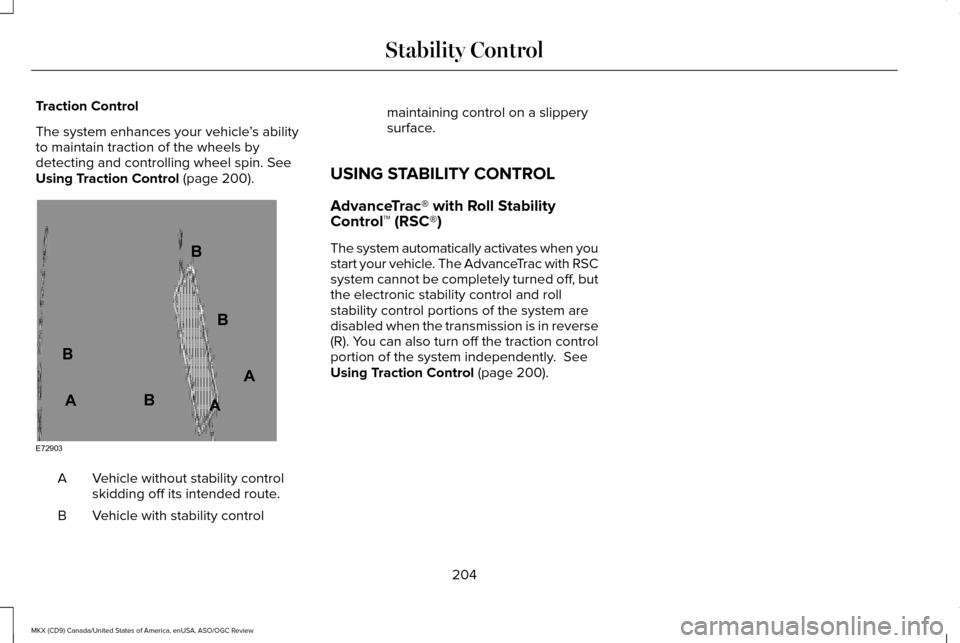
The system enhances your vehicle
’s ability
to maintain traction of the wheels by
detecting and controlling wheel spin. See
Using Traction Control (page 200). Vehicle without stability control
skidding off its intended route.
A
Vehicle with stability control
B maintaining control on a slippery
surface.
USING STABILITY CONTROL
AdvanceTrac® with Roll Stability
Control™ (RSC®)
The system automatically activates when you
start your vehicle. The AdvanceTrac with RSC
system cannot be completely turned off, but
the electronic stability control and roll
stability control portions of the system are
disabled when the transmission is in reverse
(R). You can also turn off the traction control
portion of the system independently.
See
Using Traction Control (page 200).
204
MKX (CD9) Canada/United States of America, enUSA, ASO/OGC Review Stability ControlE72903A
AA
B
BB
B
Page 208 of 563
PRINCIPLE OF OPERATION
WARNINGS
To help avoid personal injury, please
read and understand the limitations of
the system as contained in this section.
Sensing is only an aid for some (generally
large and fixed) objects when moving on a
flat surface at parking speeds. Certain
objects with surfaces that absorb ultrasonic
waves, surrounding vehicle's parking aid
systems, traffic control systems, fluorescent
lamps, inclement weather, air brakes, and
external motors and fans may also affect the
function of the sensing system; this may
include reduced performance or a false
activation. To help avoid personal injury, always
use caution when in reverse (R) and
when using the sensing system. WARNINGS
This system is not designed to prevent
contact with small or moving objects.
The system is designed to provide a warning
to assist the driver in detecting large
stationary objects to avoid damaging your
vehicle. The system may not detect smaller
objects, particularly those close to the
ground. Certain add-on devices such as large
trailer hitches, bike or surfboard racks
and any device that may block the normal
detection zone of the system, may create
false beeps. Note:
Keep the sensors, located on the
bumper or fascia, free from snow, ice and
large accumulations of dirt. If the sensors
are covered, the system’ s accuracy can be
affected. Do not clean the sensors with sharp
objects.
Note: If your vehicle sustains damage to the
bumper or fascia, leaving it misaligned or
bent, the sensing zone may be altered
causing inaccurate measurement of
obstacles or false alarms. Note:
The sensing system cannot be turned
off when a MyKey is present. See Principle
of Operation (page 60).
Note: If you attach certain add-on devices
such as a trailer or bike rack, the rear
sensing system may detect that add-on
device and therefore provide warnings. It is
suggested that you disable the rear sensing
system when you attach an add-on device
to your vehicle to prevent these warnings.
The sensing system warns the driver of
obstacles within a certain range of your
vehicle. The system turns on automatically
whenever you switch the ignition on.
The system can be switched off through the
information display menu or from the pop-up
message that appears once you shift the
transmission into reverse (R).
See General
Information (page 114).
Note: On vehicles with front parking aid you
can use the parking aid switch to switch the
system off.
If a fault is present in the system, a warning
message appears in the information display.
See
Information Messages (page 121).
205
MKX (CD9) Canada/United States of America, enUSA, ASO/OGC Review Parking Aids
Page 234 of 563
DRIVER ALERT (If Equipped)
PRINCIPLE OF OPERATION WARNING
The driver alert system is designed to
aid you. It is not intended to replace
your attention and judgment. You are still
responsible to drive with due care and
attention. Note:
The system will store the on or off
setting in the information display menu
through ignition cycles.
Note: If enabled in the menu, the system will
be active at speeds above 40 mph (64 km/h).
When below the activation speed, the
information display will inform the driver that
the system is unavailable.
Note: The system works as long as one lane
marking can be detected by the camera.
Note: If the camera is blocked or if the
windshield is damaged, the system may not
function. Note:
The system may not be available in
poor weather or other low visibility
conditions.
The system automatically monitors your
driving behavior using various inputs
including the front camera sensor.
If the system detects that your driving
alertness is reduced below a certain
threshold, the system will alert you using a
chime and a message in the cluster display.
USING DRIVER ALERT
Switching the System On and Off
Switch the system on or off using the
information display.
See General
Information (page 114).
When activated, the system will monitor your
alertness level based upon your driving
behavior in relation to the lane markings, and
other factors.
System Warnings
Note: The system will not issue warnings
below approximately
40 mph (64 km/h). The warning system has two stages. At first,
the system issues a temporary warning that
you need to take a rest. This message will
only appear for a short time. If the system
detects further reduction in driving alertness,
it may issue another warning that will remain
in the information display for a longer time.
You can press OK on the steering wheel
control to clear the warning.
System Display
When active the system will run automatically
in the background and only issue a warning
if required. You can view the status at any
time using the information display.
See
General Information (page 114).
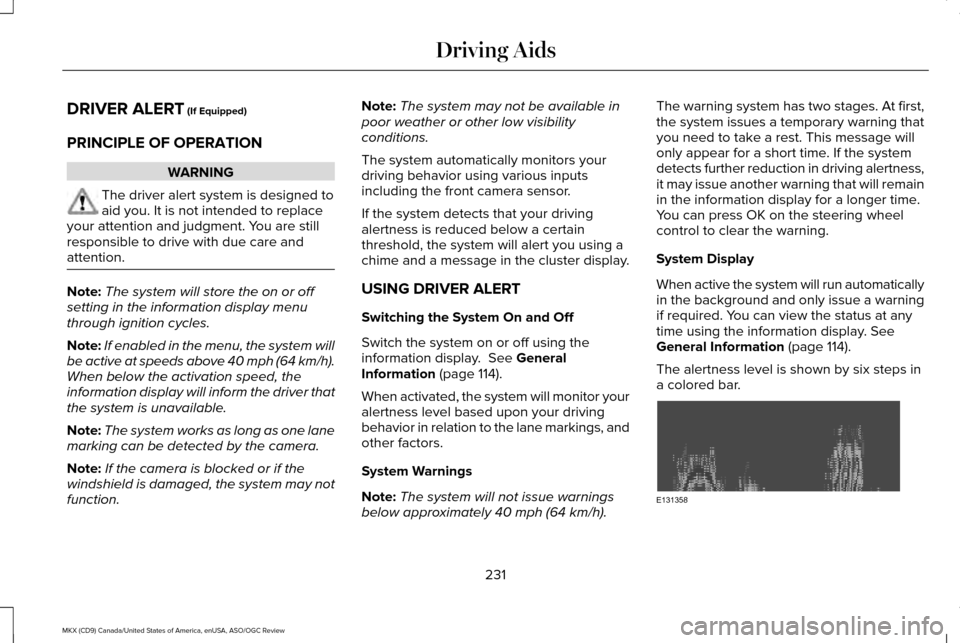
The alertness level is shown by six steps in
a colored bar. 231
MKX (CD9) Canada/United States of America, enUSA, ASO/OGC Review Driving AidsE131358
Page 236 of 563
Note:
When Aid mode is on and the system
detects no steering activity for a short period,
the system will alert you to put your hands
on the steering wheel. The system may
detect a light grip or touch on the steering
wheel as hands off driving.
The system notifies you to stay in your lane
through the steering system and the
instrument cluster display when the front
camera detects an unintentional drift out of
your lane is likely to occur. The system
automatically detects and tracks the road
lane markings using a camera mounted
behind the interior rear view mirror.
Switching the System On and Off
Note: The system on or off setting is stored
until it is manually changed, unless a MyKey
is detected. If the system detects a MyKey
it defaults to on and the mode is set to Alert.
Note: If a MyKey is detected, pressing the
button will not affect the on or off status of
the system. Press the button located on the left
steering wheel stalk to switch the
system on or off. System Settings
The system has optional setting menus
available. To view or adjust the settings, See
General Information (page 114). The system
stores the last-known selection for each of
these settings. You do not need to readjust
your settings each time you turn on the
system.
Mode: This setting allows you to select which
of the system features you can enable.
Alert only – Provides a steering wheel
vibration when the system detects an
unintended lane departure. Aid only – Provides an assistance steering
torque input toward the lane center when
the system detects an unintended lane
departure.
233
MKX (CD9) Canada/United States of America, enUSA, ASO/OGC Review Driving AidsE144813 E165515 E165516
Page 245 of 563
False Alerts
Note:
If your vehicle has a factory equipped
tow bar and it is towing a trailer, the sensors
will detect the trailer and turn the Blind Spot
Information and cross traffic alert systems
off to avoid false alerts. For non-factory
equipped tow bars, you may want to switch
the Blind Spot Information System off
manually.
There may be certain instances when there
is a false alert by either the Blind Spot
Information or the cross traffic alert system
that illuminates the alert indicator with no
vehicle in the coverage zone. Some amount
of false alerts are normal; they are temporary
and self-correct.
System Errors
If either system senses a problem with the
left or right sensor, the Blind Spot Information
System telltale will illuminate and a message
will appear in the information display.
All other system faults will display only with
a message in the information display. See
Information Messages (page 121). Switching the Systems Off and On
You can temporarily switch off one or both
systems in the information display.
See
General Information (page 114). When you
switch off the Blind Spot Information System,
you will not receive alerts and the information
display shows a system off message.
Note: The cross traffic alert system always
turns on whenever the ignition is switched
on. However, the Blind Spot Information
System will remember the last selected on
or off setting.
You cannot switch one or both systems off
when MyKey is used.
See Principle of
Operation (page 60).
You can also have one or both systems
switched off permanently at an authorized
dealer. Once switched off, only an authorized
dealer can switch the system back on. STEERING
Electric Power Steering WARNING
The electric power steering system has
diagnostic checks that continuously
monitor the system. If a fault is detected, a
message displays in the information display.
Stop your vehicle as soon as it is safe to do
so. Switch the ignition off. After at least 10
seconds, switch the ignition on and watch
the information display for a steering system
warning message. If a steering system
warning message returns, have the system
checked by an authorized dealer. Your vehicle has an electric power steering
system. There is no fluid reservoir. No
maintenance is required.
If your vehicle loses electrical power while
you are driving, electric power steering
assistance is lost. The steering system still
operates and you can steer your vehicle
manually. Manually steering your vehicle
requires more effort.
242
MKX (CD9) Canada/United States of America, enUSA, ASO/OGC Review Driving Aids
Page 246 of 563
Extreme continuous steering may increase
the effort required for you to steer your
vehicle. This increased effort prevents
overheating and permanent damage to the
steering system. You do not lose the ability
to steer your vehicle manually. Typical
steering and driving maneuvers allow the
system to cool and return to normal
operation.
Steering Tips
If the steering wanders or pulls, check for:
•
Correct tire pressures.
• Uneven tire wear.
• Loose or worn suspension components.
• Loose or worn steering components.
• Improper vehicle alignment.
Note: A high crown in the road or high
crosswinds may also make the steering
seem to wander or pull. Adaptive Learning
The electronic power steering system
adaptive learning helps correct road
irregularities and improves overall handling
and steering feel. It communicates with the
brake system to help operate advanced
stability control and accident avoidance
systems. Additionally, whenever the battery
is disconnected or a new battery installed,
you must drive your vehicle a short distance
before the system relearns the strategy and
reactivates all systems.
PRE-COLLISION ASSIST
WARNINGS
You are responsible for controlling your
vehicle at all times. The system does
not relieve you of your responsibility to drive
with due care and attention. Failure to take
care may result in the loss of control of your
vehicle, serious personal injury or death. WARNINGS
To achieve full system performance
you must break in the braking system.
See General Information (page 194). Failure
to take care may result in the loss of control
of your vehicle, serious personal injury or
death. The system does not react to cyclists,
animals, pedestrians at night, or
vehicles that are driving in a different
direction. Failure to take care may result in
the loss of control of your vehicle, serious
personal injury or death. The system does not operate during
harsh acceleration or steering. Failure
to take care may lead to a crash or personal
injury. The system may or may not operate or
may operate with reduced function
during cold or severe weather conditions.
Snow, ice, rain, spray and fog can influence
the system. Keep the front camera and radar
free of snow and ice. Failure to take care
may result in the loss of control of your
vehicle, serious personal injury or death.
243
MKX (CD9) Canada/United States of America, enUSA, ASO/OGC Review Driving Aids
Page 264 of 563
TOWING A TRAILER
WARNINGS
Do not exceed the GVWR or the
GAWR specified on the certification
label. Towing trailers beyond the
maximum recommended gross
trailer weight exceeds the limit of your
vehicle and could result in engine
damage, transmission damage,
structural damage, loss of vehicle
control, vehicle rollover and personal
injury. Note:
Your vehicle may have electrical
items, such as fuses or relays, related
to towing. See Fuses (page 284). Your vehicle's load capacity designation
is by weight, not by volume, so you
cannot necessarily use all available
space when loading a vehicle.
Towing a trailer places an extra load on
your vehicle's engine, transmission, axle,
brakes, tires and suspension. Inspect
these components periodically during,
and after, any towing operation.
Load Placement
To help minimize how trailer movement
affects your vehicle when driving:
•
Load the heaviest items closest to
the trailer floor.
• Load the heaviest items centered
between the left and right side trailer
tires. •
Load the heaviest items above the
trailer axles or just slightly forward
toward the trailer tongue. Do not
allow the final trailer tongue weight
to go above or below 10-15% of the
loaded trailer weight.
• Select a tow bar with the correct rise
or drop. When both the loaded
vehicle and trailer are connected, the
trailer frame should be level, or
slightly angled down toward your
vehicle, when viewed from the side.
When driving with a trailer or payload, a
slight takeoff vibration or shudder may
be present due to the increased payload
weight. Additional information regarding
proper trailer loading and setting your
vehicle up for towing is located in the
Load Carrying chapter. See Load Limit
(page 251).
You can also find information in the
RV
& Trailer Towing Guide available at your
authorized dealer, or online.
261
MKX (CD9) Canada/United States of America, enUSA, ASO/OGC Review Towing