lock LINCOLN MKX 2016 Manual Online
[x] Cancel search | Manufacturer: LINCOLN, Model Year: 2016, Model line: MKX, Model: LINCOLN MKX 2016Pages: 563, PDF Size: 4.96 MB
Page 237 of 563
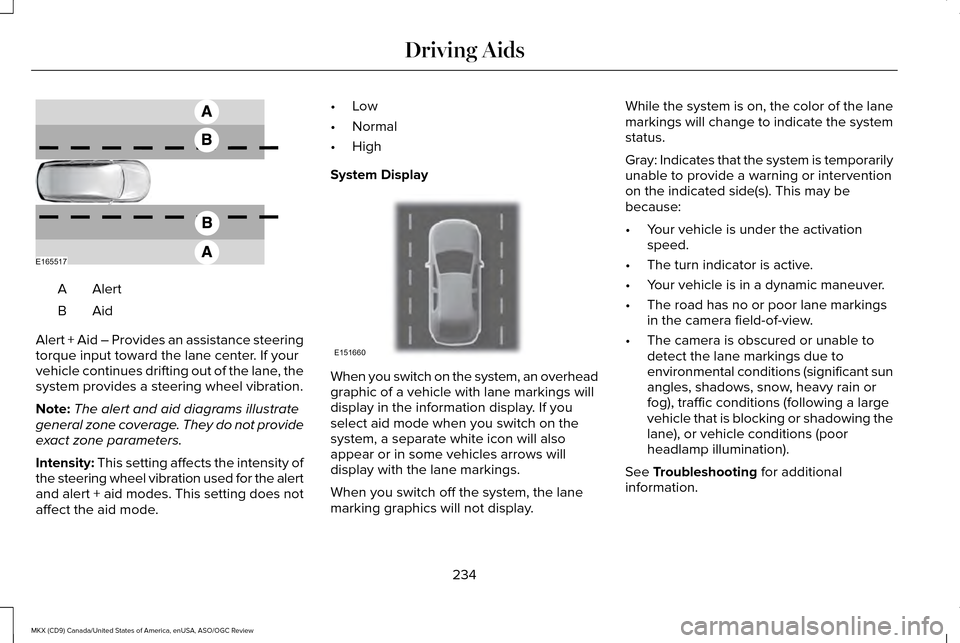
AlertA
AidB
Alert + Aid – Provides an assistance steering
torque input toward the lane center. If your
vehicle continues drifting out of the lane, the
system provides a steering wheel vibration.
Note: The alert and aid diagrams illustrate
general zone coverage. They do not provide
exact zone parameters.
Intensity: This setting affects the intensity of
the steering wheel vibration used for the alert
and alert + aid modes. This setting does not
affect the aid mode. •
Low
• Normal
• High
System Display When you switch on the system, an overhead
graphic of a vehicle with lane markings will
display in the information display. If you
select aid mode when you switch on the
system, a separate white icon will also
appear or in some vehicles arrows will
display with the lane markings.
When you switch off the system, the lane
marking graphics will not display.While the system is on, the color of the lane
markings will change to indicate the system
status.
Gray: Indicates that the system is temporarily
unable to provide a warning or intervention
on the indicated side(s). This may be
because:
•
Your vehicle is under the activation
speed.
• The turn indicator is active.
• Your vehicle is in a dynamic maneuver.
• The road has no or poor lane markings
in the camera field-of-view.
• The camera is obscured or unable to
detect the lane markings due to
environmental conditions (significant sun
angles, shadows, snow, heavy rain or
fog), traffic conditions (following a large
vehicle that is blocking or shadowing the
lane), or vehicle conditions (poor
headlamp illumination).
See Troubleshooting for additional
information.
234
MKX (CD9) Canada/United States of America, enUSA, ASO/OGC Review Driving AidsE165517 E151660
Page 239 of 563
 when I can s\
ee the lane markings on the road?
Camera blockage due to dirt, grime, fog, frost or water on the windshield
Driving too close to")
Why is the feature not available (line markings are gray) when I can s\
ee the lane markings on the road?
Camera blockage due to dirt, grime, fog, frost or water on the windshield
Driving too close to the vehicle in front of you
Transitioning between no lane markings to lane markings or vice versa
Standing water on the road
Faint lane markings (partial yellow lane markings on concrete roads)
Lane width too narrow or too wide
Camera not calibrated after a windshield replacement
Driving on tight roads or on uneven roads Why does the vehicle not come back toward the middle of the lane, as expected, in the Aid or Aid + Alert mode?
High cross winds
Large road crown
Rough roads, grooves, shoulder drop-offs
Heavy uneven loading of the vehicle or improper tire inflation pressure
If the tires have been exchanged (including snow tires), or the suspension has been modified
236
MKX (CD9) Canada/United States of America, enUSA, ASO/OGC Review Driving Aids
Page 240 of 563
BLIND SPOT INFORMATION
SYSTEM
Blind Spot Information System (BLIS™)
with Cross Traffic Alert (If Equipped)
WARNING
To help avoid injuries, NEVER use the
Blind Spot Information System as a
replacement for using the interior and
exterior mirrors and looking over your
shoulder before changing lanes. The Blind
Spot Information System is not a replacement
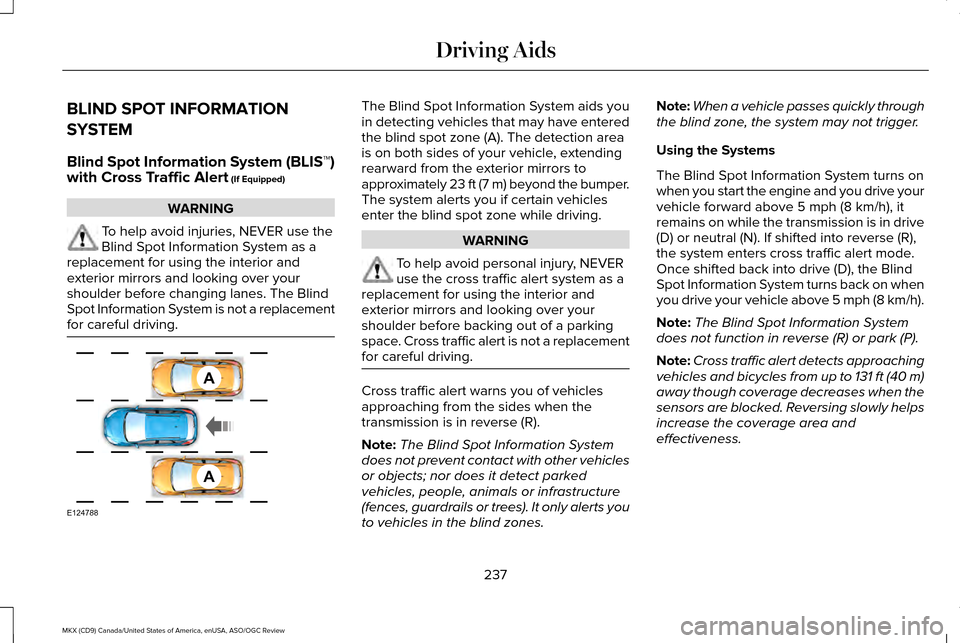
for careful driving. The Blind Spot Information System aids you
in detecting vehicles that may have entered
the blind spot zone (A). The detection area
is on both sides of your vehicle, extending
rearward from the exterior mirrors to
approximately 23 ft (7 m) beyond the bumper.
The system alerts you if certain vehicles
enter the blind spot zone while driving.
WARNING
To help avoid personal injury, NEVER
use the cross traffic alert system as a
replacement for using the interior and
exterior mirrors and looking over your
shoulder before backing out of a parking
space. Cross traffic alert is not a replacement
for careful driving. Cross traffic alert warns you of vehicles
approaching from the sides when the
transmission is in reverse (R).
Note:
The Blind Spot Information System
does not prevent contact with other vehicles
or objects; nor does it detect parked
vehicles, people, animals or infrastructure
(fences, guardrails or trees). It only alerts you
to vehicles in the blind zones. Note:
When a vehicle passes quickly through
the blind zone, the system may not trigger.
Using the Systems
The Blind Spot Information System turns on
when you start the engine and you drive your
vehicle forward above
5 mph (8 km/h), it
remains on while the transmission is in drive
(D) or neutral (N). If shifted into reverse (R),
the system enters cross traffic alert mode.
Once shifted back into drive (D), the Blind
Spot Information System turns back on when
you drive your vehicle above 5 mph (8 km/h).
Note: The Blind Spot Information System
does not function in reverse (R) or park (P).
Note: Cross traffic alert detects approaching
vehicles and bicycles from up to 131 ft (40 m)
away though coverage decreases when the
sensors are blocked. Reversing slowly helps
increase the coverage area and
effectiveness.
237
MKX (CD9) Canada/United States of America, enUSA, ASO/OGC Review Driving AidsA
A
E124788
Page 243 of 563
System Lights and Messages
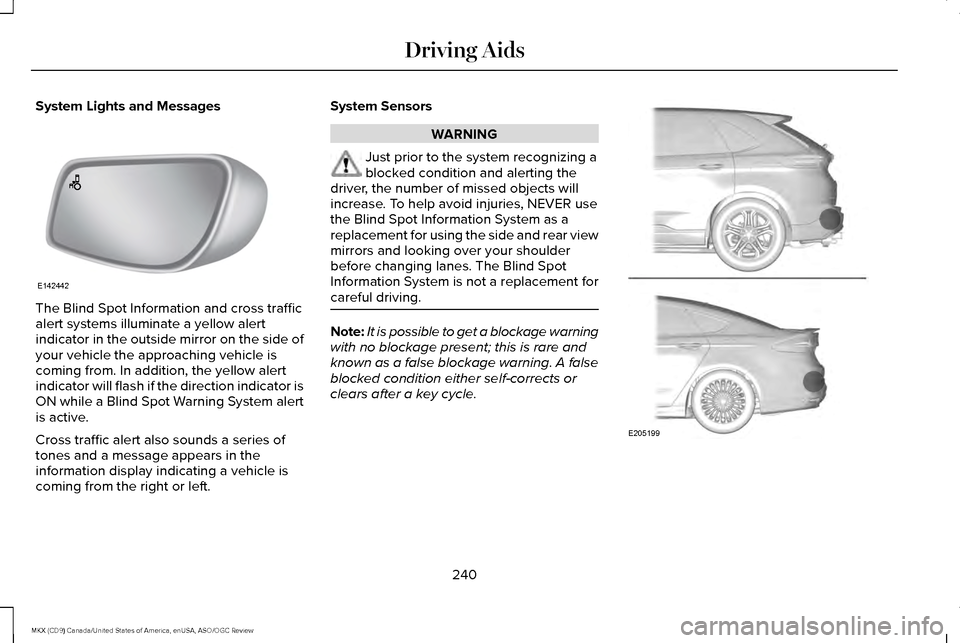
The Blind Spot Information and cross traffic
alert systems illuminate a yellow alert
indicator in the outside mirror on the side of
your vehicle the approaching vehicle is
coming from. In addition, the yellow alert
indicator will flash if the direction indicator is
ON while a Blind Spot Warning System alert
is active.
Cross traffic alert also sounds a series of
tones and a message appears in the
information display indicating a vehicle is
coming from the right or left. System Sensors WARNING
Just prior to the system recognizing a
blocked condition and alerting the
driver, the number of missed objects will
increase. To help avoid injuries, NEVER use
the Blind Spot Information System as a
replacement for using the side and rear view
mirrors and looking over your shoulder
before changing lanes. The Blind Spot
Information System is not a replacement for
careful driving. Note:
It is possible to get a blockage warning
with no blockage present; this is rare and
known as a false blockage warning. A false
blocked condition either self-corrects or
clears after a key cycle. 240
MKX (CD9) Canada/United States of America, enUSA, ASO/OGC Review Driving AidsE142442 E205199
Page 244 of 563
The system uses radar sensors which are
located behind the bumper fascia on each
side of your vehicle. Do not allow mud, snow
or bumper stickers to obstruct these areas,
this can cause degraded system
performance.
If the system detects a degraded
performance condition, a message warning
of a blocked sensor or low visibility will
appear in the information display along with
a warning indicator. You can clear the
information display warning but the warning
indicator will remain illuminated.
When you remove a blockage, you can reset
the system in two ways:
•
While driving, the system detects at least
two objects.
• You cycle the ignition from on to off and
then back on.
If the blockage is still present after the key
cycle and driving in traffic, check again for a
blockage. Reasons for messages being displayed
Clean the fascia area in frontof the radar or remove the obstruction.
The radar
surface is dirty or
obstructed
Drive normally in traffic for afew minutes to allow theradar to detect passing
vehicles so it can clear the blocked state.
The radar
surface is
not dirty or obstructed
No action required. The
system automatically resets to an unblocked state once the rainfall or snowfall rate
decreases or stops. Do not
use the Blind Spot Informa- tion System or cross traffic alert in these conditions.
Heavy rain-
fall or snow- fall inter-
feres with the radar signals System Limitations
The Blind Spot Information and cross traffic
alert systems do have their limitations;
situations such as severe weather conditions
or debris build-up on the sensor area may
limit vehicle detection.
The following are other situations that may
limit the Blind Spot Information System:
•
Vehicles passing through the blind zone
at very quickly.
• When several vehicles closely following
each other pass through the blind zone.
The following are other situations that may
limit the cross traffic alert system:
• Adjacently parked vehicles or objects
obstructing the sensors.
• Approaching vehicles passing at speeds
greater than 37 mph (60 km/h).
• Driving in reverse faster than
7 mph
(12 km/h).
• Backing out of an angled parking spot.
241
MKX (CD9) Canada/United States of America, enUSA, ASO/OGC Review Driving Aids
Page 248 of 563
Note:
If you perceive Pre-Collision Assist
alerts as being too frequent or disturbing,
then you can reduce the alert sensitivity,
though the manufacturer recommends using
the highest sensitivity setting where possible.
Setting lower sensitivity would lead to fewer
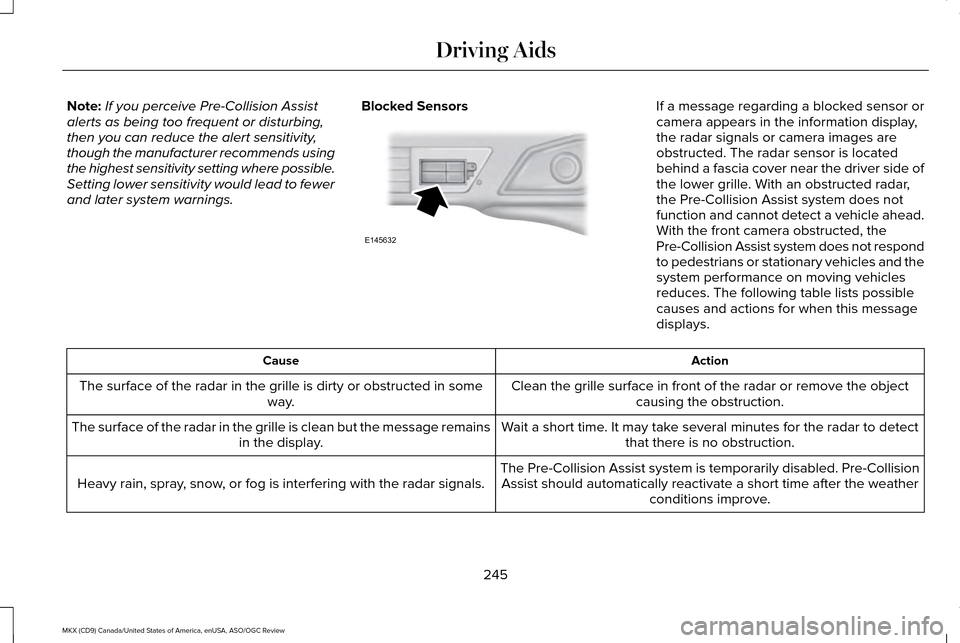
and later system warnings. Blocked Sensors If a message regarding a blocked sensor or
camera appears in the information display,
the radar signals or camera images are
obstructed. The radar sensor is located
behind a fascia cover near the driver side of
the lower grille. With an obstructed radar,
the Pre-Collision Assist system does not
function and cannot detect a vehicle ahead.
With the front camera obstructed, the
Pre-Collision Assist system does not respond
to pedestrians or stationary vehicles and the
system performance on moving vehicles
reduces. The following table lists possible
causes and actions for when this message
displays.
Action
Cause
Clean the grille surface in front of the radar or remove the objectcausing the obstruction.
The surface of the radar in the grille is dirty or obstructed in some
way.
Wait a short time. It may take several minutes for the radar to detectthat there is no obstruction.
The surface of the radar in the grille is clean but the message remains
in the display.
The Pre-Collision Assist system is temporarily disabled. Pre-CollisionAssist should automatically reactivate a short time after the weather conditions improve.
Heavy rain, spray, snow, or fog is interfering with the radar signals.
245
MKX (CD9) Canada/United States of America, enUSA, ASO/OGC Review Driving AidsE145632
Page 274 of 563
FLOOR MATS
WARNINGS
Always use floor mats that are
designed to fit the foot well of your
vehicle. Only use floor mats that leave the
pedal area unobstructed. Only use floor mats
that are firmly secured to retention posts so
that they cannot slip out of position and
interfere with the pedals or impair safe
operation of your vehicle in other ways. Pedals that cannot move freely can
cause loss of vehicle control and
increase the risk of serious personal injury. Always make sure that the floor mats
are properly attached to the retention
posts in the carpet that are supplied with
your vehicle. Floor mats must be properly
secured to both retention posts to make sure
mats do not shift out of position. Never place floor mats or any other
covering in the vehicle foot well that
cannot be properly secured to prevent them
from moving and interfering with the pedals
or the ability to control the vehicle. WARNINGS
Never place floor mats or any other
covering on top of already installed
floor mats. Floor mats should always rest on
top of vehicle carpeting surface and not
another floor mat or other covering.
Additional floor mats or any other covering
will reduce the pedal clearance and
potentially interfere with pedal operation. Check attachment of floor mats on a
regular basis. Always properly reinstall
and secure floor mats that have been
removed for cleaning or replacement. Always make sure that objects cannot
fall into the driver foot well while the
vehicle is moving. Objects that are loose can
become trapped under the pedals causing
a loss of vehicle control. Failure to properly follow floor mat
installation or attachment instructions
can potentially cause interference with pedal
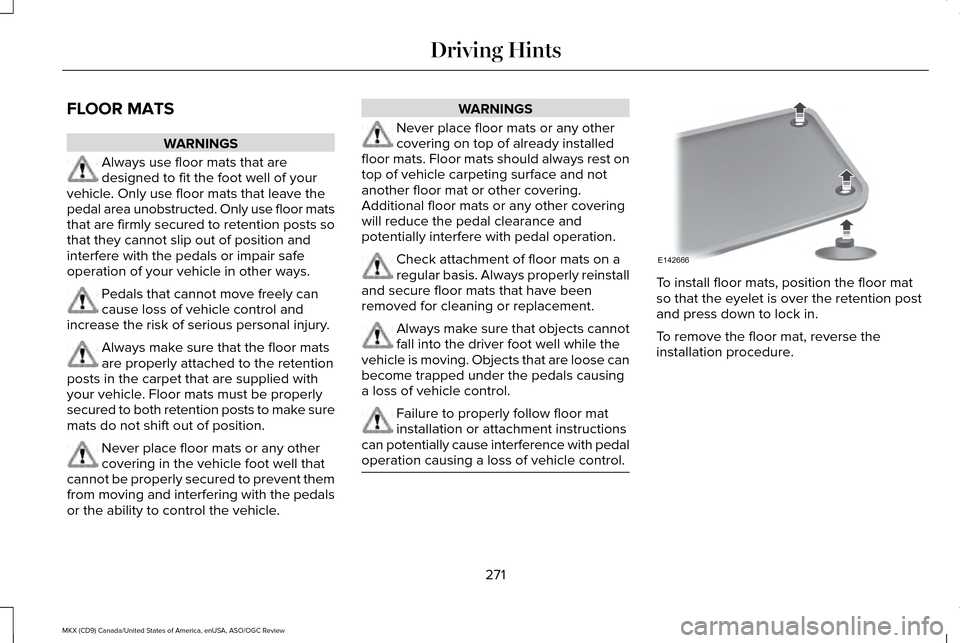
operation causing a loss of vehicle control. To install floor mats, position the floor mat
so that the eyelet is over the retention post
and press down to lock in.
To remove the floor mat, reverse the
installation procedure.
271
MKX (CD9) Canada/United States of America, enUSA, ASO/OGC Review Driving HintsE142666
Page 275 of 563
ROADSIDE ASSISTANCE
Vehicles Sold In the United States:
Getting Roadside Assistance
If you ever need help on the road, the Lincoln
Motor Company is there for you with
nationwide, 24-hours-a-day,
seven-days-a-week assistance.
The service is available:
•
Throughout the life of the vehicle for
original owners.
• For six years or 70,000 mi
(112,654.08 km) (whichever comes first)
within the extended powertrain warranty
coverage period for subsequent owners.
• For the coverage period listed on the
Roadside Assistance Card included in
your Owner's Manual portfolio.
This complimentary Roadside Assistance
program is separate from the New Vehicle
Limited Warranty, and includes:
• A flat tire change with a good spare
(except vehicles supplied with a tire
inflation kit).
• Battery jump start. •
Lock-out assistance (key replacement
cost is the client's responsibility).
• Fuel delivery — independent service
contractors, if not prohibited by state,
local or municipal law shall deliver up to
2.0 gal (7.5 L)
of gasoline or 5.0 gal
(18.9 L) of diesel fuel to a disabled
vehicle. Roadside Assistance limits fuel
delivery service to two no-charge
occurrences within a 12-month period.
• Winch out — available within
100 ft
(30.48 m) of a paved or county
maintained road, no recoveries.
• Towing — independent service
contractors, if not prohibited by state,
local or municipal law shall tow Lincoln
eligible vehicles to the client's selling or
preferred dealer within 100 mi (161 km) of
the disablement location or to the nearest
Lincoln dealer. If a client requests a tow
to a selling or preferred dealer that is
more than
100 mi (161 km) from the
disablement location, the client shall be
responsible for any mileage costs in
excess of
100 mi (161 km). Roadside Assistance includes up to $200
coverage for a towed trailer if the disabled
eligible vehicle requires service at the
nearest authorized dealer. If the towing
vehicle is operational but the trailer is not,
then the trailer does not qualify for any
roadside services.
Vehicles Sold In the United States:
Using Roadside Assistance
United States Lincoln vehicle clients who
require Roadside Assistance, call
1-800-521-4140.
If you need to arrange roadside assistance
for yourself, Ford Motor Company will
reimburse a reasonable amount for towing
to the nearest Lincoln dealership within
100 mi (161 km)
. To obtain reimbursement
information, United States Lincoln vehicle
clients, call 1-800-521-4140. Ford Motor
Company will ask you to submit your original
receipts.
272
MKX (CD9) Canada/United States of America, enUSA, ASO/OGC Review Roadside Emergencies
Page 291 of 563
Protected Components
Fuse Amp Rating
Fuse or Relay Number
Voltage quality module (start/stop).
Front split view camera.
Front split view camera module.
Not used (spare).
10A 1
24
Run-start anti-lock brake system.
10A 2
25
Run-start powertrain control module.
10A 2
26
Not used.
—
27
Rear washer pump.
10A 1
28
Not used.
—
29
Not used.
—
30
Not used.
—
31
Electronic fan 1 relay.
—
32
A/C clutch relay.
—
33
Glove box release.
15A 1
34
Not used.
—
35
288
MKX (CD9) Canada/United States of America, enUSA, ASO/OGC Review Fuses
Page 297 of 563
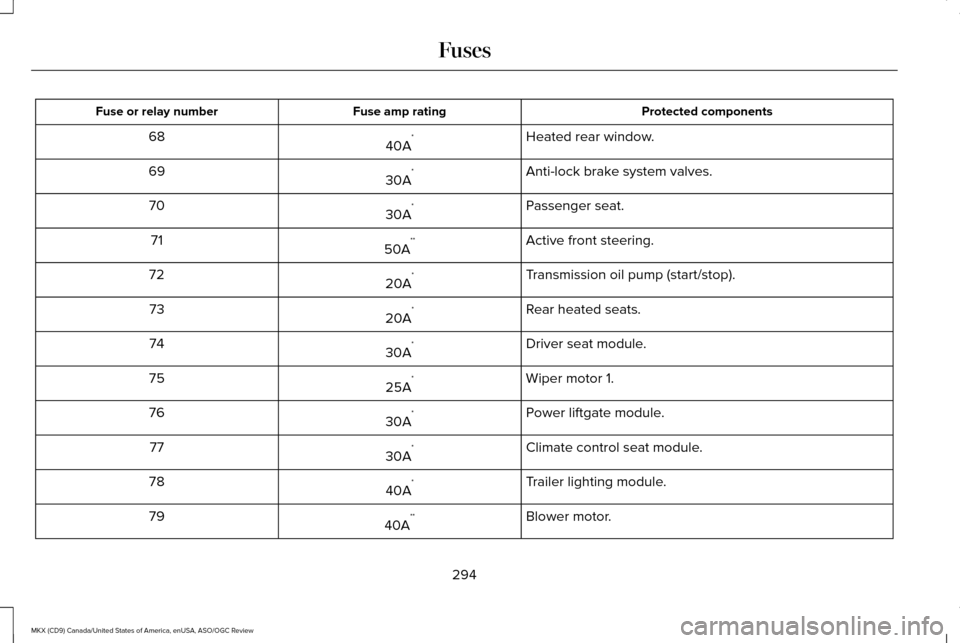
Protected components
Fuse amp rating
Fuse or relay number
Heated rear window.
40A *
68
Anti-lock brake system valves.
30A *
69
Passenger seat.
30A *
70
Active front steering.
50A **
71
Transmission oil pump (start/stop).
20A *
72
Rear heated seats.
20A *
73
Driver seat module.
30A *
74
Wiper motor 1.
25A *
75
Power liftgate module.
30A *
76
Climate control seat module.
30A *
77
Trailer lighting module.
40A *
78
Blower motor.
40A **
79
294
MKX (CD9) Canada/United States of America, enUSA, ASO/OGC Review Fuses