air condition LINCOLN MKX 2017 User Guide
[x] Cancel search | Manufacturer: LINCOLN, Model Year: 2017, Model line: MKX, Model: LINCOLN MKX 2017Pages: 587, PDF Size: 5.4 MB
Page 98 of 587
When switched off in the information display,
the daytime running lamps are off in all
lighting control switch positions.
AUTOMATIC HIGH BEAM
CONTROL (If Equipped)
The system will automatically turn on your
high beams if it is dark enough and no other
traffic is present. When it detects the
headlights of an approaching vehicle, the tail
lamps of the preceding vehicle or street
lighting, the system will turn off the high
beams before they distract other drivers. The
low beams remain on.
Note: If it appears that automatic control of
the high beams is not functioning properly,
check the windshield in front of the camera
for a blockage. A clear view of the road is
required for proper system operation. Have
any windshield damage in the area of the
camera ’s field-of-view repaired. Note:
If the system detects a blockage, for
example bird droppings, bug splatter, snow
or ice, the system will go into low beam
mode until you clear the blockage. A
message may also appear in the instrument
cluster display noting the front camera is
blocked.
Note: In cold or inclement weather
conditions, you will notice a decrease in the
availability of the high beam system,
especially at start up. If you want to change
the beam state independently of the system,
you may switch the high beams on or off
using the multifunction switch. Automatic
control will resume when conditions are
correct.
Note: Modification of the vehicle ride height
such as using much larger tires, may
degrade feature performance.
A camera sensor, centrally mounted behind
the windshield of your vehicle, continuously
monitors conditions to decide when to switch
the high beams off and on. Once the system is active, the high beams
will switch on if:
•
The ambient light level is low enough.
• There is no traffic in front of the vehicle.
• The vehicle speed is greater than
approximately 32 mph (52 km/h).
The high beams will switch off if:
• The system detects the headlamps of an
approaching vehicle or the tail lamps of
a preceding vehicle.
• Vehicle speed falls below approximately
27 mph (44 km/h)
.
• The ambient light level is high enough
that high beams are not required.
• The system detects severe rain, snow or
fog.
• The camera is blocked.
Activating the System
Switch on the system using the information
display and autolamps.
See Information
Displays (page 114). See Autolamps (page
92).
95
MKX (CD9) Canada/United States of America, enUSA, First Printing Lighting
Page 145 of 587
Driver temperature control: Adjust the temperature setting on the driver side. This control also adjusts the passenger side temperature
when you switch off dual zone mode.
A
Fan speed control: Adjust the volume of air circulated in the vehicle.
B
Passenger temperature control:
Adjust the temperature setting on the passenger side.
C
A/C:
Press to switch the air conditioning on or off. To improve the time to reach a comfortable temperature in hot weather, drive
with the windows open until you feel cold air through the air vents. You can use A/C with recirculated air to improve cooling
performance and efficiency.
D
Note:
The air conditioning compressor may continue to operate in certain cond\
itions even after you switch off the air conditioning
(for example, maximum defrost).
MAX A/C:
Press for maximum cooling. The driver and passenger temperature setting\
s are set to LO. Recirculated air flows through
the instrument panel vents, air conditioning automatically turns on, and\
the fan automatically adjusts to the highest speed.
E
Recirculated air: Press to switch between outside air and recirculated air. The air currently in the passenger compartment recirculates.
This can reduce the time needed to cool the interior (when used with A/\
C) and reduce unwanted odors from entering your vehicle.
F
Note:
Recirculated air may also turn on and off automatically in instrument pan\
el or instrument panel and floor airflow modes during
hot weather to improve cooling efficiency.
Heated seats:
Press to switch the heated seats on and off. See Heated Seats (page 155).
G
Climate controlled seats:
Press to switch the climate controlled seats on and off. See Climate Controlled Seats (page 156).
H
DUAL:
Press to switch on temperature control for the passenger side of the ve\
hicle.
I
AUTO:
Press to switch on automatic operation. Adjust to select the desired te\
mperature. Fan speed, air distribution, air conditioning
operation, and outside or recirculated air are automatically adjusted to\
heat or cool the vehicle to maintain the desired temperature .
You can also switch off dual zone mode by pressing and holding for more t\
han two seconds.
J
Power:
Press to switch the system on and off. When the system is off, it prevents outside air from entering the vehicle.
K
142
MKX (CD9) Canada/United States of America, enUSA, First Printing Climate Control
Page 177 of 587
•
Fuels can also be harmful if absorbed
through the skin. If fuel is splashed on
the skin, clothing or both, promptly
remove contaminated clothing and wash
skin thoroughly with soap and water.
Repeated or prolonged skin contact with
fuel liquid or vapor causes skin irritation.
• Be particularly careful if you are taking
Antabuse or other forms of Disulfiram for
the treatment of alcoholism. Breathing
gasoline vapors could cause an adverse
reaction, serious personal injury or
sickness. If fuel is splashed on the skin,
wash the affected areas immediately with
plenty of soap and water. Consult a
physician immediately if you experience
any adverse reactions. FUEL QUALITY
Choosing the Right Fuel Your vehicle is designed to operate on
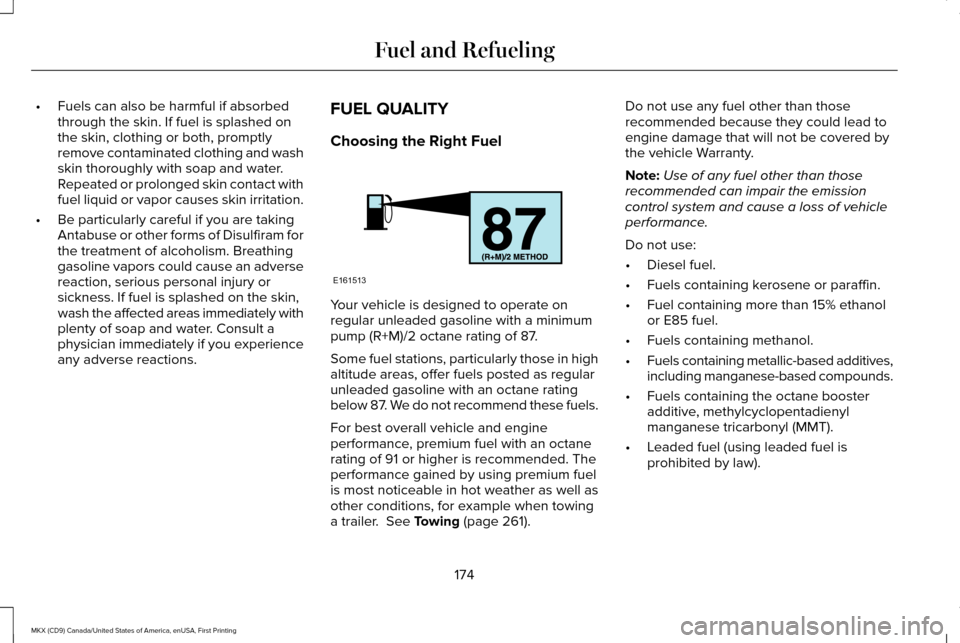
regular unleaded gasoline with a minimum
pump (R+M)/2 octane rating of 87.
Some fuel stations, particularly those in high
altitude areas, offer fuels posted as regular
unleaded gasoline with an octane rating
below 87. We do not recommend these fuels.
For best overall vehicle and engine
performance, premium fuel with an octane
rating of 91 or higher is recommended. The
performance gained by using premium fuel
is most noticeable in hot weather as well as
other conditions, for example when towing
a trailer. See Towing (page 261).Do not use any fuel other than those
recommended because they could lead to
engine damage that will not be covered by
the vehicle Warranty.
Note:
Use of any fuel other than those
recommended can impair the emission
control system and cause a loss of vehicle
performance.
Do not use:
• Diesel fuel.
• Fuels containing kerosene or paraffin.
• Fuel containing more than 15% ethanol
or E85 fuel.
• Fuels containing methanol.
• Fuels containing metallic-based additives,
including manganese-based compounds.
• Fuels containing the octane booster
additive, methylcyclopentadienyl
manganese tricarbonyl (MMT).
• Leaded fuel (using leaded fuel is
prohibited by law).
174
MKX (CD9) Canada/United States of America, enUSA, First Printing Fuel and RefuelingE161513
Page 192 of 587
USING ALL-WHEEL DRIVE
All-wheel drive uses all four wheels to power
the vehicle. This increases traction, enabling
you to drive over terrain and road conditions
that a conventional two-wheel drive vehicle
cannot. The AWD system is active all the time
and requires no input from the operator.
Note:
Your AWD vehicle is not intended for
off-road use. The AWD feature gives your
vehicle some limited off-road capabilities in
which driving surfaces are relatively level,
obstruction-free and otherwise similar to
normal on-road driving conditions. Operating
your vehicle under other than those
conditions could subject the vehicle to
excessive stress which might result in
damage which is not covered under your
warranty.
Note: A warning message will be displayed
in the information display when an AWD
system fault is present See Information
Messages (page 121). An AWD system fault
will cause the AWD system to default to
front-wheel drive only mode. When this
warning message is displayed, have your
vehicle serviced at an authorized dealer Note:
A warning message will be displayed
in the information display if the AWD system
has overheated See Information Messages
(page
121). This condition may occur if the
vehicle was operated in extreme conditions
with excessive wheel slip, such as deep
sand. To resume normal AWD function as
soon as possible, stop the vehicle in a safe
location and stop the engine for at least 10
minutes. After the engine has been restarted
and the AWD system has adequately cooled,
the warning message will turn off and normal
AWD function will return.
Do not use a spare tire of a different size
other than the tire provided. If the mini-spare
tire is installed, the AWD system may disable
automatically and enter front-wheel drive
only mode to protect driveline components.
This condition will be indicated by a warning
in the information display
See Information
Messages (page 121). If there is a warning
message in the information display from
using the spare tire, this indicator should turn
off after reinstalling the repaired or replaced
normal road tire and cycling the ignition off
and on. It is recommended to reinstall the repaired or replaced road tire as soon as
possible. Major dissimilar tire sizes between
the front and rear axles could cause the AWD
system to stop functioning and default to
front-wheel drive or damage the AWD
system.
Driving In Special Conditions With All-
Wheel Drive (AWD)
AWD vehicles are equipped for driving on
sand, snow, mud and rough roads and have
operating characteristics that are somewhat
different from conventional vehicles, both on
and off the highway.
Under severe operating conditions, the A/C
may cycle on and off to protect overheating
of the engine.
Basic operating principles in special
conditions
•
Drive slower in strong crosswinds which
can affect the normal steering
characteristics of your vehicle.
• Be extremely careful when driving on
pavement made slippery by loose sand,
water, gravel, snow or ice.
189
MKX (CD9) Canada/United States of America, enUSA, First Printing All-Wheel Drive
(If Equipped)
Page 214 of 587
WARNINGS
The sensors may not detect objects in
heavy rain or other conditions that
cause interference. Active park assist does not apply the
brakes under any circumstances.
The system is designed to aid the
driver. It is not intended to replace your
attention and judgment. You are still
responsible to drive with due care and
attention. Note:
The Blind Spot Information System
does not detect traffic alongside or behind
your vehicle during an active park assist
maneuver.
The system detects an available parallel or
perpendicular parking space and
automatically steers your vehicle into the
space (hands-free) while you control the
accelerator, gearshift and brakes. The system
visually and audibly guides you to park your
vehicle. If you are uncomfortable with the proximity
to any vehicle or object, you may choose to
override the system by grabbing the steering
wheel or pushing the active park assist
button.
Parallel Park Out Assist automatically steers
your vehicle out of a parallel parking space
(hands-free) while you control the
accelerator, gearshift and brakes. The system
visually and audibly guides you to enter
traffic.
The system may not correctly operate in any
of the following conditions:
•
You use a spare tire or a tire significantly
worn more than the other tires.
• One or more tires are improperly inflated.
• You try to park on a tight curve.
• Something passes between the front
bumper and the parking space (a
pedestrian or cyclist). •
The edge of the neighboring parked
vehicle is high off the ground (for
example, a bus, tow truck or flatbed
truck).
• The weather conditions are poor (heavy
rain, snow, fog, etc).
Note: Keep the sensors, located on the
bumper or fascia, free from snow, ice and
large accumulations of dirt. Covered sensors
can affect the system's accuracy. Do not
clean the sensors with sharp objects.
Note: The sensors may not detect objects
with surfaces that absorb ultrasonic waves
or cause ultrasonic interference (motorcycle
exhaust, truck air brakes or horns).
Do not use the system if:
• You have attached a foreign object (for
example, a bike rack or trailer) close to
the sensors on the front or rear of your
vehicle.
• You have attached an overhanging
object (for example, a surfboard) to the
roof.
211
MKX (CD9) Canada/United States of America, enUSA, First Printing Parking Aids
Page 244 of 587
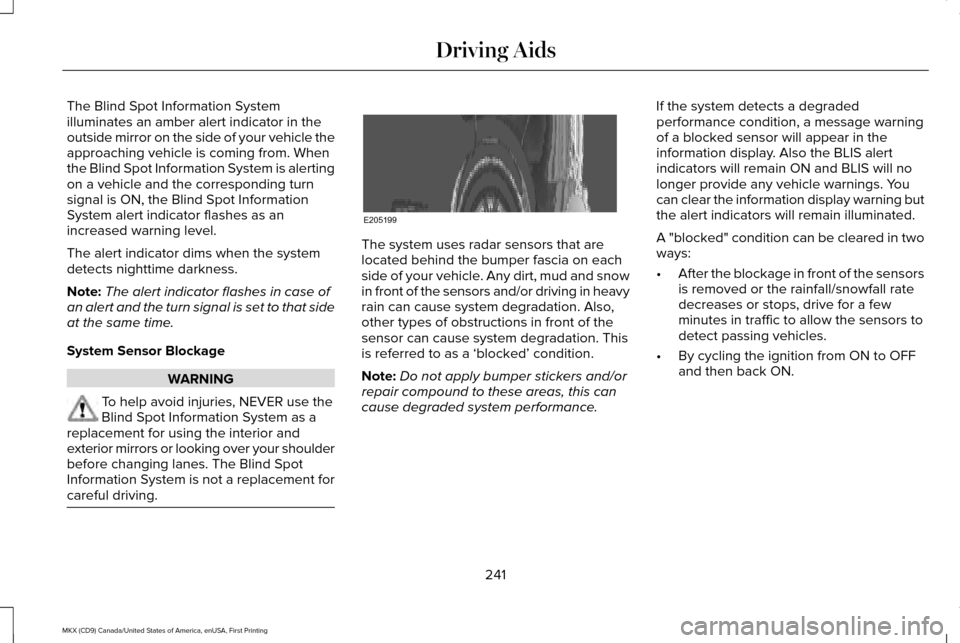
The Blind Spot Information System
illuminates an amber alert indicator in the
outside mirror on the side of your vehicle the
approaching vehicle is coming from. When
the Blind Spot Information System is alerting
on a vehicle and the corresponding turn
signal is ON, the Blind Spot Information
System alert indicator flashes as an
increased warning level.
The alert indicator dims when the system
detects nighttime darkness.
Note:
The alert indicator flashes in case of
an alert and the turn signal is set to that side
at the same time.
System Sensor Blockage WARNING
To help avoid injuries, NEVER use the
Blind Spot Information System as a
replacement for using the interior and
exterior mirrors or looking over your shoulder
before changing lanes. The Blind Spot
Information System is not a replacement for
careful driving. The system uses radar sensors that are
located behind the bumper fascia on each
side of your vehicle. Any dirt, mud and snow
in front of the sensors and/or driving in heavy
rain can cause system degradation. Also,
other types of obstructions in front of the
sensor can cause system degradation. This
is referred to as a ‘blocked’ condition.
Note:
Do not apply bumper stickers and/or
repair compound to these areas, this can
cause degraded system performance. If the system detects a degraded
performance condition, a message warning
of a blocked sensor will appear in the
information display. Also the BLIS alert
indicators will remain ON and BLIS will no
longer provide any vehicle warnings. You
can clear the information display warning but
the alert indicators will remain illuminated.
A "blocked" condition can be cleared in two
ways:
•
After the blockage in front of the sensors
is removed or the rainfall/snowfall rate
decreases or stops, drive for a few
minutes in traffic to allow the sensors to
detect passing vehicles.
• By cycling the ignition from ON to OFF
and then back ON.
241
MKX (CD9) Canada/United States of America, enUSA, First Printing Driving AidsE205199
Page 254 of 587
Action
Cause
Contact an authorized dealer to have the radar checked for propercoverage and operation.
Radar is out of alignment due to a front end impact.
Clean the outside of the windshield in front of the camera.
The windshield in front of the camera is dirty or obstructed in some
way.
Wait a short time. It may take several minutes for the camera to detectthat there is no obstruction.
The windshield in front of the camera is clean but the message remains
in the display.
Note: Proper system operation requires a
clear view of the road by the camera. Have
any windshield damage in the area of the
camera's field of view repaired.
Note: If something hits the front end of your
vehicle or damage occurs, the radar sensing
zone may change. This could cause missed
or false vehicle detections. Contact an
authorized dealer to have the radar checked
for proper coverage and operation. Note:
If your vehicle detects excessive heat
at the camera or a potential misalignment
condition, a message may display in the
information display indicating temporary
sensor unavailability. This message
deactivates automatically when operational
conditions are corrected (for example, when
the ambient temperature around the sensor
decreases or the sensor automatically
recalibrates successfully). DRIVE CONTROL (If Equipped)
LINCOLN DRIVE CONTROL
Lincoln Drive Control delivers the Lincoln
driving experience through a suite of
sophisticated electronic vehicle systems.
These systems continuously monitor your
driving inputs and the road conditions to
optimize ride comfort, steering, handling,
powertrain response and sound. You can
251
MKX (CD9) Canada/United States of America, enUSA, First Printing Driving Aids
Page 269 of 587
Replace the rear axle lubricant anytime you
submerge the rear axle in water. Water may
contaminate the rear axle lubricant, which is
not a normal maintenance inspection item
unless there is a possibility of a leak or other
axle repair is required.
TOWING THE VEHICLE ON FOUR
WHEELS
Emergency Towing
You can flat-tow (all wheels on the ground,
regardless of the powertrain/transmission
configuration) your disabled vehicle (without
access to wheel dollies, car-hauling trailer,
or flatbed transport vehicle) under the
following conditions:
•
Your vehicle is facing forward so you tow
it in a forward direction.
• You place the transmission in position N.
If you cannot place the transmission in
position
N, you may need to override it.
See Transmission (page 183). •
Maximum speed is 35 mph (56 km/h).
• Maximum distance is 50 miles (80
kilometers).
Recreational Towing
Note: Put your climate control system in
recirculated air mode to prevent exhaust
fumes from entering the vehicle.
See
Climate Control (page 141).
Follow these guidelines if you have a need
for recreational (RV) towing. An example of
recreational towing would be towing your
vehicle behind a motorhome. These
guidelines are to make sure you do not
damage the transmission during towing.
You can tow your vehicle with all four wheels
on the ground using the Neutral Tow feature,
or with all four wheels off the ground using
a vehicle transport trailer. If you are using a
vehicle transport trailer, follow the instruction
specified by the equipment provider. Neutral Tow
If you tow your vehicle with all four wheels
on the ground:
•
Tow only in the forward direction.
• Release the parking brake.
Enter Neutral Tow mode by doing the
following:
1. Put the ignition in accessory mode by pressing the engine START button
without pressing the brake pedal.
2. Select
Neutral Tow under the Vehicle
Settings menu in the information display.
See
General Information (page 114).
3. Press and hold the OK button to start the
neutral tow process.
4. Press the brake pedal and select
N on
the push-button transmission.
5. Turn the ignition off by pressing the engine START button without pressing
the brake pedal.
266
MKX (CD9) Canada/United States of America, enUSA, First Printing Towing
Page 271 of 587
BREAKING-IN
You need to break in new tires for
approximately 300 mi (480 km). During this
time, your vehicle may exhibit some unusual
driving characteristics.
Avoid driving too fast during the first 1,000 mi
(1,600 km)
. Vary your speed frequently and
change up through the gears early. Do not
labor the engine.
Do not tow during the first
1,000 mi
(1,600 km).
REDUCED ENGINE PERFORMANCE WARNING
Continued operation will increase the
engine temperature and cause the
engine to shut down completely. If the engine coolant temperature gauge
needle moves to the upper limit position, the
engine is overheating.
See Gauges (page
107). You must only drive your vehicle for a short
distance if the engine overheats. The
distance you can travel depends on ambient
temperature, vehicle load and terrain. The
engine will continue to operate with limited
power for a short time.
If the engine temperature continues to rise,
the fuel supply to the engine will reduce. The
air conditioning will switch off and the engine
cooling fan will operate continually.
1. Reduce your speed gradually and stop
your vehicle as soon as it is safe to do
so.
2. Switch the engine off immediately to prevent severe engine damage.
3. Wait for the engine to cool down.
4. Check the coolant level.
See Engine
Coolant Check (page 314).
5. Have your vehicle checked by an authorized dealer as soon as possible. ECONOMICAL DRIVING
Fuel economy is affected by several things
such as how you drive, the conditions you
drive under and how you maintain your
vehicle.
There are some things to keep in mind that
may improve your fuel economy:
•
Accelerate and slow down in a smooth,
moderate fashion.
• Drive at steady speeds.
• Anticipate stops; slowing down may
eliminate the need to stop.
• Combine errands and minimize
stop-and-go driving (When running
errands, go to the furthest destination
first and then work your way back home).
• Close the windows for high-speed
driving.
• Drive at reasonable speeds.
• Keep the tires properly inflated and use
only the recommended size.
• Use the recommended engine oil.
• Perform all regularly scheduled
maintenance.
268
MKX (CD9) Canada/United States of America, enUSA, First Printing Driving Hints
Page 272 of 587
There are also some things you may want to
avoid doing because they reduce your fuel
economy:
•
Avoid sudden or hard accelerations.
• Avoid revving the engine before turning
off the car.
• Avoid long idle periods.
• Do not warm up your vehicle on cold
mornings.
• Reduce the use of air conditioning and
heat.
• Avoid using speed control in hilly terrain.
• Do not rest your foot on the brake pedal
while driving.
• Avoid carrying unnecessary weight.
• Avoid adding particular accessories to
your vehicle (e.g. bug deflectors,
rollbars/light bars, running boards, ski
racks).
• Avoid driving with the wheels out of
alignment. DRIVING THROUGH WATER WARNING
Do not drive through flowing or deep
water as you may lose control of your
vehicle. Note:
Driving through standing water can
cause vehicle damage.
Note: Engine damage can occur if water
enters the air filter.
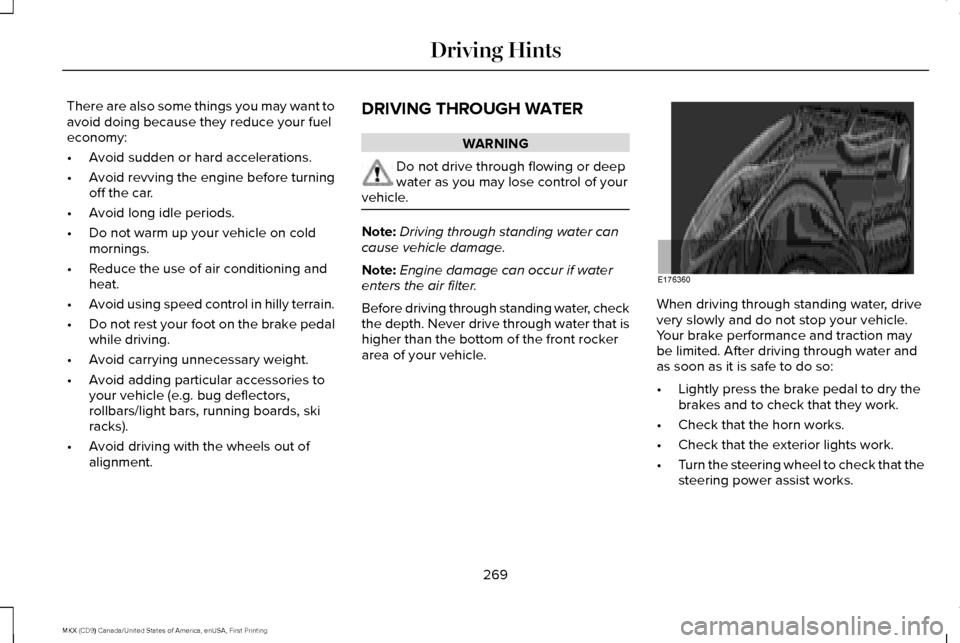
Before driving through standing water, check
the depth. Never drive through water that is
higher than the bottom of the front rocker
area of your vehicle. When driving through standing water, drive
very slowly and do not stop your vehicle.
Your brake performance and traction may
be limited. After driving through water and
as soon as it is safe to do so:
•
Lightly press the brake pedal to dry the
brakes and to check that they work.
• Check that the horn works.
• Check that the exterior lights work.
• Turn the steering wheel to check that the
steering power assist works.
269
MKX (CD9) Canada/United States of America, enUSA, First Printing Driving HintsE176360