lights LINCOLN MKX 2017 User Guide
[x] Cancel search | Manufacturer: LINCOLN, Model Year: 2017, Model line: MKX, Model: LINCOLN MKX 2017Pages: 587, PDF Size: 5.4 MB
Page 160 of 587
Press the heated seat symbol to cycle
through the various heat settings and off.
More indicator lights indicate warmer
settings.
Note:
After 90 minutes of operation, the
heated seats switch off. Press the heated
seat symbol to switch the heated seats on.
Cooled Seats
Note: The cooled seats only function when
the engine is running. Press the cooled seat symbol to cycle
through the various cool settings and off.
More indicator lights indicate cooler settings.
Climate controlled seat air filter
replacement
Your vehicle is equipped with lifetime air
filters that are integrated with the seats.
Regular maintenance or replacement is not
needed.
REAR SEAT ARMREST
Fold the armrest down to use the armrest
and cupholders.
The cupholders are located inside the rear
seat armrest. To open the cupholders, push
the plastic panel on the front edge of the
armrest. The cupholders will open.
Push the panel again to close the
cupholders.
157
MKX (CD9) Canada/United States of America, enUSA, First Printing SeatsE146322 E146309 E201901
Page 163 of 587
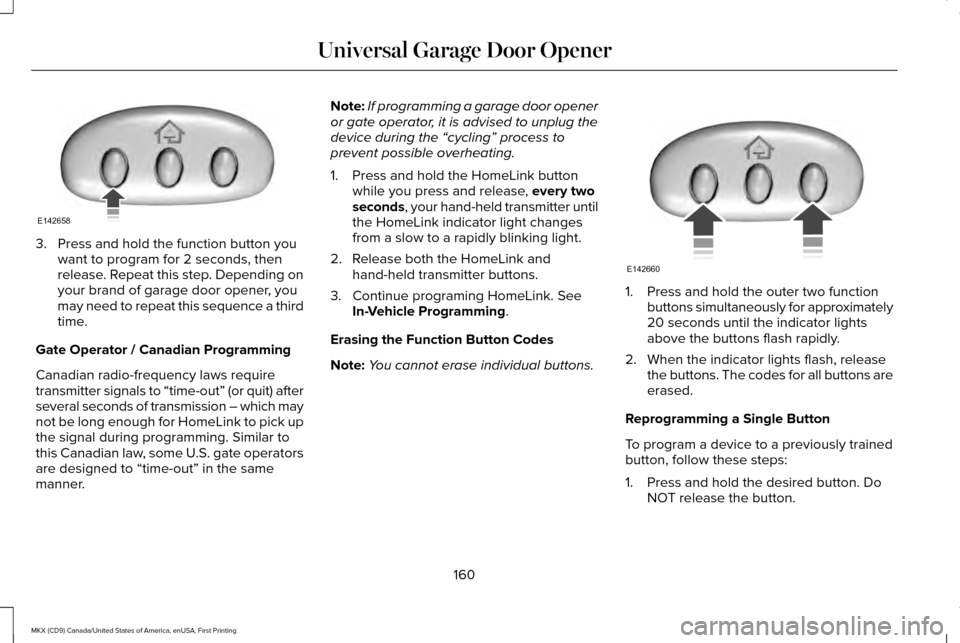
3. Press and hold the function button you
want to program for 2 seconds, then
release. Repeat this step. Depending on
your brand of garage door opener, you
may need to repeat this sequence a third
time.
Gate Operator / Canadian Programming
Canadian radio-frequency laws require
transmitter signals to “time-out” (or quit) after
several seconds of transmission – which may
not be long enough for HomeLink to pick up
the signal during programming. Similar to
this Canadian law, some U.S. gate operators
are designed to “time-out” in the same
manner. Note:
If programming a garage door opener
or gate operator, it is advised to unplug the
device during the “cycling” process to
prevent possible overheating.
1. Press and hold the HomeLink button while you press and release, every two
seconds, your hand-held transmitter until
the HomeLink indicator light changes
from a slow to a rapidly blinking light.
2. Release both the HomeLink and hand-held transmitter buttons.
3. Continue programing HomeLink. See In-Vehicle Programming
.
Erasing the Function Button Codes
Note: You cannot erase individual buttons. 1. Press and hold the outer two function
buttons simultaneously for approximately
20 seconds until the indicator lights
above the buttons flash rapidly.
2. When the indicator lights flash, release the buttons. The codes for all buttons are
erased.
Reprogramming a Single Button
To program a device to a previously trained
button, follow these steps:
1. Press and hold the desired button. Do NOT release the button.
160
MKX (CD9) Canada/United States of America, enUSA, First Printing Universal Garage Door OpenerE142658 E142660
Page 165 of 587
Programming HomeLink to the Genie
Intellicode Garage Door Opener Motor
Note:
You may need a ladder to access the
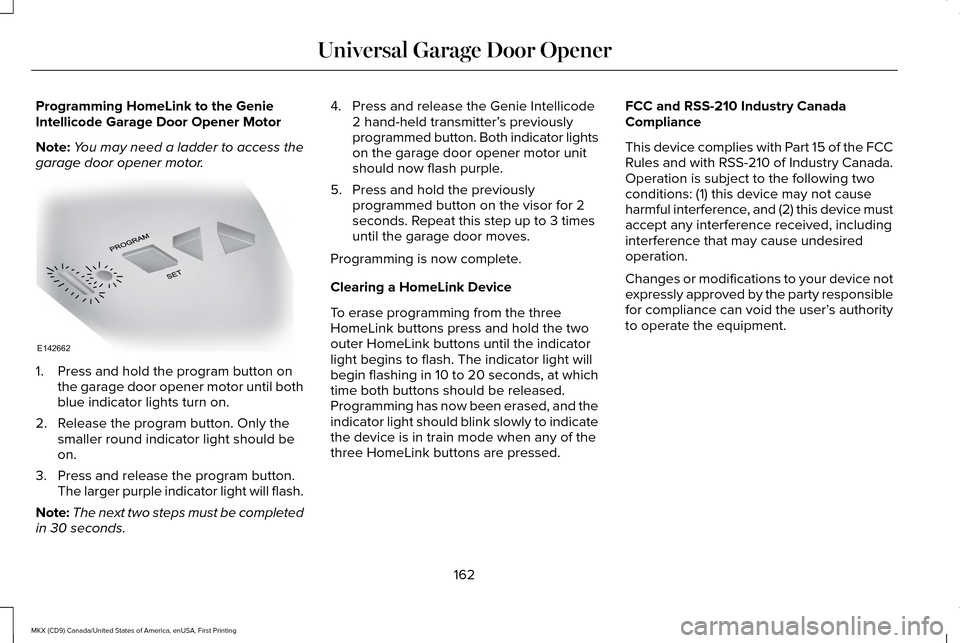
garage door opener motor. 1. Press and hold the program button on
the garage door opener motor until both
blue indicator lights turn on.
2. Release the program button. Only the smaller round indicator light should be
on.
3. Press and release the program button. The larger purple indicator light will flash.
Note: The next two steps must be completed
in 30 seconds. 4. Press and release the Genie Intellicode
2 hand-held transmitter’ s previously
programmed button. Both indicator lights
on the garage door opener motor unit
should now flash purple.
5. Press and hold the previously programmed button on the visor for 2
seconds. Repeat this step up to 3 times
until the garage door moves.
Programming is now complete.
Clearing a HomeLink Device
To erase programming from the three
HomeLink buttons press and hold the two
outer HomeLink buttons until the indicator
light begins to flash. The indicator light will
begin flashing in 10 to 20 seconds, at which
time both buttons should be released.
Programming has now been erased, and the
indicator light should blink slowly to indicate
the device is in train mode when any of the
three HomeLink buttons are pressed. FCC and RSS-210 Industry Canada
Compliance
This device complies with Part 15 of the FCC
Rules and with RSS-210 of Industry Canada.
Operation is subject to the following two
conditions: (1) this device may not cause
harmful interference, and (2) this device must
accept any interference received, including
interference that may cause undesired
operation.
Changes or modifications to your device not
expressly approved by the party responsible
for compliance can void the user’
s authority
to operate the equipment.
162
MKX (CD9) Canada/United States of America, enUSA, First Printing Universal Garage Door OpenerE142662
Page 198 of 587
GENERAL INFORMATION
Note:
Occasional brake noise is normal. If a
metal-to-metal, continuous grinding or
continuous squeal sound is present, the
brake linings may be worn-out. Have the
system checked by an authorized dealer. If
your vehicle has continuous vibration or
shudder in the steering wheel while braking,
have it checked by an authorized dealer.
Note: Brake dust may accumulate on the
wheels, even under normal driving
conditions. Some dust is inevitable as the
brakes wear and does not contribute to
brake noise. See Cleaning the Wheels
(page 337).
Note: Depending on applicable laws and
regulations in the country for which your
vehicle was originally built, your brake lamps
may flash during heavy braking. Following
this, your hazard lights may also flash when
your vehicle comes to a stop. See
Warning Lamps and
Indicators (page 109). Wet brakes result in reduced braking
efficiency. Gently press the brake pedal a
few times when driving from a car wash or
standing water to dry the brakes.
Brake Over Accelerator
In the event the accelerator pedal becomes
stuck or entrapped, apply steady and firm
pressure to the brake pedal to slow the
vehicle and reduce engine power. If you
experience this condition, apply the brakes
and bring your vehicle to a safe stop. Move
the transmission to park (P), switch the
engine off and apply the parking brake.
Inspect the accelerator pedal for any
interference. If none are found and the
condition persists, have your vehicle towed
to the nearest authorized dealer.
Brake Assist
Brake assist detects when you brake rapidly
by measuring the rate at which you press the
brake pedal. It provides maximum braking
efficiency as long as you press the pedal,
and can reduce stopping distances in critical
situations. Anti-lock Brake System
This system helps you maintain steering
control during emergency stops by keeping
the brakes from locking. This lamp momentarily illuminates
when you turn the ignition on. If
the light does not illuminate during
start up, remains on or flashes, the system
may be disabled. Have the system checked
by an authorized dealer. If the anti-lock brake
system is disabled, normal braking is still
effective. If the brake warning lamp
illuminates when you release the
parking brake, have the system
checked by an authorized dealer.
HINTS ON DRIVING WITH ANTI-
LOCK BRAKES
Note: When the system is operating, the
brake pedal may pulse and may travel
further. Maintain pressure on the brake
pedal. You may also hear a noise from the
system. This is normal.
195
MKX (CD9) Canada/United States of America, enUSA, First Printing BrakesE144522 E144522
Page 202 of 587
When the system is active, your vehicle
remains stationary on the slope for two to
three seconds after you release the brake
pedal. This allows time to move your foot
from the brake to the accelerator pedal. The
system releases the brakes automatically
once the engine has developed sufficient
torque to prevent your vehicle from rolling
down the slope. This is an advantage when
pulling away on a slope, for example from a
car park ramp, traffic lights or when reversing
uphill into a parking space.
Note:
The system only functions when you
bring your vehicle to a complete standstill in
an uphill gear (for example, drive (D) when
facing uphill or reverse (R) when facing
downhill).
Note: There is no warning light to indicate
the system is either on or off.
Using Hill Start Assist
1. Press the brake pedal to bring your vehicle to a complete standstill. Keep the
brake pedal pressed. 2. If the sensors detect that your vehicle is
on a slope, the system activates
automatically.
3. When you remove your foot from the brake pedal, your vehicle remains on the
slope without rolling away for about two
to three seconds. This hold time
automatically extends if you are in the
process of driving off.
4. Drive off in the normal manner. The system releases the brakes automatically.
Note: When you remove your foot from the
brake pedal and press the pedal again when
the system is active, you will experience
significantly reduced brake pedal travel. This
is normal.
Switching the System On and Off
Vehicles with Manual Transmission
You can switch this feature on or off in the
information display. The system remembers
the last setting when you start your vehicle. Vehicles with Automatic Transmission
You cannot turn the system on or off. When
you switch the ignition on, the system
automatically turns on.
AUTO HOLD WARNINGS
The system does not replace the
parking brake. When you leave your
vehicle, always apply the parking brake. You must remain in your vehicle when
the system turns on. At all times, you
are responsible for controlling your vehicle,
supervising the system and intervening, if
required. Failure to take care may result in
the loss of control of your vehicle, serious
personal injury or death. The system will turn off if a malfunction
is apparent. Failure to take care may
result in the loss of control of your vehicle,
serious personal injury or death. 199
MKX (CD9) Canada/United States of America, enUSA, First Printing Brakes
Page 203 of 587
Auto Hold uses your vehicle's brakes to hold
your vehicle at a stop once your vehicle has
reached a standstill condition. For example,
Auto Hold can assist you while stopping at
traffic lights or while in traffic jams by holding
the brake pressure for you once you bring
your vehicle to a stop.
Switch Auto Hold off during vehicle or trailer
towing.
Note:
In case of a malfunction in the system
while Auto Hold actively holds the vehicle
(for example, low power supply), a message
appears in the information display. If you see
this message, press the brake pedal
immediately.
Note: Auto Hold only activates if the system
recognizes it is applying enough brake
pressure. On a steep hill or incline, you may
need to press the brake pedal to activate
the Auto Hold system.
Note: When the parking brake automatically
applies, the red brake lamp appears. This is
normal. When you press the accelerator
pedal, the drive away release feature
automatically releases the parking brake. Note:
Auto Hold works on all road grades
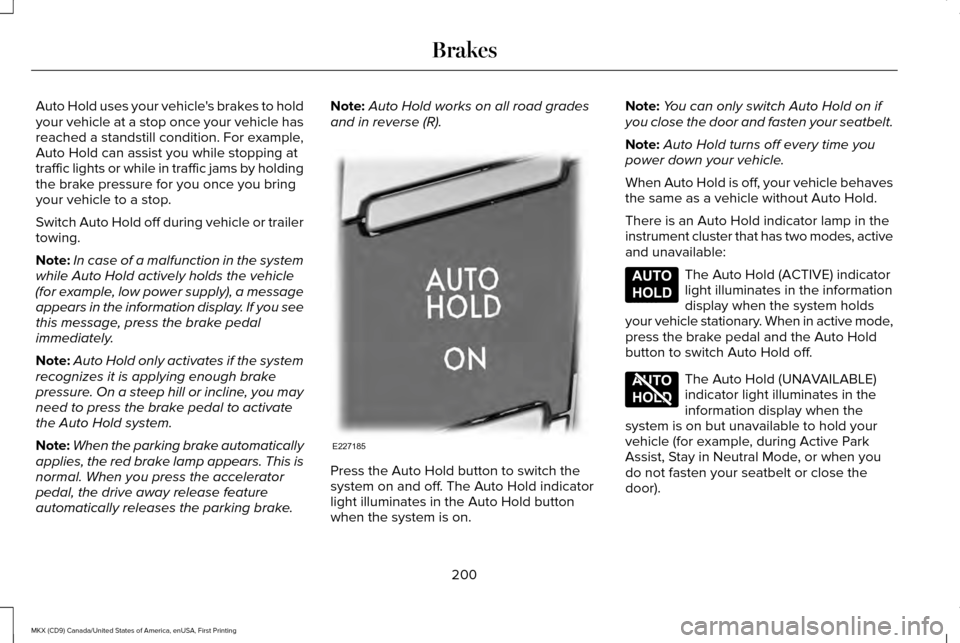
and in reverse (R). Press the Auto Hold button to switch the
system on and off. The Auto Hold indicator
light illuminates in the Auto Hold button
when the system is on.Note:
You can only switch Auto Hold on if
you close the door and fasten your seatbelt.
Note: Auto Hold turns off every time you
power down your vehicle.
When Auto Hold is off, your vehicle behaves
the same as a vehicle without Auto Hold.
There is an Auto Hold indicator lamp in the
instrument cluster that has two modes, active
and unavailable: The Auto Hold (ACTIVE) indicator
light illuminates in the information
display when the system holds
your vehicle stationary. When in active mode,
press the brake pedal and the Auto Hold
button to switch Auto Hold off. The Auto Hold (UNAVAILABLE)
indicator light illuminates in the
information display when the
system is on but unavailable to hold your
vehicle (for example, during Active Park
Assist, Stay in Neutral Mode, or when you
do not fasten your seatbelt or close the
door).
200
MKX (CD9) Canada/United States of America, enUSA, First Printing BrakesE227185 E197933 E197934
Page 205 of 587
PRINCIPLE OF OPERATION
The traction control system helps avoid drive
wheel spin and loss of traction.
If your vehicle begins to slide, the system
applies the brakes to individual wheels and,
when needed, reduces engine power at the
same time. If the wheels spin when
accelerating on slippery or loose surfaces,
the system reduces engine power in order
to increase traction.
USING TRACTION CONTROL WARNING
The stability and traction control light
illuminates steadily if the system
detects a failure. Make sure you did not
manually disable the traction control system
using the information display controls or the
switch. If the stability control and traction
control light is still illuminating steadily, have
the system serviced by an authorized dealer
immediately. Operating your vehicle with the
traction control disabled could lead to an
increased risk of loss of vehicle control,
vehicle rollover, personal injury and death. The system automatically turns on each time
you switch the ignition on.
If your vehicle is stuck in mud or snow,
switching traction control off may be
beneficial as this allows the wheels to spin.
Note:
When you switch traction control off,
stability control remains fully active. Switching the System Off
When you switch the system off or on, a
message appears in the information display
showing system status.
You can switch the system off by either using
the information display controls or the switch.
Using the Information Display Controls
You can switch this feature off or on in the
information display. See General Information
(page 114).
Using a Switch
(If Equipped)
Use the traction control switch on the
instrument panel to switch the system off or
on.
System Indicator Lights and Messages The stability and traction control
light:
202
MKX (CD9) Canada/United States of America, enUSA, First Printing Traction ControlE138639
Page 243 of 587
BLIND SPOT INFORMATION
SYSTEM (If Equipped)
WARNING
To help avoid injuries, NEVER use the
Blind Spot Information System as a
replacement for using the interior and
exterior mirrors or looking over your shoulder
before changing lanes. The Blind Spot
Information System is not a replacement for
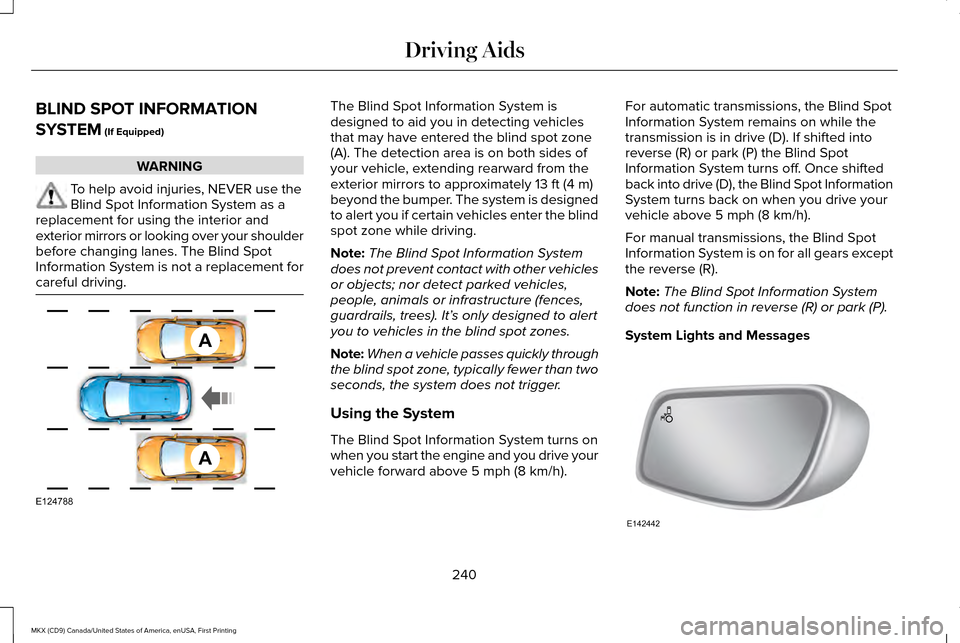
careful driving. The Blind Spot Information System is
designed to aid you in detecting vehicles
that may have entered the blind spot zone
(A). The detection area is on both sides of
your vehicle, extending rearward from the
exterior mirrors to approximately
13 ft (4 m)
beyond the bumper. The system is designed
to alert you if certain vehicles enter the blind
spot zone while driving.
Note: The Blind Spot Information System
does not prevent contact with other vehicles
or objects; nor detect parked vehicles,
people, animals or infrastructure (fences,
guardrails, trees). It’ s only designed to alert
you to vehicles in the blind spot zones.
Note: When a vehicle passes quickly through
the blind spot zone, typically fewer than two
seconds, the system does not trigger.
Using the System
The Blind Spot Information System turns on
when you start the engine and you drive your
vehicle forward above
5 mph (8 km/h). For automatic transmissions, the Blind Spot
Information System remains on while the
transmission is in drive (D). If shifted into
reverse (R) or park (P) the Blind Spot
Information System turns off. Once shifted
back into drive (D), the Blind Spot Information
System turns back on when you drive your
vehicle above
5 mph (8 km/h).
For manual transmissions, the Blind Spot
Information System is on for all gears except
the reverse (R).
Note: The Blind Spot Information System
does not function in reverse (R) or park (P).
System Lights and Messages 240
MKX (CD9) Canada/United States of America, enUSA, First Printing Driving AidsA
A
E124788 E142442
Page 248 of 587
System Lights, Messages and Audible
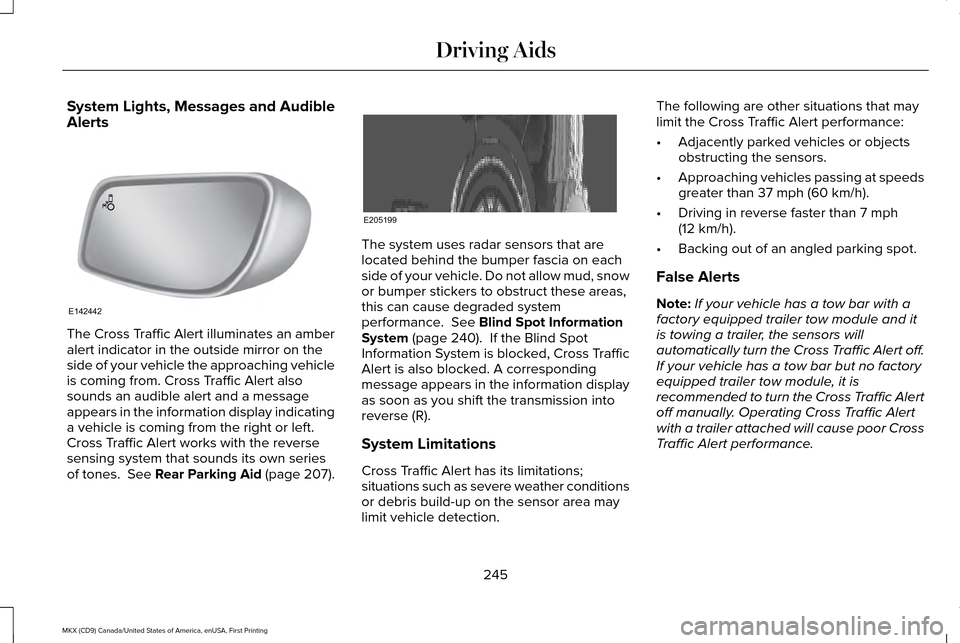
Alerts
The Cross Traffic Alert illuminates an amber
alert indicator in the outside mirror on the
side of your vehicle the approaching vehicle
is coming from. Cross Traffic Alert also
sounds an audible alert and a message
appears in the information display indicating
a vehicle is coming from the right or left.
Cross Traffic Alert works with the reverse
sensing system that sounds its own series
of tones. See Rear Parking Aid (page 207). The system uses radar sensors that are
located behind the bumper fascia on each
side of your vehicle. Do not allow mud, snow
or bumper stickers to obstruct these areas,
this can cause degraded system
performance.
See Blind Spot Information
System (page 240). If the Blind Spot
Information System is blocked, Cross Traffic
Alert is also blocked. A corresponding
message appears in the information display
as soon as you shift the transmission into
reverse (R).
System Limitations
Cross Traffic Alert has its limitations;
situations such as severe weather conditions
or debris build-up on the sensor area may
limit vehicle detection. The following are other situations that may
limit the Cross Traffic Alert performance:
•
Adjacently parked vehicles or objects
obstructing the sensors.
• Approaching vehicles passing at speeds
greater than
37 mph (60 km/h).
• Driving in reverse faster than
7 mph
(12 km/h).
• Backing out of an angled parking spot.
False Alerts
Note: If your vehicle has a tow bar with a
factory equipped trailer tow module and it
is towing a trailer, the sensors will
automatically turn the Cross Traffic Alert off.
If your vehicle has a tow bar but no factory
equipped trailer tow module, it is
recommended to turn the Cross Traffic Alert
off manually. Operating Cross Traffic Alert
with a trailer attached will cause poor Cross
Traffic Alert performance.
245
MKX (CD9) Canada/United States of America, enUSA, First Printing Driving AidsE142442 E205199
Page 251 of 587
WARNINGS
The system does not detect cyclists,
animals, pedestrians at night or
vehicles that are driving in a different
direction. Failure to take care may result in
the loss of control of your vehicle, serious
personal injury or death. The system does not operate during
hard acceleration or steering. Failure
to take care may lead to a crash or personal
injury. The system may fail or operate with
reduced function during cold and
severe weather conditions. Snow, ice, rain,
spray and fog can adversely affect the
system. Keep the front camera and radar free
of snow and ice. Failure to take care may
result in the loss of control of your vehicle,
serious personal injury or death. In situations where the vehicle camera
has limited detection capability, this
may reduce system performance. These
situations include but are not limited to direct
or low sunlight, vehicles at night without tail
lights, unconventional vehicle types, WARNINGS
pedestrians with complex backgrounds,
running pedestrians, partly obscured
pedestrians, or pedestrians that the system
cannot distinguish from a group. Failure to
take care may result in the loss of control of
your vehicle, serious personal injury or death. The Pre-Collision Assist system with
brake support cannot help prevent all
collisions. Do not rely on this system to
replace your judgment and the need to
maintain correct distance and speed. Using the Pre-Collision Assist System
The Pre-Collision Assist system is active at
speeds above approximately 3 mph (5 km/h)
and pedestrian detection is active at speeds
up to 50 mph (80 km/h). If your vehicle is rapidly approaching another
stationary vehicle, a vehicle traveling in the
same direction as yours, or a pedestrian
within your driving path, the system is
designed to provide three levels of
functionality:
1. Alert
2. Brake Support
3. Active Braking
Alert
: When activated, a red warning light
flashes, an audible warning chime sounds
and a warning message shows in the
information display.
248
MKX (CD9) Canada/United States of America, enUSA, First Printing Driving AidsE156130 E156131