lock LINCOLN MKX 2018 Owners Manual
[x] Cancel search | Manufacturer: LINCOLN, Model Year: 2018, Model line: MKX, Model: LINCOLN MKX 2018Pages: 603, PDF Size: 4.94 MB
Page 326 of 603
3.Rotate the air filter assembly slightly in acounterclockwise direction.
4. Check the fluid level. See Checking theTransmission Fluid Level.
5. Install in reverse order. Tighten the twoair filter assembly securing bolts until youfeel a strong resistance.
BRAKE FLUID CHECK
WARNINGS
Do not use any fluid other than therecommended brake fluid as this willreduce brake efficiency. Use of incorrect fluidcould result in the loss of vehicle control,serious personal injury or death.
Only use brake fluid from a sealedcontainer. Contamination with dirt,water, petroleum products or other materialsmay result in brake system damage or failure.Failure to adhere to this warning could resultin the loss of vehicle control, seriouspersonal injury or death.
WARNINGS
Do not allow the fluid to touch yourskin or eyes. If this happens, rinse theaffected areas immediately with plenty ofwater and contact your physician.
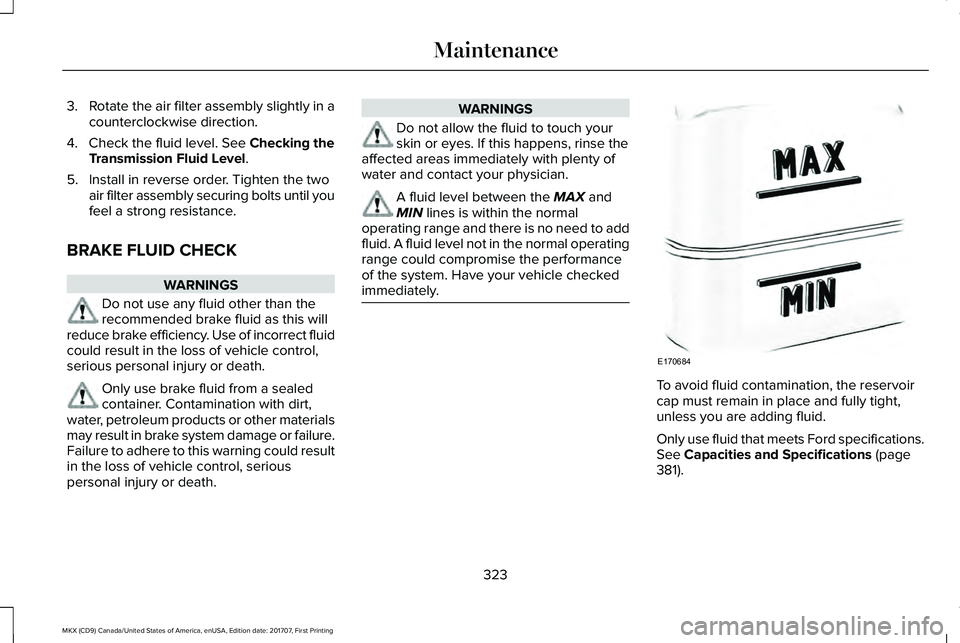
A fluid level between the MAX andMIN lines is within the normaloperating range and there is no need to addfluid. A fluid level not in the normal operatingrange could compromise the performanceof the system. Have your vehicle checkedimmediately.
To avoid fluid contamination, the reservoircap must remain in place and fully tight,unless you are adding fluid.
Only use fluid that meets Ford specifications.See Capacities and Specifications (page381).
323
MKX (CD9) Canada/United States of America, enUSA, Edition date: 201707, First Printing
MaintenanceE170684
Page 328 of 603
Note:If your vehicle has a battery cover,after cleaning or replacing the battery, makesure you reinstall it.
Note:See an authorized dealer for batteryaccess, testing, or replacement.
To make sure the battery managementsystem works correctly, do not connect anelectrical device ground connection directlyto the battery negative post. This can causeinaccurate measurements of the batterycondition and potential incorrect systemoperation.
Note:If you add electrical accessories orcomponents to the vehicle, it may adverselyaffect battery performance and durability.This may also affect the performance ofother electrical systems in the vehicle.
If you see any corrosion on the battery orterminals, remove the cables from theterminals and clean with a wire brush. Youcan neutralize the acid with a solution ofbaking soda and water.
Because your vehicle’s engine iselectronically-controlled by a computer,some engine control settings are maintainedby power from the battery. Some enginecomputer settings, like the idle trim and fueltrim strategy, optimize the driveability andperformance of the engine. The clock andradio station presets are also maintained inmemory by power from the low-voltagebattery. These settings are erased when atechnician disconnects and connects thelow-voltage battery.
To restore the settings, do the following:
Note:Until you switch the ignition to the onposition, you will receive a message in yourinformation display stating that your vehicleis not in park.
1. Apply the parking brake.
2. Shift into park (P) or neutral (N).
3. Switch off all accessories.
4. Press the brake pedal and start yourvehicle.
5. Run the engine until it reaches normaloperating temperature. While the engineis warming up, complete the following:Reset the clock. See Audio Unit (page402). Reset the power windowsbounce-back feature. See PowerWindows (page 104). Reset the radiostation presets. See Audio Unit (page402).
6. Allow the engine to idle for at least oneminute.
7.Drive the vehicle at least 10 mi (16 km) tocompletely relearn the idle trim and fueltrim strategy.
Note:If you do not allow the engine torelearn the idle and fuel trim strategy, theidle quality of your vehicle may be adverselyaffected until the engine computereventually relearns the idle trim and fuel trimstrategy.
Note:Certain features may not operate ifthe battery monitor system is not reset witha scan tool following a jump start or batteryreplacement. Normal electrical accessoryoperation should resume after your vehicleis left undisturbed for 8 hours.
325
MKX (CD9) Canada/United States of America, enUSA, Edition date: 201707, First Printing
Maintenance
Page 329 of 603
Make sure that you dispose of old batteriesin an environmentally friendly way. Seekadvice from your local authority aboutrecycling old batteries.
If storing your vehicle for more than 30 dayswithout recharging the battery, werecommend that you disconnect the batterycables to maintain battery charge for quickstarting.
CHECKING THE WIPER BLADES
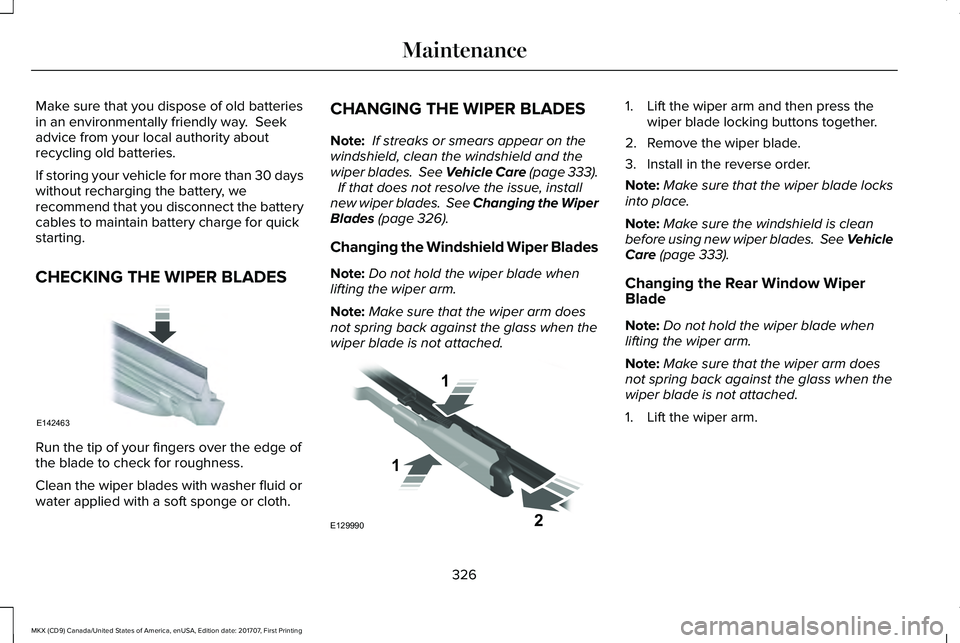
Run the tip of your fingers over the edge ofthe blade to check for roughness.
Clean the wiper blades with washer fluid orwater applied with a soft sponge or cloth.
CHANGING THE WIPER BLADES
Note: If streaks or smears appear on thewindshield, clean the windshield and thewiper blades. See Vehicle Care (page 333). If that does not resolve the issue, installnew wiper blades. See Changing the WiperBlades (page 326).
Changing the Windshield Wiper Blades
Note:Do not hold the wiper blade whenlifting the wiper arm.
Note:Make sure that the wiper arm doesnot spring back against the glass when thewiper blade is not attached.
1. Lift the wiper arm and then press thewiper blade locking buttons together.
2. Remove the wiper blade.
3. Install in the reverse order.
Note:Make sure that the wiper blade locksinto place.
Note:Make sure the windshield is cleanbefore using new wiper blades. See VehicleCare (page 333).
Changing the Rear Window WiperBlade
Note:Do not hold the wiper blade whenlifting the wiper arm.
Note:Make sure that the wiper arm doesnot spring back against the glass when thewiper blade is not attached.
1. Lift the wiper arm.
326
MKX (CD9) Canada/United States of America, enUSA, Edition date: 201707, First Printing
MaintenanceE142463 E129990
1
1 2
Page 330 of 603
2. Remove the wiper blade.
3. Install in the reverse order.
Note:Make sure that the wiper blade locksinto place.
Note:Make sure the rear window is cleanbefore using a new wiper blade. SeeVehicle Care (page 333).
ADJUSTING THE HEADLAMPS
Vertical Aim Adjustment
The headlamps on your vehicle are properlyaimed at the assembly plant. If your vehiclehas been involved in a crash, have the aimof the headlamp beam checked by anauthorized dealer.
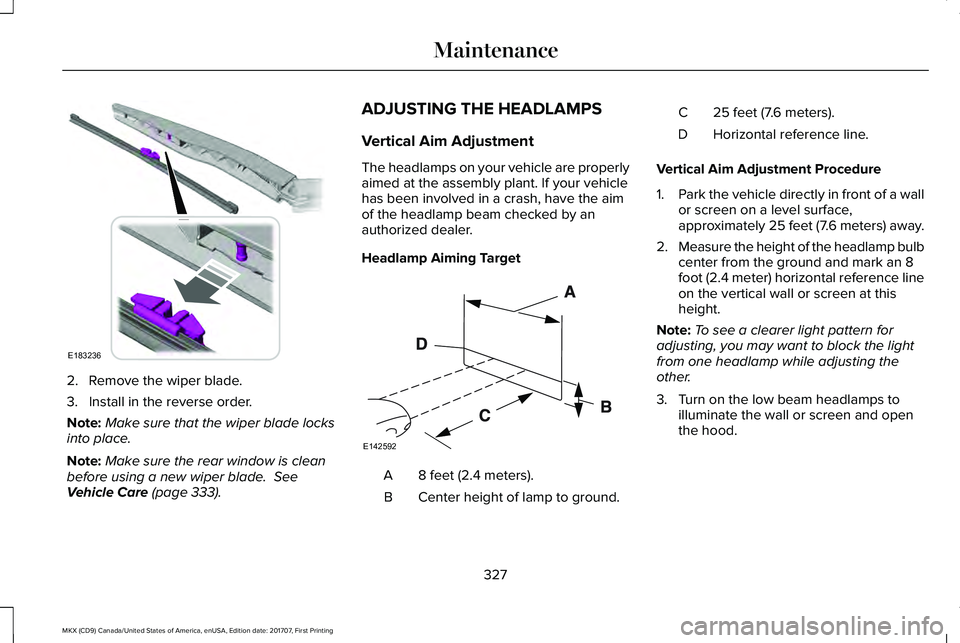
Headlamp Aiming Target
8 feet (2.4 meters).A
Center height of lamp to ground.B
25 feet (7.6 meters).C
Horizontal reference line.D
Vertical Aim Adjustment Procedure
1.Park the vehicle directly in front of a wallor screen on a level surface,approximately 25 feet (7.6 meters) away.
2.Measure the height of the headlamp bulbcenter from the ground and mark an 8foot (2.4 meter) horizontal reference lineon the vertical wall or screen at thisheight.
Note:To see a clearer light pattern foradjusting, you may want to block the lightfrom one headlamp while adjusting theother.
3. Turn on the low beam headlamps toilluminate the wall or screen and openthe hood.
327
MKX (CD9) Canada/United States of America, enUSA, Edition date: 201707, First Printing
MaintenanceE183236 E142592
Page 331 of 603
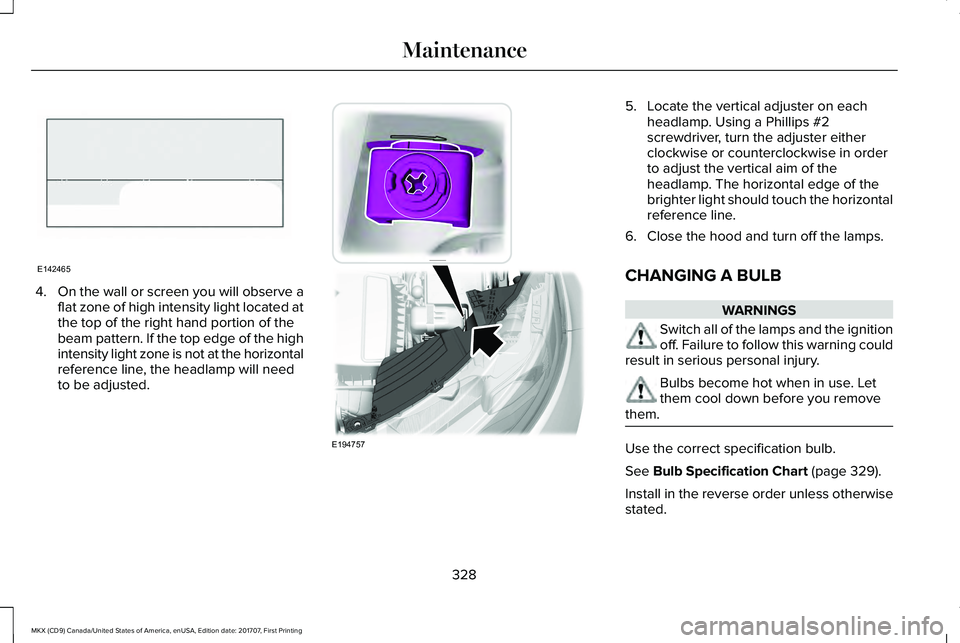
4.On the wall or screen you will observe aflat zone of high intensity light located atthe top of the right hand portion of thebeam pattern. If the top edge of the highintensity light zone is not at the horizontalreference line, the headlamp will needto be adjusted.
5. Locate the vertical adjuster on eachheadlamp. Using a Phillips #2screwdriver, turn the adjuster eitherclockwise or counterclockwise in orderto adjust the vertical aim of theheadlamp. The horizontal edge of thebrighter light should touch the horizontalreference line.
6. Close the hood and turn off the lamps.
CHANGING A BULB
WARNINGS
Switch all of the lamps and the ignitionoff. Failure to follow this warning couldresult in serious personal injury.
Bulbs become hot when in use. Letthem cool down before you removethem.
Use the correct specification bulb.
See Bulb Specification Chart (page 329).
Install in the reverse order unless otherwisestated.
328
MKX (CD9) Canada/United States of America, enUSA, Edition date: 201707, First Printing
MaintenanceE142465 E194757
Page 332 of 603
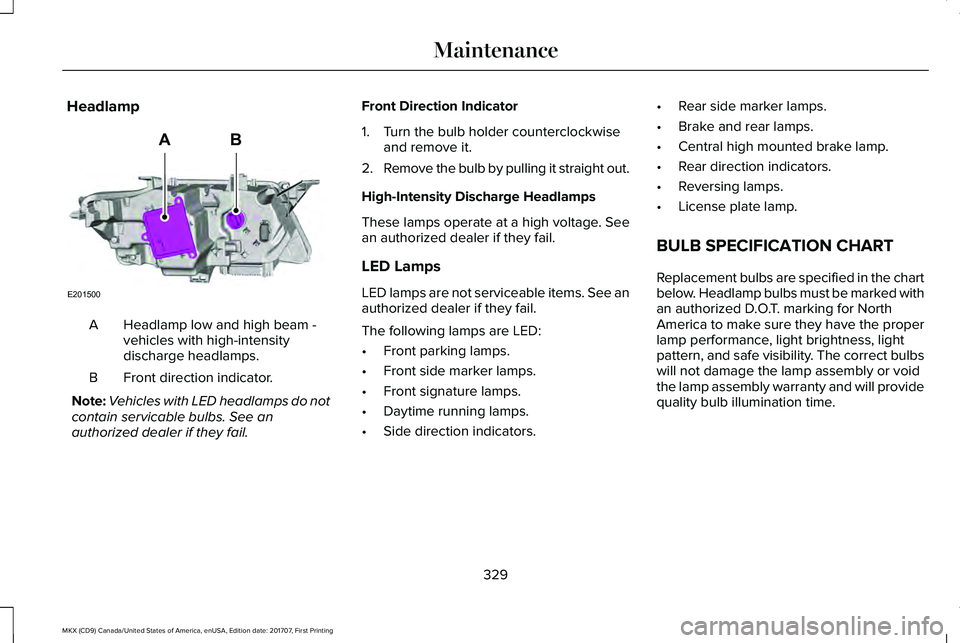
Headlamp
Headlamp low and high beam -vehicles with high-intensitydischarge headlamps.
A
Front direction indicator.B
Note:Vehicles with LED headlamps do notcontain servicable bulbs. See anauthorized dealer if they fail.
Front Direction Indicator
1. Turn the bulb holder counterclockwiseand remove it.
2.Remove the bulb by pulling it straight out.
High-Intensity Discharge Headlamps
These lamps operate at a high voltage. Seean authorized dealer if they fail.
LED Lamps
LED lamps are not serviceable items. See anauthorized dealer if they fail.
The following lamps are LED:
•Front parking lamps.
•Front side marker lamps.
•Front signature lamps.
•Daytime running lamps.
•Side direction indicators.
•Rear side marker lamps.
•Brake and rear lamps.
•Central high mounted brake lamp.
•Rear direction indicators.
•Reversing lamps.
•License plate lamp.
BULB SPECIFICATION CHART
Replacement bulbs are specified in the chartbelow. Headlamp bulbs must be marked withan authorized D.O.T. marking for NorthAmerica to make sure they have the properlamp performance, light brightness, lightpattern, and safe visibility. The correct bulbswill not damage the lamp assembly or voidthe lamp assembly warranty and will providequality bulb illumination time.
329
MKX (CD9) Canada/United States of America, enUSA, Edition date: 201707, First Printing
MaintenanceE201500
AB
Page 339 of 603
When washing:
•Take care when using a power washerto clean the engine. The high-pressurefluid could penetrate the sealed partsand cause damage.
•Do not spray a hot engine with cold waterto avoid cracking the engine block orother engine components.
•Spray Motorcraft Engine Shampoo andDegreaser on all parts that requirecleaning and pressure rinse clean. InCanada, use Motorcraft Engine Shampoo.
•Never wash or rinse the engine while itis hot or running; water in the runningengine may cause internal damage.
•Never wash or rinse any ignition coil,spark plug wire or spark plug well, or thearea in and around these locations.
•Cover the battery, power distribution box,and air filter assembly to prevent waterdamage when cleaning the engine.
CLEANING THE WINDOWS AND
WIPER BLADES
Car wash chemicals and environmentalfallout can result in windshield and wiperblade contamination. Dirty windshield andwipers will result in poor windshield wiperoperation. Keep the windshield and wiperblades clean to maintain windshield wiperperformance.
To clean the windshield and wiper blades:
•Clean the windshield with a non-abrasiveglass cleaner. When cleaning the interiorof the windshield, avoid getting any glasscleaner on the instrument panel or doorpanels. Wipe any glass cleaner off thesesurfaces immediately.
•For windshields contaminated with treesap, chemicals, wax or bugs, clean theentire windshield using steel wool (nogreater than 0000 grade) in a circularmotion and rinse with water.
•Clean the wiper blades with isopropylrubbing alcohol or windshield washerconcentrate.
Note: Do not use razor blades or othersharp objects to clean or remove decals fromthe inside of the heated rear window. Thevehicle warranty does not cover damagecaused to the heated rear window grid lines.
CLEANING THE INTERIOR
WARNINGS
Do not use cleaning solvents, bleachor dye on the vehicle’s safety belts, asthese actions may weaken the belt webbing.
On vehicles equipped withseat-mounted airbags, do not usechemical solvents or strong detergents. Suchproducts could contaminate the side airbagsystem and affect performance of the sideairbag in a collision.
Note:Follow the same procedure forcleaning leather seats when cleaning leatherinterior. See Cleaning Leather Seats (page339).
336
MKX (CD9) Canada/United States of America, enUSA, Edition date: 201707, First Printing
Vehicle Care
Page 351 of 603
WARNINGS
Do not run the engine when operatingthe air compressor unless the vehicleis outdoors or in a well-ventilated area.
Preparation: Park the vehicle in a safe, leveland secure area, away from moving traffic.
Switch the hazard lights on. Apply theparking brake and switch the engine off.Inspect the flat tire for visible damage.
Sealant compound contains latex. Useappropriate precautions to avoid any allergicreactions.
Do not remove any foreign object that haspierced the tire. If a puncture is located inthe tire sidewall, stop and call roadsideassistance.
1.Remove the valve cap from the tire valve.
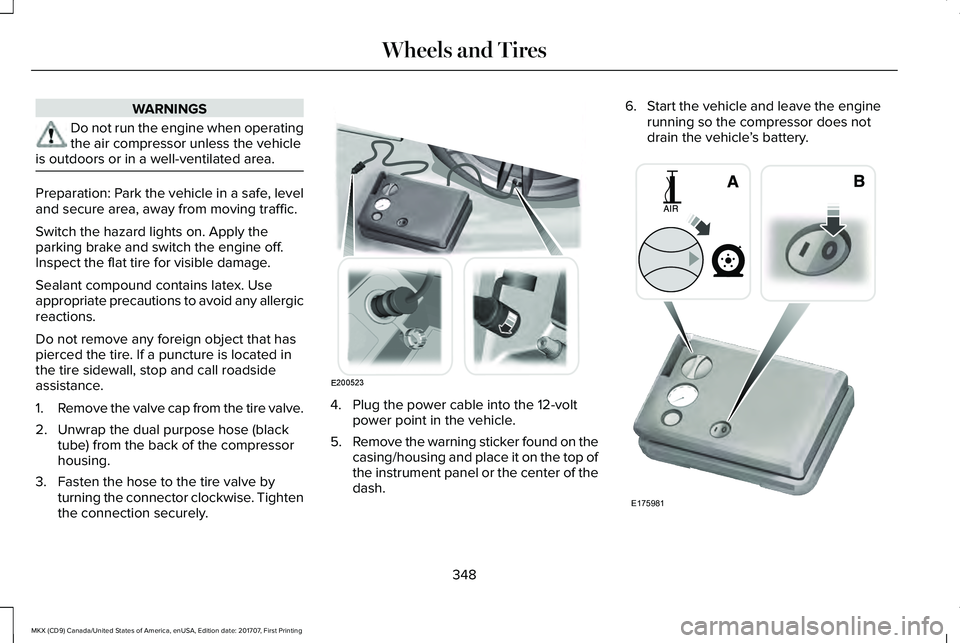
2. Unwrap the dual purpose hose (blacktube) from the back of the compressorhousing.
3. Fasten the hose to the tire valve byturning the connector clockwise. Tightenthe connection securely.
4. Plug the power cable into the 12-voltpower point in the vehicle.
5.Remove the warning sticker found on thecasing/housing and place it on the top ofthe instrument panel or the center of thedash.
6. Start the vehicle and leave the enginerunning so the compressor does notdrain the vehicle’s battery.
348
MKX (CD9) Canada/United States of America, enUSA, Edition date: 201707, First Printing
Wheels and TiresE200523 E175981
Page 352 of 603
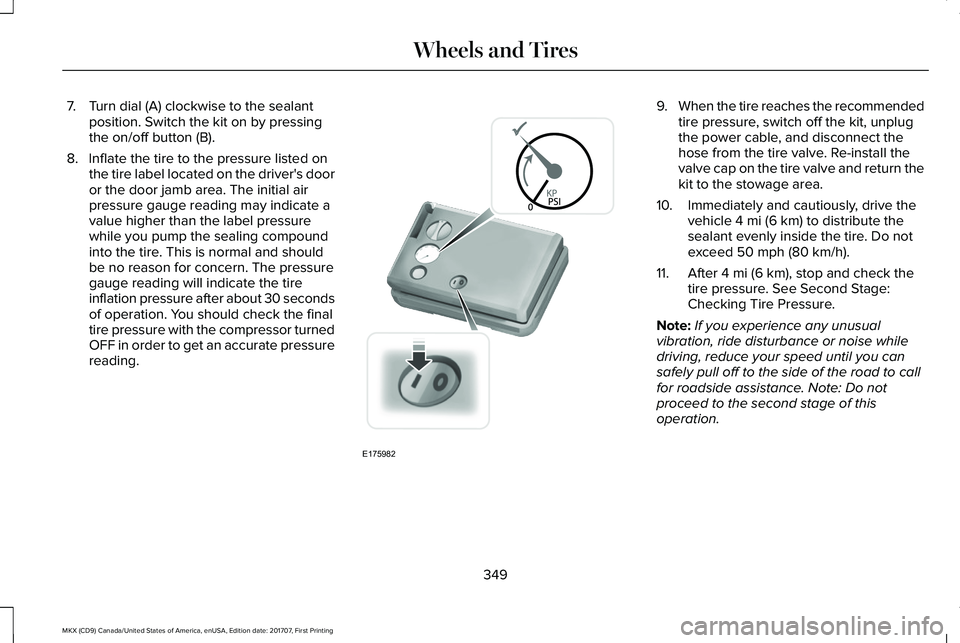
7. Turn dial (A) clockwise to the sealantposition. Switch the kit on by pressingthe on/off button (B).
8. Inflate the tire to the pressure listed onthe tire label located on the driver's dooror the door jamb area. The initial airpressure gauge reading may indicate avalue higher than the label pressurewhile you pump the sealing compoundinto the tire. This is normal and shouldbe no reason for concern. The pressuregauge reading will indicate the tireinflation pressure after about 30 secondsof operation. You should check the finaltire pressure with the compressor turnedOFF in order to get an accurate pressurereading.
9.When the tire reaches the recommendedtire pressure, switch off the kit, unplugthe power cable, and disconnect thehose from the tire valve. Re-install thevalve cap on the tire valve and return thekit to the stowage area.
10. Immediately and cautiously, drive thevehicle 4 mi (6 km) to distribute thesealant evenly inside the tire. Do notexceed 50 mph (80 km/h).
11. After 4 mi (6 km), stop and check thetire pressure. See Second Stage:Checking Tire Pressure.
Note:If you experience any unusualvibration, ride disturbance or noise whiledriving, reduce your speed until you cansafely pull off to the side of the road to callfor roadside assistance. Note: Do notproceed to the second stage of thisoperation.
349
MKX (CD9) Canada/United States of America, enUSA, Edition date: 201707, First Printing
Wheels and TiresE175982
Page 353 of 603
Second Stage: Checking Tire Pressure
Note:If you are proceeding from the FirstStage: Re-inflating the Tire with SealingCompound and Air section and have injectedsealant in the tire and the pressure is below20 psi (1.4 bar), continue to the next step.
WARNING
The power plug may get hot after useand should be handled carefully whenunplugging.
Check the air pressure of your tires asfollows:
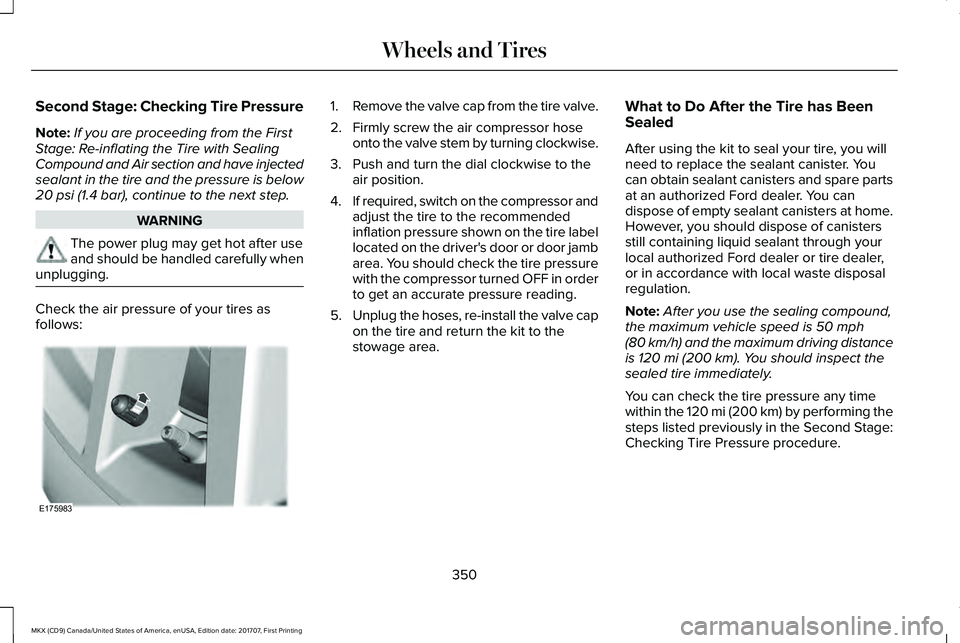
1.Remove the valve cap from the tire valve.
2. Firmly screw the air compressor hoseonto the valve stem by turning clockwise.
3. Push and turn the dial clockwise to theair position.
4.If required, switch on the compressor andadjust the tire to the recommendedinflation pressure shown on the tire labellocated on the driver's door or door jambarea. You should check the tire pressurewith the compressor turned OFF in orderto get an accurate pressure reading.
5.Unplug the hoses, re-install the valve capon the tire and return the kit to thestowage area.
What to Do After the Tire has BeenSealed
After using the kit to seal your tire, you willneed to replace the sealant canister. Youcan obtain sealant canisters and spare partsat an authorized Ford dealer. You candispose of empty sealant canisters at home.However, you should dispose of canistersstill containing liquid sealant through yourlocal authorized Ford dealer or tire dealer,or in accordance with local waste disposalregulation.
Note:After you use the sealing compound,the maximum vehicle speed is 50 mph(80 km/h) and the maximum driving distanceis 120 mi (200 km). You should inspect thesealed tire immediately.
You can check the tire pressure any timewithin the 120 mi (200 km) by performing thesteps listed previously in the Second Stage:Checking Tire Pressure procedure.
350
MKX (CD9) Canada/United States of America, enUSA, Edition date: 201707, First Printing
Wheels and TiresE175983