tow LINCOLN MKX 2018 Owner's Guide
[x] Cancel search | Manufacturer: LINCOLN, Model Year: 2018, Model line: MKX, Model: LINCOLN MKX 2018Pages: 603, PDF Size: 4.94 MB
Page 215 of 603
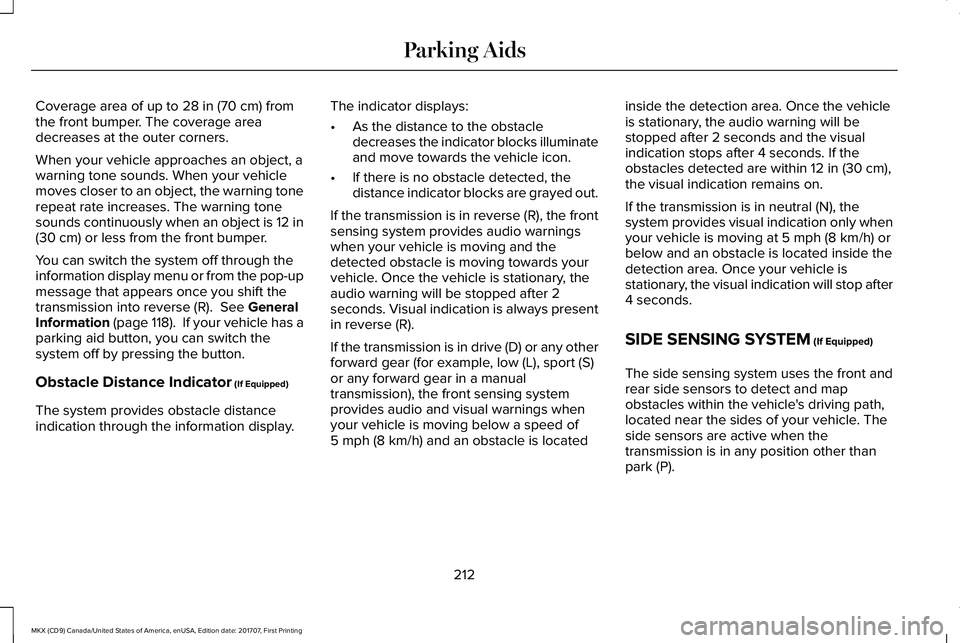
Coverage area of up to 28 in (70 cm) fromthe front bumper. The coverage areadecreases at the outer corners.
When your vehicle approaches an object, awarning tone sounds. When your vehiclemoves closer to an object, the warning tonerepeat rate increases. The warning tonesounds continuously when an object is 12 in(30 cm) or less from the front bumper.
You can switch the system off through theinformation display menu or from the pop-upmessage that appears once you shift thetransmission into reverse (R). See GeneralInformation (page 118). If your vehicle has aparking aid button, you can switch thesystem off by pressing the button.
Obstacle Distance Indicator (If Equipped)
The system provides obstacle distanceindication through the information display.
The indicator displays:
•As the distance to the obstacledecreases the indicator blocks illuminateand move towards the vehicle icon.
•If there is no obstacle detected, thedistance indicator blocks are grayed out.
If the transmission is in reverse (R), the frontsensing system provides audio warningswhen your vehicle is moving and thedetected obstacle is moving towards yourvehicle. Once the vehicle is stationary, theaudio warning will be stopped after 2seconds. Visual indication is always presentin reverse (R).
If the transmission is in drive (D) or any otherforward gear (for example, low (L), sport (S)or any forward gear in a manualtransmission), the front sensing systemprovides audio and visual warnings whenyour vehicle is moving below a speed of5 mph (8 km/h) and an obstacle is located
inside the detection area. Once the vehicleis stationary, the audio warning will bestopped after 2 seconds and the visualindication stops after 4 seconds. If theobstacles detected are within 12 in (30 cm),the visual indication remains on.
If the transmission is in neutral (N), thesystem provides visual indication only whenyour vehicle is moving at 5 mph (8 km/h) orbelow and an obstacle is located inside thedetection area. Once your vehicle isstationary, the visual indication will stop after4 seconds.
SIDE SENSING SYSTEM (If Equipped)
The side sensing system uses the front andrear side sensors to detect and mapobstacles within the vehicle's driving path,located near the sides of your vehicle. Theside sensors are active when thetransmission is in any position other thanpark (P).
212
MKX (CD9) Canada/United States of America, enUSA, Edition date: 201707, First Printing
Parking Aids
Page 216 of 603
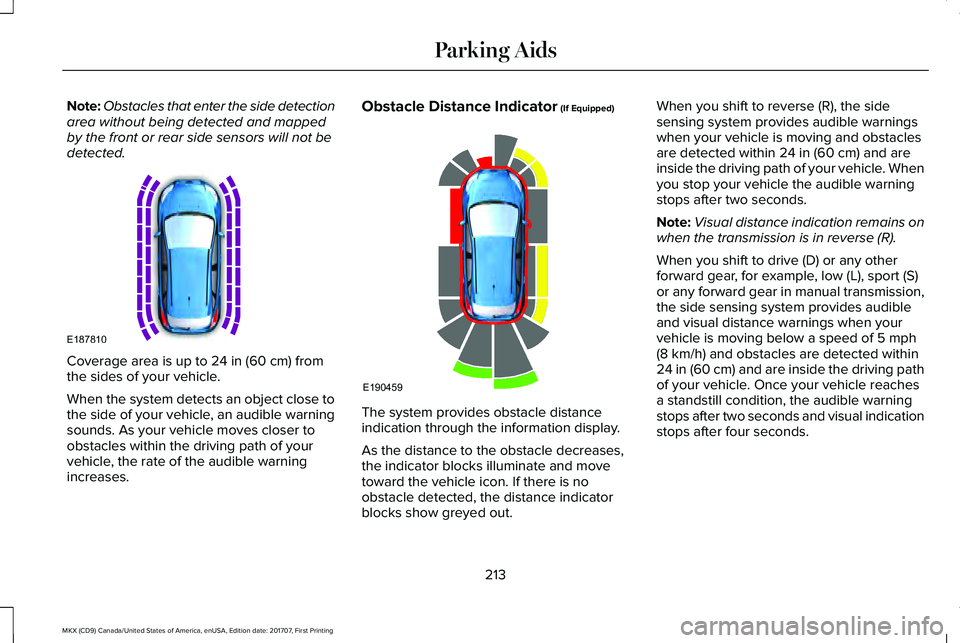
Note:Obstacles that enter the side detectionarea without being detected and mappedby the front or rear side sensors will not bedetected.
Coverage area is up to 24 in (60 cm) fromthe sides of your vehicle.
When the system detects an object close tothe side of your vehicle, an audible warningsounds. As your vehicle moves closer toobstacles within the driving path of yourvehicle, the rate of the audible warningincreases.
Obstacle Distance Indicator (If Equipped)
The system provides obstacle distanceindication through the information display.
As the distance to the obstacle decreases,the indicator blocks illuminate and movetoward the vehicle icon. If there is noobstacle detected, the distance indicatorblocks show greyed out.
When you shift to reverse (R), the sidesensing system provides audible warningswhen your vehicle is moving and obstaclesare detected within 24 in (60 cm) and areinside the driving path of your vehicle. Whenyou stop your vehicle the audible warningstops after two seconds.
Note:Visual distance indication remains onwhen the transmission is in reverse (R).
When you shift to drive (D) or any otherforward gear, for example, low (L), sport (S)or any forward gear in manual transmission,the side sensing system provides audibleand visual distance warnings when yourvehicle is moving below a speed of 5 mph(8 km/h) and obstacles are detected within24 in (60 cm) and are inside the driving pathof your vehicle. Once your vehicle reachesa standstill condition, the audible warningstops after two seconds and visual indicationstops after four seconds.
213
MKX (CD9) Canada/United States of America, enUSA, Edition date: 201707, First Printing
Parking AidsE187810 E190459
Page 218 of 603
Parallel Park Out Assist automatically steersyour vehicle out of a parallel parking space(hands-free) while you control theaccelerator, gearshift and brakes. The systemvisually and audibly guides you to entertraffic.
The system may not correctly operate in anyof the following conditions:
•You use a spare tire or a tire significantlyworn more than the other tires.
•One or more tires are improperly inflated.
•You try to park on a tight curve.
•Something passes between the frontbumper and the parking space. Forexample, a pedestrian or cyclist.
•The edge of the neighboring parkedvehicle is high off the ground. Forexample, a bus, tow truck or flatbedtruck.
•The weather conditions are poor. Forexample, during heavy rain, snow or fog.
Note: Keep the sensors on the bumper orfascia free from snow, ice and largeaccumulations of dirt. Covered sensors canaffect the system's accuracy. Do not cleanthe sensors with sharp objects.
Note:The sensors may not detect objectswith surfaces that absorb ultrasonic wavesor cause ultrasonic interference. Forexample, motorcycle exhaust, truck airbrakes or horns.
Note:Following a change in tire size, thesystem must recalibrate and operation maybe impaired for a short time.
Do not use the system if:
•You have attached a foreign object closeto the sensors on the front or rear of yourvehicle. For example, a bike rack ortrailer.
•You attach an overhanging object to theroof. For example, a surfboard.
•A foreign object damages or obstructsthe front or rear bumper or side sensors.
•The correct tire size is not in use on yourvehicle. For example, a mini-spare tire.
Using Active Park Assist - Parallel Parking
Press the Active Park Assist buttononce to search for a parallelparking space.
When driving at a speed less than 22 mph(35 km/h), the system automatically scansboth sides of your vehicle for an availableparking space. The system displays amessage and a corresponding graphic toindicate it is searching for a parking space.Use the direction indicator to selectsearching either to the left-hand side orright-hand side of your vehicle.
Note:If the direction indicators are not used,the system defaults to the passenger sideof your vehicle.
215
MKX (CD9) Canada/United States of America, enUSA, Edition date: 201707, First Printing
Parking AidsE146186
Page 227 of 603
Note:When towing, the camera only seeswhat you are towing. This might not provideadequate coverage as it usually provides innormal operation and some objects mightnot be seen. In some vehicles, the guidelinesmay disappear when you connect the trailertow connector.
The camera may not operate correctly underthe following conditions:
•Nighttime or dark areas if one or bothreverse lamps are not operating.
•Mud, water or debris obstructs thecamera's view. Clean the lens with a soft,lint-free cloth and non-abrasive cleaner.
•The rear of your vehicle is hit ordamaged, causing the camera to becomemisaligned.
Camera System Settings
You can access the rear view camera systemsettings through the display screen. SeeGeneral Information (page 118).
Camera Guidelines
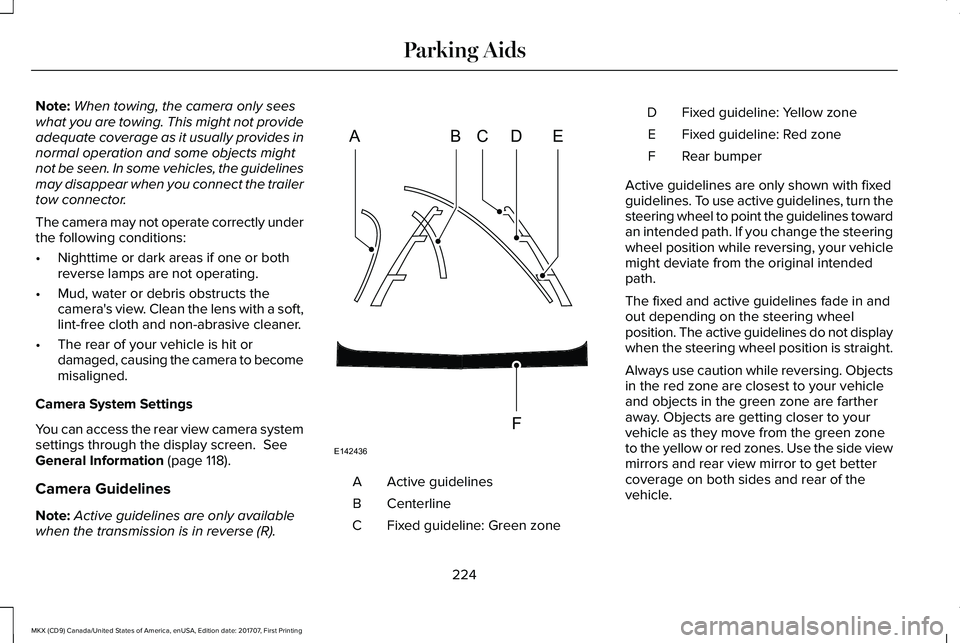
Note:Active guidelines are only availablewhen the transmission is in reverse (R).
Active guidelinesA
CenterlineB
Fixed guideline: Green zoneC
Fixed guideline: Yellow zoneD
Fixed guideline: Red zoneE
Rear bumperF
Active guidelines are only shown with fixedguidelines. To use active guidelines, turn thesteering wheel to point the guidelines towardan intended path. If you change the steeringwheel position while reversing, your vehiclemight deviate from the original intendedpath.
The fixed and active guidelines fade in andout depending on the steering wheelposition. The active guidelines do not displaywhen the steering wheel position is straight.
Always use caution while reversing. Objectsin the red zone are closest to your vehicleand objects in the green zone are fartheraway. Objects are getting closer to yourvehicle as they move from the green zoneto the yellow or red zones. Use the side viewmirrors and rear view mirror to get bettercoverage on both sides and rear of thevehicle.
224
MKX (CD9) Canada/United States of America, enUSA, Edition date: 201707, First Printing
Parking AidsABCD
F
E
E142436
Page 233 of 603
Switching Cruise Control Off
Note:You erase the set speed when youswitch the system off.
Press OFF when the system is in stand bymode, or switch the ignition off.
USING ADAPTIVE CRUISE
CONTROL (If Equipped)
WARNINGS
Always pay close attention to changingroad conditions when using adaptivecruise control. The system does not replaceattentive driving. Failing to pay attention tothe road may result in a crash, serious injuryor death.
Do not use the adaptive cruise controlwhen entering or leaving a highway,on roads with intersections or roundaboutsor non-vehicular traffic or roads that arewinding, slippery, unpaved, or steep slopes.
Do not use the system in poor visibility,for example fog, heavy rain, spray orsnow.
WARNINGS
Do not use the system when towing atrailer with aftermarket trailer brakecontrols. Aftermarket trailer brakes will notfunction properly when you switch thesystem on because the brakes areelectronically controlled. Failing to do so mayresult in loss of vehicle control, which couldresult in serious injury.
Do not use tire sizes other than thoserecommended because this can affectthe normal operation of the system. Failureto do so may result in a loss of vehiclecontrol, which could result in serious injury.
Adaptive cruise control may not detectstationary or slow moving vehiclesbelow 6 mph (10 km/h).
Adaptive cruise control does not detectpedestrians or objects in the road.
Adaptive cruise control does not detectoncoming vehicles in the same lane.
Adaptive cruise control is not a crashwarning or avoidance system.
Note:It is your responsibility to stay alert,drive safely and be in control of the vehicleat all times.
The system adjusts your vehicle speed tomaintain the set gap between you and thevehicle in front of you in the same lane. Youcan select four gap settings.
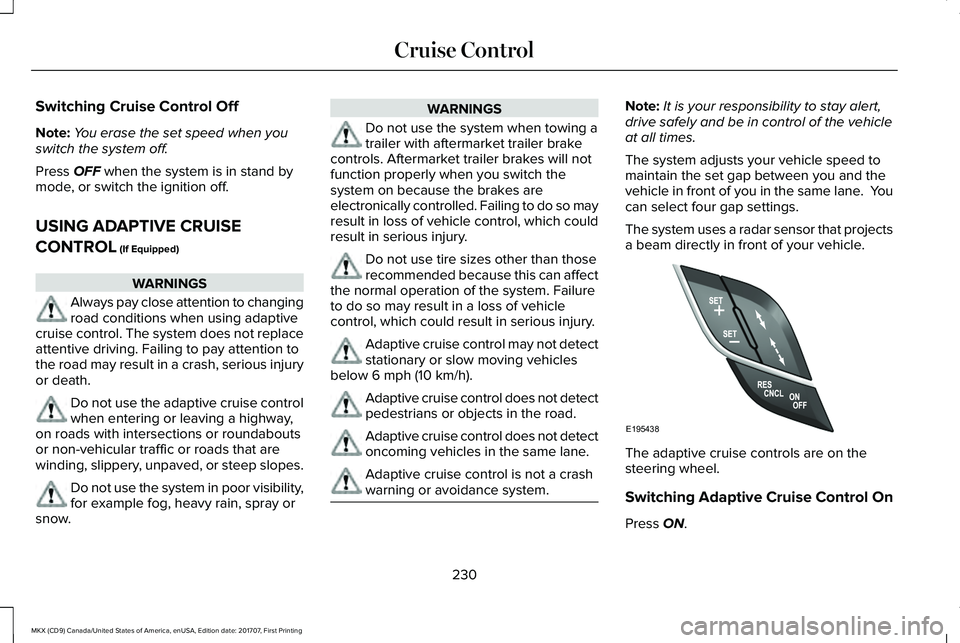
The system uses a radar sensor that projectsa beam directly in front of your vehicle.
The adaptive cruise controls are on thesteering wheel.
Switching Adaptive Cruise Control On
Press ON.
230
MKX (CD9) Canada/United States of America, enUSA, Edition date: 201707, First Printing
Cruise ControlE195438
Page 240 of 603
DRIVER ALERT (If Equipped)
PRINCIPLE OF OPERATION
WARNINGS
The system is designed to aid thedriver. It is not intended to replace yourattention and judgment. You are stillresponsible to drive with due care andattention.
At all times, you are responsible forcontrolling your vehicle, supervisingthe system and intervening, if required.Failure to take care may result in the loss ofcontrol of your vehicle, serious personalinjury or death.
The system may not function if thesensor is blocked.
Take regular rest breaks if you feeltired. Do not wait for the system towarn you.
Certain driving styles may result in thesystem warning you even if you are notfeeling tired.
WARNINGS
In cold and severe weather conditionsthe system may not function. Rain,snow and spray can all limit sensorperformance.
The system will not operate if thesensor cannot track the road lanemarkings.
If damage occurs in the immediate areasurrounding the sensor, have yourvehicle checked as soon as possible.
Note:The system may not operate correctlyif you modify the ride height.
Note:Keep the windshield free fromobstructions. For example, bird droppings,insects and snow or ice.
Note:If the camera is blocked or if thewindshield is damaged, the system may notfunction.
Note:If enabled in the menu, the systemactivates at speeds above 40 mph (64 km/h).When below the activation speed, theinformation display informs the driver thatthe system is unavailable.
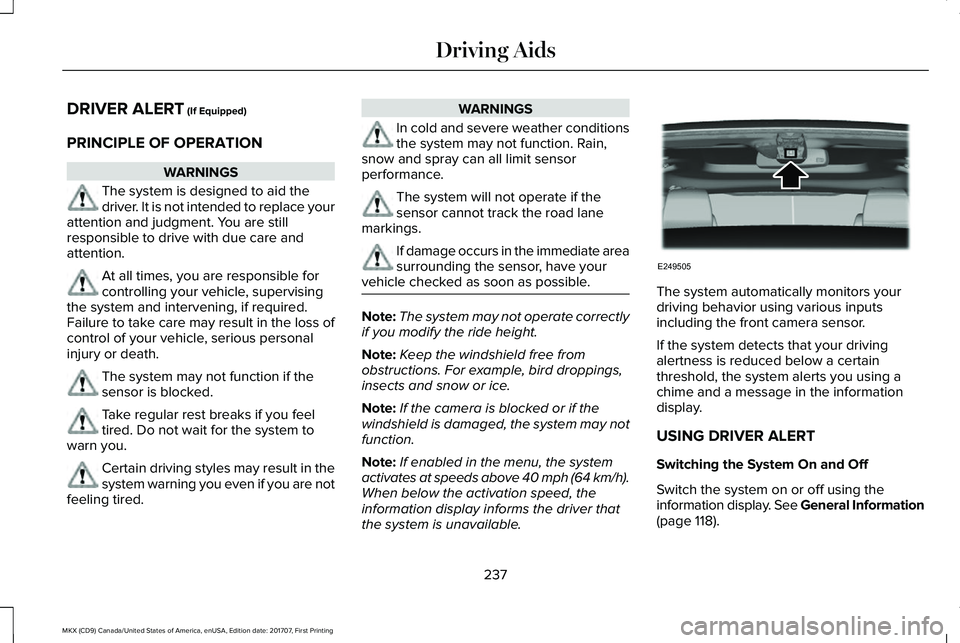
The system automatically monitors yourdriving behavior using various inputsincluding the front camera sensor.
If the system detects that your drivingalertness is reduced below a certainthreshold, the system alerts you using achime and a message in the informationdisplay.
USING DRIVER ALERT
Switching the System On and Off
Switch the system on or off using theinformation display. See General Information(page 118).
237
MKX (CD9) Canada/United States of America, enUSA, Edition date: 201707, First Printing
Driving AidsE249505
Page 243 of 603
Note:If a MyKey is detected, pressing thebutton will not affect the on or off status ofthe system.
Press the button on the steeringwheel stalk to switch the systemon or off.
System Settings
The system has optional setting menusavailable. The system stores the last-knownselection for each of these settings. You donot need to readjust your settings each timeyou turn on the system.
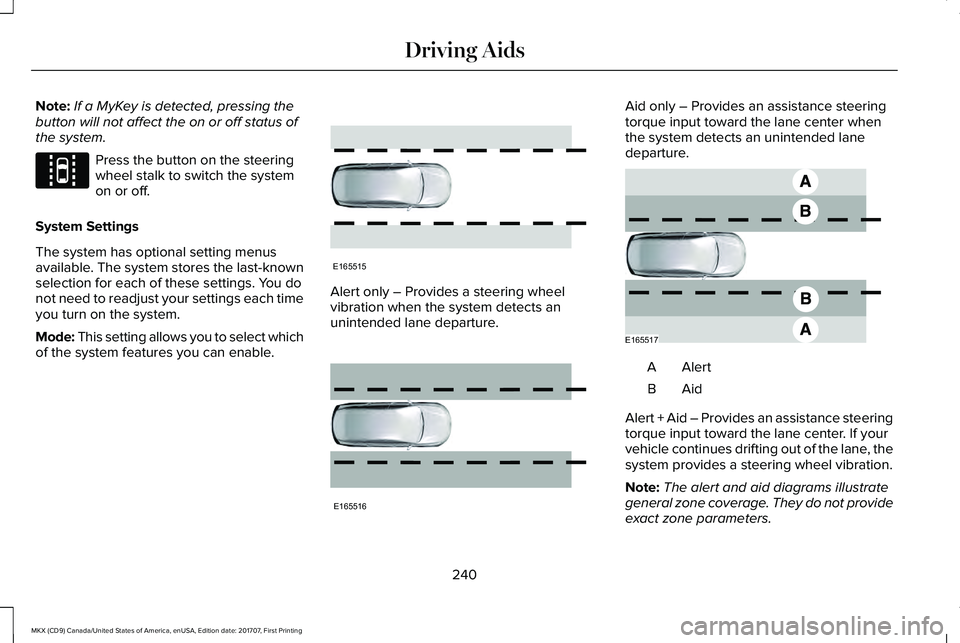
Mode: This setting allows you to select whichof the system features you can enable.
Alert only – Provides a steering wheelvibration when the system detects anunintended lane departure.
Aid only – Provides an assistance steeringtorque input toward the lane center whenthe system detects an unintended lanedeparture.
AlertA
AidB
Alert + Aid – Provides an assistance steeringtorque input toward the lane center. If yourvehicle continues drifting out of the lane, thesystem provides a steering wheel vibration.
Note:The alert and aid diagrams illustrategeneral zone coverage. They do not provideexact zone parameters.
240
MKX (CD9) Canada/United States of America, enUSA, Edition date: 201707, First Printing
Driving AidsE144813 E165515 E165516 E165517
Page 246 of 603
Why is the feature not available (line markings are gray) when I can see the lane markings on the road?
Faint lane markings (partial yellow lane markings on concrete roads)
Lane width too narrow or too wide
Camera not calibrated after a windshield replacement
Driving on tight roads or on uneven roads
Why does the vehicle not come back toward the middle of the lane, as expected, in the Aid or Aid + Alert mode?
High cross winds
Large road crown
Rough roads, grooves, shoulder drop-offs
Heavy uneven loading of the vehicle or improper tire inflation pressure
If the tires have been exchanged (including snow tires), or the suspension has been modified
243
MKX (CD9) Canada/United States of America, enUSA, Edition date: 201707, First Printing
Driving Aids
Page 248 of 603
System Lights and Messages
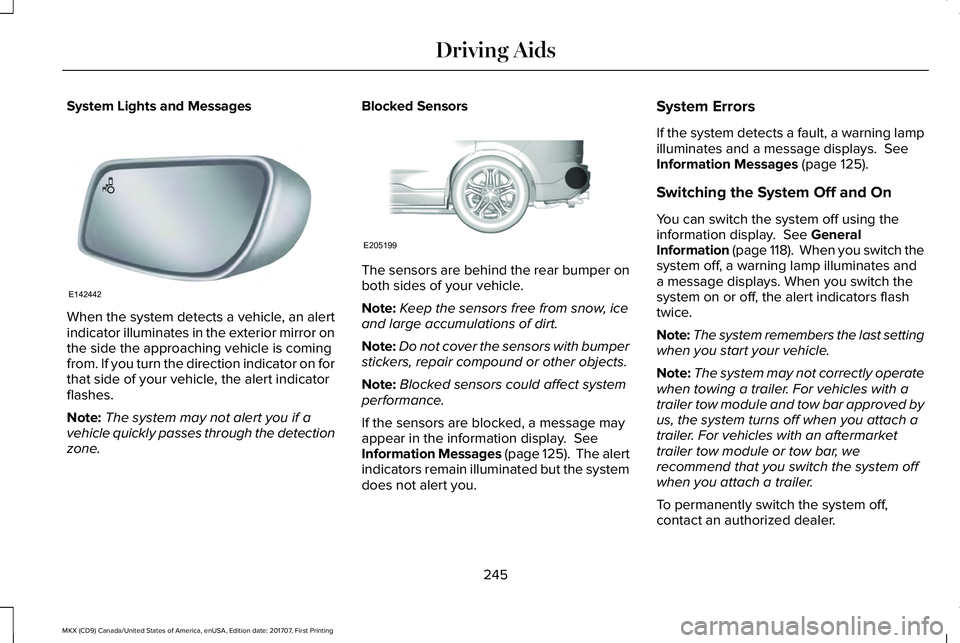
When the system detects a vehicle, an alertindicator illuminates in the exterior mirror onthe side the approaching vehicle is comingfrom. If you turn the direction indicator on forthat side of your vehicle, the alert indicatorflashes.
Note:The system may not alert you if avehicle quickly passes through the detectionzone.
Blocked Sensors
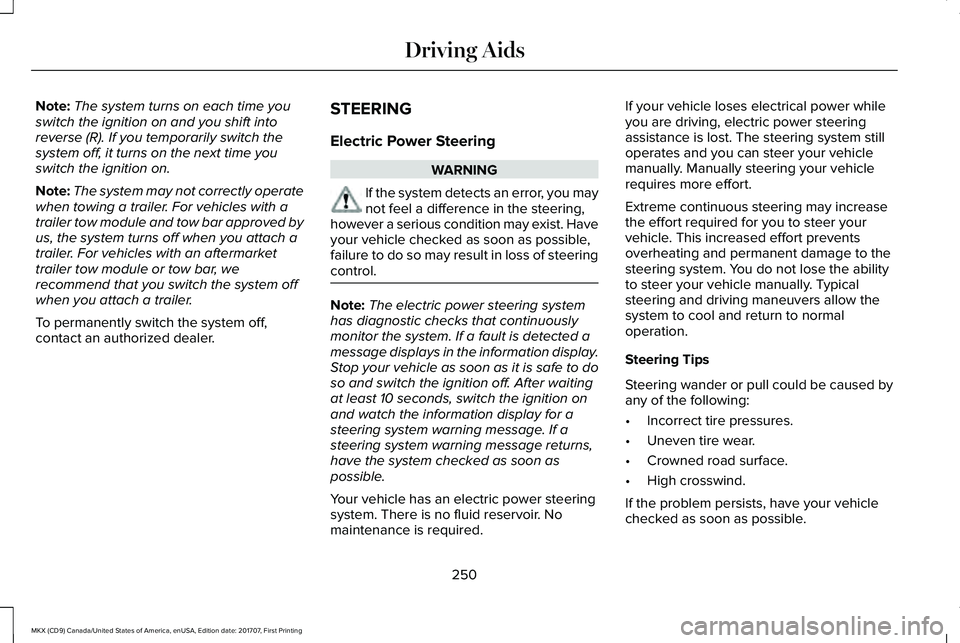
The sensors are behind the rear bumper onboth sides of your vehicle.
Note:Keep the sensors free from snow, iceand large accumulations of dirt.
Note:Do not cover the sensors with bumperstickers, repair compound or other objects.
Note:Blocked sensors could affect systemperformance.
If the sensors are blocked, a message mayappear in the information display. SeeInformation Messages (page 125). The alertindicators remain illuminated but the systemdoes not alert you.
System Errors
If the system detects a fault, a warning lampilluminates and a message displays. SeeInformation Messages (page 125).
Switching the System Off and On
You can switch the system off using theinformation display. See GeneralInformation (page 118). When you switch thesystem off, a warning lamp illuminates anda message displays. When you switch thesystem on or off, the alert indicators flashtwice.
Note:The system remembers the last settingwhen you start your vehicle.
Note:The system may not correctly operatewhen towing a trailer. For vehicles with atrailer tow module and tow bar approved byus, the system turns off when you attach atrailer. For vehicles with an aftermarkettrailer tow module or tow bar, werecommend that you switch the system offwhen you attach a trailer.
To permanently switch the system off,contact an authorized dealer.
245
MKX (CD9) Canada/United States of America, enUSA, Edition date: 201707, First Printing
Driving AidsE142442 E205199
Page 253 of 603
Note:The system turns on each time youswitch the ignition on and you shift intoreverse (R). If you temporarily switch thesystem off, it turns on the next time youswitch the ignition on.
Note:The system may not correctly operatewhen towing a trailer. For vehicles with atrailer tow module and tow bar approved byus, the system turns off when you attach atrailer. For vehicles with an aftermarkettrailer tow module or tow bar, werecommend that you switch the system offwhen you attach a trailer.
To permanently switch the system off,contact an authorized dealer.
STEERING
Electric Power Steering
WARNING
If the system detects an error, you maynot feel a difference in the steering,however a serious condition may exist. Haveyour vehicle checked as soon as possible,failure to do so may result in loss of steeringcontrol.
Note:The electric power steering systemhas diagnostic checks that continuouslymonitor the system. If a fault is detected amessage displays in the information display.Stop your vehicle as soon as it is safe to doso and switch the ignition off. After waitingat least 10 seconds, switch the ignition onand watch the information display for asteering system warning message. If asteering system warning message returns,have the system checked as soon aspossible.
Your vehicle has an electric power steeringsystem. There is no fluid reservoir. Nomaintenance is required.
If your vehicle loses electrical power whileyou are driving, electric power steeringassistance is lost. The steering system stilloperates and you can steer your vehiclemanually. Manually steering your vehiclerequires more effort.
Extreme continuous steering may increasethe effort required for you to steer yourvehicle. This increased effort preventsoverheating and permanent damage to thesteering system. You do not lose the abilityto steer your vehicle manually. Typicalsteering and driving maneuvers allow thesystem to cool and return to normaloperation.
Steering Tips
Steering wander or pull could be caused byany of the following:
•Incorrect tire pressures.
•Uneven tire wear.
•Crowned road surface.
•High crosswind.
If the problem persists, have your vehiclechecked as soon as possible.
250
MKX (CD9) Canada/United States of America, enUSA, Edition date: 201707, First Printing
Driving Aids