wheel LINCOLN MKX 2018 Service Manual
[x] Cancel search | Manufacturer: LINCOLN, Model Year: 2018, Model line: MKX, Model: LINCOLN MKX 2018Pages: 603, PDF Size: 4.94 MB
Page 222 of 603
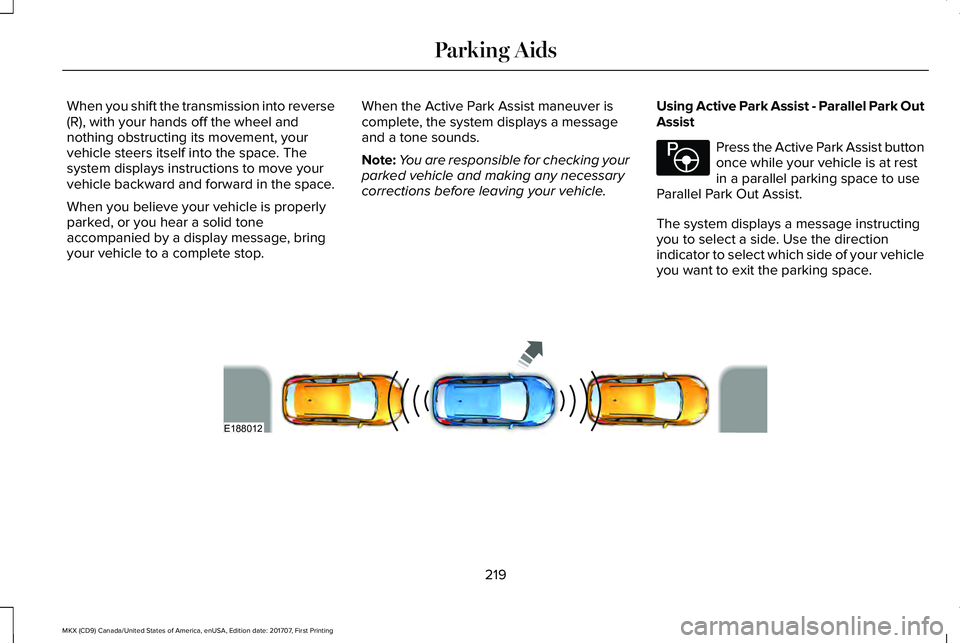
When you shift the transmission into reverse(R), with your hands off the wheel andnothing obstructing its movement, yourvehicle steers itself into the space. Thesystem displays instructions to move yourvehicle backward and forward in the space.
When you believe your vehicle is properlyparked, or you hear a solid toneaccompanied by a display message, bringyour vehicle to a complete stop.
When the Active Park Assist maneuver iscomplete, the system displays a messageand a tone sounds.
Note:You are responsible for checking yourparked vehicle and making any necessarycorrections before leaving your vehicle.
Using Active Park Assist - Parallel Park OutAssist
Press the Active Park Assist buttononce while your vehicle is at restin a parallel parking space to useParallel Park Out Assist.
The system displays a message instructingyou to select a side. Use the directionindicator to select which side of your vehicleyou want to exit the parking space.
219
MKX (CD9) Canada/United States of America, enUSA, Edition date: 201707, First Printing
Parking AidsE146186 E188012
Page 223 of 603
The system determines the clearance to thefront and rear of your vehicle andautomatically steers your vehicle out of aparallel parking space (hands-free) while youcontrol the accelerator, gearshift and brakes.The system visually and audibly guides youto enter traffic.
After the system directs your vehicle pastthe adjacent vehicle or object, it guides youto take control of the steering to completethe exit out of the parking space.
Note:If the clearance in front of your vehicleallows easy departure, the Parallel Park OutAssist feature may not be available.
Note:You are responsible for controllingyour vehicle and making sure the path isclear prior to pulling into traffic.
Note:Do not use this system to assist inexiting perpendicular parking spaces.Damages to your vehicle may occur.
Note:If your vehicle speed exceedsapproximately 3 mph (5 km/h) or youinterrupt the maneuver, the system switchesoff and you need to take full control of yourvehicle.
Deactivating the Active Park AssistFeature
You can manually deactivate the system by:
•Pressing the Active Park Assist buttonduring an active maneuver.
•Grabbing the steering wheel during anactive maneuver.
•Driving above approximately 22 mph(35 km/h) for 30 seconds while searchingfor a parking space.
•Driving above approximately 6 mph(10 km/h) during an active maneuver.
•Switching the traction control system off.
Certain vehicle conditions may alsodeactivate the system, for example:
•The traction control system activates.
•There is an anti-lock brake systemactivation or failure.
If a problem occurs with the system, awarning message displays accompanied bya tone. Occasional system messages mayoccur in normal operation. For recurring orfrequent system faults, contact an authorizeddealer.
220
MKX (CD9) Canada/United States of America, enUSA, Edition date: 201707, First Printing
Parking Aids
Page 227 of 603
Note:When towing, the camera only seeswhat you are towing. This might not provideadequate coverage as it usually provides innormal operation and some objects mightnot be seen. In some vehicles, the guidelinesmay disappear when you connect the trailertow connector.
The camera may not operate correctly underthe following conditions:
•Nighttime or dark areas if one or bothreverse lamps are not operating.
•Mud, water or debris obstructs thecamera's view. Clean the lens with a soft,lint-free cloth and non-abrasive cleaner.
•The rear of your vehicle is hit ordamaged, causing the camera to becomemisaligned.
Camera System Settings
You can access the rear view camera systemsettings through the display screen. SeeGeneral Information (page 118).
Camera Guidelines
Note:Active guidelines are only availablewhen the transmission is in reverse (R).
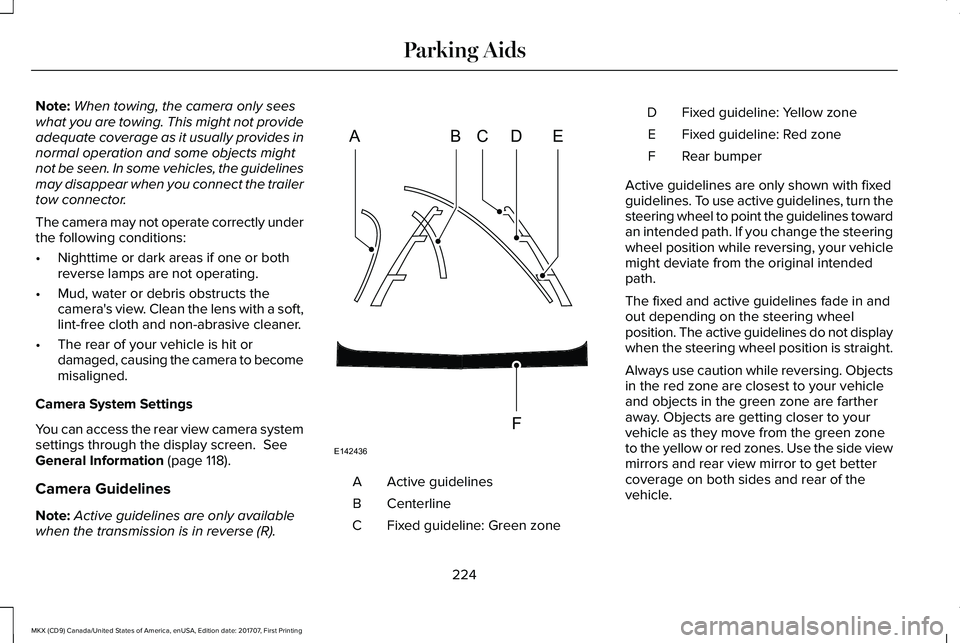
Active guidelinesA
CenterlineB
Fixed guideline: Green zoneC
Fixed guideline: Yellow zoneD
Fixed guideline: Red zoneE
Rear bumperF
Active guidelines are only shown with fixedguidelines. To use active guidelines, turn thesteering wheel to point the guidelines towardan intended path. If you change the steeringwheel position while reversing, your vehiclemight deviate from the original intendedpath.
The fixed and active guidelines fade in andout depending on the steering wheelposition. The active guidelines do not displaywhen the steering wheel position is straight.
Always use caution while reversing. Objectsin the red zone are closest to your vehicleand objects in the green zone are fartheraway. Objects are getting closer to yourvehicle as they move from the green zoneto the yellow or red zones. Use the side viewmirrors and rear view mirror to get bettercoverage on both sides and rear of thevehicle.
224
MKX (CD9) Canada/United States of America, enUSA, Edition date: 201707, First Printing
Parking AidsABCD
F
E
E142436
Page 232 of 603
PRINCIPLE OF OPERATION
Cruise control lets you maintain a set speedwithout keeping your foot on the acceleratorpedal. You can use cruise control when yourvehicle speed is greater than 20 mph(30 km/h).
USING CRUISE CONTROL (If Equipped)
WARNINGS
Do not use cruise control on windingroads, in heavy traffic or when the roadsurface is slippery. This could result in lossof vehicle control, serious injury or death.
When you are going downhill, yourvehicle speed could increase abovethe set speed. The system does not applythe brakes.
Note:Cruise control disengages if thevehicle speed decreases more than 10 mph(16 km/h) below the set speed when drivinguphill.
To help the system to maintain the set speedwhen going downhill, downshift to a lowergear.
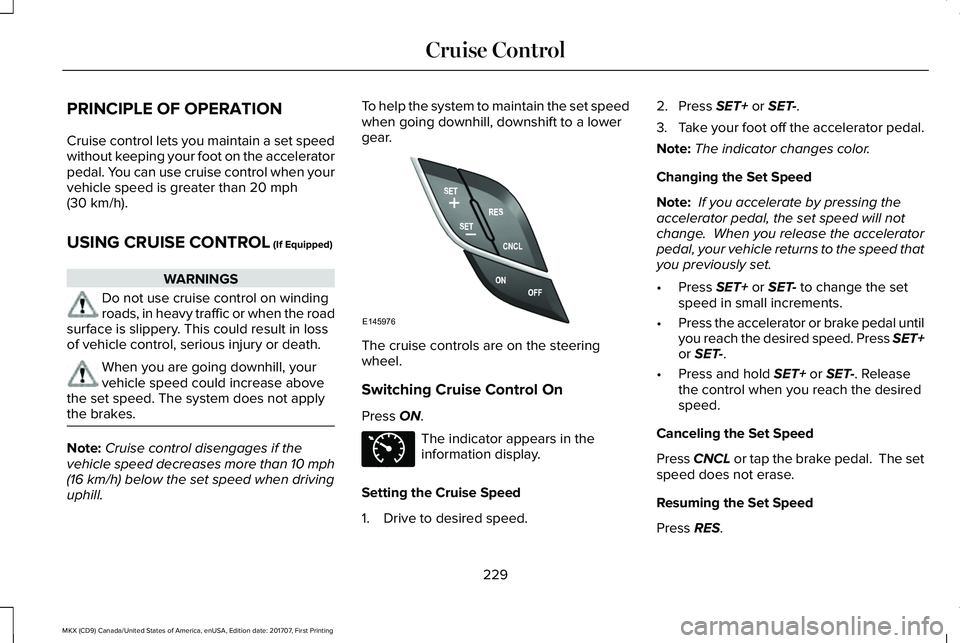
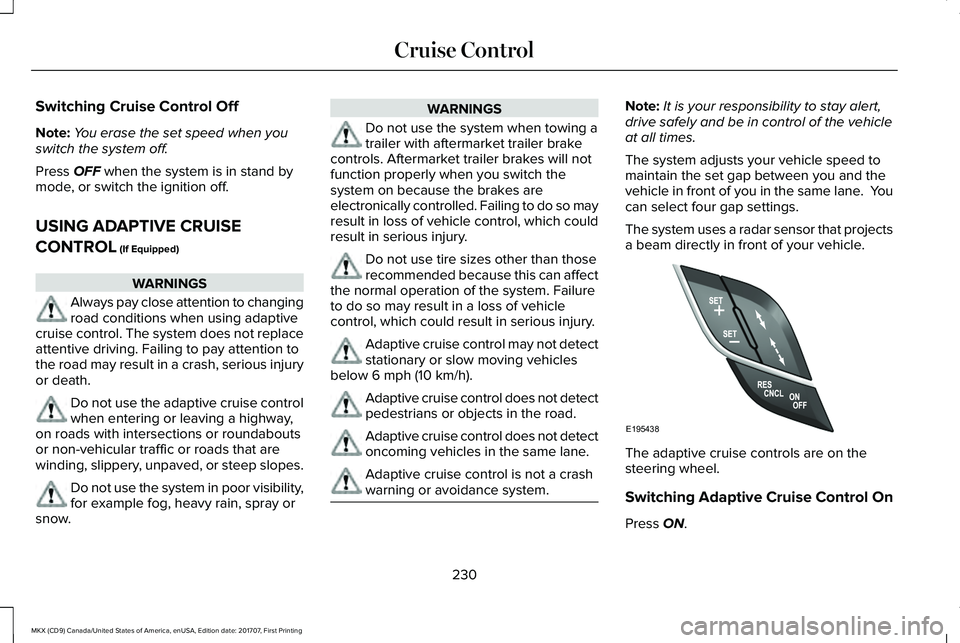
The cruise controls are on the steeringwheel.
Switching Cruise Control On
Press ON.
The indicator appears in theinformation display.
Setting the Cruise Speed
1. Drive to desired speed.
2. Press SET+ or SET-.
3.Take your foot off the accelerator pedal.
Note:The indicator changes color.
Changing the Set Speed
Note: If you accelerate by pressing theaccelerator pedal, the set speed will notchange. When you release the acceleratorpedal, your vehicle returns to the speed thatyou previously set.
•Press SET+ or SET- to change the setspeed in small increments.
•Press the accelerator or brake pedal untilyou reach the desired speed. Press SET+or SET-.
•Press and hold SET+ or SET-. Releasethe control when you reach the desiredspeed.
Canceling the Set Speed
Press CNCL or tap the brake pedal. The setspeed does not erase.
Resuming the Set Speed
Press RES.
229
MKX (CD9) Canada/United States of America, enUSA, Edition date: 201707, First Printing
Cruise ControlE145976 E71340
Page 233 of 603
Switching Cruise Control Off
Note:You erase the set speed when youswitch the system off.
Press OFF when the system is in stand bymode, or switch the ignition off.
USING ADAPTIVE CRUISE
CONTROL (If Equipped)
WARNINGS
Always pay close attention to changingroad conditions when using adaptivecruise control. The system does not replaceattentive driving. Failing to pay attention tothe road may result in a crash, serious injuryor death.
Do not use the adaptive cruise controlwhen entering or leaving a highway,on roads with intersections or roundaboutsor non-vehicular traffic or roads that arewinding, slippery, unpaved, or steep slopes.
Do not use the system in poor visibility,for example fog, heavy rain, spray orsnow.
WARNINGS
Do not use the system when towing atrailer with aftermarket trailer brakecontrols. Aftermarket trailer brakes will notfunction properly when you switch thesystem on because the brakes areelectronically controlled. Failing to do so mayresult in loss of vehicle control, which couldresult in serious injury.
Do not use tire sizes other than thoserecommended because this can affectthe normal operation of the system. Failureto do so may result in a loss of vehiclecontrol, which could result in serious injury.
Adaptive cruise control may not detectstationary or slow moving vehiclesbelow 6 mph (10 km/h).
Adaptive cruise control does not detectpedestrians or objects in the road.
Adaptive cruise control does not detectoncoming vehicles in the same lane.
Adaptive cruise control is not a crashwarning or avoidance system.
Note:It is your responsibility to stay alert,drive safely and be in control of the vehicleat all times.
The system adjusts your vehicle speed tomaintain the set gap between you and thevehicle in front of you in the same lane. Youcan select four gap settings.
The system uses a radar sensor that projectsa beam directly in front of your vehicle.
The adaptive cruise controls are on thesteering wheel.
Switching Adaptive Cruise Control On
Press ON.
230
MKX (CD9) Canada/United States of America, enUSA, Edition date: 201707, First Printing
Cruise ControlE195438
Page 241 of 603
When active, the system monitors youralertness level based upon your drivingbehavior in relation to the lane markings andother factors.
System Warnings
Note:The system does not issue warningsbelow approximately 40 mph (64 km/h).
The warning system has two stages. First,the system issues a temporary warning thatyou need to take a rest. This message onlyappears for a short time. If the systemdetects further reduction in driving alertness,it may issue another warning that remains inthe information display for a longer time. Youcan press OK on the steering wheel controlto clear the warning.
System Display
When active, the system runs automaticallyin the background and only issues a warningif required. You can view the status at anytime using the information display. SeeGeneral Information (page 118).
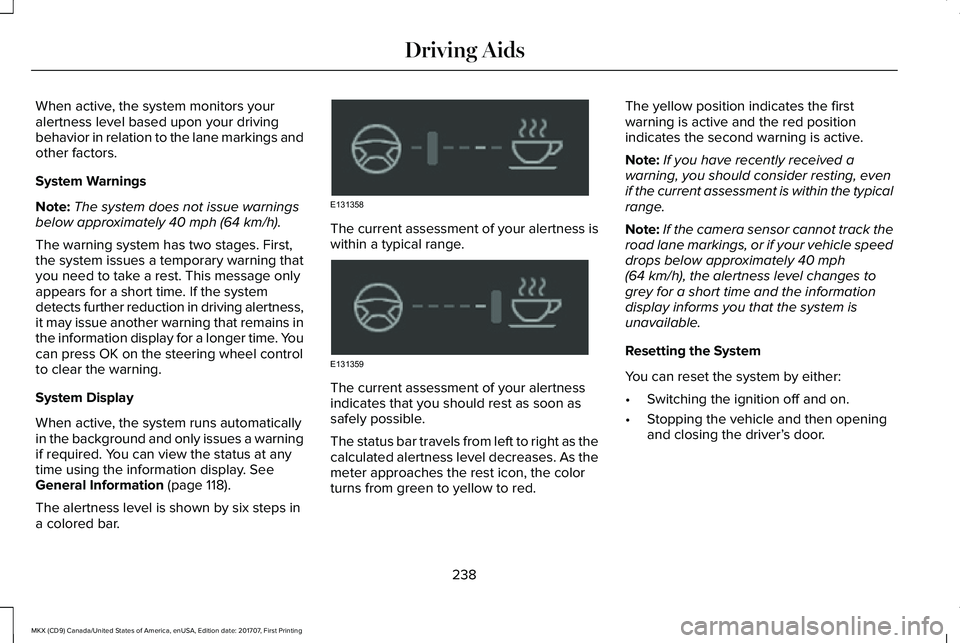
The alertness level is shown by six steps ina colored bar.
The current assessment of your alertness iswithin a typical range.
The current assessment of your alertnessindicates that you should rest as soon assafely possible.
The status bar travels from left to right as thecalculated alertness level decreases. As themeter approaches the rest icon, the colorturns from green to yellow to red.
The yellow position indicates the firstwarning is active and the red positionindicates the second warning is active.
Note:If you have recently received awarning, you should consider resting, evenif the current assessment is within the typicalrange.
Note:If the camera sensor cannot track theroad lane markings, or if your vehicle speeddrops below approximately 40 mph(64 km/h), the alertness level changes togrey for a short time and the informationdisplay informs you that the system isunavailable.
Resetting the System
You can reset the system by either:
•Switching the ignition off and on.
•Stopping the vehicle and then openingand closing the driver’s door.
238
MKX (CD9) Canada/United States of America, enUSA, Edition date: 201707, First Printing
Driving AidsE131358 E131359
Page 242 of 603
LANE KEEPING SYSTEM (If Equipped)
WARNINGS
The system is designed to aid thedriver. It is not intended to replace yourattention and judgment. You are stillresponsible to drive with due care andattention.
Always drive with due care andattention when using and operating thecontrols and features on your vehicle.
At all times, you are responsible forcontrolling your vehicle, supervisingthe system and intervening, if required.Failure to take care may result in the loss ofcontrol of your vehicle, serious personalinjury or death.
In cold and severe weather conditionsthe system may not function. Rain,snow and spray can all limit sensorperformance.
The system will not operate if thesensor cannot track the road lanemarkings.
WARNINGS
The sensor may incorrectly track lanemarkings as other structures or objects.This can result in a false or missed warning.
The system may not operate properlyif the sensor is blocked. Keep thewindshield free from obstruction.
If damage occurs in the immediate areasurrounding the sensor, have yourvehicle checked as soon as possible.
Note:The system works above 40 mph(64 km/h).
Note:The system works as long as thecamera can detect one lane marking.
Note:When Aid or both modes are selectedand the system detects no steering activityfor a short period, the system alerts you toput your hands on the steering wheel. Thesystem may detect a light grip or touch onthe steering wheel as hands off driving.
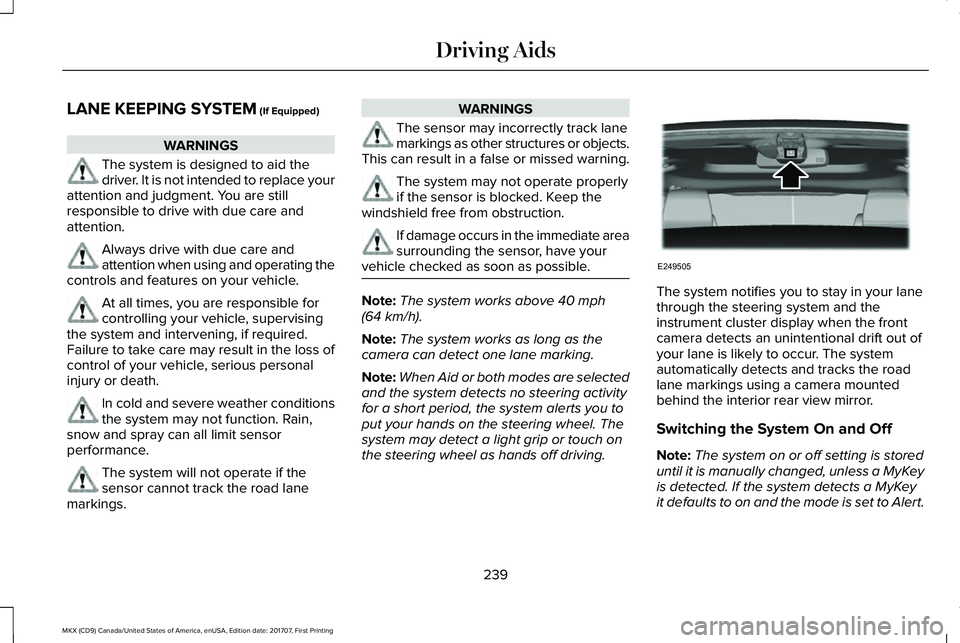
The system notifies you to stay in your lanethrough the steering system and theinstrument cluster display when the frontcamera detects an unintentional drift out ofyour lane is likely to occur. The systemautomatically detects and tracks the roadlane markings using a camera mountedbehind the interior rear view mirror.
Switching the System On and Off
Note:The system on or off setting is storeduntil it is manually changed, unless a MyKeyis detected. If the system detects a MyKeyit defaults to on and the mode is set to Alert.
239
MKX (CD9) Canada/United States of America, enUSA, Edition date: 201707, First Printing
Driving AidsE249505
Page 243 of 603
Note:If a MyKey is detected, pressing thebutton will not affect the on or off status ofthe system.
Press the button on the steeringwheel stalk to switch the systemon or off.
System Settings
The system has optional setting menusavailable. The system stores the last-knownselection for each of these settings. You donot need to readjust your settings each timeyou turn on the system.
Mode: This setting allows you to select whichof the system features you can enable.
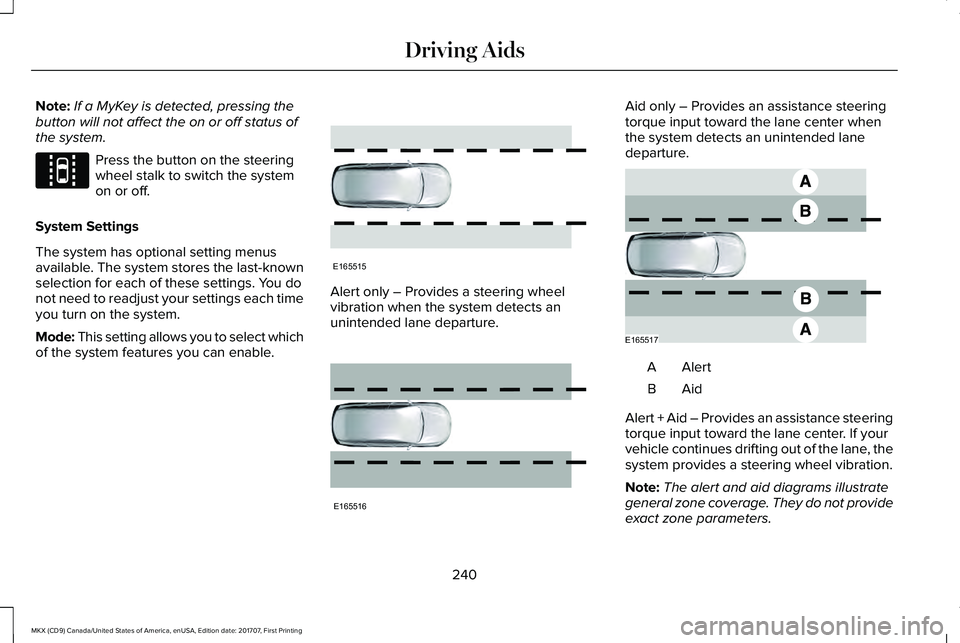
Alert only – Provides a steering wheelvibration when the system detects anunintended lane departure.
Aid only – Provides an assistance steeringtorque input toward the lane center whenthe system detects an unintended lanedeparture.
AlertA
AidB
Alert + Aid – Provides an assistance steeringtorque input toward the lane center. If yourvehicle continues drifting out of the lane, thesystem provides a steering wheel vibration.
Note:The alert and aid diagrams illustrategeneral zone coverage. They do not provideexact zone parameters.
240
MKX (CD9) Canada/United States of America, enUSA, Edition date: 201707, First Printing
Driving AidsE144813 E165515 E165516 E165517
Page 244 of 603
Intensity: This setting affects the intensity ofthe steering wheel vibration used for the alertand alert + aid modes. This setting does notaffect the aid mode.
•Low
•Normal
•High
System Display
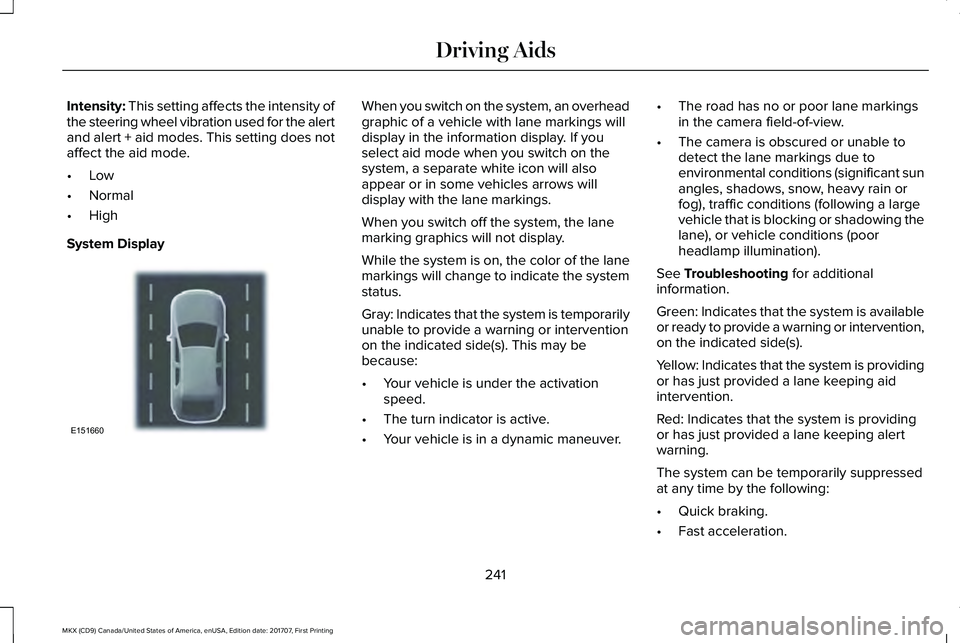
When you switch on the system, an overheadgraphic of a vehicle with lane markings willdisplay in the information display. If youselect aid mode when you switch on thesystem, a separate white icon will alsoappear or in some vehicles arrows willdisplay with the lane markings.
When you switch off the system, the lanemarking graphics will not display.
While the system is on, the color of the lanemarkings will change to indicate the systemstatus.
Gray: Indicates that the system is temporarilyunable to provide a warning or interventionon the indicated side(s). This may bebecause:
•Your vehicle is under the activationspeed.
•The turn indicator is active.
•Your vehicle is in a dynamic maneuver.
•The road has no or poor lane markingsin the camera field-of-view.
•The camera is obscured or unable todetect the lane markings due toenvironmental conditions (significant sunangles, shadows, snow, heavy rain orfog), traffic conditions (following a largevehicle that is blocking or shadowing thelane), or vehicle conditions (poorheadlamp illumination).
See Troubleshooting for additionalinformation.
Green: Indicates that the system is availableor ready to provide a warning or intervention,on the indicated side(s).
Yellow: Indicates that the system is providingor has just provided a lane keeping aidintervention.
Red: Indicates that the system is providingor has just provided a lane keeping alertwarning.
The system can be temporarily suppressedat any time by the following:
•Quick braking.
•Fast acceleration.
241
MKX (CD9) Canada/United States of America, enUSA, Edition date: 201707, First Printing
Driving AidsE151660
Page 254 of 603
Adaptive Learning
The electronic power steering systemadaptive learning helps correct roadirregularities and improves overall handlingand steering feel. It communicates with thebrake system to help operate advancedstability control and accident avoidancesystems. Additionally, whenever the batteryis disconnected or a new battery installed,you must drive your vehicle a short distancebefore the system relearns the strategy andreactivates all systems.
Adaptive Steering (If Equipped)
Note:The adaptive steering system hasdiagnostic checks that continuously monitorthe system. If a fault is detected a messagedisplays in the information display. If a redwarning message displays, stop your vehicleas soon as it is safe to do so. The messagemay clear if the fault is no longer present. Ifan adaptive steering system warningmessage appears each time you start yourvehicle, have the system checked as soonas possible.
The adaptive steering system continuallychanges the steering ratio with changes tovehicle speed, optimizing the steeringresponse in all conditions.
The adaptive steering system is designedwith a locking device. While the lock isengaged, your vehicle returns to a fixedsteering ratio. You may also notice a soundwhen you start or turn off your vehicle as thelock is disengaged or engaged. If yourvehicle loses electrical power or detects afault while you are driving, the lock engagesand you are able to continue steering. Duringthis time it is possible that the steering wheelmay not be straight when the vehicle isdriving straight ahead. During this time youmay notice that the steering wheel anglerequired to steer the vehicle may bedifferent. Extreme operating conditions mayalso cause the lock to engage. This strategyprevents overheating and permanentdamage to the adaptive steering system.Typical steering and driving maneuvers allowthe system to cool and return to normaloperation.
PRE-COLLISION ASSIST (If Equipped)
WARNINGS
At all times, you are responsible forcontrolling your vehicle, supervisingthe system and intervening, if required.Failure to take care may result in the loss ofcontrol of your vehicle, serious personalinjury or death.
The system is designed to aid thedriver. It is not intended to replace yourattention and judgment. You are stillresponsible to drive with due care andattention.
The system does not detect vehiclesthat are driving in a different direction,pedestrians at night, cyclists or animals.Failure to take care may result in the loss ofcontrol of your vehicle, serious personalinjury or death.
The system does not operate duringhard acceleration or steering. Failureto take care may lead to a crash or personalinjury.
251
MKX (CD9) Canada/United States of America, enUSA, Edition date: 201707, First Printing
Driving Aids