warning LINCOLN MKX 2018 Manual PDF
[x] Cancel search | Manufacturer: LINCOLN, Model Year: 2018, Model line: MKX, Model: LINCOLN MKX 2018Pages: 603, PDF Size: 4.94 MB
Page 161 of 603
WARNINGS
Do not use the memory function whenyour vehicle is moving.
This feature automatically recalls the positionof the following:
•Driver seat.
•Power mirrors.
•Optional power adjustable foot pedals.
•Optional power steering column.
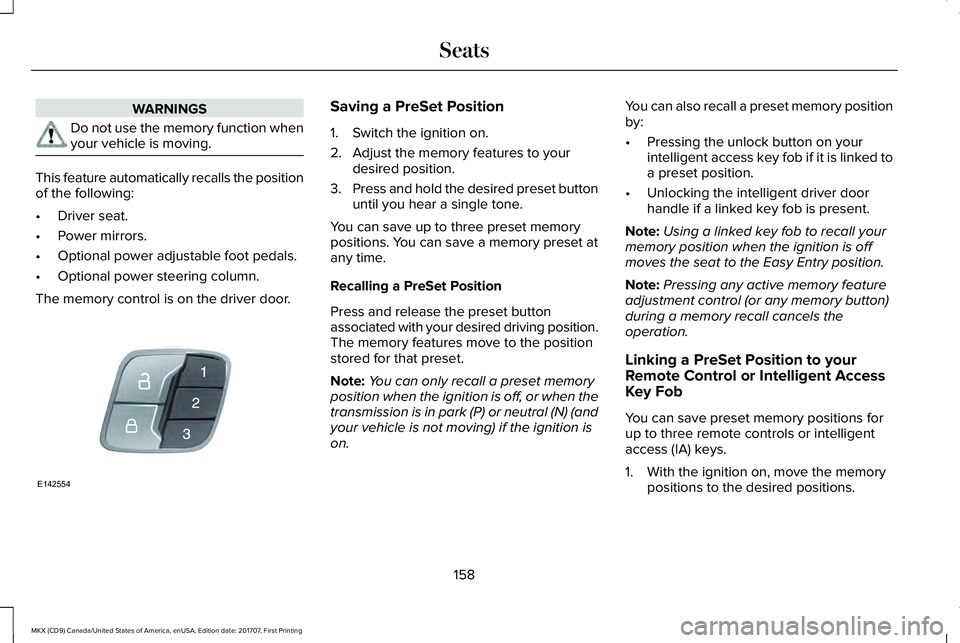
The memory control is on the driver door.
Saving a PreSet Position
1. Switch the ignition on.
2. Adjust the memory features to yourdesired position.
3.Press and hold the desired preset buttonuntil you hear a single tone.
You can save up to three preset memorypositions. You can save a memory preset atany time.
Recalling a PreSet Position
Press and release the preset buttonassociated with your desired driving position.The memory features move to the positionstored for that preset.
Note:You can only recall a preset memoryposition when the ignition is off, or when thetransmission is in park (P) or neutral (N) (andyour vehicle is not moving) if the ignition ison.
You can also recall a preset memory positionby:
•Pressing the unlock button on yourintelligent access key fob if it is linked toa preset position.
•Unlocking the intelligent driver doorhandle if a linked key fob is present.
Note:Using a linked key fob to recall yourmemory position when the ignition is offmoves the seat to the Easy Entry position.
Note:Pressing any active memory featureadjustment control (or any memory button)during a memory recall cancels theoperation.
Linking a PreSet Position to yourRemote Control or Intelligent AccessKey Fob
You can save preset memory positions forup to three remote controls or intelligentaccess (IA) keys.
1. With the ignition on, move the memorypositions to the desired positions.
158
MKX (CD9) Canada/United States of America, enUSA, Edition date: 201707, First Printing
SeatsE142554
Page 162 of 603
2.Press and hold the desired preset buttonfor about five seconds. A tone soundsafter about two seconds. Continueholding until you hear a second tone.
3. Within three seconds, press the lockbutton on the remote control you arelinking.
To unlink a remote control, follow the sameprocedure – except in step 3, press theunlock button on the remote control.
Note:If more than one linked remote controlor intelligent access key is in range, thememory function moves to the settings ofthe first key to initiate a memory recall.
Easy Entry and Exit Feature
If you enable the easy entry and exit feature,it automatically moves the driver seatposition rearward up to 2 in (5 cm) when youswitch the ignition off.
The driver seat will return to its previousposition when you switch the ignition on.
You can enable or disable this feature in theinformation display. See InformationDisplays (page 118).
REAR SEATS
Adjusting the Rear Seats
WARNING
To prevent possible damage to theseat or safety belts, make sure that thesafety belts are not buckled when foldingthe seatback.
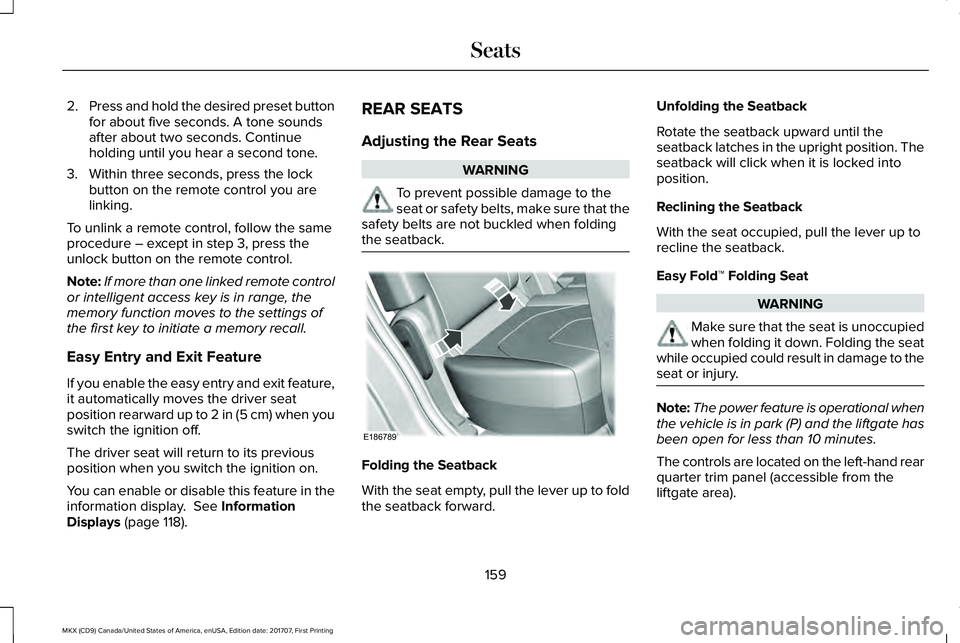
Folding the Seatback
With the seat empty, pull the lever up to foldthe seatback forward.
Unfolding the Seatback
Rotate the seatback upward until theseatback latches in the upright position. Theseatback will click when it is locked intoposition.
Reclining the Seatback
With the seat occupied, pull the lever up torecline the seatback.
Easy Fold™ Folding Seat
WARNING
Make sure that the seat is unoccupiedwhen folding it down. Folding the seatwhile occupied could result in damage to theseat or injury.
Note:The power feature is operational whenthe vehicle is in park (P) and the liftgate hasbeen open for less than 10 minutes.
The controls are located on the left-hand rearquarter trim panel (accessible from theliftgate area).
159
MKX (CD9) Canada/United States of America, enUSA, Edition date: 201707, First Printing
SeatsE186789
Page 163 of 603
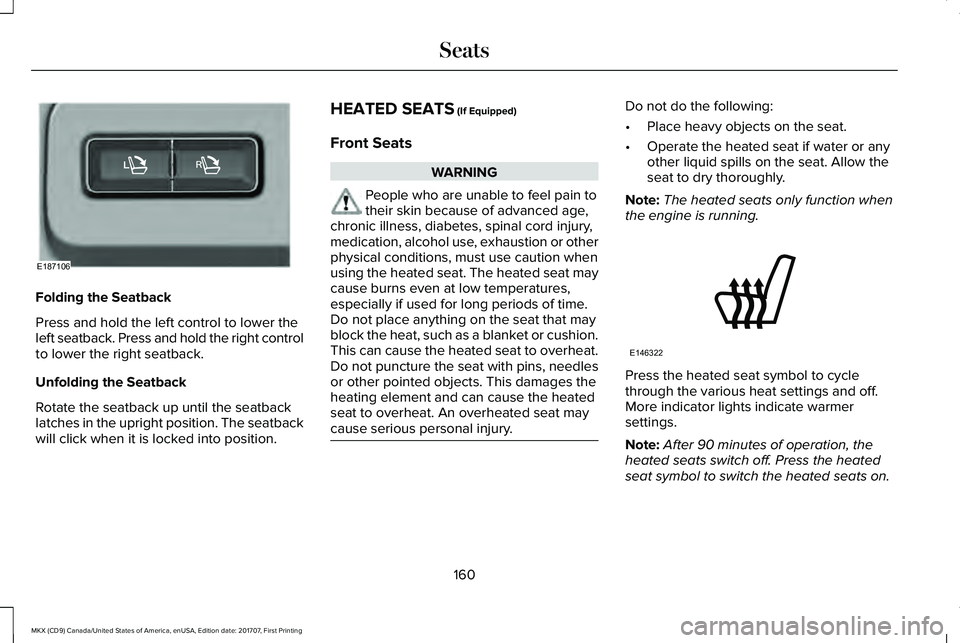
Folding the Seatback
Press and hold the left control to lower theleft seatback. Press and hold the right controlto lower the right seatback.
Unfolding the Seatback
Rotate the seatback up until the seatbacklatches in the upright position. The seatbackwill click when it is locked into position.
HEATED SEATS (If Equipped)
Front Seats
WARNING
People who are unable to feel pain totheir skin because of advanced age,chronic illness, diabetes, spinal cord injury,medication, alcohol use, exhaustion or otherphysical conditions, must use caution whenusing the heated seat. The heated seat maycause burns even at low temperatures,especially if used for long periods of time.Do not place anything on the seat that mayblock the heat, such as a blanket or cushion.This can cause the heated seat to overheat.Do not puncture the seat with pins, needlesor other pointed objects. This damages theheating element and can cause the heatedseat to overheat. An overheated seat maycause serious personal injury.
Do not do the following:
•Place heavy objects on the seat.
•Operate the heated seat if water or anyother liquid spills on the seat. Allow theseat to dry thoroughly.
Note:The heated seats only function whenthe engine is running.
Press the heated seat symbol to cyclethrough the various heat settings and off.More indicator lights indicate warmersettings.
Note:After 90 minutes of operation, theheated seats switch off. Press the heatedseat symbol to switch the heated seats on.
160
MKX (CD9) Canada/United States of America, enUSA, Edition date: 201707, First Printing
SeatsE187106 E146322
Page 164 of 603
Rear Seats
WARNING
People who are unable to feel pain totheir skin because of advanced age,chronic illness, diabetes, spinal cord injury,medication, alcohol use, exhaustion or otherphysical conditions, must use caution whenusing the heated seat. The heated seat maycause burns even at low temperatures,especially if used for long periods of time.Do not place anything on the seat that mayblock the heat, such as a blanket or cushion.This can cause the heated seat to overheat.Do not puncture the seat with pins, needlesor other pointed objects. This damages theheating element and can cause the heatedseat to overheat. An overheated seat maycause serious personal injury.
Do not do the following:
•Place heavy objects on the seat.
•Operate the seat heater if water or anyother liquid spills on the seat. Allow theseat to dry thoroughly.
Note:The heated seats only function whenthe engine is running.
The rear seat heat controls are on the rearof the center console.
Press the heated seat symbol to cyclethrough the various heat settings and off.More indicator lights indicate warmersettings.
Note:After an extended period of time, theheated seats switch off. Press the heatedseat symbol to switch the heated seats on.
CLIMATE CONTROLLED SEATS (If
Equipped)
Heated Seats
WARNING
People who are unable to feel pain totheir skin because of advanced age,chronic illness, diabetes, spinal cord injury,medication, alcohol use, exhaustion or otherphysical conditions, must exercise care whenusing the heated seat. The heated seat maycause burns even at low temperatures,especially if used for long periods of time.Do not place anything on the seat thatinsulates against heat, such as a blanket orcushion. This may cause the heated seat tooverheat. Do not puncture the seat with pins,needles or other pointed objects. This maydamage the heating element which maycause the heated seat to overheat. Anoverheated seat may cause serious personalinjury.
Note:Do not do the following:
•Place heavy objects on the seat.
•Operate the seat heater if water or anyother liquid spills on the seat. Allow theseat to dry thoroughly.
Note:The heated seats only function whenthe engine is running.
161
MKX (CD9) Canada/United States of America, enUSA, Edition date: 201707, First Printing
SeatsE146322
Page 166 of 603
(If Equipped)
HomeLink Wireless Control System
WARNINGS
Make sure that the garage door andsecurity device are free fromobstruction when you are programming. Donot program the system with the vehicle inthe garage.
Do not use the system with any garagedoor opener that does not have thesafety stop and reverse feature as requiredby U.S. Federal Safety Standards (thisincludes any garage door openermanufactured before April 1, 1982). A garagedoor opener which cannot detect an object,signaling the door to stop and reverse, doesnot meet current federal safety standards.Using a garage door opener without thesefeatures increases the risk of serious injuryor death.
Note:Make sure you keep the originalremote control transmitter for use in othervehicles as well as for future systemprogramming.
Note:We recommend that upon the sale orlease termination of your vehicle, you erasethe programmed function buttons for securityreasons. See Erasing the Function ButtonCodes later in this section.
Note:You can program a maximum of threedevices. To change or replace any of thethree devices after it has been initiallyprogrammed, you must first erase the currentsettings. See Erasing the Function ButtonCodes.
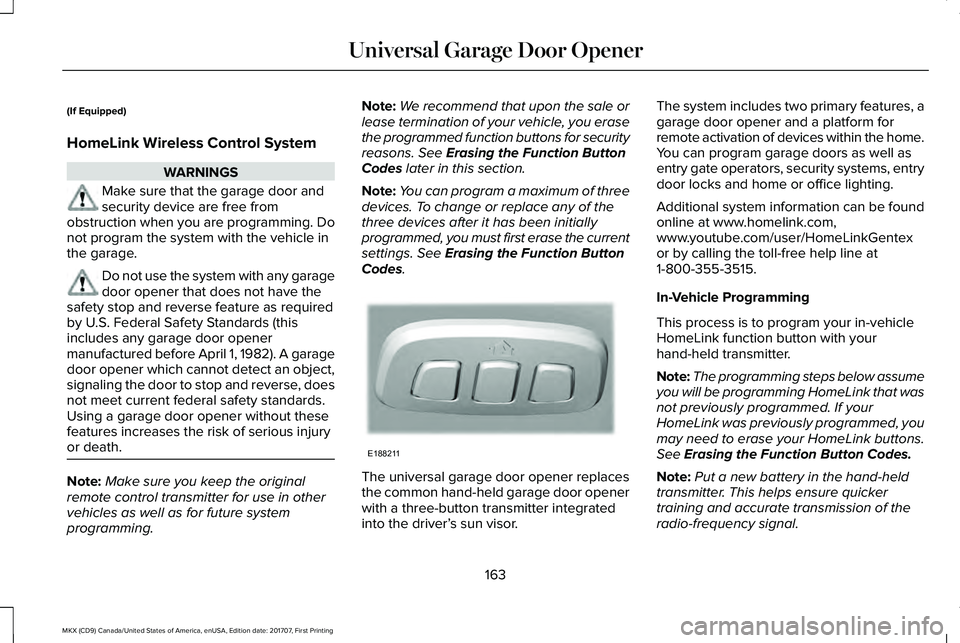
The universal garage door opener replacesthe common hand-held garage door openerwith a three-button transmitter integratedinto the driver’s sun visor.
The system includes two primary features, agarage door opener and a platform forremote activation of devices within the home.You can program garage doors as well asentry gate operators, security systems, entrydoor locks and home or office lighting.
Additional system information can be foundonline at www.homelink.com,www.youtube.com/user/HomeLinkGentexor by calling the toll-free help line at1-800-355-3515.
In-Vehicle Programming
This process is to program your in-vehicleHomeLink function button with yourhand-held transmitter.
Note:The programming steps below assumeyou will be programming HomeLink that wasnot previously programmed. If yourHomeLink was previously programmed, youmay need to erase your HomeLink buttons.See Erasing the Function Button Codes.
Note:Put a new battery in the hand-heldtransmitter. This helps ensure quickertraining and accurate transmission of theradio-frequency signal.
163
MKX (CD9) Canada/United States of America, enUSA, Edition date: 201707, First Printing
Universal Garage Door OpenerE188211
Page 170 of 603
12 Volt DC Power Point
WARNING
Do not plug optional electricalaccessories into the cigar lightersocket. Incorrect use of the cigar lighter cancause damage not covered by the vehiclewarranty, and can result in fire or seriousinjury.
Note:When you switch the ignition on, youcan use the socket to power 12 voltappliances with a maximum current ratingof 15 amps.
If the power supply does not work after youswitch the ignition off, switch the ignition on.Note:Do not hang any accessory from theaccessory plug.
Note:Do not use the power point over thevehicle capacity of 12 volt DC 180 watts ora fuse may blow.
Note:Always keep the power point capsclosed when not in use.
Do not insert objects other than an accessoryplug into the power point. This damages thepower point and may blow the fuse.
Run the vehicle for full capacity use of thepower point.
To prevent the battery from running out ofcharge:
•Do not use the power point longer thannecessary when the vehicle is notrunning.
•Do not leave devices plugged inovernight or when you park your vehiclefor extended periods.
Locations
Power points may be in the followinglocations:
•On the front of the center console.
•Inside the center console.
•On the rear of the center console.
•In the cargo area.
110 Volt AC Power Point (If Equipped)
WARNING
Do not keep electrical devices pluggedin the power point whenever thedevice is not in use. Do not use anyextension cord with the 110 volt AC powerpoint, since it will defeat the safety protectiondesign. Doing so may cause the power pointto overload due to powering multiple devicesthat can reach beyond the 150 watt load limitand could result in fire or serious injury.
Note:The power point turns off when youswitch off the ignition, or when the batteryvoltage drops below 11 volts.
You can use the power point for electricdevices that require up to 150 watts. It is onthe rear of the center console.
167
MKX (CD9) Canada/United States of America, enUSA, Edition date: 201707, First Printing
Auxiliary Power Points
Page 174 of 603
GENERAL INFORMATION
WARNINGS
Extended idling at high engine speedscan produce very high temperaturesin the engine and exhaust system, creatingthe risk of fire or other damage.
Do not park, idle or drive your vehicleon dry grass or other dry ground cover.The emission system heats up the enginecompartment and exhaust system, creatingthe risk of fire.
Do not start the engine in a closedgarage or in other enclosed areas.Exhaust fumes can be toxic. Always openthe garage door before you start the engine.
Exhaust leaks may result in entry ofharmful and potentially lethal fumesinto the passenger compartment. If you smellexhaust fumes inside your vehicle, have yourvehicle inspected immediately. Do not driveif you smell exhaust fumes.
If you disconnect the battery, your vehiclemay exhibit some unusual drivingcharacteristics for approximately 5 mi (8 km)after you reconnect it. This is because theengine management system must realignitself with the engine. You can disregard anyunusual driving characteristics during thisperiod.
The powertrain control system meets allCanadian interference-causing equipmentstandard requirements regulating theimpulse electrical field or radio noise.
When you start the engine, avoid pressingthe accelerator pedal before and duringoperation. Only use the accelerator pedalwhen you have difficulty starting the engine.
KEYLESS STARTING
Note:The keyless starting system may notfunction if the key is close to metal objectsor electronic devices such as cellularphones.
Note:A valid key must be located insideyour vehicle to switch the ignition on andstart the engine.
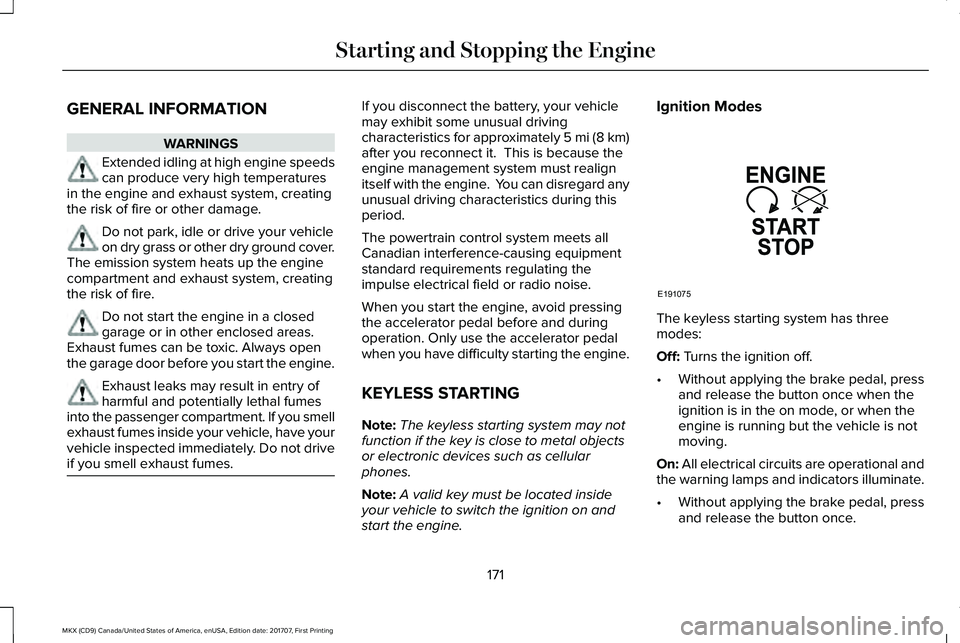
Ignition Modes
The keyless starting system has threemodes:
Off: Turns the ignition off.
•Without applying the brake pedal, pressand release the button once when theignition is in the on mode, or when theengine is running but the vehicle is notmoving.
On: All electrical circuits are operational andthe warning lamps and indicators illuminate.
•Without applying the brake pedal, pressand release the button once.
171
MKX (CD9) Canada/United States of America, enUSA, Edition date: 201707, First Printing
Starting and Stopping the EngineE191075
Page 177 of 603
4. Keep the accelerator pedal fullydepressed and press the push buttonignition switch until the engine starts.
Automatic Engine Shutdown
This feature automatically shuts down theengine if it has been idling for an extendedperiod. The ignition also turns off to savebattery power. Before your vehicle shutsdown, a message appears in the informationdisplay showing a timer counting down. Ifyou do not intervene within 30 seconds, yourvehicle shuts down. Another messageappears in the information display to informyou that your vehicle has shut down to savefuel. Start your vehicle as normal.
Automatic Engine Shutdown Override
Note: You cannot permanently switch offthe automatic shutdown. When you switchit off temporarily, it turns on at the nextignition cycle.
You can stop the shutdown, or reset thetimer, at any point before the 30-secondcountdown has expired by doing any of thefollowing:
•Reset the timer by pressing the brake oraccelerator pedal.
•Temporarily switch off the shutdownfeature during the current ignition cycleusing the information display. SeeGeneral Information (page 118).
•Press OK or RESET to temporarily switchthe feature off during the current ignitioncycle.
Stopping the Engine When YourVehicle is Stationary
1. Shift into park (P).
2. Press the push button ignition switch.
3. Apply the parking brake.
Note:The ignition, all electrical circuits andall warning lamps and indicators will beturned off.
Note:If the engine is idling for 30 minutes,the ignition and engine automatically shutsdown.
Stopping the Engine When YourVehicle is Moving
WARNING
Switching off the engine when thevehicle is still moving will result in aloss of brake and steering assistance. Thesteering will not lock, but higher effort willbe required. When the ignition is switchedoff, some electrical circuits, including airbags, warning lamps and indicators may alsobe off. If the ignition was turned offaccidentally, you can shift into neutral (N) andre-start the engine.
1.Put the transmission into neutral (N) anduse the brakes to bring your vehicle to asafe stop.
2.When your vehicle has stopped, shift intopark (P).
3. Press and hold the push button ignitionswitch until the engine stops, or press itthree times within two seconds.
4. Apply the parking brake.
174
MKX (CD9) Canada/United States of America, enUSA, Edition date: 201707, First Printing
Starting and Stopping the Engine
Page 178 of 603
Guarding Against Exhaust Fumes
WARNING
Exhaust leaks may result in entry ofharmful and potentially lethal fumesinto the passenger compartment. If you smellexhaust fumes inside your vehicle, have yourvehicle inspected immediately. Do not driveif you smell exhaust fumes.
Important Ventilating Information
If you stop your vehicle and then leave theengine idling for long periods, werecommend that you do one of the following:
•Open the windows at least 1 in (3 cm).
•Set your climate control to outside air.
ENGINE BLOCK HEATER (If Equipped)
WARNINGS
Failure to follow engine block heaterinstructions could result in propertydamage or serious personal injury.
WARNINGS
Do not use your heater withungrounded electrical systems ortwo-pronged adapters. There is a risk ofelectrical shock.
Do not fully close the hood, or allow itto drop under its own weight whenusing the engine block heater. This coulddamage the power cable and may cause anelectrical short resulting in fire, injury andproperty damage.
Note:The heater is most effective whenoutdoor temperatures are below 0°F (-18°C).
The heater acts as a starting aid by warmingthe engine coolant. This allows the climatecontrol system to respond quickly. Theequipment includes a heater element(installed in the engine block) and a wireharness. You can connect the system to agrounded 120-volt AC electrical source.
We recommend that you do the following fora safe and correct operation:
•Use a 16-gauge outdoor extension cordthat is product certified by Underwriter’sLaboratory (UL) or Canadian StandardsAssociation (CSA). This extension cordmust be suitable for use outdoors, in coldtemperatures, and be clearly markedSuitable for Use with OutdoorAppliances. Do not use an indoorextension cord outdoors. This couldresult in an electric shock or become afire hazard.
•Use as short an extension cord aspossible.
•Do not use multiple extension cords.
•Make sure that when in operation, theextension cord plug and heater cord plugconnections are free and clear of water.This could cause an electric shock or fire.
•Make sure your vehicle is parked in aclean area, clear of combustibles.
•Make sure the heater, heater cord andextension cord are firmly connected.
175
MKX (CD9) Canada/United States of America, enUSA, Edition date: 201707, First Printing
Starting and Stopping the Engine
Page 180 of 603
SAFETY PRECAUTIONS
WARNINGS
Do not overfill the fuel tank. Thepressure in an overfilled tank maycause leakage and lead to fuel spray andfire.
The fuel system may be underpressure. If you hear a hissing soundnear the fuel filler inlet, do not refuel until thesound stops. Otherwise, fuel may spray out,which could cause serious personal injury.
Fuels can cause serious injury or deathif misused or mishandled.
Fuel may contain benzene, which is acancer-causing agent.
When refueling always shut the engineoff and never allow sparks or openflames near the fuel tank filler valve. Neversmoke or use a cell phone while refueling.Fuel vapor is extremely hazardous undercertain conditions. Avoid inhaling excessfumes.
Follow these guidelines when refueling:
•Extinguish all smoking materials and anyopen flames before refueling yourvehicle.
•Always switch the engine off beforerefueling.
•Automotive fuels can be harmful or fatalif swallowed. Fuel is highly toxic and ifswallowed can cause death or permanentinjury. If fuel is swallowed immediatelycall a physician, even if no symptoms areimmediately apparent. The toxic effectsof fuel may not be apparent for hours.
•Avoid inhaling fuel vapors. Inhaling fuelvapor can lead to eye and respiratorytract irritation. In severe cases, excessiveor prolonged breathing of fuel vapor cancause serious illness and permanentinjury.
•Avoid getting fuel in your eyes. If yousplash fuel in your eyes, immediatelyremove contact lenses (if worn), flush withwater for 15 minutes and seek medicalattention. Failure to seek proper medicalattention could lead to permanent injury.
•Fuels can be harmful if absorbed throughthe skin. If you splash fuel on your skin,clothing or both, promptly removecontaminated clothing and thoroughlywash your skin with soap and water.Repeated or prolonged skin contactcauses skin irritation.
•Be particularly careful if you are takingAntabuse or other forms of Disulfiram forthe treatment of alcoholism. Breathingfuel vapors could cause an adversereaction, serious personal injury orsickness. Immediately call a physician ifyou experience any adverse reactions.
FUEL QUALITY
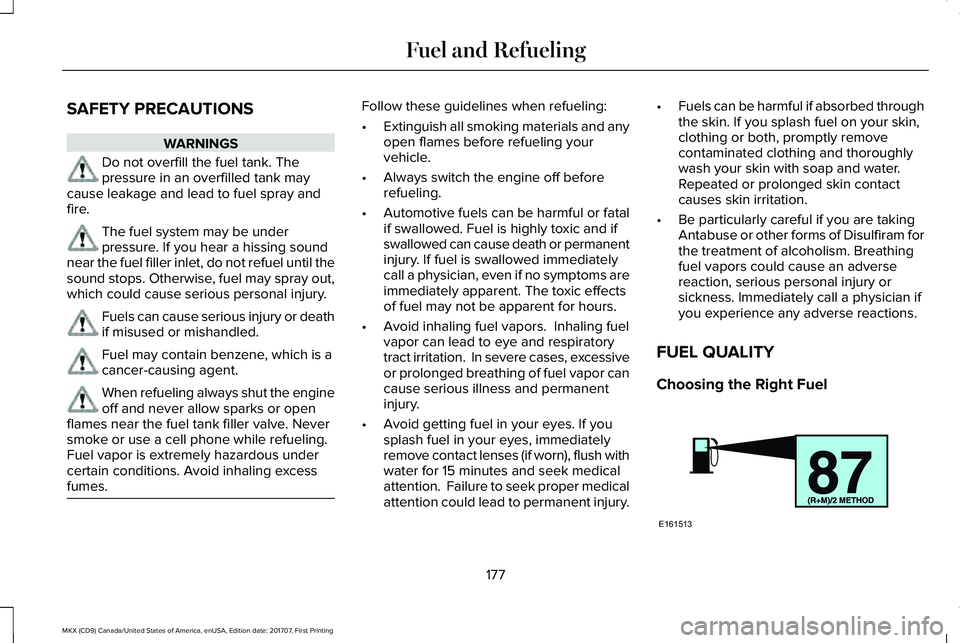
Choosing the Right Fuel
177
MKX (CD9) Canada/United States of America, enUSA, Edition date: 201707, First Printing
Fuel and RefuelingE161513