jack LINCOLN MKZ 2007 Owners Manual
[x] Cancel search | Manufacturer: LINCOLN, Model Year: 2007, Model line: MKZ, Model: LINCOLN MKZ 2007Pages: 272, PDF Size: 2.24 MB
Page 1 of 272
Introduction 4
Instrument Cluster 10
Warning lights and chimes 10
Gauges 14
Entertainment Systems 16
AM/FM stereo with CDX6/MP3 16
Auxiliary input jack 22
Satellite radio information 24
Climate Controls 29
Automatic temperature control 29
Rear window defroster 35
Lights 36
Headlamps 36
Turn signal control 40
Bulb replacement 41
Driver Controls 51
Windshield wiper/washer control 51
Steering wheel adjustment 52
Power windows 55
Mirrors 57
Speed control 58
Moon roof 62
Message center 68
Locks and Security 77
Keys 77
Locks 79
Anti-theft system 94
Table of Contents
1
2007 Zephyr(378)
Owners Guide (post-2002-fmt)
USA(fus)
Page 9 of 272
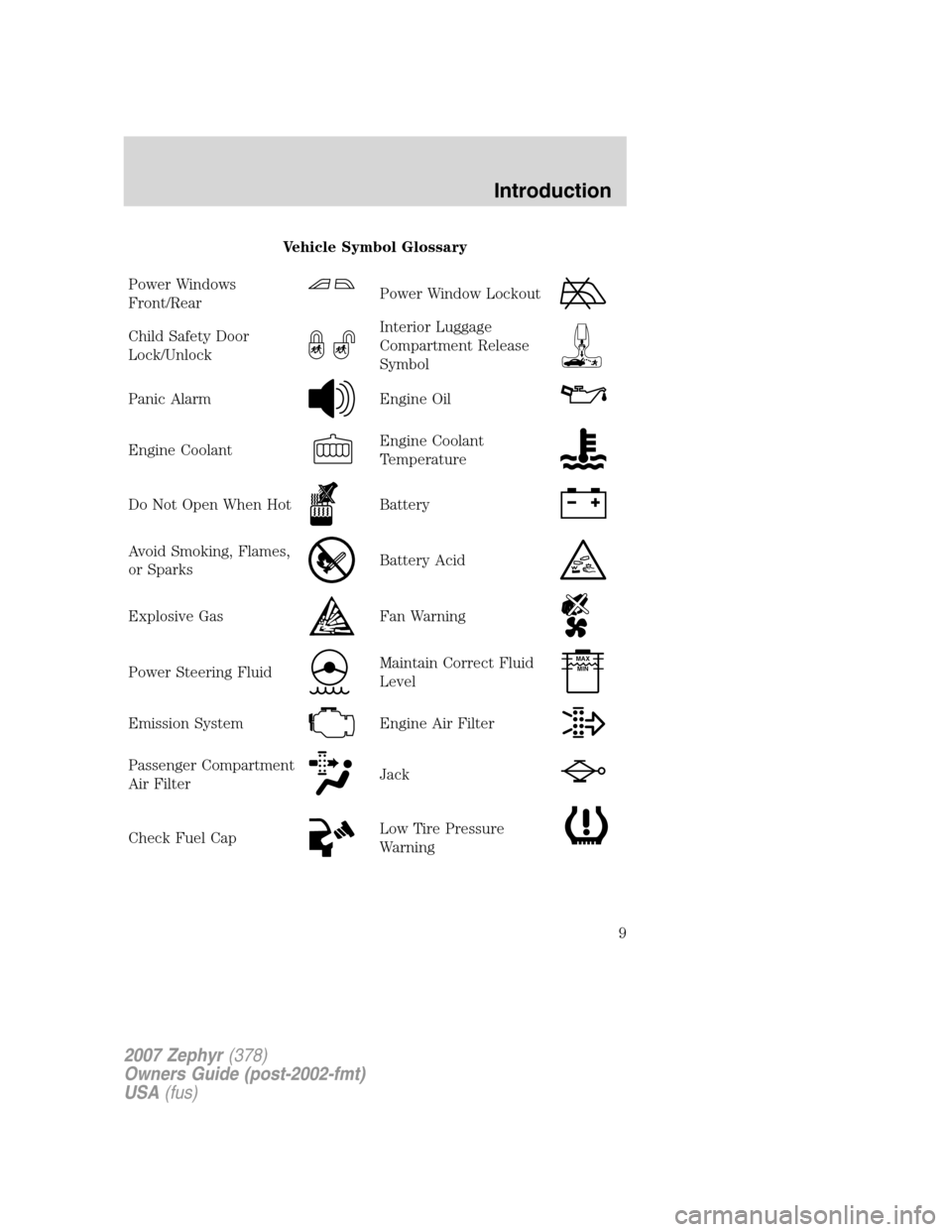
Vehicle Symbol Glossary
Power Windows
Front/Rear
Power Window Lockout
Child Safety Door
Lock/UnlockInterior Luggage
Compartment Release
Symbol
Panic AlarmEngine Oil
Engine CoolantEngine Coolant
Temperature
Do Not Open When HotBattery
Avoid Smoking, Flames,
or SparksBattery Acid
Explosive GasFan Warning
Power Steering FluidMaintain Correct Fluid
LevelMAX
MIN
Emission SystemEngine Air Filter
Passenger Compartment
Air FilterJack
Check Fuel CapLow Tire Pressure
Warning
2007 Zephyr(378)
Owners Guide (post-2002-fmt)
USA(fus)
Introduction
9
Page 21 of 272
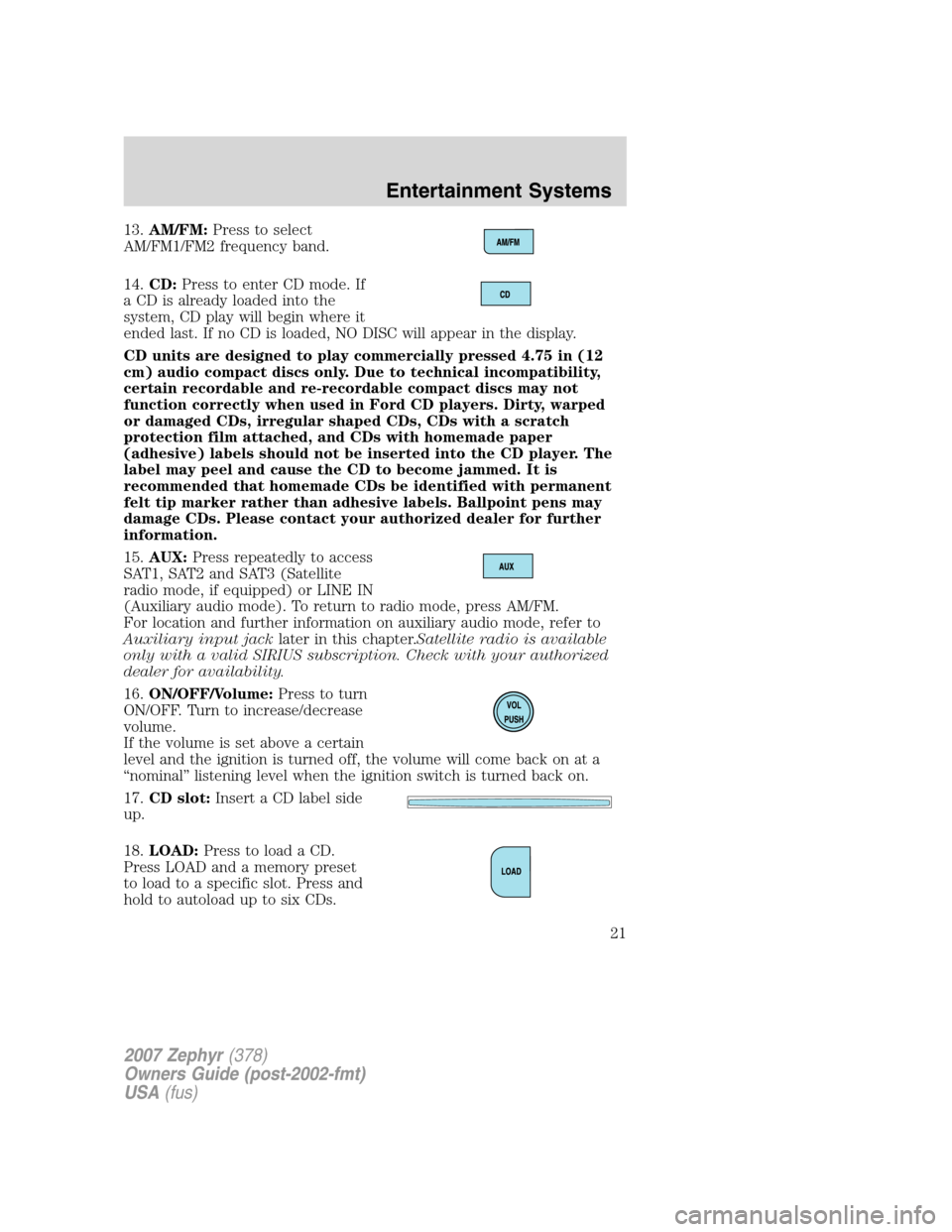
13.AM/FM:Press to select
AM/FM1/FM2 frequency band.
14.CD:Press to enter CD mode. If
a CD is already loaded into the
system, CD play will begin where it
ended last. If no CD is loaded, NO DISC will appear in the display.
CD units are designed to play commercially pressed 4.75 in (12
cm) audio compact discs only. Due to technical incompatibility,
certain recordable and re-recordable compact discs may not
function correctly when used in Ford CD players. Dirty, warped
or damaged CDs, irregular shaped CDs, CDs with a scratch
protection film attached, and CDs with homemade paper
(adhesive) labels should not be inserted into the CD player. The
label may peel and cause the CD to become jammed. It is
recommended that homemade CDs be identified with permanent
felt tip marker rather than adhesive labels. Ballpoint pens may
damage CDs. Please contact your authorized dealer for further
information.
15.AUX:Press repeatedly to access
SAT1, SAT2 and SAT3 (Satellite
radio mode, if equipped) or LINE IN
(Auxiliary audio mode). To return to radio mode, press AM/FM.
For location and further information on auxiliary audio mode, refer to
Auxiliary input jacklater in this chapter.Satellite radio is available
only with a valid SIRIUS subscription. Check with your authorized
dealer for availability.
16.ON/OFF/Volume:Press to turn
ON/OFF. Turn to increase/decrease
volume.
If the volume is set above a certain
level and the ignition is turned off, the volume will come back on at a
“nominal” listening level when the ignition switch is turned back on.
17.CD slot:Insert a CD label side
up.
18.LOAD:Press to load a CD.
Press LOAD and a memory preset
to load to a specific slot. Press and
hold to autoload up to six CDs.
2007 Zephyr(378)
Owners Guide (post-2002-fmt)
USA(fus)
Entertainment Systems
21
Page 22 of 272
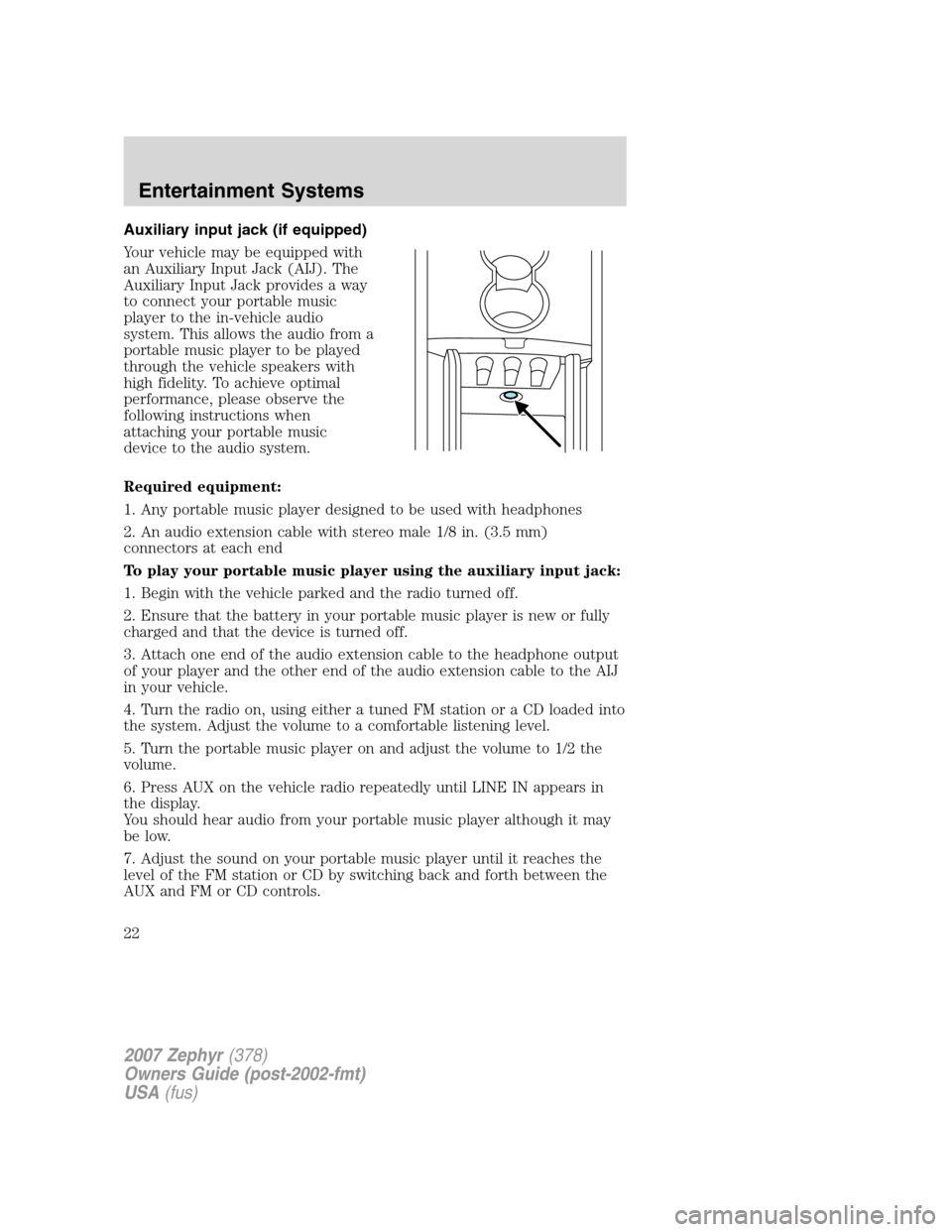
Auxiliary input jack (if equipped)
Your vehicle may be equipped with
an Auxiliary Input Jack (AIJ). The
Auxiliary Input Jack provides a way
to connect your portable music
player to the in-vehicle audio
system. This allows the audio from a
portable music player to be played
through the vehicle speakers with
high fidelity. To achieve optimal
performance, please observe the
following instructions when
attaching your portable music
device to the audio system.
Required equipment:
1. Any portable music player designed to be used with headphones
2. An audio extension cable with stereo male 1/8 in. (3.5 mm)
connectors at each end
To play your portable music player using the auxiliary input jack:
1. Begin with the vehicle parked and the radio turned off.
2. Ensure that the battery in your portable music player is new or fully
charged and that the device is turned off.
3. Attach one end of the audio extension cable to the headphone output
of your player and the other end of the audio extension cable to the AIJ
in your vehicle.
4. Turn the radio on, using either a tuned FM station or a CD loaded into
the system. Adjust the volume to a comfortable listening level.
5. Turn the portable music player on and adjust the volume to 1/2 the
volume.
6. Press AUX on the vehicle radio repeatedly until LINE IN appears in
the display.
You should hear audio from your portable music player although it may
be low.
7. Adjust the sound on your portable music player until it reaches the
level of the FM station or CD by switching back and forth between the
AUX and FM or CD controls.
2007 Zephyr(378)
Owners Guide (post-2002-fmt)
USA(fus)
Entertainment Systems
22
Page 23 of 272
Troubleshooting:
1. Do not connect the audio input jack to a line level output. Line level
outputs are intended for connection to a home stereo and are not
compatible with the AIJ. The AIJ will only work correctly with devices
that have a headphone output with a volume control.
2. Do not set the portable music player’s volume level higher than is
necessary to match the volume of the CD or FM radio in your audio
system as this will cause distortion and will reduce sound quality. Many
portable music players have different output levels, so not all players
should be set at the same levels. Some players will sound best at full
volume and others will need to be set at a lower volume.
3. If the music sounds distorted at lower listening levels, turn the
portable music player volume down. If the problems persists, replace or
recharge the batteries in the portable music player.
4. The portable music player must be controlled in the same manner
when it is used with headphones as the AIJ does not provide control
(play, pause, etc.) over the attached portable music player.
5. For safety reasons, connecting or adjusting the settings on your
portable music player should not be attempted while the vehicle is
moving. Also, the portable music player should be stored in a secure
location, such as the center console or the glove box, when the vehicle is
in motion. The audio extension cable must be long enough to allow the
portable music player to be safely stored while the vehicle is in motion.
GENERAL AUDIO INFORMATION
Radio frequencies:AM and FM frequencies are established by the
Federal Communications Commission (FCC) and the Canadian Radio and
Telecommunications Commission (CRTC). Those frequencies are:
AM: 530, 540–1700, 1710 kHz
FM: 87.7, 87.9–107.7, 107.9 MHz
Radio reception factors:There are three factors that can affect radio
reception:
•Distance/strength: The further you travel from a station, the weaker
the signal and the weaker the reception.
•Terrain: Hills, mountains, tall buildings, power lines, electric fences,
traffic lights and thunderstorms can interfere with your reception.
•Station overload: When you pass a broadcast tower, a stronger signal
may overtake a weaker one and play while the weak station frequency
is displayed.
2007 Zephyr(378)
Owners Guide (post-2002-fmt)
USA(fus)
Entertainment Systems
23
Page 61 of 272
Turning off speed control
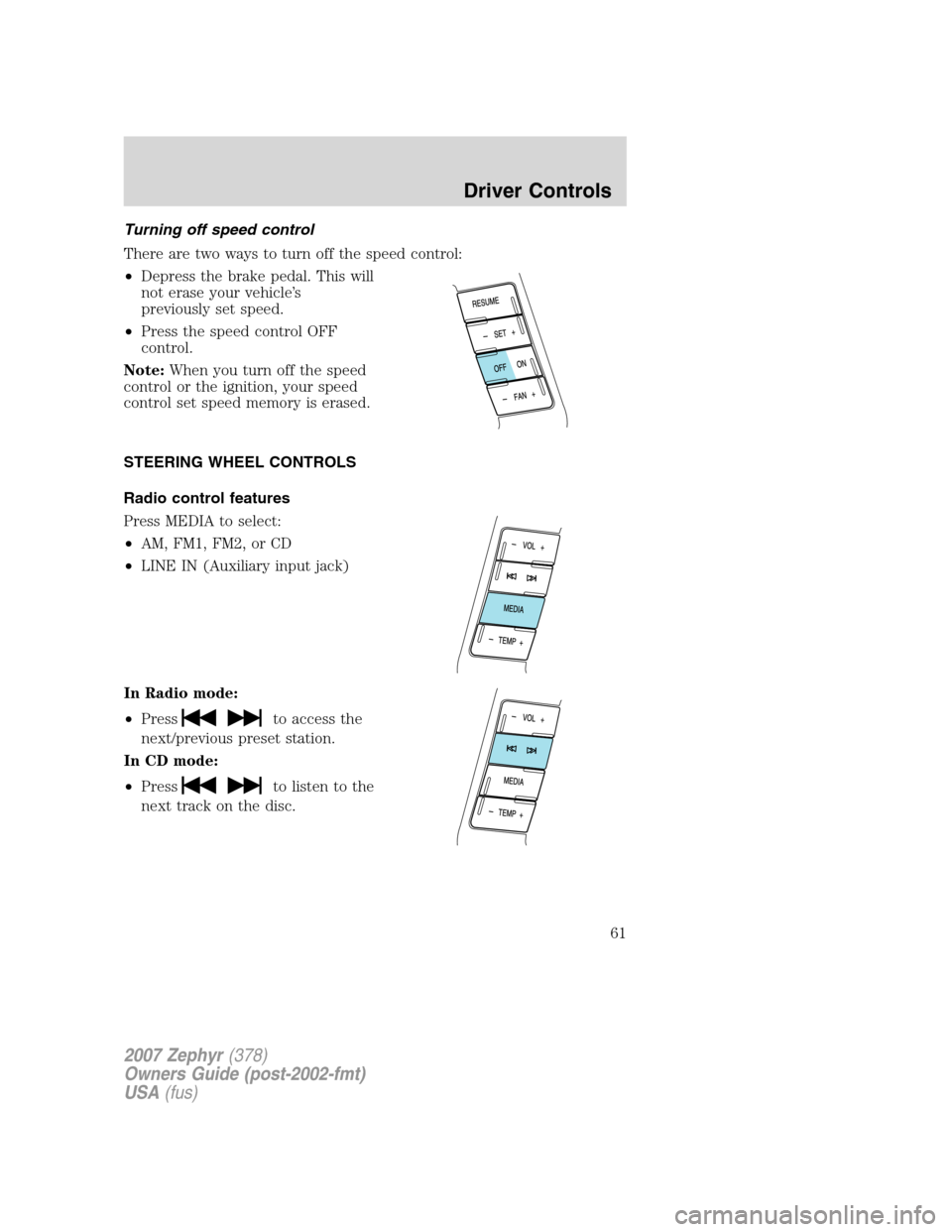
There are two ways to turn off the speed control:
•Depress the brake pedal. This will
not erase your vehicle’s
previously set speed.
•Press the speed control OFF
control.
Note:When you turn off the speed
control or the ignition, your speed
control set speed memory is erased.
STEERING WHEEL CONTROLS
Radio control features
Press MEDIA to select:
•AM, FM1, FM2, or CD
•LINE IN (Auxiliary input jack)
In Radio mode:
•Press
to access the
next/previous preset station.
In CD mode:
•Press
to listen to the
next track on the disc.
2007 Zephyr(378)
Owners Guide (post-2002-fmt)
USA(fus)
Driver Controls
61
Page 198 of 272
How to change a flat tire
To help prevent the vehicle from moving when you change a tire,
be sure the parking brake is set, then block (in both directions)
the wheel that is diagonally opposite (other side and end of the
vehicle) to the tire being changed.
If the vehicle slips off the jack, you or someone else could be
seriously injured.
Do not attempt to change a tire on the side of the vehicle close
to moving traffic. Pull far enough off the road to avoid the
danger of being hit when operating the jack or changing the wheel.
Before changing the tire:
1. Park on a level surface.
2. Activate the hazard flashers.
3. Place the gearshift lever in P (Park).
4. Set the parking brake.
5. Turn off the ignition.
REVIEW COPY ——
2007(com), Owners Guide (post-2002-fmt)(own2002),Market:USA(fus)
Roadside Emergencies
198
Page 199 of 272
Removing the spare tire and jack
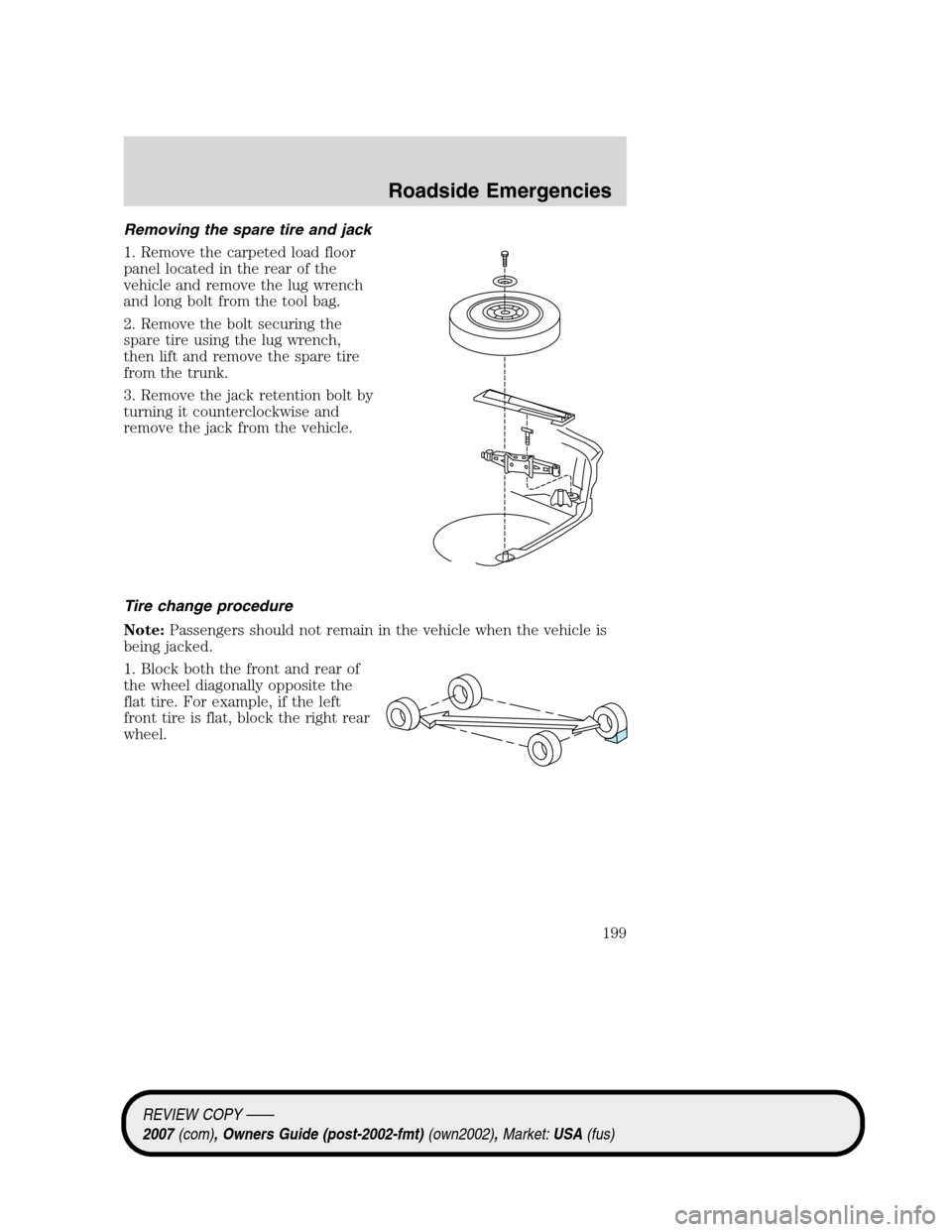
1. Remove the carpeted load floor
panel located in the rear of the
vehicle and remove the lug wrench
and long bolt from the tool bag.
2. Remove the bolt securing the
spare tire using the lug wrench,
then lift and remove the spare tire
from the trunk.
3. Remove the jack retention bolt by
turning it counterclockwise and
remove the jack from the vehicle.
Tire change procedure
Note:Passengers should not remain in the vehicle when the vehicle is
being jacked.
1. Block both the front and rear of
the wheel diagonally opposite the
flat tire. For example, if the left
front tire is flat, block the right rear
wheel.
REVIEW COPY ——
2007(com), Owners Guide (post-2002-fmt)(own2002),Market:USA(fus)
Roadside Emergencies
199
Page 200 of 272
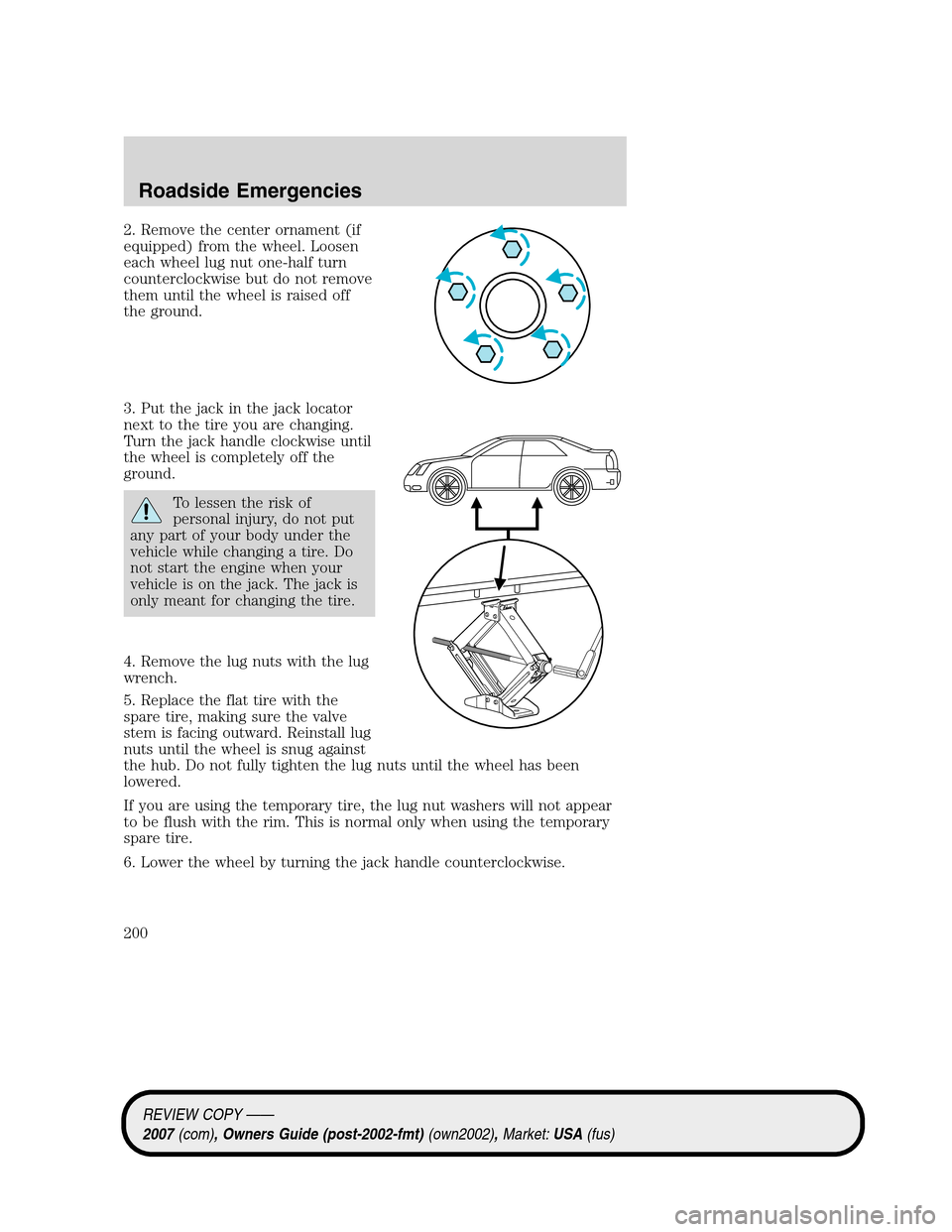
2. Remove the center ornament (if
equipped) from the wheel. Loosen
each wheel lug nut one-half turn
counterclockwise but do not remove
them until the wheel is raised off
the ground.
3. Put the jack in the jack locator
next to the tire you are changing.
Turn the jack handle clockwise until
the wheel is completely off the
ground.
To lessen the risk of
personal injury, do not put
any part of your body under the
vehicle while changing a tire. Do
not start the engine when your
vehicle is on the jack. The jack is
only meant for changing the tire.
4. Remove the lug nuts with the lug
wrench.
5. Replace the flat tire with the
spare tire, making sure the valve
stem is facing outward. Reinstall lug
nuts until the wheel is snug against
the hub. Do not fully tighten the lug nuts until the wheel has been
lowered.
If you are using the temporary tire, the lug nut washers will not appear
to be flush with the rim. This is normal only when using the temporary
spare tire.
6. Lower the wheel by turning the jack handle counterclockwise.
REVIEW COPY ——
2007(com), Owners Guide (post-2002-fmt)(own2002),Market:USA(fus)
Roadside Emergencies
200
Page 201 of 272
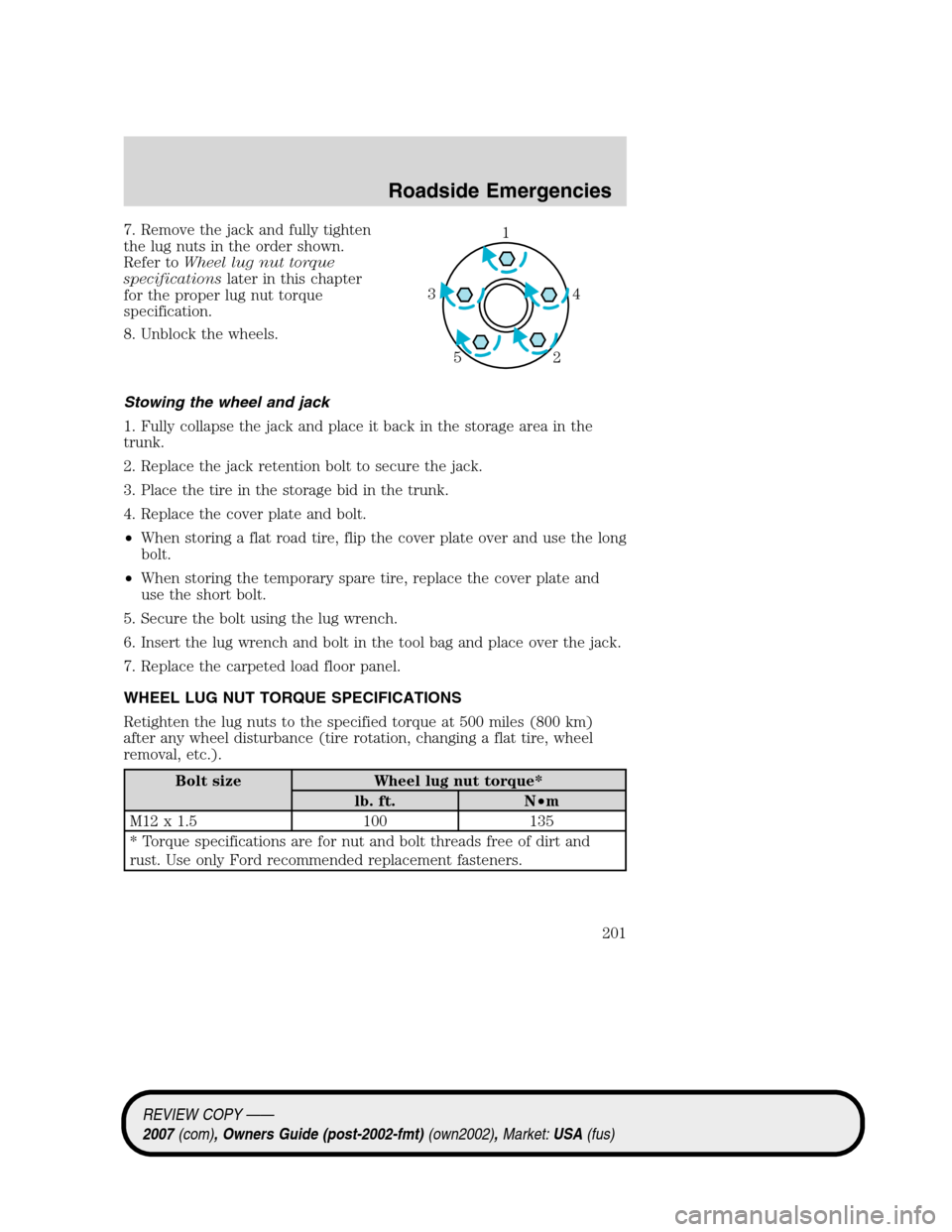
7. Remove the jack and fully tighten
the lug nuts in the order shown.
Refer toWheel lug nut torque
specificationslater in this chapter
for the proper lug nut torque
specification.
8. Unblock the wheels.
Stowing the wheel and jack
1. Fully collapse the jack and place it back in the storage area in the
trunk.
2. Replace the jack retention bolt to secure the jack.
3. Place the tire in the storage bid in the trunk.
4. Replace the cover plate and bolt.
•When storing a flat road tire, flip the cover plate over and use the long
bolt.
•When storing the temporary spare tire, replace the cover plate and
use the short bolt.
5. Secure the bolt using the lug wrench.
6. Insert the lug wrench and bolt in the tool bag and place over the jack.
7. Replace the carpeted load floor panel.
WHEEL LUG NUT TORQUE SPECIFICATIONS
Retighten the lug nuts to the specified torque at 500 miles (800 km)
after any wheel disturbance (tire rotation, changing a flat tire, wheel
removal, etc.).
Bolt size Wheel lug nut torque*
lb. ft. N•m
M12 x 1.5 100 135
* Torque specifications are for nut and bolt threads free of dirt and
rust. Use only Ford recommended replacement fasteners.
1
4 3
2 5
REVIEW COPY ——
2007(com), Owners Guide (post-2002-fmt)(own2002),Market:USA(fus)
Roadside Emergencies
201