light LINCOLN MKZ 2013 Owners Manual
[x] Cancel search | Manufacturer: LINCOLN, Model Year: 2013, Model line: MKZ, Model: LINCOLN MKZ 2013Pages: 474, PDF Size: 3.79 MB
Page 407 of 474
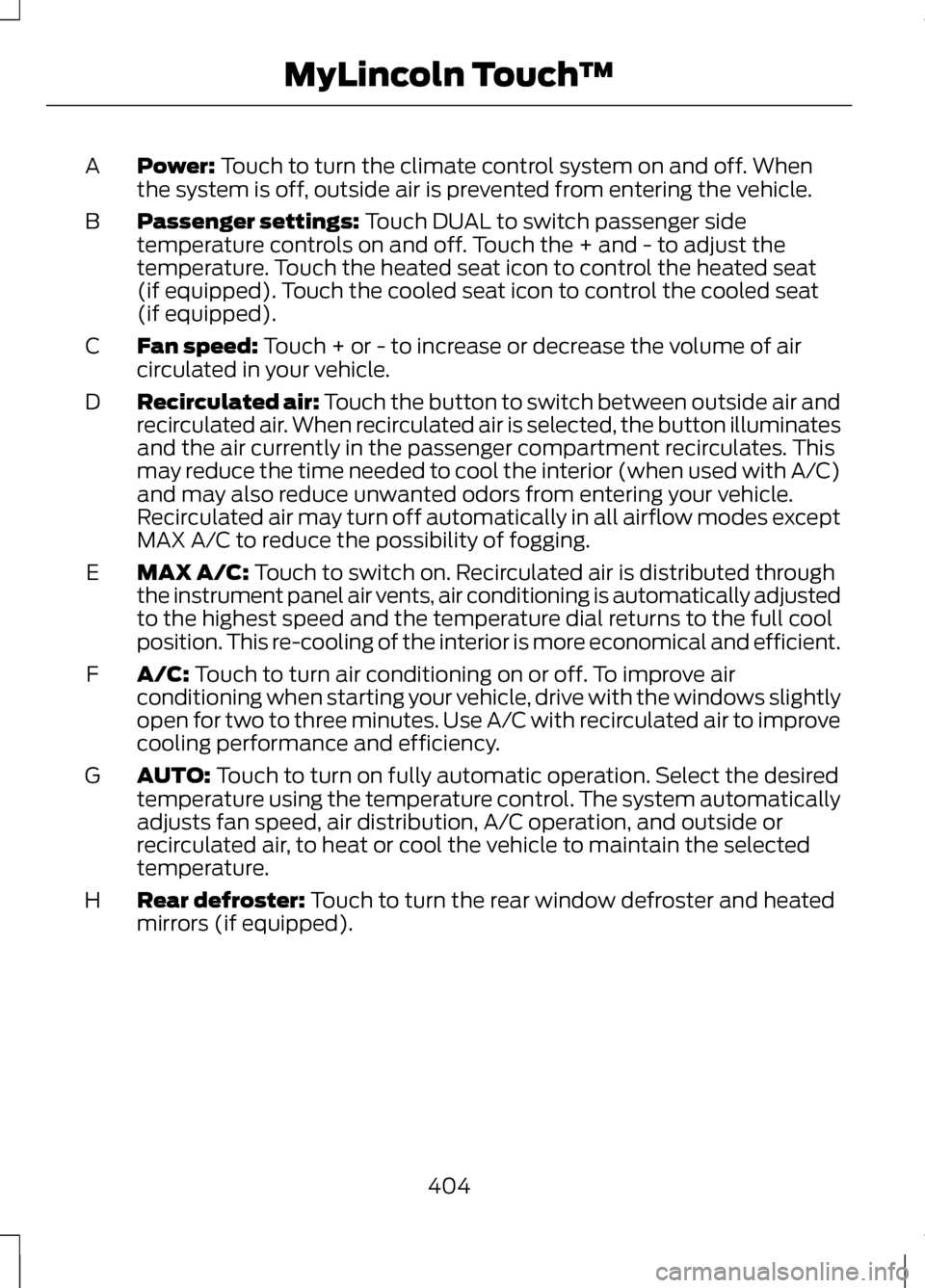
Power: Touch to turn the climate control system on and off. When
the system is off, outside air is prevented from entering the vehicle.
A
Passenger settings:
Touch DUAL to switch passenger side
temperature controls on and off. Touch the + and - to adjust the
temperature. Touch the heated seat icon to control the heated seat
(if equipped). Touch the cooled seat icon to control the cooled seat
(if equipped).
B
Fan speed:
Touch + or - to increase or decrease the volume of air
circulated in your vehicle.
C
Recirculated air: Touch the button to switch between outside air and
recirculated air. When recirculated air is selected, the button illuminates
and the air currently in the passenger compartment recirculates. This
may reduce the time needed to cool the interior (when used with A/C)
and may also reduce unwanted odors from entering your vehicle.
Recirculated air may turn off automatically in all airflow modes except
MAX A/C to reduce the possibility of fogging.
D
MAX A/C:
Touch to switch on. Recirculated air is distributed through
the instrument panel air vents, air conditioning is automatically adjusted
to the highest speed and the temperature dial returns to the full cool
position. This re-cooling of the interior is more economical and efficient.
E
A/C:
Touch to turn air conditioning on or off. To improve air
conditioning when starting your vehicle, drive with the windows slightly
open for two to three minutes. Use A/C with recirculated air to improve
cooling performance and efficiency.
F
AUTO:
Touch to turn on fully automatic operation. Select the desired
temperature using the temperature control. The system automatically
adjusts fan speed, air distribution, A/C operation, and outside or
recirculated air, to heat or cool the vehicle to maintain the selected
temperature.
G
Rear defroster:
Touch to turn the rear window defroster and heated
mirrors (if equipped).
H
404
MyLincoln Touch
™
Page 411 of 474
1. Enter the necessary information
into the highlighted text fields (in
any order). For address destination
entry, the Go! button appears once
all the necessary information has
been entered. Pressing the Go!
button makes the address location
appear on the map. If you choose
Previous Destination, the last 20
destinations you have selected
appear.
2. Select Set as Dest to make this your destination. You can also
choose to set this as a waypoint
(have the system route to this
point on the way to your current
destination) or save it as a favorite.
Any Avoid Areas selections are
also considered in route
calculation.
3. Choose from up to three different types of routes, then select Start
Route.
• Fastest: Uses the fastest moving
roads possible.
• Shortest: Uses the shortest
distance possible.
• Eco (EcoRoute): Uses the most
fuel efficient route. You can cancel the route or have the
system demo the route for you. Select
Route Prefs to set route preferences
like avoiding freeways, toll roads,
ferries and car trains as well as to use
or not use HOV lanes. (HOV lanes are
High Occupancy Vehicle Lanes also
known as carpool or diamond lanes.
These lanes are reserved for people
who ride in buses, vanpools or
carpools.)
Note:
If Start Route button is not
pressed and the vehicle is driven on a
recognized road, the system defaults
to the fastest route option and begins
guidance.
During route guidance, the talking
bubble icon that appears in the upper
right navigation corner (green bar) can
be pressed if the user wants the
system to repeat a route guidance
instruction. Instructions decrease with
each press.
Point of Interest (POI)
Categories
Your system offers a variety if POI
(Points of Interest) categories. Main Categories
Automotive
Food/Drink & Dining
Shopping
Travel & Transportation
Entertainment & Arts
Financial
408
MyLincoln Touch
™
Page 445 of 474
Oils, Fluids and Flushing
In many cases, fluid discoloration is a
normal operating characteristic and,
by itself, does not necessarily indicate
a concern or that the fluid needs to be
changed. However, a qualified expert,
such as the factory-trained
technicians at your dealership, should
inspect discolored fluids that also
show signs of overheating or foreign
material contamination immediately.
Make sure to change your vehicle
’s
oils and fluids at the specified
intervals or in conjunction with a
repair. Flushing is a viable way to
change fluid for many vehicle
sub-systems during scheduled
maintenance. It is critical that systems
are flushed only with new fluid that is
the same as that required to fill and
operate the system or using a
Ford-approved flushing chemical.
Owner Checks and Services
Make sure you perform the following
basic maintenance checks and
inspections every month or at six
month intervals. Check every month
Engine oil level.
Function of all interior and exterior lights.
Tires (including spare) for wear and proper pressure. Windshield washer fluid level. Check every six months
Battery connections. Clean if necessary.
Body and door drain holes for obstructions. Clean if necessary. Cooling system fluid level and coolant strength.
Door weatherstrips for wear. Lubricate if necessary.
Hinges, latches and outside locks for proper operation. Lubricate if necessary. Parking brake for proper operation.
442
Scheduled Maintenance
Page 466 of 474
Hints on Controlling the Interior
Climate..................................................127
Cooling the Interior Quickly..................128
General Hints.............................................. 127
Heating the Interior Quickly..................128
Recommended Settings for Cooling ..................................................................... 128
Recommended Settings for Heating..................................................... 128
Side Window Defogging in Cold Weather................................................... 128
Hints on Driving With Anti-Lock Brakes....................................................178
Hood Lock See: Opening and Closing the
Hood........................................................ 264
I
In California (U.S. Only)...................244
Information Display Control..............77 Cluster Display Control Features..........77
Information Displays.........................100
General Information...............................100
Information...........................................392 911 Assist®................................................. 399
Alerts............................................................ 399
Calendar..................................................... 399
SIRIUS Travel Link...................................396
SYNC Services (If Equipped, U.S. Only)........................................................ 392
Vehicle Health Report...........................402 Information Messages
......................105
Active Park.................................................. 105
Adaptive Cruise Control........................106
AdvanceTrac®........................................... 107
Airbag............................................................ 107
Alarm............................................................. 107
Automatic Engine Shutdown...............107
AWD.............................................................. 108
Battery and Charging System.............109
Blind Spot Information and Cross Traffic Alert System.............................110
Collision Warning System......................110
Doors and Locks.......................................... 111
Driver Alert..................................................... 111
Engine.............................................................. 111
Fuel.................................................................. 112
Hill Start Assist........................................... 112
Keys and Intelligent Access...................112
Lane Keeping System..............................113
Maintenance................................................ 114
MyKey............................................................. 115
Park Aid......................................................... 116
Park Brake.................................................... 116
Power Steering............................................ 117
Remote Start............................................... 117
Starting System ........................................118
Tire Pressure Monitoring System........118
Traction Control......................................... 119
Transmission............................................... 119
Installing Child Seats
............................21
Child Seats..................................................... 21
Using Lap and Shoulder Belts................21
Using Lower Anchors and Tethers for CHildren (LATCH)..................................26
Using Tether Straps...................................28
Instrument Cluster...............................94
Instrument Lighting Dimmer............83
Interior Lamps
........................................85
Front Interior Lamp...................................86
Rear Interior Lamp.....................................86
Interior Luggage Compartment Release...................................................70
463
Index
Page 467 of 474
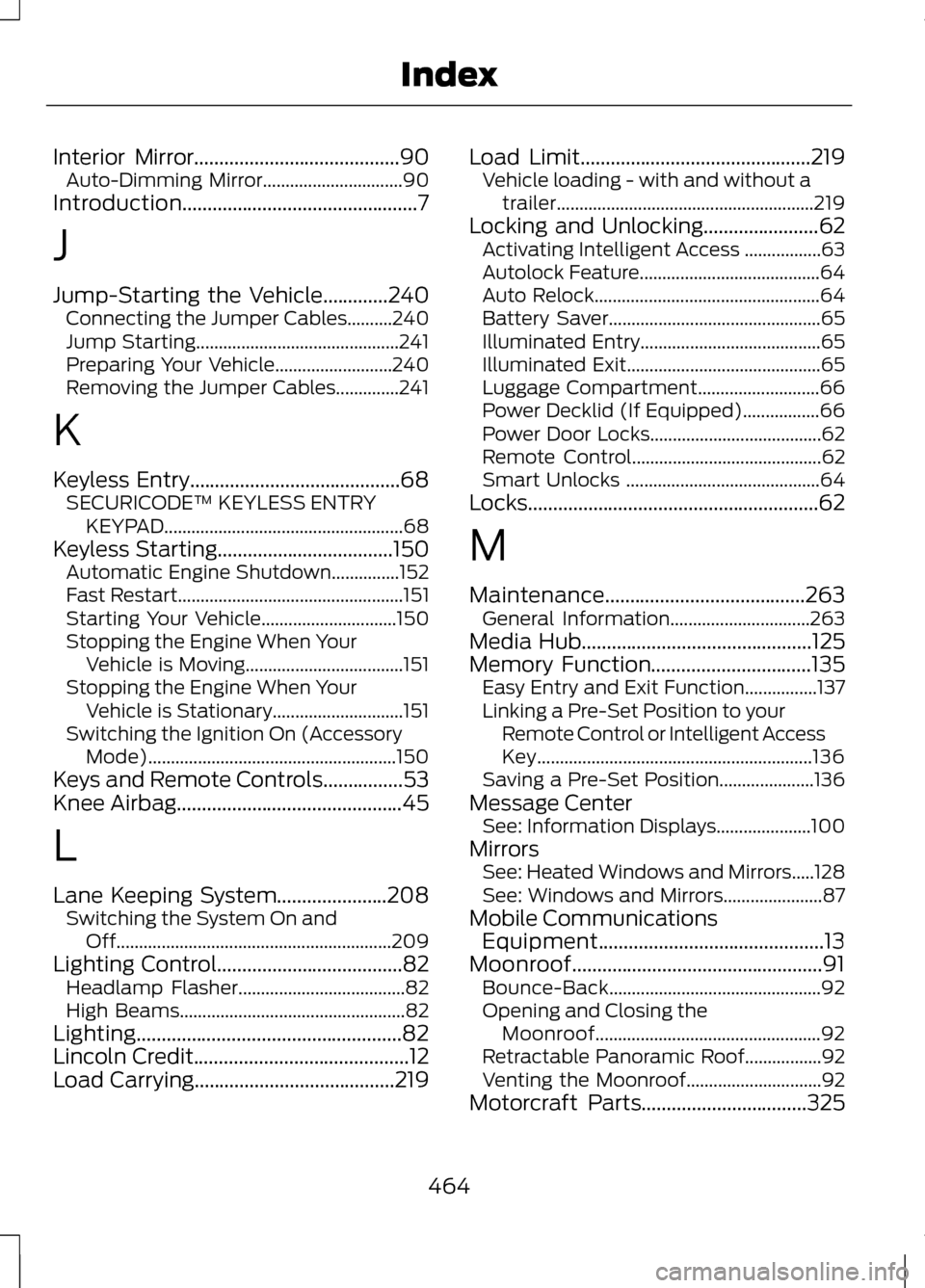
Interior Mirror.........................................90
Auto-Dimming Mirror...............................90
Introduction...............................................7
J
Jump-Starting the Vehicle
.............240
Connecting the Jumper Cables..........240
Jump Starting............................................. 241
Preparing Your Vehicle..........................240
Removing the Jumper Cables..............241
K
Keyless Entry..........................................68 SECURICODE™ KEYLESS ENTRY
KEYPAD..................................................... 68
Keyless Starting...................................150 Automatic Engine Shutdown...............152
Fast Restart.................................................. 151
Starting Your Vehicle..............................150
Stopping the Engine When Your Vehicle is Moving...................................151
Stopping the Engine When Your Vehicle is Stationary.............................151
Switching the Ignition On (Accessory Mode)....................................................... 150
Keys and Remote Controls................53
Knee Airbag
.............................................45
L
Lane Keeping System......................208 Switching the System On and
Off............................................................. 209
Lighting Control
.....................................82
Headlamp Flasher.....................................82
High Beams.................................................. 82
Lighting.....................................................82
Lincoln Credit
...........................................12
Load Carrying........................................219 Load Limit
..............................................219
Vehicle loading - with and without a
trailer......................................................... 219
Locking and Unlocking.......................62 Activating Intelligent Access .................63
Autolock Feature........................................64
Auto Relock.................................................. 64
Battery Saver............................................... 65
Illuminated Entry........................................65
Illuminated Exit........................................... 65
Luggage Compartment...........................66
Power Decklid (If Equipped).................66
Power Door Locks......................................62
Remote Control.......................................... 62
Smart Unlocks ........................................... 64
Locks..........................................................62
M
Maintenance........................................263 General Information...............................263
Media Hub
..............................................125
Memory Function................................135 Easy Entry and Exit Function................137
Linking a Pre-Set Position to your
Remote Control or Intelligent Access
Key............................................................. 136
Saving a Pre-Set Position.....................136
Message Center See: Information Displays.....................100
Mirrors See: Heated Windows and Mirrors.....128
See: Windows and Mirrors......................87
Mobile Communications Equipment.............................................13
Moonroof..................................................91 Bounce-Back............................................... 92
Opening and Closing the Moonroof.................................................. 92
Retractable Panoramic Roof.................92
Venting the Moonroof..............................92
Motorcraft Parts.................................325
464
Index
Page 471 of 474
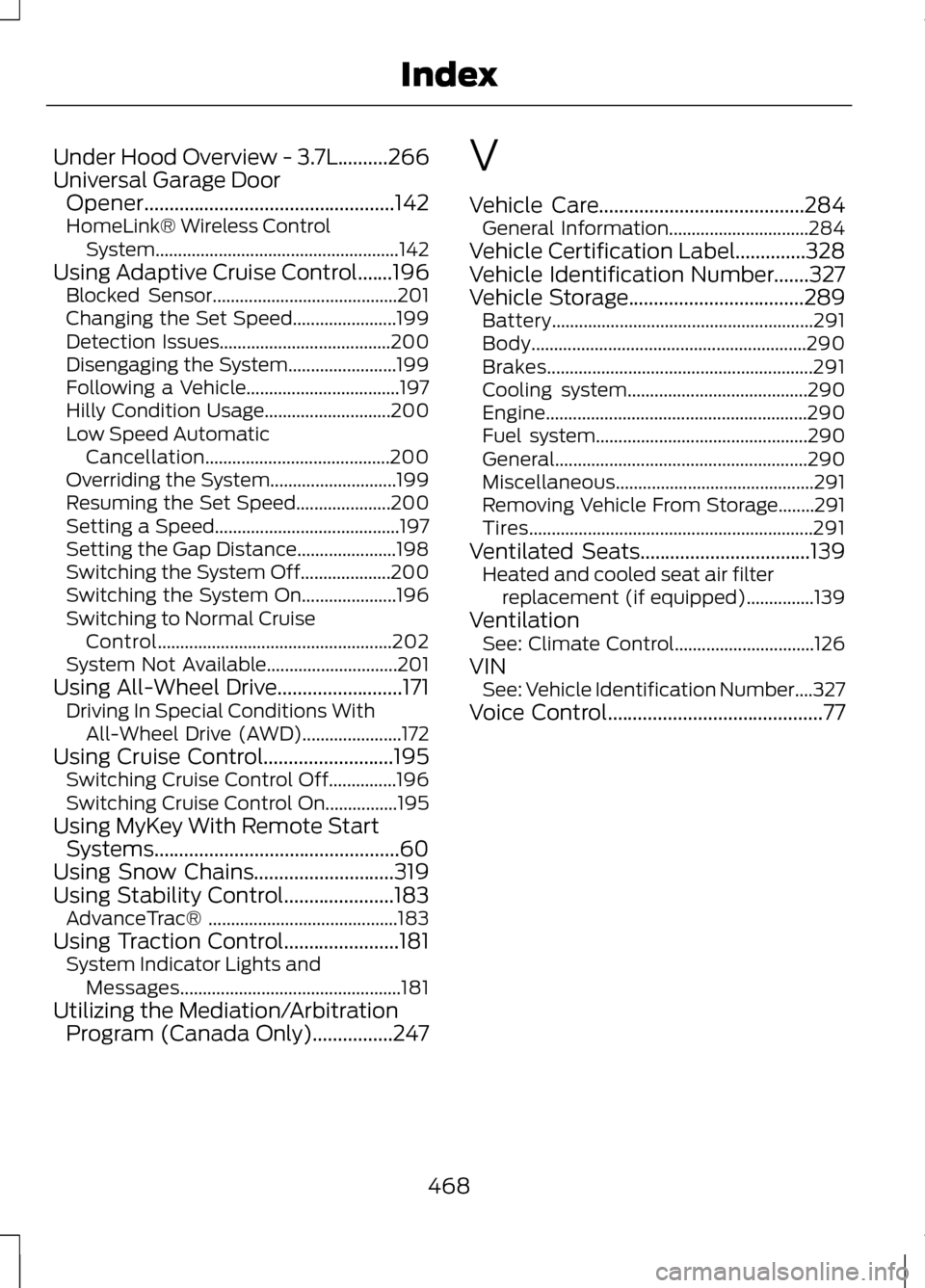
Under Hood Overview - 3.7L..........266
Universal Garage Door
Opener..................................................142
HomeLink® Wireless Control System...................................................... 142
Using Adaptive Cruise Control.......196 Blocked Sensor.........................................201
Changing the Set Speed.......................199
Detection Issues......................................200
Disengaging the System........................199
Following a Vehicle..................................197
Hilly Condition Usage............................200
Low Speed Automatic
Cancellation.........................................200
Overriding the System............................199
Resuming the Set Speed.....................200
Setting a Speed......................................... 197
Setting the Gap Distance......................198
Switching the System Off....................200
Switching the System On.....................196
Switching to Normal Cruise Control.................................................... 202
System Not Available.............................201
Using All-Wheel Drive.........................171 Driving In Special Conditions With
All-Wheel Drive (AWD)......................172
Using Cruise Control..........................195 Switching Cruise Control Off...............196
Switching Cruise Control On................195
Using MyKey With Remote Start Systems.................................................60
Using Snow Chains............................319
Using Stability Control......................183 AdvanceTrac® .......................................... 183
Using Traction Control.......................181 System Indicator Lights and
Messages................................................. 181
Utilizing the Mediation/Arbitration Program (Canada Only)................247 V
Vehicle Care.........................................284
General Information...............................284
Vehicle Certification Label..............328
Vehicle Identification Number.......327
Vehicle Storage...................................289 Battery.......................................................... 291
Body............................................................. 290
Brakes........................................................... 291
Cooling system........................................290
Engine.......................................................... 290
Fuel system............................................... 290
General........................................................ 290
Miscellaneous............................................ 291
Removing Vehicle From Storage........291
Tires............................................................... 291
Ventilated Seats..................................139 Heated and cooled seat air filter
replacement (if equipped)...............139
Ventilation See: Climate Control...............................126
VIN See: Vehicle Identification Number....327
Voice Control
...........................................77
468
Index