instrument cluster LINCOLN MKZ 2013 User Guide
[x] Cancel search | Manufacturer: LINCOLN, Model Year: 2013, Model line: MKZ, Model: LINCOLN MKZ 2013Pages: 474, PDF Size: 3.79 MB
Page 101 of 474
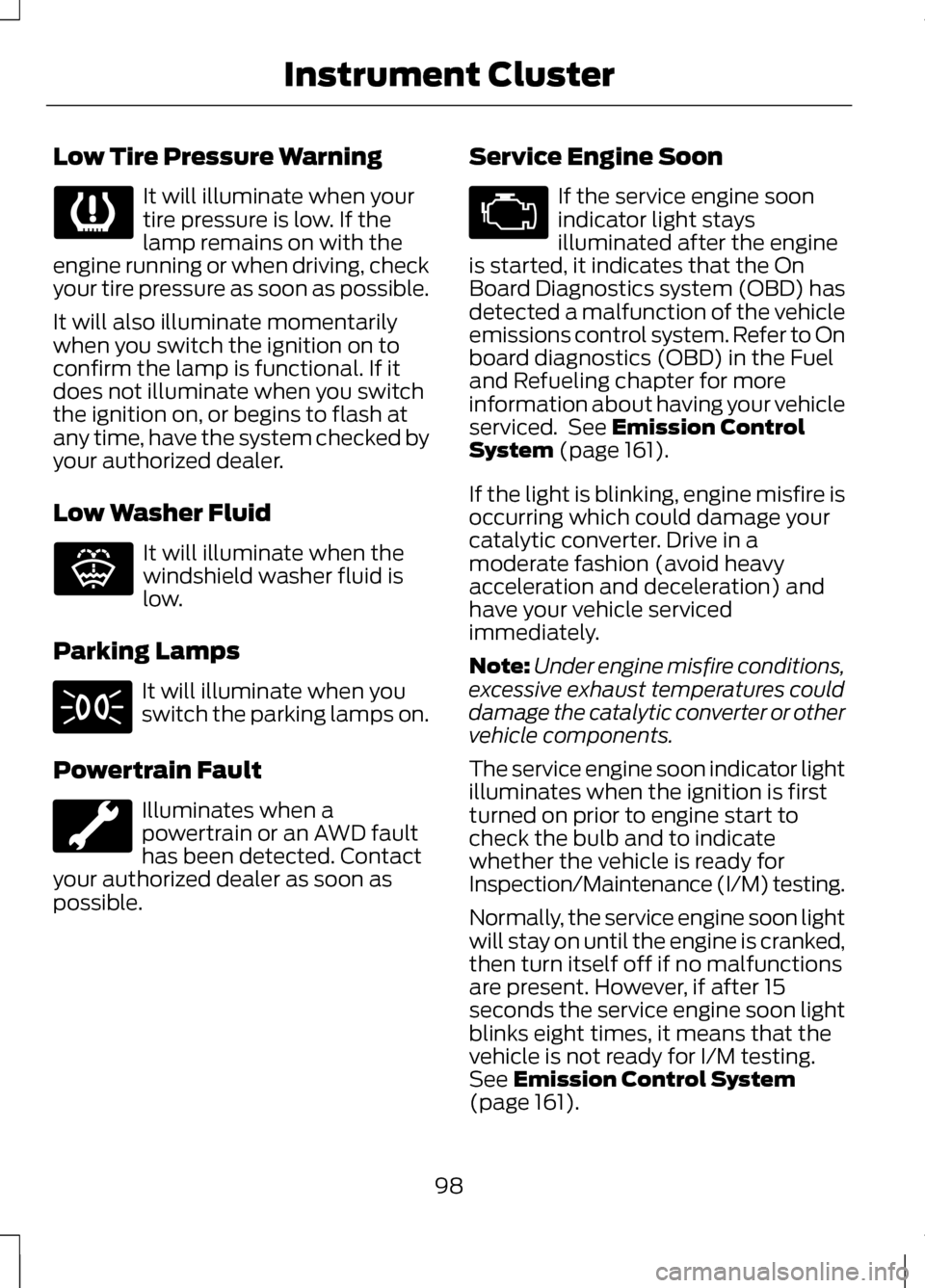
Low Tire Pressure Warning
It will illuminate when your
tire pressure is low. If the
lamp remains on with the
engine running or when driving, check
your tire pressure as soon as possible.
It will also illuminate momentarily
when you switch the ignition on to
confirm the lamp is functional. If it
does not illuminate when you switch
the ignition on, or begins to flash at
any time, have the system checked by
your authorized dealer.
Low Washer Fluid It will illuminate when the
windshield washer fluid is
low.
Parking Lamps It will illuminate when you
switch the parking lamps on.
Powertrain Fault Illuminates when a
powertrain or an AWD fault
has been detected. Contact
your authorized dealer as soon as
possible. Service Engine Soon If the service engine soon
indicator light stays
illuminated after the engine
is started, it indicates that the On
Board Diagnostics system (OBD) has
detected a malfunction of the vehicle
emissions control system. Refer to On
board diagnostics (OBD) in the Fuel
and Refueling chapter for more
information about having your vehicle
serviced. See Emission Control
System (page 161).
If the light is blinking, engine misfire is
occurring which could damage your
catalytic converter. Drive in a
moderate fashion (avoid heavy
acceleration and deceleration) and
have your vehicle serviced
immediately.
Note: Under engine misfire conditions,
excessive exhaust temperatures could
damage the catalytic converter or other
vehicle components.
The service engine soon indicator light
illuminates when the ignition is first
turned on prior to engine start to
check the bulb and to indicate
whether the vehicle is ready for
Inspection/Maintenance (I/M) testing.
Normally, the service engine soon light
will stay on until the engine is cranked,
then turn itself off if no malfunctions
are present. However, if after 15
seconds the service engine soon light
blinks eight times, it means that the
vehicle is not ready for I/M testing.
See
Emission Control System
(page 161).
98
Instrument Cluster E132353
Page 102 of 474
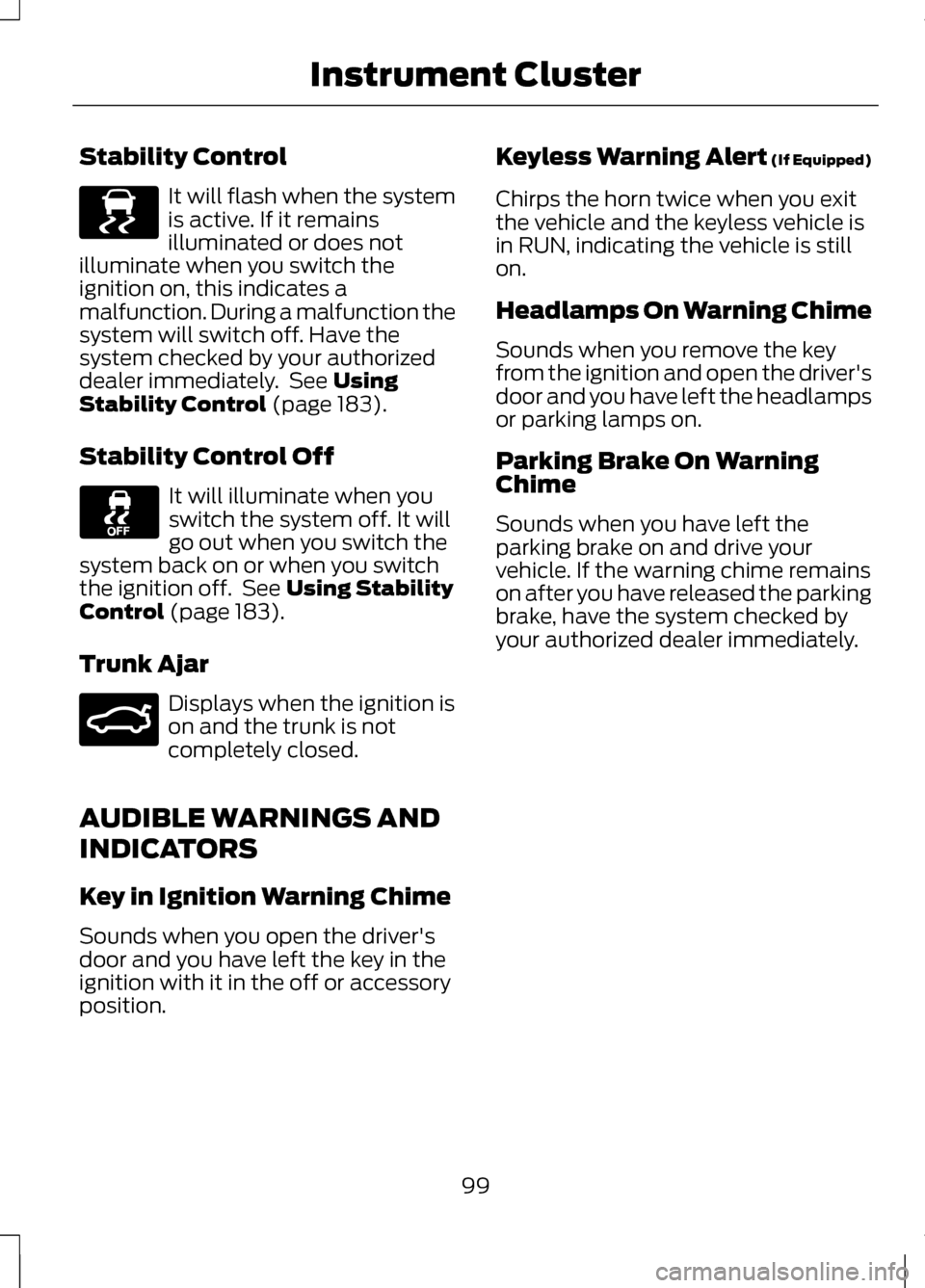
Stability Control
It will flash when the system
is active. If it remains
illuminated or does not
illuminate when you switch the
ignition on, this indicates a
malfunction. During a malfunction the
system will switch off. Have the
system checked by your authorized
dealer immediately. See Using
Stability Control (page 183).
Stability Control Off It will illuminate when you
switch the system off. It will
go out when you switch the
system back on or when you switch
the ignition off. See
Using Stability
Control (page 183).
Trunk Ajar Displays when the ignition is
on and the trunk is not
completely closed.
AUDIBLE WARNINGS AND
INDICATORS
Key in Ignition Warning Chime
Sounds when you open the driver's
door and you have left the key in the
ignition with it in the off or accessory
position. Keyless Warning Alert (If Equipped)
Chirps the horn twice when you exit
the vehicle and the keyless vehicle is
in RUN, indicating the vehicle is still
on.
Headlamps On Warning Chime
Sounds when you remove the key
from the ignition and open the driver's
door and you have left the headlamps
or parking lamps on.
Parking Brake On Warning
Chime
Sounds when you have left the
parking brake on and drive your
vehicle. If the warning chime remains
on after you have released the parking
brake, have the system checked by
your authorized dealer immediately.
99
Instrument ClusterE138639 E159323
Page 162 of 474
Easy Fuel
™ Capless Fuel
System WARNING
The fuel system may be under
pressure. If you hear a hissing
sound near the fuel filler door, do not
refuel until the sound stops.
Otherwise, fuel may spray out, which
could cause serious personal injury. When fueling your vehicle:
1.
Put the vehicle in P (Park) and turn
the ignition off.
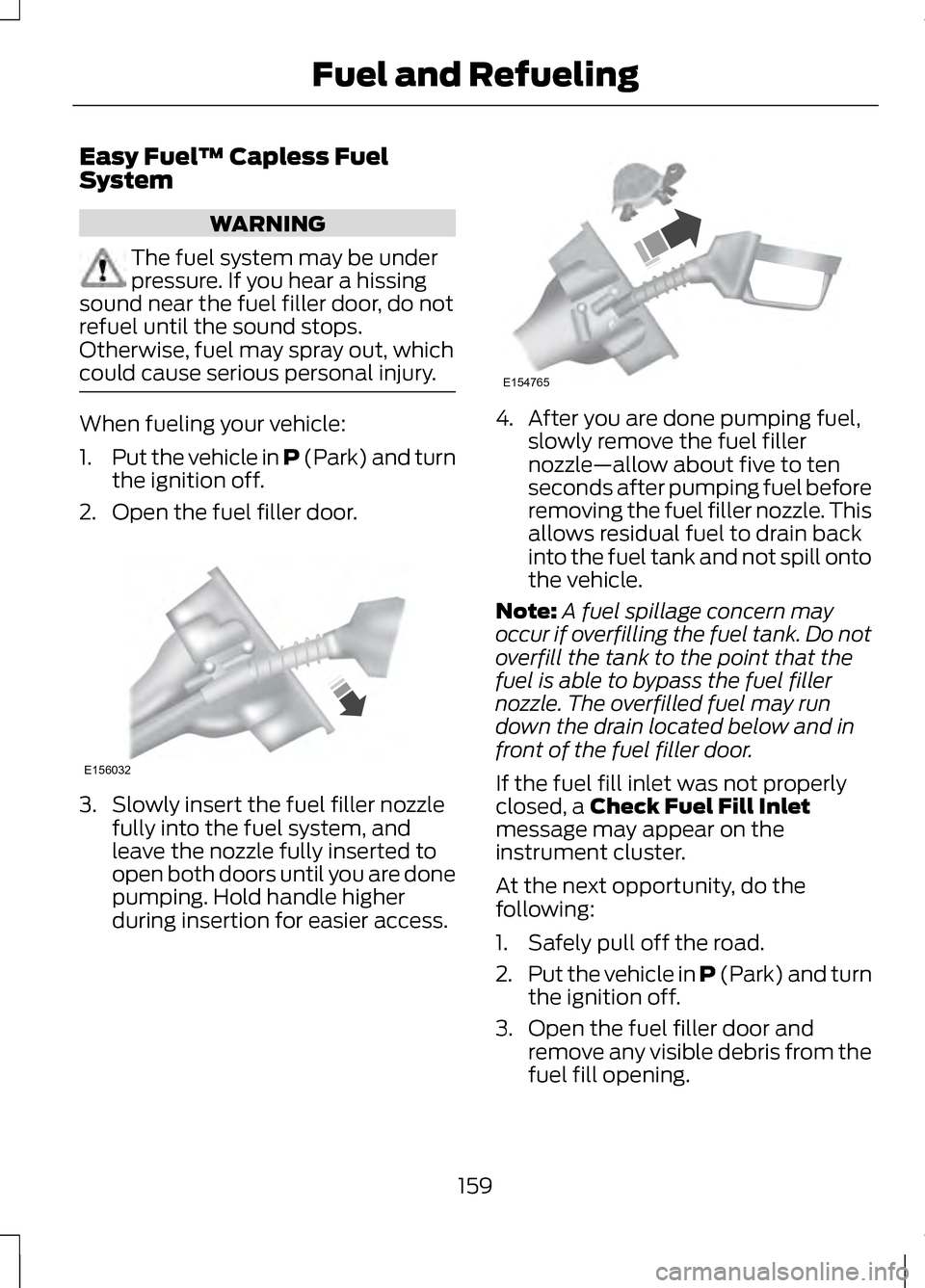
2. Open the fuel filler door. 3. Slowly insert the fuel filler nozzle
fully into the fuel system, and
leave the nozzle fully inserted to
open both doors until you are done
pumping. Hold handle higher
during insertion for easier access. 4. After you are done pumping fuel,
slowly remove the fuel filler
nozzle—allow about five to ten
seconds after pumping fuel before
removing the fuel filler nozzle. This
allows residual fuel to drain back
into the fuel tank and not spill onto
the vehicle.
Note: A fuel spillage concern may
occur if overfilling the fuel tank. Do not
overfill the tank to the point that the
fuel is able to bypass the fuel filler
nozzle. The overfilled fuel may run
down the drain located below and in
front of the fuel filler door.
If the fuel fill inlet was not properly
closed, a Check Fuel Fill Inlet
message may appear on the
instrument cluster.
At the next opportunity, do the
following:
1. Safely pull off the road.
2. Put the vehicle in P (Park) and turn
the ignition off.
3. Open the fuel filler door and remove any visible debris from the
fuel fill opening.
159
Fuel and RefuelingE156032 E154765
Page 168 of 474
AUTOMATIC
TRANSMISSION
WARNINGS
Always set the parking brake
fully and make sure the vehicle
is in P (Park). Turn the ignition off
whenever you leave your vehicle. Do not apply the brake pedal and
accelerator pedal
simultaneously. Applying both pedals
simultaneously for more than three
seconds will limit engine rpm, which
may result in difficulty maintaining
speed in traffic and could lead to
serious injury. Push Button Shift
Transmission
Your vehicle is equipped with an
electronic transmission. The shift
buttons are located on the center
stack next the MyLincoln Touch
™
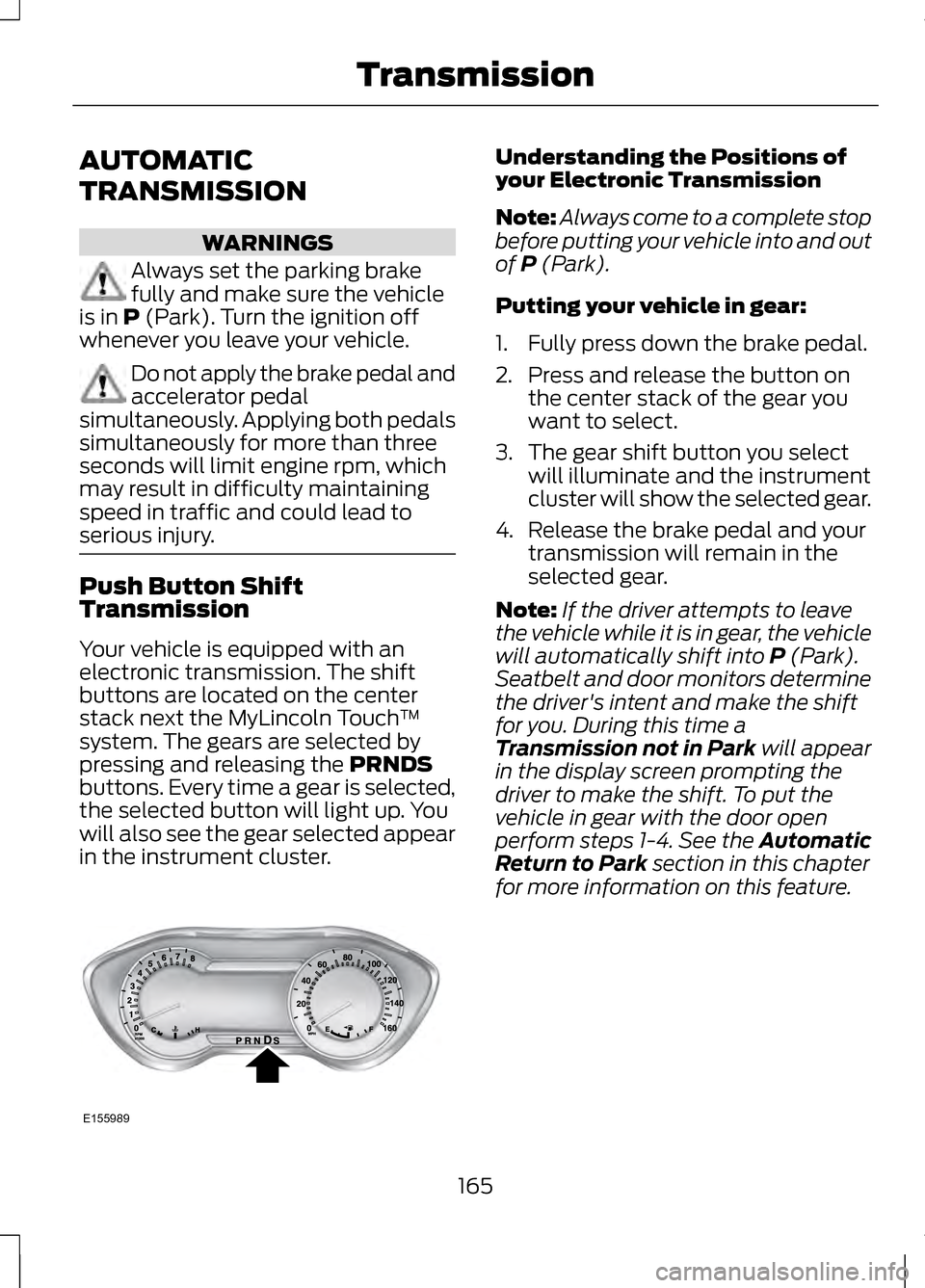
system. The gears are selected by
pressing and releasing the
PRNDS
buttons. Every time a gear is selected,
the selected button will light up. You
will also see the gear selected appear
in the instrument cluster. Understanding the Positions of
your Electronic Transmission
Note:
Always come to a complete stop
before putting your vehicle into and out
of
P (Park).
Putting your vehicle in gear:
1. Fully press down the brake pedal.
2. Press and release the button on the center stack of the gear you
want to select.
3. The gear shift button you select will illuminate and the instrument
cluster will show the selected gear.
4. Release the brake pedal and your transmission will remain in the
selected gear.
Note: If the driver attempts to leave
the vehicle while it is in gear, the vehicle
will automatically shift into
P (Park).
Seatbelt and door monitors determine
the driver's intent and make the shift
for you. During this time a
Transmission not in Park
will appear
in the display screen prompting the
driver to make the shift. To put the
vehicle in gear with the door open
perform steps 1-4. See the Automatic
Return to Park
section in this chapter
for more information on this feature.
165
TransmissionE155989
Page 170 of 474
The message Stay in Neutral mode
engaged will appear in the
information display screen when the
vehicle has entered Stay in Neutral
mode.
Note: During this mode the
N button
will flash continuously and the
instrument cluster will display N as the
selected gear.
Exiting Stay in Neutral mode
To disable Stay in Neutral mode put
the vehicle in another gear. See the
Putting the Vehicle in Gear
for
instructions on how to do this.
Entering a Carwash
Note: Always put the vehicle in Stay
in Neutral mode when entering an
automatic car wash. Failure to do this
could result in vehicle damage that
may not be covered by warranty.
D (Drive)
The normal driving position for the
best fuel economy.
S (Sport)
Putting the vehicle in
S (Sport): •
Provides additional engine braking
and extends lower gear operation
to enhance performance for uphill
climbs, hilly terrain or mountainous
areas. This will increase engine
RPM during engine braking.
• Provides additional lower gear
operation through the automatic
transmission shift strategy.
• Gears are selected more quickly
and at higher engine speeds.
SelectShift Automatic®
Transmission
Your SelectShift automatic
transmission gives you the ability to
manually change gears if you'd like.
Paddle Shifters
The paddle shifters allow you to shift
gears quickly, without taking your
hands off the steering wheel.
Temporary manual control is provided
when pulling the paddles with the
vehicle in the
D (Drive). The system
will determine when temporary
manual control is no longer desired
and reverts back to automatic control.
Extensive manual control can be
achieved by pressing the
S (Sport)
button. The system will stay in manual
control until the vehicle is put in
another gear.
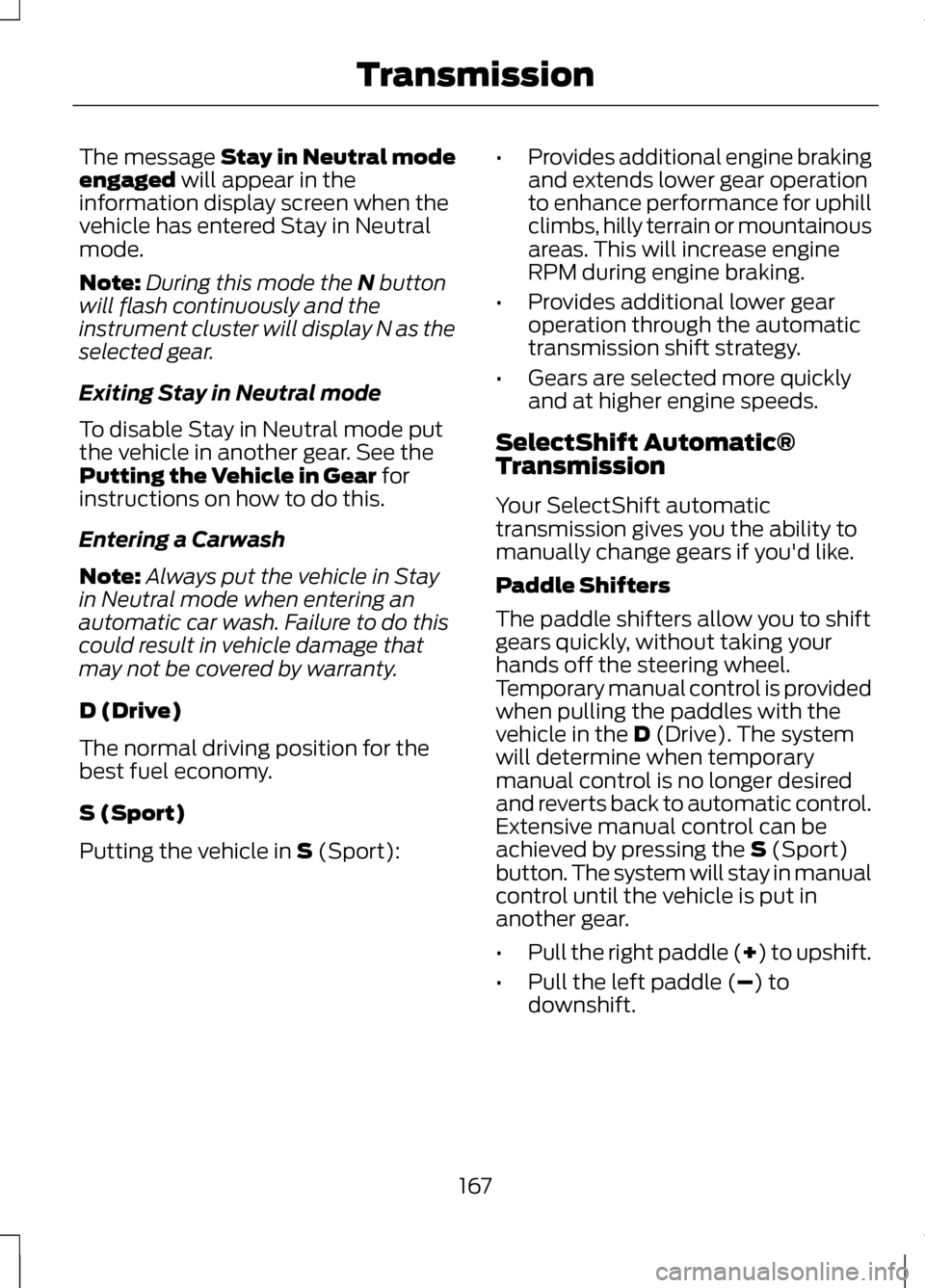
• Pull the right paddle (+) to upshift.
• Pull the left paddle (
–) to
downshift.
167
Transmission
Page 171 of 474
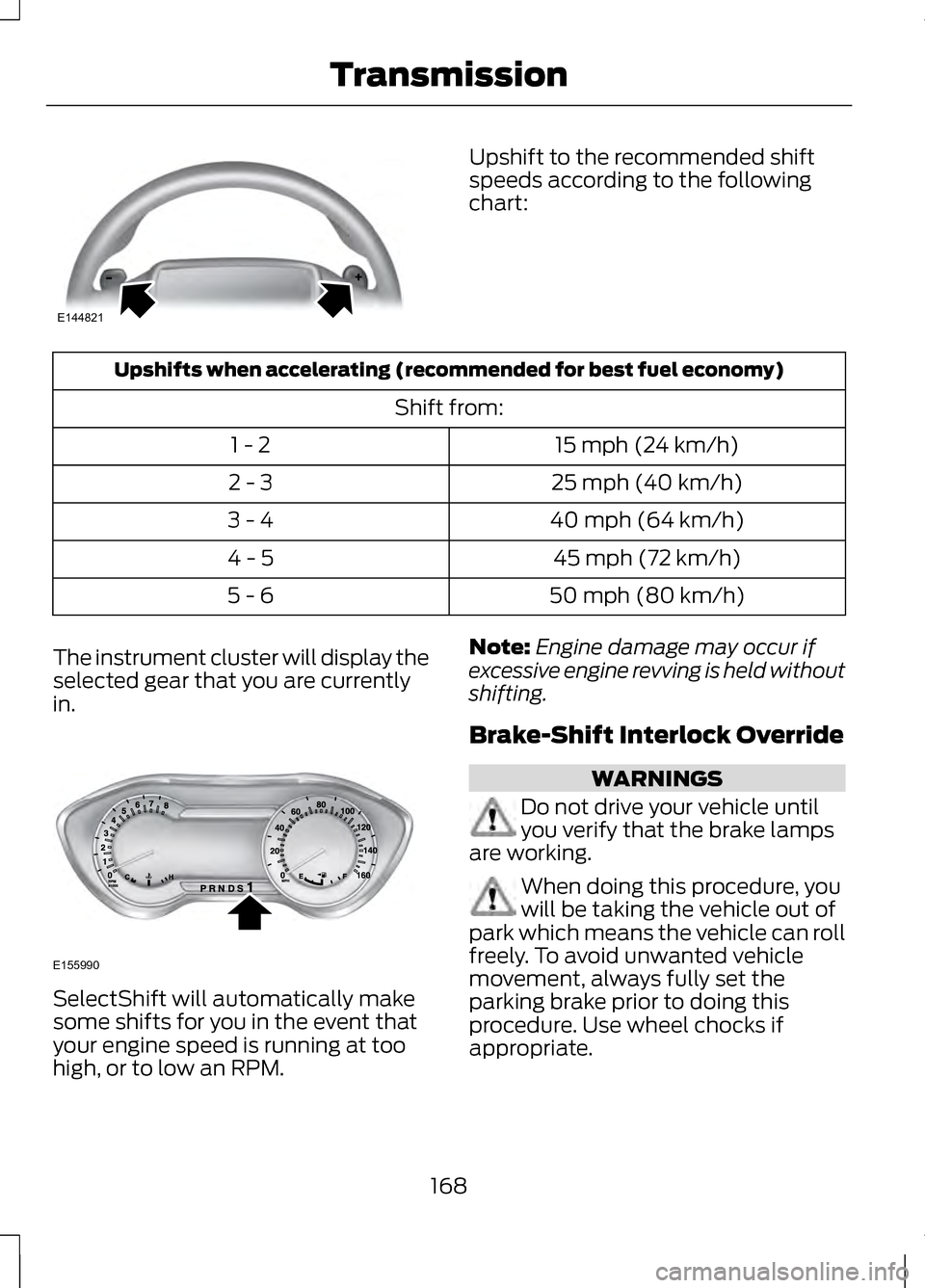
Upshift to the recommended shift
speeds according to the following
chart:
Upshifts when accelerating (recommended for best fuel economy)
Shift from:15 mph (24 km/h)
1 - 2
25 mph (40 km/h)
2 - 3
40 mph (64 km/h)
3 - 4
45 mph (72 km/h)
4 - 5
50 mph (80 km/h)
5 - 6
The instrument cluster will display the
selected gear that you are currently
in. SelectShift will automatically make
some shifts for you in the event that
your engine speed is running at too
high, or to low an RPM. Note:
Engine damage may occur if
excessive engine revving is held without
shifting.
Brake-Shift Interlock Override WARNINGS
Do not drive your vehicle until
you verify that the brake lamps
are working. When doing this procedure, you
will be taking the vehicle out of
park which means the vehicle can roll
freely. To avoid unwanted vehicle
movement, always fully set the
parking brake prior to doing this
procedure. Use wheel chocks if
appropriate.
168
TransmissionE144821 E155990
Page 198 of 474
PRINCIPLE OF OPERATION
Cruise control lets you maintain a set
speed without keeping your foot on
the accelerator pedal.
USING CRUISE CONTROL
WARNINGS
Do not use cruise control in
heavy traffic, on winding roads
or when the road surface is slippery. When you are going downhill,
your speed may increase above
the set speed. The system will not
apply the brakes. Change down a gear
to assist the system in maintaining the
set speed. Note:
Cruise control will disengage if
the vehicle speed decreases more than
10 mph (16 km/h) below your set
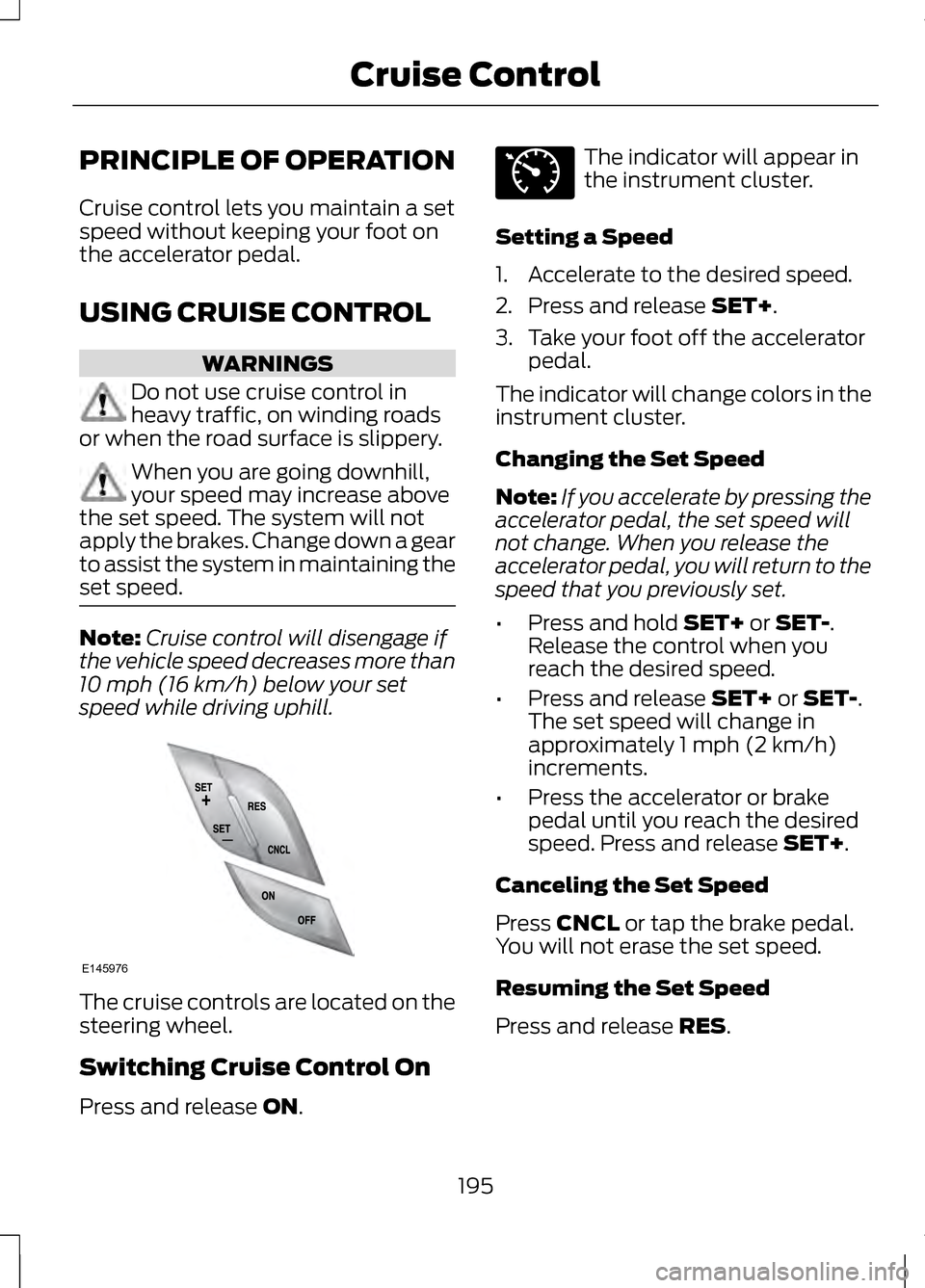
speed while driving uphill. The cruise controls are located on the
steering wheel.
Switching Cruise Control On
Press and release ON. The indicator will appear in
the instrument cluster.
Setting a Speed
1. Accelerate to the desired speed.
2. Press and release
SET+.
3. Take your foot off the accelerator pedal.
The indicator will change colors in the
instrument cluster.
Changing the Set Speed
Note: If you accelerate by pressing the
accelerator pedal, the set speed will
not change. When you release the
accelerator pedal, you will return to the
speed that you previously set.
• Press and hold
SET+ or SET-.
Release the control when you
reach the desired speed.
• Press and release
SET+ or SET-.
The set speed will change in
approximately 1 mph (2 km/h)
increments.
• Press the accelerator or brake
pedal until you reach the desired
speed. Press and release
SET+.
Canceling the Set Speed
Press
CNCL or tap the brake pedal.
You will not erase the set speed.
Resuming the Set Speed
Press and release
RES.
195
Cruise ControlE145976 E71340
Page 211 of 474
These systems have a range of modes
which you can choose from in order
to customize your ideal driving
experience:
•
Comfort – Provides a more relaxed
driving experience. Steering effort
is decreased, suspension
movement is more fluid. Comfort
mode is ideal when enhanced
traveling comfort is desired.
• Normal – Delivers a balanced
combination of comfortable,
controlled ride and confident
handling and powerful yet quiet
powertrain sound. This mode
provides an engaging drive
experience and a direct connection
to the road without sacrificing any
of the composure demanded from
a luxury vehicle. Unwanted noises
from the powertrain are cancelled
while desired sounds are shaped
to deliver a smooth powerful note.
This setting is ideal for everyday
use and daily driving.
• Sport – Provides a sportier driving
experience. Suspension stiffens,
with an emphasis on handling and
control. The engine responds more
directly to your inputs and takes
on a more powerful tone. Sport
mode is intended to be used during
more spirited driving.
You can configure which of the
Adaptive Drive modes is active when
the vehicle is in D (Drive) or in S
(Sport). The configuration is retained
until modified from the main menu on
the information display. See General
Information (page 100). LANE KEEPING SYSTEM WARNING
The system is designed to aid the
driver. It is not intended to
replace the driver ’s attention and
judgment. The driver is still
responsible to drive with due care and
attention. Note:
The system needs to be
activated by the driver at each key
cycle.
Note: The system works above 40
mph (64 km/h).
Note: The system works as long as one
lane marking can be detected by the
camera.
Note: If the camera is blocked or if the
windshield is damaged, the system
may not function.
Note: When Aid mode is on and the
system detects no driver steering
activity for a short continuous period
of time, the system alerts the driver to
put their hands on the steering wheel.
The system may detect a light
grip/touch on the steering wheel as
hands off driving.
The system detects unintentional
drifting toward the outside of the lane
and alerts and/or aids the driver to
stay in the lane through the steering
system and instrument cluster display.
The system automatically detects and
tracks the road lane markings using a
camera that is mounted behind the
interior rear view mirror.
208
Driving Aids
Page 212 of 474
Switching the System On and
Off
Note:
The system defaults to off each
time the vehicle is started, unless a
MyKey® is detected. If a MyKey® is
detected, the system is defaulted to
on and the Alert mode is automatically
selected.
Note: If a MyKey® is detected,
pressing the button will not affect the
on/off status of the system. Only the
Mode, Sensitivity and Intensity settings
can be changed when a MyKey® is
present. To turn the system on, press
the button located on the left
steering wheel stalk. The
button must be pressed each time the
vehicle is started. The system can be
turned off by pressing the button
again.
System Settings
The system has three optional setting
menus available. To view or adjust
them, select Settings > Vehicle
Settings > Driver Assist > Lane
Keeping Sys in the left-hand
instrument cluster display using the
OK button on the steering wheel. The
last-known selection for each of these
settings is stored by the system. You
do not need to readjust your settings
each time you turn on the system.
Mode: This setting allows the driver
to select which of the system features
will be enabled and turned on when
the button is pressed. •
Alert only – Provides a steering
wheel vibration when an
unintended lane departure is
detected.
• Aid only – Provides a steering input
toward the lane center when an
unintended lane departure is
detected.
• Both Alert + Aid
Intensity:
This setting affects the
intensity of the steering wheel
vibration used for the alert and alert
+ aid modes. This setting does not
impact the aid mode.
• Low
• Medium
• High
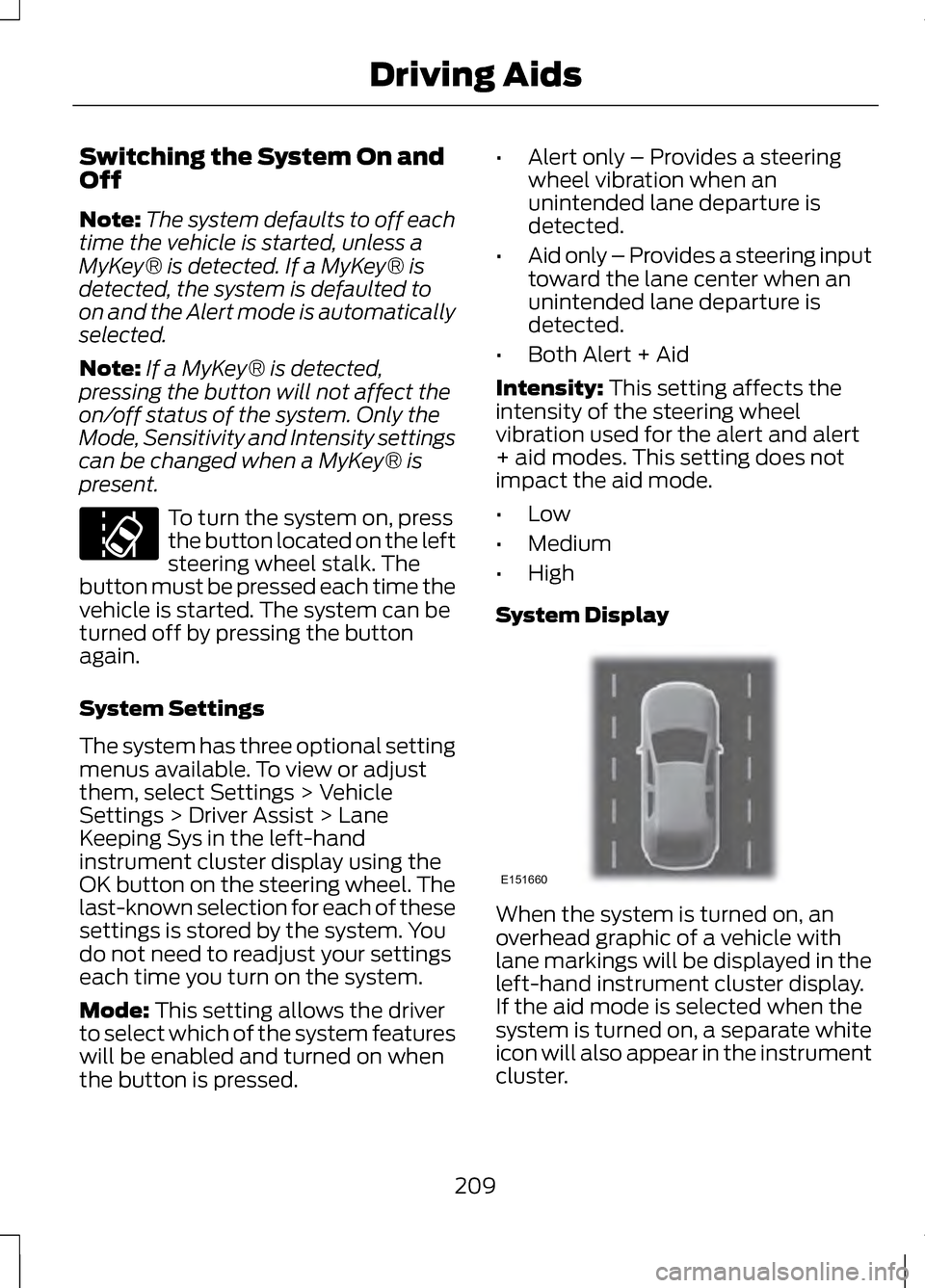
System Display When the system is turned on, an
overhead graphic of a vehicle with
lane markings will be displayed in the
left-hand instrument cluster display.
If the aid mode is selected when the
system is turned on, a separate white
icon will also appear in the instrument
cluster.
209
Driving Aids E151660
Page 237 of 474
Exit Neutral Tow mode, make sure the
ignition is on (engine can be on or off),
press the brake pedal and select P on
the push-button transmission.
If the process is completed
successfully,
Neutral Tow
disengaged appears in the
information display and both the
instrument cluster and push-button
transmission display
P.
234
Towing