traction control LINCOLN MKZ 2013 User Guide
[x] Cancel search | Manufacturer: LINCOLN, Model Year: 2013, Model line: MKZ, Model: LINCOLN MKZ 2013Pages: 474, PDF Size: 3.79 MB
Page 186 of 474
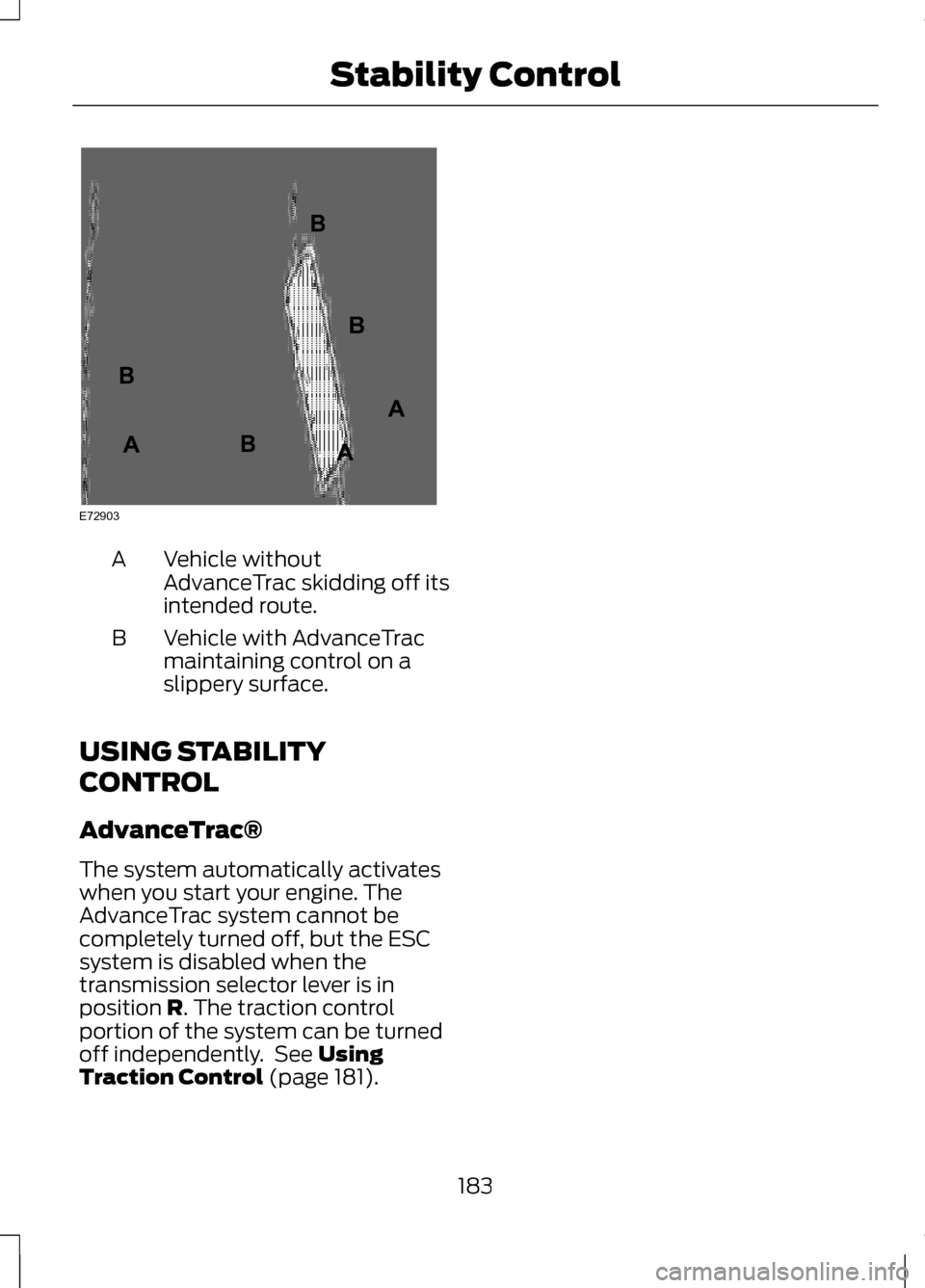
Vehicle without
AdvanceTrac skidding off its
intended route.
A
Vehicle with AdvanceTrac
maintaining control on a
slippery surface.
B
USING STABILITY
CONTROL
AdvanceTrac®
The system automatically activates
when you start your engine. The
AdvanceTrac system cannot be
completely turned off, but the ESC
system is disabled when the
transmission selector lever is in
position R. The traction control
portion of the system can be turned
off independently. See
Using
Traction Control (page 181).
183
Stability ControlE72903A
AA
B
BB
B
Page 192 of 474
When automatic steering is finished,
the touch screen displays a message
indicating that the active park assist
process is done. The driver is
responsible for checking the parking
job and making any necessary
corrections before putting the
transmission in P (Park).
Deactivating the Park Assist
Feature
The system can be deactivated
manually by:
•
pressing the active park assist
button
• grabbing the steering wheel
• driving above approximately 20
mph (35 km/h) for 30 seconds
during an active park search •
driving above 6 mph (10 km/h)
during automatic steering
• turning off the traction control
system.
Certain vehicle conditions can also
deactivate the system, such as:
• Traction control has activated on
a slippery or loose surface.
• There is an anti-lock brake system
activation or failure.
• Something touches the steering
wheel.
If a problem occurs with the system,
a warning message is displayed,
followed by a chime. Occasional
system messages may occur in
normal operation. For recurring or
frequent system faults, contact an
authorized dealer to have your vehicle
serviced.
Troubleshooting the System The system does not look for a space
The traction control system may be off The system does not offer a particular space
Something may be contacting the front bumper or side sensors
There is not enough room on both sides of the vehicle in order to park
There is not enough space for the parking maneuver on the opposite side of
the parking space
189
Parking Aids
Page 210 of 474
System Limitations
WARNING
The collision warning system
’s
brake support can only help
reduce the speed at which a collision
occurs if the driver applies the
vehicle ’s brakes. The brake pedal
must be pressed just like any typical
braking situation. Due to the nature of radar technology,
there may be certain instances where
vehicles do not provide a collision
warning. These include:
•
Stationary vehicles or vehicles
moving below 6 mph (10 km/h).
• Pedestrians or objects in the
roadway.
• Oncoming vehicles in the same
lane.
• Severe weather conditions (see
blocked sensor section).
• Debris build-up on the grille near
the headlamps (see blocked
sensor section).
• Small distance to vehicle ahead.
• Steering wheel and pedal
movements are large (very active
driving style).
•
Certain conditions may reduce the
visibility of the warning lamp;
therefore, it is recommended to keep
the audible warning on. If the front end of the vehicle is hit or
damaged, the radar sensing zone may
be altered causing missed or false
collision warnings. See your
authorized dealer to have your
collision warning radar checked for
proper coverage and operation.
LINCOLN DRIVE CONTROL
The Lincoln driving experience is
delivered through a suite of
sophisticated electronic vehicle
systems that continuously monitor
both your inputs and the road
conditions to optimize ride comfort,
steering, handling, and powertrain
response and sound.
These systems include:
•
Continuously Controlled Damping
which dynamically adjusts the
shock absorbers in real time to
match the road surface and your
inputs.
• Electronically Power-Assisted
Steering which adjusts steering
effort and feel based on vehicle
speed and your inputs.
• Active Noise Control which utilizes
vehicle electronics to enhance the
acoustic experience.
• Electronic Stability Control and
Traction Control which maintain
vehicle control in adverse
conditions or high performance
driving.
• Electronic Throttle Control which
enhances the powertrain response
to your inputs.
207
Driving Aids
Page 239 of 474
DRIVING THROUGH WATER
Note:
Driving through deep water
above the recommended levels can
cause vehicle damage.
Note: Once through the water, always
dry the brakes by moving your vehicle
slowly while applying light pressure on
the brake pedal. Wet brakes do not
stop the vehicle as quickly as dry
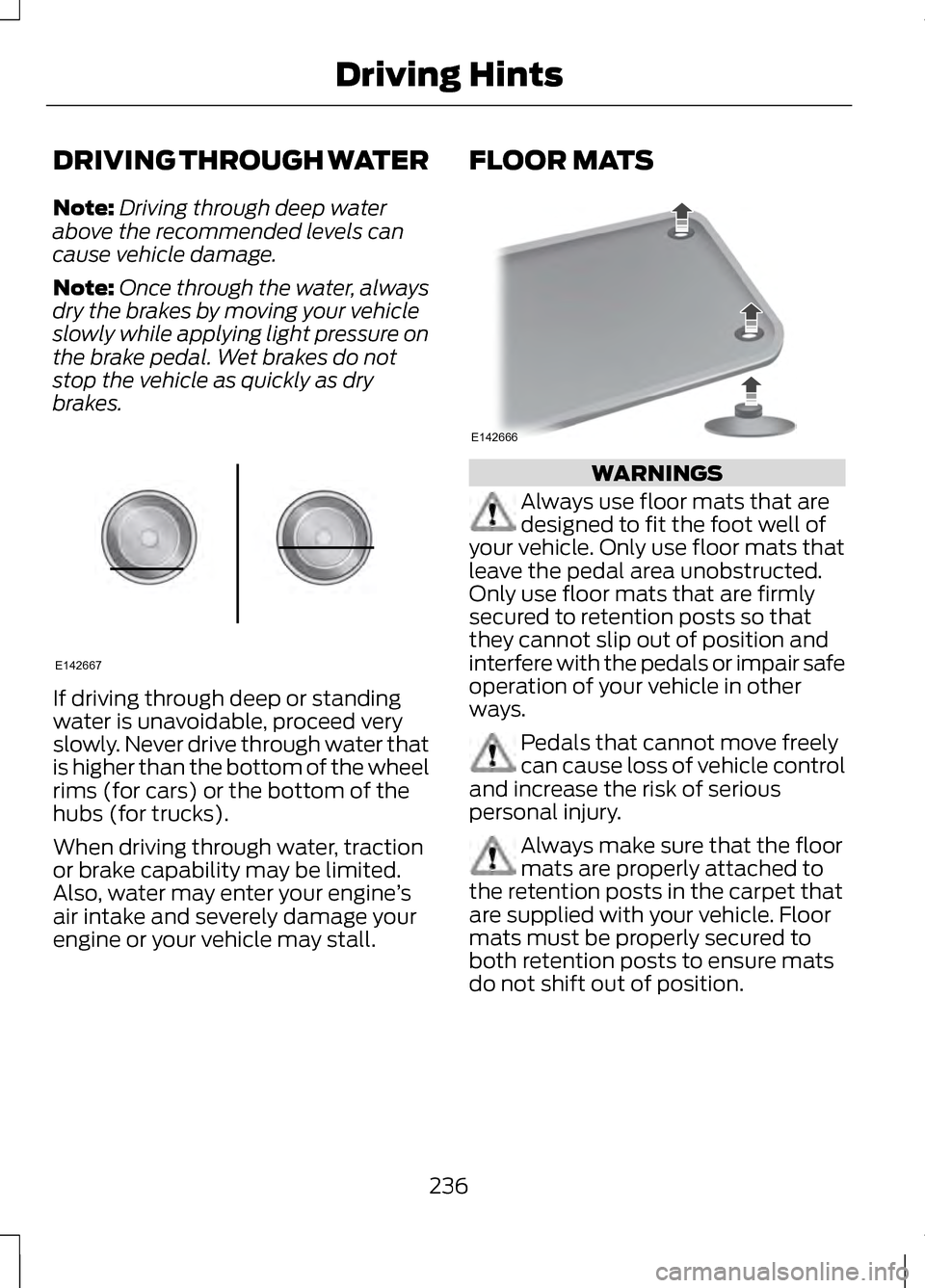
brakes. If driving through deep or standing
water is unavoidable, proceed very
slowly. Never drive through water that
is higher than the bottom of the wheel
rims (for cars) or the bottom of the
hubs (for trucks).
When driving through water, traction
or brake capability may be limited.
Also, water may enter your engine
’s
air intake and severely damage your
engine or your vehicle may stall. FLOOR MATS
WARNINGS
Always use floor mats that are
designed to fit the foot well of
your vehicle. Only use floor mats that
leave the pedal area unobstructed.
Only use floor mats that are firmly
secured to retention posts so that
they cannot slip out of position and
interfere with the pedals or impair safe
operation of your vehicle in other
ways. Pedals that cannot move freely
can cause loss of vehicle control
and increase the risk of serious
personal injury. Always make sure that the floor
mats are properly attached to
the retention posts in the carpet that
are supplied with your vehicle. Floor
mats must be properly secured to
both retention posts to ensure mats
do not shift out of position.
236
Driving HintsE142667 E142666
Page 308 of 474
Treadwear
The treadwear grade is a comparative
rating based on the wear rate of the
tire when tested under controlled
conditions on a specified government
test course. For example, a tire graded
150 would wear one and one-half (1
½) times as well on the government
course as a tire graded 100. The
relative performance of tires depends
upon the actual conditions of their
use, however, and may depart
significantly from the norm due to
variations in driving habits, service
practices, and differences in road
characteristics and climate.
Traction AA A B C
WARNING
The traction grade assigned to
this tire is based on
straight-ahead braking traction tests,
and does not include acceleration,
cornering, hydroplaning or peak
traction characteristics. The traction grades, from highest to
lowest are AA, A, B, and C. The grades
represent the tire
’s ability to stop on
wet pavement as measured under
controlled conditions on specified
government test surfaces of asphalt
and concrete. A tire marked C may
have poor traction performance. Temperature A B C WARNING
The temperature grade for this
tire is established for a tire that
is properly inflated and not
overloaded. Excessive speed,
underinflation, or excessive loading,
either separately or in combination,
can cause heat buildup and possible
tire failure. The temperature grades are A (the
highest), B and C, representing the
tire
’s resistance to the generation of
heat and its ability to dissipate heat
when tested under controlled
conditions on a specified indoor
laboratory test wheel. Sustained high
temperature can cause the material
of the tire to degenerate and reduce
tire life, and excessive temperature
can lead to sudden tire failure. The
grade C corresponds to a level of
performance which all passenger car
tires must meet under the Federal
Motor Vehicle Safety Standard No.
139. Grades B and A represent higher
levels of performance on the
laboratory test wheel than the
minimum required by law.
305
Wheels and Tires
Page 312 of 474
J.
Tire Ply Composition and
Material Used: Indicates the number
of plies or the number of layers of
rubber-coated fabric in the tire tread
and sidewall. Tire manufacturers also
must indicate the ply materials in the
tire and the sidewall, which include
steel, nylon, polyester, and others.
K. Maximum Load: Indicates the
maximum load in kilograms and
pounds that can be carried by the tire.
Refer to the Safety Compliance
Certification Label (affixed to either
the door hinge pillar, door-latch post,
or the door edge that meets the
door-latch post, next to the driver's
seating position), for the correct tire
pressure for your vehicle.
L. Treadwear, Traction and
Temperature Grades: •
Treadwear
The treadwear grade
is a comparative rating based on
the wear rate of the tire when
tested under controlled conditions
on a specified government test
course. For example, a tire graded
150 would wear one and one-half
times as well on the government
course as a tire graded 100.
• Traction:
The traction grades,
from highest to lowest are AA, A,
B, and C. The grades represent the
tire's ability to stop on wet
pavement as measured under
controlled conditions on specified
government test surfaces of
asphalt and concrete. A tire
marked C may have poor traction
performance.
• Temperature:
The temperature
grades are A (the highest), B and
C, representing the tire's resistance
to the generation of heat and its
ability to dissipate heat when
tested under controlled conditions
on a specified indoor laboratory
test wheel.
309
Wheels and Tires
Page 322 of 474
USING SNOW CHAINS
Snow chains have not been approved
for use on your vehicle.
WARNINGS
If you choose to install snow tires
on your vehicle, they must be the
same size, construction, and load
range as the original tires listed on the
tire placard, and they must be
installed on all four wheels. Mixing
tires of different size or construction
on your vehicle can adversely affect
your vehicle's handling and braking,
and may lead to loss of vehicle
control. Do not use snow chains or cables
on this vehicle as they may cause
damage to your vehicle which may
lead to loss of vehicle control. The original equipment tires on your
vehicle may have an all-weather tread
design to provide traction, handling,
and braking performance in
year-round driving. You may install
snow tires for improved traction when
driving in areas with sustained periods
of snow or icy driving conditions. CHANGING A ROAD WHEEL WARNINGS
The use of tire sealants may
damage your tire pressure
monitoring system and should not be
used. However, if you must use a
sealant, the tire pressure monitoring
system sensor and valve stem on the
wheel must be replaced by an
authorized Ford dealer. See Tire Pressure Monitoring
System (page 298). for
important information. If the tire
pressure monitor sensor becomes
damaged, it will no longer function. Note:
The tire pressure monitoring
system indicator light will illuminate
when the spare tire is in use. To restore
the full function of the monitoring
system, all road wheels equipped with
tire pressure monitoring sensors must
be mounted on the vehicle.
If you get a flat tire while driving, do
not apply the brake heavily. Instead,
gradually decrease your speed. Hold
the steering wheel firmly and slowly
move to a safe place on the side of
the road.
319
Wheels and Tires
Page 429 of 474
Volume Setting: Do not raise the
volume excessively. Keep the volume
at a level where you can still hear
outside traffic and emergency signals
while driving. Driving while unable to
hear these sounds could cause an
accident.
Use of Speech Recognition
Functions:
Speech recognition
software is inherently a statistical
process which is subject to errors. It is
your responsibility to monitor any
speech recognition functions included
in the system and address any errors.
Navigation Features: Any navigation
features included in the system are
intended to provide turn by turn
instructions to get you to a desired
destination. Please make certain all
persons using this system carefully
read and follow instructions and
safety information fully.
Distraction Hazard:
Any navigation
features may require manual
(non-verbal) setup. Attempting to
perform such set-up or insert data
while driving can seriously distract
your attention and could cause an
accident or other serious
consequences. Stop the vehicle in a
safe and legal manner before
attempting these operations. Let Your Judgment Prevail:
Any
navigation features are provided only
as an aid. Make your driving decisions
based on your observations of local
conditions and existing traffic
regulations. Any such feature is not a
substitute for your personal judgment.
Any route suggestions made by this
system should never replace any local
traffic regulations or your personal
judgment or knowledge of safe driving
practices.
Route Safety:
Do not follow the
route suggestions if doing so would
result in an unsafe or illegal maneuver,
if you would be placed in an unsafe
situation, or if you would be directed
into an area that you consider unsafe.
The driver is ultimately responsible for
the safe operation of the vehicle and
therefore, must evaluate whether it is
safe to follow the suggested
directions.
Potential Map Inaccuracy:
Maps
used by this system may be
inaccurate because of changes in
roads, traffic controls or driving
conditions. Always use good judgment
and common sense when following
the suggested routes.
Emergency Services: Do not rely on
any navigation features included in
the system to route you to emergency
services. Ask local authorities or an
emergency services operator for these
locations. Not all emergency services
such as police, fire stations, hospitals
and clinics are likely to be contained
in the map database for such
navigation features.
426
Appendices
Page 466 of 474
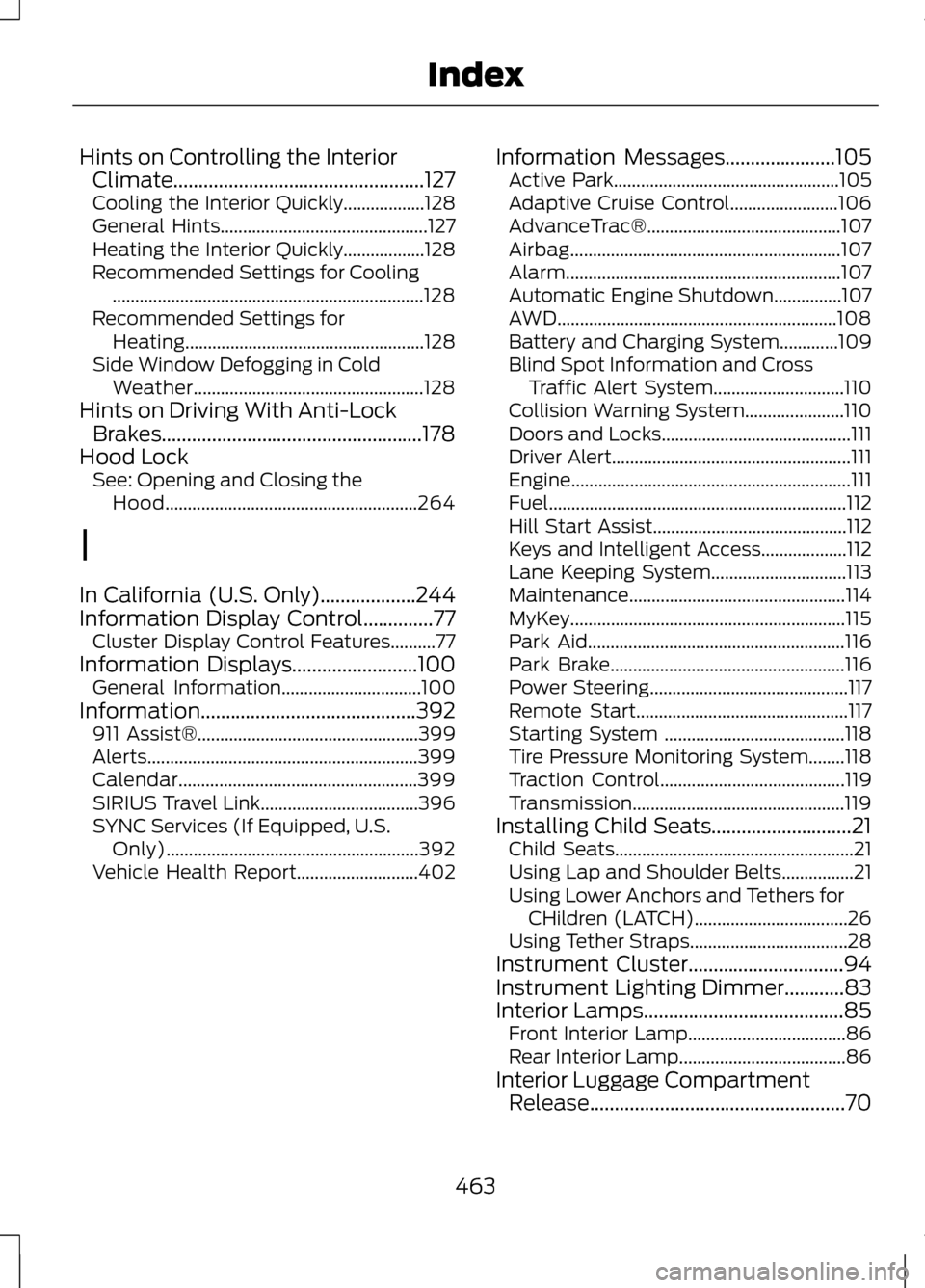
Hints on Controlling the Interior
Climate..................................................127
Cooling the Interior Quickly..................128
General Hints.............................................. 127
Heating the Interior Quickly..................128
Recommended Settings for Cooling ..................................................................... 128
Recommended Settings for Heating..................................................... 128
Side Window Defogging in Cold Weather................................................... 128
Hints on Driving With Anti-Lock Brakes....................................................178
Hood Lock See: Opening and Closing the
Hood........................................................ 264
I
In California (U.S. Only)...................244
Information Display Control..............77 Cluster Display Control Features..........77
Information Displays.........................100
General Information...............................100
Information...........................................392 911 Assist®................................................. 399
Alerts............................................................ 399
Calendar..................................................... 399
SIRIUS Travel Link...................................396
SYNC Services (If Equipped, U.S. Only)........................................................ 392
Vehicle Health Report...........................402 Information Messages
......................105
Active Park.................................................. 105
Adaptive Cruise Control........................106
AdvanceTrac®........................................... 107
Airbag............................................................ 107
Alarm............................................................. 107
Automatic Engine Shutdown...............107
AWD.............................................................. 108
Battery and Charging System.............109
Blind Spot Information and Cross Traffic Alert System.............................110
Collision Warning System......................110
Doors and Locks.......................................... 111
Driver Alert..................................................... 111
Engine.............................................................. 111
Fuel.................................................................. 112
Hill Start Assist........................................... 112
Keys and Intelligent Access...................112
Lane Keeping System..............................113
Maintenance................................................ 114
MyKey............................................................. 115
Park Aid......................................................... 116
Park Brake.................................................... 116
Power Steering............................................ 117
Remote Start............................................... 117
Starting System ........................................118
Tire Pressure Monitoring System........118
Traction Control......................................... 119
Transmission............................................... 119
Installing Child Seats
............................21
Child Seats..................................................... 21
Using Lap and Shoulder Belts................21
Using Lower Anchors and Tethers for CHildren (LATCH)..................................26
Using Tether Straps...................................28
Instrument Cluster...............................94
Instrument Lighting Dimmer............83
Interior Lamps
........................................85
Front Interior Lamp...................................86
Rear Interior Lamp.....................................86
Interior Luggage Compartment Release...................................................70
463
Index
Page 470 of 474
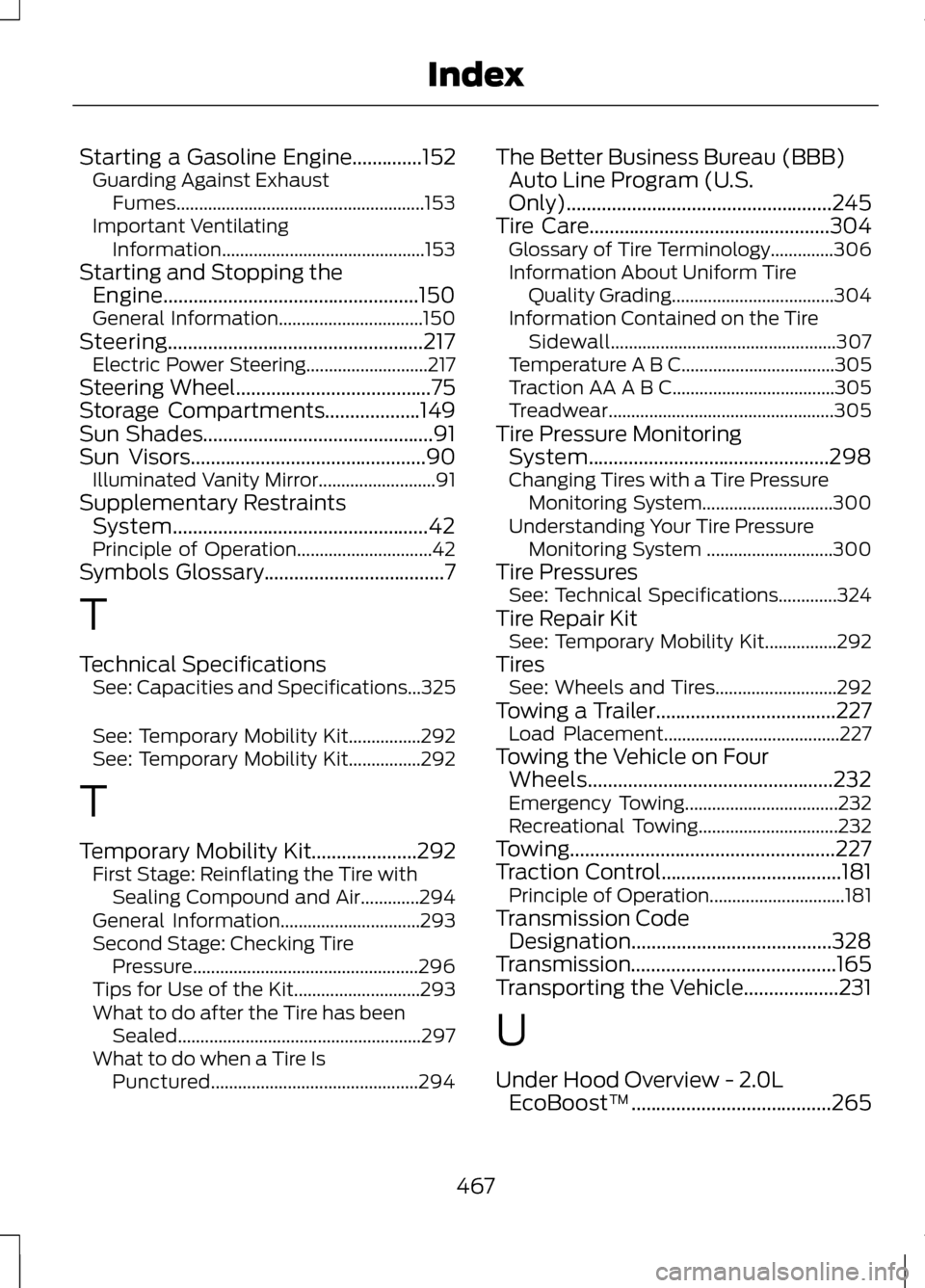
Starting a Gasoline Engine..............152
Guarding Against Exhaust
Fumes....................................................... 153
Important Ventilating Information............................................. 153
Starting and Stopping the Engine...................................................150
General Information................................150
Steering...................................................217 Electric Power Steering...........................217
Steering Wheel.......................................75
Storage Compartments...................149
Sun Shades..............................................91
Sun Visors...............................................90
Illuminated Vanity Mirror..........................91
Supplementary Restraints System...................................................42
Principle of Operation..............................42
Symbols Glossary
....................................7
T
Technical Specifications See: Capacities and Specifications...325
See: Temporary Mobility Kit................292
See: Temporary Mobility Kit................292
T
Temporary Mobility Kit
.....................292
First Stage: Reinflating the Tire with
Sealing Compound and Air.............294
General Information...............................293
Second Stage: Checking Tire Pressure.................................................. 296
Tips for Use of the Kit............................293
What to do after the Tire has been Sealed...................................................... 297
What to do when a Tire Is Punctured.............................................. 294The Better Business Bureau (BBB)
Auto Line Program (U.S.
Only).....................................................245
Tire Care
................................................304
Glossary of Tire Terminology..............306
Information About Uniform Tire
Quality Grading....................................304
Information Contained on the Tire Sidewall.................................................. 307
Temperature A B C..................................305
Traction AA A B C....................................305
Treadwear.................................................. 305
Tire Pressure Monitoring System................................................298
Changing Tires with a Tire Pressure Monitoring System.............................300
Understanding Your Tire Pressure Monitoring System ............................300
Tire Pressures See: Technical Specifications.............324
Tire Repair Kit See: Temporary Mobility Kit................292
Tires See: Wheels and Tires...........................292
Towing a Trailer....................................227 Load Placement.......................................227
Towing the Vehicle on Four Wheels.................................................232
Emergency Towing..................................232
Recreational Towing...............................232
Towing.....................................................227
Traction Control....................................181 Principle of Operation..............................181
Transmission Code Designation........................................328
Transmission.........................................165
Transporting the Vehicle...................231
U
Under Hood Overview - 2.0L EcoBoost™........................................265
467
Index