ECU LINCOLN MKZ 2014 Owner's Guide
[x] Cancel search | Manufacturer: LINCOLN, Model Year: 2014, Model line: MKZ, Model: LINCOLN MKZ 2014Pages: 468, PDF Size: 4.49 MB
Page 343 of 468
• Travel expense reimbursement forlodging, meals and rental car
• Destination assistance for taxi, shuttle, rental car coverage and
emergency transportation
Transferable Coverage
If you sell your vehicle before your
Ford Extended Service Plan coverage
expires, you can transfer any
remaining coverage to the new owner.
Whenever you sell your vehicle,
prospective buyers may have a higher
degree of confidence that vehicle was
properly maintained with Ford ESP,
thereby improving resale value.
Avoid the Rising Cost of Properly
Maintaining Your Vehicle!
Ford Extended Service Plan also
offers a Premium Maintenance Plan
that covers all scheduled
maintenance, and select items that
routinely wear out.
The coverage is prepaid, so you never
have to worry about affording your
vehicle maintenance. It covers regular
checkups, routine inspections,
preventive care and replacement of
select items that require periodic
attention for normal wear:
• Windshield Wiper Blades
• Spark Plugs (except in California) • The Clutch Disc
• Brake Pads and Linings
• Shock Absorbers
• Belts and Hoses
• Diesel Exhaust Fluid
Replenishment
Contact your selling authorized Ford
or Lincoln dealership today so they
can customize a Ford Extended
Service Plan that fits your driving
lifestyle and budget.
Interest Free Finance Options
Available
Take advantage of our interest free
installment payment plan. Just a 10%
down payment will provide you with
an affordable, no interest, no fee
payment program.
To learn more, call our Ford ESP
specialists at 800-367-3377. Don’t
forget to ask about our interest free
payment program, allowing you all
the security and benefits Ford ESP has
to offer while paying over time. You
are pre-approved with no credit
checks, no hassles!
Complete the information below and
mail to:
Ford ESP
P.O. Box 8072
Royal Oak, MI 48068-0039
340
Ford Extended Service Plan (ESP)
Page 387 of 468
WARNINGS
Store the portable music player
in a secure location, such as the
center console or the glove box, when
your vehicle is moving. Hard objects
may become projectiles in a crash or
sudden stop, which may increase the
risk of serious injury. The audio
extension cable must be long enough
to allow the portable music player to
be safely stored while your vehicle is
moving.
E142622
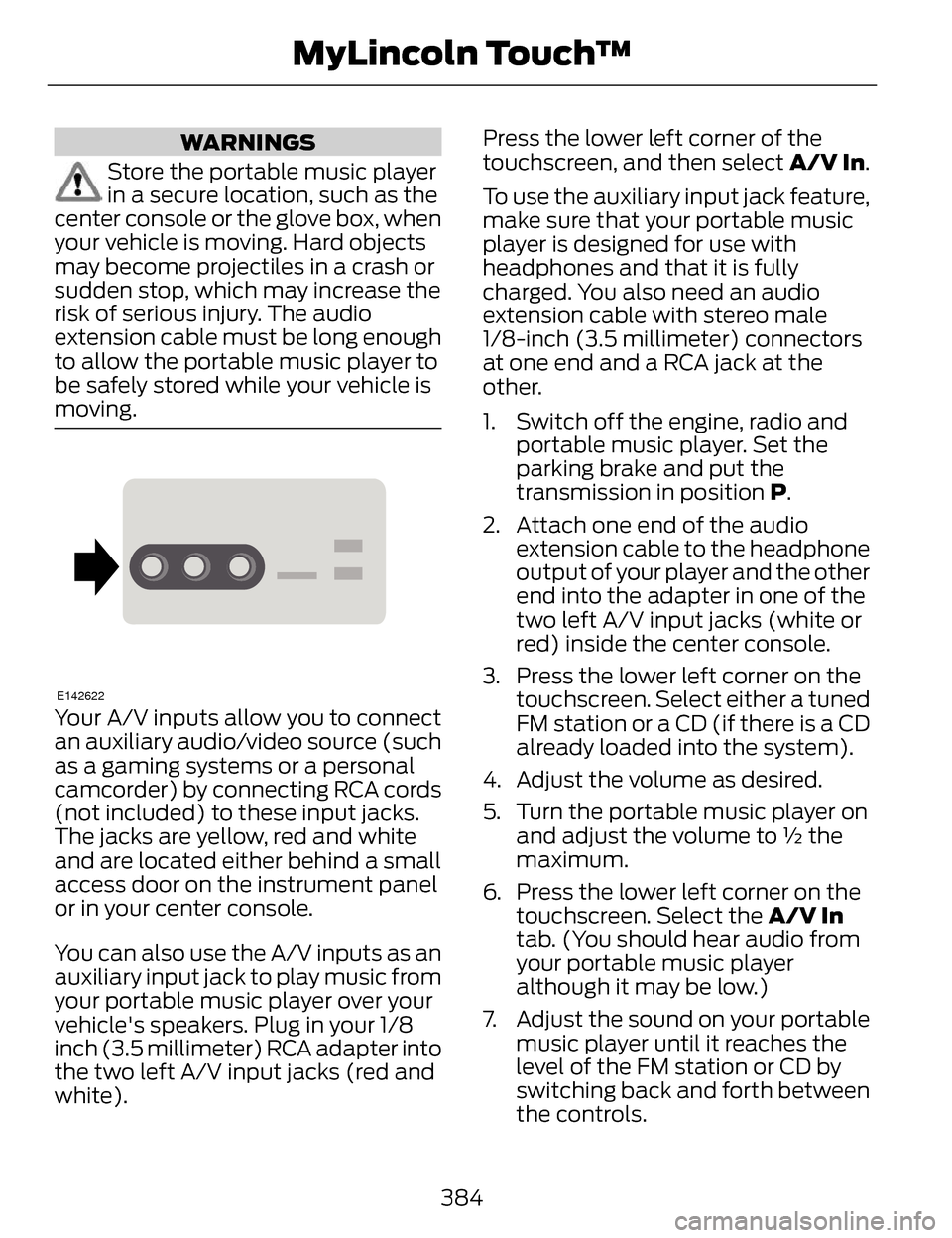
Your A/V inputs allow you to connect
an auxiliary audio/video source (such
as a gaming systems or a personal
camcorder) by connecting RCA cords
(not included) to these input jacks.
The jacks are yellow, red and white
and are located either behind a small
access door on the instrument panel
or in your center console.
You can also use the A/V inputs as an
auxiliary input jack to play music from
your portable music player over your
vehicle's speakers. Plug in your 1/8
inch (3.5 millimeter) RCA adapter into
the two left A/V input jacks (red and
white). Press the lower left corner of the
touchscreen, and then select
A/V In.
To use the auxiliary input jack feature,
make sure that your portable music
player is designed for use with
headphones and that it is fully
charged. You also need an audio
extension cable with stereo male
1/8-inch (3.5 millimeter) connectors
at one end and a RCA jack at the
other.
1. Switch off the engine, radio and portable music player. Set the
parking brake and put the
transmission in position P.
2. Attach one end of the audio extension cable to the headphone
output of your player and the other
end into the adapter in one of the
two left A/V input jacks (white or
red) inside the center console.
3. Press the lower left corner on the touchscreen. Select either a tuned
FM station or a CD (if there is a CD
already loaded into the system).
4. Adjust the volume as desired.
5. Turn the portable music player on and adjust the volume to ½ the
maximum.
6. Press the lower left corner on the touchscreen. Select the A/V In
tab. (You should hear audio from
your portable music player
although it may be low.)
7. Adjust the sound on your portable music player until it reaches the
level of the FM station or CD by
switching back and forth between
the controls.
384
MyLincoln Touch™
Page 390 of 468
1. Touch Add Phone in the upper left
corner of the touchscreen. Find
SYNC appears on the screen, and
instructs you to begin the pairing
process from your device.
2. Make sure that Bluetooth is set to On and that your cellular phone is
in the proper mode. See your
device’s manual if necessary.
Note: Select SYNC, and a six-digit PIN
appears on your device.
3. If prompted to enter a PIN on your device, it does not support Secure
Simple Pairing. To pair, enter the
PIN displayed on the touchscreen.
Skip the next step.
4. When prompted on your phone’s display, confirm that the PIN
provided by SYNC matches the
PIN displayed on your cellular
phone.
5. The display indicates when the pairing is successful.
SYNC may prompt you with more
phone options. For more information
on your phone's capability, see your
device's manual and visit the website.
Pairing Subsequent Phones
Note: Put the transmission in position
P. Turn on your vehicle ignition and the
radio.
1. Press the Phone corner of the touchscreen > Settings > BT
Devices > Add Device.
2. Make sure that Bluetooth is set to On and that your cellular phone is
in the proper mode. See your
device’s manual if necessary. Note:
Select SYNC, and a six-digit PIN
appears on your device.
3. If prompted to enter a PIN on your device, it does not support Secure
Simple Pairing. To pair, enter the
PIN displayed on the touchscreen.
Skip the next step.
4. When prompted on your phone’s display, confirm that the PIN
provided by SYNC matches the
PIN displayed on your cellular
phone.
5. The display indicates when the pairing is successful.
SYNC may prompt you with more
phone options. For more information
on your phone's capability, see your
device's manual and visit the website.
Making Calls
E142599
Press the voice button on
your steering wheel controls.
When prompted, say, "Call
desired number.
E142632
To end the call or exit phone
mode, press this phone
button.
Receiving Calls
During an incoming call, an audible
tone sounds. Call information appears
in the display if it is available.
Accept the call by pressing
Accept on the touchscreen
or by pressing this phone
button on your steering wheel
controls.
387
MyLincoln Touch™
Page 403 of 468
Alerts
E142608
If your vehicle is equipped
with Navigation, touch the i
(Information) button to
access these features. If your vehicle
is not equipped with Navigation, touch
the corner of the touchscreen with the
green tab.
Press Alerts, and then choose from
any of the following services:
• View the complete message
• Delete the message
• Delete All messages
This screen displays any system
messages (such as an SD card fault).
Note: The system alerts you to any
messages by turning the information
icon yellow. After you read or delete
the messages, the icon returns to white.
Calendar
E142608
If your vehicle is equipped
with Navigation, touch the i
(Information) button to
access these features. If your vehicle
is not equipped with Navigation, touch
the corner of the touchscreen with the
green tab.
Press Calendar. You can view the
current calendar by day, week or
month.
911 Assist (If Equipped)
WARNINGS
Unless the 911 Assist setting is
set on before a crash, the system
will not dial for help, which could
delay response time, potentially
increasing the risk of serious injury or
death after a crash.
Do not wait for 911 Assist to
make an emergency call if you
can do it yourself. Dial emergency
services immediately to avoid delayed
response time, which could increase
the risk of serious injury or death after
a crash. If you do not hear 911 Assist
within five seconds of the crash, the
system or phone may be damaged or
non-functional.
Always place your phone in a
secure location in your vehicle so
it does not become a projectile or
damaged in a crash. Failure to do so
may cause serious injury to someone
or damage the phone, which could
prevent 911 Assist from working
properly.
Note: The SYNC 911 Assist feature
must be set on prior to the incident.
Note: Before setting this feature on,
make sure that you read the 911 Assist
Privacy Notice later in this section for
important information.
400
MyLincoln Touch™
Page 423 of 468
•Termination: Without prejudice
to any other rights, FORD MOTOR
COMPANY or MS may terminate
this EULA if you fail to comply with
the terms and conditions of this
EULA.
• Security Updates/Digital
Rights Management: Content
owners use the WMDRM
technology included in your
DEVICE to protect their intellectual
property, included copyrighted
content. Portions of the
SOFTWARE on your DEVICE use
WMDRM software to access
WMDRM-protected content. If the
WMDRM software fails to protect
the content, content owners may
ask Microsoft to revoke the
SOFTWARE's ability to use
WMDRM to play or copy protected
content. This action does not
affect unprotected content. When
your DEVICE downloads licenses
for protected content, you agree
that Microsoft may include a
revocation list with the licenses.
Content owners may require you
to upgrade the SOFTWARE on
your DEVICE to access their
content. If you decline an upgrade,
you will not be able to access
content that requires the upgrade.
• Consent to Use of Data: Yo u
agree that MS, Microsoft
Corporation, FORD MOTOR
COMPANY, third party software
and systems suppliers, their
affiliates and/or their designated
agent may collect and use
technical information gathered in
any manner as part of product support services related to the
SOFTWARE or related services.
MS, Microsoft Corporation, FORD
MOTOR COMPANY, third party
software and services suppliers,
their affiliates and/or their
designated agent may use this
information solely to improve their
products or to provide customized
services or technologies to you.
MS, Microsoft Corporation, FORD
MOTOR COMPANY, third party
software and systems suppliers,
their affiliates and/or their
designated agent may disclose this
information to others, but not in a
form that personally identifies you.
• Internet-Based Services
Components: The SOFTWARE
may contain components that
enable and facilitate the use of
certain Internet-based services.
You acknowledge and agree that
MS, Microsoft Corporation, FORD
MOTOR COMPANY, third party
software and service suppliers,
their affiliates and/or their
designated agent may
automatically check the version of
the SOFTWARE and/or its
components that you are utilizing
and may provide upgrades or
supplements to the SOFTWARE
that may be automatically
downloaded to your DEVICE.
• Additional Software/Services:
The SOFTWARE may permit FORD
MOTOR COMPANY, third party
software and service suppliers, MS,
Microsoft Corporation, their
affiliates and/or their designated
agent to provide or make available
420
Appendices
Page 429 of 468
while driving. If you feel that a route
suggested by the TeleNav Software
instructs you to perform an unsafe or
illegal maneuver, places you in an
unsafe situation, or directs you into an
area that you consider to be unsafe,
do not follow such instructions; (c) do
not input destinations, or otherwise
manipulate the TeleNav Software,
unless your vehicle is stationary and
parked; (d) do not use the TeleNav
Software for any illegal, unauthorized,
unintended, unsafe, hazardous, or
unlawful purposes, or in any manner
inconsistent with this Agreement; (e)
arrange all GPS and wireless devices
and cables necessary for use of the
TeleNav Software in a secure manner
in your vehicle so that they will not
interfere with your driving and will not
prevent the operation of any safety
device (such as an airbag).
You agree to indemnify and hold
TeleNav harmless against all claims
resulting from any dangerous or
otherwise inappropriate use of the
TeleNav Software in any moving
vehicle, including as a result of your
failure to comply with the directions
above.
2. Account Information
You agree: (a) when registering the
TeleNav Software, to provide TeleNav
with true, accurate, current, and
complete information about yourself,
and (b) to inform TeleNav promptly
of any changes to such information,
and to keep it true, accurate, current
and complete.3. Software License
Subject to your compliance with the
terms of this Agreement, TeleNav
hereby grants to you a personal,
non-exclusive, non-transferable
license (except as expressly permitted
below in connection with your
permanent transfer of the TeleNav
Software license), without the right
to sublicense, to use the TeleNav
Software (in object code form only)
in order to access and use the
TeleNav Software. This license shall
terminate upon any termination or
expiration of this Agreement. You
agree that you will use the TeleNav
Software only for your personal
business or leisure purposes, and not
to provide commercial navigation
services to other parties.
3.1 License Limitations
You agree not to do any of the
following: (a) reverse engineer,
decompile, disassemble, translate,
modify, alter or otherwise change the
TeleNav Software or any part thereof;
(b) attempt to derive the source code,
audio library or structure of the
TeleNav Software without the prior
express written consent of TeleNav;
(c) remove from the TeleNav
Software, or alter, any of TeleNav's or
its suppliers' trademarks, trade
names, logos, patent or copyright
notices, or other notices or markings;
(d) distribute, sublicense or otherwise
transfer the TeleNav Software to
others, except as part of your
permanent transfer of the TeleNav
Software; or (e) use the TeleNav
426
Appendices
Page 435 of 468
PURPOSE OR NON-INFRINGEMENT.
Some States, Territories and
Countries do not allow certain
warranty exclusions, so to that extent
the above exclusion may not apply to
you.
Disclaimer of Liability: NT AND ITS
LICENSORS (INCLUDING THEIR
LICENSORS AND SUPPLIERS) SHALL
NOT BE LIABLE TO YOU IN RESPECT
OF ANY CLAIM, DEMAND OR ACTION,
IRRESPECTIVE OF THE NATURE OF
THE CAUSE OF THE CLAIM, DEMAND
OR ACTION ALLEGING ANY LOSS,
INJURY OR DAMAGES, DIRECT OR
INDIRECT, WHICH MAY RESULT
FROM THE USE OR POSSESSION OF
THIS DATA; OR FOR ANY LOSS OF
PROFIT, REVENUE, CONTRACTS OR
SAVINGS, OR ANY OTHER DIRECT,
INDIRECT, INCIDENTAL, SPECIAL OR
CONSEQUENTIAL DAMAGES
ARISING OUT OF YOUR USE OF OR
INABILITY TO USE THIS DATA, ANY
DEFECT IN THIS DATA, OR THE
BREACH OF THESE TERMS OR
CONDITIONS, WHETHER IN AN
ACTION IN CONTRACT OR TORT OR
BASED ON A WARRANTY, EVEN IF
NT OR ITS LICENSORS HAVE BEEN
ADVISED OF THE POSSIBILITY OF
SUCH DAMAGES. Some States,
Territories and Countries do not allow
certain liability exclusions or damages
limitations, so to that extent the
above may not apply to you. Export Control: You agree not to
export from anywhere any part of the
Data or any direct product thereof
except in compliance with, and with
all licenses and approvals required
under, applicable export laws, rules
and regulations, including but not
limited to the laws, rules and
regulations administered by the Office
of Foreign Assets Control of the U.S.
Department of Commerce and the
Bureau of Industry and Security of the
U.S. Department of Commerce. To the
extent that any such export laws, rules
or regulations prohibit NT from
complying with any of its obligations
hereunder to deliver or distribute Data,
such failure shall be excused and shall
not constitute a breach of this
Agreement.
Entire Agreement: These terms and
conditions constitute the entire
agreement between NT (and its
licensors, including their licensors and
suppliers) and you pertaining to the
subject matter hereof, and supersedes
in their entirety any and all written or
oral agreements previously existing
between us with respect to such
subject matter.
Severability: You and NT agree that
if any portion of this agreement is
found illegal or unenforceable, that
portion shall be severed and the
remainder of the Agreement shall be
given full force and effect.
432
Appendices
Page 461 of 468
Information Messages......................106Active Park..................................................106
Adaptive Cruise Control........................106
AdvanceTrac™..........................................107
Airbag............................................................107
Alarm............................................................108
Automatic Engine Shutdown..............108
AWD..............................................................109
Battery and Charging System...............110
Blind Spot Information and CrossTraffic Alert System...............................111
Collision Warning System........................111
Doors and Locks.........................................112
Driver Alert....................................................112
Fuel..................................................................112
Hill Start Assist...........................................113
Keys and Intelligent Access...................113
Lane Keeping System..............................114
Maintenance................................................115
MyKey.............................................................116
Park Aid..........................................................117
Park Brake.....................................................117
Power Steering...........................................118
Remote Start..............................................118
Seats..............................................................119
Starting System ........................................119
Tire Pressure Monitoring System.......120
Traction Control........................................120
Transmission...............................................121
Installing Child Seats............................21Child Seats.....................................................21
Using Lap and Shoulder Belts................21
Using Lower Anchors and Tethers for CHildren (LATCH)..................................26
Using Tether Straps...................................28
Instrument Cluster...............................95
Instrument Lighting Dimmer............83
Interior Lamps........................................85
Front Interior Lamp...................................86
Rear Interior Lamp.....................................86
Interior Luggage Compartment Release...................................................70 Interior Mirror...........................................91
Auto-Dimming Mirror................................91
Introduction...............................................7
J
Jump-Starting the Vehicle..............245Connecting the Jumper Cables..........245
Jump Starting...........................................246
Preparing Your Vehicle...........................245
Removing the Jumper Cables.............246
K
Keyless Entry...........................................67SECURICODE™ KEYLESS ENTRY
KEYPAD.....................................................67
Keyless Starting....................................151Ignition Modes............................................151
Keys and Remote Controls................52
Knee Airbag............................................44
L
Lane Keeping System......................208Switching the System On andOff.............................................................209
Lighting Control.....................................82Headlamp Flasher.....................................82
High Beams..................................................82
Lighting.....................................................82
Lincoln Credit...........................................12
Load Carrying.......................................224
Load Limit.............................................224
Vehicle Loading - with and without aTrailer.......................................................224
458
Index
Page 463 of 468
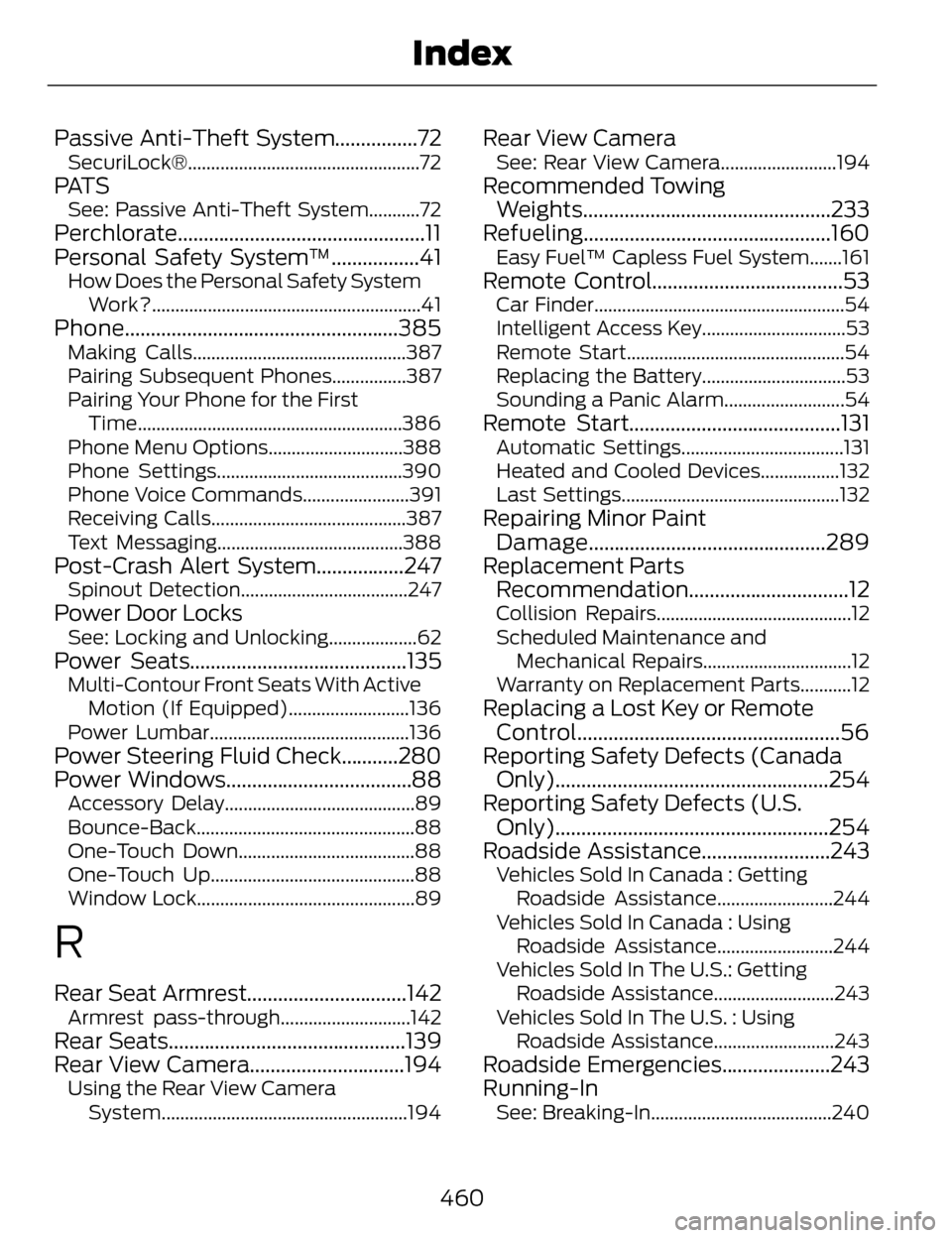
Passive Anti-Theft System................72SecuriLock®..................................................72
PAT SSee: Passive Anti-Theft System...........72
Perchlorate................................................11
Personal Safety System™.................41
How Does the Personal Safety SystemWork?..........................................................41
Phone.....................................................385Making Calls..............................................387
Pairing Subsequent Phones................387
Pairing Your Phone for the FirstTime.........................................................386
Phone Menu Options.............................388
Phone Settings........................................390
Phone Voice Commands.......................391
Receiving Calls..........................................387
Text Messaging........................................388
Post-Crash Alert System.................247Spinout Detection....................................247
Power Door LocksSee: Locking and Unlocking...................62
Power Seats..........................................135Multi-Contour Front Seats With Active Motion (If Equipped)..........................136
Power Lumbar...........................................136
Power Steering Fluid Check...........280
Power Windows....................................88
Accessory Delay.........................................89
Bounce-Back...............................................88
One-Touch Down......................................88
One-Touch Up............................................88
Window Lock...............................................89
R
Rear Seat Armrest...............................142Armrest pass-through............................142
Rear Seats..............................................139
Rear View Camera..............................194
Using the Rear View Camera System.....................................................194
Rear View CameraSee: Rear View Camera.........................194
Recommended TowingWeights................................................233
Refueling................................................160
Easy Fuel™ Capless Fuel System.......161
Remote Control.....................................53Car Finder......................................................54
Intelligent Access Key...............................53
Remote Start...............................................54
Replacing the Battery...............................53
Sounding a Panic Alarm..........................54
Remote Start.........................................131Automatic Settings...................................131
Heated and Cooled Devices.................132
Last Settings...............................................132
Repairing Minor Paint Damage..............................................289
Replacement Parts Recommendation...............................12
Collision Repairs..........................................12
Scheduled Maintenance and
Mechanical Repairs................................12
Warranty on Replacement Parts...........12
Replacing a Lost Key or Remote Control...................................................56
Reporting Safety Defects (Canada Only).....................................................254
Reporting Safety Defects (U.S. Only).....................................................254
Roadside Assistance.........................243
Vehicles Sold In Canada : Getting
Roadside Assistance.........................244
Vehicles Sold In Canada : Using Roadside Assistance.........................244
Vehicles Sold In The U.S.: Getting Roadside Assistance..........................243
Vehicles Sold In The U.S. : Using Roadside Assistance..........................243
Roadside Emergencies.....................243
Running-In
See: Breaking-In.......................................240
460
Index
Page 464 of 468
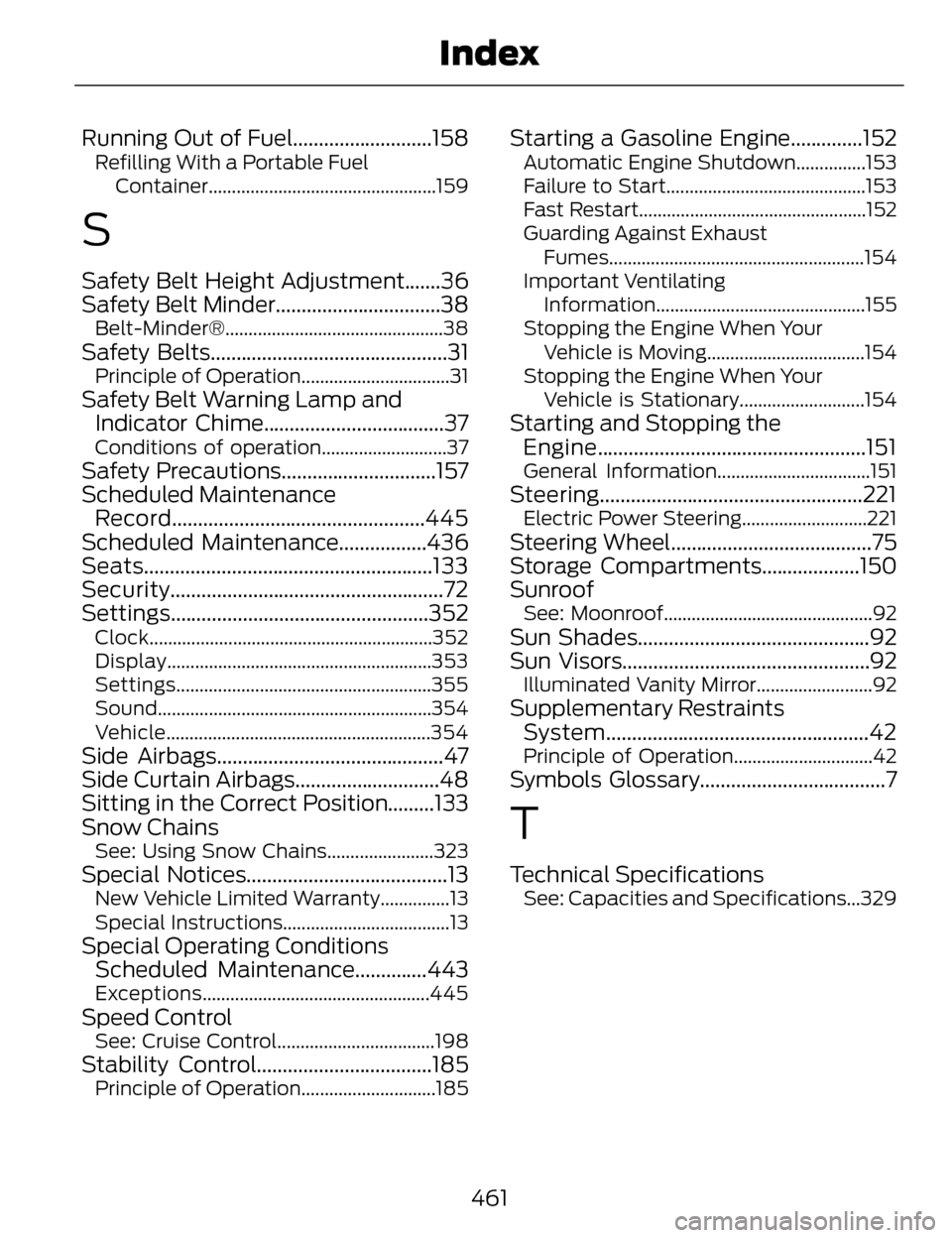
Running Out of Fuel...........................158Refilling With a Portable FuelContainer.................................................159
S
Safety Belt Height Adjustment.......36
Safety Belt Minder................................38
Belt-Minder®...............................................38
Safety Belts..............................................31Principle of Operation................................31
Safety Belt Warning Lamp andIndicator Chime...................................37
Conditions of operation...........................37
Safety Precautions..............................157
Scheduled MaintenanceRecord.................................................445
Scheduled Maintenance.................436
Seats........................................................133
Security.....................................................72
Settings..................................................352
Clock.............................................................352
Display.........................................................353
Settings.......................................................355
Sound...........................................................354
Vehicle.........................................................354
Side Airbags............................................47
Side Curtain Airbags............................48
Sitting in the Correct Position.........133
Snow Chains
See: Using Snow Chains.......................323
Special Notices.......................................13New Vehicle Limited Warranty...............13
Special Instructions....................................13
Special Operating Conditions Scheduled Maintenance..............443
Exceptions.................................................445
Speed ControlSee: Cruise Control..................................198
Stability Control..................................185Principle of Operation.............................185
Starting a Gasoline Engine..............152Automatic Engine Shutdown...............153
Failure to Start...........................................153
Fast Restart.................................................152
Guarding Against Exhaust
Fumes....................................................... 154
Important Ventilating Information.............................................155
Stopping the Engine When Your Vehicle is Moving..................................154
Stopping the Engine When Your Vehicle is Stationary...........................154
Starting and Stopping theEngine....................................................151
General Information.................................151
Steering...................................................221Electric Power Steering...........................221
Steering Wheel.......................................75
Storage Compartments...................150
Sunroof
See: Moonroof.............................................92
Sun Shades.............................................92
Sun Visors................................................92
Illuminated Vanity Mirror.........................92
Supplementary RestraintsSystem...................................................42
Principle of Operation..............................42
Symbols Glossary....................................7
T
Technical SpecificationsSee: Capacities and Specifications...329
461
Index