seats LINCOLN MKZ 2014 Service Manual
[x] Cancel search | Manufacturer: LINCOLN, Model Year: 2014, Model line: MKZ, Model: LINCOLN MKZ 2014Pages: 468, PDF Size: 4.49 MB
Page 267 of 468
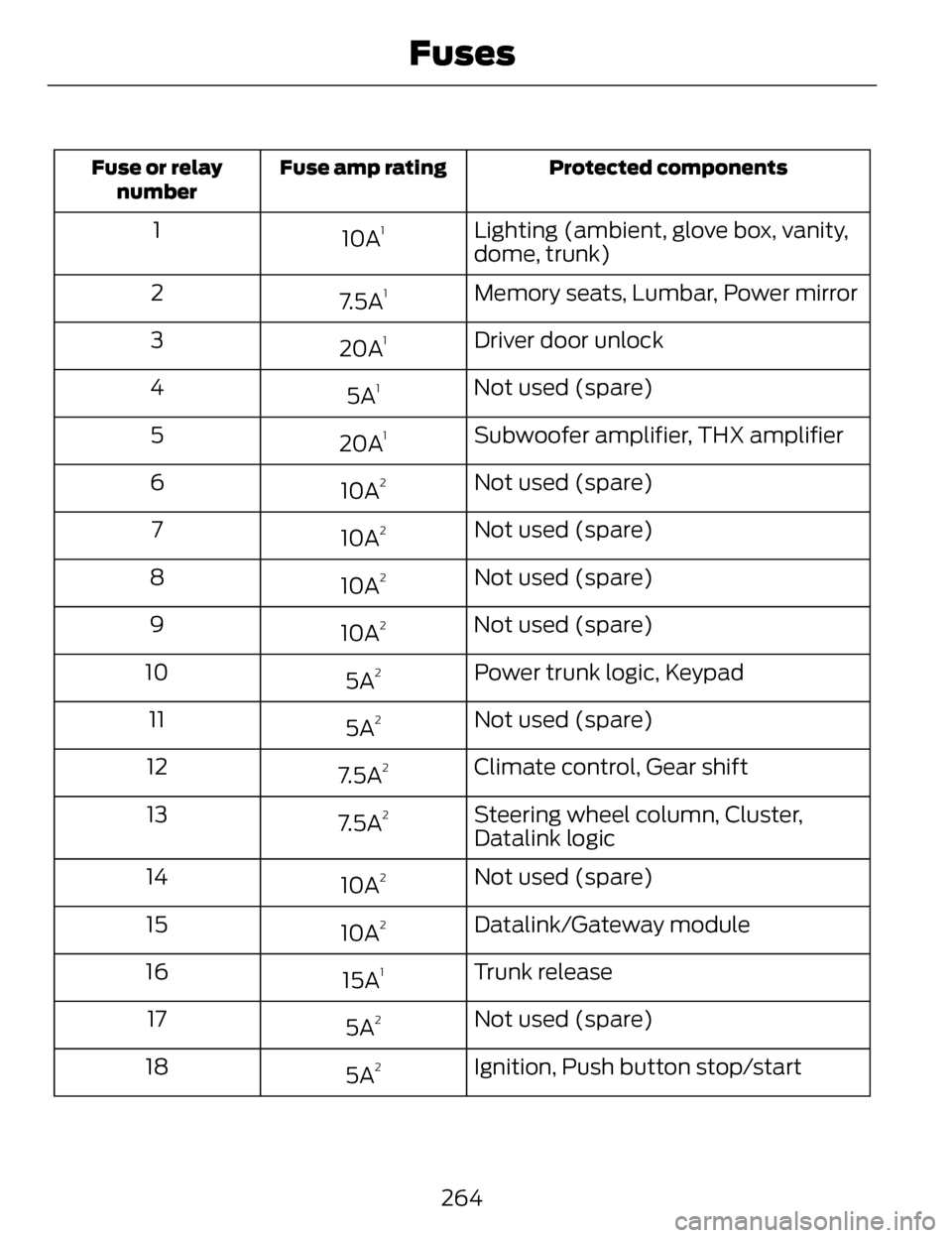
Protected components
Fuse amp rating
Fuse or relay
number
Lighting (ambient, glove box, vanity,
dome, trunk)
10A11
Memory seats, Lumbar, Power mirror
7.5A
12
Driver door unlock
20A
13
Not used (spare)
5A
14
Subwoofer amplifier, THX amplifier
20A
15
Not used (spare)
10A
26
Not used (spare)
10A
27
Not used (spare)
10A
28
Not used (spare)
10A
29
Power trunk logic, Keypad
5A
210
Not used (spare)
5A
211
Climate control, Gear shift
7.5A
212
Steering wheel column, Cluster,
Datalink logic
7.5A
213
Not used (spare)
10A
214
Datalink/Gateway module
10A
215
Trunk release
15A
116
Not used (spare)
5A
217
Ignition, Push button stop/start
5A
218
264
Fuses
Page 268 of 468
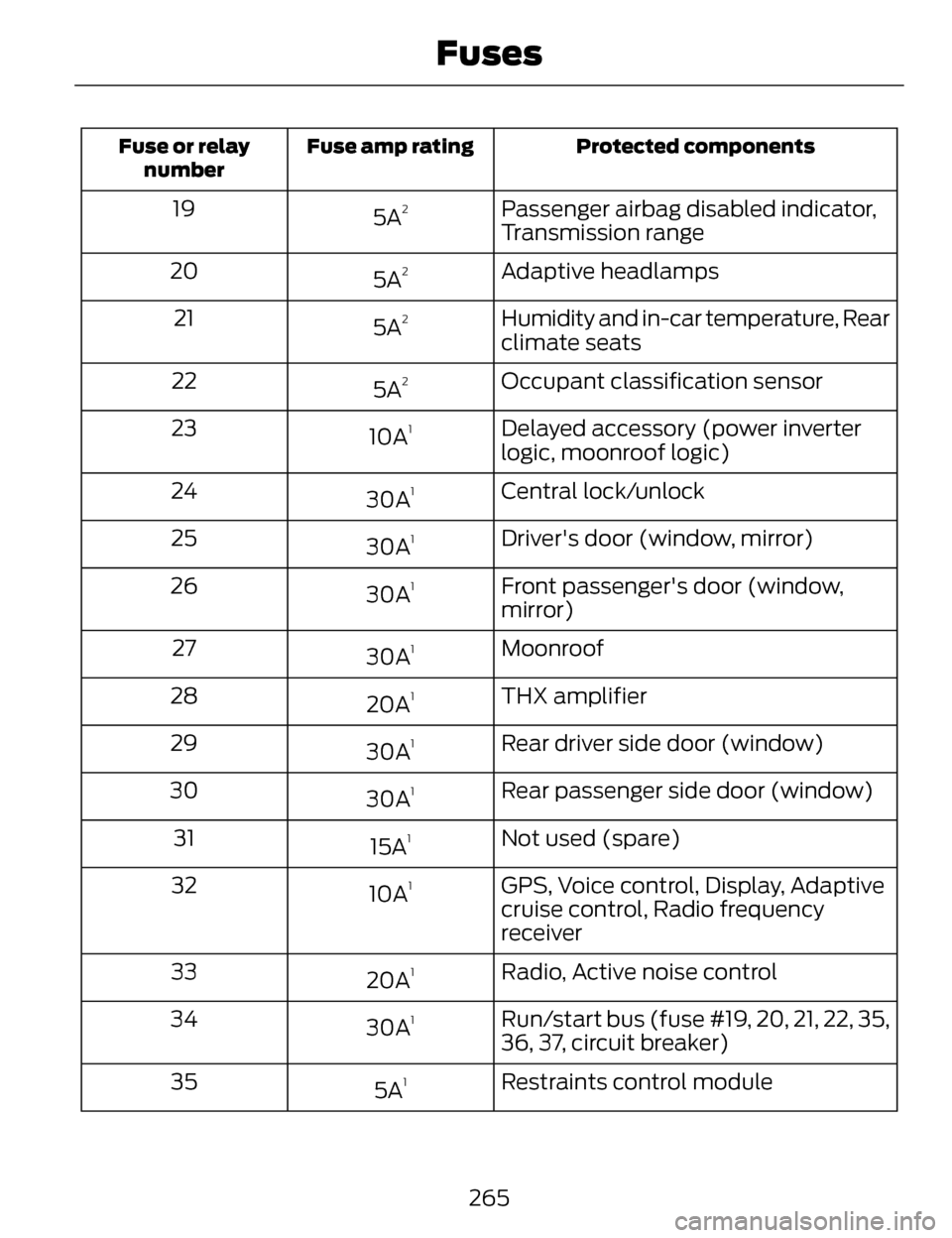
Protected components
Fuse amp rating
Fuse or relay
number
Passenger airbag disabled indicator,
Transmission range
5A219
Adaptive headlamps
5A
220
Humidity and in-car temperature, Rear
climate seats
5A
221
Occupant classification sensor
5A
222
Delayed accessory (power inverter
logic, moonroof logic)
10A
123
Central lock/unlock
30A
124
Driver's door (window, mirror)
30A
125
Front passenger's door (window,
mirror)
30A
126
Moonroof
30A
127
THX amplifier
20A
128
Rear driver side door (window)
30A
129
Rear passenger side door (window)
30A
130
Not used (spare)
15A
131
GPS, Voice control, Display, Adaptive
cruise control, Radio frequency
receiver
10A
132
Radio, Active noise control
20A
133
Run/start bus (fuse #19, 20, 21, 22, 35,
36, 37, circuit breaker)
30A
134
Restraints control module
5A
135
265
Fuses
Page 294 of 468
To clean these items, follow these
tips:
• You can clean the windows with anon-abrasive cleaner such as
Motorcraft Ultra-Clear Spray Glass
Cleaner.
• You can clean the wiper blades with isopropyl rubbing-alcohol or
Motorcraft Premium Windshield
Wash Concentrates in the U.S., or
Premium Quality Windshield
Washer Fluid in Canada. Be sure
to replace wiper blades when they
appear worn or do not function
properly.
• Do not use abrasives, as they may cause scratches.
• Do not use fuel, kerosene, or paint thinner to clean any parts.
If you cannot remove those streaks
after cleaning with the glass cleaner
or if the wipers chatter and move in a
jerky motion, clean the outer surface
of the windshield and the wiper
blades using a sponge or soft cloth
with a neutral detergent or
mild-abrasive cleaning solution. After
cleaning, rinse the windshield and
wiper blades with clean water. The
windshield is clean if beads do not
form when you rinse the windshield
with water.
Note: Do not use sharp objects, such
as a razorblade, to clean the inside of
the rear window or to remove decals,
as this may cause damage to the rear
window defroster’s heated grid lines.CLEANING THE INTERIOR
WARNINGS
Do not use cleaning solvents,
bleach or dye on the vehicle’s
safety belts, as these actions may
weaken the belt webbing.
On vehicles equipped with
seat-mounted airbags, do not
use chemical solvents or strong
detergents. Such products could
contaminate the side airbag system
and affect performance of the side
airbag in a collision.
For fabric, carpets, cloth seats, safety
belts and seats equipped with side
airbags:
• Remove dust and loose dirt with a vacuum cleaner.
• Remove light stains and soil with Motorcraft Professional Strength
Carpet & Upholstery Cleaner.
• If grease or tar is present on the material, spot-clean the area first
with Motorcraft Spot and Stain
Remover. In Canada, use
Motorcraft Multi-Purpose Cleaner.
• If a ring forms on the fabric after spot cleaning, clean the entire area
immediately (but do not
oversaturate) or the ring will set.
• Do not use household cleaning products or glass cleaners, which
can stain and discolor the fabric
and affect the flame retardant
abilities of the seat materials.
291
Vehicle Care
Page 295 of 468
CLEANING THE
INSTRUMENT PANEL AND
INSTRUMENT CLUSTER
LENS
WARNING
Do not use chemical solvents or
strong detergents when cleaning
the steering wheel or instrument panel
to avoid contamination of the airbag
system.
Clean the instrument panel and
cluster lens with a clean, damp, white
cotton cloth, then use a clean and dry
white cotton cloth to dry these areas.
• Avoid cleaners or polishes that increase the gloss of the upper
portion of the instrument panel.
The dull finish in this area helps
protect you from undesirable
windshield reflection.
• Be certain to wash or wipe your hands clean if you have been in
contact with certain products such
as insect repellent and suntan
lotion in order to avoid possible
damage to the interior painted
surfaces.
• Do not use household or glass cleaners as these may damage the
finish of the instrument panel,
interior trim and cluster lens.
• Do not allow air fresheners and hand sanitizers to spill onto interior
surfaces. If a spill occurs, wipe off
immediately. Damage may not be
covered by y our warranty. If a staining liquid like coffee or juice
has been spilled on the instrument
panel or on interior trim surfaces,
clean as follows:
1. Wipe up spilled liquid using a
clean, white, cotton cloth.
2. Wipe the surface with a damp, clean, white cotton cloth. For more
thorough cleaning, use a mild soap
and water solution. If the spot
cannot be completely cleaned by
this method, the area may be
cleaned using a commercially
available cleaning product
designed for automotive interiors.
3. If necessary, apply more soap and water solution or cleaning product
to a clean, white, cotton cloth and
press the cloth onto the soiled
area. Allow this to set at room
temperature for 30 minutes.
4. Remove the soaked cloth and if it is not soiled badly, use this cloth
to clean the area by using a
rubbing motion for 60 seconds.
5. Following this, wipe area dry with a clean, white, cotton cloth.
CLEANING LEATHER SEATS
(IF EQUIPPED)
For routine cleaning, wipe the surface
with a soft, damp cloth. For more
thorough cleaning, wipe the surface
with a mild soap and water solution.
Dry the area with a soft cloth. In
Canada, use Motorcraft® Vinyl
Cleaner.
292
Vehicle Care
Page 348 of 468
• Eject: Eject a CD from theentertainment system.
• SOURCE: Touch the word
repeatedly to see all available
media modes. The screen does not
change, but you see the media
change in the lower left status bar.
• SOUND: Touch the word to
access the Sound menu where you
can adjust settings such as: Bass,
Treble, Midrange, Balance and
Fade, DSP (Digital Signal
Processing), THX Deep Note
Demo, Occupancy Mode and
Speed Compensated Volume.
(Your vehicle may not have all of
these sound options.)
• Hazard flasher: Switch the hazard flashers off and on.
Cleaning the Touchscreen
Display
Use a clean, soft cloth such as one
used for cleaning glasses. If dirt or
fingerprints are still visible, apply a
small amount of alcohol to the cloth.
Do not pour or spray alcohol onto the
display. Do not use detergent or any
type of solvent to clean the display.
Support
The SYNC support team is available
to help you with any questions you are
not able to answer on your own.
Monday-Saturday, 8:30am-9:00pm
EST.
Sunday, 10:30am-7:30pm EST.
In the United States, call:
1-800-392-3673. In Canada, call: 1-800-565-3673.
Times are subject to change due to
holidays.
Safety
Information
WARNING
Driving while distracted can
result in loss of vehicle control,
crash and injury. We strongly
recommend that you use extreme
caution when using any device that
may take your focus off the road. Your
primary responsibility is the safe
operation of your vehicle. We
recommend against the use of any
hand-held device while driving and
encourage the use of voice-operated
systems when possible. Make sure you
are aware of all applicable local laws
that may affect the use of electronic
devices while driving.
• Do not attempt to service or repair the system. See an authorized
dealer.
• Do not operate playing devices if the power cords or cables are
broken, split or damaged. Place
cords and cables out of the way,
so they do not interfere with the
operation of pedals, seats,
compartments or safe driving
abilities.
345
MyLincoln Touch™
Page 407 of 468
Vehicle Health Report Privacy
Notice
When you create a Vehicle Health
Report, Ford Motor Company may
collect your cellular phone number
(to process your report request) and
diagnostic information about your
vehicle. Certain versions or updates
to Vehicle Health Report may also
collect more vehicle information. Ford
may use your vehicle information it
collects for any purpose. If you do not
want to disclose your cellular phone
number or vehicle information, do not
run the feature or set up your VehicleHealth Report profile at
www.SYNCMyRide.com. See
www.SYNCMyRide.com (Vehicle
Health Report Terms and Conditions,
and Privacy Statement) for more
information.
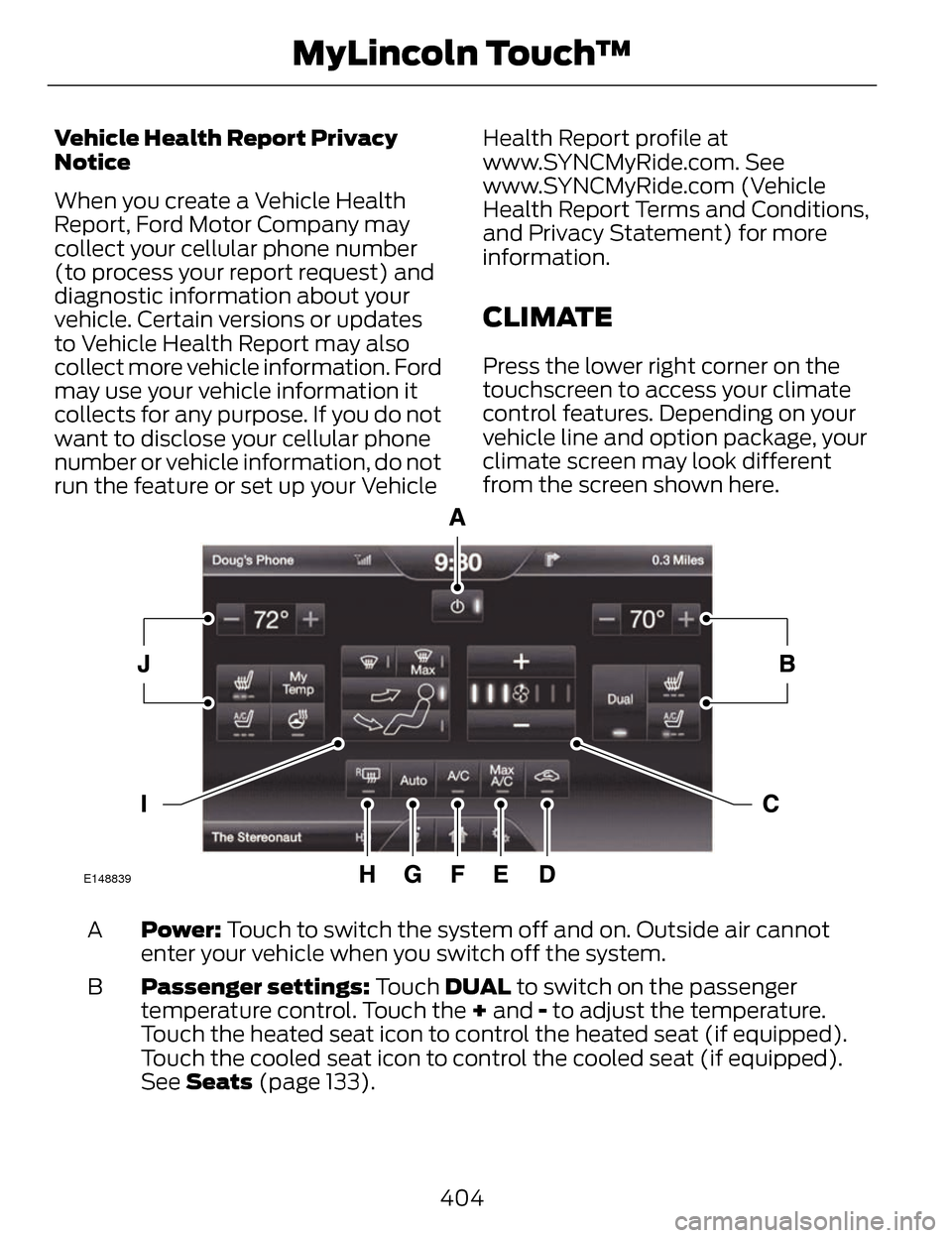
CLIMATE
Press the lower right corner on the
touchscreen to access your climate
control features. Depending on your
vehicle line and option package, your
climate screen may look different
from the screen shown here.
E148839
Power: Touch to switch the system off and on. Outside air cannot
enter your vehicle when you switch off the system.
A
Passenger settings: Touch DUAL to switch on the passenger
temperature control. Touch the + and - to adjust the temperature.
Touch the heated seat icon to control the heated seat (if equipped).
Touch the cooled seat icon to control the cooled seat (if equipped).
See Seats (page 133).
B
404
MyLincoln Touch™
Page 409 of 468
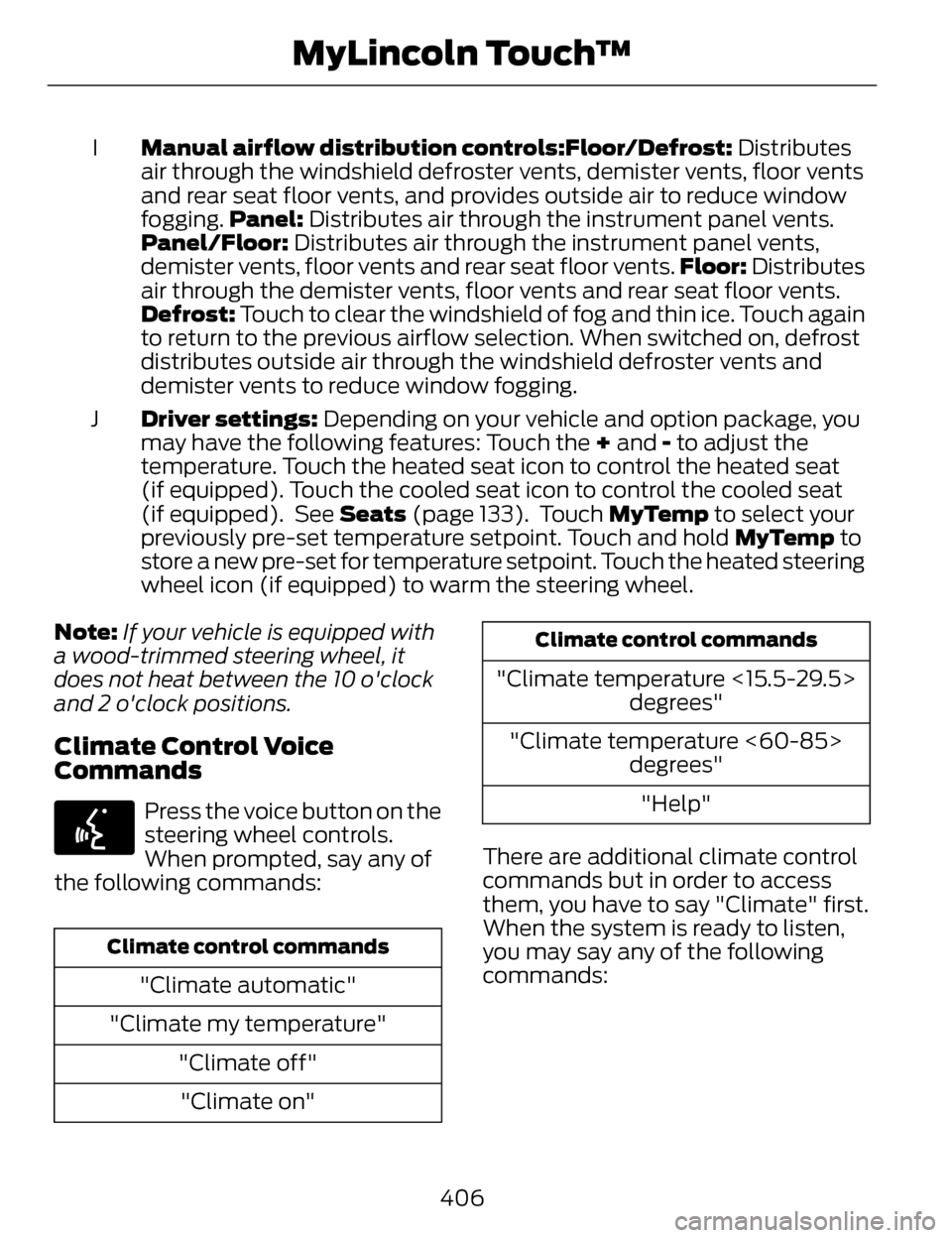
Manual airflow distribution controls:Floor/Defrost: Distributes
air through the windshield defroster vents, demister vents, floor vents
and rear seat floor vents, and provides outside air to reduce window
fogging. Panel: Distributes air through the instrument panel vents.
Panel/Floor: Distributes air through the instrument panel vents,
demister vents, floor vents and rear seat floor vents. Floor: Distributes
air through the demister vents, floor vents and rear seat floor vents.
Defrost: Touch to clear the windshield of fog and thin ice. Touch again
to return to the previous airflow selection. When switched on, defrost
distributes outside air through the windshield defroster vents and
demister vents to reduce window fogging.
I
Driver settings: Depending on your vehicle and option package, you
may have the following features: Touch the + and - to adjust the
temperature. Touch the heated seat icon to control the heated seat
(if equipped). Touch the cooled seat icon to control the cooled seat
(if equipped). See Seats (page 133). Touch MyTemp to select your
previously pre-set temperature setpoint. Touch and hold MyTemp to
store a new pre-set for temperature setpoint. Touch the heated steering
wheel icon (if equipped) to warm the steering wheel.
J
Note: If your vehicle is equipped with
a wood-trimmed steering wheel, it
does not heat between the 10 o'clock
and 2 o'clock positions.
Climate Control Voice
Commands
E142599
Press the voice button on the
steering wheel controls.
When prompted, say any of
the following commands:
Climate control commands
"Climate automatic"
"Climate my temperature" "Climate off""Climate on"
Climate control commands
"Climate temperature <15.5-29.5> degrees"
"Climate temperature <60-85> degrees"
"Help"
There are additional climate control
commands but in order to access
them, you have to say "Climate" first.
When the system is ready to listen,
you may say any of the following
commands:
406
MyLincoln Touch™
Page 457 of 468
AW DSee: All-Wheel Drive................................173
B
Blind Spot Monitor..............................213Blind Spot Information System(BLIS®) with Cross Traffic
Alert...........................................................213
Bonnet LockSee: Opening and Closing theHood........................................................268
Booster Seats..........................................18Types of Booster Seats.............................19
Brake Fluid Check..............................280
Brakes......................................................179
General Information................................179
Breaking-In...........................................240
Bulb Specification Chart..................287
C
Cabin Air Filter.......................................131
California Proposition 65.....................11
Capacities and Specifications......329
Technical Specifications.......................334
Car WashSee: Cleaning the Exterior....................288
Center Console....................................150
Changing a Bulb.................................286
Lamp Assembly Condensation.........286
Replacing Bulbs.......................................286
Changing a Fuse.................................255Fuses............................................................255
Changing a Road Wheel..................323Dissimilar Spare Wheel and TireAssembly Information.......................324
Stowing the flat tire.................................327
Tire Change Procedure..........................325
Changing the 12V Battery.................281 Changing the Engine Air Filter.......283
........................................................................\
284
2.0L EcoBoost Engine............................284
3.7L Engine.................................................284
Changing the Wiper Blades...........283
Checking MyKey System
Status.....................................................59
Checking the Wiper Blades............283
Child Restraint and Safety Belt Maintenance........................................39
Child Safety..............................................15
General Information...................................15
Child Safety Locks................................29Left-Hand Side...........................................29
Right-Hand Side........................................30
Child Seat Positioning..........................17
Cleaning Leather Seats....................292
Cleaning Products.............................288
Cleaning the Alloy Wheels..............293
Cleaning the Engine..........................290
Cleaning the Exterior........................288
Cleaning Plastic Exterior Parts...........289
Exterior Chrome.......................................289
Stripes or Graphics (if
equipped)..............................................289
Underbody.................................................289
Cleaning the Instrument Panel and Instrument Cluster Lens................292
Cleaning the Interior...........................291
Cleaning the Windows and Wiper Blades..................................................290
Clearing All MyKeys.............................58
Climate..................................................404
Climate Control Voice
Commands...........................................406
Climate Control....................................128
Collision Warning System................218
PRINCIPLE OF OPERATION.................218
Coolant CheckSee: Engine Coolant Check..................272
Crash Sensors and AirbagIndicator................................................50
454
Index
Page 460 of 468
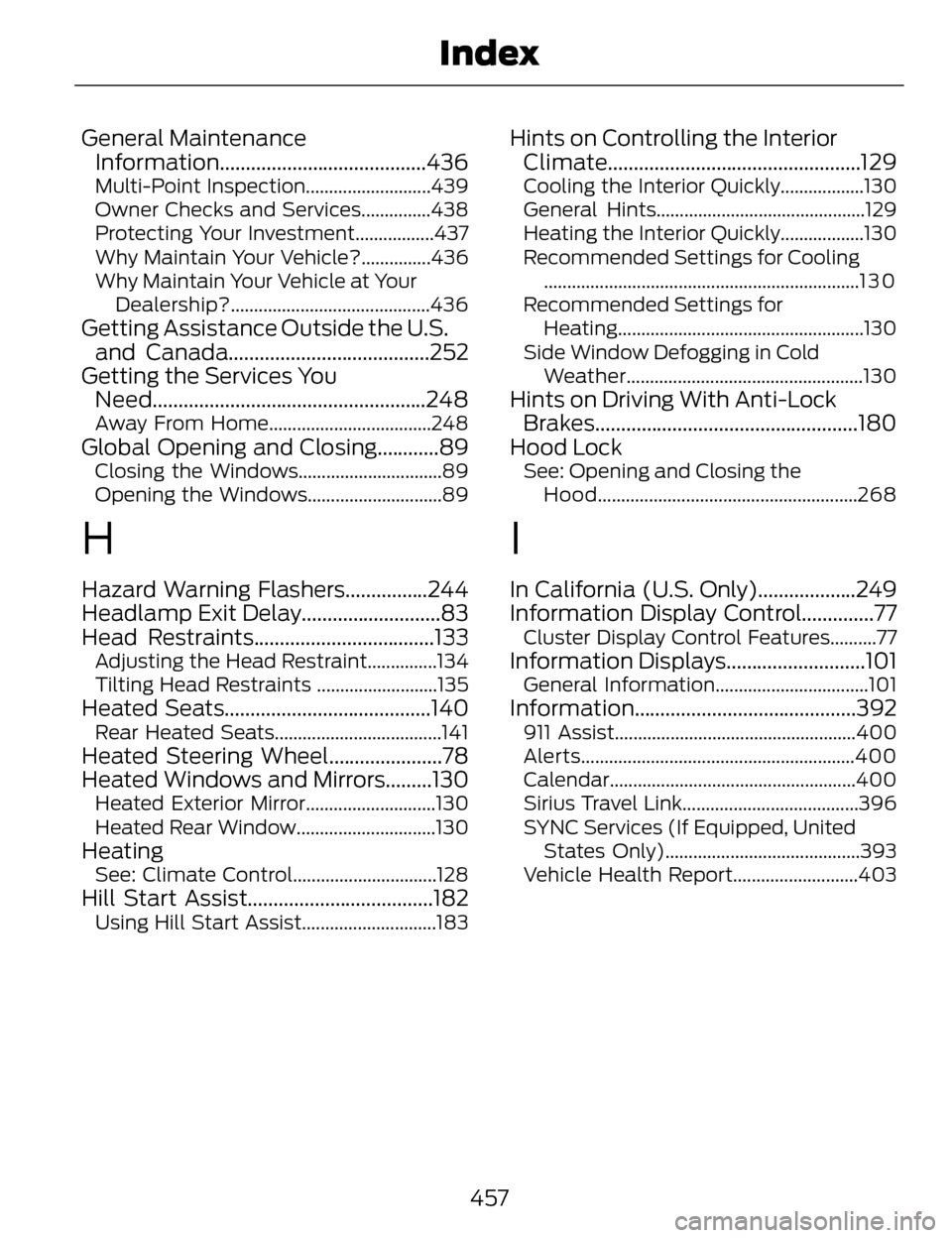
General MaintenanceInformation........................................436
Multi-Point Inspection...........................439
Owner Checks and Services...............438
Protecting Your Investment.................437
Why Maintain Your Vehicle?...............436
Why Maintain Your Vehicle at Your
Dealership?...........................................436
Getting Assistance Outside the U.S.and Canada.......................................252
Getting the Services You Need.....................................................248
Away From Home...................................248
Global Opening and Closing............89Closing the Windows...............................89
Opening the Windows.............................89
H
Hazard Warning Flashers................244
Headlamp Exit Delay...........................83
Head Restraints...................................133
Adjusting the Head Restraint...............134
Tilting Head Restraints ..........................135
Heated Seats........................................140Rear Heated Seats....................................141
Heated Steering Wheel......................78
Heated Windows and Mirrors.........130
Heated Exterior Mirror............................130
Heated Rear Window..............................130
HeatingSee: Climate Control...............................128
Hill Start Assist....................................182Using Hill Start Assist.............................183
Hints on Controlling the InteriorClimate.................................................129
Cooling the Interior Quickly..................130
General Hints.............................................129
Heating the Interior Quickly..................130
Recommended Settings for Cooling
....................................................................1 3 0
Recommended Settings for Heating.....................................................130
Side Window Defogging in Cold Weather...................................................130
Hints on Driving With Anti-LockBrakes...................................................180
Hood Lock
See: Opening and Closing the
Hood........................................................268
I
In California (U.S. Only)...................249
Information Display Control..............77
Cluster Display Control Features..........77
Information Displays...........................101General Information.................................101
Information ...........................................392911 Assist....................................................400
Alerts...........................................................400
Calendar.....................................................400
Sirius Travel Link......................................396
SYNC Services (If Equipped, United
States Only)..........................................393
Vehicle Health Report...........................403
457
Index
Page 461 of 468
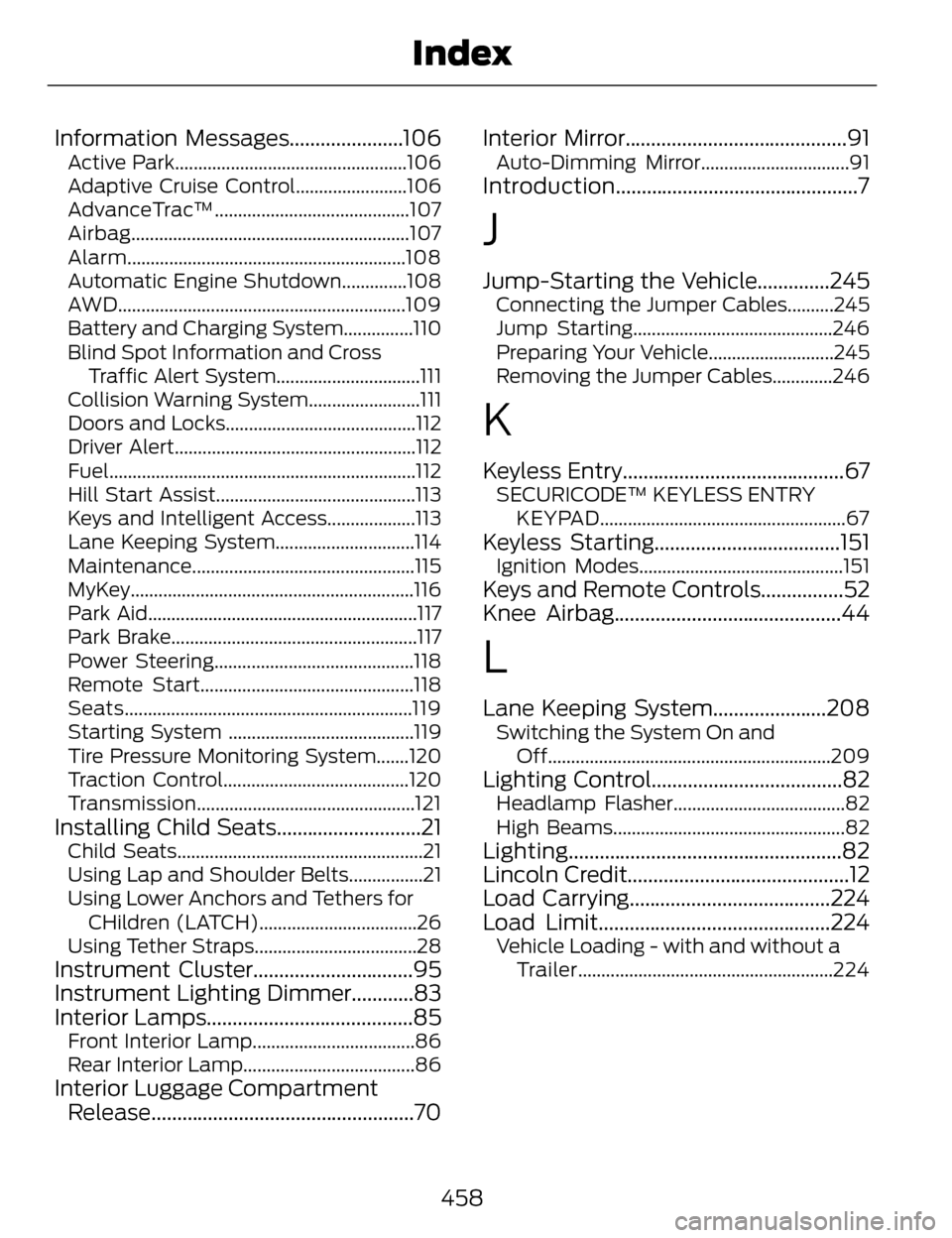
Information Messages......................106Active Park..................................................106
Adaptive Cruise Control........................106
AdvanceTrac™..........................................107
Airbag............................................................107
Alarm............................................................108
Automatic Engine Shutdown..............108
AWD..............................................................109
Battery and Charging System...............110
Blind Spot Information and CrossTraffic Alert System...............................111
Collision Warning System........................111
Doors and Locks.........................................112
Driver Alert....................................................112
Fuel..................................................................112
Hill Start Assist...........................................113
Keys and Intelligent Access...................113
Lane Keeping System..............................114
Maintenance................................................115
MyKey.............................................................116
Park Aid..........................................................117
Park Brake.....................................................117
Power Steering...........................................118
Remote Start..............................................118
Seats..............................................................119
Starting System ........................................119
Tire Pressure Monitoring System.......120
Traction Control........................................120
Transmission...............................................121
Installing Child Seats............................21Child Seats.....................................................21
Using Lap and Shoulder Belts................21
Using Lower Anchors and Tethers for CHildren (LATCH)..................................26
Using Tether Straps...................................28
Instrument Cluster...............................95
Instrument Lighting Dimmer............83
Interior Lamps........................................85
Front Interior Lamp...................................86
Rear Interior Lamp.....................................86
Interior Luggage Compartment Release...................................................70 Interior Mirror...........................................91
Auto-Dimming Mirror................................91
Introduction...............................................7
J
Jump-Starting the Vehicle..............245Connecting the Jumper Cables..........245
Jump Starting...........................................246
Preparing Your Vehicle...........................245
Removing the Jumper Cables.............246
K
Keyless Entry...........................................67SECURICODE™ KEYLESS ENTRY
KEYPAD.....................................................67
Keyless Starting....................................151Ignition Modes............................................151
Keys and Remote Controls................52
Knee Airbag............................................44
L
Lane Keeping System......................208Switching the System On andOff.............................................................209
Lighting Control.....................................82Headlamp Flasher.....................................82
High Beams..................................................82
Lighting.....................................................82
Lincoln Credit...........................................12
Load Carrying.......................................224
Load Limit.............................................224
Vehicle Loading - with and without aTrailer.......................................................224
458
Index