ignition LINCOLN MKZ 2014 Workshop Manual
[x] Cancel search | Manufacturer: LINCOLN, Model Year: 2014, Model line: MKZ, Model: LINCOLN MKZ 2014Pages: 468, PDF Size: 4.49 MB
Page 177 of 468
Driving In Special Conditions
With All-Wheel Drive (AWD)
AWD vehicles are equipped for driving
on sand, snow, mud and rough roads
and have operating characteristics
that are somewhat different from
conventional vehicles, both on and off
the highway.
Under severe operating conditions,
the A/C may cycle on and off to
protect overheating of the engine.
Basic operating principles in
special conditions
• Drive slower in strong crosswindswhich can affect the normal
steering characteristics of your
vehicle.
• Be extremely careful when driving on pavement made slippery by
loose sand, water, gravel, snow or
ice. If Your Vehicle Goes Off the Edge of
the Pavement
• If your vehicle goes off the edge of
the pavement, slow down, but
avoid severe brake application,
ease the vehicle back onto the
pavement only after reducing your
speed. Do not turn the steering
wheel too sharply while returning
to the road surface.
• It may be safer to stay on the apron or shoulder of the road and
slow down gradually before
returning to the pavement. You
may lose control if you do not slow
down or if you turn the steering
wheel too sharply or abruptly.
• It often may be less risky to strike small objects, such as highway
reflectors, with minor damage to
your vehicle rather than attempt a
sudden return to the pavement
which could cause the vehicle to
slide sideways out of control or
rollover. Remember, your safety
and the safety of others should be
your primary concern.
If Your Vehicle Gets Stuck
WARNINGS
Always set the parking brake
fully and make sure the
transmission is in P (Park). Turn the
ignition to the lock position or turn the
vehicle off using the start/stop button
and remove the key whenever you
leave your vehicle.
174
All-Wheel Drive (If Equipped)
Page 179 of 468
Under severe operating conditions,
the A/C may cycle on and off to
protect overheating of the engine.
Avoid excessive speed because
vehicle momentum can work against
you and cause the vehicle to become
stuck to the point that assistance may
be required from another vehicle.
Remember, you may be able to back
out the way you came if you proceed
with caution.
Mud and Water
If you must drive through high water,
drive slowly. Traction or brake
capability may be limited.
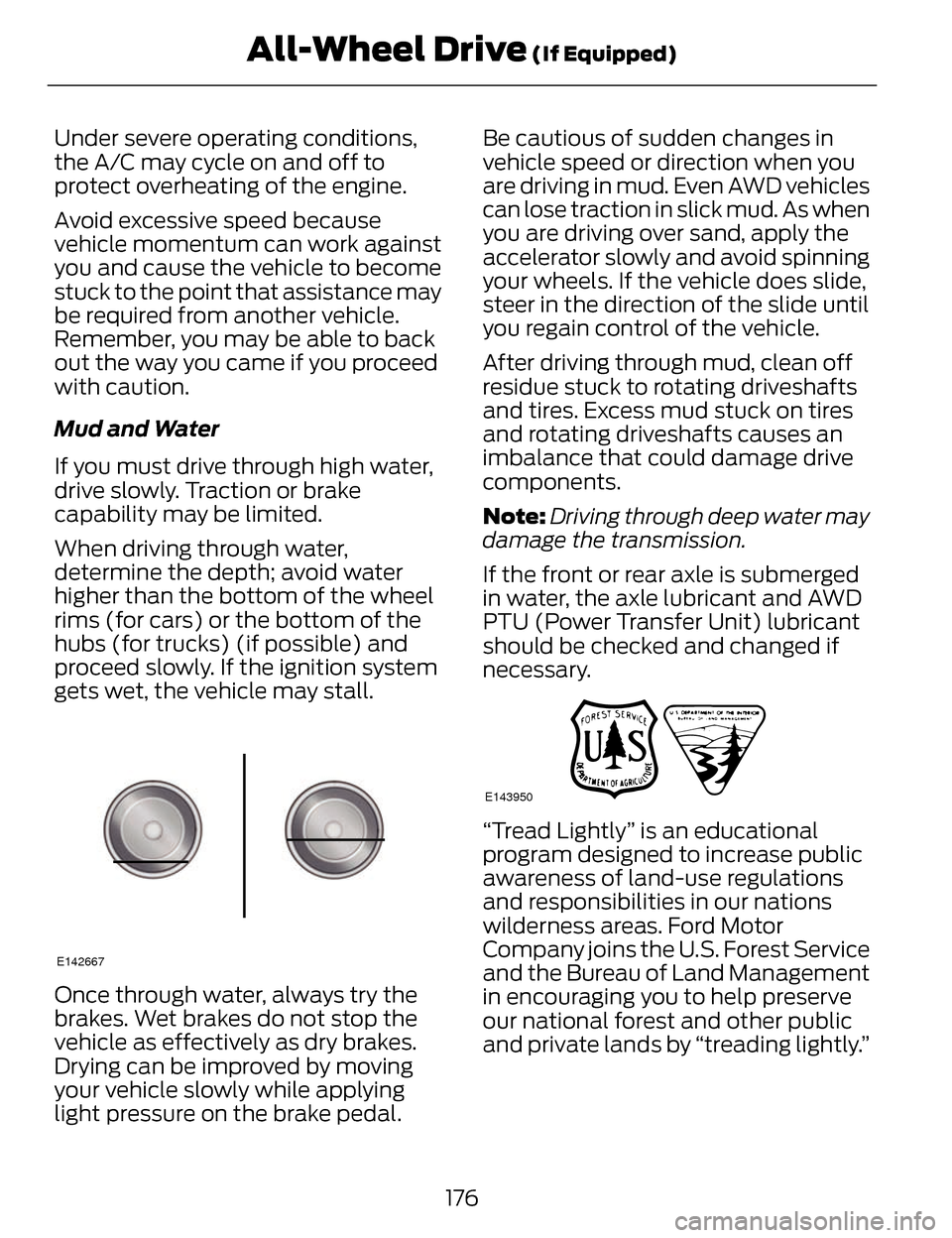
When driving through water,
determine the depth; avoid water
higher than the bottom of the wheel
rims (for cars) or the bottom of the
hubs (for trucks) (if possible) and
proceed slowly. If the ignition system
gets wet, the vehicle may stall.
E142667
Once through water, always try the
brakes. Wet brakes do not stop the
vehicle as effectively as dry brakes.
Drying can be improved by moving
your vehicle slowly while applying
light pressure on the brake pedal.Be cautious of sudden changes in
vehicle speed or direction when you
are driving in mud. Even AWD vehicles
can lose traction in slick mud. As when
you are driving over sand, apply the
accelerator slowly and avoid spinning
your wheels. If the vehicle does slide,
steer in the direction of the slide until
you regain control of the vehicle.
After driving through mud, clean off
residue stuck to rotating driveshafts
and tires. Excess mud stuck on tires
and rotating driveshafts causes an
imbalance that could damage drive
components.
Note:
Driving through deep water may
damage the transmission.
If the front or rear axle is submerged
in water, the axle lubricant and AWD
PTU (Power Transfer Unit) lubricant
should be checked and changed if
necessary.
E143950
“Tread Lightly” is an educational
program designed to increase public
awareness of land-use regulations
and responsibilities in our nations
wilderness areas. Ford Motor
Company joins the U.S. Forest Service
and the Bureau of Land Management
in encouraging you to help preserve
our national forest and other public
and private lands by “treading lightly.”
176
All-Wheel Drive (If Equipped)
Page 182 of 468
GENERAL INFORMATION
Note:Occasional brake noise is
normal. If a metal-to-metal,
continuous grinding or continuous
squeal sound is present, the brake
linings may be worn-out. Have the
system checked by an authorized
dealer. If your vehicle has continuous
vibration or shudder in the steering
wheel while braking, have it checked
by an authorized dealer.
Note: Brake dust may accumulate on
the wheels, even under normal driving
conditions. Some dust is inevitable as
the brakes wear and does not
contribute to brake noise. See
Cleaning the Alloy Wheels (page 293).
E144522
See Warning Lamps and
Indicators (page 96).
Wet brakes result in reduced braking
efficiency. Gently press the brake
pedal a few times when driving from
a car wash or standing water to dry
the brakes.
Brake Over Accelerator
In the event the accelerator pedal
becomes stuck or entrapped, apply
steady and firm pressure to the brake
pedal to slow the vehicle and reduce
engine power. If you experience this
condition, apply the brakes and bring
your vehicle to a safe stop. Move the
transmission selector lever to position P,
switch the engine off and apply the
parking brake. Inspect the accelerator
pedal for any interference. If none are
found and the condition persists, have
your vehicle towed to the nearest
authorized dealer.
Brake Assist
Brake assist detects when you brake
rapidly by measuring the rate at which
you press the brake pedal. It provides
maximum braking efficiency as long
as you press the pedal, and can
reduce stopping distances in critical
situations.
Anti-lock Brake System
This system helps you maintain
steering control during emergency
stops by keeping the brakes from
locking.
This lamp momentarily
illuminates when you turn
the ignition on. If the light
does not illuminate during start up,
remains on or flashes, the system may
be disabled. Have the system checked
by an authorized dealer.
E144522
If the system is disabled,
normal braking is still
effective. If the brake
warning lamp illuminates when you
release the parking brake, have the
system checked by an authorized
dealer.
179
Brakes
Page 183 of 468
HINTS ON DRIVING WITH
ANTI-LOCK BRAKES
Note:When the system is operating,
the brake pedal will pulse and may
travel further. Maintain pressure on the
brake pedal. You may also hear a noise
from the system. This is normal.
The anti-lock braking system will not
eliminate the risks when:
• you drive too closely to the vehicle in front of you
• your vehicle is hydroplaning
• you take corners too fast
• the road surface is poor.
ELECTRIC PARKING BRAKE
The electric parking brake replaces
the conventional handbrake. The
operating switch is located on the
instrument panel to the left of the
steering wheel.
WARNING
Always set the parking brake and
leave your vehicle with the
transmission selector lever in position
P.
Note: When you apply the electric
parking brake in certain conditions, for
example on a steep hill, the electric
parking brake may reapply the brakes
within three to ten minutes.
Note: You may notice various noises
when you apply and release the electric
parking brake. This is normal and no
cause for concern.
Applying the electric parking
brake
WARNING
If the brake system warning lamp
does not illuminate or flashes,
there could be a problem with your
electric parking brake. Have the
system checked by an authorized
dealer as soon as possible.
Note: The brake system warning lamp
will illuminate for ten seconds if you
have turned the ignition off after the
electric parking brake has been applied,
or the electric parking brake has been
applied after the ignition has been
turned off.
Note: The electric parking brake will
not automatically apply. You must
apply the electric parking brake using
the electric parking brake switch.
E169085
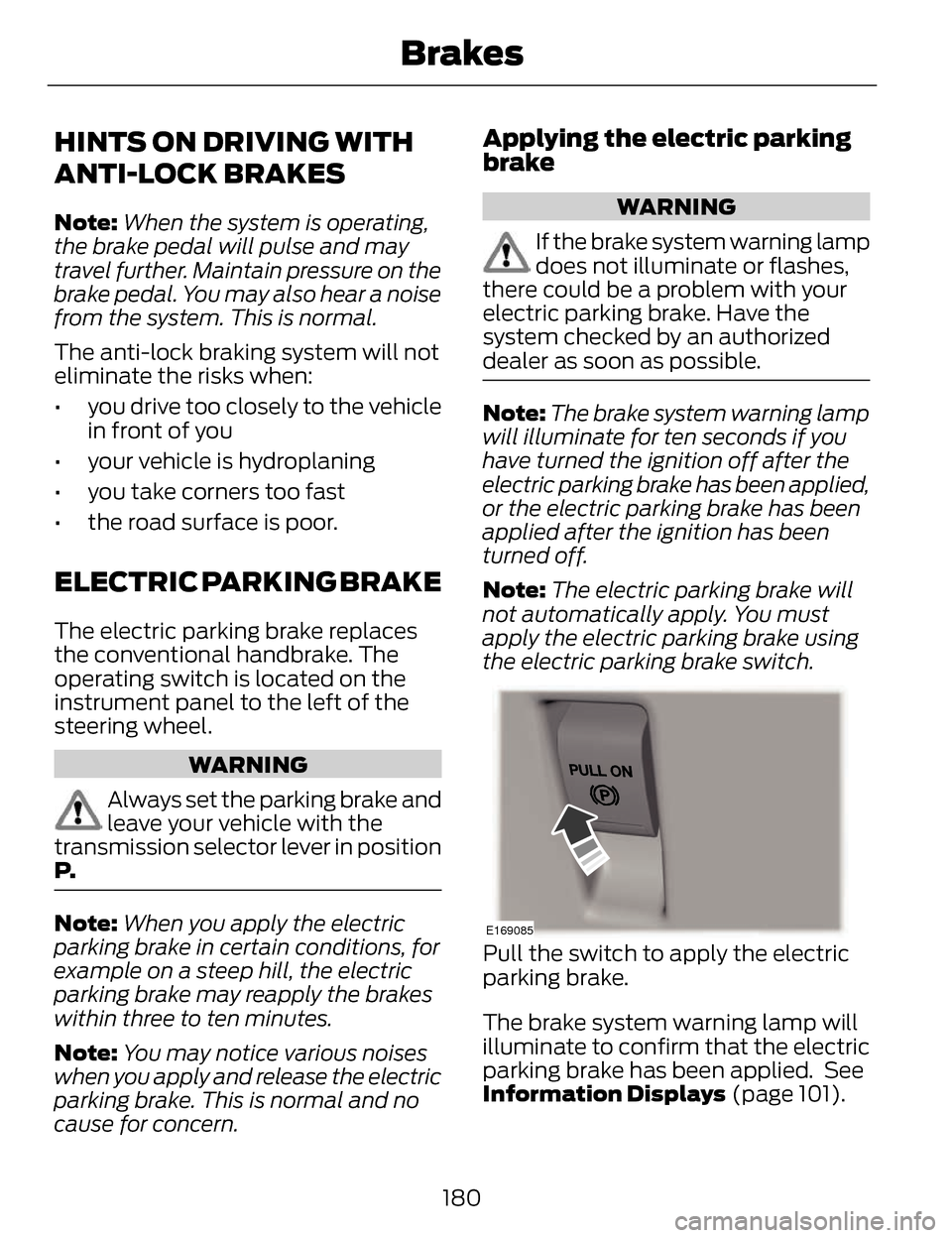
Pull the switch to apply the electric
parking brake.
The brake system warning lamp will
illuminate to confirm that the electric
parking brake has been applied. See
Information Displays (page 101).
180
Brakes
Page 184 of 468
Applying the electric parking
brake when the vehicle is
moving
WARNINGS
Applying the electric parking
brake while moving will result in
use of the anti-lock braking system.
Do not use the electric parking brake
system when the vehicle is moving
unless the normal brake system is
unable to stop the vehicle.
With the exception of emergency
conditions (for example, the
brake pedal does not work or is
blocked), do not apply the electric
parking brake while the vehicle is
moving. On bends, or poor road
surfaces or weather conditions,
emergency braking can cause the
vehicle to skid out of control or off the
road.
If you apply the electric parking brake
when your vehicle is moving, the brake
system warning lamp will illuminate
and a warning chime will sound. See
Information Displays (page 101).
If your vehicle speed is above 4 mph
(6 km/h), the braking force is applied
as long as the switch is applied.
Release or press the switch or press
the accelerator pedal to stop the
braking force.
Releasing the electric parking
brake
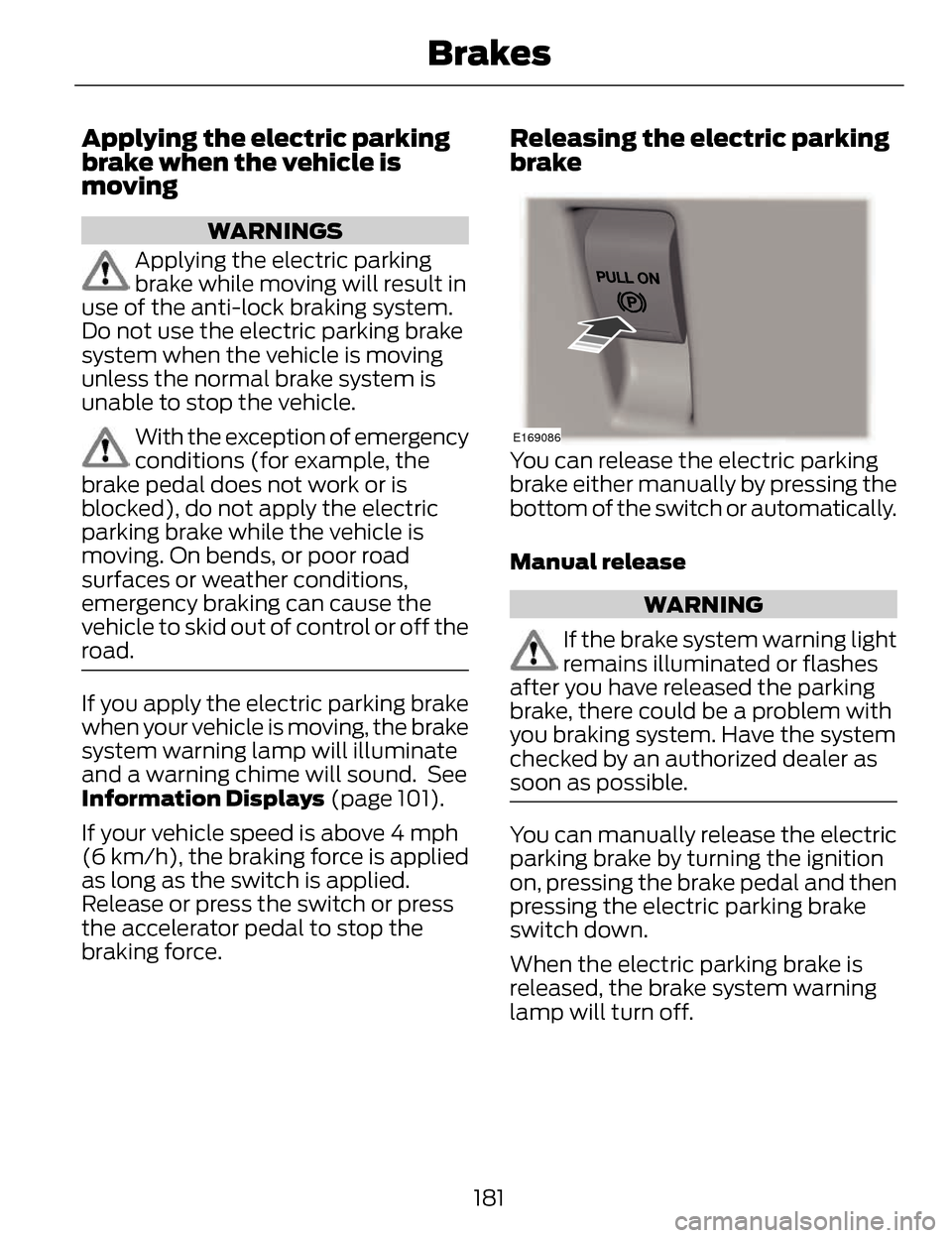
E169086
You can release the electric parking
brake either manually by pressing the
bottom of the switch or automatically.
Manual release
WARNING
If the brake system warning light
remains illuminated or flashes
after you have released the parking
brake, there could be a problem with
you braking system. Have the system
checked by an authorized dealer as
soon as possible.
You can manually release the electric
parking brake by turning the ignition
on, pressing the brake pedal and then
pressing the electric parking brake
switch down.
When the electric parking brake is
released, the brake system warning
lamp will turn off.
181
Brakes
Page 190 of 468
PARKING AID (IF EQUIPPED)
WARNINGS
To help avoid personal injury,
please read and understand the
limitations of the system as contained
in this section. Sensing is only an aid
for some (generally large and fixed)
objects when moving in reverse on a
flat surface at parking speeds. Traffic
control systems, inclement weather,
air brakes, and external motors and
fans may also affect the function of
the sensing system; this may include
reduced performance or a false
activation.
To help avoid personal injury,
always use caution when in R
(Reverse) and when using the sensing
system.
This system is not designed to
prevent contact with small or
moving objects. The system is
designed to provide a warning to
assist the driver in detecting large
stationary objects to avoid damaging
the vehicle. The system may not
detect smaller objects, particularly
those close to the ground.
Certain add-on devices such as
large trailer hitches, bike or
surfboard racks and any device that
may block the normal detection zone
of the system, may create false beeps.
Note: Keep the sensors, located on the
bumper or fascia, free from snow, ice
and large accumulations of dirt. If the
sensors are covered, the system’s
accuracy can be affected. Do not clean
the sensors with sharp objects.
Note: If your vehicle sustains damage
to the bumper or fascia, leaving it
misaligned or bent, the sensing zone
may be altered causing inaccurate
measurement of obstacles or false
alarms.
Note: If your vehicle is equipped with
MyKey®, it is possible to prevent
turning the sensing system off. See
MyKey™ (page 57).
The sensing system warns the driver
of obstacles within a certain range of
the bumper area. The system turns on
automatically whenever the ignition
is switched on.
When receiving a detection warning,
the radio volume is reduced to a
predetermined level. After the warning
goes away, the radio volume returns
to the previous level.
The system can be switched off
through the information display menu
or from the pop-up message that
appears once the transmission is
shifted into R. See General
Information (page 101).
If a fault is present in the system, a
warning message appears in the
information display and does not
allow the driver to switch the faulted
system on. See Information
Messages (page 106).
187
Parking Aids
Page 202 of 468
Switching Cruise Control Off
Note:You will erase the set speed if
you switch the system off.
Press and release OFF or switch the
ignition off.
USING ADAPTIVE CRUISE
CONTROL
(IF EQUIPPED)
WARNINGS
Always pay close attention to
changing road conditions,
especially when using adaptive cruise
control. Adaptive cruise control
cannot replace attentive driving.
Failing to follow any of the warnings
below or failing to pay attention to the
road may result in a crash, serious
injury or death.
Adaptive cruise control is not a
crash warning or avoidance
system.
Adaptive cruise control will not
detect stationary or slow moving
vehicles below 6 mph (10 km/h).
Adaptive cruise control will not
detect pedestrians or objects in
the roadway.
Adaptive cruise control will not
detect oncoming vehicles in the
same lane.
Do not use the adaptive cruise
control when entering or leaving
a highway, in heavy traffic or on roads
that are winding, slippery or unpaved.
WARNINGS
Do not use in poor visibility,
specifically fog, rain, spray or
snow.
Note: It is your responsibility to stay
alert, drive safely and be in control of
the vehicle at all times.
The system adjusts your speed to
maintain a proper distance between
you and the vehicle in front of you in
the same lane. You can select from
one of four gap settings.
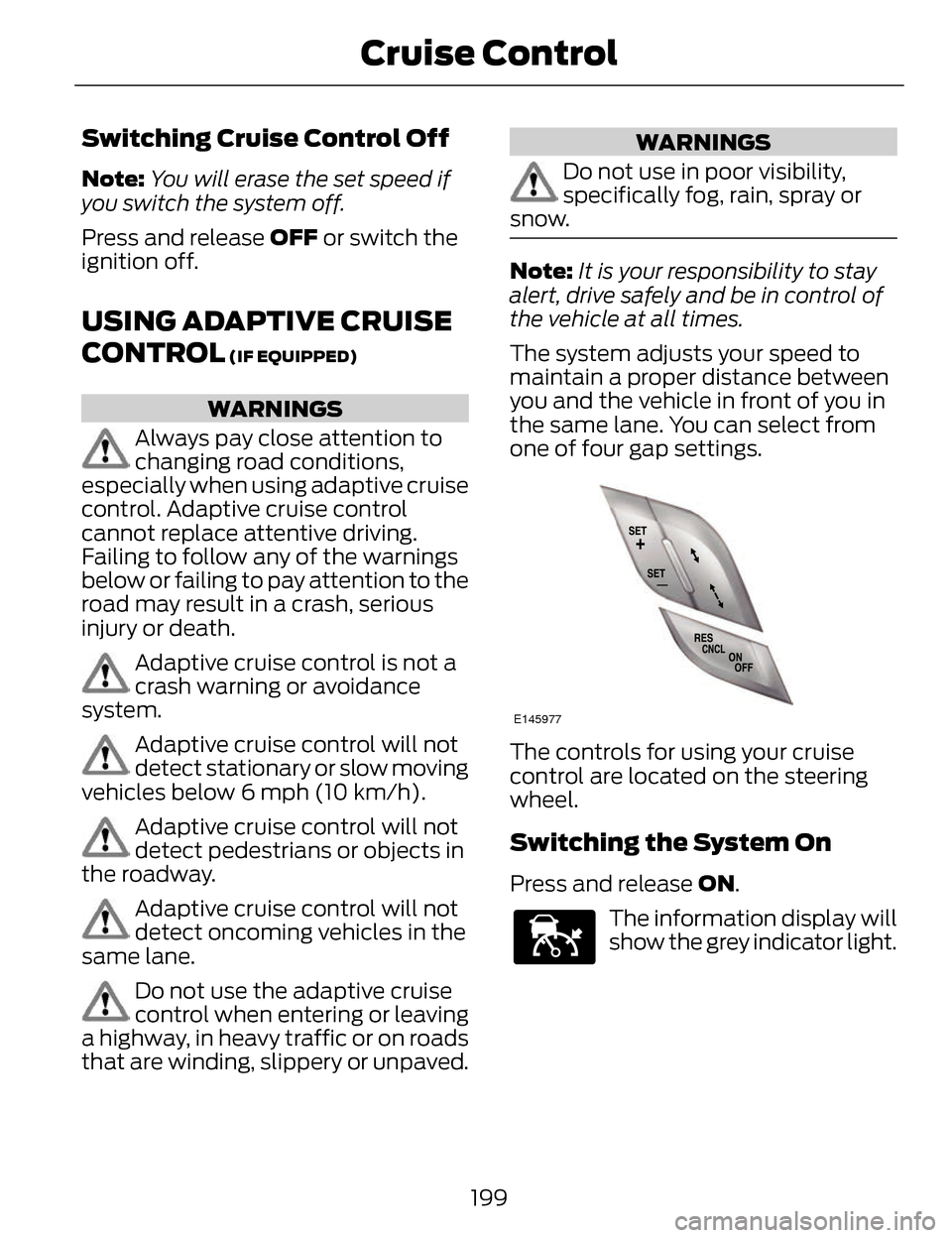
E145977
The controls for using your cruise
control are located on the steering
wheel.
Switching the System On
Press and release ON.
E144529
The information display will
show the grey indicator light.
199
Cruise Control
Page 206 of 468
Changing the Set Speed
• Accelerate or brake to the desiredspeed, then press and release
SET+.
• Press and hold SET+ or SET- until the desired set speed shows on the
information display. The vehicle
speed will gradually change to the
selected speed.
• Press and release SET+ or SET-. The set speed will change in
approximately 1 mph (2 km/h)
increments.
The system may apply the brakes to
slow the vehicle to the new set speed.
The set speed will display
continuously in the information
display while the system is active.
Resuming the Set Speed
Note: Only use resume if you are
aware of the set speed and intend to
return to it.
Press and release RES. The vehicle
will return to the previously set speed.
The set speed will display
continuously in the information
display while the system is active.
Low Speed Automatic
Cancellation
The system is not functional at vehicle
speeds below 12 mph (20 km/h). An
audible alarm will sound and the
automatic braking releases if the
vehicle drops below this speed.
Hilly Condition Usage
Note: An audible alarm will sound and
the system will shut down if it is
applying brakes for an extended period
of time. This allows the brakes to cool
down. The system will function
normally again when the brakes have
cooled down.
You should select a lower gear
position when the system is active in
situations such as prolonged downhill
driving on steep grades, for example
in mountainous areas. The system
needs additional engine braking in
these situations to reduce the load on
the vehicle’s regular brake system to
prevent them from overheating.
Switching the System Off
Note: The set speed memory erases
when you switch off the system.
Press and release OFF or turn off the
ignition.
Detection Issues
The radar sensor has a limited field of
vision. It may not detect vehicles at all
or detect a vehicle later than expected
in some situations. The lead vehicle
graphic will not illuminate if the
system does not detect a vehicle in
front of you.
203
Cruise Control
Page 210 of 468
DRIVER ALERT (IF EQUIPPED)
WARNING
The driver alert system is
designed to aid you. It is not
intended to replace your attention and
judgment. You are still responsible to
drive with due care and attention.
Note: The system will store the on/off
setting in the information display menu
through ignition cycles.
Note: If enabled in the menu, the
system will be active at speeds above
40 mph (64 km/h). When below the
activation speed, the information
display will inform the driver that the
system is unavailable.
Note: The system works as long as one
lane marking can be detected by the
camera.
Note: If the camera is blocked or if the
windshield is damaged, the system
may not function.
Note: The system may not be
available in poor weather or other low
visibility conditions.
The system automatically monitors
your driving behavior using various
inputs including the front camera
sensor.
If the system detects that your driving
alertness is reduced below a certain
threshold, the system will alert you
using a chime and a message in the
information display.
Using Driver Alert
Switching the system on and off
You may switch the system on or off
through the information display by
selecting Settings then Driver Assist
then Driver Alert in the menu. When
activated, the system will monitor
your alertness level based upon your
driving behavior in relation to the lane
markings, and other factors.
System Warnings
Note: Note: The system will not issue
warnings below approximately 40 mph
(64 km/h).
The warning system is in two stages.
At first the system issues a temporary
warning that you need to take a rest.
This message will only appear for a
short time. If the system detects
further reduction in driving alertness,
another warning may be issued which
will remain in the information display
for a longer time. Press OK on the
steering wheel control to clear the
warning
System Display
When active the system will run
automatically in the background and
only issue a warning if required. You
can view the status at any time using
the information display. See General
Information (page 101).
The alertness level is shown by six
steps in a colored bar.
207
Driving Aids
Page 211 of 468

E131358
The current assessment of your
alertness is within a typical range.
E131359
The current assessment of your
alertness indicates that you should
rest as soon as safely possible.
The status bar will travel from left to
right as the calculated alertness level
decreases. As the rest icon is
approached the color turns from
green to yellow to red.
• Green - No rest required.
• Yellow - First warning is active.
• Red - Second warning is active.
Note:If you have recently received a
warning; you should consider resting,
even if the current assessment is with
the typical range.
Note: The alertness level will be
shown in grey for a short time if the
camera sensor cannot track the road
lane markings or if the vehicle speed
drops below approximately 40 mph
(64 km/h), after which the system
display will inform the driver that the
system is unavailable. Resetting the System
You can reset the system by either:
• Switching the ignition off and on.
• Stopping the vehicle and then
opening and closing the driver’s
door.
LANE KEEPING SYSTEM (IF
EQUIPPED)
WARNING
The system is designed to aid the
driver. It is not intended to
replace the driver’s attention and
judgment. The driver is still
responsible to drive with due care and
attention.
Note: The system works above 40
mph (64 km/h).
Note: The system works as long as one
lane marking can be detected by the
camera.
Note: If the camera is blocked or if the
windshield is damaged, the system
may not function.
Note: When Aid mode is on and the
system detects no driver steering
activity for a short continuous period
of time, the system alerts the driver to
put their hands on the steering wheel.
The system may detect a light
grip/touch on the steering wheel as
hands off driving.
208
Driving Aids