transmission LINCOLN MKZ 2015 User Guide
[x] Cancel search | Manufacturer: LINCOLN, Model Year: 2015, Model line: MKZ, Model: LINCOLN MKZ 2015Pages: 516, PDF Size: 4.48 MB
Page 146 of 516
Recalling a PreSet Position
Press and release the preset button
associated with your desired driving position.
The seat, mirrors and steering column will
move to the position stored for that preset.
Note:
A pre-set memory position can only
be recalled when the ignition is off, or when
the transmission is in park (P) or neutral (N)
if the ignition is on.
You can also recall a preset memory position
by:
• Pressing the unlock button on your
intelligent access key fob if it is linked to
a preset position.
• Unlocking the intelligent driver door
handle if a linked key fob is present.
• Entering a personal entry code on the
Securicode keypad. See Locks (page
65).
Note: Using a linked key fob to recall your
memory position when the ignition is off will
move the seat to the Easy Entry position.
Note: Pressing any seat or mirror adjustment
control (or any memory button) during a
memory recall cancels the operation. Seat recall movement will also stop if you
drive your vehicle.
Linking a PreSet Position to your
Remote Control or Intelligent Access
Key Fob
Your vehicle can save the preset memory
positions for up to three remote controls or
intelligent access (IA) keys.
1. With the ignition on, move the memory
positions to the desired positions.
2. Press and hold the desired preset button
for about five seconds. A tone will sound
after about two seconds. Continue
holding until a second tone is heard.
3. Within three seconds, press the lock button on the remote control you are
linking.
To unlink a remote control, follow the same
procedure – except in step 3, press the
unlock button on the remote control.
Note: If more than one linked remote control
or IA key is in range, the memory function
will move to the settings of the first key
stored. Easy Entry and Exit Feature
If you enable the easy entry and exit feature,
it automatically moves the driver seat
position rearward up to two inches (five
centimeters) when you switch the ignition
off.
The driver seat will return to the previous
position when you switch the ignition on.
You can enable or disable this feature in the
information display.
See Information
Displays (page 107).
REAR SEATS
Note: Your vehicle may have split seatbacks
that you must fold individually.
Note: Make sure the center safety belt is
unbuckled before folding the seatback.
To lower the seat back(s) from inside the
vehicle, do the following:
143
MKZ (), enUSA Seats
Page 151 of 516
HomeLink Wireless Control System (If
Equipped) WARNING
Do not use the system with any garage
door opener that does not have the
safety stop and reverse feature as required
by U.S. Federal Safety Standards (this
includes any garage door opener
manufactured before April 1, 1982). A garage
door opener which cannot detect an object,
signaling the door to stop and reverse, does
not meet current federal safety standards.
Using a garage door opener without these
features increases the risk of serious injury
or death. Note:
Make sure that the garage door and
security device are free from obstruction
when you are programming. Do not program
the system with the vehicle in the garage.
Note: Make sure you keep the original
remote control transmitter for use in other
vehicles as well as for future system
programming. Note:
We recommend that upon the sale or
lease termination of your vehicle, you erase
the programmed function buttons for security
reasons. See Erasing the function button
codes later in this section.
Note: You can program a maximum of three
devices. To change or replace any of the
three devices after it has been initially
programmed, you must first erase the current
settings. See Erasing the function button
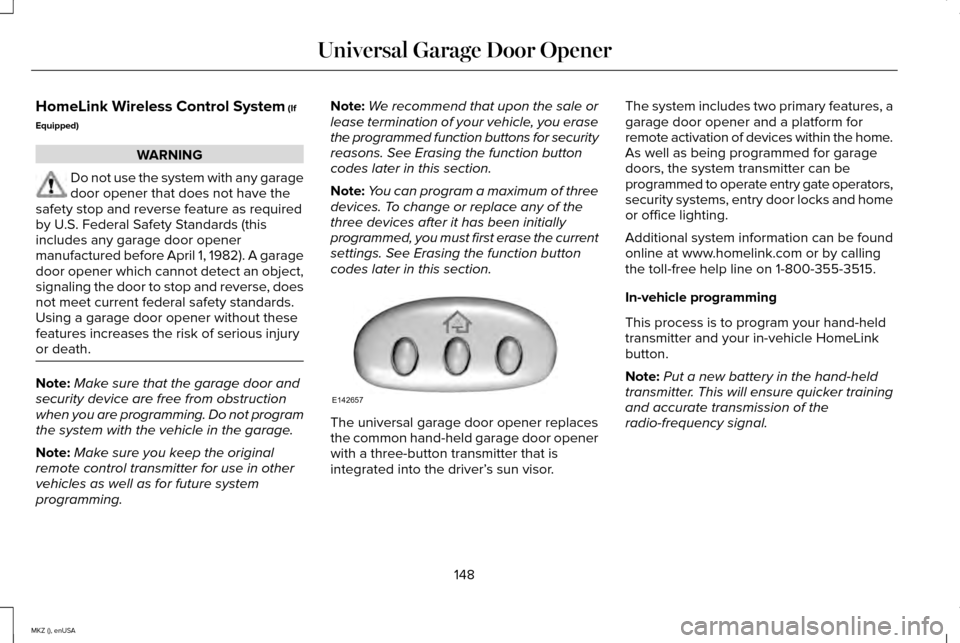
codes later in this section. The universal garage door opener replaces
the common hand-held garage door opener
with a three-button transmitter that is
integrated into the driver’
s sun visor.The system includes two primary features, a
garage door opener and a platform for
remote activation of devices within the home.
As well as being programmed for garage
doors, the system transmitter can be
programmed to operate entry gate operators,
security systems, entry door locks and home
or office lighting.
Additional system information can be found
online at www.homelink.com or by calling
the toll-free help line on 1-800-355-3515.
In-vehicle programming
This process is to program your hand-held
transmitter and your in-vehicle HomeLink
button.
Note:
Put a new battery in the hand-held
transmitter. This will ensure quicker training
and accurate transmission of the
radio-frequency signal.
148
MKZ (), enUSA Universal Garage Door OpenerE142657
Page 160 of 516
The keyless starting system has three
modes:
•
Off: Turns the ignition off.
• Without applying the brake pedal,
press and release the button once
when the ignition is in the on mode,
or when the vehicle is running but is
not moving.
• On:
All electrical circuits are operational
and the warning lamps and indicators
illuminate.
• Without applying the brake pedal,
press and release the button once.
• Start:
Starts the vehicle. The engine may
not start when the vehicle starts.
• Press the brake pedal, and then press
the button until the vehicle starts. An
indicator light on the button
illuminates when then ignition is on
and when the vehicle starts. STARTING A GASOLINE ENGINE
When you start the engine, the idle speed
increases, this helps to warm up the engine.
If the engine idle speed does not slow down
automatically, have your vehicle checked by
an authorized dealer.
Before starting the engine, check the
following:
•
Make sure all occupants have fastened
their safety belts.
• Make sure the headlamps and electrical
accessories are off.
• Make sure the parking brake is on.
• Put the transmission in
P.
Note: Do not touch the accelerator pedal.
1. Fully press the brake pedal.
2. Press the button.
The system does not function if:
• The key frequencies are jammed.
• The key battery has no charge.
If you are unable to start the engine, do the
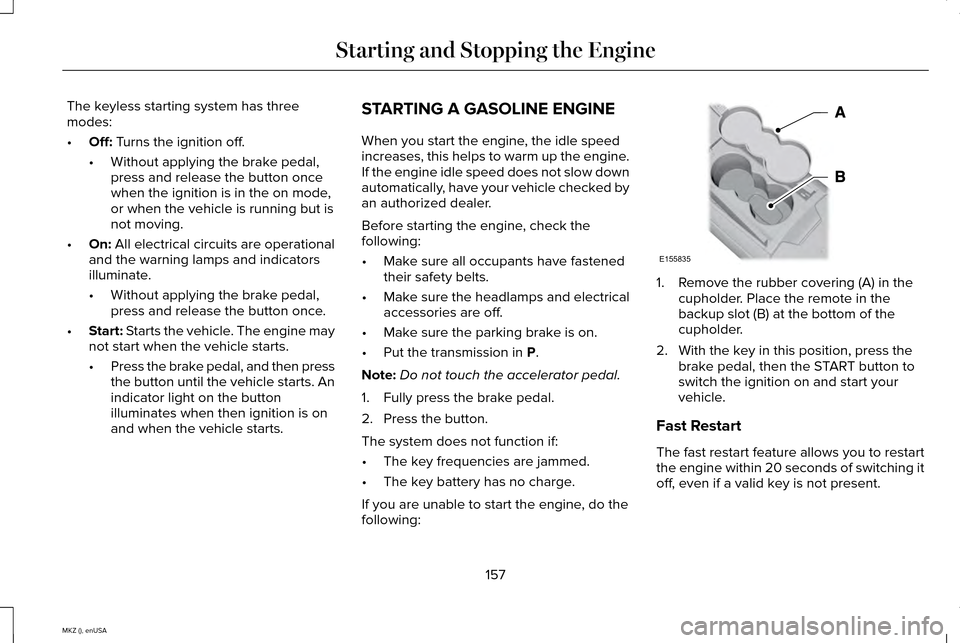
following: 1. Remove the rubber covering (A) in the
cupholder. Place the remote in the
backup slot (B) at the bottom of the
cupholder.
2. With the key in this position, press the brake pedal, then the START button to
switch the ignition on and start your
vehicle.
Fast Restart
The fast restart feature allows you to restart
the engine within 20 seconds of switching it
off, even if a valid key is not present.
157
MKZ (), enUSA Starting and Stopping the EngineE155835
Page 162 of 516
•
You can reset the timer by interacting
with your vehicle (such as pressing the
brake pedal or accelerator pedal).
• You can temporarily switch off the
shutdown feature any time the ignition is
on (for the current ignition cycle only).
Use the information display to do so. See
Information Displays (page 107).
• During the countdown before engine
shutdown, you are prompted to press OK
or RESET (depending on your type of
information display) to temporarily switch
the feature off (for the current ignition
cycle only).
Stopping the Engine When Your
Vehicle is Stationary
1. Put the transmission in position
P.
2. Press the button once.
3. Apply the parking brake.
Note: This switches off the ignition, all
electrical circuits, warning lamps and
indicators. Note:
If the engine is idling for 30 minutes,
the ignition and engine automatically shut
down.
Stopping the Engine When Your
Vehicle is Moving WARNING
Switching off the engine when the
vehicle is still moving will result in a
loss of brake and steering assistance. The
steering will not lock, but higher effort will
be required. When the ignition is switched
off, some electrical circuits, warning lamps
and indicators may also be off. 1. Put the transmission in position
N and
use the brakes to bring your vehicle to a
safe stop.
2. When your vehicle has stopped, put the transmission in position
P.
3. Press and hold the button for one second, or press it three times within two
seconds.
4. Apply the parking brake. Guarding Against Exhaust Fumes WARNING
If you smell exhaust fumes inside your
vehicle, have your vehicle checked by
your authorized dealer immediately. Do not
drive your vehicle if you smell exhaust fumes.
Carbon monoxide is present in exhaust
fumes. Take precautions to avoid its
dangerous effects. Important Ventilating Information
If you stop your vehicle and the leave the
engine idling for long periods, we
recommend that you do one of the following:
•
Open the windows at least 1 inch (2.5
centimeters)
• Set your climate control to outside air.
ENGINE BLOCK HEATER (If Equipped) WARNINGS
Failure to follow engine block heater
instructions could result in property
damage or serious personal injury.
159
MKZ (), enUSA Starting and Stopping the Engine
Page 172 of 516
On-Board Diagnostics (OBD-II)
Your vehicle is equipped with an on-board
diagnostics system (OBD-II) that monitors the
engine
’s emission control system. This
system protects the environment by ensuring
that your vehicle continues to meet
government emission standards. The OBD-II
system also assists your authorized dealer
in properly servicing your vehicle. When the service engine soon
indicator illuminates, the OBD-II
system has detected a malfunction.
Temporary malfunctions may cause the
service engine soon indicator to illuminate.
Examples of temporary malfunctions are:
• the vehicle has run out of fuel—the
engine may misfire or run poorly
• poor fuel quality or water in the fuel—the
engine may misfire or run poorly
• the fuel fill inlet may not have been
properly closed See Refueling (page 165).
• driving through deep water—the
electrical system may be wet. You can correct these temporary
malfunctions by filling the fuel tank with good
quality fuel, properly closing the fuel fill inlet
or letting the electrical system dry out. After
three driving cycles without these or any
other temporary malfunctions present, the
service engine soon indicator should stay off
the next time you start the engine. A driving
cycle consists of a cold engine startup
followed by mixed city/highway driving. No
additional vehicle service is required.
If the service engine soon indicator remains
on, have your vehicle serviced at the first
available opportunity. Although some
malfunctions detected by the OBD-II may not
have symptoms that are apparent, continued
driving with the service engine soon indicator
on can result in increased emissions, lower
fuel economy, reduced engine and
transmission smoothness, and lead to more
costly repairs.
Readiness for Inspection/Maintenance
(I/M) Testing
Some state/provincial and local governments
may have Inspection/Maintenance (I/M)
programs to inspect the emission control
equipment on your vehicle. Failure to pass
this inspection could prevent you from
getting a vehicle registration. If the service engine soon indicator
is on or the bulb does not work,
you may need to have the vehicle
serviced. See On-Board Diagnostics (OBD-II).
Your vehicle may not pass the I/M test if the
service engine soon indicator is on or not
working properly (bulb is burned out), or if
the OBD-II system has determined that some
of the emission control systems have not
been properly checked. In this case, your
vehicle is not ready for I/M testing.
If the vehicle ’s engine or transmission has
just been serviced, or the battery has
recently run down or been replaced, the
OBD-II system may indicate that the vehicle
is not ready for I/M testing. To determine if
the vehicle is ready for I/M testing, turn the
169
MKZ (), enUSA Fuel and Refueling
Page 174 of 516
AUTOMATIC TRANSMISSION
WARNINGS
Always set the parking brake fully and
make sure your vehicle is in P (Park).
Turn the ignition off whenever you leave your
vehicle. Do not apply the brake pedal and
accelerator pedal simultaneously.
Applying both pedals simultaneously for
more than three seconds will limit engine
rpm, which may result in difficulty maintaining
speed in traffic and could lead to serious
injury. Push Button Shift Transmission
Your vehicle is equipped with an electronic
transmission. The shift buttons are located
on the instrument panel next to the
MyLincoln Touch
™ system. The gears are
selected by pressing and releasing the
PRNDS
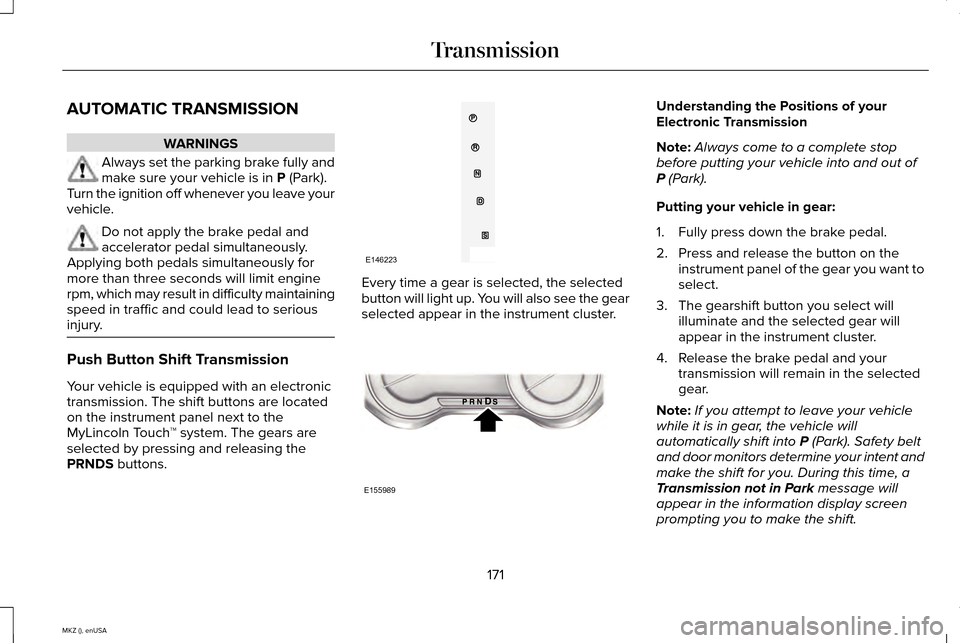
buttons. Every time a gear is selected, the selected
button will light up. You will also see the gear
selected appear in the instrument cluster. Understanding the Positions of your
Electronic Transmission
Note:
Always come to a complete stop
before putting your vehicle into and out of
P
(Park).
Putting your vehicle in gear:
1. Fully press down the brake pedal.
2. Press and release the button on the instrument panel of the gear you want to
select.
3. The gearshift button you select will illuminate and the selected gear will
appear in the instrument cluster.
4. Release the brake pedal and your transmission will remain in the selected
gear.
Note: If you attempt to leave your vehicle
while it is in gear, the vehicle will
automatically shift into
P (Park). Safety belt
and door monitors determine your intent and
make the shift for you. During this time, a
Transmission not in Park
message will
appear in the information display screen
prompting you to make the shift.
171
MKZ (), enUSA TransmissionE146223 E155989
Page 175 of 516
Note:
To put your vehicle in gear with the
door open, perform steps 1-4. See the
Automatic Return to Park section in this
chapter for more information on this feature.
P (Park)
With the transmission in P (Park), your vehicle
locks the transmission and prevents the front
wheels from turning. Always come to a
complete stop before putting your vehicle
into and out of
P (Park). An audible chime
sounds once you select P (Park).
When the ignition is turned off, the vehicle
will automatically shift into
P (Park). If the
ignition is turned off while the vehicle is
moving, it will first shift into
N (Neutral) until
a slow enough speed is reached. The vehicle
will then shift into
P (Park) automatically.
Automatic Return to Park
Note: This feature will not operate when your
vehicle is in Stay in Neutral mode or neutral
tow.
Your vehicle has a safety feature that will
automatically shift your vehicle into
P (Park)
when any of the following conditions occur: •
You turn the ignition off
• You open the driver's door with your
safety belt unlatched
• Your safety belt is unlatched while the
driver's door is open
If you turn the ignition off while your vehicle
is moving, your vehicle will first shift into
N
(Neutral) until it slows down enough to shift
into
P (Park) automatically.
Note: If you have waited an extended period
of time, (2-15 minutes) before starting your
vehicle, unlatching your safety belt will cause
this feature to activate, even with the driver's
door closed.
Note: This feature may not work properly if
the door ajar switch is malfunctioning. If your
door ajar indicator does not illuminate when
you open the driver’ s door or the indicator
illuminates with the driver’ s door closed. See
your authorized dealer. R (Reverse)
With the transmission in
R (Reverse), your
vehicle will move backward. Always come
to a complete stop before shifting into and
out of
R (Reverse).
N (Neutral)
With the transmission in N (Neutral), you can
start your vehicle and it is free to roll. Hold
the brake pedal down while in this position.
Stay in Neutral mode
Stay in Neutral mode allows your vehicle to
stay in N (Neutral) when you exit the vehicle.
Your vehicle must be stationary to enter this
mode.
To enter Stay in Neutral mode:
1. Press the
N (Neutral) button on your
shifter assembly.
2. The message
Press N to enter Stay in
Neutral mode will appear in your
information display screen.
3. Press the
N (Neutral) button again to
enter Stay in Neutral mode.
172
MKZ (), enUSA Transmission
Page 176 of 516
The message Stay in Neutral mode
engaged will appear in your information
display screen when your vehicle has
entered Stay in Neutral mode.
Note: During this mode the
N button will
flash continuously and your instrument
cluster will display N as the selected gear.
Exiting Stay in Neutral mode
To disable Stay in Neutral mode select
another gear. See the
Putting the Vehicle
in Gear for instructions on how to do this.
Entering a Carwash
Note: Always put your vehicle in Stay in
Neutral mode when entering an automatic
car wash. Failure to do this could result in
vehicle damage not covered by warranty.
D (Drive)
The normal driving position for the best fuel
economy. S (Sport)
Putting the vehicle in
S (Sport):
• Provides additional engine braking and
extends lower gear operation to enhance
performance for uphill climbs, hilly terrain
or mountainous areas. This will increase
engine RPM during engine braking
• Provides additional lower gear operation
through the automatic transmission shift
strategy
• Provides gear selection more quickly and
at higher engine speeds
SelectShift Automatic ™ Transmission
Your SelectShift Automatic transmission
gives you the ability to change gears
manually.
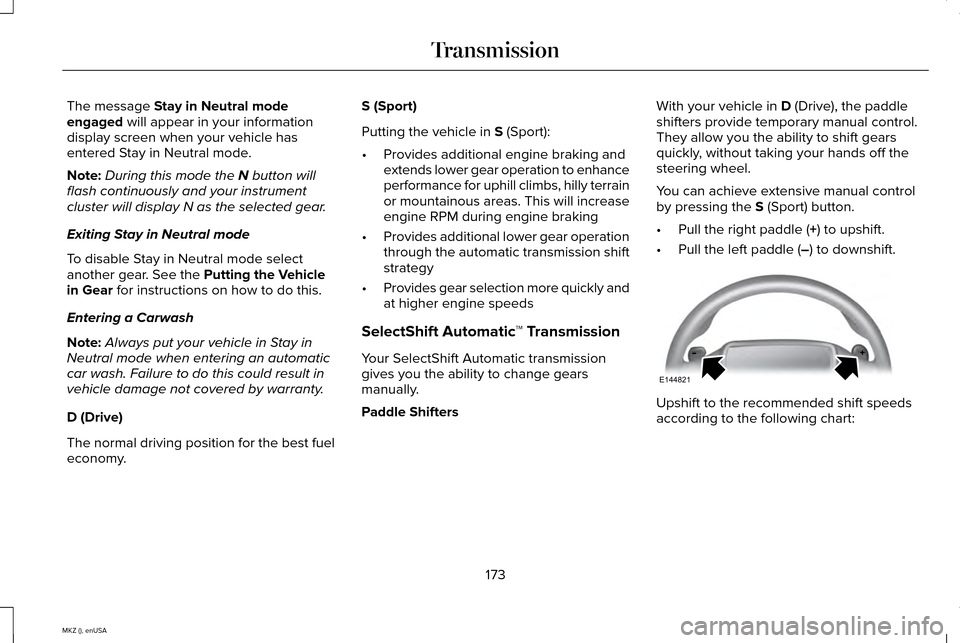
Paddle Shifters With your vehicle in
D (Drive), the paddle
shifters provide temporary manual control.
They allow you the ability to shift gears
quickly, without taking your hands off the
steering wheel.
You can achieve extensive manual control
by pressing the
S (Sport) button.
• Pull the right paddle (
+) to upshift.
• Pull the left paddle (
–) to downshift. Upshift to the recommended shift speeds
according to the following chart:
173
MKZ (), enUSA TransmissionE144821
Page 177 of 516
Upshifts when accelerating (recommended for best fuel economy)
mph (km/h)
Gear Upshift
To
From
15 mph (24 km/h)
2
1
25 mph (40 km/h)
3
2
40 mph (64 km/h)
4
3
45 mph (72 km/h)
5
4
50 mph (80 km/h)
6
5
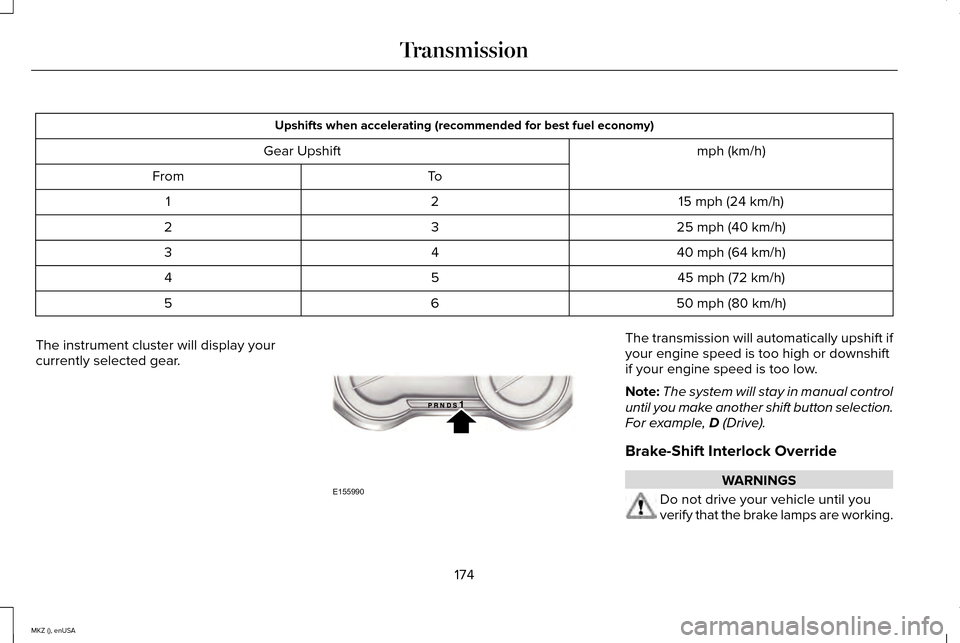
The instrument cluster will display your
currently selected gear. The transmission will automatically upshift if
your engine speed is too high or downshift
if your engine speed is too low.
Note:
The system will stay in manual control
until you make another shift button selection.
For example, D (Drive).
Brake-Shift Interlock Override WARNINGS
Do not drive your vehicle until you
verify that the brake lamps are working.
174
MKZ (), enUSA TransmissionE155990
Page 178 of 516
WARNINGS
When doing this procedure, you will
be taking the vehicle out of park which
means the vehicle can roll freely. To avoid
unwanted vehicle movement, always fully
set the parking brake prior to doing this
procedure. Use wheel chocks if appropriate. If the parking brake is fully released,
but the brake warning lamp remains
illuminated, the brakes may not be working
properly. See your authorized dealer. Note:
See your authorized dealer as soon
as possible if this procedure is used.
Note: For some markets this feature is
disabled.
Note: This feature will only function if your
12-volt battery has power.
Use the brake-shift interlock override to
move your transmission from the park
position in the event of an electrical
malfunction or if your vehicle has a dead
battery. 1. Apply the parking brake and turn your
ignition off before performing this
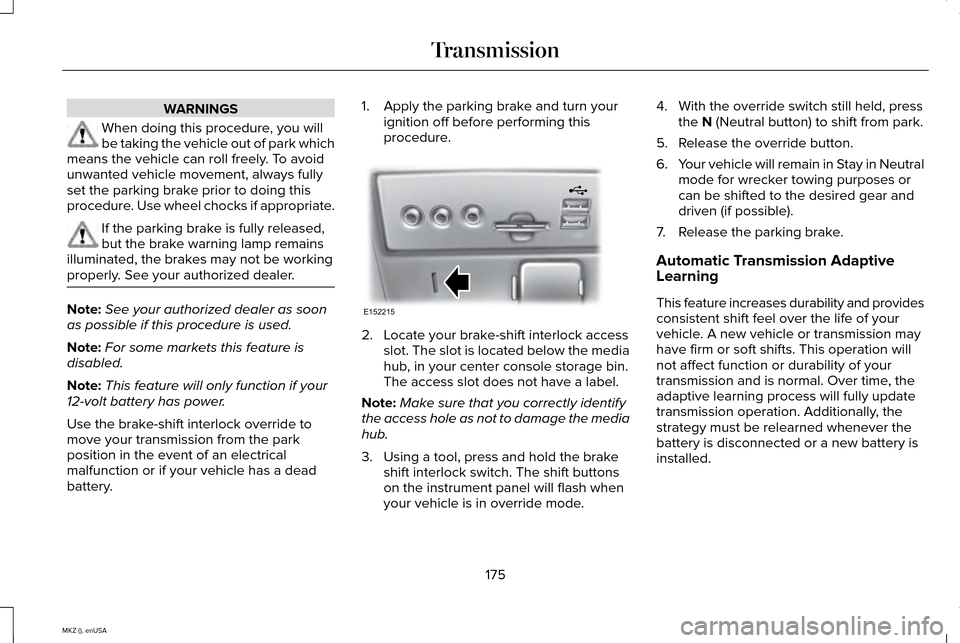
procedure. 2. Locate your brake-shift interlock access
slot. The slot is located below the media
hub, in your center console storage bin.
The access slot does not have a label.
Note: Make sure that you correctly identify
the access hole as not to damage the media
hub.
3. Using a tool, press and hold the brake shift interlock switch. The shift buttons
on the instrument panel will flash when
your vehicle is in override mode. 4. With the override switch still held, press
the N (Neutral button) to shift from park.
5. Release the override button.
6. Your vehicle will remain in Stay in Neutral
mode for wrecker towing purposes or
can be shifted to the desired gear and
driven (if possible).
7. Release the parking brake.
Automatic Transmission Adaptive
Learning
This feature increases durability and provides
consistent shift feel over the life of your
vehicle. A new vehicle or transmission may
have firm or soft shifts. This operation will
not affect function or durability of your
transmission and is normal. Over time, the
adaptive learning process will fully update
transmission operation. Additionally, the
strategy must be relearned whenever the
battery is disconnected or a new battery is
installed.
175
MKZ (), enUSA TransmissionE152215