phone LINCOLN MKZ 2015 Owner's Guide
[x] Cancel search | Manufacturer: LINCOLN, Model Year: 2015, Model line: MKZ, Model: LINCOLN MKZ 2015Pages: 516, PDF Size: 4.48 MB
Page 424 of 516
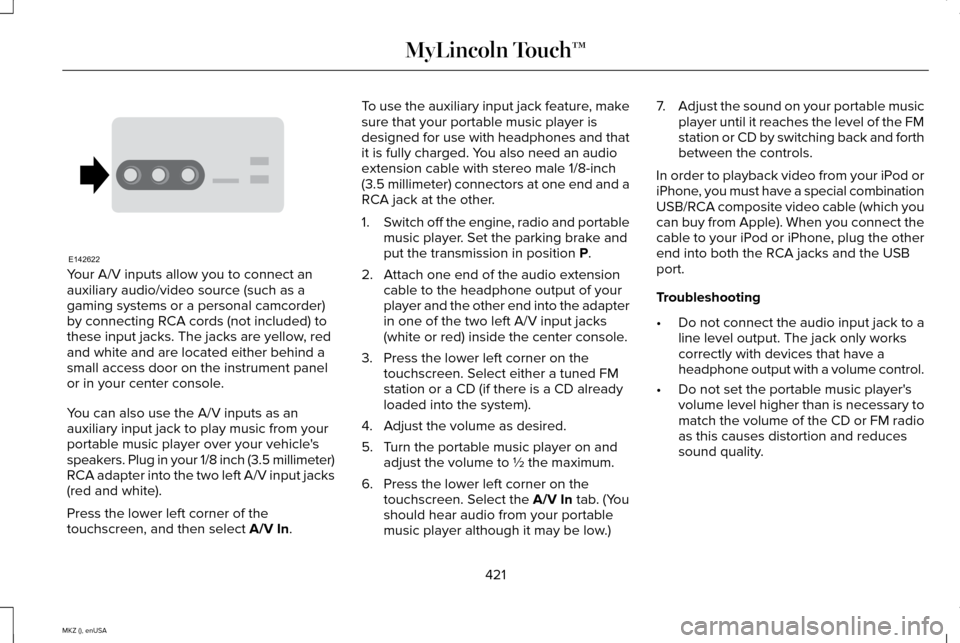
Your A/V inputs allow you to connect an
auxiliary audio/video source (such as a
gaming systems or a personal camcorder)
by connecting RCA cords (not included) to
these input jacks. The jacks are yellow, red
and white and are located either behind a
small access door on the instrument panel
or in your center console.
You can also use the A/V inputs as an
auxiliary input jack to play music from your
portable music player over your vehicle's
speakers. Plug in your 1/8 inch (3.5 millimeter)
RCA adapter into the two left A/V input jacks
(red and white).
Press the lower left corner of the
touchscreen, and then select A/V In. To use the auxiliary input jack feature, make
sure that your portable music player is
designed for use with headphones and that
it is fully charged. You also need an audio
extension cable with stereo male 1/8-inch
(3.5 millimeter) connectors at one end and a
RCA jack at the other.
1.
Switch off the engine, radio and portable
music player. Set the parking brake and
put the transmission in position
P.
2. Attach one end of the audio extension cable to the headphone output of your
player and the other end into the adapter
in one of the two left A/V input jacks
(white or red) inside the center console.
3. Press the lower left corner on the touchscreen. Select either a tuned FM
station or a CD (if there is a CD already
loaded into the system).
4. Adjust the volume as desired.
5. Turn the portable music player on and adjust the volume to ½ the maximum.
6. Press the lower left corner on the touchscreen. Select the
A/V In tab. (You
should hear audio from your portable
music player although it may be low.) 7.
Adjust the sound on your portable music
player until it reaches the level of the FM
station or CD by switching back and forth
between the controls.
In order to playback video from your iPod or
iPhone, you must have a special combination
USB/RCA composite video cable (which you
can buy from Apple). When you connect the
cable to your iPod or iPhone, plug the other
end into both the RCA jacks and the USB
port.
Troubleshooting
• Do not connect the audio input jack to a
line level output. The jack only works
correctly with devices that have a
headphone output with a volume control.
• Do not set the portable music player's
volume level higher than is necessary to
match the volume of the CD or FM radio
as this causes distortion and reduces
sound quality.
421
MKZ (), enUSA MyLincoln Touch™E142622
Page 425 of 516
•
If the music sounds distorted at lower
listening levels, turn the portable music
player volume down. If the problem
persists, replace or recharge the batteries
in the portable media player. •
Control the portable media player in the
same manner when used with
headphones, as the auxiliary input jack
does not provide control (such as Play or
Pause) over the attached portable media
player.
PHONE 422
MKZ (), enUSA MyLincoln Touch™A
B
C
D
E
F
E161968
Page 426 of 516
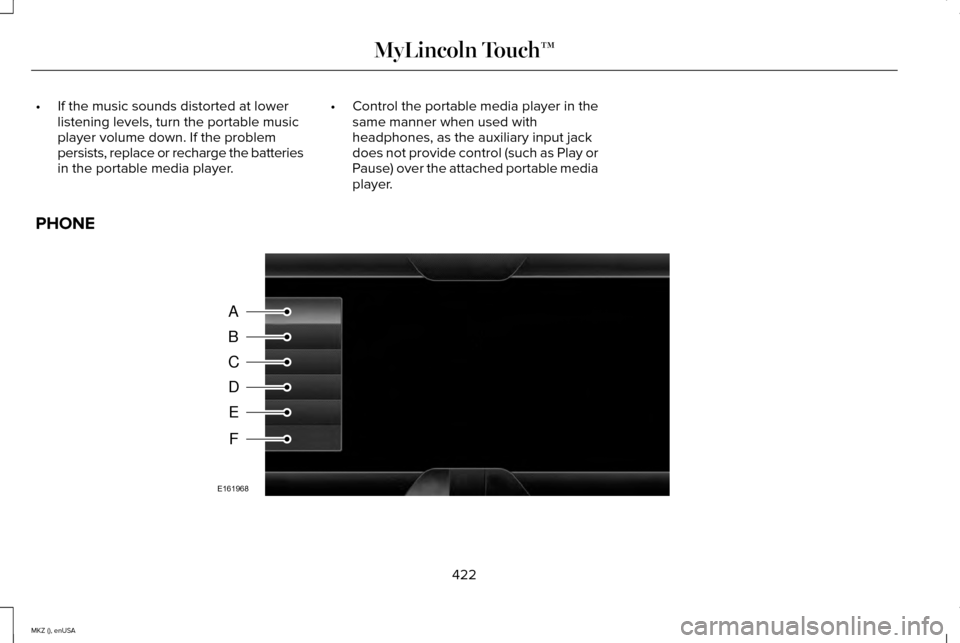
Phone
A
Quick Dial
B
Phonebook
C
History
D
Messaging
E
Settings
F
Hands-free calling is one of the main features
of SYNC. Once you pair your phone, you can
access many options using the touchscreen
or voice commands. While the system
supports a variety of features, many are
dependent on your cellular phone ’s
functionality.
At a minimum, most cellular phones with
Bluetooth wireless technology support the
following functions:
• Answering an incoming call.
• Ending a call.
• Using privacy mode.
• Dialing a number.
• Redialing. •
Call waiting notification.
• Caller ID.
Other features, such as text messaging using
Bluetooth and automatic phonebook
download, are phone-dependent features.
To check your phone ’s compatibility, see
your device ’s manual and visit
www.SYNCMyRide.com,
www.SYNCMyRide.ca or
www.syncmaroute.ca. Pairing Your Phone for the First Time WARNING
Driving while distracted can result in
loss of vehicle control, crash and injury.
We strongly recommend that you use
extreme caution when using any device that
may take your focus off the road. Your
primary responsibility is the safe operation
of your vehicle. We recommend against the
use of any hand-held device while driving
and encourage the use of voice-operated
systems when possible. Make sure you are
aware of all applicable local laws that may
affect the use of electronic devices while
driving 423
MKZ (), enUSA MyLincoln Touch™
Page 427 of 516
The first thing you must do to use the phone
features of SYNC is to pair your
Bluetooth-enabled cellular phone with SYNC.
This allows you to use your phone in a
hands-free manner.
Note:
Put the transmission in park (P). Switch
on your vehicle ignition and the radio.
1. Touch Add Phone in the upper left
corner of the touchscreen. Find SYNC
appears on the screen, and instructs you
to begin the pairing process from your
device.
2. Make sure that Bluetooth is set to On and
that your cellular phone is in the proper
mode. See your device ’s manual if
necessary.
Note: Select
SYNC, and a six-digit PIN
appears on your device.
3. If prompted to enter a PIN on your device, it does not support Secure Simple
Pairing. To pair, enter the PIN displayed
on the touchscreen. Skip the next step. 4.
When prompted on your phone ’s display,
confirm that the PIN provided by SYNC
matches the PIN displayed on your
cellular phone.
5. The display indicates when the pairing is
successful.
SYNC may prompt you with more phone
options. For more information on your
phone's capability, see your device's manual
and visit the website.
Pairing Subsequent Phones
Note: Put the transmission in park (P). Switch
on your vehicle ignition and the radio.
1. Press the
Phone corner of the
touchscreen > Settings > BT Devices >
Add Device.
2. Make sure that Bluetooth is set to On and
that your cellular phone is in the proper
mode. See your device ’s manual if
necessary.
Note: Select
SYNC, and a six-digit PIN
appears on your device. 3. If prompted to enter a PIN on your
device, it does not support Secure Simple
Pairing. To pair, enter the PIN displayed
on the touchscreen. Skip the next step.
4. When prompted on your phone ’s display,
confirm that the PIN provided by SYNC
matches the PIN displayed on your
cellular phone.
5. The display indicates when the pairing is
successful.
SYNC may prompt you with more phone
options. For more information on your
phone's capability, see your device's manual
and visit the website.
Making Calls Press the voice button on your
steering wheel controls. When
prompted, say, "Call
say "Dial", then the desired number. To end the call or exit phone
mode, press and hold this phone
button on your steering wheel
controls.
424
MKZ (), enUSA MyLincoln Touch™E142599 E142632
Page 428 of 516
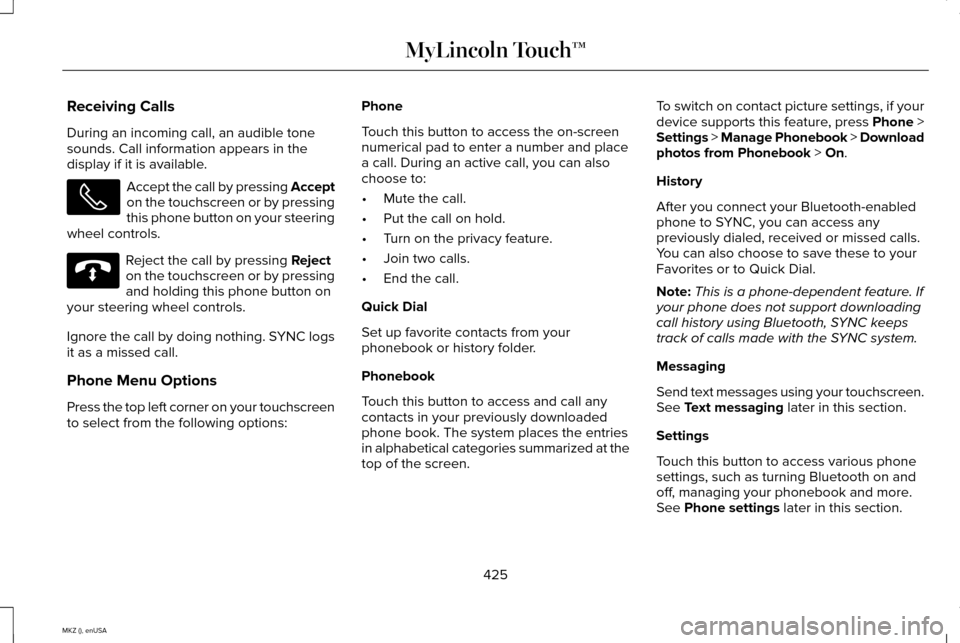
Receiving Calls
During an incoming call, an audible tone
sounds. Call information appears in the
display if it is available.
Accept the call by pressing Accept
on the touchscreen or by pressing
this phone button on your steering
wheel controls. Reject the call by pressing Reject
on the touchscreen or by pressing
and holding this phone button on
your steering wheel controls.
Ignore the call by doing nothing. SYNC logs
it as a missed call.
Phone Menu Options
Press the top left corner on your touchscreen
to select from the following options: Phone
Touch this button to access the on-screen
numerical pad to enter a number and place
a call. During an active call, you can also
choose to:
•
Mute the call.
• Put the call on hold.
• Turn on the privacy feature.
• Join two calls.
• End the call.
Quick Dial
Set up favorite contacts from your
phonebook or history folder.
Phonebook
Touch this button to access and call any
contacts in your previously downloaded
phone book. The system places the entries
in alphabetical categories summarized at the
top of the screen. To switch on contact picture settings, if your
device supports this feature, press
Phone >
Settings > Manage Phonebook > Download
photos from Phonebook > On.
History
After you connect your Bluetooth-enabled
phone to SYNC, you can access any
previously dialed, received or missed calls.
You can also choose to save these to your
Favorites or to Quick Dial.
Note: This is a phone-dependent feature. If
your phone does not support downloading
call history using Bluetooth, SYNC keeps
track of calls made with the SYNC system.
Messaging
Send text messages using your touchscreen.
See
Text messaging later in this section.
Settings
Touch this button to access various phone
settings, such as turning Bluetooth on and
off, managing your phonebook and more.
See
Phone settings later in this section.
425
MKZ (), enUSA MyLincoln Touch™ E142632
Page 429 of 516
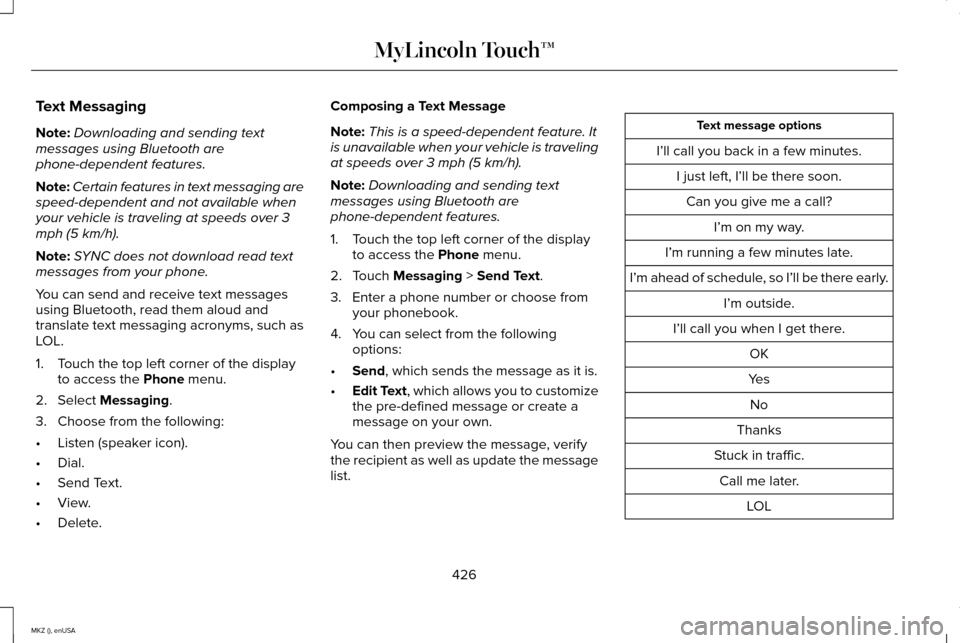
Text Messaging
Note:
Downloading and sending text
messages using Bluetooth are
phone-dependent features.
Note: Certain features in text messaging are
speed-dependent and not available when
your vehicle is traveling at speeds over 3
mph (5 km/h).
Note: SYNC does not download read text
messages from your phone.
You can send and receive text messages
using Bluetooth, read them aloud and
translate text messaging acronyms, such as
LOL.
1. Touch the top left corner of the display to access the Phone menu.
2. Select
Messaging.
3. Choose from the following:
• Listen (speaker icon).
• Dial.
• Send Text.
• View.
• Delete. Composing a Text Message
Note:
This is a speed-dependent feature. It
is unavailable when your vehicle is traveling
at speeds over 3 mph (5 km/h).
Note: Downloading and sending text
messages using Bluetooth are
phone-dependent features.
1. Touch the top left corner of the display to access the
Phone menu.
2. Touch
Messaging > Send Text.
3. Enter a phone number or choose from your phonebook.
4. You can select from the following options:
• Send
, which sends the message as it is.
• Edit Text
, which allows you to customize
the pre-defined message or create a
message on your own.
You can then preview the message, verify
the recipient as well as update the message
list. Text message options
I’ll call you back in a few minutes. I just left, I’ll be there soon.Can you give me a call? I’m on my way.
I’m running a few minutes late.
I’m ahead of schedule, so I’ll be there early. I’m outside.
I’ll call you when I get there. OK
Yes No
Thanks
Stuck in traffic. Call me later. LOL
426
MKZ (), enUSA MyLincoln Touch™
Page 430 of 516
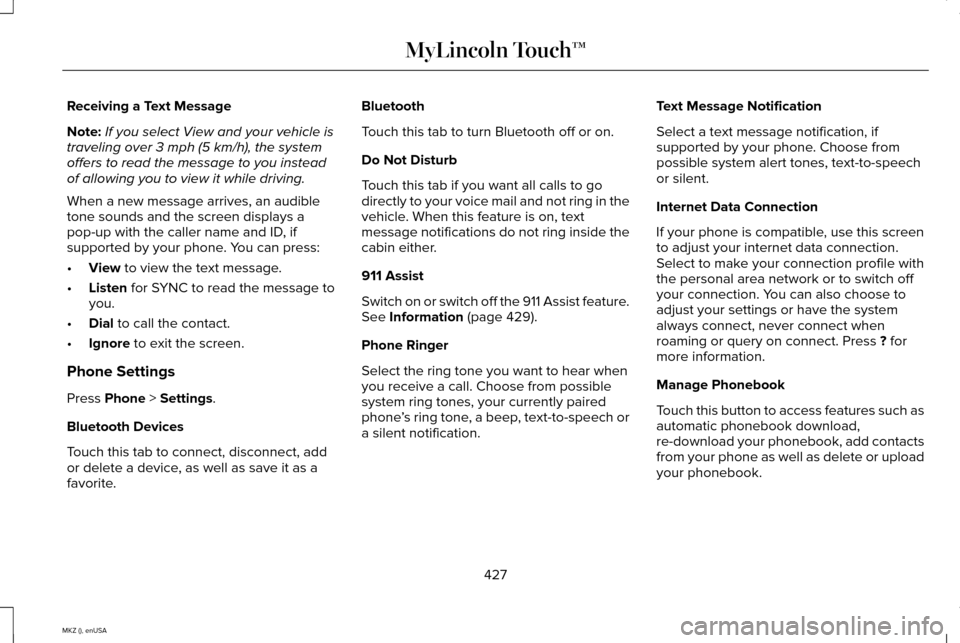
Receiving a Text Message
Note:
If you select View and your vehicle is
traveling over 3 mph (5 km/h), the system
offers to read the message to you instead
of allowing you to view it while driving.
When a new message arrives, an audible
tone sounds and the screen displays a
pop-up with the caller name and ID, if
supported by your phone. You can press:
• View to view the text message.
• Listen
for SYNC to read the message to
you.
• Dial
to call the contact.
• Ignore
to exit the screen.
Phone Settings
Press
Phone > Settings.
Bluetooth Devices
Touch this tab to connect, disconnect, add
or delete a device, as well as save it as a
favorite. Bluetooth
Touch this tab to turn Bluetooth off or on.
Do Not Disturb
Touch this tab if you want all calls to go
directly to your voice mail and not ring in the
vehicle. When this feature is on, text
message notifications do not ring inside the
cabin either.
911 Assist
Switch on or switch off the 911 Assist feature.
See
Information (page 429).
Phone Ringer
Select the ring tone you want to hear when
you receive a call. Choose from possible
system ring tones, your currently paired
phone ’s ring tone, a beep, text-to-speech or
a silent notification. Text Message Notification
Select a text message notification, if
supported by your phone. Choose from
possible system alert tones, text-to-speech
or silent.
Internet Data Connection
If your phone is compatible, use this screen
to adjust your internet data connection.
Select to make your connection profile with
the personal area network or to switch off
your connection. You can also choose to
adjust your settings or have the system
always connect, never connect when
roaming or query on connect. Press
? for
more information.
Manage Phonebook
Touch this button to access features such as
automatic phonebook download,
re-download your phonebook, add contacts
from your phone as well as delete or upload
your phonebook.
427
MKZ (), enUSA MyLincoln Touch™
Page 431 of 516
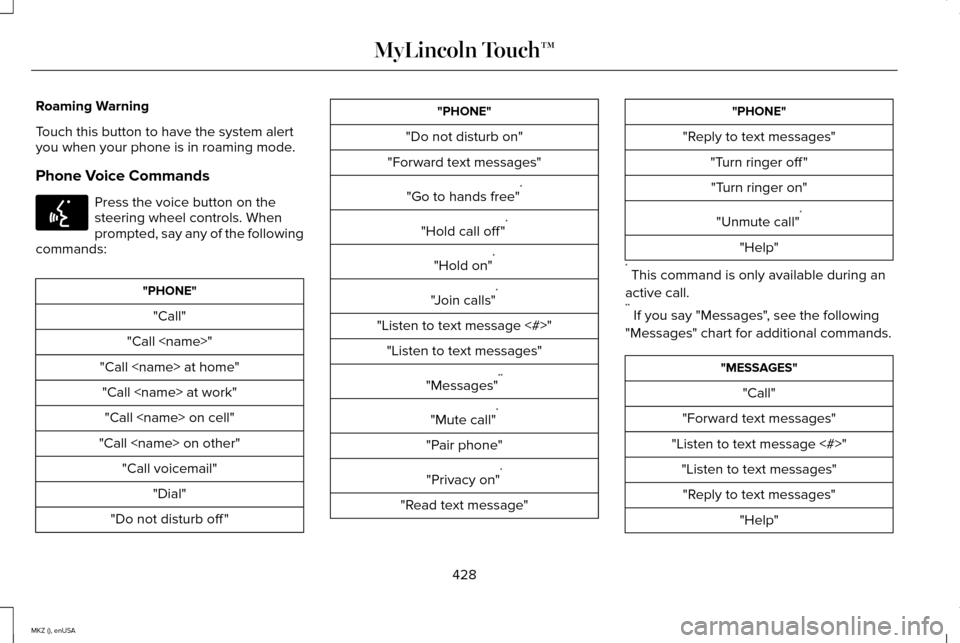
Roaming Warning
Touch this button to have the system alert
you when your phone is in roaming mode.
Phone Voice Commands
Press the voice button on the
steering wheel controls. When
prompted, say any of the following
commands: "PHONE"
"Call"
"Call
"Call
"Call
"Do not disturb off " "PHONE"
"Do not disturb on"
"Forward text messages"
"Go to hands free" *
"Hold call off " *
"Hold on" *
"Join calls" *
"Listen to text message <#>" "Listen to text messages"
"Messages" **
"Mute call" *
"Pair phone" "Privacy on" *
"Read text message" "PHONE"
"Reply to text messages" "Turn ringer off ""Turn ringer on"
"Unmute call" *
"Help"
* This command is only available during an
active call.
** If you say "Messages", see the following
"Messages" chart for additional commands. "MESSAGES"
"Call"
"Forward text messages"
"Listen to text message <#>" "Listen to text messages""Reply to text messages" "Help"
428
MKZ (), enUSA MyLincoln Touch™E142599
Page 433 of 516
Under the Information menu, you can access
features such as:
•
SYNC Services
• Sirius Travel Link
• Alerts
• Calendar
• SYNC Applications If your vehicle is equipped with
Navigation, press the Information
button to access these features. If
your vehicle is not equipped with Navigation,
press the corner of the touchscreen with the
green tab.
SYNC Services (If Equipped, United
States Only)
Note: SYNC Services varies by trim level and
model year and may require a subscription.
Traffic alerts and turn-by-turn directions
available in select markets. Message and
data rates may apply. Ford Motor Company
reserves the right to change or discontinue
this product service at any time without prior
notification or incurring any future obligation. Note:
SYNC Services requires activation
before use. Visit www.SYNCMyRide.com to
register and check your eligibility for
complimentary services. Standard phone
and message rates may apply. Subscription
may be required. You must also have the
active SYNC Services Bluetooth-enabled
cellular phone paired and connected to the
system in order to connect to, and use, SYNC
Services. See Phone (page 422).
Note: This feature does not function properly
if you have enabled caller ID blocking on
your cellular phone. Make sure your cellular
phone is not blocking caller ID before using
SYNC Services. Note:
The driver is ultimately responsible for
the safe operation of the vehicle, and
therefore, must evaluate whether it is safe
to follow the suggested directions. Any
navigation features provided are only an aid.
Make your driving decisions based on your
observations of local conditions and existing
traffic regulations. Do not follow the route
suggestions if doing so would result in an
unsafe or illegal maneuver, if you would be
placed in an unsafe situation, or if you would
be directed into an area that you consider
unsafe. Maps used by this system may be
inaccurate because of errors, changes in
roads, traffic conditions or driving conditions.
430
MKZ (), enUSA MyLincoln Touch™E142608
Page 434 of 516
Note:
When you connect, the service uses
GPS technology and advanced vehicle
sensors to collect your vehicle's current
location, travel direction and speed to help
provide you with the directions, traffic
reports, or business searches you request.
Further, to provide the services you request,
for continuous improvement, the service may
collect and record call details and voice
communications. For more information, see
SYNC Services Terms and Conditions at
www.SYNCMyRide.com. If you do not want
Ford or its service providers to collect your
vehicle travel information or other
information identified in the Terms and
Conditions, do not subscribe or use the
service.
SYNC Services uses advanced vehicle
sensors, integrated GPS technology and
comprehensive map and traffic data, to give
you personalized traffic reports, precise
turn-by-turn directions, business search,
news, sports, weather and more. For a
complete list of services, or to learn more,
please visit www.SYNCMyRide.com. Connecting to SYNC Services Using Voice
Commands 1. Press the voice button.
2. When prompted, say "Services". This
initiates an outgoing call to SYNC
Services using your paired and
connected Bluetooth-enabled cellular
phone.
3. Once you connect to the service, follow the voice prompts to request the desired
service, such as "Traffic" or "Directions".
You can also say, "What are my choices?"
to receive a list of available services from
which to choose.
4. Say, "Services" to return to the Services main menu or for help, say, "Help".
Connecting to SYNC Services Using the
Touchscreen If your vehicle is equipped with
Navigation, press the Information
button.If your vehicle is not equipped with
Navigation, press the green tab on your
touchscreen.
1.
Select Connect to Services to initiate an
outgoing call to SYNC Services using
your phone.
2. Once connected, follow the voice prompts to request your desired Service,
such as "Traffic" or "Directions". You can
also say, "What are my choices?" to
receive a list of available services from
which to choose.
3. Say, "Services" to return to the Services main menu or for help, say, "Help".
Receiving Turn-by-Turn Directions
1. When connected to SYNC Services, say "Directions" or "Business search". To find
the closest business or type of business
to your current location, just say
"Business search" and then "Search near
me". If you need further assistance in
finding a location you can say "Operator"
at any time within a Directions or
Business search to speak with a live
operator. The system may prompt you to
431
MKZ (), enUSA MyLincoln Touch™E142599 E142608