display LINCOLN MKZ 2015 Repair Manual
[x] Cancel search | Manufacturer: LINCOLN, Model Year: 2015, Model line: MKZ, Model: LINCOLN MKZ 2015Pages: 516, PDF Size: 4.48 MB
Page 161 of 516
Within 20 seconds of switching the engine
off, press the brake pedal and press the
button. After 20 seconds have expired, you
can no longer restart the engine without the
key present inside your vehicle.
Once the engine has started, it remains
running until you press the button, even if
the system does not detect a valid key. If you
open and close a door while the engine is
running, the system searches for a valid key.
You cannot restart the engine if the system
does not detect a valid key within 20
seconds.
Failure to Start
If you cannot start the engine after three
attempts, wait 10 seconds and follow this
procedure:
1. Fully press the brake pedal.
2. Fully press the accelerator pedal and
hold it there.
3. Start the engine. Note:
You can crank the engine for a total
of 60 seconds (without the engine starting)
before the starting system temporarily
disables. The 60 seconds does not have to
be all at once. For example, if you crank the
engine three times for 20 seconds each time,
without the engine starting, you reached the
60-second time limit. A message appears in
the information display alerting you that you
exceeded the cranking time. You cannot
attempt to start the engine for at least 15
minutes. After 15 minutes, you are limited to
a 15-second engine cranking time. You need
to wait 60 minutes before you can crank the
engine for 60 seconds again.
Automatic Engine Shutdown
If your vehicle is equipped with a keyless
ignition, it has a feature that automatically
shuts down the engine if it has been idling
for an extended period. The ignition also
turns off in order to save battery power.
Before the engine shuts down, a message
appears in the information display showing
a timer counting down from 30 seconds. If you do not intervene within 30 seconds, the
engine shuts down. Another message
appears in the information display to inform
you that the engine has shut down in order
to save fuel. Start your vehicle as you
normally do.
Automatic Engine Shutdown Override
Note:
You cannot permanently switch off the
automatic engine shutdown feature. When
you switch it off temporarily, it turns on at
the next ignition cycle.
You can stop the engine shutdown, or reset
the timer, at any point before the 30-second
countdown has expired by doing any of the
following:
158
MKZ (), enUSA Starting and Stopping the Engine
Page 162 of 516
•
You can reset the timer by interacting
with your vehicle (such as pressing the
brake pedal or accelerator pedal).
• You can temporarily switch off the
shutdown feature any time the ignition is
on (for the current ignition cycle only).
Use the information display to do so. See
Information Displays (page 107).
• During the countdown before engine
shutdown, you are prompted to press OK
or RESET (depending on your type of
information display) to temporarily switch
the feature off (for the current ignition
cycle only).
Stopping the Engine When Your
Vehicle is Stationary
1. Put the transmission in position
P.
2. Press the button once.
3. Apply the parking brake.
Note: This switches off the ignition, all
electrical circuits, warning lamps and
indicators. Note:
If the engine is idling for 30 minutes,
the ignition and engine automatically shut
down.
Stopping the Engine When Your
Vehicle is Moving WARNING
Switching off the engine when the
vehicle is still moving will result in a
loss of brake and steering assistance. The
steering will not lock, but higher effort will
be required. When the ignition is switched
off, some electrical circuits, warning lamps
and indicators may also be off. 1. Put the transmission in position
N and
use the brakes to bring your vehicle to a
safe stop.
2. When your vehicle has stopped, put the transmission in position
P.
3. Press and hold the button for one second, or press it three times within two
seconds.
4. Apply the parking brake. Guarding Against Exhaust Fumes WARNING
If you smell exhaust fumes inside your
vehicle, have your vehicle checked by
your authorized dealer immediately. Do not
drive your vehicle if you smell exhaust fumes.
Carbon monoxide is present in exhaust
fumes. Take precautions to avoid its
dangerous effects. Important Ventilating Information
If you stop your vehicle and the leave the
engine idling for long periods, we
recommend that you do one of the following:
•
Open the windows at least 1 inch (2.5
centimeters)
• Set your climate control to outside air.
ENGINE BLOCK HEATER (If Equipped) WARNINGS
Failure to follow engine block heater
instructions could result in property
damage or serious personal injury.
159
MKZ (), enUSA Starting and Stopping the Engine
Page 174 of 516
AUTOMATIC TRANSMISSION
WARNINGS
Always set the parking brake fully and
make sure your vehicle is in P (Park).
Turn the ignition off whenever you leave your
vehicle. Do not apply the brake pedal and
accelerator pedal simultaneously.
Applying both pedals simultaneously for
more than three seconds will limit engine
rpm, which may result in difficulty maintaining
speed in traffic and could lead to serious
injury. Push Button Shift Transmission
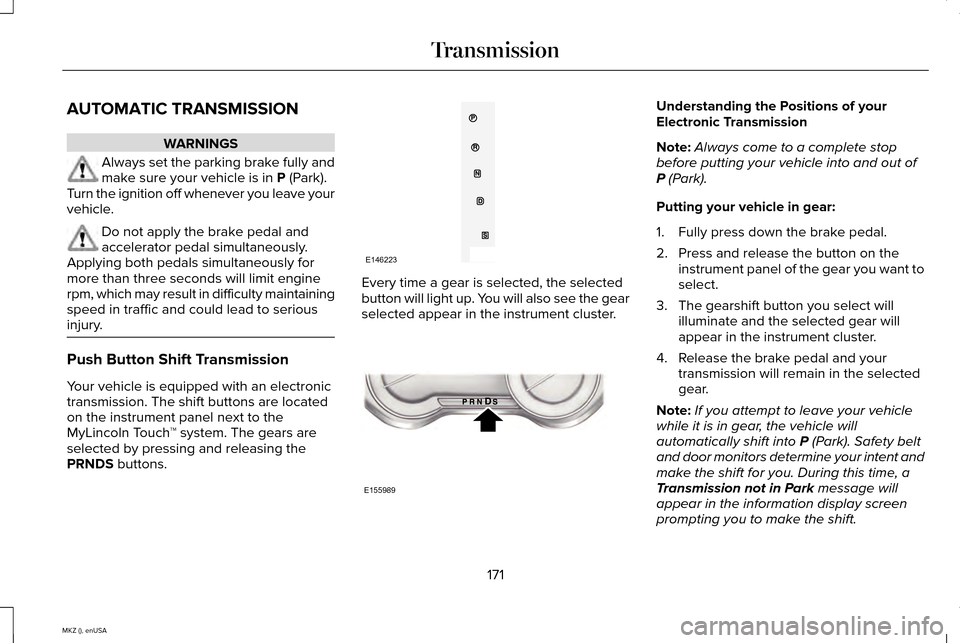
Your vehicle is equipped with an electronic
transmission. The shift buttons are located
on the instrument panel next to the
MyLincoln Touch
™ system. The gears are
selected by pressing and releasing the
PRNDS
buttons. Every time a gear is selected, the selected
button will light up. You will also see the gear
selected appear in the instrument cluster. Understanding the Positions of your
Electronic Transmission
Note:
Always come to a complete stop
before putting your vehicle into and out of
P
(Park).
Putting your vehicle in gear:
1. Fully press down the brake pedal.
2. Press and release the button on the instrument panel of the gear you want to
select.
3. The gearshift button you select will illuminate and the selected gear will
appear in the instrument cluster.
4. Release the brake pedal and your transmission will remain in the selected
gear.
Note: If you attempt to leave your vehicle
while it is in gear, the vehicle will
automatically shift into
P (Park). Safety belt
and door monitors determine your intent and
make the shift for you. During this time, a
Transmission not in Park
message will
appear in the information display screen
prompting you to make the shift.
171
MKZ (), enUSA TransmissionE146223 E155989
Page 175 of 516
Note:
To put your vehicle in gear with the
door open, perform steps 1-4. See the
Automatic Return to Park section in this
chapter for more information on this feature.
P (Park)
With the transmission in P (Park), your vehicle
locks the transmission and prevents the front
wheels from turning. Always come to a
complete stop before putting your vehicle
into and out of
P (Park). An audible chime
sounds once you select P (Park).
When the ignition is turned off, the vehicle
will automatically shift into
P (Park). If the
ignition is turned off while the vehicle is
moving, it will first shift into
N (Neutral) until
a slow enough speed is reached. The vehicle
will then shift into
P (Park) automatically.
Automatic Return to Park
Note: This feature will not operate when your
vehicle is in Stay in Neutral mode or neutral
tow.
Your vehicle has a safety feature that will
automatically shift your vehicle into
P (Park)
when any of the following conditions occur: •
You turn the ignition off
• You open the driver's door with your
safety belt unlatched
• Your safety belt is unlatched while the
driver's door is open
If you turn the ignition off while your vehicle
is moving, your vehicle will first shift into
N
(Neutral) until it slows down enough to shift
into
P (Park) automatically.
Note: If you have waited an extended period
of time, (2-15 minutes) before starting your
vehicle, unlatching your safety belt will cause
this feature to activate, even with the driver's
door closed.
Note: This feature may not work properly if
the door ajar switch is malfunctioning. If your
door ajar indicator does not illuminate when
you open the driver’ s door or the indicator
illuminates with the driver’ s door closed. See
your authorized dealer. R (Reverse)
With the transmission in
R (Reverse), your
vehicle will move backward. Always come
to a complete stop before shifting into and
out of
R (Reverse).
N (Neutral)
With the transmission in N (Neutral), you can
start your vehicle and it is free to roll. Hold
the brake pedal down while in this position.
Stay in Neutral mode
Stay in Neutral mode allows your vehicle to
stay in N (Neutral) when you exit the vehicle.
Your vehicle must be stationary to enter this
mode.
To enter Stay in Neutral mode:
1. Press the
N (Neutral) button on your
shifter assembly.
2. The message
Press N to enter Stay in
Neutral mode will appear in your
information display screen.
3. Press the
N (Neutral) button again to
enter Stay in Neutral mode.
172
MKZ (), enUSA Transmission
Page 176 of 516
The message Stay in Neutral mode
engaged will appear in your information
display screen when your vehicle has
entered Stay in Neutral mode.
Note: During this mode the
N button will
flash continuously and your instrument
cluster will display N as the selected gear.
Exiting Stay in Neutral mode
To disable Stay in Neutral mode select
another gear. See the
Putting the Vehicle
in Gear for instructions on how to do this.
Entering a Carwash
Note: Always put your vehicle in Stay in
Neutral mode when entering an automatic
car wash. Failure to do this could result in
vehicle damage not covered by warranty.
D (Drive)
The normal driving position for the best fuel
economy. S (Sport)
Putting the vehicle in
S (Sport):
• Provides additional engine braking and
extends lower gear operation to enhance
performance for uphill climbs, hilly terrain
or mountainous areas. This will increase
engine RPM during engine braking
• Provides additional lower gear operation
through the automatic transmission shift
strategy
• Provides gear selection more quickly and
at higher engine speeds
SelectShift Automatic ™ Transmission
Your SelectShift Automatic transmission
gives you the ability to change gears
manually.
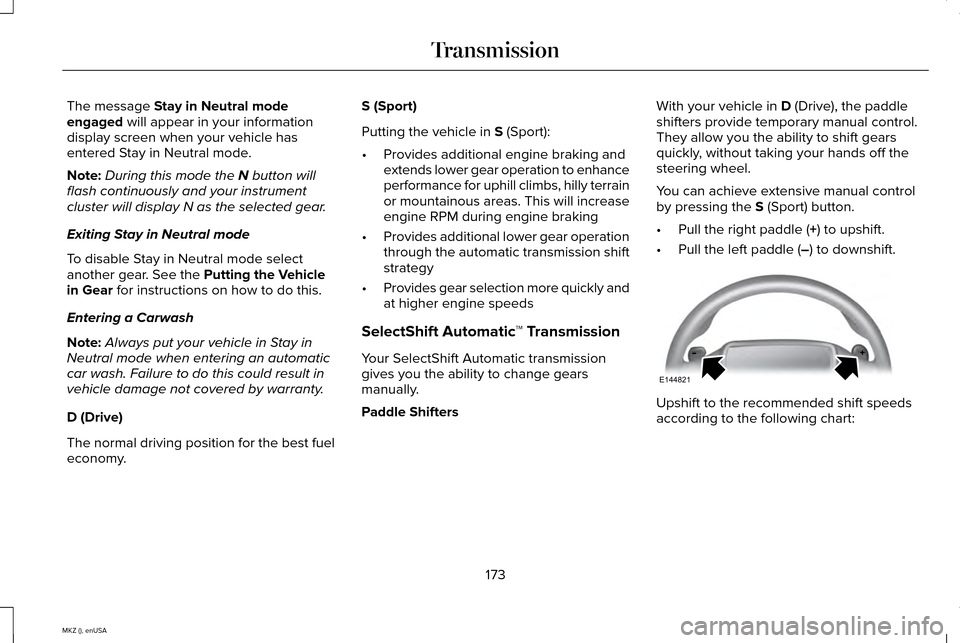
Paddle Shifters With your vehicle in
D (Drive), the paddle
shifters provide temporary manual control.
They allow you the ability to shift gears
quickly, without taking your hands off the
steering wheel.
You can achieve extensive manual control
by pressing the
S (Sport) button.
• Pull the right paddle (
+) to upshift.
• Pull the left paddle (
–) to downshift. Upshift to the recommended shift speeds
according to the following chart:
173
MKZ (), enUSA TransmissionE144821
Page 177 of 516
Upshifts when accelerating (recommended for best fuel economy)
mph (km/h)
Gear Upshift
To
From
15 mph (24 km/h)
2
1
25 mph (40 km/h)
3
2
40 mph (64 km/h)
4
3
45 mph (72 km/h)
5
4
50 mph (80 km/h)
6
5
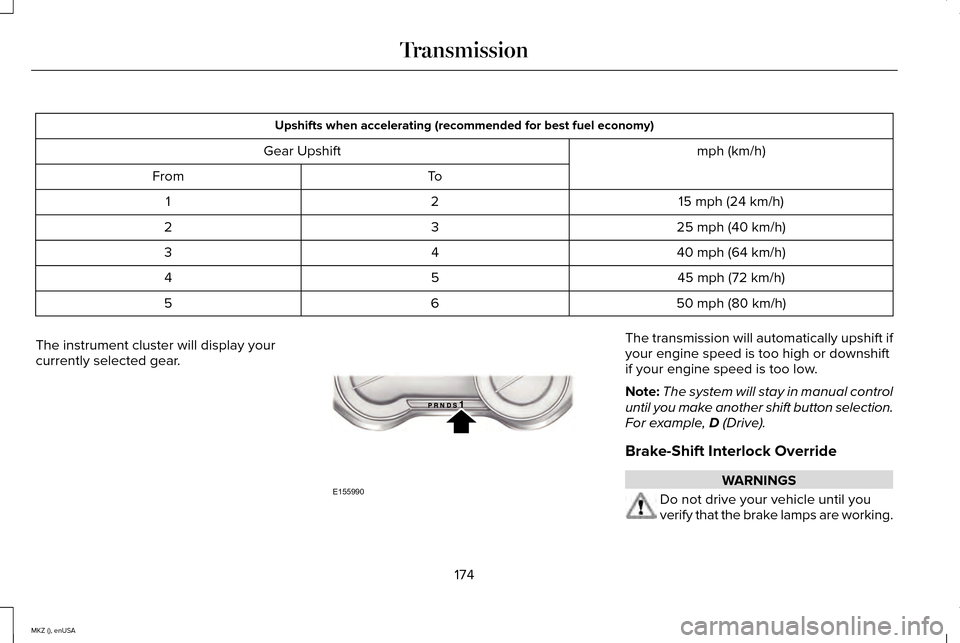
The instrument cluster will display your
currently selected gear. The transmission will automatically upshift if
your engine speed is too high or downshift
if your engine speed is too low.
Note:
The system will stay in manual control
until you make another shift button selection.
For example, D (Drive).
Brake-Shift Interlock Override WARNINGS
Do not drive your vehicle until you
verify that the brake lamps are working.
174
MKZ (), enUSA TransmissionE155990
Page 180 of 516
USING ALL-WHEEL DRIVE
All-wheel drive uses all four wheels to power
the vehicle. This increases traction, enabling
you to drive over terrain and road conditions
that a conventional two-wheel drive vehicle
cannot. The AWD system is active all the time
and requires no input from the operator.
Note:
Your AWD vehicle is not for off-road
use. The AWD feature gives your vehicle
some limited off-road capabilities in which
driving surfaces are relatively level,
obstruction-free and otherwise similar to
normal on-road driving conditions. Operating
your vehicle under other than those
conditions could subject the vehicle to
excessive stress which might result in
damage not covered under your warranty.
Note: A warning message will display in the
information display when an AWD system
fault is present See Information Messages
(page 113). An AWD system fault will cause
the AWD system to default to front-wheel
drive only mode. When this warning
message displays, have your vehicle
serviced at an authorized dealer. Note:
A warning message will display in the
information display if the AWD system has
overheated.
See Information Messages
(page 113). This condition may occur if the
vehicle operates in extreme conditions with
excessive wheel slip, such as deep sand. To
resume normal AWD function as soon as
possible, stop the vehicle in a safe location
and stop the engine for at least 10 minutes.
After the engine restarts and the AWD
system has adequately cooled, the warning
message will turn off and normal AWD
function will return.
Do not use a spare tire of a different size
other than the tire provided. If the mini-spare
tire is installed, the AWD system may disable
automatically and enter front-wheel drive
only mode to protect driveline components.
This condition will be indicated by a warning
in the information display.
See Information
Messages (page 113). If there is a warning
message in the information display from
using the spare tire, this indicator should turn
off after reinstalling the repaired or replaced
normal road tire and cycling the ignition off
and on. It is recommended to reinstall the repaired or replaced road tire as soon as
possible. Major dissimilar tire sizes between
the front and rear axles could cause the AWD
system to stop functioning and default to
front-wheel drive or damage the AWD
system.
Driving In Special Conditions With All-
Wheel Drive (AWD)
AWD vehicles are equipped for driving on
sand, snow, mud and rough roads and have
operating characteristics that are somewhat
different from conventional vehicles, both on
and off the highway.
Under severe operating conditions, the A/C
may cycle on and off to protect overheating
of the engine.
Basic operating principles in special
conditions
•
Drive slower in strong crosswinds which
can affect the normal steering
characteristics of your vehicle.
• Be extremely careful when driving on
pavement made slippery by loose sand,
water, gravel, snow or ice.
177
MKZ (), enUSA All-Wheel Drive
(If Equipped)
Page 187 of 516
The anti-lock braking system will not
eliminate the risks when:
•
You drive too closely to the vehicle in
front of you.
• Your vehicle is hydroplaning.
• You take corners too fast.
• The road surface is poor.
ELECTRIC PARKING BRAKE
The electric parking brake replaces the
conventional handbrake. The operating
switch is located on the instrument panel to
the left of the steering wheel. WARNING
Always set the parking brake and leave
your vehicle with the transmission in
park (P). Note:
When you apply the electric parking
brake in certain conditions, for example on
a steep hill, the electric parking brake may
reapply the brakes within three to ten
minutes. As a result, you may notice various
noises when you apply and release the
electric parking brake. This is normal and no
cause for concern.
Applying the electric parking brake WARNING
If the brake system warning lamp does
not illuminate or flashes, there could
be a problem with your electric parking
brake. Have the system checked by an
authorized dealer as soon as possible. Note:
The brake system warning lamp will
illuminate for ten seconds if you switch the
ignition off after you apply the electric
parking brake, or you apply the electric
parking brake after you switch the ignition
off. Note:
The electric parking brake will not
automatically apply. You must apply the
electric parking brake using the electric
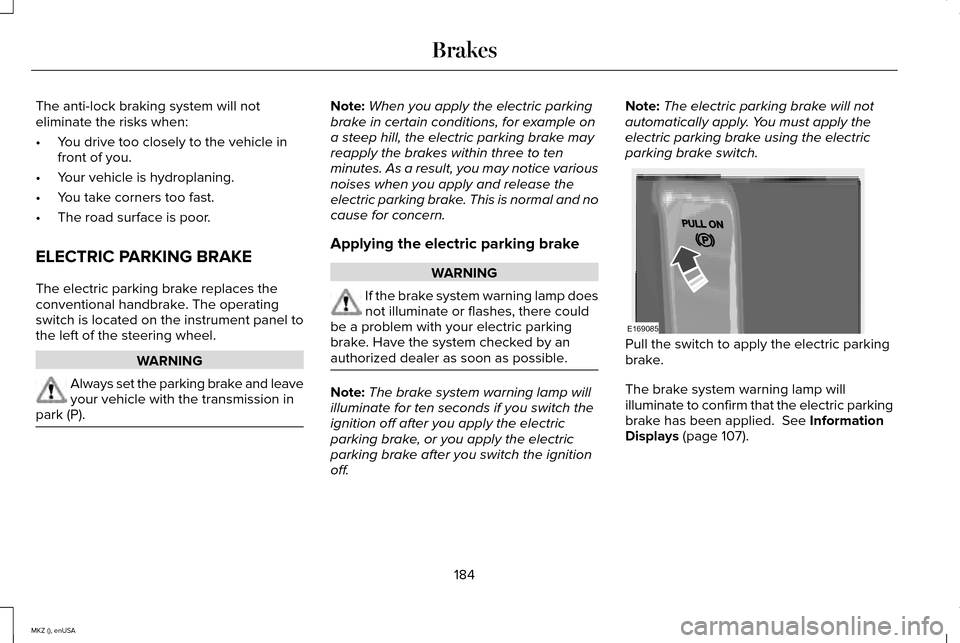
parking brake switch. Pull the switch to apply the electric parking
brake.
The brake system warning lamp will
illuminate to confirm that the electric parking
brake has been applied. See Information
Displays (page 107).
184
MKZ (), enUSA BrakesE169085
Page 188 of 516
Applying the electric parking brake
when the vehicle is moving
WARNINGS
Applying the electric parking brake
while moving will result in use of the
anti-lock braking system. Do not use the
electric parking brake system when the
vehicle is moving unless the normal brake
system is unable to stop the vehicle. With the exception of emergency
conditions (for example, the brake
pedal does not work or is blocked), do not
apply the electric parking brake while the
vehicle is moving. On bends, or poor road
surfaces or weather conditions, emergency
braking can cause the vehicle to skid out of
control or off the road. If you apply the electric parking brake when
your vehicle is moving, the brake system
warning lamp will illuminate and a warning
tone will sound. See Information Displays
(page 107). If your vehicle speed is above
4 mph
(6 km/h), the braking force is applied as long
as the switch is applied. Release or press the
switch, or press the accelerator pedal to stop
the braking force.
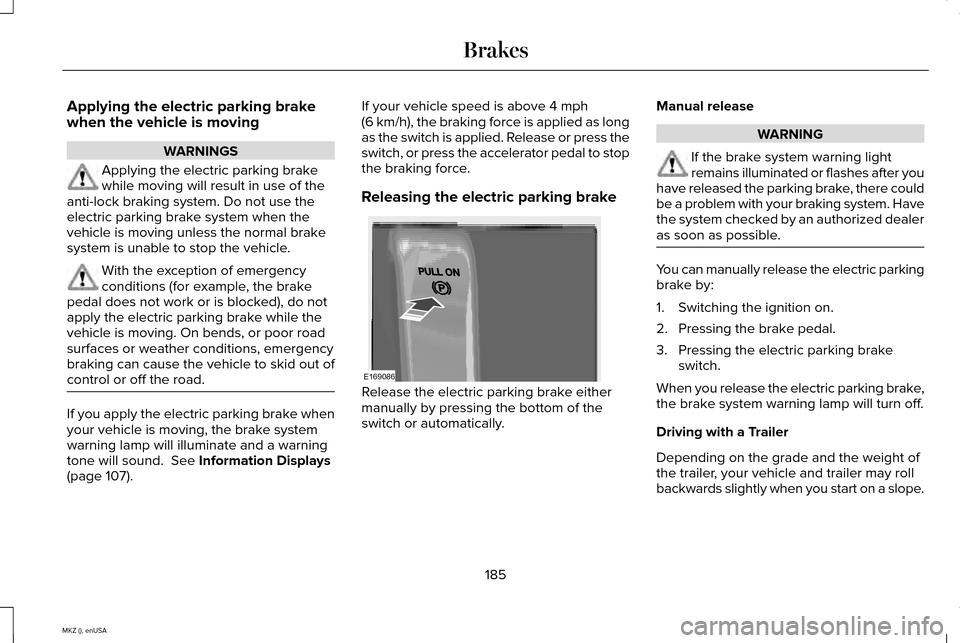
Releasing the electric parking brake Release the electric parking brake either
manually by pressing the bottom of the
switch or automatically.Manual release WARNING
If the brake system warning light
remains illuminated or flashes after you
have released the parking brake, there could
be a problem with your braking system. Have
the system checked by an authorized dealer
as soon as possible. You can manually release the electric parking
brake by:
1. Switching the ignition on.
2. Pressing the brake pedal.
3. Pressing the electric parking brake
switch.
When you release the electric parking brake,
the brake system warning lamp will turn off.
Driving with a Trailer
Depending on the grade and the weight of
the trailer, your vehicle and trailer may roll
backwards slightly when you start on a slope.
185
MKZ (), enUSA BrakesE169086
Page 191 of 516
PRINCIPLE OF OPERATION
The traction control system helps avoid drive
wheel spin and loss of traction.
If your vehicle begins to slide, the system
applies the brakes to individual wheels and,
when needed, reduces engine power at the
same time. If the wheels spin when
accelerating on slippery or loose surfaces,
the system reduces engine power in order
to increase traction.
USING TRACTION CONTROL
In certain situations for example, stuck in
snow or mud, turning the traction control off
may be beneficial as this allows the wheels
to spin with full engine power. Depending
on the type of system you have on your
vehicle, you can either turn the system off
using the information display or by pressing
the button.
Switching the System Off Using the
Information Display Controls (If Equipped)
Your vehicle comes with this feature already
enabled. If required, you can switch this
feature off using the information display
controls.
See General Information (page
107).
Switching the System Off Using a
Switch
(If Equipped)
The button is located in the instrument panel.
Press the button. You will see a message in
conjunction with an illuminated icon in the
display. Press the button again to return the
system to normal mode.
When you switch the traction control system
off, stability control remains fully active. System Indicator Lights and Messages WARNING
If a failure has been detected within
the AdvanceTrac system, the stability
control light will illuminate steadily. Verify
that the AdvanceTrac system was not
manually disabled through the information
display. If the stability control light still
illuminates steadily, have the system serviced
by an authorized dealer immediately.
Operating your vehicle with AdvanceTrac
disabled could lead to an increased risk of
loss of vehicle control, vehicle rollover,
personal injury and death. The stability control light
temporarily illuminates on engine
start-up and flashes when a driving
condition activates the stability system. The stability control off light
temporarily illuminates on engine
start-up and stays on when you
turn the traction control system off.
188
MKZ (), enUSA Traction ControlE138639