engine LINCOLN MKZ 2015 Owners Manual
[x] Cancel search | Manufacturer: LINCOLN, Model Year: 2015, Model line: MKZ, Model: LINCOLN MKZ 2015Pages: 516, PDF Size: 4.48 MB
Page 6 of 516
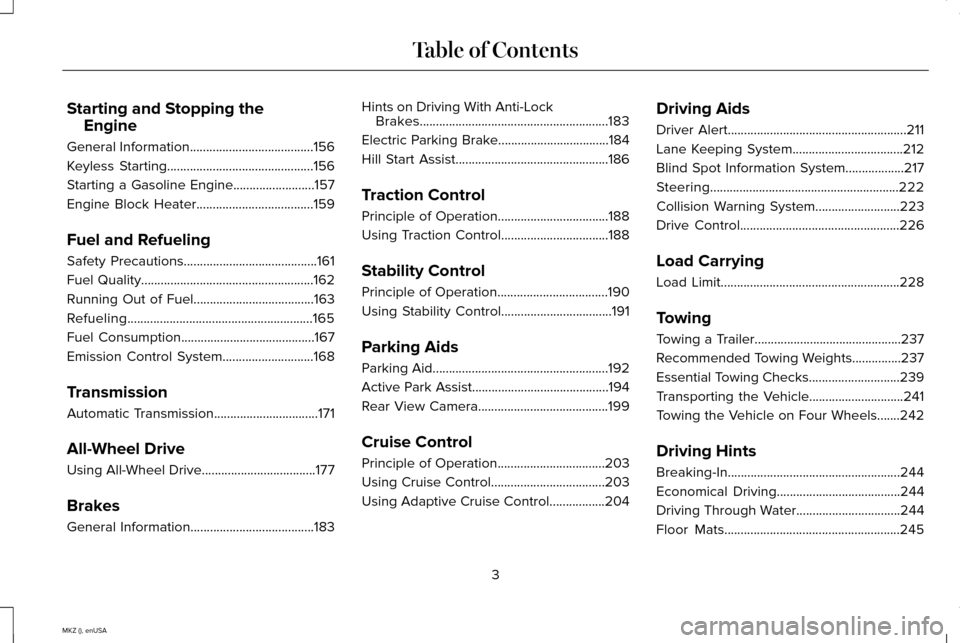
Starting and Stopping the
Engine
General Information......................................156
Keyless Starting.............................................156
Starting a Gasoline Engine.........................157
Engine Block Heater....................................159
Fuel and Refueling
Safety Precautions
.........................................161
Fuel Quality.....................................................162
Running Out of Fuel.....................................163
Refueling.........................................................165
Fuel Consumption
.........................................167
Emission Control System
............................168
Transmission
Automatic Transmission................................171
All-Wheel Drive
Using All-Wheel Drive...................................177
Brakes
General Information
......................................183 Hints on Driving With Anti-Lock
Brakes..........................................................183
Electric Parking Brake..................................184
Hill Start Assist...............................................186
Traction Control
Principle of Operation..................................188
Using Traction Control.................................188
Stability Control
Principle of Operation
..................................190
Using Stability Control..................................191
Parking Aids
Parking Aid
......................................................192
Active Park Assist..........................................194
Rear View Camera........................................199
Cruise Control
Principle of Operation.................................203
Using Cruise Control...................................203
Using Adaptive Cruise Control.................204 Driving Aids
Driver Alert
.......................................................211
Lane Keeping System
..................................212
Blind Spot Information System
..................217
Steering..........................................................222
Collision Warning System..........................223
Drive Control.................................................226
Load Carrying
Load Limit
.......................................................228
Towing
Towing a Trailer.............................................237
Recommended Towing Weights...............237
Essential Towing Checks
............................239
Transporting the Vehicle
.............................241
Towing the Vehicle on Four Wheels.......242
Driving Hints
Breaking-In.....................................................244
Economical Driving......................................244
Driving Through Water................................244
Floor Mats
......................................................245
3
MKZ (), enUSA Table of Contents
Page 7 of 516
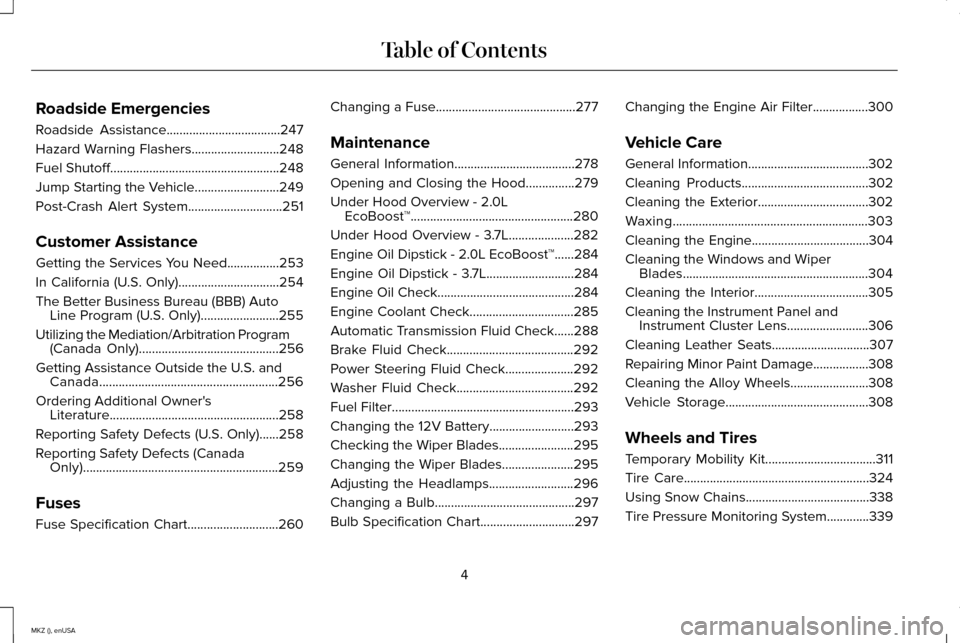
Roadside Emergencies
Roadside Assistance...................................247
Hazard Warning Flashers...........................248
Fuel Shutoff....................................................248
Jump Starting the Vehicle..........................249
Post-Crash Alert System.............................251
Customer Assistance
Getting the Services You Need................253
In California (U.S. Only)...............................254
The Better Business Bureau (BBB) Auto Line Program (U.S. Only)
........................255
Utilizing the Mediation/Arbitration Program (Canada Only)
...........................................256
Getting Assistance Outside the U.S. and Canada
.......................................................256
Ordering Additional Owner's Literature....................................................258
Reporting Safety Defects (U.S. Only)......258
Reporting Safety Defects (Canada Only)............................................................259
Fuses
Fuse Specification Chart............................260 Changing a Fuse...........................................277
Maintenance
General Information
.....................................278
Opening and Closing the Hood
...............279
Under Hood Overview -
2.0L
EcoBoost™..................................................280
Under Hood Overview - 3.7L....................282
Engine Oil Dipstick - 2.0L EcoBoost™......284
Engine Oil Dipstick - 3.7L...........................284
Engine Oil Check..........................................284
Engine Coolant Check................................285
Automatic Transmission Fluid Check
......288
Brake Fluid Check.......................................292
Power Steering Fluid Check.....................292
Washer Fluid Check....................................292
Fuel Filter
........................................................293
Changing the 12V Battery..........................293
Checking the Wiper Blades.......................295
Changing the Wiper Blades......................295
Adjusting the Headlamps
..........................296
Changing a Bulb
...........................................297
Bulb Specification Chart.............................297 Changing the Engine Air Filter
.................300
Vehicle Care
General Information.....................................302
Cleaning Products
.......................................302
Cleaning the Exterior..................................302
Waxing............................................................303
Cleaning the Engine
....................................304
Cleaning the Windows and Wiper Blades.........................................................304
Cleaning the Interior...................................305
Cleaning the Instrument Panel and Instrument Cluster Lens.........................306
Cleaning Leather Seats
..............................307
Repairing Minor Paint Damage.................308
Cleaning the Alloy Wheels........................308
Vehicle Storage............................................308
Wheels and Tires
Temporary Mobility Kit..................................311
Tire Care
.........................................................324
Using Snow Chains
......................................338
Tire Pressure Monitoring System.............339
4
MKZ (), enUSA Table of Contents
Page 8 of 516
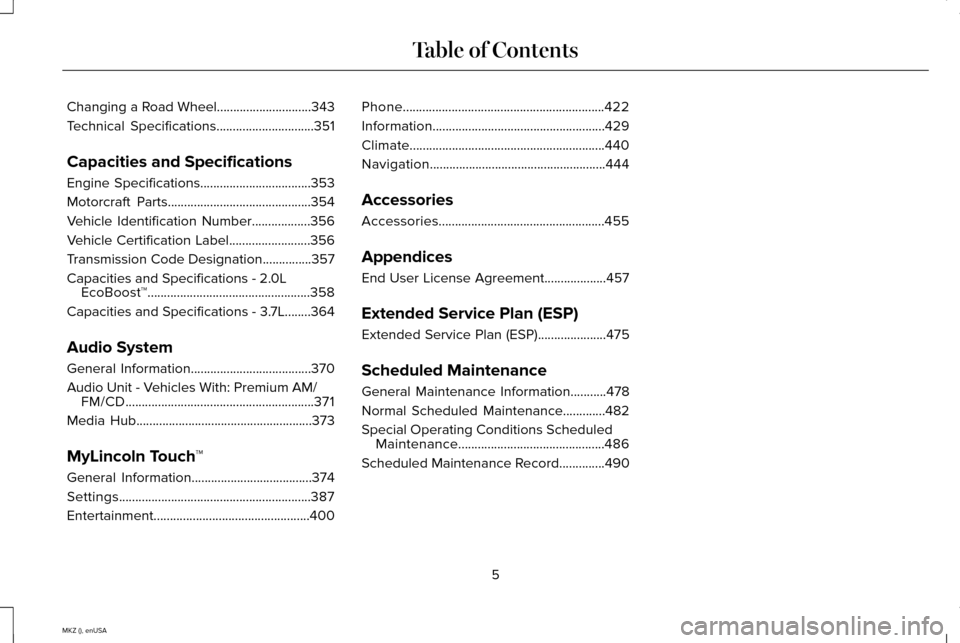
Changing a Road Wheel.............................343
Technical Specifications..............................351
Capacities and Specifications
Engine Specifications
..................................353
Motorcraft Parts............................................354
Vehicle Identification Number..................356
Vehicle Certification Label
.........................356
Transmission Code Designation
...............357
Capacities and Specifications -
2.0L
EcoBoost™..................................................358
Capacities and Specifications - 3.7L........364
Audio System
General Information
.....................................370
Audio Unit -
Vehicles With: Premium AM/
FM/CD..........................................................371
Media Hub
......................................................373
MyLincoln Touch ™
General Information
.....................................374
Settings...........................................................387
Entertainment................................................400 Phone
..............................................................422
Information.....................................................429
Climate............................................................440
Navigation......................................................444
Accessories
Accessories...................................................455
Appendices
End User License Agreement...................457
Extended Service Plan (ESP)
Extended Service Plan (ESP).....................475
Scheduled Maintenance
General Maintenance Information
...........478
Normal Scheduled Maintenance.............482
Special Operating Conditions Scheduled Maintenance.............................................486
Scheduled Maintenance Record..............490
5
MKZ (), enUSA Table of Contents
Page 11 of 516
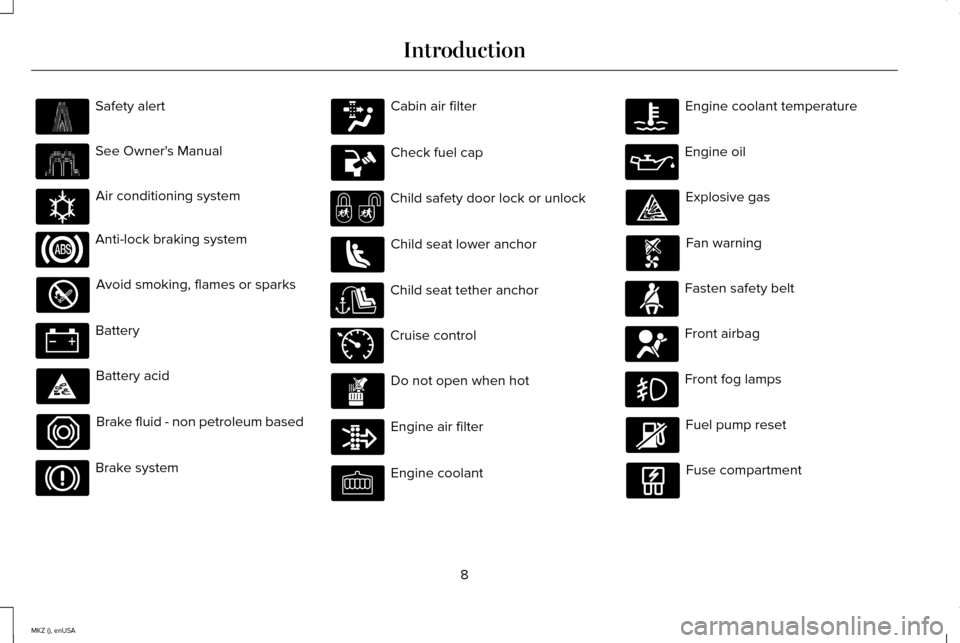
Safety alert
See Owner's Manual
Air conditioning system
Anti-lock braking system
Avoid smoking, flames or sparks
Battery
Battery acid
Brake fluid - non petroleum based
Brake system Cabin air filter
Check fuel cap
Child safety door lock or unlock
Child seat lower anchor
Child seat tether anchor
Cruise control
Do not open when hot
Engine air filter
Engine coolant Engine coolant temperature
Engine oil
Explosive gas
Fan warning
Fasten safety belt
Front airbag
Front fog lamps
Fuel pump reset
Fuse compartment
8
MKZ (), enUSA Introduction E162384 E71340
Page 12 of 516
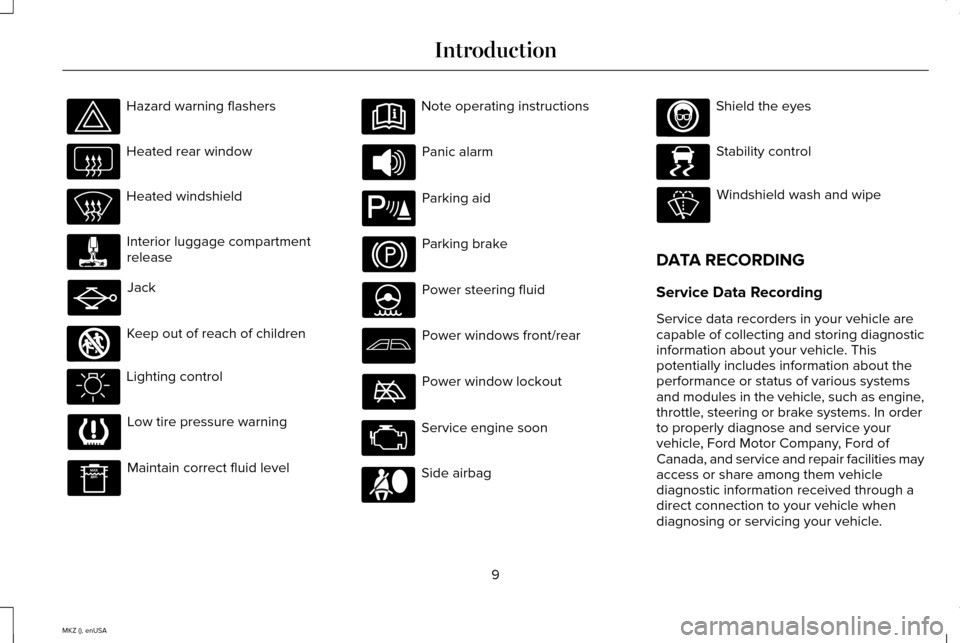
Hazard warning flashers
Heated rear window
Heated windshield
Interior luggage compartment
release
Jack
Keep out of reach of children
Lighting control
Low tire pressure warning
Maintain correct fluid level Note operating instructions
Panic alarm
Parking aid
Parking brake
Power steering fluid
Power windows front/rear
Power window lockout
Service engine soon
Side airbag Shield the eyes
Stability control
Windshield wash and wipe
DATA RECORDING
Service Data Recording
Service data recorders in your vehicle are
capable of collecting and storing diagnostic
information about your vehicle. This
potentially includes information about the
performance or status of various systems
and modules in the vehicle, such as engine,
throttle, steering or brake systems. In order
to properly diagnose and service your
vehicle, Ford Motor Company, Ford of
Canada, and service and repair facilities may
access or share among them vehicle
diagnostic information received through a
direct connection to your vehicle when
diagnosing or servicing your vehicle.
9
MKZ (), enUSA Introduction E161353 E139213 E167012 E138639
Page 14 of 516
where required by law enforcement, other
government authorities or other third
parties acting with lawful authority. Other
parties may seek to access the information
independently of Ford Motor Company and
Ford of Canada.
Note:
Including to the extent that any law
pertaining to Event Data Recorders applies
to SYNC or its features, please note the
following: Once 911 Assist (if equipped) is
enabled (set ON), 911 Assist may, through
any paired and connected cell phone,
disclose to emergency services that the
vehicle has been in a crash involving the
deployment of an airbag or, in certain
vehicles, the activation of the fuel pump
shut-off. Certain versions or updates to 911
Assist may also be capable of being used
to electronically or verbally provide to 911
operators the vehicle location (such as
latitude and longitude), and/or other details
about the vehicle or crash or personal
information about the occupants to assist
911 operators to provide the most
appropriate emergency services. If you do
not want to disclose this information, do
not activate the 911 Assist feature. See
MyLincoln Touch™ (page 374). Additionally, when you connect to Traffic,
Directions and Information (if equipped,
U.S. only), the service uses GPS technology
and advanced vehicle sensors to collect
the vehicle
’s current location, travel
direction, and speed (“vehicle travel
information ”), only to help provide you with
the directions, traffic reports, or business
searches that you request. If you do not
want Ford or its vendors to receive this
information, do not activate the service. For
more information, see Traffic, Directions
and Information, Terms and Conditions.
See
MyLincoln Touch ™ (page 374).
CALIFORNIA PROPOSITION 65 WARNING
Some constituents of engine exhaust,
certain vehicle components, certain
fluids contained in vehicles and certain
products of component wear contain or emit
chemicals known to the State of California
to cause cancer and birth defects or other
reproductive harm. 11
MKZ (), enUSA Introduction
Page 59 of 516
4. Install new batteries with the + facing
each other.
Note: Make sure to replace the label
between the two batteries.
5. Reinstall the housing and cover.
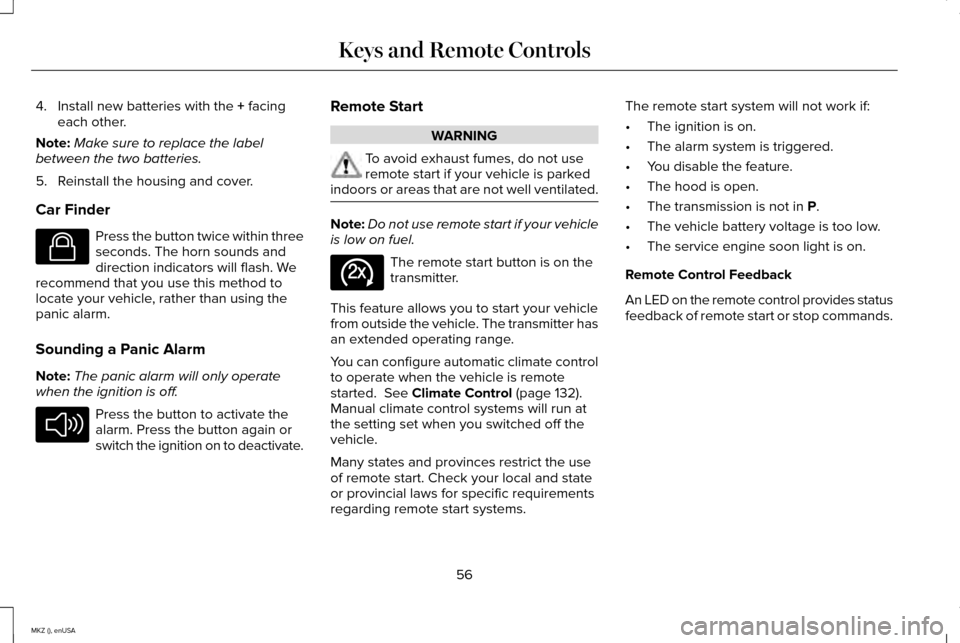
Car Finder Press the button twice within three
seconds. The horn sounds and
direction indicators will flash. We
recommend that you use this method to
locate your vehicle, rather than using the
panic alarm.
Sounding a Panic Alarm
Note: The panic alarm will only operate
when the ignition is off. Press the button to activate the
alarm. Press the button again or
switch the ignition on to deactivate. Remote Start WARNING
To avoid exhaust fumes, do not use
remote start if your vehicle is parked
indoors or areas that are not well ventilated. Note:
Do not use remote start if your vehicle
is low on fuel. The remote start button is on the
transmitter.
This feature allows you to start your vehicle
from outside the vehicle. The transmitter has
an extended operating range.
You can configure automatic climate control
to operate when the vehicle is remote
started.
See Climate Control (page 132).
Manual climate control systems will run at
the setting set when you switched off the
vehicle.
Many states and provinces restrict the use
of remote start. Check your local and state
or provincial laws for specific requirements
regarding remote start systems. The remote start system will not work if:
•
The ignition is on.
• The alarm system is triggered.
• You disable the feature.
• The hood is open.
• The transmission is not in
P.
• The vehicle battery voltage is too low.
• The service engine soon light is on.
Remote Control Feedback
An LED on the remote control provides status
feedback of remote start or stop commands.
56
MKZ (), enUSA Keys and Remote ControlsE138623 E138624 E138625
Page 60 of 516
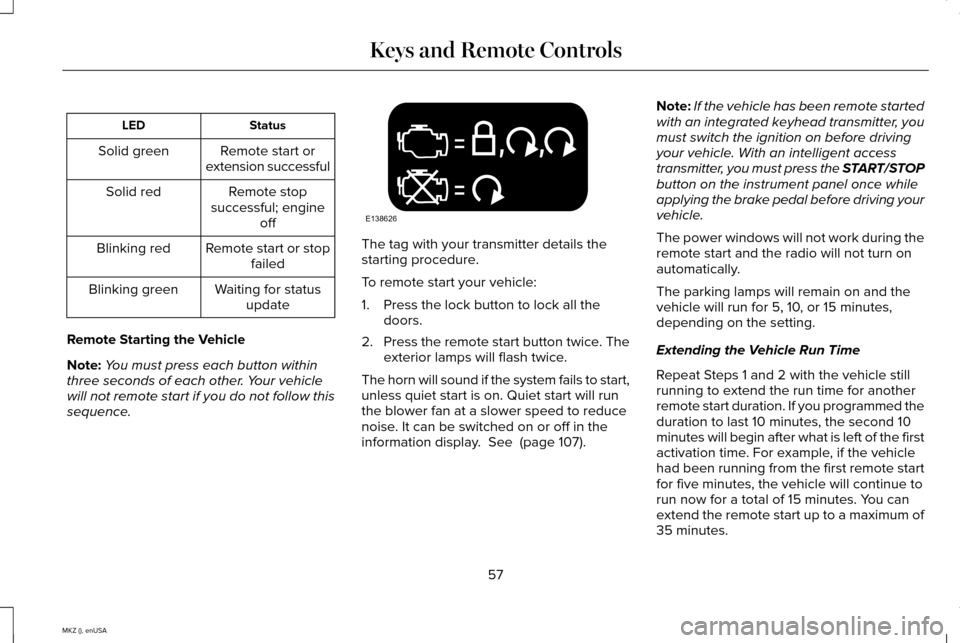
Status
LED
Remote start or
extension successful
Solid green
Remote stop
successful; engine off
Solid red
Remote start or stopfailed
Blinking red
Waiting for statusupdate
Blinking green
Remote Starting the Vehicle
Note: You must press each button within
three seconds of each other. Your vehicle
will not remote start if you do not follow this
sequence. The tag with your transmitter details the
starting procedure.
To remote start your vehicle:
1. Press the lock button to lock all the
doors.
2. Press the remote start button twice. The
exterior lamps will flash twice.
The horn will sound if the system fails to start,
unless quiet start is on. Quiet start will run
the blower fan at a slower speed to reduce
noise. It can be switched on or off in the
information display. See (page 107). Note:
If the vehicle has been remote started
with an integrated keyhead transmitter, you
must switch the ignition on before driving
your vehicle. With an intelligent access
transmitter, you must press the START/STOP
button on the instrument panel once while
applying the brake pedal before driving your
vehicle.
The power windows will not work during the
remote start and the radio will not turn on
automatically.
The parking lamps will remain on and the
vehicle will run for 5, 10, or 15 minutes,
depending on the setting.
Extending the Vehicle Run Time
Repeat Steps 1 and 2 with the vehicle still
running to extend the run time for another
remote start duration. If you programmed the
duration to last 10 minutes, the second 10
minutes will begin after what is left of the first
activation time. For example, if the vehicle
had been running from the first remote start
for five minutes, the vehicle will continue to
run now for a total of 15 minutes. You can
extend the remote start up to a maximum of
35 minutes.
57
MKZ (), enUSA Keys and Remote ControlsE138626
Page 63 of 516
•
Audio system maximum volume of 45%.
A message will be shown in the display
when you attempt to exceed the limited
volume. Also, the speed-sensitive or
compensated automatic volume control
will be disabled.
• Always on setting. When this is selected,
you will not be able to turn off Advance
Trac (if your vehicle is equipped with this
feature).
CREATING A MYKEY
Use the information display to create a
MyKey:
1. Insert the key you want to program into the
ignition. If your vehicle is equipped with a
push-button start, place the intelligent access
key fob into the backup slot. The location of
your backup slot is in another chapter. See
Starting and Stopping the Engine (page 156).
2. Switch the ignition on. 3. Access the main menu on the information
display controls, and select
Settings then
MyKey by pressing OK or the > button.
4. Press OK or the > button to select Create
MyKey
.
5. When prompted, hold the
OK button until
you see a message informing you to label
this key as a MyKey. The key will be
restricted at the next start.
MyKey is successfully created. Make sure
you label it so you can distinguish it from the
admin keys.
You can also program configurable settings
for the key(s). See Programming/Changing
Configurable Settings
.
Programming/Changing Configurable
Settings
Use the information display to access your
configurable MyKey settings. 1.
Switch the ignition on using an admin key
or fob.
2. Access the main menu on the information
display controls, and select
Settings,
then MyKey by pressing OK or > button.
3. Use the arrow buttons to get to a feature.
4. Press
OK or > to make a selection.
Note: You can clear or change your MyKey
settings at any time during the same key
cycle as you created the MyKey. Once you
have switched the vehicle off, however, you
will need an admin key to change or clear
your MyKey settings.
CLEARING ALL MYKEYS
You can clear or change your MyKey settings
using the information display control on the
steering wheel.
See Information Displays
(page 107).
Switch the ignition on using an admin key or
fob.
60
MKZ (), enUSA MyKey™
Page 98 of 516
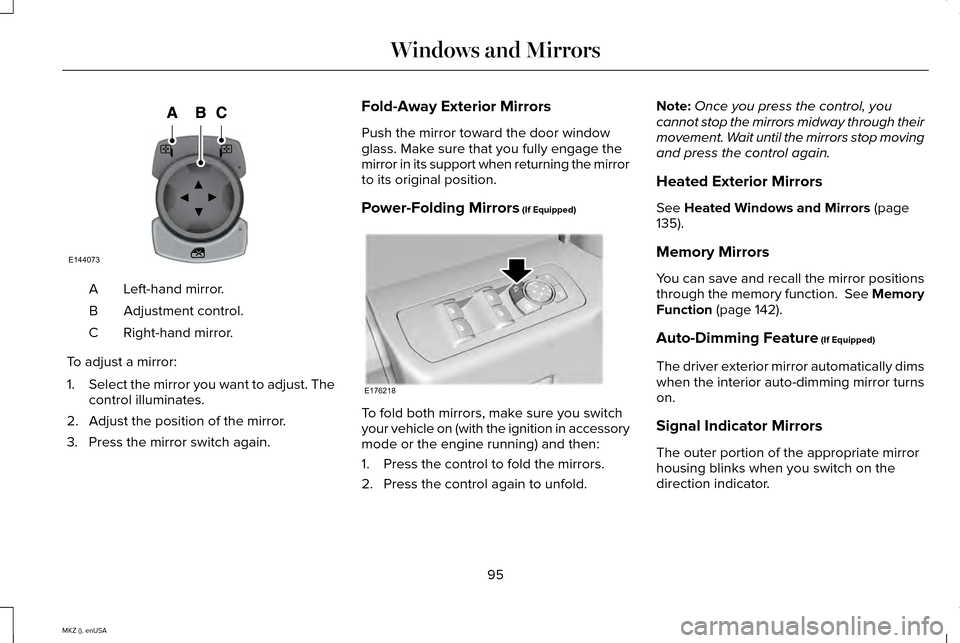
Left-hand mirror.
A
Adjustment control.
B
Right-hand mirror.
C
To adjust a mirror:
1. Select the mirror you want to adjust. The
control illuminates.
2. Adjust the position of the mirror.
3. Press the mirror switch again. Fold-Away Exterior Mirrors
Push the mirror toward the door window
glass. Make sure that you fully engage the
mirror in its support when returning the mirror
to its original position.
Power-Folding Mirrors (If Equipped)
To fold both mirrors, make sure you switch
your vehicle on (with the ignition in accessory
mode or the engine running) and then:
1. Press the control to fold the mirrors.
2. Press the control again to unfold.Note:
Once you press the control, you
cannot stop the mirrors midway through their
movement. Wait until the mirrors stop moving
and press the control again.
Heated Exterior Mirrors
See Heated Windows and Mirrors (page
135).
Memory Mirrors
You can save and recall the mirror positions
through the memory function. See Memory
Function
(page 142).
Auto-Dimming Feature
(If Equipped)
The driver exterior mirror automatically dims
when the interior auto-dimming mirror turns
on.
Signal Indicator Mirrors
The outer portion of the appropriate mirror
housing blinks when you switch on the
direction indicator.
95
MKZ (), enUSA Windows and MirrorsE144073 E176218