change wheel LINCOLN MKZ 2016 Owner's Manual
[x] Cancel search | Manufacturer: LINCOLN, Model Year: 2016, Model line: MKZ, Model: LINCOLN MKZ 2016Pages: 544, PDF Size: 5.77 MB
Page 351 of 544
• Wet weather driving capability.
• All-wheel driving capability.
When driving with the full-size dissimilar
spare wheel and tire assembly additional
caution should be given to:
• Towing a trailer.
• Driving vehicles equipped with a camperbody.
• Driving vehicles with a load on the cargo rack.
Drive cautiously when using a full-size
dissimilar spare wheel and tire assembly and
seek service as soon as possible.
Tire Change Procedure
WARNINGS
When one of the front wheels is off the
ground, the transmission alone will not
prevent the vehicle from moving or slipping
off the jack, even if the transmission is in park
(P).
WARNINGS
To help prevent your vehicle from
moving when you change a tire, be
sure to place the transmission in park (P), set
the parking brake and block (in both
directions) the wheel that is diagonally
opposite (other side and end of the vehicle)
to the tire being changed.
Never get underneath a vehicle that is
supported only by a jack. If your vehicle
slips off the jack, you or someone else could
be seriously injured.
Do not attempt to change a tire on the
side of the vehicle close to moving
traffic. Pull far enough off the road to avoid
the danger of being hit when operating the
jack or changing the wheel.
Always use the jack provided as
original equipment with your vehicle.
If using a jack other than the one provided
as original equipment with your vehicle,
make sure the jack capacity is adequate for
the vehicle weight, including any vehicle
cargo or modifications.
Note: Passengers should not remain in your
vehicle when the vehicle is being jacked.
1. Park on a level surface, set the parking brake and activate the hazard flashers.
2. Place the transmission in park (P) and turn the engine off. For vehicles with a
manual transmission, place the
transmission in reverse (R) after the
engine is turned off.
E175447
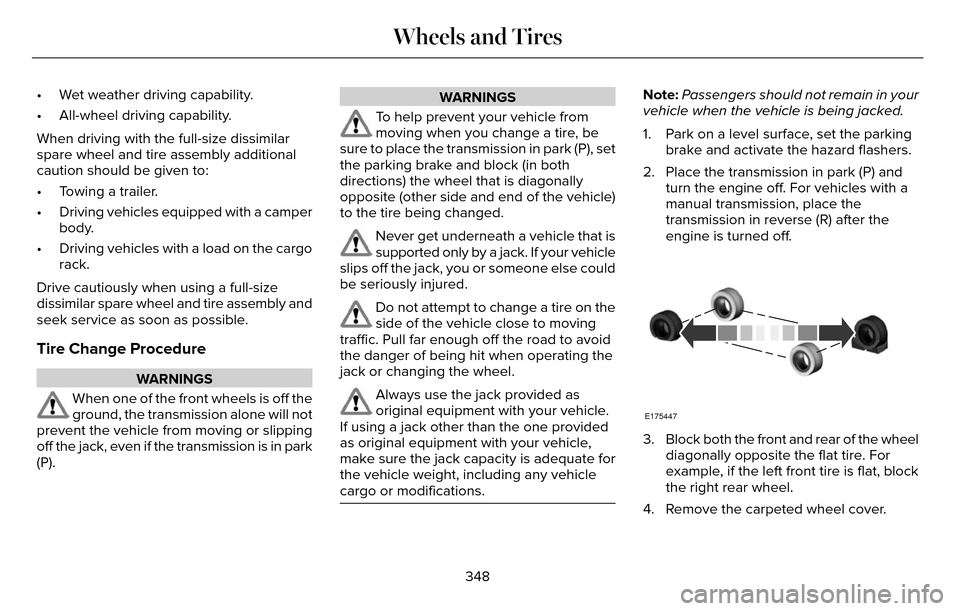
3. Block both the front and rear of the wheeldiagonally opposite the flat tire. For
example, if the left front tire is flat, block
the right rear wheel.
4. Remove the carpeted wheel cover.
348
Wheels and Tires
Page 381 of 544
Using the Steering Wheel Controls
Depending on your vehicle, it may also have the following controls:
Action and Description
Control
Adjust the volume of playing media.
VOL
Press to start a voice session. Press again to interrupt a voice prompt \
and begin speaking. Press
and hold to end an active voice session.
Voice
Use as you normally would in media and phone modes.
Seek and Call Accept
Use as you normally would in media and phone modes.
Seek and Call Reject
Using the Touchscreen
• Make sure your hands are clean and dry.
• Press firmly on the center of a control
graphic or menu item.
• Keep metal objects or other conductive material away from the surface of the
touchscreen.
Cleaning the Touchscreen Display
Use a dry, clean, soft cloth. If dirt or
fingerprints are still visible, apply a small
amount of alcohol to the cloth. Do not pour
or spray alcohol onto the display. Do not use
detergent or any type of solvent to clean the
display.
Support
The SYNC support team is available:
• Monday-Saturday, 8:30am-8:00pm EST.
• United States: 1-800-521-4140
• Canada: 1-800-387-9333
Note: Times are subject to change due to
holidays.
378
MyLincoln Touch™
Page 489 of 544
Maintenance Intervals
At every oil change interval as indicated by the information display*
Change engine oil and filter.**
Rotate the tires.
Perform a multi-point inspection (recommended).
Inspect the automatic transmission fluid level. Consult your dealer for \
requirements.
Inspect the brake pads, rotors, hoses and parking brake.
Inspect the engine cooling system strength and hoses.
Inspect the exhaust system and heat shields.
Inspect the rear axle and U-joints.
Inspect the half-shaft boots.
Inspect the steering linkage, ball joints, suspension, tie-rod ends, driveshaft and U-joints.
Inspect the tires, tire wear and measure the tread depth.
Inspect the wheels and related components for abnormal noise, wear, looseness or drag.
* Do not exceed one year or 10000 miles (16000 kilometers) between service interv\
als.** Reset the Intelligent Oil-Life Monitor after engine oil and filter change\
s. See Engine Oil Check (page 287).
486
Scheduled Maintenance
Page 493 of 544

Change engine oil and filter as indicated by information display a")
Extensive idling or low-speed driving for long distances, as in heavy co\
mmercial use (such as delivery, taxi, patrol car or livery)
Change engine oil and filter as indicated by information display and per\
form services listed in the Normal
Scheduled Maintenance chart.
As required
Replace cabin air filter.
Inspect frequently, service
as required
Replace engine air filter.
Change automatic transmission fluid.
Every 30000 miles (48000
km)
Replace spark plugs.
Every 60000 miles (96000
km)
Operating in dusty or sandy conditions (such as unpaved or dusty roads)\
Replace cabin air filter.
Inspect frequently, service
as required
Replace engine air filter.
Inspect the wheels and related components for abnormal noise, wear, looseness or drag.
Every 5000 miles (8000 km)
Rotate tires, inspect tires for wear and measure tread depth.
Change engine oil and filter.
*Every 5000 miles (8000 km)
or six months
490
Scheduled Maintenance
Page 512 of 544
Read and follow instructions: Before using
your Windows Automotive- based system,
read and follow all instructions and safety
information provided in this end user manual
("User's Guide"). Not following precautions
found in this User's Guide can lead to an
accident or other serious consequences.
Keep User's Guide in vehicle: When kept in
the vehicle, the User's Guide will be a ready
reference for you and other users unfamiliar
with the Windows Automotive-based system.
Please make certain that before using the
system for the first time, all persons have
access to the User's Guide and read its
instructions and safety information carefully.WARNING
Operating certain parts of this system
while driving can distract your attention
away from the road, and possibly cause an
accident or other serious consequences. Do
not change system settings or enter data
non-verbally (using your hands) while driving.
Stop the vehicle in a safe and legal manner
before attempting these operations. This is
important since while setting up or changing
some functions you might be required to
distract your attention away from the road
and remove your hands from the wheel.
General Operation
Voice Command Control: Functions within
the Windows Automotive-based system may
be accomplished using only voice
commands. Using voice commands while
driving allows you to operate the system
without removing your hands from the wheel. Prolonged Views of Screen: Do not access
any function requiring a prolonged view of
the screen while you are driving. Pull over in
a safe and legal manner before attempting
to access a function of the system requiring
prolonged attention. Even occasional short
scans to the screen may be hazardous if your
attention has been diverted away from your
driving task at a critical time.
Volume Setting: Do not raise the volume
excessively. Keep the volume at a level
where you can still hear outside traffic and
emergency signals while driving. Driving
while unable to hear these sounds could
cause an accident.
Use of Speech Recognition Functions:
Speech recognition software is inherently a
statistical process which is subject to errors.
It is your responsibility to monitor any speech
recognition functions included in the system
and address any errors.
509
Appendices
Page 535 of 544
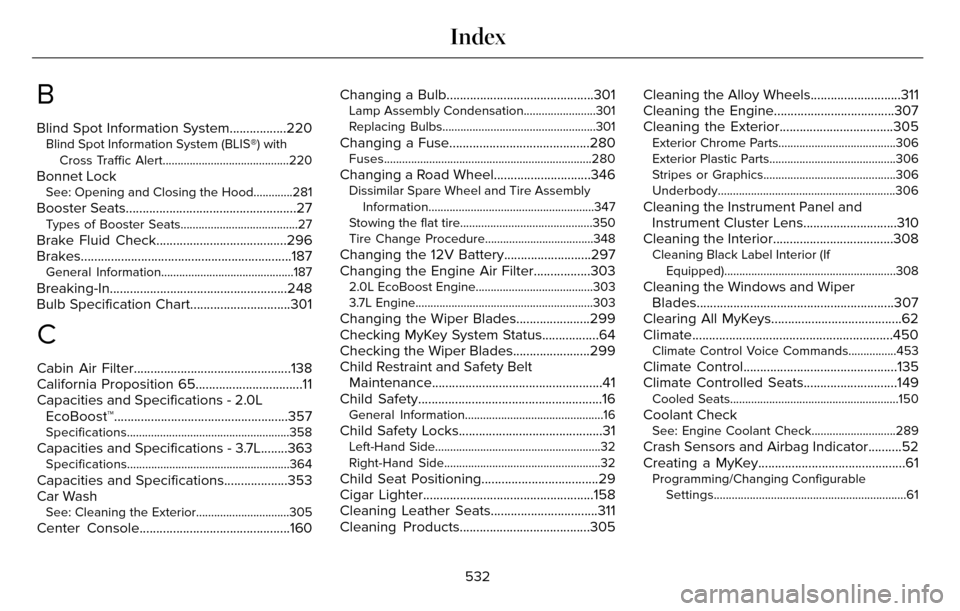
B
Blind Spot Information System.................220Blind Spot Information System (BLIS®) withCross Traffic Alert..........................................220
Bonnet LockSee: Opening and Closing the Hood.............281
Booster Seats...................................................27Types of Booster Seats.......................................27
Brake Fluid Check.......................................296
Brakes...............................................................187\
General Information............................................187
Breaking-In.....................................................248
Bulb Specification Chart..............................301
C
Cabin Air Filter...............................................138
California Proposition 65................................11
Capacities and Specifications - 2.0LEcoBoost™....................................................357
Specifications......................................................358
Capacities and Specifications - 3.7L........363Specifications......................................................364
Capacities and Specifications...................353
Car Wash
See: Cleaning the Exterior...............................305
Center Console.............................................160 Changing a Bulb............................................301
Lamp Assembly Condensation........................301
Replacing Bulbs...................................................301
Changing a Fuse..........................................280Fuses.....................................................................280
Changing a Road Wheel.............................346Dissimilar Spare Wheel and Tire Assembly
Information.......................................................347
Stowing the flat tire............................................350
Tire Change Procedure....................................348
Changing the 12V Battery..........................297
Changing the Engine Air Filter.................303
2.0L EcoBoost Engine.......................................303
3.7L Engine...........................................................303
Changing the Wiper Blades......................299
Checking MyKey System Status.................64
Checking the Wiper Blades.......................299
Child Restraint and Safety Belt Maintenance...................................................41
Child Safety.......................................................16
General Information..............................................16
Child Safety Locks...........................................31Left-Hand Side.......................................................32
Right-Hand Side....................................................32
Child Seat Positioning...................................29
Cigar Lighter...................................................158
Cleaning Leather Seats................................311
Cleaning Products.......................................305 Cleaning the Alloy Wheels...........................311
Cleaning the Engine....................................307
Cleaning the Exterior..................................305
Exterior Chrome Parts.......................................306
Exterior Plastic Parts..........................................306
Stripes or Graphics............................................306
Underbody...........................................................306
Cleaning the Instrument Panel and
Instrument Cluster Lens............................310
Cleaning the Interior....................................308
Cleaning Black Label Interior (If
Equipped).........................................................308
Cleaning the Windows and WiperBlades...........................................................307
Clearing All MyKeys.......................................62
Climate............................................................450
Climate Control Voice Commands................453
Climate Control..............................................135
Climate Controlled Seats............................149
Cooled Seats........................................................150
Coolant CheckSee: Engine Coolant Check............................289
Crash Sensors and Airbag Indicator..........52
Creating a MyKey............................................61
Programming/Changing Configurable
Settings................................................................61
532
Index
Page 540 of 544

Locking and Unlocking..................................67Activating Intelligent Access.............................68
Autolock ...............................................................\
..69
Auto Relock............................................................69
Battery Saver..........................................................7\
0
Illuminated Entry...................................................70
Illuminated Exit......................................................70\
Luggage Compartment.......................................70
Power Decklid.........................................................71
Power Door Locks................................................67
Remote Control.....................................................67
Smart Unlocks for Intelligent AccessKeys.....................................................................69
Locks..................................................................67
Lug Nuts
See: Changing a Road Wheel.........................346
M
Maintenance...................................................281General Information............................................281
Media Hub......................................................372
Memory Function..........................................145
Easy Entry and Exit Feature..............................147
Linking a PreSet Position to your RemoteControl or Intelligent Access Key Fob.......146
Saving a PreSet Position...................................146
Message CenterSee: Information Displays.................................109
MirrorsSee: Heated Windows and Mirrors.................138
See: Windows and Mirrors.................................95
Mobile Communications Equipment...........14
Moonroof.........................................................100
Bounce-Back.........................................................101
Opening and Closing the Moonroof..............100
Motorcraft Parts............................................354
MyKey Troubleshooting................................65
MyKey™..............................................................60
Principle of Operation.........................................60
MyLincoln Touch™.........................................373General Information...........................................373
MyLincoln Touch™ Troubleshooting.........467
N
Navigation ......................................................454cityseekr................................................................457
Destination Mode...............................................454
Map Mode............................................................462
Navigation Map Updates.................................466
Navigation Voice Commands.........................466
Point of Interest (POI) Categories..................456
Quick-touch Buttons..........................................465
Setting Your Navigation Preferences............458
Normal Scheduled Maintenance..............484Intelligent Oil-Life Monitor™..............................484
Maintenance Intervals.......................................486
O
Oil Change Indicator Reset.......................288
Oil Check
See: Engine Oil Check......................................287
Opening and Closing the Hood................281
Ordering Additional Owner's
Literature......................................................261
Obtaining a French Owner’s Manual.............261
Overhead Console.......................................160
P
Parking Aids....................................................196Principle of Operation........................................196
Passive Anti-Theft System............................77SecuriLock...............................................................77
PA T SSee: Passive Anti-Theft System.........................77
Perchlorate........................................................ 12
Personal Safety System™..............................43
How Does the Personal Safety System
Work?...................................................................43
537
Index