Lamps LINCOLN MKZ 2017 User Guide
[x] Cancel search | Manufacturer: LINCOLN, Model Year: 2017, Model line: MKZ, Model: LINCOLN MKZ 2017Pages: 564, PDF Size: 5.54 MB
Page 88 of 564
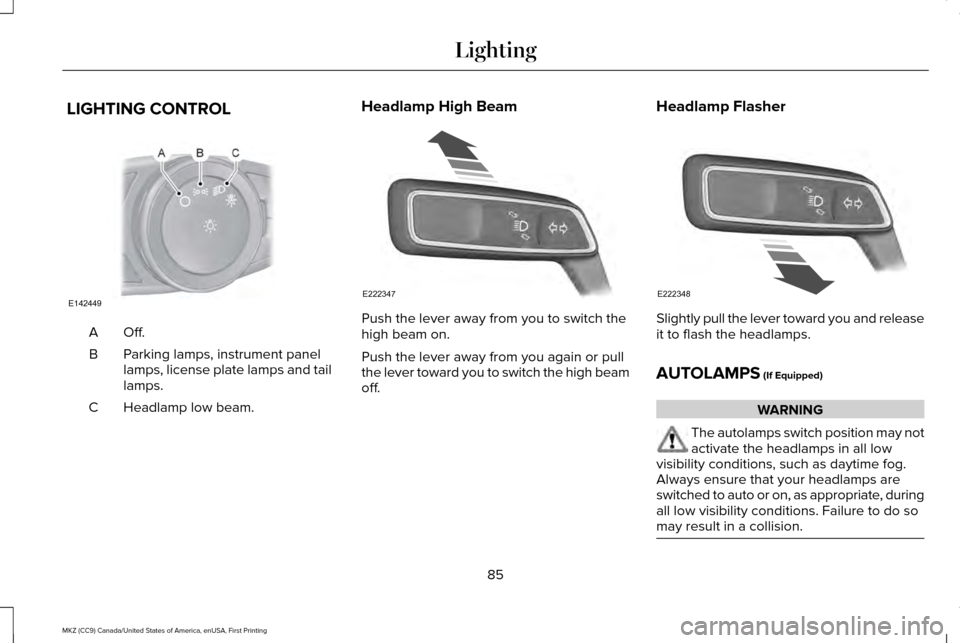
LIGHTING CONTROL
Off.A
Parking lamps, instrument panel
lamps, license plate lamps and tail
lamps.
B
Headlamp low beam.
C Headlamp High Beam
Push the lever away from you to switch the
high beam on.
Push the lever away from you again or pull
the lever toward you to switch the high beam
off.
Headlamp Flasher Slightly pull the lever toward you and release
it to flash the headlamps.
AUTOLAMPS (If Equipped)
WARNING
The autolamps switch position may not
activate the headlamps in all low
visibility conditions, such as daytime fog.
Always ensure that your headlamps are
switched to auto or on, as appropriate, during
all low visibility conditions. Failure to do so
may result in a collision. 85
MKZ (CC9) Canada/United States of America, enUSA, First Printing LightingE142449 E222347 E222348
Page 89 of 564
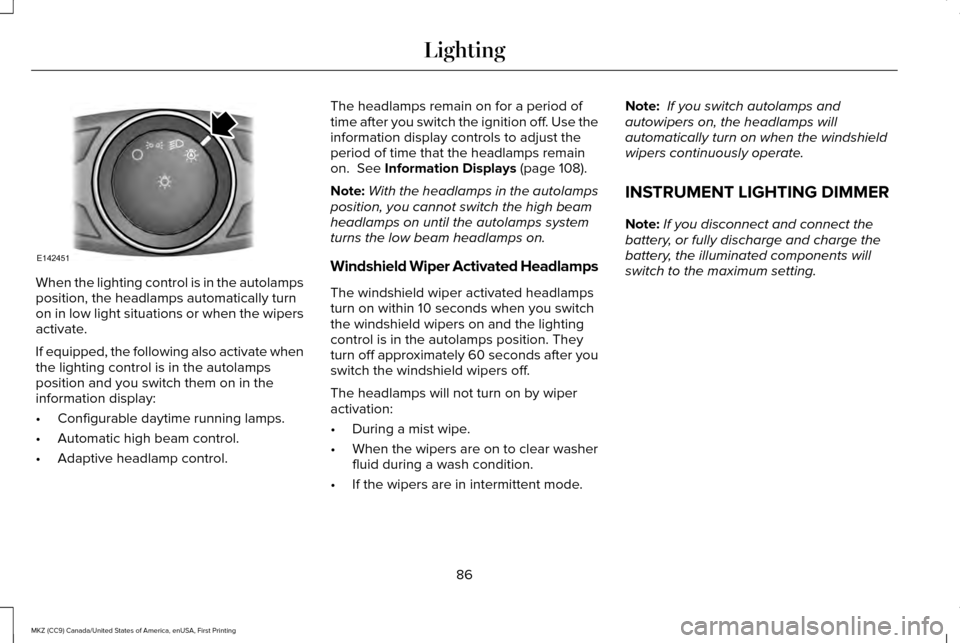
When the lighting control is in the autolamps
position, the headlamps automatically turn
on in low light situations or when the wipers
activate.
If equipped, the following also activate when
the lighting control is in the autolamps
position and you switch them on in the
information display:
•
Configurable daytime running lamps.
• Automatic high beam control.
• Adaptive headlamp control. The headlamps remain on for a period of
time after you switch the ignition off. Use the
information display controls to adjust the
period of time that the headlamps remain
on. See Information Displays (page 108).
Note: With the headlamps in the autolamps
position, you cannot switch the high beam
headlamps on until the autolamps system
turns the low beam headlamps on.
Windshield Wiper Activated Headlamps
The windshield wiper activated headlamps
turn on within 10 seconds when you switch
the windshield wipers on and the lighting
control is in the autolamps position. They
turn off approximately 60 seconds after you
switch the windshield wipers off.
The headlamps will not turn on by wiper
activation:
• During a mist wipe.
• When the wipers are on to clear washer
fluid during a wash condition.
• If the wipers are in intermittent mode. Note:
If you switch autolamps and
autowipers on, the headlamps will
automatically turn on when the windshield
wipers continuously operate.
INSTRUMENT LIGHTING DIMMER
Note: If you disconnect and connect the
battery, or fully discharge and charge the
battery, the illuminated components will
switch to the maximum setting.
86
MKZ (CC9) Canada/United States of America, enUSA, First Printing LightingE142451
Page 90 of 564
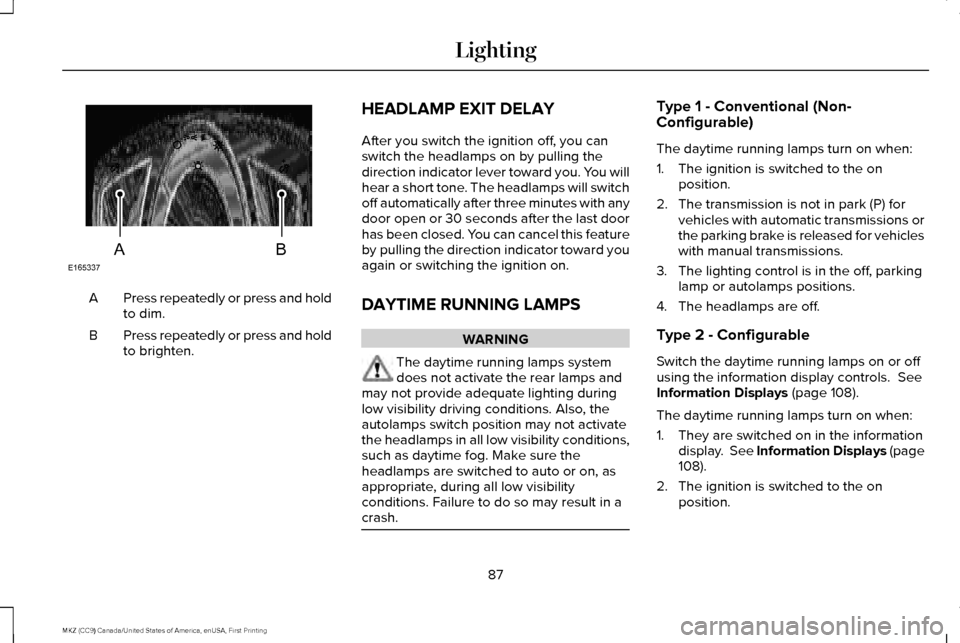
Press repeatedly or press and hold
to dim.
A
Press repeatedly or press and hold
to brighten.
B HEADLAMP EXIT DELAY
After you switch the ignition off, you can
switch the headlamps on by pulling the
direction indicator lever toward you. You will
hear a short tone. The headlamps will switch
off automatically after three minutes with any
door open or 30 seconds after the last door
has been closed. You can cancel this feature
by pulling the direction indicator toward you
again or switching the ignition on.
DAYTIME RUNNING LAMPS WARNING
The daytime running lamps system
does not activate the rear lamps and
may not provide adequate lighting during
low visibility driving conditions. Also, the
autolamps switch position may not activate
the headlamps in all low visibility conditions,
such as daytime fog. Make sure the
headlamps are switched to auto or on, as
appropriate, during all low visibility
conditions. Failure to do so may result in a
crash. Type 1 - Conventional (Non-
Configurable)
The daytime running lamps turn on when:
1. The ignition is switched to the on
position.
2. The transmission is not in park (P) for vehicles with automatic transmissions or
the parking brake is released for vehicles
with manual transmissions.
3. The lighting control is in the off, parking lamp or autolamps positions.
4. The headlamps are off.
Type 2 - Configurable
Switch the daytime running lamps on or off
using the information display controls. See
Information Displays (page 108).
The daytime running lamps turn on when:
1. They are switched on in the information display. See Information Displays (page
108
).
2. The ignition is switched to the on position.
87
MKZ (CC9) Canada/United States of America, enUSA, First Printing LightingE165337AB
Page 91 of 564
3. The transmission is not in park (P) for
vehicles with automatic transmissions or
the parking brake is released for vehicles
with manual transmissions.
4. The lighting control is in the autolamps position.
5. The headlamps are off.
The other lighting control switch positions
do not activate the daytime running lamps,
and you can use them to temporarily override
autolamp control.
When switched off in the information display,
the daytime running lamps are off in all
lighting control switch positions. AUTOMATIC HIGH BEAM
CONTROL (If Equipped)
The system will automatically turn on your
high beams if it is dark enough and no other
traffic is present. When it detects the
headlights of an approaching vehicle, the tail
lamps of the preceding vehicle or street
lighting, the system will turn off the high
beams before they distract other drivers. The
low beams remain on.
Note: If it appears that automatic control of
the high beams is not functioning properly,
check the windshield in front of the camera
for a blockage. A clear view of the road is
required for proper system operation. Have
any windshield damage in the area of the
camera ’s field-of-view repaired.
Note: If the system detects a blockage, for
example bird droppings, bug splatter, snow
or ice, the system will go into low beam
mode until you clear the blockage. A
message may also appear in the instrument
cluster display noting the front camera is
blocked. Note:
Typical road dust, dirt and water spots
will not affect the performance of the
automatic high beam system. However, in
cold or inclement weather conditions, you
will notice a decrease in the availability of
the high beam system, especially at start up.
If you want to change the beam state
independently of the system, you may switch
the high beams on or off using the
multifunction switch. Automatic control will
resume when conditions are correct.
Note: Modification of the vehicle ride height
such as using much larger tires, may
degrade feature performance.
A camera sensor, centrally mounted behind
the windshield of your vehicle, continuously
monitors conditions to decide when to switch
the high beams off and on.
Once the system is active, the high beams
will switch on if:
• the ambient light level is low enough
• there is no traffic in front of the vehicle
• the vehicle speed is greater than
approximately
32 mph (52 km/h).
88
MKZ (CC9) Canada/United States of America, enUSA, First Printing Lighting
Page 92 of 564
The high beams will switch off if:
•
the system detects the headlamps of an
approaching vehicle or the tail lamps of
a preceding vehicle.
• vehicle speed falls below approximately
27 mph (44 km/h)
• the ambient light level is high enough
that high beams are not required
• the system detects severe rain, snow or
fog
• the camera is blocked.
Activating the System
Switch the system on using the information
display. See Information Displays (page
108). Switch the autolamps on. See
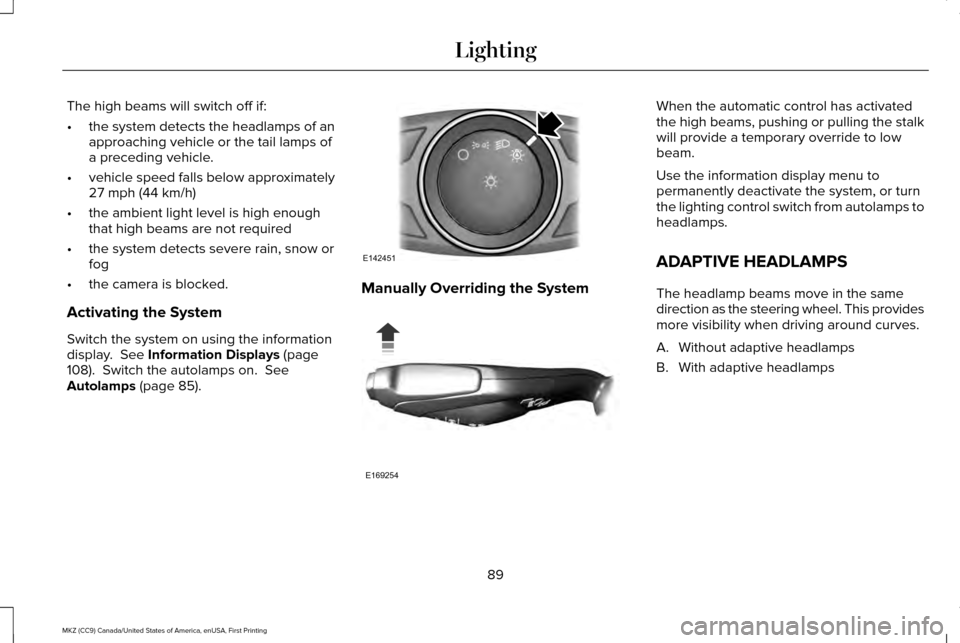
Autolamps (page 85). Manually Overriding the System When the automatic control has activated
the high beams, pushing or pulling the stalk
will provide a temporary override to low
beam.
Use the information display menu to
permanently deactivate the system, or turn
the lighting control switch from autolamps to
headlamps.
ADAPTIVE HEADLAMPS
The headlamp beams move in the same
direction as the steering wheel. This provides
more visibility when driving around curves.
A. Without adaptive headlamps
B. With adaptive headlamps
89
MKZ (CC9) Canada/United States of America, enUSA, First Printing LightingE142451 E169254
Page 93 of 564
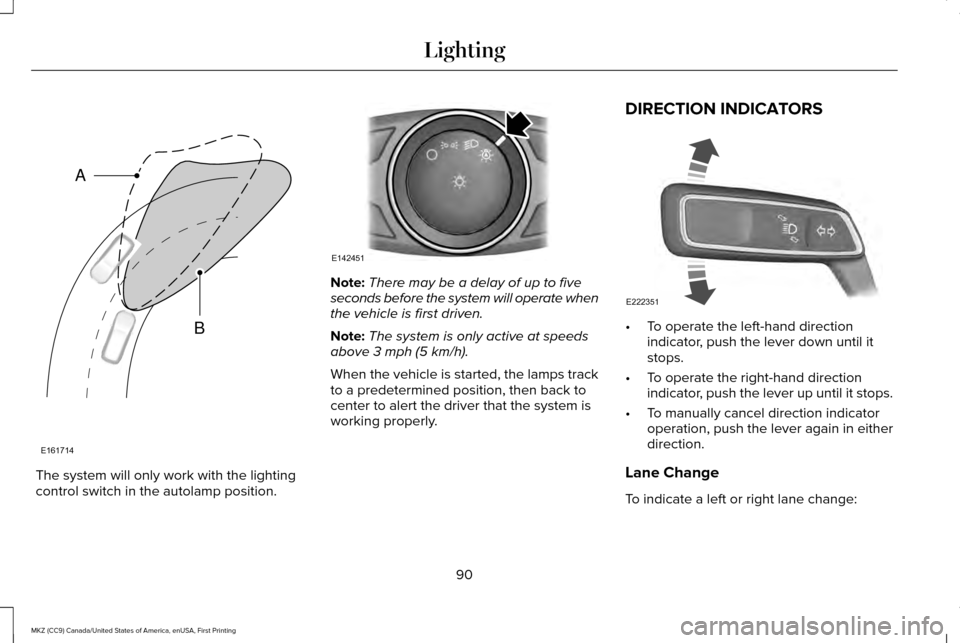
The system will only work with the lighting
control switch in the autolamp position. Note:
There may be a delay of up to five
seconds before the system will operate when
the vehicle is first driven.
Note: The system is only active at speeds
above 3 mph (5 km/h).
When the vehicle is started, the lamps track
to a predetermined position, then back to
center to alert the driver that the system is
working properly. DIRECTION INDICATORS
•
To operate the left-hand direction
indicator, push the lever down until it
stops.
• To operate the right-hand direction
indicator, push the lever up until it stops.
• To manually cancel direction indicator
operation, push the lever again in either
direction.
Lane Change
To indicate a left or right lane change:
90
MKZ (CC9) Canada/United States of America, enUSA, First Printing LightingE161714
B
A E142451 E222351
Page 94 of 564
•
Push the lever up or down to the first
stop position and release. The direction
indicator will flash three times and stop.
• Push the lever up or down to the first
stop position and hold. The direction
indicator will flash for as long as you hold
the lever in this position.
WELCOME LIGHTING
The Lincoln welcome mat projection lights
are on the bottom of the exterior mirror
housings. They will project an image onto
the ground a short distance from your vehicle
when welcome lighting or lighted entry turns
on.
Note: Moisture, frost and ice build-up or
other types of contamination on the surface
of the light lens can cause non-permanent
distortion or reduced brightness of the
image. Do not use abrasive materials to
clean the lens.
INTERIOR LAMPS
The lamps switch on when: •
You open any door.
• You press a remote control button.
• You press the all lamps on switch on the
front interior lamp.
Front Interior Lamp
Note: The front interior lamp switches are
on the overhead console. The exact location
of each switch on the overhead console
depends upon which roof, sunroof, and
window shade features are on your vehicle.
Note: Press the door function switch to
switch off when you open any door. The
indicator lamp illuminates amber when the
door function is off. When the door function
is off and you open a door, the courtesy and
door lamps stay off. Press the door function
switch again to switch back on. The indicator
lamp illuminates white when the door
function is on. When the door function is on
and you open a door, the courtesy and door
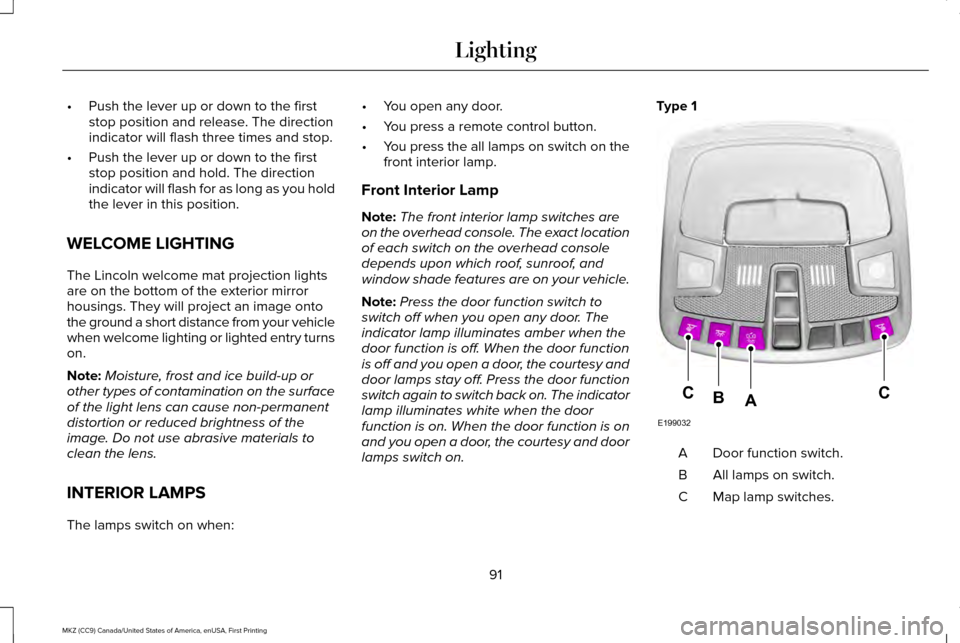
lamps switch on. Type 1
Door function switch.
A
All lamps on switch.
B
Map lamp switches.
C
91
MKZ (CC9) Canada/United States of America, enUSA, First Printing LightingE199032
CCAB
Page 95 of 564
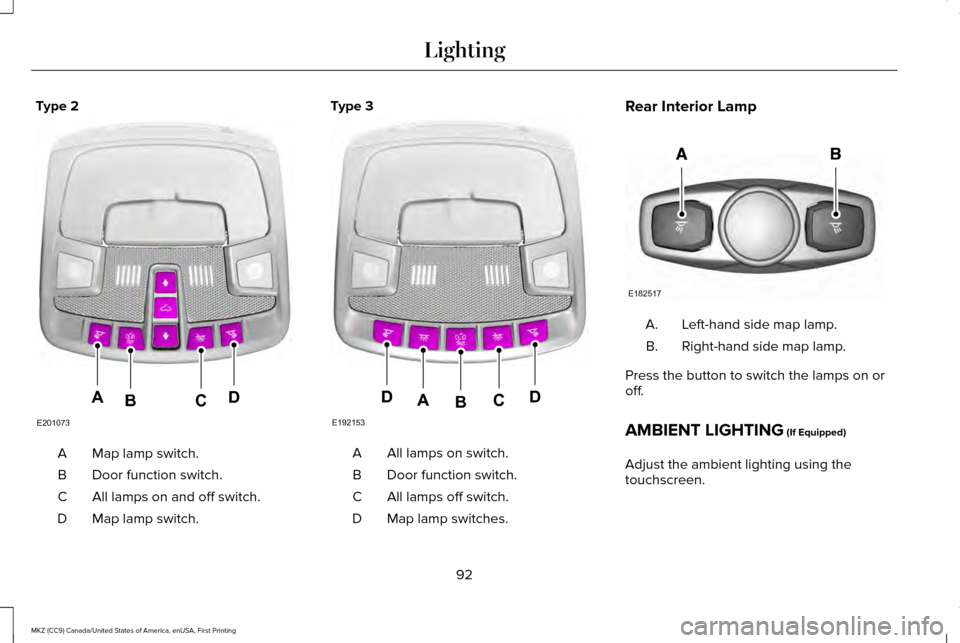
Type 2
Map lamp switch.
A
Door function switch.
B
All lamps on and off switch.
C
Map lamp switch.
D Type 3
All lamps on switch.
A
Door function switch.
B
All lamps off switch.
C
Map lamp switches.
D Rear Interior Lamp
Left-hand side map lamp.
A.
Right-hand side map lamp.
B.
Press the button to switch the lamps on or
off.
AMBIENT LIGHTING (If Equipped)
Adjust the ambient lighting using the
touchscreen.
92
MKZ (CC9) Canada/United States of America, enUSA, First Printing LightingE201073
ADCB E192153
DDCAB E182517
Page 106 of 564
Variations:
Note:
The low fuel reminder can appear at
different fuel gauge positions depending on
fuel economy conditions. This variation is
normal.
Engine Coolant Temperature Gauge
Indicates engine coolant temperature. At
normal operating temperature, the level
indicator will be in the normal range. If the
engine coolant temperature exceeds the
normal range, stop the vehicle as soon as
safely possible, switch off the engine and let
the engine cool. WARNING
Never remove the coolant reservoir
cap while the engine is running or hot. WARNING LAMPS AND
INDICATORS
The following warning lamps and indicators
will alert you to a vehicle condition that may
become serious. Some lamps will illuminate
when you start your vehicle to make sure
they work. If any lamps remain on after
starting your vehicle, refer to the respective
system warning lamp for further information.
Note:
Some warning indicators appear in
the information display and function the
same as a warning lamp, but do not display
when you start your vehicle.
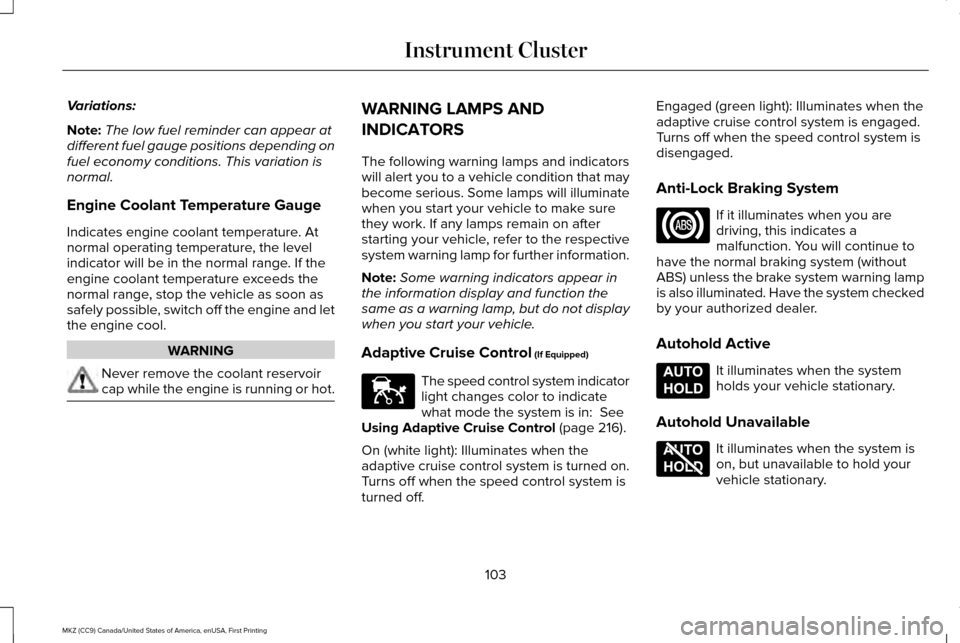
Adaptive Cruise Control (If Equipped) The speed control system indicator
light changes color to indicate
what mode the system is in:
See
Using Adaptive Cruise Control (page 216).
On (white light): Illuminates when the
adaptive cruise control system is turned on.
Turns off when the speed control system is
turned off. Engaged (green light): Illuminates when the
adaptive cruise control system is engaged.
Turns off when the speed control system is
disengaged.
Anti-Lock Braking System
If it illuminates when you are
driving, this indicates a
malfunction. You will continue to
have the normal braking system (without
ABS) unless the brake system warning lamp
is also illuminated. Have the system checked
by your authorized dealer.
Autohold Active It illuminates when the system
holds your vehicle stationary.
Autohold Unavailable It illuminates when the system is
on, but unavailable to hold your
vehicle stationary.
103
MKZ (CC9) Canada/United States of America, enUSA, First Printing Instrument ClusterE144524 E197933 E197934
Page 108 of 564
Engine Oil
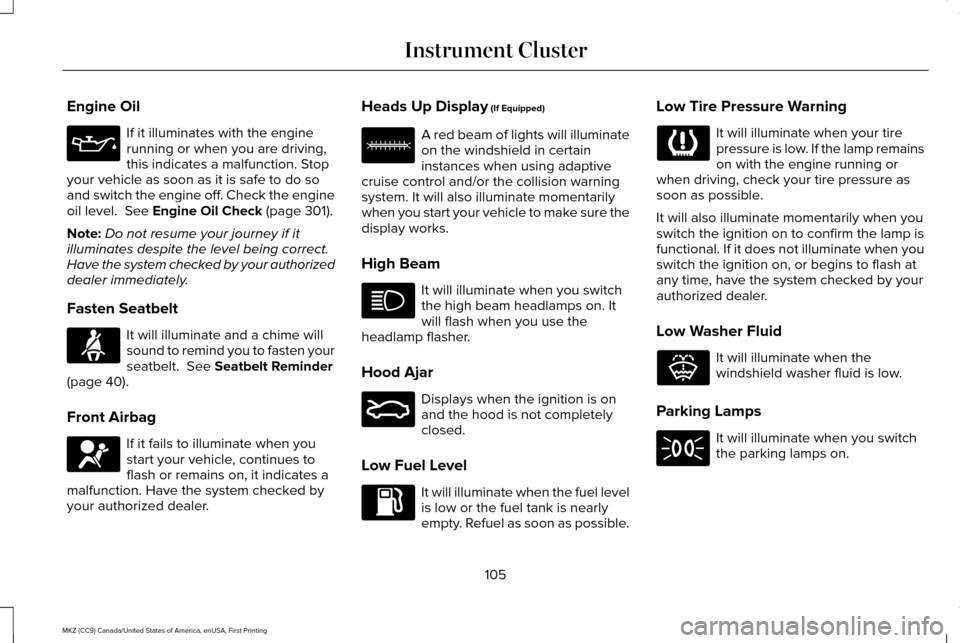
If it illuminates with the engine
running or when you are driving,
this indicates a malfunction. Stop
your vehicle as soon as it is safe to do so
and switch the engine off. Check the engine
oil level. See Engine Oil Check (page 301).
Note: Do not resume your journey if it
illuminates despite the level being correct.
Have the system checked by your authorized
dealer immediately.
Fasten Seatbelt It will illuminate and a chime will
sound to remind you to fasten your
seatbelt.
See Seatbelt Reminder
(page 40).
Front Airbag If it fails to illuminate when you
start your vehicle, continues to
flash or remains on, it indicates a
malfunction. Have the system checked by
your authorized dealer. Heads Up Display
(If Equipped) A red beam of lights will illuminate
on the windshield in certain
instances when using adaptive
cruise control and/or the collision warning
system. It will also illuminate momentarily
when you start your vehicle to make sure the
display works.
High Beam It will illuminate when you switch
the high beam headlamps on. It
will flash when you use the
headlamp flasher.
Hood Ajar Displays when the ignition is on
and the hood is not completely
closed.
Low Fuel Level It will illuminate when the fuel level
is low or the fuel tank is nearly
empty. Refuel as soon as possible.Low Tire Pressure Warning It will illuminate when your tire
pressure is low. If the lamp remains
on with the engine running or
when driving, check your tire pressure as
soon as possible.
It will also illuminate momentarily when you
switch the ignition on to confirm the lamp is
functional. If it does not illuminate when you
switch the ignition on, or begins to flash at
any time, have the system checked by your
authorized dealer.
Low Washer Fluid It will illuminate when the
windshield washer fluid is low.
Parking Lamps It will illuminate when you switch
the parking lamps on.
105
MKZ (CC9) Canada/United States of America, enUSA, First Printing Instrument Cluster E156133 E159324 E132353