instrument cluster LINCOLN MKZ 2017 Owner's Manual
[x] Cancel search | Manufacturer: LINCOLN, Model Year: 2017, Model line: MKZ, Model: LINCOLN MKZ 2017Pages: 564, PDF Size: 5.54 MB
Page 267 of 564
2. Remove the jumper cable on the
negative (-) terminal of the booster
vehicle battery.
3. Remove the jumper cable from the positive (+) terminal of the booster vehicle
battery.
4. Remove the jumper cable from the positive (+) terminal of the disabled
vehicle battery.
5. Allow the engine to idle for at least one minute.
POST-CRASH ALERT SYSTEM
The system flashes the direction indicators
and sounds the horn (intermittently) in the
event of a serious impact that deploys an
airbag (front, side, side curtain or Safety
Canopy) or the safety belt pretensioners.
The horn and indicators will turn off when:
• You press the hazard control button.
• You press the panic button on the remote
entry transmitter (if equipped).
• Your vehicle runs out of power. Spinout Detection
If a spinout is detected, the vehicle comes
to a stop and the hazard warning flashers
come on. A message that states the spinout
hazards are activated will appear on the
instrument cluster. The message may not
appear if your vehicle runs out of power.
Once the hazard warning flashers have been
activated, you can turn them off by:
•
Pressing the hazard warning flasher
button.
• Pressing the remote control unlock
button.
• Pressing the remote control panic button.
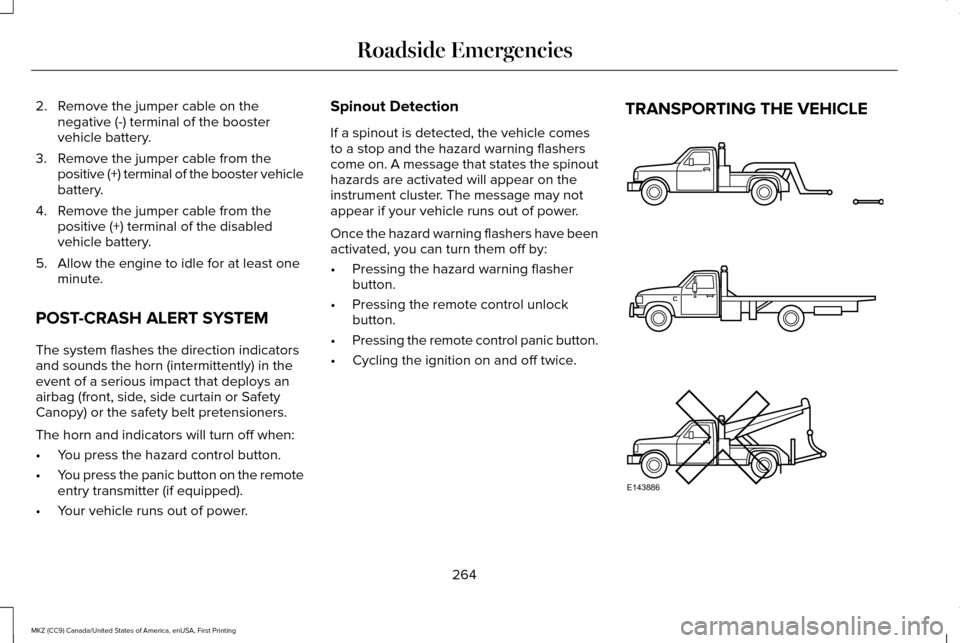
• Cycling the ignition on and off twice. TRANSPORTING THE VEHICLE
264
MKZ (CC9) Canada/United States of America, enUSA, First Printing Roadside EmergenciesE143886
Page 306 of 564
From the main menu scroll to:
Action and description
Message
Press the right arrow button,
then from this menu scroll to
the following message.
Settings
Press the right arrow button,
then from this menu scroll to
the following message.
Vehicle
Press the right arrow button,
then from this menu scroll to
the following message.
Oil Life
Press and hold the OK button
until the instrument cluster
displays the following
message.
Hold OK to
Reset
Reset Successful
When the oil change indicator
resets the instrument cluster
displays 100%.
Remaining Life
{00}% Action and description
Message
If the instrument cluster
displays one of the following
messages, repeat the
process.
Not Reset
Reset Cancelled
ENGINE COOLANT CHECK WARNINGS
Do not add engine coolant when the
engine is hot. Steam and scalding
liquids released from a hot cooling system
can burn you badly. Also, spilling coolant on
hot engine parts can burn you. Do not put engine coolant in the
windshield washer fluid container. If
sprayed on the windshield, engine coolant
could make it difficult to see through the
windshield. WARNINGS
To reduce the risk of personal injury,
make sure the engine is cool before
unscrewing the coolant pressure relief cap.
The cooling system is under pressure. Steam
and hot liquid can come out forcefully when
you loosen the cap slightly. Do not add coolant further than the
MAX mark.
When the engine is cold, check the
concentration and level of the coolant at the
intervals listed in the scheduled maintenance
information.
See Scheduled Maintenance
(page 495).
Note: Make sure that the coolant level is
between the
MIN and MAX marks on the
coolant reservoir.
Note: Coolant expands when it is hot. The
level may extend beyond the
MAX mark.
303
MKZ (CC9) Canada/United States of America, enUSA, First Printing Maintenance
Page 328 of 564
Cleaning Procedure
Type of Stain
Use lukewarm water and rinse by dabbing with clean water.
Indelible pencil, cocoa, chocolate, pastry with cream or chocolate, ice
cream or mustard.
Use lemon juice, wipe with lukewarm water and rinse by dabbing with
clean water.
Vinegar, hair gel, tomato sauce or coffee with sugar.
Use ethyl alcohol, then dab with water.
Dye transfer and all other stains.
CLEANING THE INSTRUMENT
PANEL AND INSTRUMENT
CLUSTER LENS WARNING
Do not use chemical solvents or strong
detergents when cleaning the steering
wheel or instrument panel to avoid
contamination of the airbag system. Note:
Follow the same procedure as
cleaning leather seats for cleaning leather
instrument panels and leather interior trim
surfaces. See Cleaning Leather Seats (page
326). Clean the instrument panel and cluster lens
with a clean, damp and soft cloth, then use
a clean, dry and soft cloth to dry these areas.
•
Avoid cleaners or polishes that increase
the gloss of the upper portion of the
instrument panel. The dull finish in this
area helps protect you from undesirable
windshield reflection.
• Do not use any household cleaning
products or glass cleaners as these may
damage the finish of the instrument
panel, interior trim and cluster lens. •
Wash or wipe your hands clean if you
have been in contact with certain
products such as insect repellent and
suntan lotion to avoid possible damage
to the interior painted surfaces.
• Do not allow air fresheners and hand
sanitizers to spill onto interior surfaces.
If a spill occurs, wipe off immediately.
Your warranty may not cover these
damages.
If a staining liquid like coffee or juice has
been spilled on the instrument panel or on
interior trim surfaces:
1. Wipe up spilled liquid using a clean, soft
cloth as quickly as possible.
325
MKZ (CC9) Canada/United States of America, enUSA, First Printing Vehicle Care
Page 492 of 564
General
Possible solution
Possible cause
Issue
SYNC 3 only supports four languages in a single module for text
display, voice control and voice prompts. The country where you
bought your vehicle dictates the four languages based on the most
popular languages spoken. If the selected language is not available,
SYNC 3 remains in the current active language.
SYNC 3 does not support the currently
selected language for the instrument
cluster and information and entertainment
display.
The language selected for
the instrument cluster and
information and entertain-
ment display does not
match the SYNC 3
language (phone, USB,
Bluetooth audio, voice
control and voice prompts).
SYNC 3 offers several new voice control features for a wide range of
languages. Dialing a contact name directly from the phonebook
without pre-recording (for example, “call John Smith
”) or selecting a
track, artist, album, genre or playlist directly from your media player
(for example, "play artist Madonna"). SYNC 3 System Reset
The system has a System Reset feature that can be performed if the function of a SYNC 3 feature is lost. This reset is intended to restore
functionality and will not erase any information previously stored in th\
e system (such as paired devices, phonebook, call history , text
messages, or user settings). To perform a System Reset, press and hold the Seek Up (>>) button while pressing and holdin\
g the Radio Power
button. After approximately 5 seconds the screen will go black. Allow 1-2 minutes for the s\
ystem reset to complete. You may then resume
using the SYNC 3 system.
489
MKZ (CC9) Canada/United States of America, enUSA, First Printing SYNC™ 3
Page 555 of 564
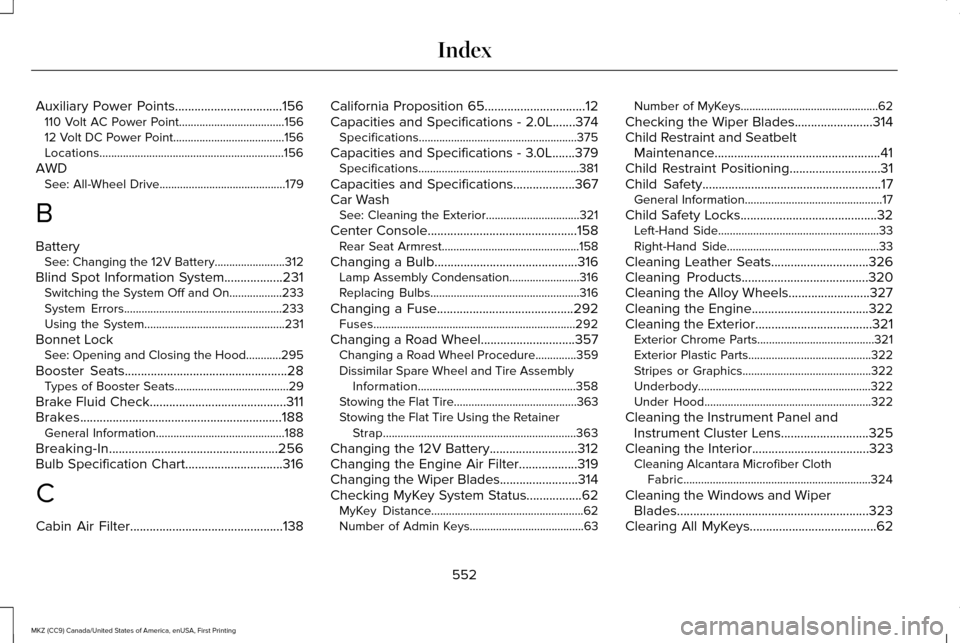
Auxiliary Power Points.................................156
110 Volt AC Power Point....................................156
12 Volt DC Power Point......................................156
Locations...............................................................156
AWD See: All-Wheel Drive...........................................179
B
Battery See: Changing the 12V Battery........................312
Blind Spot Information System..................231 Switching the System Off and On..................233
System Errors......................................................233
Using the System................................................231
Bonnet Lock See: Opening and Closing the Hood............295
Booster Seats..................................................28
Types of Booster Seats.......................................29
Brake Fluid Check..........................................311
Brakes..............................................................188 General Information............................................188
Breaking-In....................................................256
Bulb Specification Chart..............................316
C
Cabin Air Filter
...............................................138 California Proposition 65
...............................12
Capacities and Specifications - 2.0L.......374 Specifications......................................................375
Capacities and Specifications - 3.0L.......379 Specifications.......................................................381
Capacities and Specifications...................367
Car Wash See: Cleaning the Exterior................................
321
Center Console..............................................158 Rear Seat Armrest...............................................158
Changing a Bulb
............................................316
Lamp Assembly Condensation........................316
Replacing Bulbs...................................................316
Changing a Fuse..........................................292 Fuses.....................................................................292
Changing a Road Wheel.............................357 Changing a Road Wheel Procedure..............
359
Dissimilar Spare Wheel and Tire Assembly Information......................................................358
Stowing the Flat Tire..........................................363
Stowing the Flat Tire Using the Retainer Strap..................................................................363
Changing the 12V Battery...........................312
Changing the Engine Air Filter..................319
Changing the Wiper Blades........................314
Checking MyKey System Status.................62 MyKey Distance....................................................62
Number of Admin Keys.......................................63 Number of MyKeys...............................................62
Checking the Wiper Blades........................314
Child Restraint and Seatbelt Maintenance...................................................41
Child Restraint Positioning
............................31
Child Safety.......................................................17
General Information...............................................17
Child Safety Locks..........................................32 Left-Hand Side.......................................................33
Right-Hand Side....................................................33
Cleaning Leather Seats..............................326
Cleaning Products
.......................................320
Cleaning the Alloy Wheels.........................327
Cleaning the Engine....................................322
Cleaning the Exterior
....................................321
Exterior Chrome Parts........................................321
Exterior Plastic Parts..........................................322
Stripes or Graphics............................................322
Underbody...........................................................322
Under Hood.........................................................322
Cleaning the Instrument Panel and Instrument Cluster Lens
...........................325
Cleaning the Interior....................................323
Cleaning Alcantara Microfiber Cloth
Fabric................................................................324
Cleaning the Windows and Wiper Blades
...........................................................323
Clearing All MyKeys.......................................62
552
MKZ (CC9) Canada/United States of America, enUSA, First Printing Index
Page 559 of 564
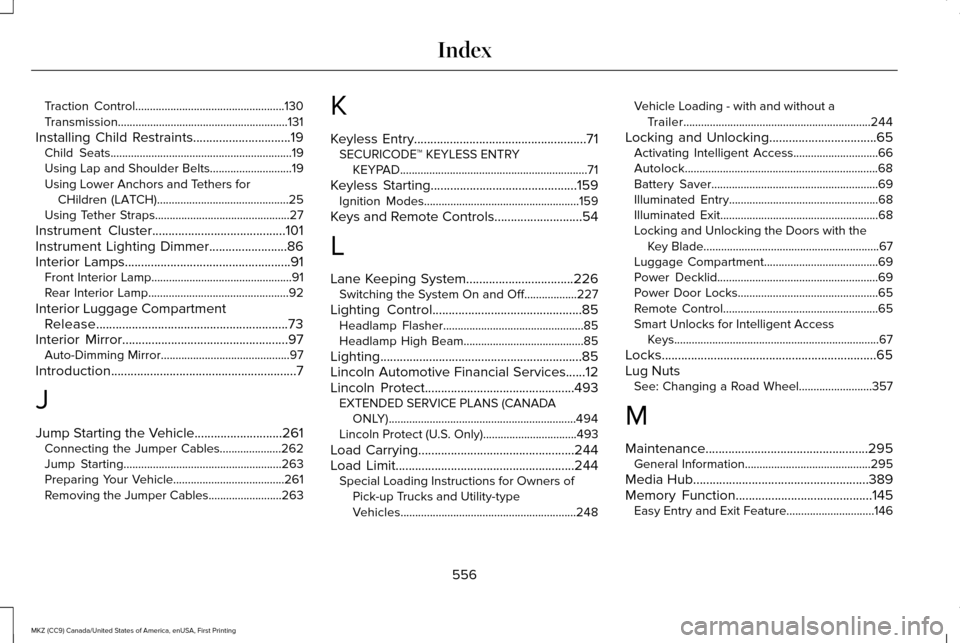
Traction Control...................................................130
Transmission..........................................................131
Installing Child Restraints..............................19
Child Seats..............................................................19
Using Lap and Shoulder Belts............................19
Using Lower Anchors and Tethers for
CHildren (LATCH).............................................25
Using Tether Straps..............................................27
Instrument Cluster.........................................101
Instrument Lighting Dimmer........................86
Interior Lamps
...................................................91
Front Interior Lamp................................................91
Rear Interior Lamp................................................92
Interior Luggage Compartment Release...........................................................73
Interior Mirror
...................................................97
Auto-Dimming Mirror............................................97
Introduction
.........................................................7
J
Jump Starting the Vehicle...........................261 Connecting the Jumper Cables.....................
262
Jump Starting......................................................263
Preparing Your Vehicle......................................261
Removing the Jumper Cables.........................263 K
Keyless Entry.....................................................71
SECURICODE™ KEYLESS ENTRY
KEYPAD................................................................71
Keyless Starting.............................................159 Ignition Modes.....................................................159
Keys and Remote Controls
...........................54
L
Lane Keeping System
.................................226
Switching the System On and Off..................227
Lighting Control
..............................................85
Headlamp Flasher................................................85
Headlamp High Beam.........................................85
Lighting..............................................................85
Lincoln Automotive Financial Services......12
Lincoln Protect
..............................................493
EXTENDED SERVICE PLANS (CANADA
ONLY)................................................................494
Lincoln Protect (U.S. Only)................................493
Load Carrying
................................................244
Load Limit.......................................................244
Special Loading Instructions for Owners of
Pick-up Trucks and Utility-type
Vehicles............................................................248 Vehicle Loading - with and without a
Trailer................................................................244
Locking and Unlocking
.................................65
Activating Intelligent Access.............................66
Autolock..................................................................68
Battery Saver.........................................................69
Illuminated Entry...................................................68
Illuminated Exit......................................................68
Locking and Unlocking the Doors with the
Key Blade............................................................67
Luggage Compartment.......................................69
Power Decklid.......................................................69
Power Door Locks................................................65
Remote Control.....................................................65
Smart Unlocks for Intelligent Access Keys......................................................................67
Locks..................................................................65
Lug Nuts See: Changing a Road Wheel.........................357
M
Maintenance..................................................295 General Information...........................................295
Media Hub......................................................389
Memory Function..........................................145 Easy Entry and Exit Feature..............................146
556
MKZ (CC9) Canada/United States of America, enUSA, First Printing Index