warning lights LINCOLN MKZ 2018 User Guide
[x] Cancel search | Manufacturer: LINCOLN, Model Year: 2018, Model line: MKZ, Model: LINCOLN MKZ 2018Pages: 595, PDF Size: 5.06 MB
Page 202 of 595
WARNINGS
The system will turn off if a malfunctionis apparent. Failure to take care mayresult in the loss of control of your vehicle,serious personal injury or death.
Auto Hold uses your vehicle's brakes to holdyour vehicle at a stop once your vehicle hasreached a standstill condition. For example,Auto Hold can assist you while stopping attraffic lights or while in traffic jams by holdingthe brake pressure for you once you bringyour vehicle to a stop.
Switch Auto Hold off during vehicle or trailertowing.
Note:In case of a malfunction in the systemwhile Auto Hold actively holds the vehicle(for example, low power supply), a messageappears in the information display askingyou to press the brake pedal. If you see thismessage, press the brake pedalimmediately.
Note:Auto Hold only activates if the systemrecognizes it is applying enough brakepressure. On a steep hill or incline, you mayneed to make sure the brake pedal ispressed sufficiently to activate the Auto Holdsystem.
Note:In some cases, Auto Hold might handover to the parking brake. When the parkingbrake automatically applies, the red brakelamp appears. This is normal. When youpress the accelerator pedal, the drive awayrelease feature automatically releases theparking brake.
Note:Auto Hold works on all road gradesand in reverse (R).
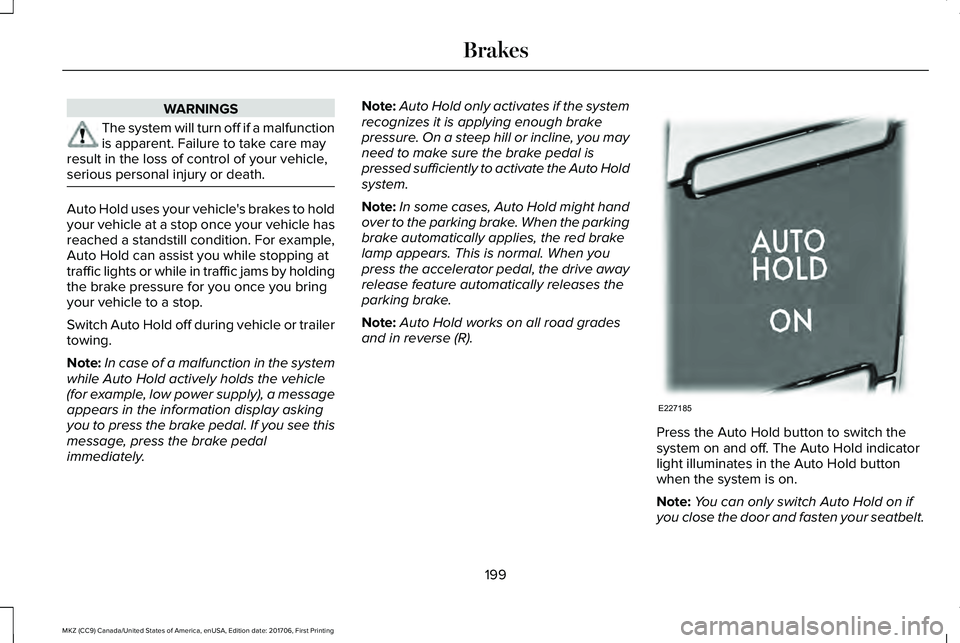
Press the Auto Hold button to switch thesystem on and off. The Auto Hold indicatorlight illuminates in the Auto Hold buttonwhen the system is on.
Note:You can only switch Auto Hold on ifyou close the door and fasten your seatbelt.
199
MKZ (CC9) Canada/United States of America, enUSA, Edition date: 201706, First Printing
BrakesE227185
Page 204 of 595
PRINCIPLE OF OPERATION
The traction control system helps avoid drivewheel spin and loss of traction.
If your vehicle begins to slide, the systemapplies the brakes to individual wheels and,when needed, reduces engine power at thesame time. If the wheels spin whenaccelerating on slippery or loose surfaces,the system reduces engine power in orderto increase traction.
USING TRACTION CONTROL
WARNING
The stability and traction control lightilluminates steadily if the systemdetects a failure. Make sure you did notmanually disable the traction control systemusing the information display controls or theswitch. If the stability control and tractioncontrol light is still illuminating steadily, havethe system serviced by an authorized dealerimmediately. Operating your vehicle with thetraction control disabled could lead to anincreased risk of loss of vehicle control,vehicle rollover, personal injury and death.
The system automatically turns on each timeyou switch the ignition on.
If your vehicle is stuck in mud or snow,switching traction control off may bebeneficial as this allows the wheels to spin.
Note:When you switch traction control off,stability control remains fully active.
Switching the System Off
When you switch the system off or on, amessage appears in the information displayshowing system status.
You can switch the system off by either usingthe information display controls or the switch.
Using the Information Display Controls
You can switch this feature off or on in theinformation display. See General Information(page 111).
Using a Switch (If Equipped)
Use the traction control switch on theinstrument panel to switch the system off oron.
System Indicator Lights and Messages
The stability and traction controllight:
201
MKZ (CC9) Canada/United States of America, enUSA, Edition date: 201706, First Printing
Traction ControlE138639
Page 224 of 595
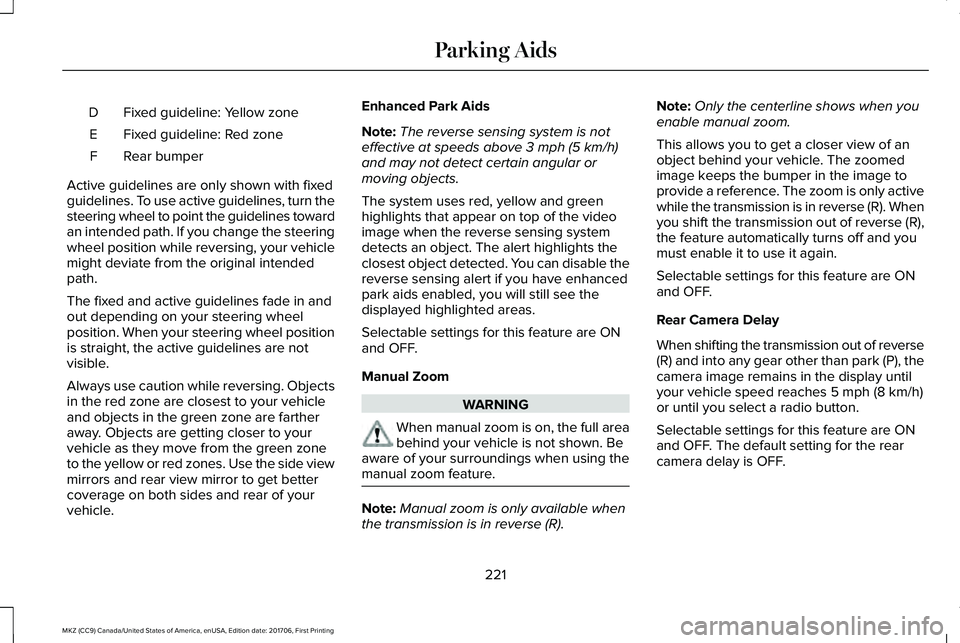
Fixed guideline: Yellow zoneD
Fixed guideline: Red zoneE
Rear bumperF
Active guidelines are only shown with fixedguidelines. To use active guidelines, turn thesteering wheel to point the guidelines towardan intended path. If you change the steeringwheel position while reversing, your vehiclemight deviate from the original intendedpath.
The fixed and active guidelines fade in andout depending on your steering wheelposition. When your steering wheel positionis straight, the active guidelines are notvisible.
Always use caution while reversing. Objectsin the red zone are closest to your vehicleand objects in the green zone are fartheraway. Objects are getting closer to yourvehicle as they move from the green zoneto the yellow or red zones. Use the side viewmirrors and rear view mirror to get bettercoverage on both sides and rear of yourvehicle.
Enhanced Park Aids
Note:The reverse sensing system is noteffective at speeds above 3 mph (5 km/h)and may not detect certain angular ormoving objects.
The system uses red, yellow and greenhighlights that appear on top of the videoimage when the reverse sensing systemdetects an object. The alert highlights theclosest object detected. You can disable thereverse sensing alert if you have enhancedpark aids enabled, you will still see thedisplayed highlighted areas.
Selectable settings for this feature are ONand OFF.
Manual Zoom
WARNING
When manual zoom is on, the full areabehind your vehicle is not shown. Beaware of your surroundings when using themanual zoom feature.
Note:Manual zoom is only available whenthe transmission is in reverse (R).
Note:Only the centerline shows when youenable manual zoom.
This allows you to get a closer view of anobject behind your vehicle. The zoomedimage keeps the bumper in the image toprovide a reference. The zoom is only activewhile the transmission is in reverse (R). Whenyou shift the transmission out of reverse (R),the feature automatically turns off and youmust enable it to use it again.
Selectable settings for this feature are ONand OFF.
Rear Camera Delay
When shifting the transmission out of reverse(R) and into any gear other than park (P), thecamera image remains in the display untilyour vehicle speed reaches 5 mph (8 km/h)or until you select a radio button.
Selectable settings for this feature are ONand OFF. The default setting for the rearcamera delay is OFF.
221
MKZ (CC9) Canada/United States of America, enUSA, Edition date: 201706, First Printing
Parking Aids
Page 242 of 595
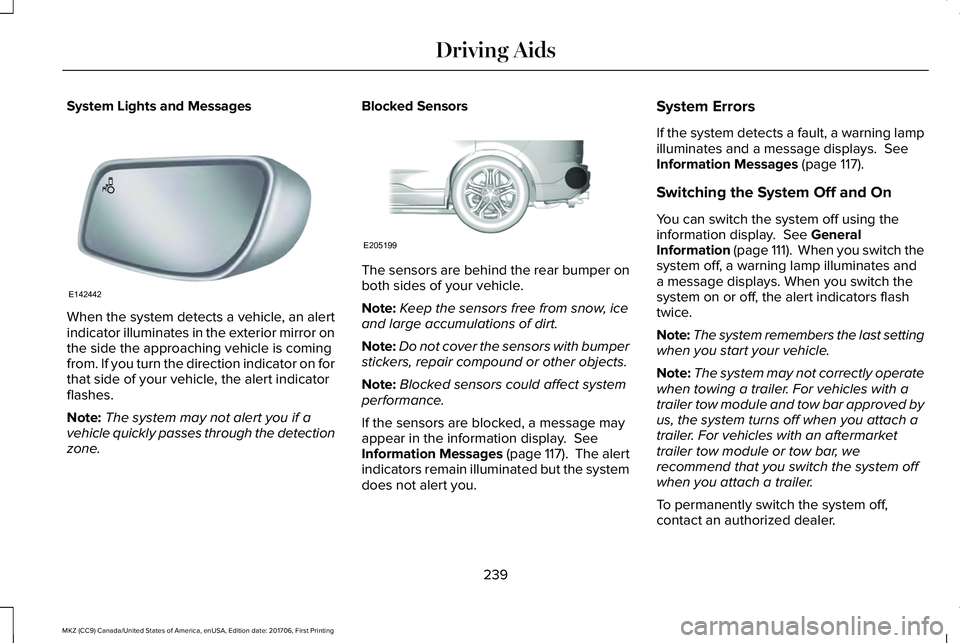
System Lights and Messages
When the system detects a vehicle, an alertindicator illuminates in the exterior mirror onthe side the approaching vehicle is comingfrom. If you turn the direction indicator on forthat side of your vehicle, the alert indicatorflashes.
Note:The system may not alert you if avehicle quickly passes through the detectionzone.
Blocked Sensors
The sensors are behind the rear bumper onboth sides of your vehicle.
Note:Keep the sensors free from snow, iceand large accumulations of dirt.
Note:Do not cover the sensors with bumperstickers, repair compound or other objects.
Note:Blocked sensors could affect systemperformance.
If the sensors are blocked, a message mayappear in the information display. SeeInformation Messages (page 117). The alertindicators remain illuminated but the systemdoes not alert you.
System Errors
If the system detects a fault, a warning lampilluminates and a message displays. SeeInformation Messages (page 117).
Switching the System Off and On
You can switch the system off using theinformation display. See GeneralInformation (page 111). When you switch thesystem off, a warning lamp illuminates anda message displays. When you switch thesystem on or off, the alert indicators flashtwice.
Note:The system remembers the last settingwhen you start your vehicle.
Note:The system may not correctly operatewhen towing a trailer. For vehicles with atrailer tow module and tow bar approved byus, the system turns off when you attach atrailer. For vehicles with an aftermarkettrailer tow module or tow bar, werecommend that you switch the system offwhen you attach a trailer.
To permanently switch the system off,contact an authorized dealer.
239
MKZ (CC9) Canada/United States of America, enUSA, Edition date: 201706, First Printing
Driving AidsE142442 E205199
Page 248 of 595
Note:A high crown in the road or highcrosswinds may also make the steeringseem to wander or pull.
Adaptive Learning
The electronic power steering systemadaptive learning helps correct roadirregularities and improves overall handlingand steering feel. It communicates with thebrake system to help operate advancedstability control and accident avoidancesystems. Additionally, whenever the batteryis disconnected or a new battery installed,you must drive your vehicle a short distancebefore the system relearns the strategy andreactivates all systems.
PRE-COLLISION ASSIST (If Equipped)
WARNINGS
At all times, you are responsible forcontrolling your vehicle, supervisingthe system and intervening, if required.Failure to take care may result in the loss ofcontrol of your vehicle, serious personalinjury or death.
WARNINGS
The system is designed to aid thedriver. It is not intended to replace yourattention and judgment. You are stillresponsible to drive with due care andattention.
The system does not detect vehiclesthat are driving in a different direction,pedestrians at night, cyclists or animals.Failure to take care may result in the loss ofcontrol of your vehicle, serious personalinjury or death.
The system does not operate duringhard acceleration or steering. Failureto take care may lead to a crash or personalinjury.
The system may fail or operate withreduced function during cold andsevere weather conditions. Snow, ice, rain,spray and fog can adversely affect thesystem. Keep the front camera and radar freeof snow and ice. Failure to take care mayresult in the loss of control of your vehicle,serious personal injury or death.
WARNINGS
In situations where the vehicle camerahas limited detection capability, thismay reduce system performance. Thesesituations include but are not limited to director low sunlight, vehicles at night without taillights, unconventional vehicle types,pedestrians with complex backgrounds,running pedestrians, partly obscuredpedestrians, or pedestrians that the systemcannot distinguish from a group. Failure totake care may result in the loss of control ofyour vehicle, serious personal injury or death.
The system cannot help prevent allcrashes. Do not rely on this system toreplace driver judgment and the need tomaintain a safe distance and speed.
Using the Pre-Collision Assist System
The system is active at speeds aboveapproximately 3 mph (5 km/h) and pedestriandetection is active at speeds up to 50 mph(80 km/h).
245
MKZ (CC9) Canada/United States of America, enUSA, Edition date: 201706, First Printing
Driving Aids
Page 267 of 595
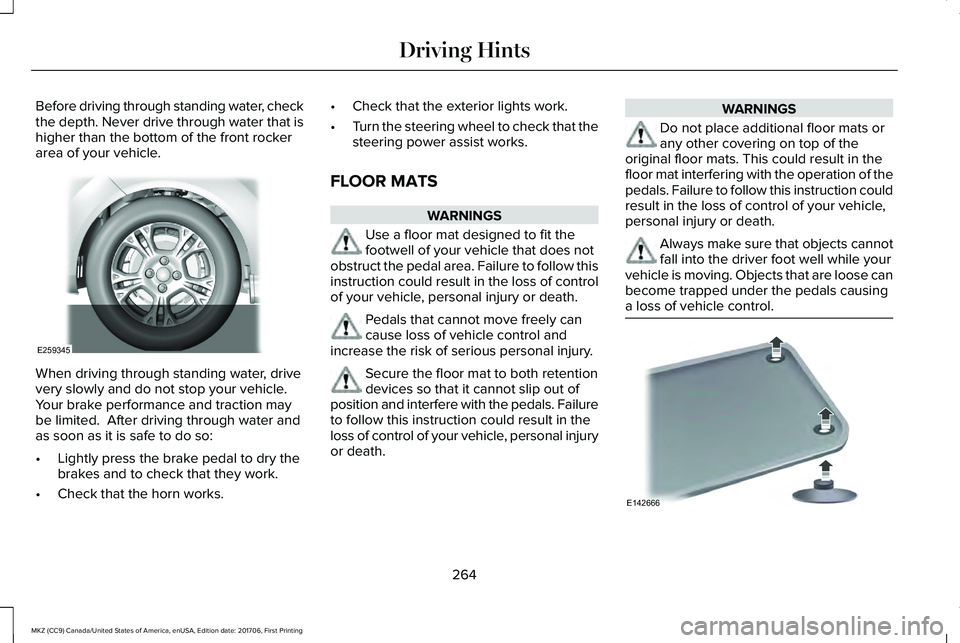
Before driving through standing water, checkthe depth. Never drive through water that ishigher than the bottom of the front rockerarea of your vehicle.
When driving through standing water, drivevery slowly and do not stop your vehicle. Your brake performance and traction maybe limited. After driving through water andas soon as it is safe to do so:
•Lightly press the brake pedal to dry thebrakes and to check that they work.
•Check that the horn works.
•Check that the exterior lights work.
•Turn the steering wheel to check that thesteering power assist works.
FLOOR MATS
WARNINGS
Use a floor mat designed to fit thefootwell of your vehicle that does notobstruct the pedal area. Failure to follow thisinstruction could result in the loss of controlof your vehicle, personal injury or death.
Pedals that cannot move freely cancause loss of vehicle control andincrease the risk of serious personal injury.
Secure the floor mat to both retentiondevices so that it cannot slip out ofposition and interfere with the pedals. Failureto follow this instruction could result in theloss of control of your vehicle, personal injuryor death.
WARNINGS
Do not place additional floor mats orany other covering on top of theoriginal floor mats. This could result in thefloor mat interfering with the operation of thepedals. Failure to follow this instruction couldresult in the loss of control of your vehicle,personal injury or death.
Always make sure that objects cannotfall into the driver foot well while yourvehicle is moving. Objects that are loose canbecome trapped under the pedals causinga loss of vehicle control.
264
MKZ (CC9) Canada/United States of America, enUSA, Edition date: 201706, First Printing
Driving HintsE259345 E142666
Page 341 of 595
What to do when a Tire Is Punctured
A tire puncture within the tire's tread areacan be repaired in two stages with the kit:
•In the first stage, the tire will be reinflatedwith a sealing compound and air. Afterthe tire has been inflated, you will needto drive the vehicle about 3.7 mi (6 km)to distribute the sealant in the tire.
•In the second stage, you will need tocheck the tire pressure and adjust, ifnecessary, to the vehicle's specified tireinflation pressure.
First Stage: Reinflating the Tire withSealing Compound and Air
WARNING
Do not stand directly beside the tirewhile the compressor is operating. Thiscould cause personal injury if the tire bursts.
Note:If the tire does not inflate to therecommended tire pressure within 15minutes, stop and call roadside assistance.
WARNINGS
Watch the sidewall of the tire wheninflating. If any cracks, bumps or similardamage appears, switch the compressor offand let the air out by means of the pressurerelief valve. Do not continue driving with thistire. This could cause loss of vehicle control.
Do not run the engine when operatingthe air compressor unless the vehicleis outdoors or in a well-ventilated area.
Preparation: Park the vehicle in a safe, leveland secure area, away from moving traffic.
Turn the hazard lights on. Apply the parkingbrake and turn the engine off. Inspect theflat tire for visible damage.
Sealant compound contains latex. Useappropriate precautions to avoid any allergicreactions.
Do not remove any foreign object that haspierced the tire. If a puncture is located inthe tire sidewall, stop and call roadsideassistance.
1.Remove the valve cap from the tire valve.
2. Unwrap the dual purpose hose (blacktube) from the back of the compressorhousing.
3. Fasten the hose to the tire valve byturning the connector clockwise. Tightenthe connection securely.
338
MKZ (CC9) Canada/United States of America, enUSA, Edition date: 201706, First Printing
Wheels and Tires
Page 594 of 595
Switching Cruise Control On...........................222
Using MyKey With Remote StartSystems..........................................................66Using Snow Chains......................................358Using Stability Control................................204Using Summer Tires....................................357Using Traction Control.................................201Switching the System Off..................................201System Indicator Lights and Messages.........201Using a Switch.....................................................201Using the Information Display Controls........201
Using Voice Recognition.............................416Audio Voice Commands....................................418Climate Voice Commands.................................419Mobile App Voice Commands........................424Navigation Voice Commands..........................422Phone Voice Commands...................................419SiriusXM Traffic and Travel Link VoiceCommands......................................................424Voice Settings Commands..............................425
Utilizing the Mediation/Arbitration Program(Canada Only).............................................277
V
Vehicle Care..................................................326General Information...........................................326
Vehicle Certification Label.........................378
Vehicle Identification Number...................378Vehicle Storage.............................................333Battery...................................................................334Body.......................................................................333Brakes....................................................................334Cooling system...................................................334Engine....................................................................334Fuel system..........................................................334General..................................................................333Miscellaneous......................................................334Removing Vehicle From Storage....................334Tires.......................................................................334
VentilationSee: Climate Control...........................................137
VINSee: Vehicle Identification Number...............378
Voice Control...................................................83
W
Warning Lamps and Indicators..................106Adaptive Cruise Control Indicator..................106Anti-Lock Brake System Warning Lamp........106Auto Hold Active.................................................106Auto Hold Unavailable.......................................106Automatic Headlamp High BeamIndicator.............................................................107Battery....................................................................107
Blind Spot Monitor..............................................107Brake System Warning Lamp...........................107Cruise Control Indicator.....................................107Direction Indicator...............................................107Door Ajar................................................................107Electric Park Brake..............................................107Engine Coolant Temperature WarningLamp..................................................................108Engine Oil..............................................................108Fasten Seatbelt Warning Lamp.......................108Front Airbag..........................................................108Headlamp High Beam Indicator......................108Heads Up Display...............................................108Hood Ajar..............................................................108Lane Keeping Aid Warning Lamp...................108Low Fuel Level Warning Lamp.........................108Low Tire Pressure Warning Lamp...................108Low Washer Fluid Level Warning Lamp........109Parking Lamps.....................................................109Powertrain Fault..................................................109Service Engine Soon..........................................109Stability Control...................................................109Stability Control Off............................................109Trunk Ajar..............................................................109
Washer Fluid Check......................................319WashersSee: Cleaning the Exterior...............................327See: Wipers and Washers..................................85
591
MKZ (CC9) Canada/United States of America, enUSA, Edition date: 201706, First Printing
Index