brakes LINCOLN MKZ 2018 Owner's Guide
[x] Cancel search | Manufacturer: LINCOLN, Model Year: 2018, Model line: MKZ, Model: LINCOLN MKZ 2018Pages: 595, PDF Size: 5.06 MB
Page 249 of 595
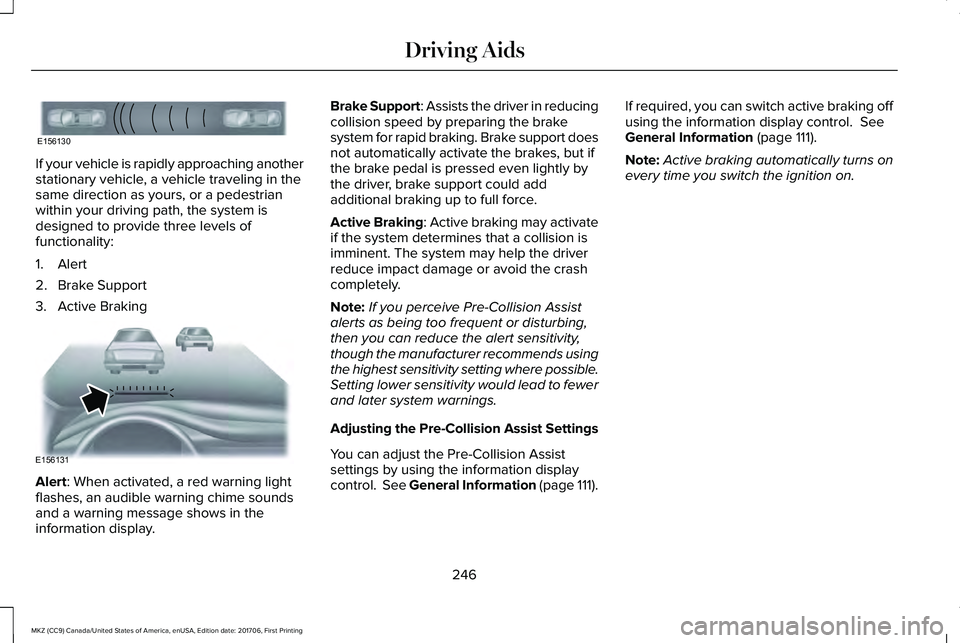
If your vehicle is rapidly approaching anotherstationary vehicle, a vehicle traveling in thesame direction as yours, or a pedestrianwithin your driving path, the system isdesigned to provide three levels offunctionality:
1. Alert
2. Brake Support
3. Active Braking
Alert: When activated, a red warning lightflashes, an audible warning chime soundsand a warning message shows in theinformation display.
Brake Support: Assists the driver in reducingcollision speed by preparing the brakesystem for rapid braking. Brake support doesnot automatically activate the brakes, but ifthe brake pedal is pressed even lightly bythe driver, brake support could addadditional braking up to full force.
Active Braking: Active braking may activateif the system determines that a collision isimminent. The system may help the driverreduce impact damage or avoid the crashcompletely.
Note:If you perceive Pre-Collision Assistalerts as being too frequent or disturbing,then you can reduce the alert sensitivity,though the manufacturer recommends usingthe highest sensitivity setting where possible.Setting lower sensitivity would lead to fewerand later system warnings.
Adjusting the Pre-Collision Assist Settings
You can adjust the Pre-Collision Assistsettings by using the information displaycontrol. See General Information (page 111).
If required, you can switch active braking offusing the information display control. SeeGeneral Information (page 111).
Note:Active braking automatically turns onevery time you switch the ignition on.
246
MKZ (CC9) Canada/United States of America, enUSA, Edition date: 201706, First Printing
Driving AidsE156130 E156131
Page 256 of 595
GAWR (Gross Axle Weight Rating)
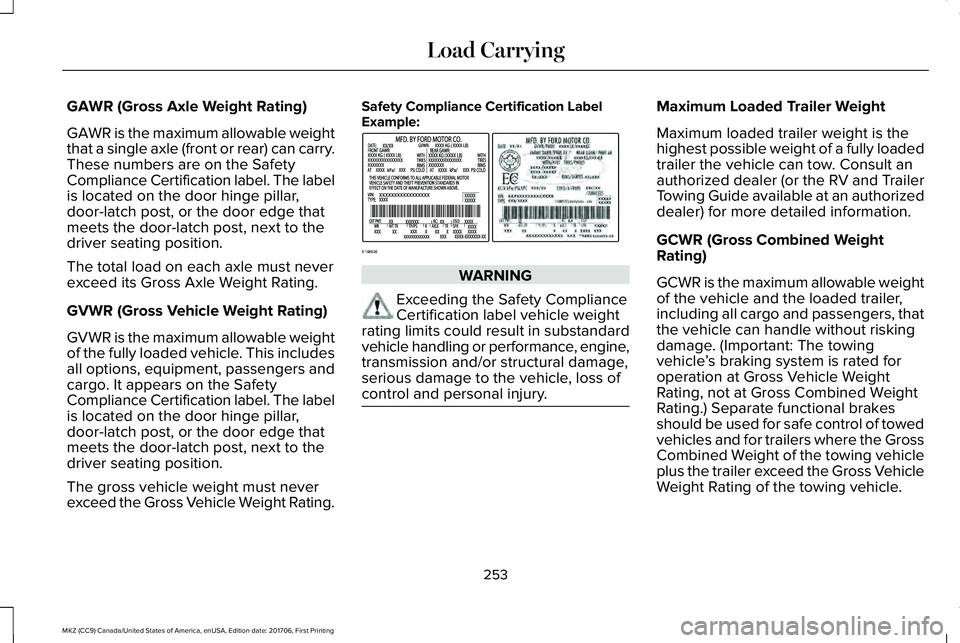
GAWR is the maximum allowable weightthat a single axle (front or rear) can carry.These numbers are on the SafetyCompliance Certification label. The labelis located on the door hinge pillar,door-latch post, or the door edge thatmeets the door-latch post, next to thedriver seating position.
The total load on each axle must neverexceed its Gross Axle Weight Rating.
GVWR (Gross Vehicle Weight Rating)
GVWR is the maximum allowable weightof the fully loaded vehicle. This includesall options, equipment, passengers andcargo. It appears on the SafetyCompliance Certification label. The labelis located on the door hinge pillar,door-latch post, or the door edge thatmeets the door-latch post, next to thedriver seating position.
The gross vehicle weight must neverexceed the Gross Vehicle Weight Rating.
Safety Compliance Certification LabelExample:
WARNING
Exceeding the Safety ComplianceCertification label vehicle weightrating limits could result in substandardvehicle handling or performance, engine,transmission and/or structural damage,serious damage to the vehicle, loss ofcontrol and personal injury.
Maximum Loaded Trailer Weight
Maximum loaded trailer weight is thehighest possible weight of a fully loadedtrailer the vehicle can tow. Consult anauthorized dealer (or the RV and TrailerTowing Guide available at an authorizeddealer) for more detailed information.
GCWR (Gross Combined WeightRating)
GCWR is the maximum allowable weightof the vehicle and the loaded trailer,including all cargo and passengers, thatthe vehicle can handle without riskingdamage. (Important: The towingvehicle’s braking system is rated foroperation at Gross Vehicle WeightRating, not at Gross Combined WeightRating.) Separate functional brakesshould be used for safe control of towedvehicles and for trailers where the GrossCombined Weight of the towing vehicleplus the trailer exceed the Gross VehicleWeight Rating of the towing vehicle.
253
MKZ (CC9) Canada/United States of America, enUSA, Edition date: 201706, First Printing
Load CarryingE198828
Page 259 of 595
TOWING A TRAILER
WARNINGS
Do not exceed the GVWR or theGAWR specified on the certificationlabel.
Towing trailers beyond themaximum recommended grosstrailer weight exceeds the limit of yourvehicle and could result in enginedamage, transmission damage,structural damage, loss of vehiclecontrol, vehicle rollover and personalinjury.
Note:There may be electrical itemssuch as fuses or relays that can affect
trailer towing operation. See Fuses(page 282).
The load capacity of your vehicle isdesignated by weight not volume. Youmay not necessarily be able to use allavailable space when loading yourvehicle or trailer.
Towing a trailer places extra load on theengine, transmission, axle, brakes, tires,and suspension. Inspect thesecomponents before, during and aftertowing.
Load Placement
To help minimize how trailer movementaffects the vehicle when driving:
•Load the heaviest items closest tothe trailer floor.
•Load the heaviest items in the centerof the left and right side trailer tires.
•Load the heaviest items above thetrailer axles or just slightly forwardtoward the trailer tongue. Do notallow the final trailer tongue weightto go above or below 10-15% of theloaded trailer weight.
•Select a ball mount with the correctrise or drop. When both the loadedvehicle and trailer are connected, thetrailer frame should be level, orslightly angled down toward thevehicle, when viewed from the side.
When driving with a trailer or payload, aslight takeoff vibration or shudder maybe present due to the increased payloadweight. Additional information regardingproper trailer loading and setting yourvehicle up for towing is located in theLoad Carrying chapter. See Load Limit(page 251).
You can also find information in the RV& Trailer Towing Guide available at yourauthorized dealer, or online.
256
MKZ (CC9) Canada/United States of America, enUSA, Edition date: 201706, First Printing
Towing
Page 260 of 595
RV & Trailer Towing Guide Online
http://www.fleet.ford.com/towing-guides/Website
RECOMMENDED TOWING
WEIGHTS
Note:Do not exceed the trailer weightfor your vehicle configuration listed inthe chart below.
Note:Be sure to take into considerationtrailer frontal area. Do not exceed 12feet2 (1.11 meters2).
Note:For high altitude operation,reduce the gross combined weight by2% per 1000 feet (300 meters) startingat the 1000 foot (300 meter) elevationpoint.
Note:Certain states require electrictrailer brakes for trailers over a specifiedweight. Be sure to check stateregulations for this specified weight. Themaximum trailer weights listed may belimited to this specified weight, as thevehicle’s electrical system may notinclude the wiring connector needed to
activate electric trailer brakes.
Your vehicle may tow a trailer providedthe maximum trailer weight is less thanor equal to the maximum trailer weightlisted for your vehicle configuration onthe following chart.
257
MKZ (CC9) Canada/United States of America, enUSA, Edition date: 201706, First Printing
Towing
Page 262 of 595
ESSENTIAL TOWING CHECKS
Follow these guidelines for safe towing:
•Do not tow a trailer until you drive yourvehicle at least 1,000 mi (1,600 km).
•Consult your local motor vehicle laws fortowing a trailer.
•See the instructions included with towingaccessories for the proper installationand adjustment specifications.
•Service your vehicle more frequently ifyou tow a trailer. See your scheduledmaintenance information.
•If you use a rental trailer, follow theinstructions the rental agency gives you.
You can find information on loadspecification terms found on the tire labeland Safety Compliance label as well asinstructions on calculating your vehicle's loadin the Load Carrying chapter. See Load Limit(page 251).
Remember to account for the trailer tongueweight as part of your vehicle load whencalculating the total vehicle weight.
Hitches
Do not use a hitch that either clamps ontothe bumper or attaches to the axle.
Distribute the trailer load so 10-15% of thetotal trailer weight is on the tongue.
Safety Chains
Note:Never attach safety chains to thebumper.
Always connect the safety chains to the hookretainers of your vehicle hitch.
To connect the safety chains, cross themunder the trailer tongue and allow enoughslack for turning tight corners. Do not allowthe chains to drag on the ground.
Trailer Brakes
WARNING
Do not connect a trailer's hydraulicbrake system directly to your vehicle'sbrake system. Your vehicle may not haveenough braking power and your chances ofhaving a collision greatly increase.
Electric brakes and manual, automatic orsurge-type trailer brakes are safe if you installthem properly and adjust them to themanufacturer's specifications. The trailerbrakes must meet local and federalregulations.
The rating for the tow vehicle's brakingsystem operation is at the gross vehicleweight rating, not the gross combinedweight rating.
Separate functioning brake systems arerequired for safe control of towed vehiclesand trailers weighing more than 1500pounds (680 kilograms) when load.
Trailer Lamps
WARNING
Never connect any trailer lamp wiringto the vehicle's tail lamp wiring; thismay damage the electrical system resultingin fire. Contact your authorized dealer assoon as possible for assistance in propertrailer tow wiring installation. Additionalelectrical equipment may be required.
259
MKZ (CC9) Canada/United States of America, enUSA, Edition date: 201706, First Printing
Towing
Page 263 of 595
Trailer lamps are required on most towedvehicles. Make sure all running lights, brakelights, turn signals and hazard lights areworking.
Before Towing a Trailer
Practice turning, stopping and backing up toget the feel of your vehicle-trailercombination before starting on a trip. Whenturning, make wider turns so the trailerwheels clear curbs and other obstacles.
When Towing a Trailer
•Do not drive faster than 70 mph(113 km/h) during the first 500 mi(800 km).
•Do not make full-throttle starts.
•Check your hitch, electrical connectionsand trailer wheel lug nuts thoroughly afteryou have traveled 50 miles (80kilometers).
•When stopped in congested or heavytraffic during hot weather, place thegearshift in position P to aid engine andtransmission cooling and to help A/Cperformance.
•Turn off the speed control with heavyloads or in hilly terrain. The speed controlmay turn off automatically when you aretowing on long, steep grades.
•Shift to a lower gear when driving downa long or steep hill. Do not apply thebrakes continuously, as they mayoverheat and become less effective.
•If your transmission is equipped with aGrade Assist or Tow/Haul feature, usethis feature when towing. This providesengine braking and helps eliminateexcessive transmission shifting foroptimum fuel economy and transmissioncooling.
•Allow more distance for stopping with atrailer attached. Anticipate stops andbrake gradually.
•Avoid parking on a grade. However, ifyou must park on a grade:
1. Turn the steering wheel to point yourvehicle tires away from traffic flow.
2. Set your vehicle parking brake.
3. Place the automatic transmission inposition P.
4. Place wheel chocks in front and back ofthe trailer wheels. (Chocks not includedwith vehicle.)
Launching or Retrieving a Boat orPersonal Watercraft (PWC)
Note:Disconnect the wiring to the trailerbefore backing the trailer into the water.
Note:Reconnect the wiring to the trailerafter removing the trailer from the water.
When backing down a ramp during boatlaunching or retrieval:
•Do not allow the static water level to riseabove the bottom edge of the rearbumper.
•Do not allow waves to break higher than6 in (15 cm) above the bottom edge ofthe rear bumper.
Exceeding these limits may allow water toenter vehicle components:
•Causing internal damage to thecomponents.
•Affecting driveability, emissions, andreliability.
260
MKZ (CC9) Canada/United States of America, enUSA, Edition date: 201706, First Printing
Towing
Page 267 of 595
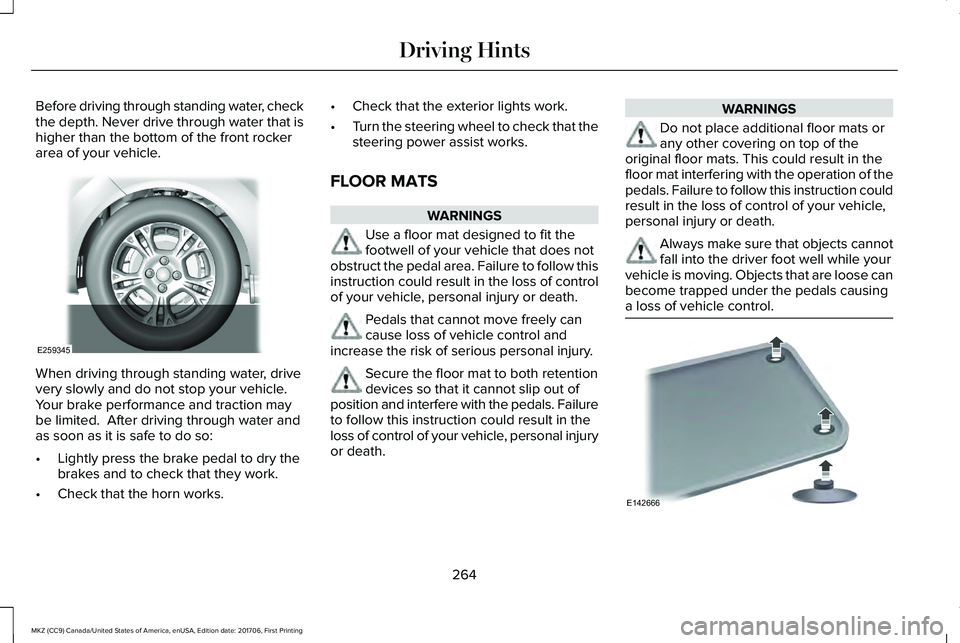
Before driving through standing water, checkthe depth. Never drive through water that ishigher than the bottom of the front rockerarea of your vehicle.
When driving through standing water, drivevery slowly and do not stop your vehicle. Your brake performance and traction maybe limited. After driving through water andas soon as it is safe to do so:
•Lightly press the brake pedal to dry thebrakes and to check that they work.
•Check that the horn works.
•Check that the exterior lights work.
•Turn the steering wheel to check that thesteering power assist works.
FLOOR MATS
WARNINGS
Use a floor mat designed to fit thefootwell of your vehicle that does notobstruct the pedal area. Failure to follow thisinstruction could result in the loss of controlof your vehicle, personal injury or death.
Pedals that cannot move freely cancause loss of vehicle control andincrease the risk of serious personal injury.
Secure the floor mat to both retentiondevices so that it cannot slip out ofposition and interfere with the pedals. Failureto follow this instruction could result in theloss of control of your vehicle, personal injuryor death.
WARNINGS
Do not place additional floor mats orany other covering on top of theoriginal floor mats. This could result in thefloor mat interfering with the operation of thepedals. Failure to follow this instruction couldresult in the loss of control of your vehicle,personal injury or death.
Always make sure that objects cannotfall into the driver foot well while yourvehicle is moving. Objects that are loose canbecome trapped under the pedals causinga loss of vehicle control.
264
MKZ (CC9) Canada/United States of America, enUSA, Edition date: 201706, First Printing
Driving HintsE259345 E142666
Page 337 of 595
Engine
•Change the engine oil and filter prior tostorage because used engine oil containscontaminates which may cause enginedamage.
•Start the engine every 15 days for aminimum of 15 minutes. Run at fast idlewith the climate controls set to defrostuntil the engine reaches normaloperating temperature.
•With your foot on the brake, shift throughall the gears while the engine is running.
•We recommend that you change theengine oil before you use your vehicleagain.
Fuel system
•Fill the fuel tank with high-quality fueluntil the first automatic shutoff of the fuelpump nozzle.
Cooling system
•Protect against freezing temperatures.
•When removing your vehicle fromstorage, check coolant fluid level.Confirm that there are no cooling systemleaks and that fluid is at therecommended level.
Battery
•Check and recharge as necessary. Keepconnections clean.
•If storing your vehicle for more than 30days without recharging the battery, werecommend that you disconnect thebattery cables to maintain battery chargefor quick starting.
Note:It is necessary to reset memoryfeatures if battery cables are disconnected.
Brakes
•Make sure the brakes and parking brakerelease fully.
Tires
•Maintain recommended air pressure.
Miscellaneous
•Make sure all linkages, cables, levers andpins under your vehicle are covered withgrease to prevent rust.
•Move vehicles at least 25 ft (7.5 m) every15 days to lubricate working parts andprevent corrosion.
Removing Vehicle From Storage
When your vehicle is ready to come out ofstorage, do the following:
•Wash your vehicle to remove any dirt orgrease film build-up on window surfaces.
•Check windshield wipers for anydeterioration.
•Check under the hood for any foreignmaterial that may have collected duringstorage such as mice or squirrel nests.
•Check the exhaust for any foreignmaterial that may have collected duringstorage.
•Check tire pressures and set tire inflationper the Tire Label.
334
MKZ (CC9) Canada/United States of America, enUSA, Edition date: 201706, First Printing
Vehicle Care
Page 584 of 595
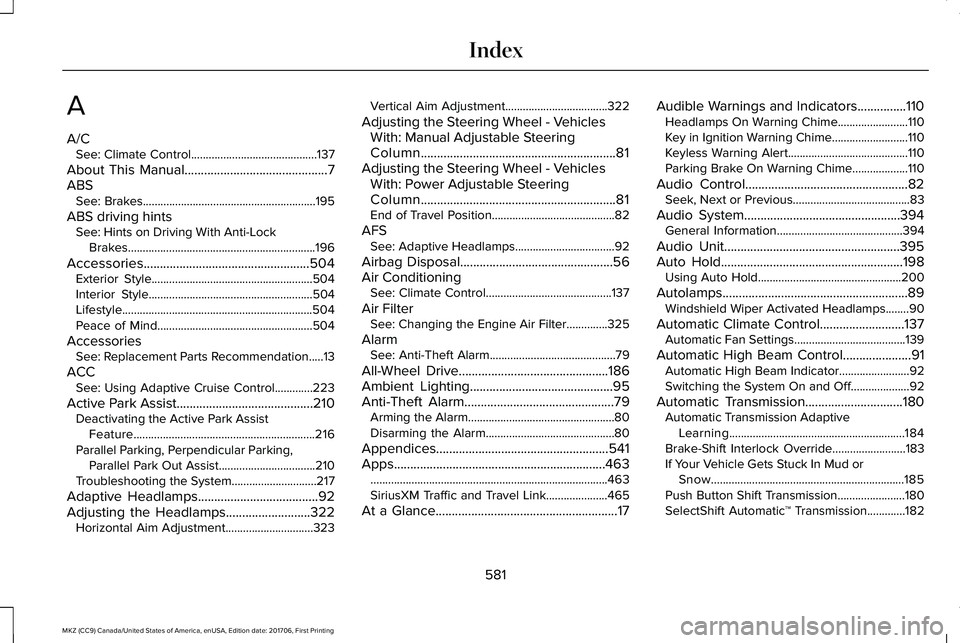
A
A/CSee: Climate Control...........................................137
About This Manual............................................7ABSSee: Brakes...........................................................195
ABS driving hintsSee: Hints on Driving With Anti-LockBrakes................................................................196
Accessories...................................................504Exterior Style.......................................................504Interior Style........................................................504Lifestyle.................................................................504Peace of Mind.....................................................504
AccessoriesSee: Replacement Parts Recommendation.....13
ACCSee: Using Adaptive Cruise Control.............223
Active Park Assist..........................................210Deactivating the Active Park AssistFeature..............................................................216Parallel Parking, Perpendicular Parking,Parallel Park Out Assist.................................210Troubleshooting the System.............................217
Adaptive Headlamps.....................................92Adjusting the Headlamps..........................322Horizontal Aim Adjustment..............................323
Vertical Aim Adjustment...................................322
Adjusting the Steering Wheel - VehiclesWith: Manual Adjustable SteeringColumn............................................................81Adjusting the Steering Wheel - VehiclesWith: Power Adjustable SteeringColumn............................................................81End of Travel Position..........................................82
AFSSee: Adaptive Headlamps..................................92
Airbag Disposal...............................................56Air ConditioningSee: Climate Control...........................................137
Air FilterSee: Changing the Engine Air Filter..............325
AlarmSee: Anti-Theft Alarm...........................................79
All-Wheel Drive..............................................186Ambient Lighting............................................95Anti-Theft Alarm..............................................79Arming the Alarm..................................................80Disarming the Alarm............................................80
Appendices.....................................................541Apps.................................................................463.................................................................................463SiriusXM Traffic and Travel Link.....................465
At a Glance........................................................17
Audible Warnings and Indicators...............110Headlamps On Warning Chime........................110Key in Ignition Warning Chime..........................110Keyless Warning Alert.........................................110Parking Brake On Warning Chime...................110
Audio Control..................................................82Seek, Next or Previous........................................83
Audio System................................................394General Information...........................................394
Audio Unit......................................................395Auto Hold........................................................198Using Auto Hold.................................................200
Autolamps.........................................................89Windshield Wiper Activated Headlamps........90
Automatic Climate Control..........................137Automatic Fan Settings......................................139
Automatic High Beam Control.....................91Automatic High Beam Indicator........................92Switching the System On and Off....................92
Automatic Transmission..............................180Automatic Transmission AdaptiveLearning............................................................184Brake-Shift Interlock Override.........................183If Your Vehicle Gets Stuck In Mud orSnow..................................................................185Push Button Shift Transmission.......................180SelectShift Automatic™ Transmission.............182
581
MKZ (CC9) Canada/United States of America, enUSA, Edition date: 201706, First Printing
Index
Page 585 of 595
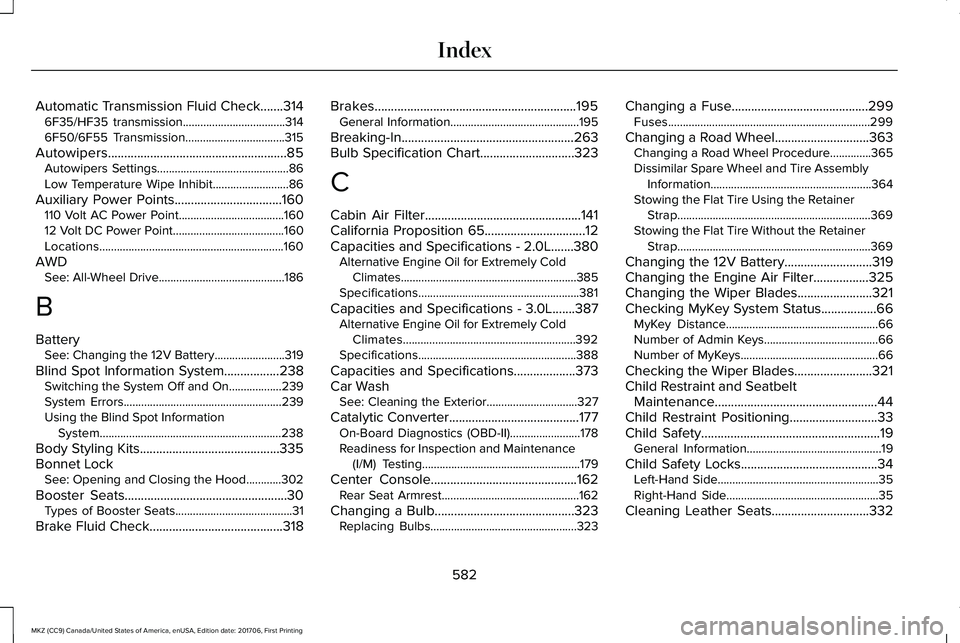
Automatic Transmission Fluid Check.......3146F35/HF35 transmission...................................3146F50/6F55 Transmission..................................315
Autowipers.......................................................85Autowipers Settings.............................................86Low Temperature Wipe Inhibit..........................86
Auxiliary Power Points.................................160110 Volt AC Power Point....................................16012 Volt DC Power Point......................................160Locations...............................................................160
AWDSee: All-Wheel Drive...........................................186
B
BatterySee: Changing the 12V Battery........................319
Blind Spot Information System.................238Switching the System Off and On..................239System Errors......................................................239Using the Blind Spot InformationSystem..............................................................238
Body Styling Kits...........................................335Bonnet LockSee: Opening and Closing the Hood............302
Booster Seats..................................................30Types of Booster Seats........................................31
Brake Fluid Check.........................................318
Brakes..............................................................195General Information............................................195
Breaking-In.....................................................263Bulb Specification Chart.............................323
C
Cabin Air Filter................................................141California Proposition 65...............................12Capacities and Specifications - 2.0L.......380Alternative Engine Oil for Extremely ColdClimates............................................................385Specifications.......................................................381
Capacities and Specifications - 3.0L.......387Alternative Engine Oil for Extremely ColdClimates...........................................................392Specifications......................................................388
Capacities and Specifications...................373Car WashSee: Cleaning the Exterior...............................327
Catalytic Converter........................................177On-Board Diagnostics (OBD-II)........................178Readiness for Inspection and Maintenance(I/M) Testing......................................................179
Center Console.............................................162Rear Seat Armrest...............................................162
Changing a Bulb...........................................323Replacing Bulbs..................................................323
Changing a Fuse..........................................299Fuses.....................................................................299
Changing a Road Wheel.............................363Changing a Road Wheel Procedure..............365Dissimilar Spare Wheel and Tire AssemblyInformation.......................................................364Stowing the Flat Tire Using the RetainerStrap..................................................................369Stowing the Flat Tire Without the RetainerStrap..................................................................369
Changing the 12V Battery...........................319Changing the Engine Air Filter.................325Changing the Wiper Blades.......................321Checking MyKey System Status.................66MyKey Distance....................................................66Number of Admin Keys.......................................66Number of MyKeys...............................................66
Checking the Wiper Blades........................321Child Restraint and SeatbeltMaintenance..................................................44Child Restraint Positioning...........................33Child Safety.......................................................19General Information..............................................19
Child Safety Locks..........................................34Left-Hand Side.......................................................35Right-Hand Side....................................................35
Cleaning Leather Seats..............................332
582
MKZ (CC9) Canada/United States of America, enUSA, Edition date: 201706, First Printing
Index