ignition LINCOLN MKZ 2019 User Guide
[x] Cancel search | Manufacturer: LINCOLN, Model Year: 2019, Model line: MKZ, Model: LINCOLN MKZ 2019Pages: 595, PDF Size: 4.95 MB
Page 72 of 595
With your intelligent access key within 3 ft(1 m) of your vehicle, touch the outer doorhandle lock sensor for approximately onesecond to lock, being careful to not touchthe unlock sensor on the back of the doorhandle at the same time. After locking, youcan immediately pull on the door handle toconfirm locking occurred withoutinadvertently unlocking.
Locking and Unlocking the Doors withthe Key Blade
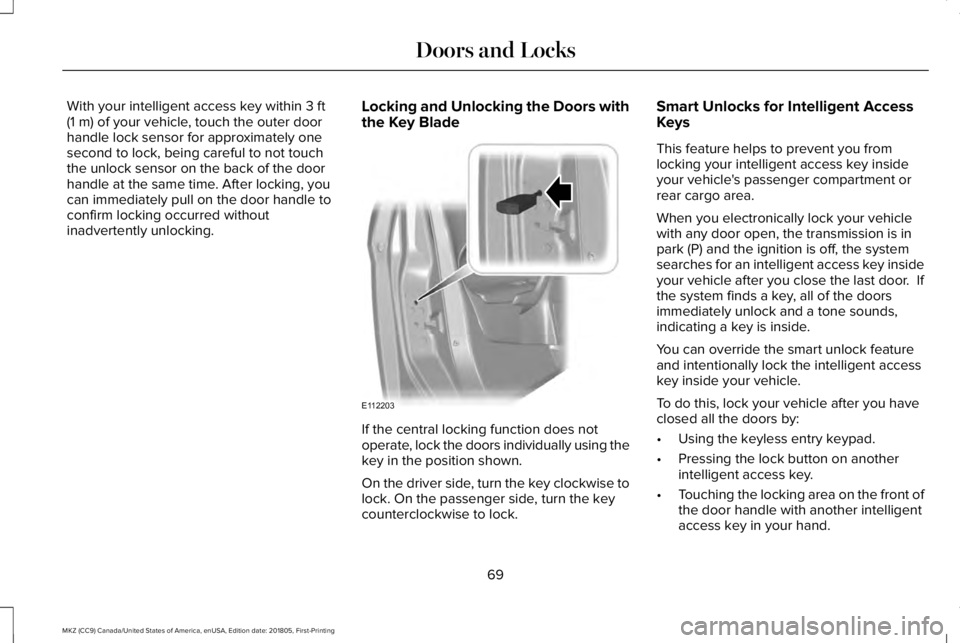
If the central locking function does notoperate, lock the doors individually using thekey in the position shown.
On the driver side, turn the key clockwise tolock. On the passenger side, turn the keycounterclockwise to lock.
Smart Unlocks for Intelligent AccessKeys
This feature helps to prevent you fromlocking your intelligent access key insideyour vehicle's passenger compartment orrear cargo area.
When you electronically lock your vehiclewith any door open, the transmission is inpark (P) and the ignition is off, the systemsearches for an intelligent access key insideyour vehicle after you close the last door. Ifthe system finds a key, all of the doorsimmediately unlock and a tone sounds,indicating a key is inside.
You can override the smart unlock featureand intentionally lock the intelligent accesskey inside your vehicle.
To do this, lock your vehicle after you haveclosed all the doors by:
•Using the keyless entry keypad.
•Pressing the lock button on anotherintelligent access key.
•Touching the locking area on the front ofthe door handle with another intelligentaccess key in your hand.
69
MKZ (CC9) Canada/United States of America, enUSA, Edition date: 201805, First-Printing
Doors and LocksE112203
Page 73 of 595
When you open one of the front doors andlock your vehicle using the power door lockcontrol, all doors will lock then unlock if:
•The ignition is on.
•The ignition is off and the transmissionis not in park (P).
Autolock (If Equipped)
Autolock locks all the doors when:
•All doors are closed.
•The ignition is on.
•You shift into any gear putting yourvehicle in motion.
•Your vehicle reaches a speed greaterthan 12 mph (20 km/h).
Autolock repeats when:
•You open then close any door while theignition is on and your vehicle speed is9 mph (15 km/h) or lower.
•Your vehicle reaches a speed greaterthan 12 mph (20 km/h).
Autounlock
Autounlock unlocks all the doors when:
•The ignition is on, all the doors areclosed, and your vehicle has beenmoving at a speed greater than 12 mph(20 km/h).
•Your vehicle comes to a stop and youswitch the ignition off or to the accessoryposition.
•You open the driver door within 10minutes of switching the ignition off or toaccessory.
Note:The doors will not autounlock if youelectronically lock your vehicle after youswitch the ignition off and before you openthe driver door.
Enabling or Disabling Autounlock
You can enable or disable the autounlockfeature in the information display or anauthorized dealer can do it for you. SeeGeneral Information (page 110).
Illuminated Entry
The interior lamps and some exterior lampsilluminate when you unlock the doors withthe remote control.
The illuminated entry system turns off thelights if:
•The ignition is on.
•You press the remote control lock button.
•After 25 seconds of illumination.
The lights do not turn off if:
•You turn them on with the lamp control.
•Any door is open.
Illuminated Exit
The interior lamps and some exterior lampsilluminate when all doors are closed and youswitch the ignition off.
The lamps turn off when all the doors remainclosed and:
•25 seconds have elapsed.
•You press the push button ignitionswitch.
70
MKZ (CC9) Canada/United States of America, enUSA, Edition date: 201805, First-Printing
Doors and Locks
Page 74 of 595
Battery Saver
If you leave the courtesy lamps, interiorlamps or headlamps on, the battery savershuts them off 10 minutes after you switchthe ignition off.
Accessory Mode Battery Saver forIntelligent Access Keys
If you leave the ignition switched on, it shutsoff when it detects a certain amount ofbattery drain, or after 45 minutes.
Luggage Compartment
From Inside Your Vehicle
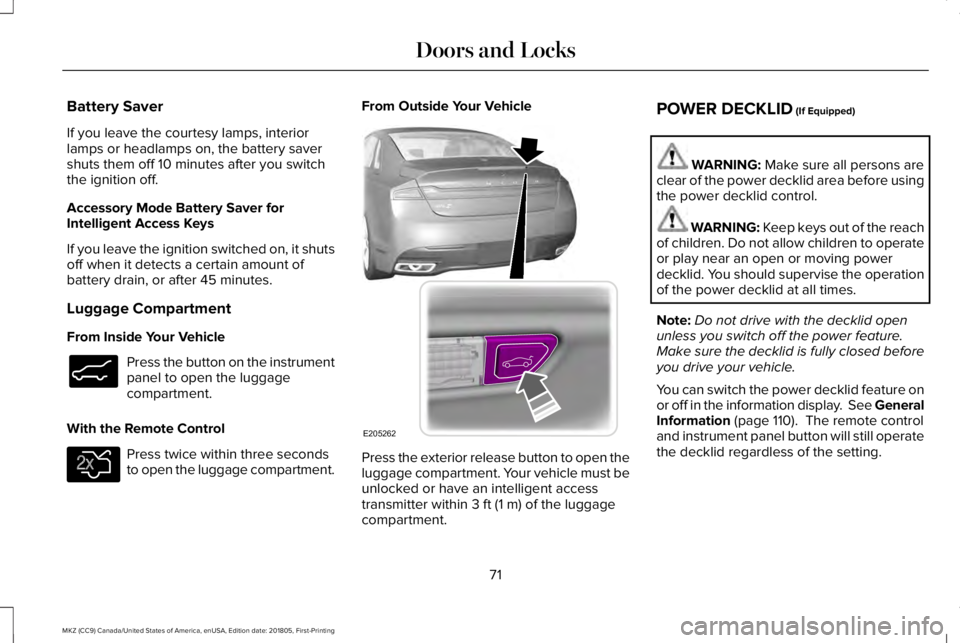
Press the button on the instrumentpanel to open the luggagecompartment.
With the Remote Control
Press twice within three secondsto open the luggage compartment.
From Outside Your Vehicle
Press the exterior release button to open theluggage compartment. Your vehicle must beunlocked or have an intelligent accesstransmitter within 3 ft (1 m) of the luggagecompartment.
POWER DECKLID (If Equipped)
WARNING: Make sure all persons areclear of the power decklid area before usingthe power decklid control.
WARNING: Keep keys out of the reachof children. Do not allow children to operateor play near an open or moving powerdecklid. You should supervise the operationof the power decklid at all times.
Note:Do not drive with the decklid openunless you switch off the power feature.Make sure the decklid is fully closed beforeyou drive your vehicle.
You can switch the power decklid feature onor off in the information display. See GeneralInformation (page 110). The remote controland instrument panel button will still operatethe decklid regardless of the setting.
71
MKZ (CC9) Canada/United States of America, enUSA, Edition date: 201805, First-Printing
Doors and LocksE138633 E138630 E205262
Page 77 of 595
You can operate the keypad with thefactory-set 5-digit entry code. The code islocated on the owner’s wallet card in theglove box and is available from an authorizeddealer. You can also create up to five of yourown 5-digit personal entry codes.
Programming a Personal Entry Code
To create your own personal entry code:
1. Enter the factory-set code.
2. Press 1·2 on the keypad within fiveseconds.
3. Enter your personal 5-digit code. Youmust enter each number within fiveseconds of each other.
4.Press 1·2 on the keypad to save personalcode 1.
The doors lock then unlock to confirm thatprogramming was successful.
To program additional personal entry codes,repeat Steps 1-3, then for Step 4:
•Press 3·4 to save personal code 2
•Press 5·6 to save personal code 3
•Press 7·8 to save personal code 4
•Press 9·0 to save personal code 5.
You may also program a personal entry codeusing the touchscreen. See Settings (page461).
Tips:
•Do not set a code that uses five of thesame number.
•Do not use five numbers in sequentialorder.
•The factory-set code works even if youhave set your own personal code.
Erasing a Personal Code
1. Enter the factory-set 5-digit code.
2. Press and release 1·2 on the keypadwithin five seconds.
3. Press and hold 1·2 for two seconds. Youmust do this within five seconds ofcompleting Step 2.
If you complete this successfully, you haveerased all personal codes and only thefactory-set 5-digit code works.
Anti-Scan Feature
The keypad goes into an anti-scan mode ifyou enter the wrong code seven times (35consecutive button presses). This modedisables the keypad for one minute and thekeypad lamp flashes.
The anti-scan feature turns off after:
•One minute of keypad inactivity.
•Pressing the unlock button on the remotecontrol.
•Switching the ignition on.
•Unlocking your vehicle using intelligentaccess.
Unlocking and Locking the Doors
To Unlock the Driver Door
Enter the factory-set 5-digit code or yourpersonal code. You must press each numberwithin five seconds of each other. Theinterior lamps illuminate.
Note:All doors unlock if you enable the alldoor unlocking mode. See Locking andUnlocking (page 67).
74
MKZ (CC9) Canada/United States of America, enUSA, Edition date: 201805, First-Printing
Doors and Locks
Page 80 of 595
PASSIVE ANTI-THEFT SYSTEM
Note: The system is not compatible withnon-Ford aftermarket remote start systems. Use of these systems may result in vehiclestarting problems and a loss of securityprotection.
Note: Metallic objects, electronic devicesor a second coded key on the same keychain may cause vehicle starting problemsif they are too close to the key when startingyour vehicle. Prevent these objects fromtouching the coded key while starting yourvehicle. Switch the ignition off, move allobjects on the key chain away from thecoded key and restart your vehicle if aproblem occurs.
Note: Do not leave a duplicate coded keyin your vehicle. Always take your keys andlock all doors when leaving your vehicle.
SecuriLock
The system helps prevent your vehicle fromstarting unless you use a coded keyprogrammed to your vehicle. Using thewrong key may prevent your vehicle fromstarting. A message may appear in theinformation display.
If you are unable to start your vehicle with acorrectly coded key, it is not operatingproperly. A message may appear in theinformation display.
Automatic Arming
Your vehicle arms immediately afterswitching the ignition off.
Automatic Disarming
Switching the ignition on with a coded keydisarms your vehicle.
Replacement Keys
Note:Your vehicle comes equipped with twointelligent access keys.
The intelligent access key functions as aprogrammed key that operates the driverdoor lock and activates the intelligent accesswith push button start system, as well as aremote control.
If your programmed transmitters are lost orstolen and you do not have an extra codedkey, have your vehicle towed to anauthorized dealer. You need to erase thekey codes from your vehicle and programnew coded keys.
Store an extra programmed key away fromyour vehicle in a safe place to help preventany inconveniences. See your authorizeddealer to purchase additional spare orreplacement keys.
Programming a Spare Intelligent AccessKey
Note: You can program a maximum of fourintelligent access keys to your vehicle.
77
MKZ (CC9) Canada/United States of America, enUSA, Edition date: 201805, First-Printing
Security
Page 81 of 595
You must have two previously programmedintelligent access keys inside your vehicleand the new unprogrammed intelligentaccess keys readily accessible. See anauthorized dealer to have the spare keyprogrammed if two previously programmedkeys are not available.
Make sure that your vehicle is off beforebeginning this procedure. Make sure thatyou close all the doors before beginning andthat they remain closed throughout theprocedure. Perform all steps within 30seconds of starting the sequence. Stop andwait for at least one minute before startingagain if you perform any steps out ofsequence.
Read and understand the entire procedurebefore you begin.
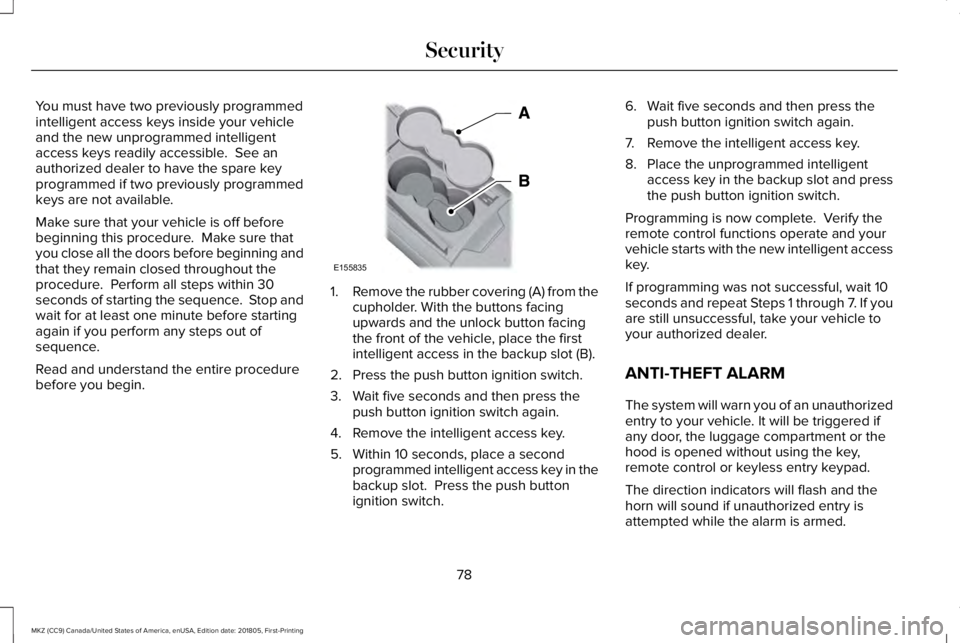
1.Remove the rubber covering (A) from thecupholder. With the buttons facingupwards and the unlock button facingthe front of the vehicle, place the firstintelligent access in the backup slot (B).
2. Press the push button ignition switch.
3. Wait five seconds and then press thepush button ignition switch again.
4. Remove the intelligent access key.
5. Within 10 seconds, place a secondprogrammed intelligent access key in thebackup slot. Press the push buttonignition switch.
6. Wait five seconds and then press thepush button ignition switch again.
7. Remove the intelligent access key.
8. Place the unprogrammed intelligentaccess key in the backup slot and pressthe push button ignition switch.
Programming is now complete. Verify theremote control functions operate and yourvehicle starts with the new intelligent accesskey.
If programming was not successful, wait 10seconds and repeat Steps 1 through 7. If youare still unsuccessful, take your vehicle toyour authorized dealer.
ANTI-THEFT ALARM
The system will warn you of an unauthorizedentry to your vehicle. It will be triggered ifany door, the luggage compartment or thehood is opened without using the key,remote control or keyless entry keypad.
The direction indicators will flash and thehorn will sound if unauthorized entry isattempted while the alarm is armed.
78
MKZ (CC9) Canada/United States of America, enUSA, Edition date: 201805, First-Printing
SecurityE155835
Page 84 of 595
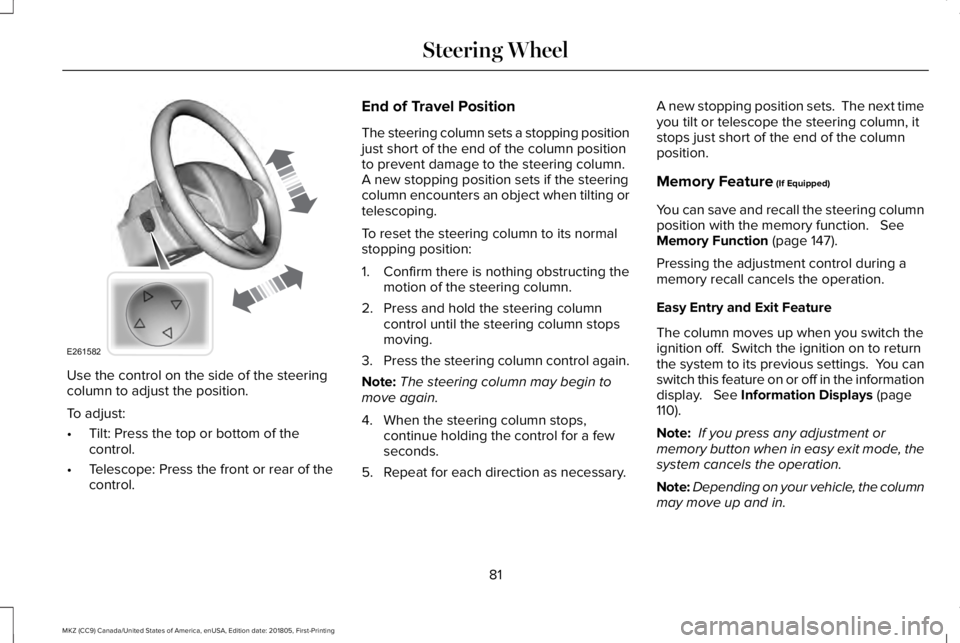
Use the control on the side of the steeringcolumn to adjust the position.
To adjust:
•Tilt: Press the top or bottom of thecontrol.
•Telescope: Press the front or rear of thecontrol.
End of Travel Position
The steering column sets a stopping positionjust short of the end of the column positionto prevent damage to the steering column. A new stopping position sets if the steeringcolumn encounters an object when tilting ortelescoping.
To reset the steering column to its normalstopping position:
1. Confirm there is nothing obstructing themotion of the steering column.
2. Press and hold the steering columncontrol until the steering column stopsmoving.
3.Press the steering column control again.
Note:The steering column may begin tomove again.
4. When the steering column stops,continue holding the control for a fewseconds.
5. Repeat for each direction as necessary.
A new stopping position sets. The next timeyou tilt or telescope the steering column, itstops just short of the end of the columnposition.
Memory Feature (If Equipped)
You can save and recall the steering columnposition with the memory function. SeeMemory Function (page 147).
Pressing the adjustment control during amemory recall cancels the operation.
Easy Entry and Exit Feature
The column moves up when you switch theignition off. Switch the ignition on to returnthe system to its previous settings. You canswitch this feature on or off in the informationdisplay. See Information Displays (page110).
Note: If you press any adjustment ormemory button when in easy exit mode, thesystem cancels the operation.
Note:Depending on your vehicle, the columnmay move up and in.
81
MKZ (CC9) Canada/United States of America, enUSA, Edition date: 201805, First-Printing
Steering WheelE261582
Page 91 of 595
Headlamp High Beam
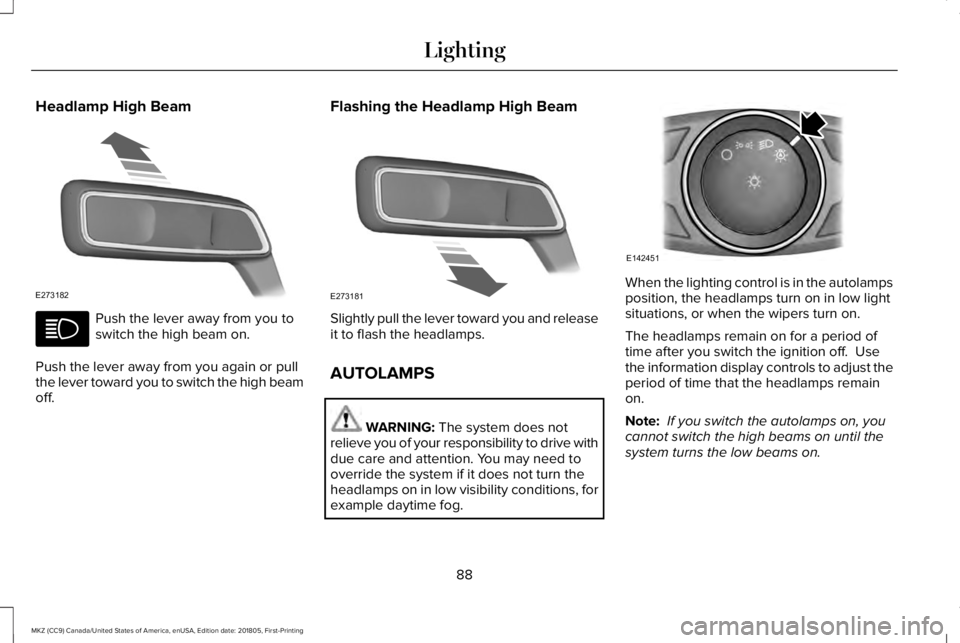
Push the lever away from you toswitch the high beam on.
Push the lever away from you again or pullthe lever toward you to switch the high beamoff.
Flashing the Headlamp High Beam
Slightly pull the lever toward you and releaseit to flash the headlamps.
AUTOLAMPS
WARNING: The system does notrelieve you of your responsibility to drive withdue care and attention. You may need tooverride the system if it does not turn theheadlamps on in low visibility conditions, forexample daytime fog.
When the lighting control is in the autolampsposition, the headlamps turn on in low lightsituations, or when the wipers turn on.
The headlamps remain on for a period oftime after you switch the ignition off. Usethe information display controls to adjust theperiod of time that the headlamps remainon.
Note: If you switch the autolamps on, youcannot switch the high beams on until thesystem turns the low beams on.
88
MKZ (CC9) Canada/United States of America, enUSA, Edition date: 201805, First-Printing
LightingE273182 E273181 E142451
Page 93 of 595
Type One - Conventional (Non-Configurable)
The daytime running lamps turn on when:
1. Switching the ignition on.
2. The transmission is not in park (P) forvehicles with automatic transmissions, orreleasing the parking brake for vehicleswith manual transmissions.
3. The lighting control is in the off, parkinglamp or autolamps positions.
4. The headlamps are off.
Type Two - Configurable
Switch the daytime running lamps on or offusing the information display. SeeInformation Displays (page 110).
The daytime running lamps turn on when:
1. The lamps are on in the informationdisplay.
2. Switching the ignition on.
3. The transmission is not in park (P) forvehicles with automatic transmissions, orreleasing the parking brake for vehicleswith manual transmissions.
4. The lighting control is in the autolampsposition.
5. The headlamps are off.
The other lighting control switch positionsdo not turn on the daytime running lamps.
If the daytime running lamps are off in theinformation display, the lamps stay off in allswitch positions.
AUTOMATIC HIGH BEAM
CONTROL (If Equipped)
WARNING: The system does notrelieve you of your responsibility to drive withdue care and attention. You may need tooverride the system if it does not turn thehigh beams on or off.
The system turns on high beams if it is darkenough and no other traffic is present. If itdetects an approaching vehicle’s headlampsor tail lamps, or street lighting ahead, thesystem turns off high beams before they candistract other road users. Low beams remainon.
Note:The system may not operate properlyif the sensor is blocked. Keep the windshieldfree from obstruction or damage.
Note:The system may not operate properlyin cold or inclement conditions. You canswitch on the high beams by overriding thesystem.
Note:If the system detects a blockage, forexample bird droppings, bug splatter, snowor ice, the system goes into low beam modeuntil you clear the blockage. A message mayappear in the information display if thecamera is blocked.
Note:Using much larger tires or equippingvehicle accessories such as snowplows canmodify your vehicle's ride height anddegrade automatic high beam controlperformance.
90
MKZ (CC9) Canada/United States of America, enUSA, Edition date: 201805, First-Printing
Lighting
Page 99 of 595
Window Lock
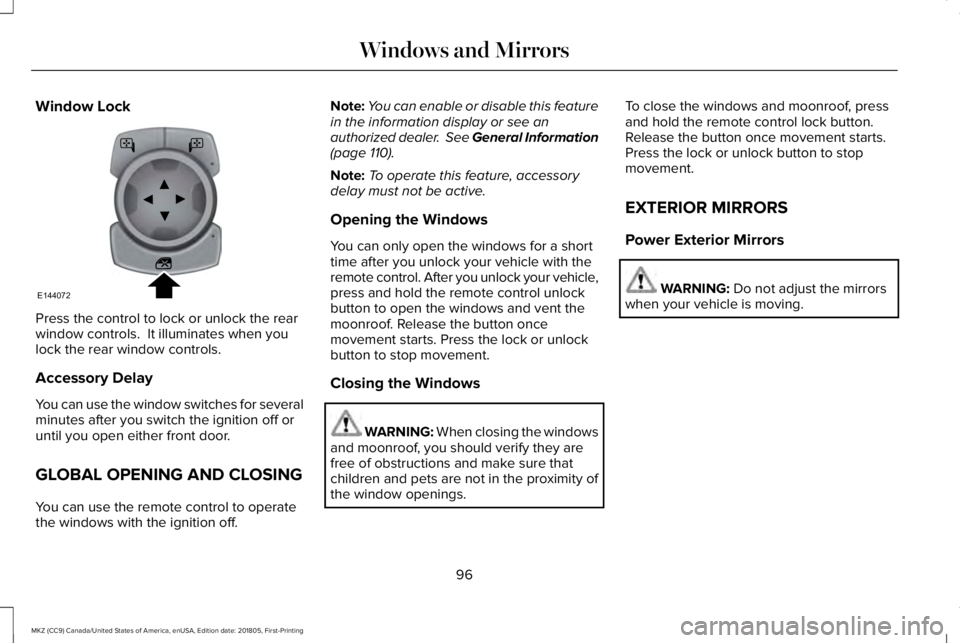
Press the control to lock or unlock the rearwindow controls. It illuminates when youlock the rear window controls.
Accessory Delay
You can use the window switches for severalminutes after you switch the ignition off oruntil you open either front door.
GLOBAL OPENING AND CLOSING
You can use the remote control to operatethe windows with the ignition off.
Note:You can enable or disable this featurein the information display or see anauthorized dealer. See General Information(page 110).
Note:To operate this feature, accessorydelay must not be active.
Opening the Windows
You can only open the windows for a shorttime after you unlock your vehicle with theremote control. After you unlock your vehicle,press and hold the remote control unlockbutton to open the windows and vent themoonroof. Release the button oncemovement starts. Press the lock or unlockbutton to stop movement.
Closing the Windows
WARNING: When closing the windowsand moonroof, you should verify they arefree of obstructions and make sure thatchildren and pets are not in the proximity ofthe window openings.
To close the windows and moonroof, pressand hold the remote control lock button.Release the button once movement starts.Press the lock or unlock button to stopmovement.
EXTERIOR MIRRORS
Power Exterior Mirrors
WARNING: Do not adjust the mirrorswhen your vehicle is moving.
96
MKZ (CC9) Canada/United States of America, enUSA, Edition date: 201805, First-Printing
Windows and MirrorsE144072