light LINCOLN MKZ 2019 Owner's Manual
[x] Cancel search | Manufacturer: LINCOLN, Model Year: 2019, Model line: MKZ, Model: LINCOLN MKZ 2019Pages: 595, PDF Size: 4.95 MB
Page 93 of 595
Type One - Conventional (Non-Configurable)
The daytime running lamps turn on when:
1. Switching the ignition on.
2. The transmission is not in park (P) forvehicles with automatic transmissions, orreleasing the parking brake for vehicleswith manual transmissions.
3. The lighting control is in the off, parkinglamp or autolamps positions.
4. The headlamps are off.
Type Two - Configurable
Switch the daytime running lamps on or offusing the information display. SeeInformation Displays (page 110).
The daytime running lamps turn on when:
1. The lamps are on in the informationdisplay.
2. Switching the ignition on.
3. The transmission is not in park (P) forvehicles with automatic transmissions, orreleasing the parking brake for vehicleswith manual transmissions.
4. The lighting control is in the autolampsposition.
5. The headlamps are off.
The other lighting control switch positionsdo not turn on the daytime running lamps.
If the daytime running lamps are off in theinformation display, the lamps stay off in allswitch positions.
AUTOMATIC HIGH BEAM
CONTROL (If Equipped)
WARNING: The system does notrelieve you of your responsibility to drive withdue care and attention. You may need tooverride the system if it does not turn thehigh beams on or off.
The system turns on high beams if it is darkenough and no other traffic is present. If itdetects an approaching vehicle’s headlampsor tail lamps, or street lighting ahead, thesystem turns off high beams before they candistract other road users. Low beams remainon.
Note:The system may not operate properlyif the sensor is blocked. Keep the windshieldfree from obstruction or damage.
Note:The system may not operate properlyin cold or inclement conditions. You canswitch on the high beams by overriding thesystem.
Note:If the system detects a blockage, forexample bird droppings, bug splatter, snowor ice, the system goes into low beam modeuntil you clear the blockage. A message mayappear in the information display if thecamera is blocked.
Note:Using much larger tires or equippingvehicle accessories such as snowplows canmodify your vehicle's ride height anddegrade automatic high beam controlperformance.
90
MKZ (CC9) Canada/United States of America, enUSA, Edition date: 201805, First-Printing
Lighting
Page 94 of 595
A camera sensor, centrally mounted behindthe windshield of your vehicle, continuouslymonitors conditions to turn the high beamson and off.
Once the system is active, the high beamsturn on if:
•The ambient light level is low enough.
•There is no traffic in front of your vehicle.
•The vehicle speed is greater thanapproximately 32 mph (51 km/h).
The system turns the high beams off if:
•The ambient light level is high enoughthat high beams are not required.
•The system detects an approachingvehicle's headlamps or tail lamps.
•The vehicle speed falls belowapproximately 27 mph (44 km/h).
•The system detects severe rain, snow orfog.
•The camera is blocked.
Switching the System On and Off
Switch the system on using the informationdisplay. See Information Displays (page110).
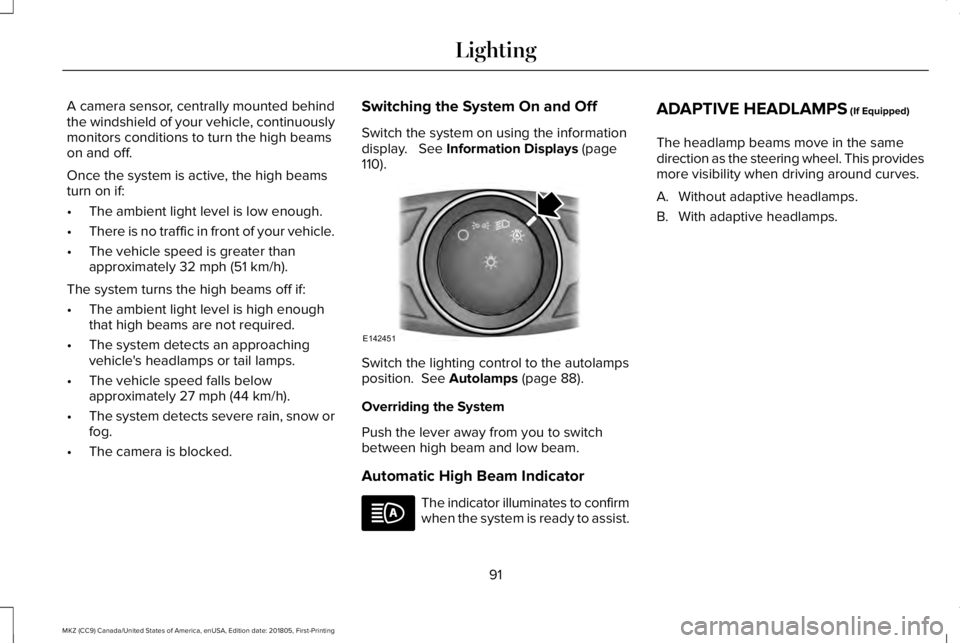
Switch the lighting control to the autolampsposition. See Autolamps (page 88).
Overriding the System
Push the lever away from you to switchbetween high beam and low beam.
Automatic High Beam Indicator
The indicator illuminates to confirmwhen the system is ready to assist.
ADAPTIVE HEADLAMPS (If Equipped)
The headlamp beams move in the samedirection as the steering wheel. This providesmore visibility when driving around curves.
A. Without adaptive headlamps.
B. With adaptive headlamps.
91
MKZ (CC9) Canada/United States of America, enUSA, Edition date: 201805, First-Printing
LightingE142451
Page 95 of 595
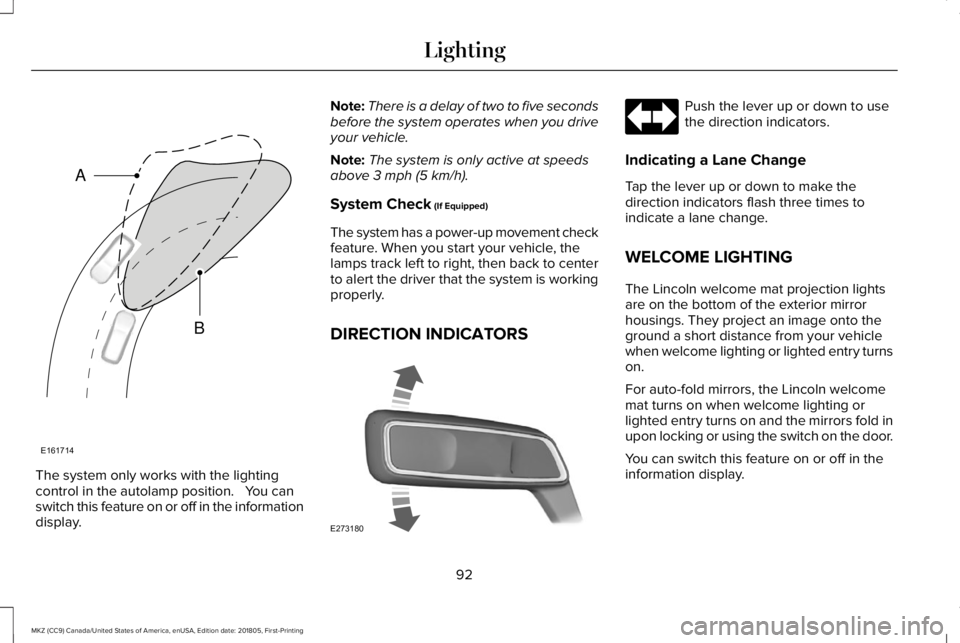
The system only works with the lightingcontrol in the autolamp position. You canswitch this feature on or off in the informationdisplay.
Note:There is a delay of two to five secondsbefore the system operates when you driveyour vehicle.
Note:The system is only active at speedsabove 3 mph (5 km/h).
System Check (If Equipped)
The system has a power-up movement checkfeature. When you start your vehicle, thelamps track left to right, then back to centerto alert the driver that the system is workingproperly.
DIRECTION INDICATORS
Push the lever up or down to usethe direction indicators.
Indicating a Lane Change
Tap the lever up or down to make thedirection indicators flash three times toindicate a lane change.
WELCOME LIGHTING
The Lincoln welcome mat projection lightsare on the bottom of the exterior mirrorhousings. They project an image onto theground a short distance from your vehiclewhen welcome lighting or lighted entry turnson.
For auto-fold mirrors, the Lincoln welcomemat turns on when welcome lighting orlighted entry turns on and the mirrors fold inupon locking or using the switch on the door.
You can switch this feature on or off in theinformation display.
92
MKZ (CC9) Canada/United States of America, enUSA, Edition date: 201805, First-Printing
LightingE161714
B
A E273180
Page 96 of 595
Note:Moisture, frost and ice build-up orother types of contamination on the surfaceof the light lens can cause non-permanentdistortion or reduced brightness of theimage. Do not use abrasive materials toclean the lens.
Note:If you enable auto-fold and then youfold the mirrors in to the door window glass,the welcome mats do not turn on.
INTERIOR LAMPS
The lamps turn on under the followingconditions:
•You open any door.
•You press a remote control button.
•You press the all lamps on button on theoverhead console.
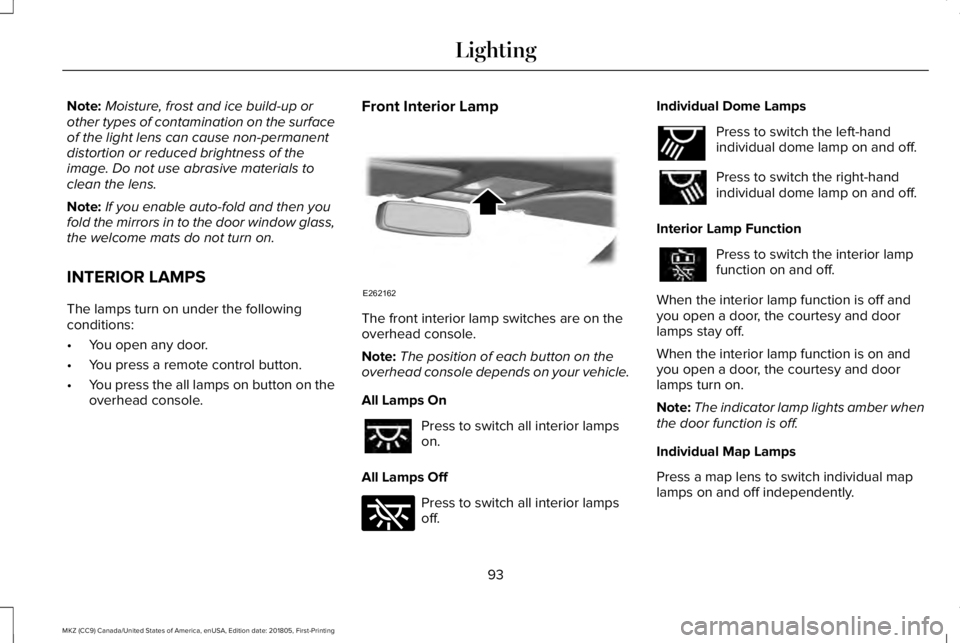
Front Interior Lamp
The front interior lamp switches are on theoverhead console.
Note:The position of each button on theoverhead console depends on your vehicle.
All Lamps On
Press to switch all interior lampson.
All Lamps Off
Press to switch all interior lampsoff.
Individual Dome Lamps
Press to switch the left-handindividual dome lamp on and off.
Press to switch the right-handindividual dome lamp on and off.
Interior Lamp Function
Press to switch the interior lampfunction on and off.
When the interior lamp function is off andyou open a door, the courtesy and doorlamps stay off.
When the interior lamp function is on andyou open a door, the courtesy and doorlamps turn on.
Note:The indicator lamp lights amber whenthe door function is off.
Individual Map Lamps
Press a map lens to switch individual maplamps on and off independently.
93
MKZ (CC9) Canada/United States of America, enUSA, Edition date: 201805, First-Printing
LightingE262162 E262185 E262193
Page 97 of 595
Rear Interior Lamps
The rear interior lamps may be above therear seat or above the rear windows.
Press to switch the lamps on or off.
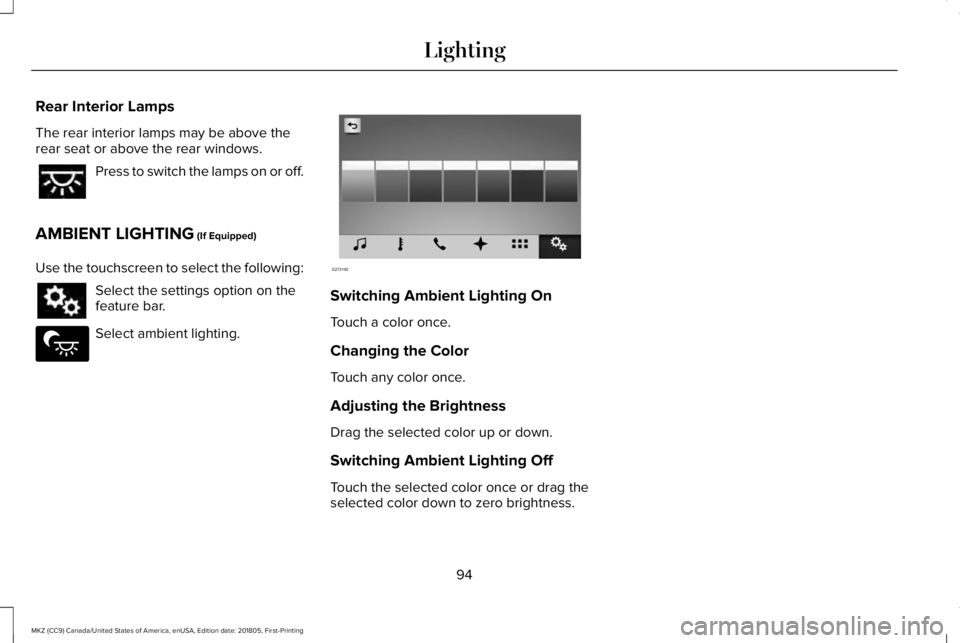
AMBIENT LIGHTING (If Equipped)
Use the touchscreen to select the following:
Select the settings option on thefeature bar.
Select ambient lighting.
Switching Ambient Lighting On
Touch a color once.
Changing the Color
Touch any color once.
Adjusting the Brightness
Drag the selected color up or down.
Switching Ambient Lighting Off
Touch the selected color once or drag theselected color down to zero brightness.
94
MKZ (CC9) Canada/United States of America, enUSA, Edition date: 201805, First-Printing
Lighting E279027 E273192
Page 98 of 595
POWER WINDOWS
WARNING: Do not leave childrenunattended in your vehicle and do not letthem play with the power windows. Failureto follow this instruction could result inpersonal injury.
WARNING: When closing the powerwindows, verify they are free of obstructionand make sure that children and pets are notin the proximity of the window openings.
Note:You may hear a pulsing noise whenjust one of the windows is open. Lower theopposite window slightly to reduce thisnoise.
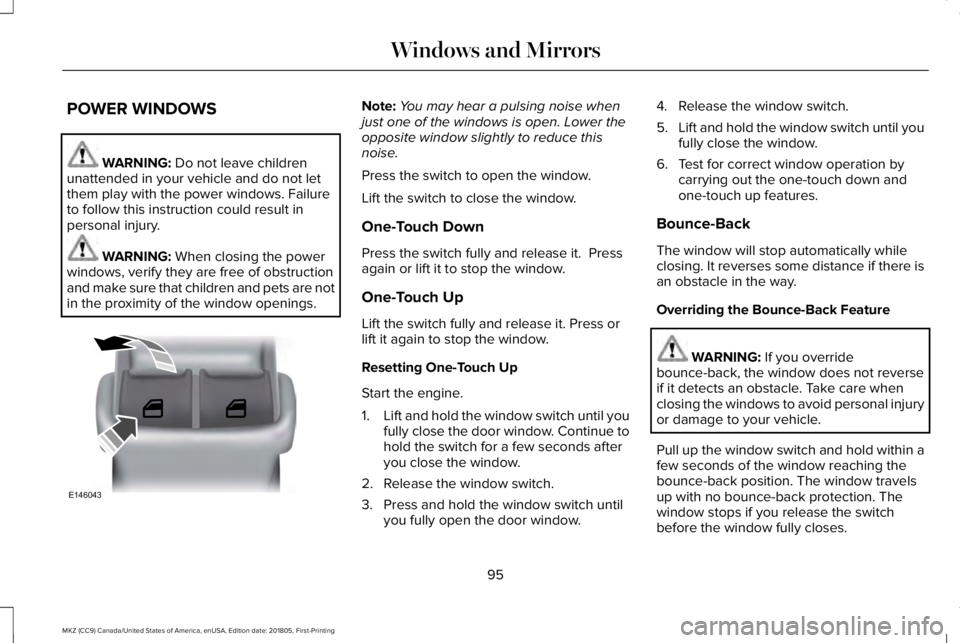
Press the switch to open the window.
Lift the switch to close the window.
One-Touch Down
Press the switch fully and release it. Pressagain or lift it to stop the window.
One-Touch Up
Lift the switch fully and release it. Press orlift it again to stop the window.
Resetting One-Touch Up
Start the engine.
1.Lift and hold the window switch until youfully close the door window. Continue tohold the switch for a few seconds afteryou close the window.
2. Release the window switch.
3. Press and hold the window switch untilyou fully open the door window.
4. Release the window switch.
5.Lift and hold the window switch until youfully close the window.
6. Test for correct window operation bycarrying out the one-touch down andone-touch up features.
Bounce-Back
The window will stop automatically whileclosing. It reverses some distance if there isan obstacle in the way.
Overriding the Bounce-Back Feature
WARNING: If you overridebounce-back, the window does not reverseif it detects an obstacle. Take care whenclosing the windows to avoid personal injuryor damage to your vehicle.
Pull up the window switch and hold within afew seconds of the window reaching thebounce-back position. The window travelsup with no bounce-back protection. Thewindow stops if you release the switchbefore the window fully closes.
95
MKZ (CC9) Canada/United States of America, enUSA, Edition date: 201805, First-Printing
Windows and MirrorsE146043
Page 100 of 595
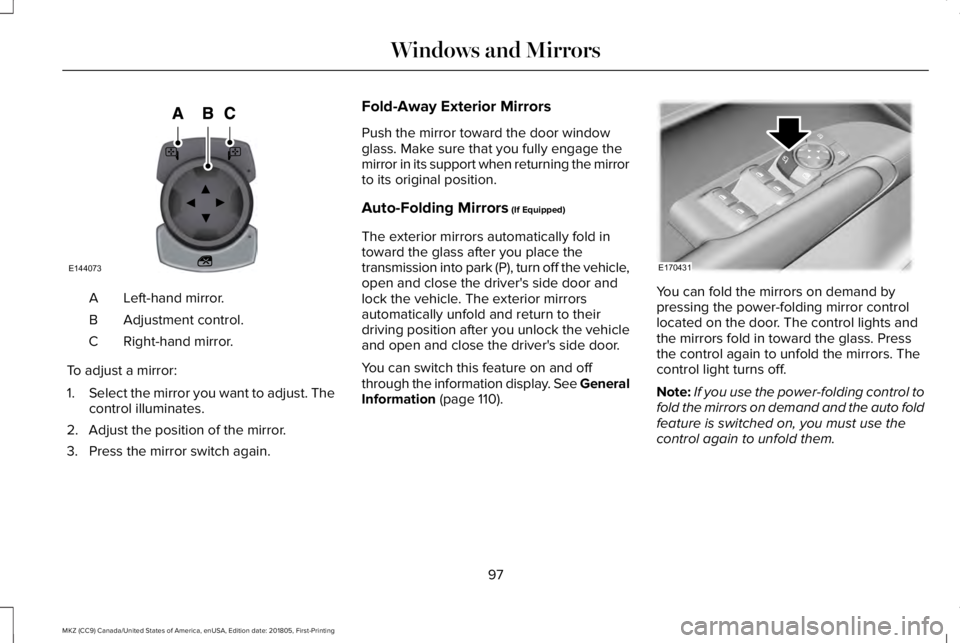
Left-hand mirror.A
Adjustment control.B
Right-hand mirror.C
To adjust a mirror:
1.Select the mirror you want to adjust. Thecontrol illuminates.
2. Adjust the position of the mirror.
3. Press the mirror switch again.
Fold-Away Exterior Mirrors
Push the mirror toward the door windowglass. Make sure that you fully engage themirror in its support when returning the mirrorto its original position.
Auto-Folding Mirrors (If Equipped)
The exterior mirrors automatically fold intoward the glass after you place thetransmission into park (P), turn off the vehicle,open and close the driver's side door andlock the vehicle. The exterior mirrorsautomatically unfold and return to theirdriving position after you unlock the vehicleand open and close the driver's side door.
You can switch this feature on and offthrough the information display. See GeneralInformation (page 110).
You can fold the mirrors on demand bypressing the power-folding mirror controllocated on the door. The control lights andthe mirrors fold in toward the glass. Pressthe control again to unfold the mirrors. Thecontrol light turns off.
Note:If you use the power-folding control tofold the mirrors on demand and the auto foldfeature is switched on, you must use thecontrol again to unfold them.
97
MKZ (CC9) Canada/United States of America, enUSA, Edition date: 201805, First-Printing
Windows and MirrorsE144073 E170431
Page 101 of 595
Loose Mirror
If your power-folding mirrors are manuallyfolded, they may not work properly evenafter you re-position them. You need to resetthem if:
•The mirrors vibrate when you drive.
•The mirrors feel loose.
•The mirrors do not stay in the folded orunfolded position.
•One of the mirrors is not in its normaldriving position.
To reset the power-fold feature, use thepower-folding mirror control to fold andunfold the mirrors. You may hear a loud noiseas you reset the power-folding mirrors. Thissound is normal. Repeat this process asneeded each time the mirrors are manuallyfolded.
Heated Exterior Mirrors
See Heated Exterior Mirrors (page 139).
Memory Mirrors
You can save and recall the mirror positionsthrough the memory function. See MemoryFunction (page 147).
Auto-Dimming Feature (If Equipped)
The driver exterior mirror automatically dimswhen the interior auto-dimming mirror turnson.
Signal Indicator Mirrors
The outer portion of the appropriate mirrorhousing blinks when you switch on thedirection indicator.
Lincoln Welcome Mat
Projection lights, on the bottom of the mirrorhousings, project an image onto the grounda short distance from the vehicle. SeeLighting (page 87).
Integrated Blind Spot Mirrors (If Equipped)
WARNING: Objects in the blind spotmirror are closer than they appear.
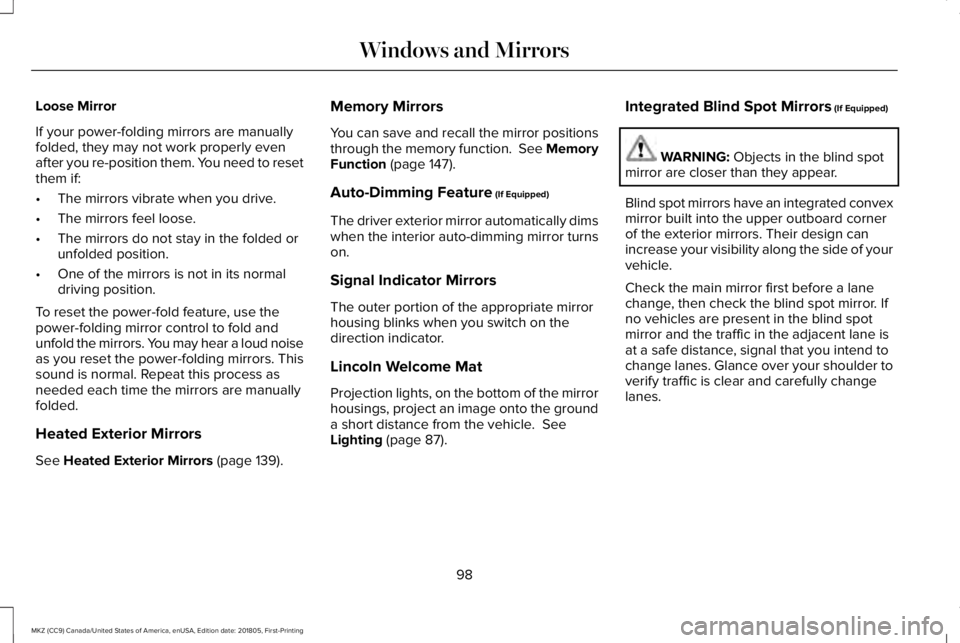
Blind spot mirrors have an integrated convexmirror built into the upper outboard cornerof the exterior mirrors. Their design canincrease your visibility along the side of yourvehicle.
Check the main mirror first before a lanechange, then check the blind spot mirror. Ifno vehicles are present in the blind spotmirror and the traffic in the adjacent lane isat a safe distance, signal that you intend tochange lanes. Glance over your shoulder toverify traffic is clear and carefully changelanes.
98
MKZ (CC9) Canada/United States of America, enUSA, Edition date: 201805, First-Printing
Windows and Mirrors
Page 102 of 595
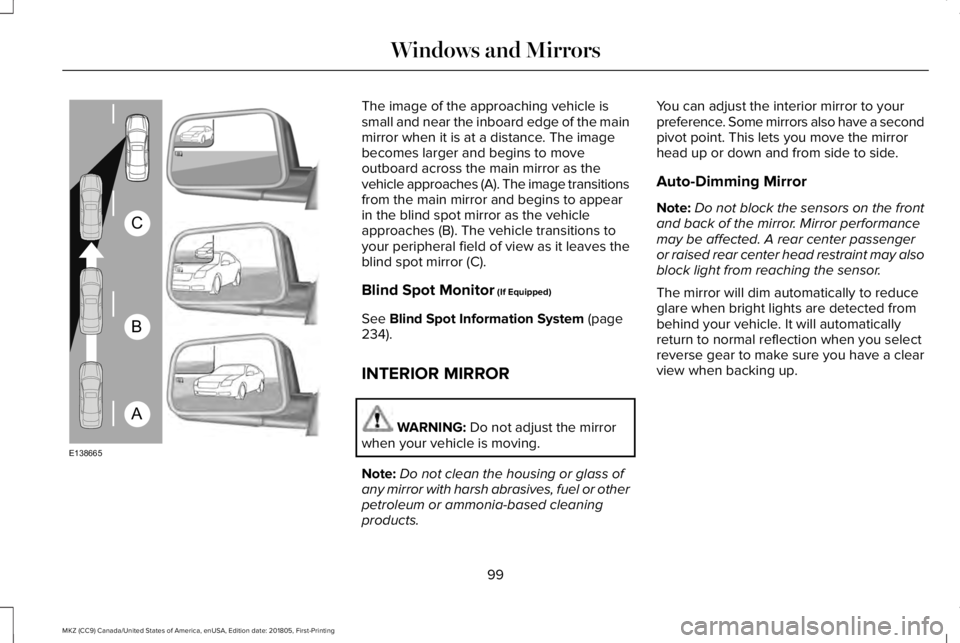
The image of the approaching vehicle issmall and near the inboard edge of the mainmirror when it is at a distance. The imagebecomes larger and begins to moveoutboard across the main mirror as thevehicle approaches (A). The image transitionsfrom the main mirror and begins to appearin the blind spot mirror as the vehicleapproaches (B). The vehicle transitions toyour peripheral field of view as it leaves theblind spot mirror (C).
Blind Spot Monitor (If Equipped)
See Blind Spot Information System (page234).
INTERIOR MIRROR
WARNING: Do not adjust the mirrorwhen your vehicle is moving.
Note:Do not clean the housing or glass ofany mirror with harsh abrasives, fuel or otherpetroleum or ammonia-based cleaningproducts.
You can adjust the interior mirror to yourpreference. Some mirrors also have a secondpivot point. This lets you move the mirrorhead up or down and from side to side.
Auto-Dimming Mirror
Note:Do not block the sensors on the frontand back of the mirror. Mirror performancemay be affected. A rear center passengeror raised rear center head restraint may alsoblock light from reaching the sensor.
The mirror will dim automatically to reduceglare when bright lights are detected frombehind your vehicle. It will automaticallyreturn to normal reflection when you selectreverse gear to make sure you have a clearview when backing up.
99
MKZ (CC9) Canada/United States of America, enUSA, Edition date: 201805, First-Printing
Windows and MirrorsA
B
C
E138665
Page 107 of 595
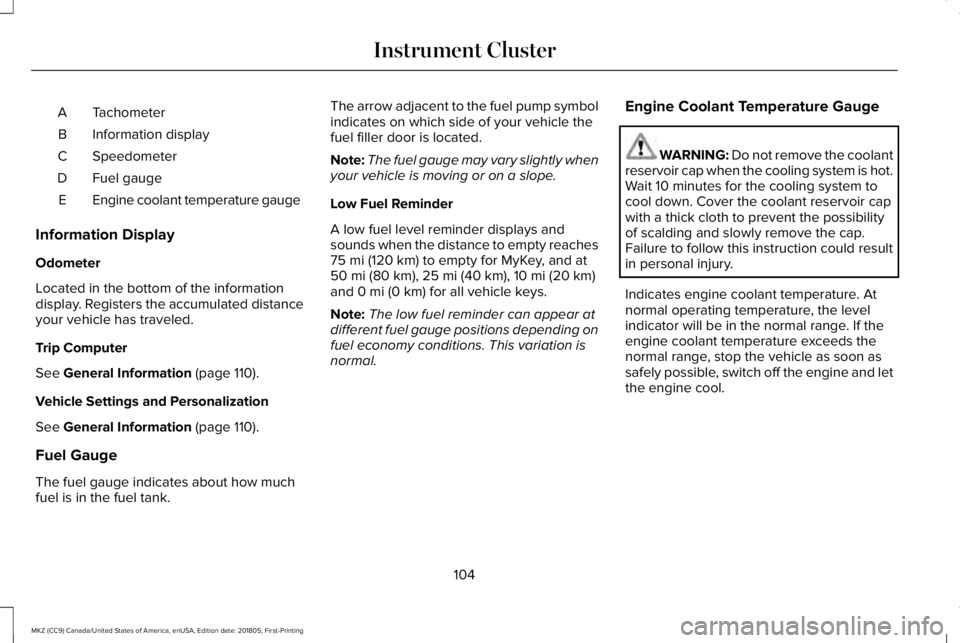
TachometerA
Information displayB
SpeedometerC
Fuel gaugeD
Engine coolant temperature gaugeE
Information Display
Odometer
Located in the bottom of the informationdisplay. Registers the accumulated distanceyour vehicle has traveled.
Trip Computer
See General Information (page 110).
Vehicle Settings and Personalization
See General Information (page 110).
Fuel Gauge
The fuel gauge indicates about how muchfuel is in the fuel tank.
The arrow adjacent to the fuel pump symbolindicates on which side of your vehicle thefuel filler door is located.
Note:The fuel gauge may vary slightly whenyour vehicle is moving or on a slope.
Low Fuel Reminder
A low fuel level reminder displays andsounds when the distance to empty reaches75 mi (120 km) to empty for MyKey, and at50 mi (80 km), 25 mi (40 km), 10 mi (20 km)and 0 mi (0 km) for all vehicle keys.
Note:The low fuel reminder can appear atdifferent fuel gauge positions depending onfuel economy conditions. This variation isnormal.
Engine Coolant Temperature Gauge
WARNING: Do not remove the coolantreservoir cap when the cooling system is hot.Wait 10 minutes for the cooling system tocool down. Cover the coolant reservoir capwith a thick cloth to prevent the possibilityof scalding and slowly remove the cap.Failure to follow this instruction could resultin personal injury.
Indicates engine coolant temperature. Atnormal operating temperature, the levelindicator will be in the normal range. If theengine coolant temperature exceeds thenormal range, stop the vehicle as soon assafely possible, switch off the engine and letthe engine cool.
104
MKZ (CC9) Canada/United States of America, enUSA, Edition date: 201805, First-Printing
Instrument Cluster