seats LINCOLN MKZ 2019 Owner's Manual
[x] Cancel search | Manufacturer: LINCOLN, Model Year: 2019, Model line: MKZ, Model: LINCOLN MKZ 2019Pages: 595, PDF Size: 4.95 MB
Page 134 of 595
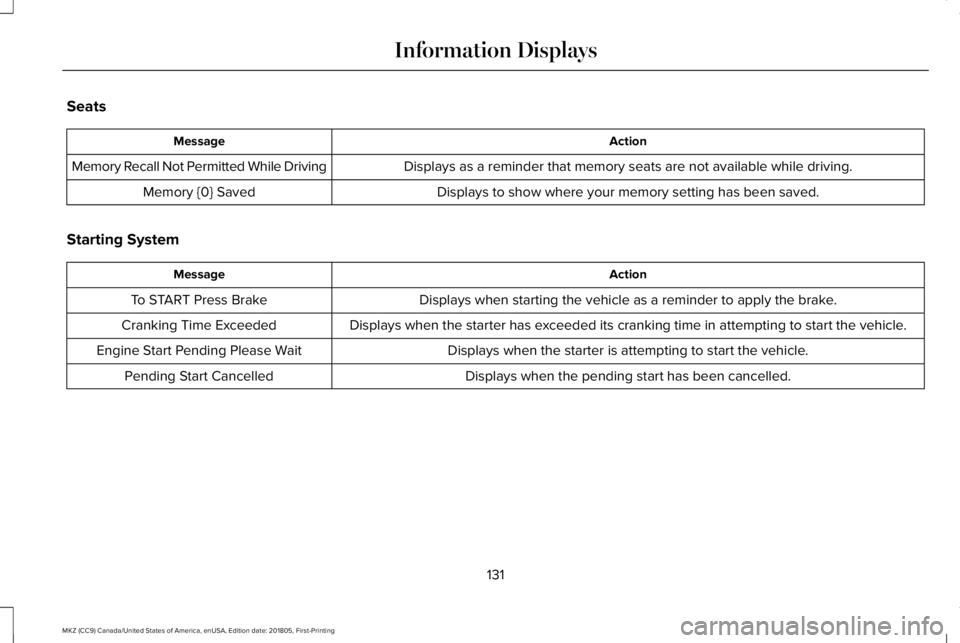
Seats
ActionMessage
Displays as a reminder that memory seats are not available while driving.Memory Recall Not Permitted While Driving
Displays to show where your memory setting has been saved.Memory {0} Saved
Starting System
ActionMessage
Displays when starting the vehicle as a reminder to apply the brake.To START Press Brake
Displays when the starter has exceeded its cranking time in attempting to start the vehicle.Cranking Time Exceeded
Displays when the starter is attempting to start the vehicle.Engine Start Pending Please Wait
Displays when the pending start has been cancelled.Pending Start Cancelled
131
MKZ (CC9) Canada/United States of America, enUSA, Edition date: 201805, First-Printing
Information Displays
Page 140 of 595
Use air conditioning with recirculated air toimprove cooling performance and efficiency.
Note:In certain conditions (for example,maximum defrost) the air conditioningcompressor may continue to operate eventhough you switch off the air conditioning.
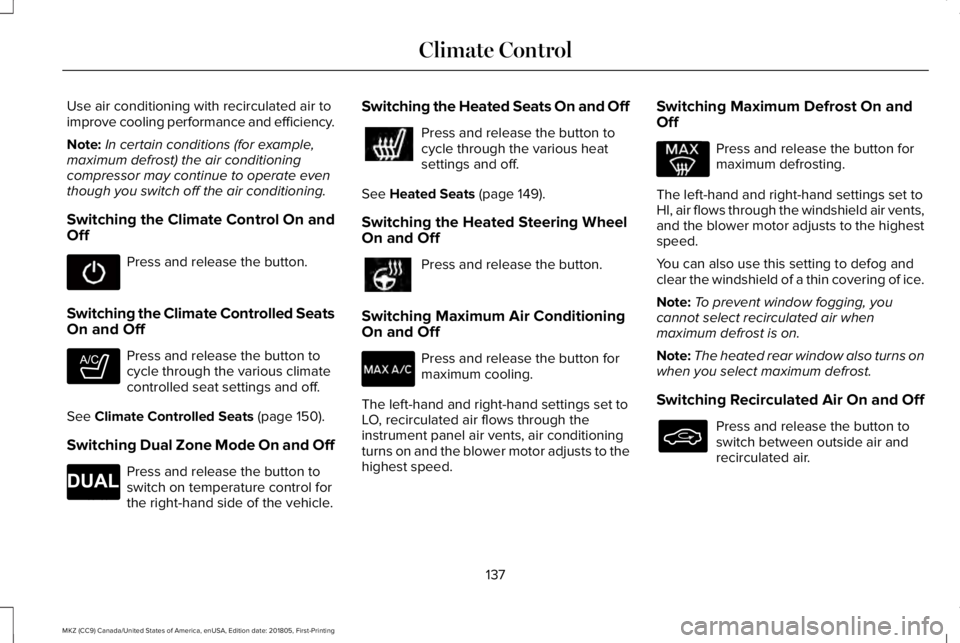
Switching the Climate Control On andOff
Press and release the button.
Switching the Climate Controlled SeatsOn and Off
Press and release the button tocycle through the various climatecontrolled seat settings and off.
See Climate Controlled Seats (page 150).
Switching Dual Zone Mode On and Off
Press and release the button toswitch on temperature control forthe right-hand side of the vehicle.
Switching the Heated Seats On and Off
Press and release the button tocycle through the various heatsettings and off.
See Heated Seats (page 149).
Switching the Heated Steering WheelOn and Off
Press and release the button.
Switching Maximum Air ConditioningOn and Off
Press and release the button formaximum cooling.
The left-hand and right-hand settings set toLO, recirculated air flows through theinstrument panel air vents, air conditioningturns on and the blower motor adjusts to thehighest speed.
Switching Maximum Defrost On andOff
Press and release the button formaximum defrosting.
The left-hand and right-hand settings set toHI, air flows through the windshield air vents,and the blower motor adjusts to the highestspeed.
You can also use this setting to defog andclear the windshield of a thin covering of ice.
Note:To prevent window fogging, youcannot select recirculated air whenmaximum defrost is on.
Note:The heated rear window also turns onwhen you select maximum defrost.
Switching Recirculated Air On and Off
Press and release the button toswitch between outside air andrecirculated air.
137
MKZ (CC9) Canada/United States of America, enUSA, Edition date: 201805, First-Printing
Climate Control E265282 E265280
Page 141 of 595
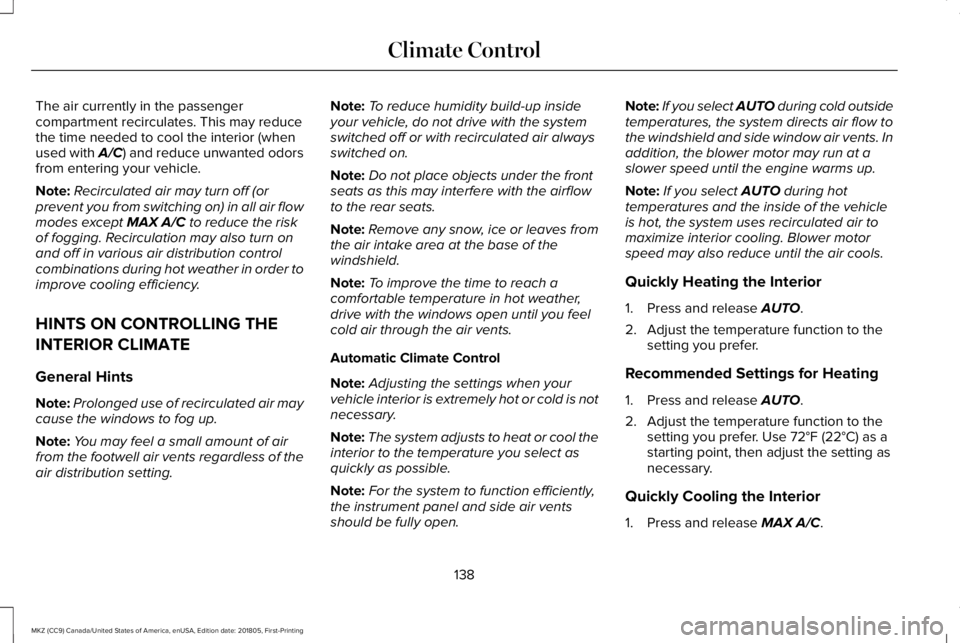
The air currently in the passengercompartment recirculates. This may reducethe time needed to cool the interior (whenused with A/C) and reduce unwanted odorsfrom entering your vehicle.
Note:Recirculated air may turn off (orprevent you from switching on) in all air flowmodes except MAX A/C to reduce the riskof fogging. Recirculation may also turn onand off in various air distribution controlcombinations during hot weather in order toimprove cooling efficiency.
HINTS ON CONTROLLING THE
INTERIOR CLIMATE
General Hints
Note:Prolonged use of recirculated air maycause the windows to fog up.
Note:You may feel a small amount of airfrom the footwell air vents regardless of theair distribution setting.
Note:To reduce humidity build-up insideyour vehicle, do not drive with the systemswitched off or with recirculated air alwaysswitched on.
Note:Do not place objects under the frontseats as this may interfere with the airflowto the rear seats.
Note:Remove any snow, ice or leaves fromthe air intake area at the base of thewindshield.
Note:To improve the time to reach acomfortable temperature in hot weather,drive with the windows open until you feelcold air through the air vents.
Automatic Climate Control
Note:Adjusting the settings when yourvehicle interior is extremely hot or cold is notnecessary.
Note:The system adjusts to heat or cool theinterior to the temperature you select asquickly as possible.
Note:For the system to function efficiently,the instrument panel and side air ventsshould be fully open.
Note:If you select AUTO during cold outsidetemperatures, the system directs air flow tothe windshield and side window air vents. Inaddition, the blower motor may run at aslower speed until the engine warms up.
Note:If you select AUTO during hottemperatures and the inside of the vehicleis hot, the system uses recirculated air tomaximize interior cooling. Blower motorspeed may also reduce until the air cools.
Quickly Heating the Interior
1. Press and release AUTO.
2. Adjust the temperature function to thesetting you prefer.
Recommended Settings for Heating
1. Press and release AUTO.
2. Adjust the temperature function to thesetting you prefer. Use 72°F (22°C) as astarting point, then adjust the setting asnecessary.
Quickly Cooling the Interior
1. Press and release MAX A/C.
138
MKZ (CC9) Canada/United States of America, enUSA, Edition date: 201805, First-Printing
Climate Control
Page 143 of 595
REMOTE START
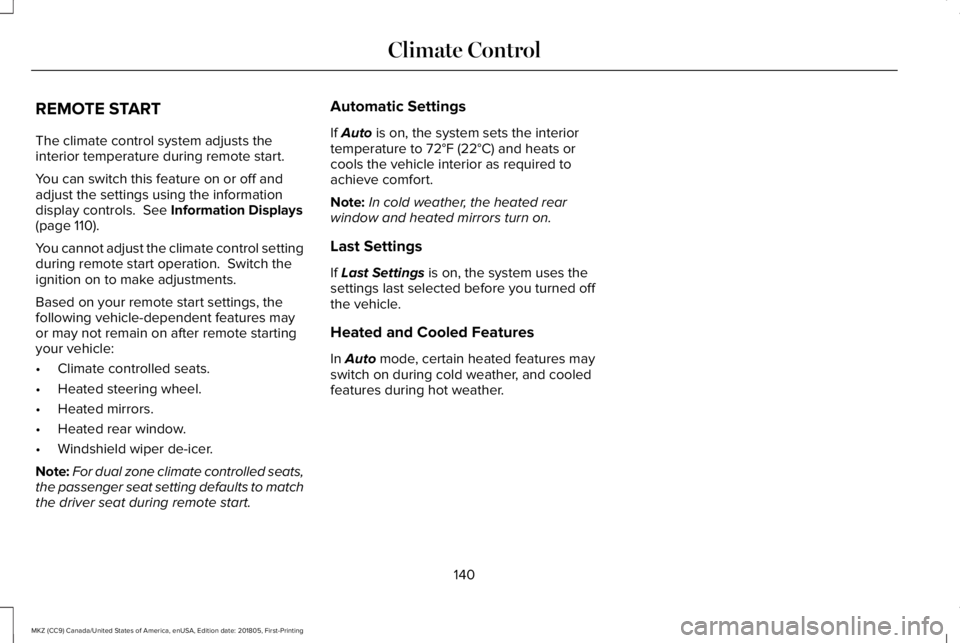
The climate control system adjusts theinterior temperature during remote start.
You can switch this feature on or off andadjust the settings using the informationdisplay controls. See Information Displays(page 110).
You cannot adjust the climate control settingduring remote start operation. Switch theignition on to make adjustments.
Based on your remote start settings, thefollowing vehicle-dependent features mayor may not remain on after remote startingyour vehicle:
•Climate controlled seats.
•Heated steering wheel.
•Heated mirrors.
•Heated rear window.
•Windshield wiper de-icer.
Note:For dual zone climate controlled seats,the passenger seat setting defaults to matchthe driver seat during remote start.
Automatic Settings
If Auto is on, the system sets the interiortemperature to 72°F (22°C) and heats orcools the vehicle interior as required toachieve comfort.
Note:In cold weather, the heated rearwindow and heated mirrors turn on.
Last Settings
If Last Settings is on, the system uses thesettings last selected before you turned offthe vehicle.
Heated and Cooled Features
In Auto mode, certain heated features mayswitch on during cold weather, and cooledfeatures during hot weather.
140
MKZ (CC9) Canada/United States of America, enUSA, Edition date: 201805, First-Printing
Climate Control
Page 144 of 595
SITTING IN THE CORRECT
POSITION
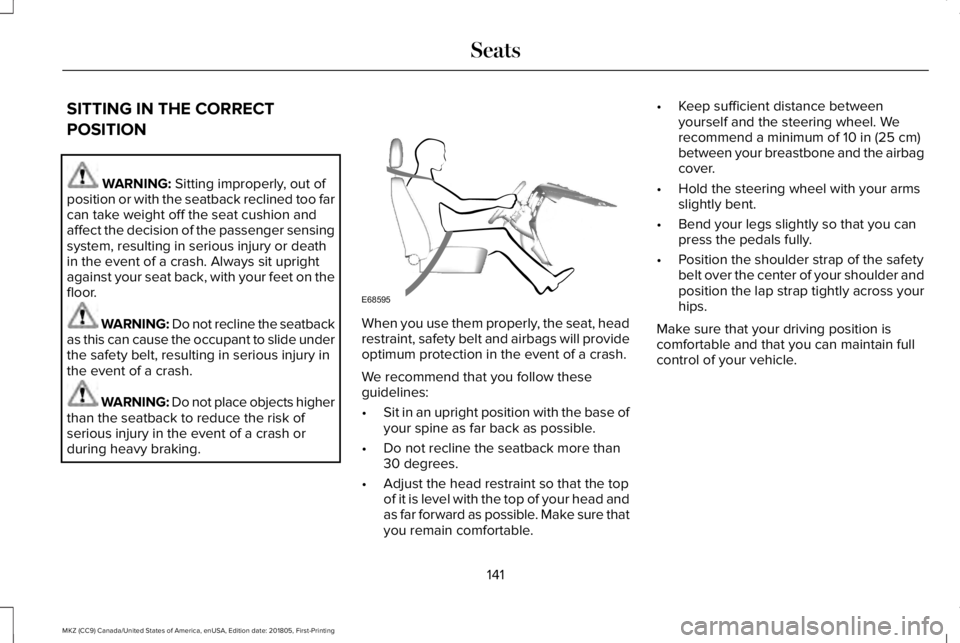
WARNING: Sitting improperly, out ofposition or with the seatback reclined too farcan take weight off the seat cushion andaffect the decision of the passenger sensingsystem, resulting in serious injury or deathin the event of a crash. Always sit uprightagainst your seat back, with your feet on thefloor.
WARNING: Do not recline the seatbackas this can cause the occupant to slide underthe safety belt, resulting in serious injury inthe event of a crash.
WARNING: Do not place objects higherthan the seatback to reduce the risk ofserious injury in the event of a crash orduring heavy braking.
When you use them properly, the seat, headrestraint, safety belt and airbags will provideoptimum protection in the event of a crash.
We recommend that you follow theseguidelines:
•Sit in an upright position with the base ofyour spine as far back as possible.
•Do not recline the seatback more than30 degrees.
•Adjust the head restraint so that the topof it is level with the top of your head andas far forward as possible. Make sure thatyou remain comfortable.
•Keep sufficient distance betweenyourself and the steering wheel. Werecommend a minimum of 10 in (25 cm)between your breastbone and the airbagcover.
•Hold the steering wheel with your armsslightly bent.
•Bend your legs slightly so that you canpress the pedals fully.
•Position the shoulder strap of the safetybelt over the center of your shoulder andposition the lap strap tightly across yourhips.
Make sure that your driving position iscomfortable and that you can maintain fullcontrol of your vehicle.
141
MKZ (CC9) Canada/United States of America, enUSA, Edition date: 201805, First-Printing
SeatsE68595
Page 145 of 595
HEAD RESTRAINTS
WARNING: Fully adjust the headrestraint before you sit in or operate yourvehicle. This will help minimize the risk ofneck injury in the event of a crash. Do notadjust the head restraint when your vehicleis moving.
WARNING: The adjustable headrestraint is a safety device. Wheneverpossible, it should be installed and properlyadjusted when the seat is occupied. Failureto adjust the head restraint properly couldreduce its effectiveness during certainimpacts.
WARNING: Install the head restraintproperly to help minimize the risk of neckinjury in the event of a crash.
Note:Adjust the seatback to an uprightdriving position before adjusting the headrestraint. Adjust the head restraint so thatthe top of it is level with the top of your headand as far forward as possible. Make surethat you remain comfortable. If you areextremely tall, adjust the head restraint toits highest position.
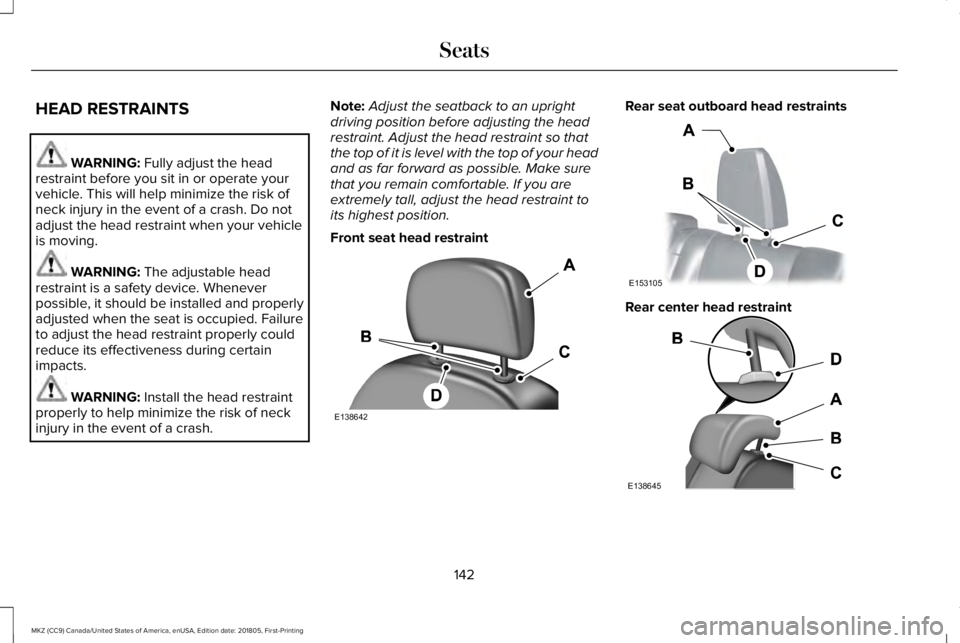
Front seat head restraint
Rear seat outboard head restraints
Rear center head restraint
142
MKZ (CC9) Canada/United States of America, enUSA, Edition date: 201805, First-Printing
SeatsE138642 E153105 E138645
Page 146 of 595
The head restraints consist of:
an energy absorbing head restraintA
two steel stemsB
guide sleeve adjust and unlockbuttonC
guide sleeve unlock and removebuttonD
Adjusting the Head Restraint
Raising the Head Restraint
Pull the head restraint up.
Lowering the Head Restraint
1. Press and hold button C.
2. Push the head restraint down.
Removing the Head Restraint
1.Pull the head restraint up until it reachesits highest position.
2. Press and hold buttons C and D.
3. Pull the head restraint up.
Installing the Head Restraint
Align the steel stems into the guide sleevesand push the head restraint down until itlocks.
Tilting Head Restraints
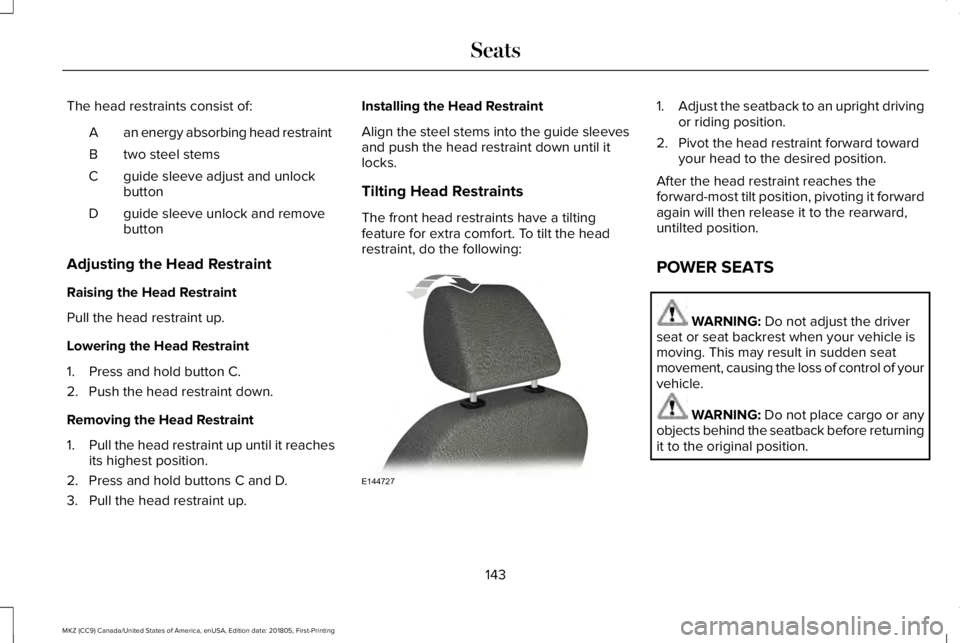
The front head restraints have a tiltingfeature for extra comfort. To tilt the headrestraint, do the following:
1.Adjust the seatback to an upright drivingor riding position.
2. Pivot the head restraint forward towardyour head to the desired position.
After the head restraint reaches theforward-most tilt position, pivoting it forwardagain will then release it to the rearward,untilted position.
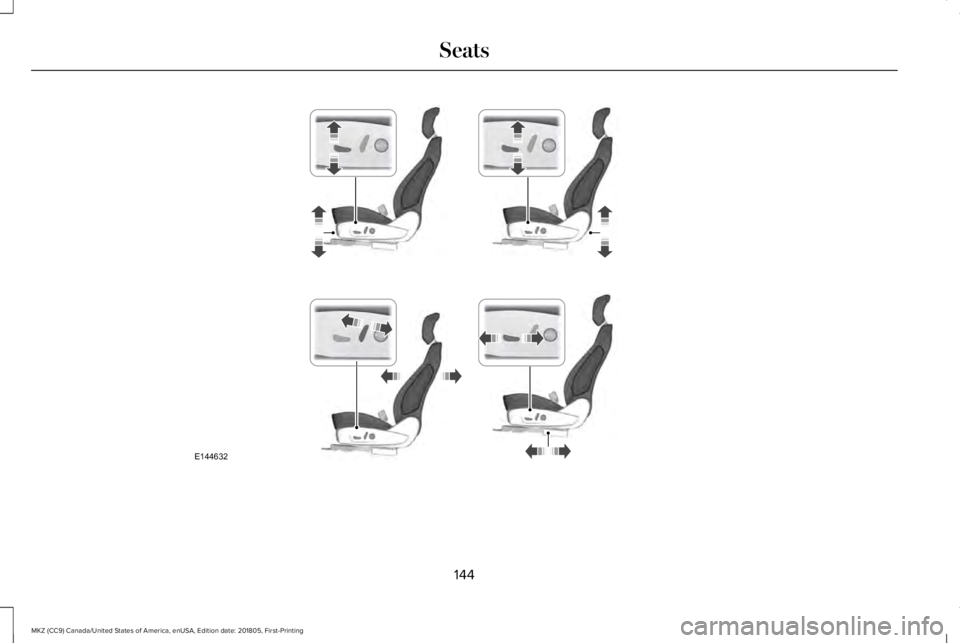
POWER SEATS
WARNING: Do not adjust the driverseat or seat backrest when your vehicle ismoving. This may result in sudden seatmovement, causing the loss of control of yourvehicle.
WARNING: Do not place cargo or anyobjects behind the seatback before returningit to the original position.
143
MKZ (CC9) Canada/United States of America, enUSA, Edition date: 201805, First-Printing
SeatsE144727
Page 147 of 595
144
MKZ (CC9) Canada/United States of America, enUSA, Edition date: 201805, First-Printing
SeatsE144632
Page 148 of 595
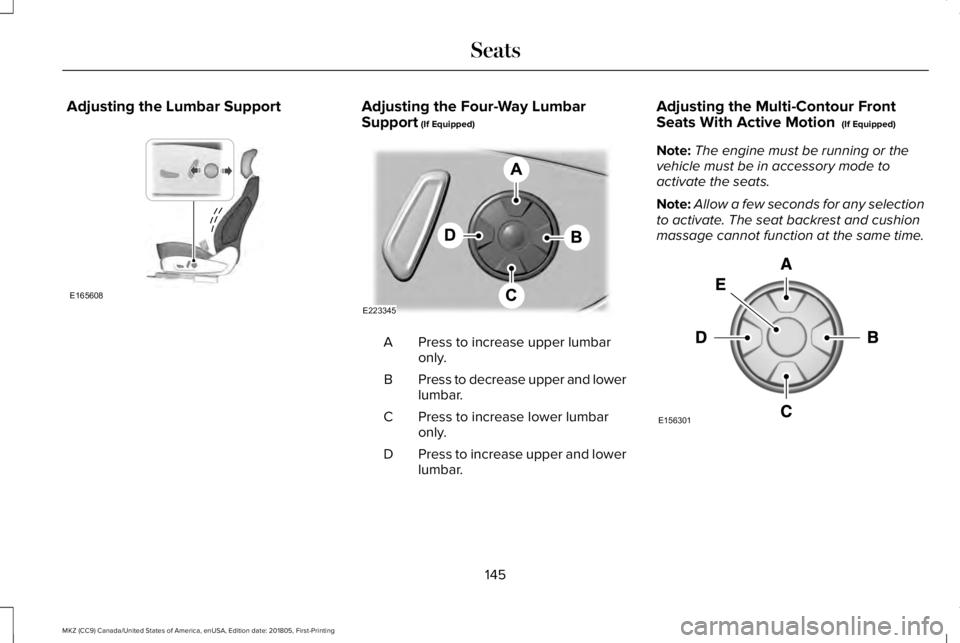
Adjusting the Lumbar SupportAdjusting the Four-Way LumbarSupport (If Equipped)
Press to increase upper lumbaronly.A
Press to decrease upper and lowerlumbar.B
Press to increase lower lumbaronly.C
Press to increase upper and lowerlumbar.D
Adjusting the Multi-Contour FrontSeats With Active Motion (If Equipped)
Note:The engine must be running or thevehicle must be in accessory mode toactivate the seats.
Note:Allow a few seconds for any selectionto activate. The seat backrest and cushionmassage cannot function at the same time.
145
MKZ (CC9) Canada/United States of America, enUSA, Edition date: 201805, First-Printing
SeatsE165608 E223345 E156301
Page 149 of 595
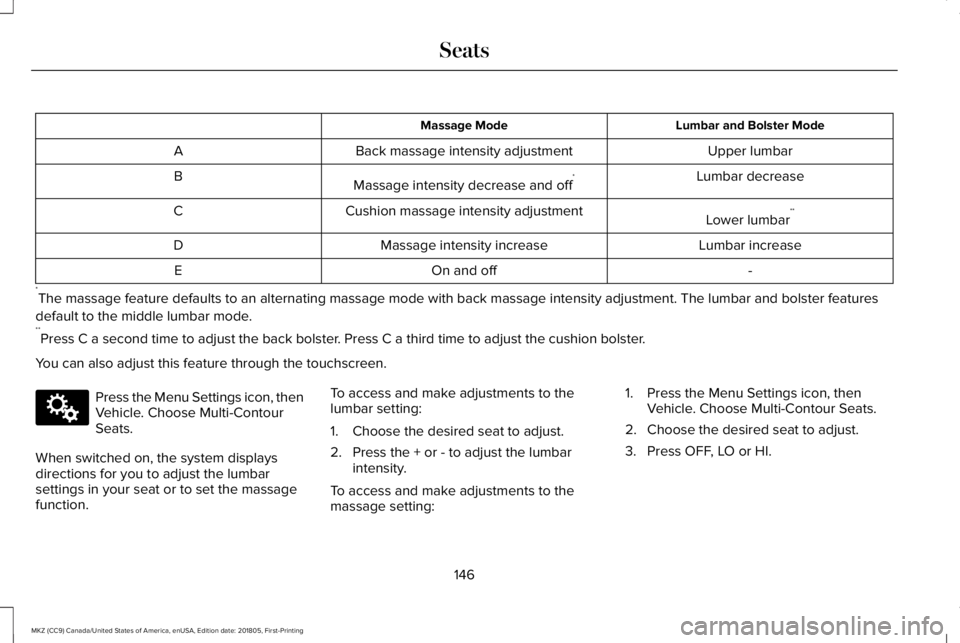
Lumbar and Bolster ModeMassage Mode
Upper lumbarBack massage intensity adjustmentA
Lumbar decreaseMassage intensity decrease and off*B
Lower lumbar**Cushion massage intensity adjustmentC
Lumbar increaseMassage intensity increaseD
-On and offE
*The massage feature defaults to an alternating massage mode with back massage intensity adjustment. The lumbar and bolster features
default to the middle lumbar mode.**Press C a second time to adjust the back bolster. Press C a third time to adjust the cushion bolster.
You can also adjust this feature through the touchscreen.
Press the Menu Settings icon, thenVehicle. Choose Multi-ContourSeats.
When switched on, the system displaysdirections for you to adjust the lumbarsettings in your seat or to set the massagefunction.
To access and make adjustments to thelumbar setting:
1. Choose the desired seat to adjust.
2. Press the + or - to adjust the lumbarintensity.
To access and make adjustments to themassage setting:
1. Press the Menu Settings icon, thenVehicle. Choose Multi-Contour Seats.
2. Choose the desired seat to adjust.
3. Press OFF, LO or HI.
146
MKZ (CC9) Canada/United States of America, enUSA, Edition date: 201805, First-Printing
SeatsE142607