battery LINCOLN MKZ 2020 User Guide
[x] Cancel search | Manufacturer: LINCOLN, Model Year: 2020, Model line: MKZ, Model: LINCOLN MKZ 2020Pages: 561, PDF Size: 5.7 MB
Page 74 of 561
Battery Saver
If you leave the courtesy lamps, interior
lamps or headlamps on, the battery saver
shuts them off 10 minutes after you switch
the ignition off.
Accessory Mode Battery Saver for
Intelligent Access Keys
If you leave the ignition switched on, it shuts
off when it detects a certain amount of
battery drain, or after 45 minutes.
Luggage Compartment
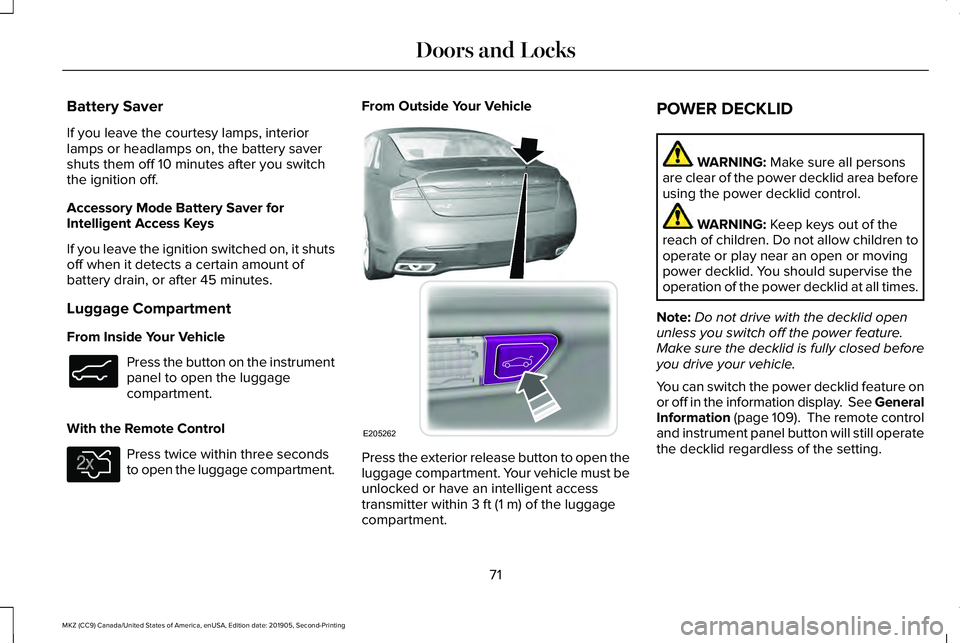
From Inside Your Vehicle
Press the button on the instrument
panel to open the luggage
compartment.
With the Remote Control Press twice within three seconds
to open the luggage compartment. From Outside Your Vehicle
Press the exterior release button to open the
luggage compartment. Your vehicle must be
unlocked or have an intelligent access
transmitter within 3 ft (1 m) of the luggage
compartment. POWER DECKLID WARNING:
Make sure all persons
are clear of the power decklid area before
using the power decklid control. WARNING:
Keep keys out of the
reach of children. Do not allow children to
operate or play near an open or moving
power decklid. You should supervise the
operation of the power decklid at all times.
Note: Do not drive with the decklid open
unless you switch off the power feature.
Make sure the decklid is fully closed before
you drive your vehicle.
You can switch the power decklid feature on
or off in the information display. See
General
Information (page 109). The remote control
and instrument panel button will still operate
the decklid regardless of the setting.
71
MKZ (CC9) Canada/United States of America, enUSA, Edition date: 201905, Second-Printing Doors and LocksE138633 E138630 E205262
Page 76 of 561
Note:
Before driving your vehicle, check the
instrument cluster for a trunk ajar or door
ajar message or warning indicator. Failure
to do this could result in unintentionally
leaving the decklid open while driving.
The decklid will stop and three chimes will
sound if it detects an obstacle while opening.
Remove the obstacle to operate the decklid.
Resetting the Power Decklid
The decklid may not operate correctly and
you may need to reset it if:
• The vehicle battery charge is low.
• You disconnect the battery.
• You manually close the decklid and leave
it unlatched.
To reset the power decklid:
1. Disconnect the battery for 20 seconds then reconnect the battery.
2. Manually close the decklid making sure it is fully closed.
3. Power open the decklid using the remote
control or instrument panel button. KEYLESS ENTRY
SECURICODE™ KEYLESS ENTRY
KEYPAD
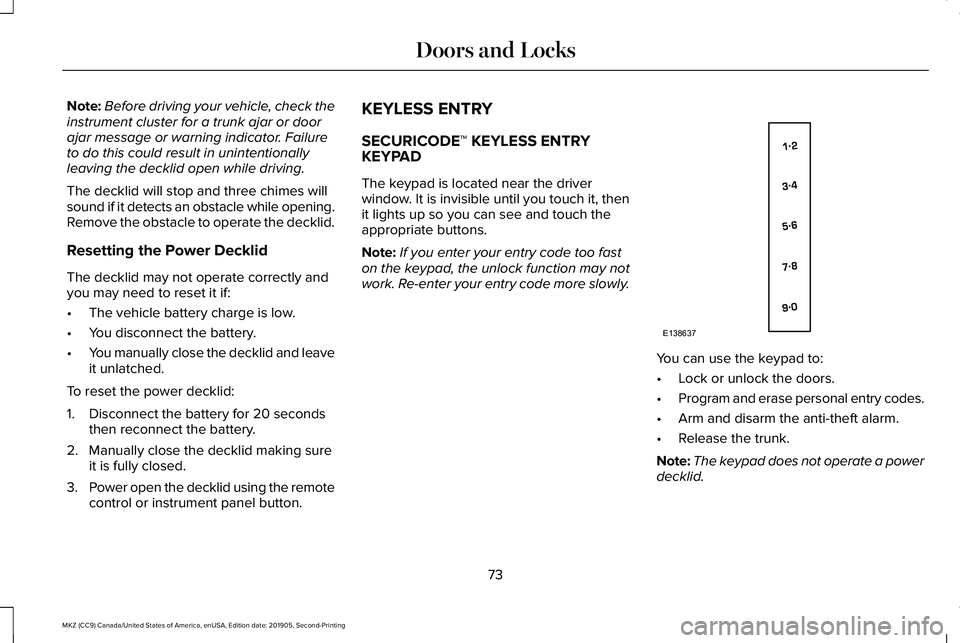
The keypad is located near the driver
window. It is invisible until you touch it, then
it lights up so you can see and touch the
appropriate buttons.
Note:
If you enter your entry code too fast
on the keypad, the unlock function may not
work. Re-enter your entry code more slowly. You can use the keypad to:
•
Lock or unlock the doors.
• Program and erase personal entry codes.
• Arm and disarm the anti-theft alarm.
• Release the trunk.
Note: The keypad does not operate a power
decklid.
73
MKZ (CC9) Canada/United States of America, enUSA, Edition date: 201905, Second-Printing Doors and LocksE138637
Page 107 of 561
Indicates engine coolant temperature. At
normal operating temperature, the level
indicator will be in the normal range. If the
engine coolant temperature exceeds the
normal range, stop the vehicle as soon as
safely possible, switch off the engine and let
the engine cool.
WARNING LAMPS AND
INDICATORS
The following warning lamps and indicators
alert you to a vehicle condition that may
become serious. Some lamps illuminate
when you start your vehicle to make sure
they work. If any lamps remain on after
starting your vehicle, refer to the respective
system warning lamp for further information.
Note:
Some warning indicators appear in
the information display and operate the
same as a warning lamp but do not
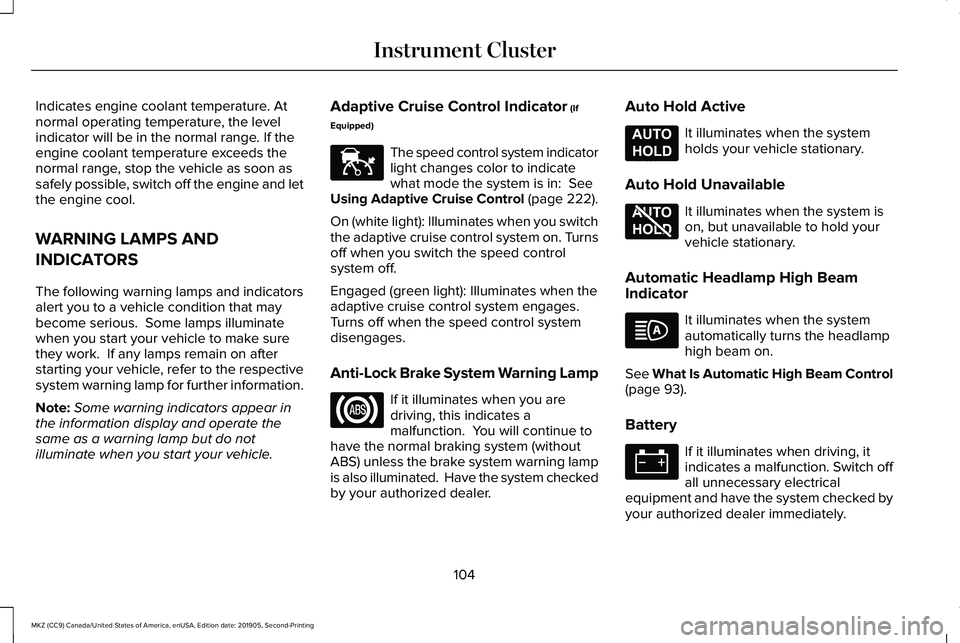
illuminate when you start your vehicle. Adaptive Cruise Control Indicator (If
Equipped) The speed control system indicator
light changes color to indicate
what mode the system is in:
See
Using Adaptive Cruise Control (page 222).
On (white light): Illuminates when you switch
the adaptive cruise control system on. Turns
off when you switch the speed control
system off.
Engaged (green light): Illuminates when the
adaptive cruise control system engages.
Turns off when the speed control system
disengages.
Anti-Lock Brake System Warning Lamp If it illuminates when you are
driving, this indicates a
malfunction. You will continue to
have the normal braking system (without
ABS) unless the brake system warning lamp
is also illuminated. Have the system checked
by your authorized dealer. Auto Hold Active It illuminates when the system
holds your vehicle stationary.
Auto Hold Unavailable It illuminates when the system is
on, but unavailable to hold your
vehicle stationary.
Automatic Headlamp High Beam
Indicator It illuminates when the system
automatically turns the headlamp
high beam on.
See
What Is Automatic High Beam Control
(page 93).
Battery If it illuminates when driving, it
indicates a malfunction. Switch off
all unnecessary electrical
equipment and have the system checked by
your authorized dealer immediately.
104
MKZ (CC9) Canada/United States of America, enUSA, Edition date: 201905, Second-Printing Instrument ClusterE144524 E197933 E197934
Page 123 of 561

Battery and Charging System
Action
Message
Displayed when the charging system needs servicing. If the warning stays\
on or continues tocome on, contact your authorized dealer as soon as possible.
Check Charging System
Displayed when the battery management system detects an extended low-vol\
tage condition.Various vehicle features will be disabled to help preserve the battery. Turn off as many of the electrical loads as soon as possible to improve system voltage. If the system voltage has recovered, the disabled features will operate again as normal.
Low Battery Features Temporarily Turned
Off
The battery management system determines that the battery is at a low st\
ate of charge. Turn
the ignition off as soon as possible to protect the battery. This message will clear once the vehicle
has been started and the battery state of charge has recovered. Turning off unnecessary electrical loads will allow faster battery state-of-charge recovery.
Turn Power Off To Save Battery
The battery management system determines that the 12V battery is at a lo\
w state of charge.
Start the engine to charge the battery or charge the battery using an aft\
ermarket battery charger.
This message clears once you restart your vehicle and the battery state \
of charge has recovered.
Battery State of Charge Low
120
MKZ (CC9) Canada/United States of America, enUSA, Edition date: 201905, Second-Printing Information Displays
Page 127 of 561
Action
Message
Displayed during spare key programming when the maximum number of keys have been programmed.
Max Number of Keys Learned
Displayed during spare key programming when not enough keys have been programmed.
Not Enough Keys Learned
Displays when the key battery is low. Change the battery as soon as possible.
Key Battery Low Replace Soon
Displayed when an attempt is made to program a spare key using two existing MyKeys.
Could Not Program Integrated Key
Displays to inform the driver that they are exiting the vehicle and the \
engine is on.
Vehicle is ON
Lane Keeping System Action
Message
The system has malfunctioned. Contact your authorized dealer as soon as \
possible.
Lane Keeping Sys. Malfunction Service
Required
The system has detected a condition that has caused the system to be tem\
porarily unavailable.
Front Camera Temporarily Not Available
The system has detected a condition that requires the windshield to be c\
leaned to operateproperly.
Front Camera Low Visibility Clean Screen
The system has malfunctioned. Contact your authorized dealer as soon as \
possible.
Front Camera Malfunction Service
Required
Displayed when the system requests the driver to keep their hands on the steering wheel.
Keep Hands on Steering Wheel
124
MKZ (CC9) Canada/United States of America, enUSA, Edition date: 201905, Second-Printing Information Displays
Page 135 of 561
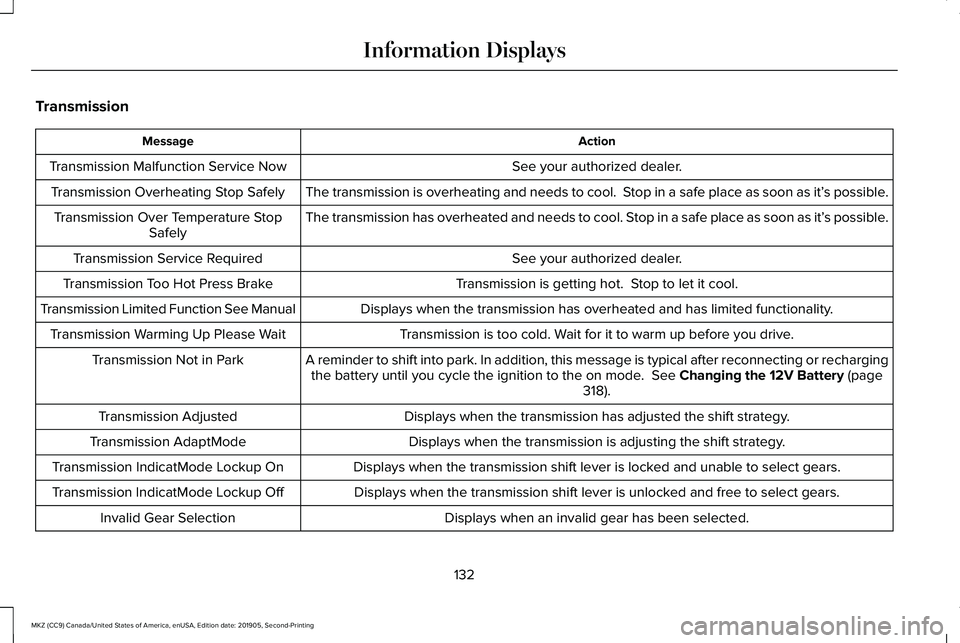
Transmission
Action
Message
See your authorized dealer.
Transmission Malfunction Service Now
The transmission is overheating and needs to cool. Stop in a safe place as soon as it’ s possible.
Transmission Overheating Stop Safely
The transmission has overheated and needs to cool. Stop in a safe place as soon as it’ s possible.
Transmission Over Temperature Stop
Safely
See your authorized dealer.
Transmission Service Required
Transmission is getting hot. Stop to let it cool.
Transmission Too Hot Press Brake
Displays when the transmission has overheated and has limited functional\
ity.
Transmission Limited Function See Manual
Transmission is too cold. Wait for it to warm up before you drive.
Transmission Warming Up Please Wait
A reminder to shift into park. In addition, this message is typical afte\
r reconnecting or rechargingthe battery until you cycle the ignition to the on mode. See Changing the 12V Battery (page
318).
Transmission Not in Park
Displays when the transmission has adjusted the shift strategy.
Transmission Adjusted
Displays when the transmission is adjusting the shift strategy.
Transmission AdaptMode
Displays when the transmission shift lever is locked and unable to select gears.
Transmission IndicatMode Lockup On
Displays when the transmission shift lever is unlocked and free to select gears.
Transmission IndicatMode Lockup Off
Displays when an invalid gear has been selected.
Invalid Gear Selection
132
MKZ (CC9) Canada/United States of America, enUSA, Edition date: 201905, Second-Printing Information Displays
Page 151 of 561
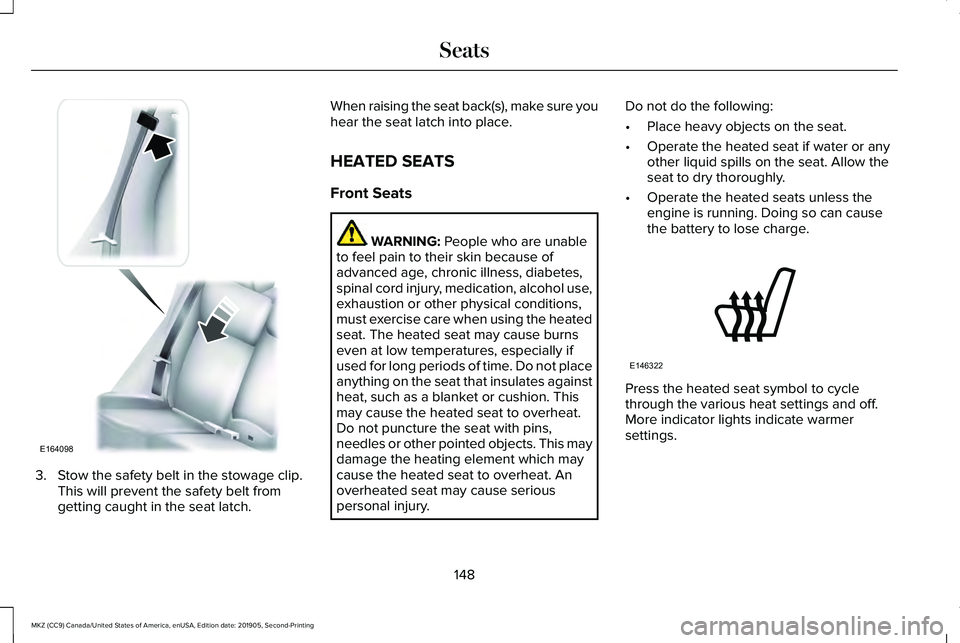
3. Stow the safety belt in the stowage clip.
This will prevent the safety belt from
getting caught in the seat latch. When raising the seat back(s), make sure you
hear the seat latch into place.
HEATED SEATS
Front Seats
WARNING: People who are unable
to feel pain to their skin because of
advanced age, chronic illness, diabetes,
spinal cord injury, medication, alcohol use,
exhaustion or other physical conditions,
must exercise care when using the heated
seat. The heated seat may cause burns
even at low temperatures, especially if
used for long periods of time. Do not place
anything on the seat that insulates against
heat, such as a blanket or cushion. This
may cause the heated seat to overheat.
Do not puncture the seat with pins,
needles or other pointed objects. This may
damage the heating element which may
cause the heated seat to overheat. An
overheated seat may cause serious
personal injury. Do not do the following:
•
Place heavy objects on the seat.
• Operate the heated seat if water or any
other liquid spills on the seat. Allow the
seat to dry thoroughly.
• Operate the heated seats unless the
engine is running. Doing so can cause
the battery to lose charge. Press the heated seat symbol to cycle
through the various heat settings and off.
More indicator lights indicate warmer
settings.
148
MKZ (CC9) Canada/United States of America, enUSA, Edition date: 201905, Second-Printing SeatsE164098 E146322
Page 152 of 561
Rear Seats
WARNING: Persons who are unable
to feel pain to the skin because of
advanced age, chronic illness, diabetes,
spinal cord injury, medication, alcohol use,
exhaustion, or other physical conditions,
must exercise care when using the seat
heater. The seat heater may cause burns
even at low temperatures, especially if
used for long periods of time. Do not place
anything on the seat that insulates against
heat, such as a blanket or cushion,
because this may cause the seat heater to
overheat. Do not puncture the seat with
pins, needles, or other pointed objects
because this may damage the heating
element which may cause the seat heater
to overheat. An overheated seat may
cause serious personal injury. Do not do the following:
•
Place heavy objects on the seat.
• Operate the seat heater if water or any
other liquid is spilled on the seat. Allow
the seat to dry thoroughly.
• Operate the heated seats unless the
engine is running. Doing so can cause
the battery to lose charge.
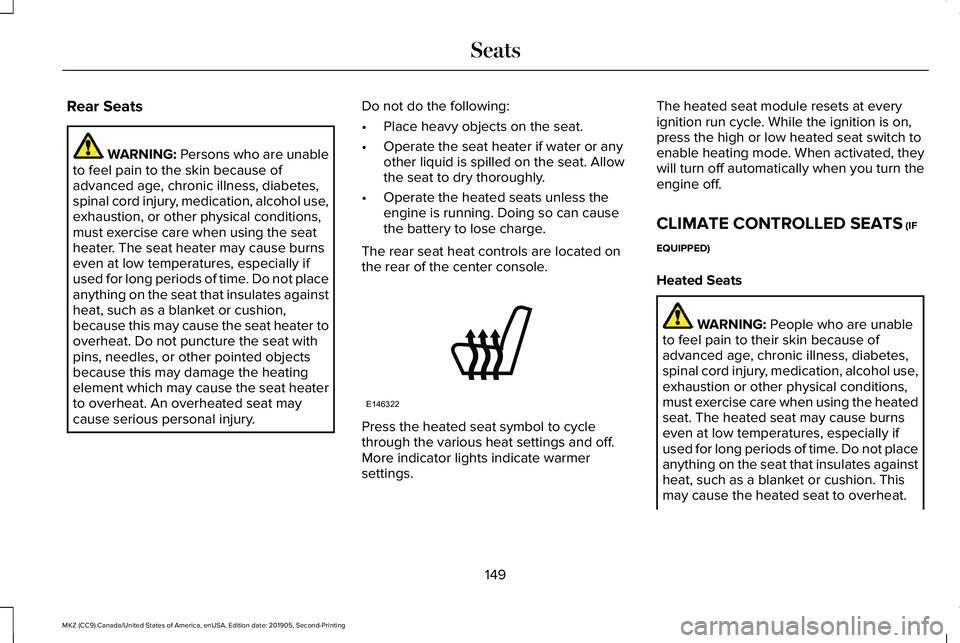
The rear seat heat controls are located on
the rear of the center console. Press the heated seat symbol to cycle
through the various heat settings and off.
More indicator lights indicate warmer
settings.The heated seat module resets at every
ignition run cycle. While the ignition is on,
press the high or low heated seat switch to
enable heating mode. When activated, they
will turn off automatically when you turn the
engine off.
CLIMATE CONTROLLED SEATS
(IF
EQUIPPED)
Heated Seats WARNING:
People who are unable
to feel pain to their skin because of
advanced age, chronic illness, diabetes,
spinal cord injury, medication, alcohol use,
exhaustion or other physical conditions,
must exercise care when using the heated
seat. The heated seat may cause burns
even at low temperatures, especially if
used for long periods of time. Do not place
anything on the seat that insulates against
heat, such as a blanket or cushion. This
may cause the heated seat to overheat.
149
MKZ (CC9) Canada/United States of America, enUSA, Edition date: 201905, Second-Printing SeatsE146322
Page 153 of 561
Do not puncture the seat with pins,
needles or other pointed objects. This may
damage the heating element which may
cause the heated seat to overheat. An
overheated seat may cause serious
personal injury.
Do not do the following:
• Place heavy objects on the seat.
• Operate the heated seat if water or any
other liquid spills on the seat. Allow the
seat to dry thoroughly.
• Operate the heated seats unless the
engine is running. Doing so can cause
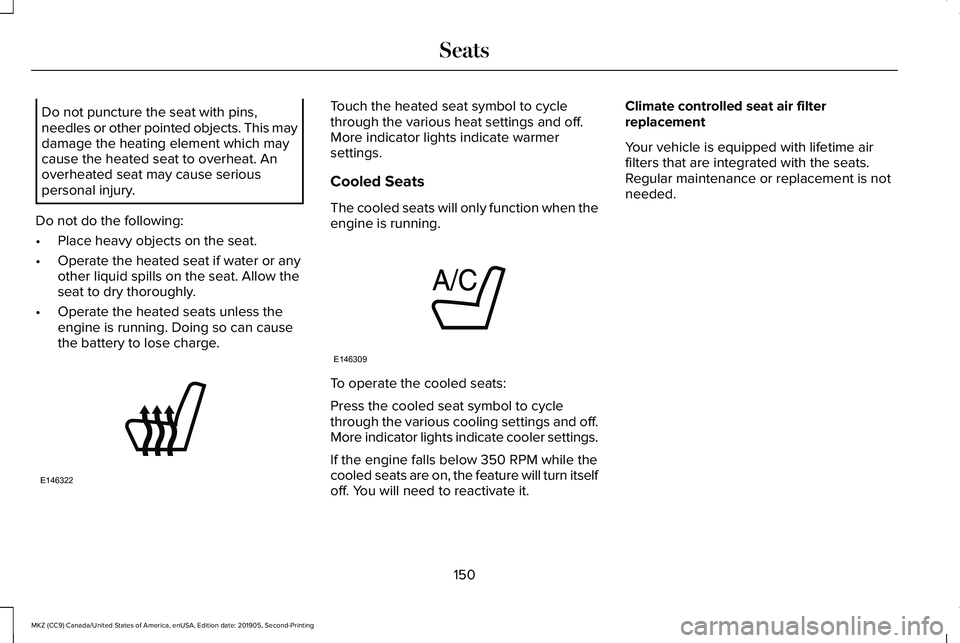
the battery to lose charge. Touch the heated seat symbol to cycle
through the various heat settings and off.
More indicator lights indicate warmer
settings.
Cooled Seats
The cooled seats will only function when the
engine is running.
To operate the cooled seats:
Press the cooled seat symbol to cycle
through the various cooling settings and off.
More indicator lights indicate cooler settings.
If the engine falls below 350 RPM while the
cooled seats are on, the feature will turn itself
off. You will need to reactivate it.Climate controlled seat air filter
replacement
Your vehicle is equipped with lifetime air
filters that are integrated with the seats.
Regular maintenance or replacement is not
needed.
150
MKZ (CC9) Canada/United States of America, enUSA, Edition date: 201905, Second-Printing SeatsE146322 E146309
Page 154 of 561
UNIVERSAL GARAGE DOOR
OPENER
HomeLink Wireless Control System
WARNING: Do not use the system
with any garage door opener that does not
have the safety stop and reverse feature
as required by U.S. Federal Safety
Standards (this includes any garage door
opener manufactured before April 1, 1982).
A garage door opener which cannot detect
an object, signaling the door to stop and
reverse, does not meet current federal
safety standards. Using a garage door
opener without these features increases
the risk of serious injury or death.
Note: Make sure that the garage door and
security device are free from obstruction
when you are programming. Do not program
the system with the vehicle in the garage.
Note: Make sure you keep the original
remote control transmitter for use in other
vehicles as well as for future system
programming. Note:
We recommend that upon the sale or
lease termination of your vehicle, you erase
the programmed function buttons for security
reasons. See
Erasing the Function Button
Codes.
Note: You can program a maximum of three
devices. To change or replace any of the
three devices after it has been initially
programmed, you must first erase the current
settings. See
Erasing the Function Button
Codes. The universal garage door opener replaces
the common hand-held garage door opener
with a three-button transmitter that is
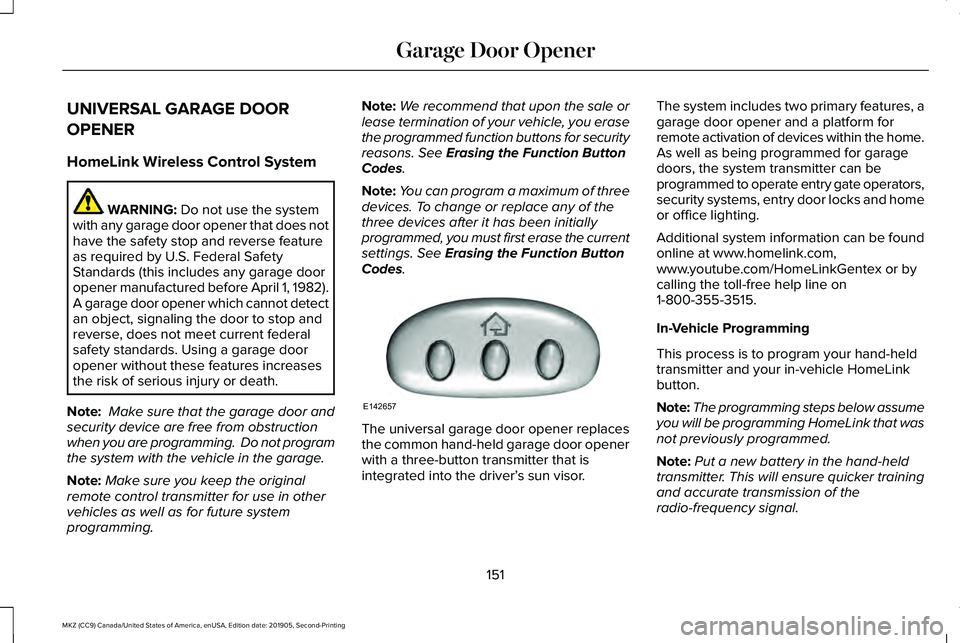
integrated into the driver’
s sun visor.The system includes two primary features, a
garage door opener and a platform for
remote activation of devices within the home.
As well as being programmed for garage
doors, the system transmitter can be
programmed to operate entry gate operators,
security systems, entry door locks and home
or office lighting.
Additional system information can be found
online at www.homelink.com,
www.youtube.com/HomeLinkGentex or by
calling the toll-free help line on
1-800-355-3515.
In-Vehicle Programming
This process is to program your hand-held
transmitter and your in-vehicle HomeLink
button.
Note:
The programming steps below assume
you will be programming HomeLink that was
not previously programmed.
Note: Put a new battery in the hand-held
transmitter. This will ensure quicker training
and accurate transmission of the
radio-frequency signal.
151
MKZ (CC9) Canada/United States of America, enUSA, Edition date: 201905, Second-Printing Garage Door OpenerE142657