brake light LINCOLN MKZ 2020 Owner's Manual
[x] Cancel search | Manufacturer: LINCOLN, Model Year: 2020, Model line: MKZ, Model: LINCOLN MKZ 2020Pages: 561, PDF Size: 5.7 MB
Page 248 of 561
PRE-COLLISION ASSIST
WARNING: You are responsible for
controlling your vehicle at all times. The
system is designed to be an aid and does
not relieve you of your responsibility to
drive with due care and attention. Failure
to follow this instruction could result in the
loss of control of your vehicle, personal
injury or death. WARNING:
The system does not
detect vehicles that are driving in a
different direction, pedestrians at night,
cyclists or animals. Failure to take care may
result in the loss of control of your vehicle,
serious personal injury or death. WARNING:
The system does not
operate during hard acceleration or
steering. Failure to take care may lead to
a crash or personal injury. WARNING:
The system may fail or
operate with reduced function during cold
and severe weather conditions. Snow, ice,
rain, spray and fog can adversely affect the
system. Keep the front camera and radar
free of snow and ice. Failure to take care
may result in the loss of control of your
vehicle, serious personal injury or death. WARNING:
In situations where the
vehicle camera has limited detection
capability, this may reduce system
performance. These situations include but
are not limited to direct or low sunlight,
vehicles at night without tail lights,
unconventional vehicle types, pedestrians
with complex backgrounds, running
pedestrians, partly obscured pedestrians,
or pedestrians that the system cannot
distinguish from a group. Failure to take
care may result in the loss of control of
your vehicle, serious personal injury or
death. WARNING:
The system cannot help
prevent all crashes. Do not rely on this
system to replace driver judgment and the
need to maintain a safe distance and
speed.
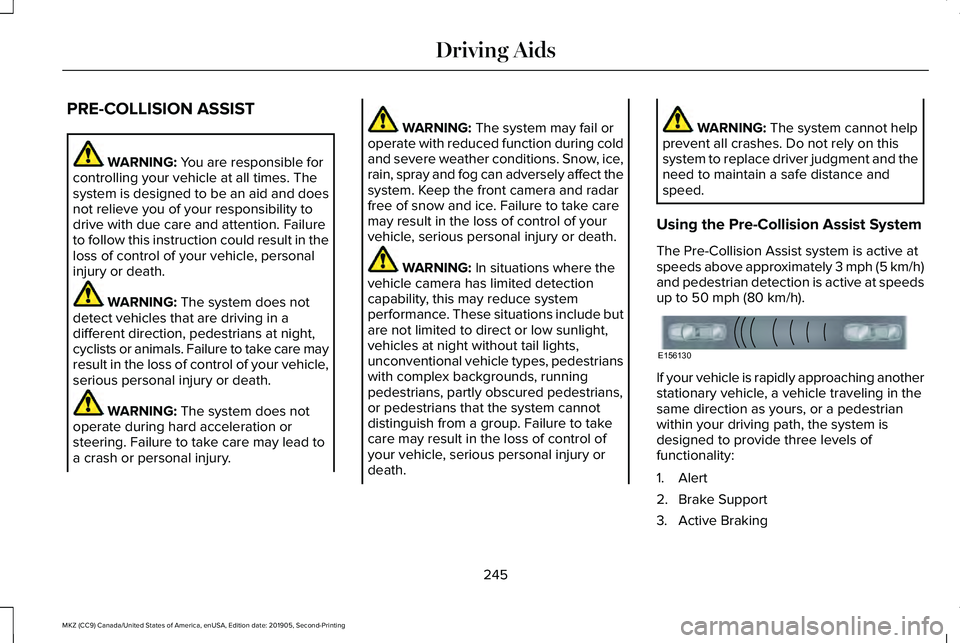
Using the Pre-Collision Assist System
The Pre-Collision Assist system is active at
speeds above approximately 3 mph (5 km/h)
and pedestrian detection is active at speeds
up to
50 mph (80 km/h). If your vehicle is rapidly approaching another
stationary vehicle, a vehicle traveling in the
same direction as yours, or a pedestrian
within your driving path, the system is
designed to provide three levels of
functionality:
1. Alert
2. Brake Support
3. Active Braking
245
MKZ (CC9) Canada/United States of America, enUSA, Edition date: 201905, Second-Printing Driving AidsE156130
Page 249 of 561
Alert: When active, a flashing visual warning
appears and an audible warning tone
sounds.
Brake Support
: The system is designed to
help reduce the impact speed by preparing
the brakes for rapid braking. The system
does not automatically apply the brakes. If
you press the brake pedal, the system could
apply additional braking up to maximum
braking force, even if you lightly press the
brake pedal. Active Braking
: Active braking may activate
if the system determines that a collision is
imminent. The system may help the driver
reduce impact damage or avoid the crash
completely.
Note: If you perceive Pre-Collision Assist
alerts as being too frequent or disturbing,
then you can reduce the alert sensitivity,
though the manufacturer recommends using
the highest sensitivity setting where possible.
Setting lower sensitivity would lead to fewer
and later system warnings.
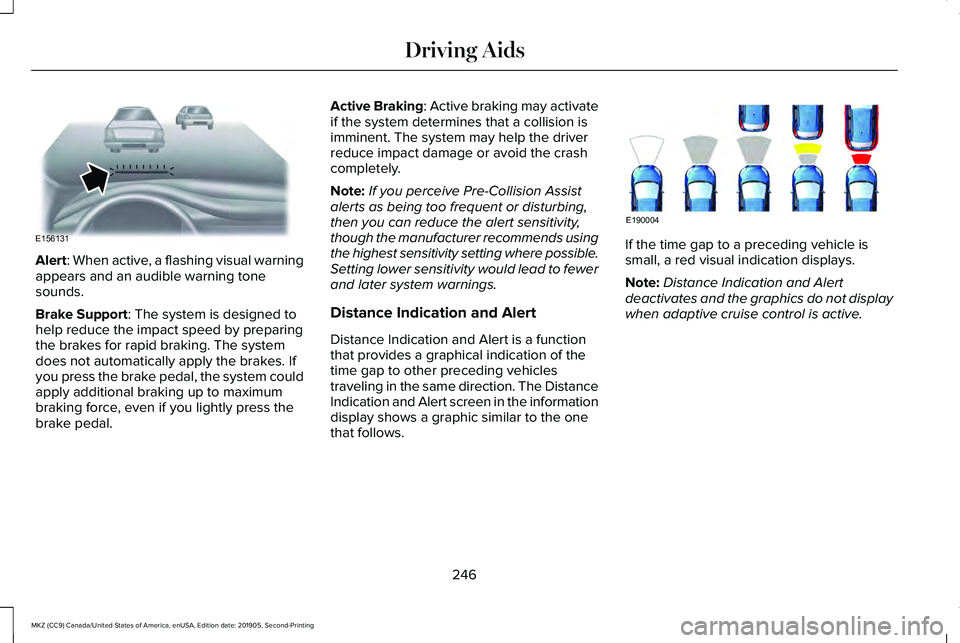
Distance Indication and Alert
Distance Indication and Alert is a function
that provides a graphical indication of the
time gap to other preceding vehicles
traveling in the same direction. The Distance
Indication and Alert screen in the information
display shows a graphic similar to the one
that follows. If the time gap to a preceding vehicle is
small, a red visual indication displays.
Note:
Distance Indication and Alert
deactivates and the graphics do not display
when adaptive cruise control is active.
246
MKZ (CC9) Canada/United States of America, enUSA, Edition date: 201905, Second-Printing Driving AidsE156131 E190004
Page 259 of 561
TOWING A TRAILER
WARNING: Do not exceed the
GVWR or the GAWR specified on the
certification label. WARNING:
Towing trailers
beyond the maximum recommended
gross trailer weight exceeds the limit
of your vehicle and could result in
engine damage, transmission damage,
structural damage, loss of vehicle
control, vehicle rollover and personal
injury.
Note: There may be electrical items
such as fuses or relays that can affect
trailer towing operation.
See Fuses
(page 281). The load capacity of your vehicle is
designated by weight not volume. You
may not necessarily be able to use all
available space when loading your
vehicle or trailer.
Towing a trailer places extra load on the
engine, transmission, axle, brakes, tires,
and suspension. Inspect these
components before, during and after
towing.
Load Placement
To help minimize how trailer movement
affects the vehicle when driving:
•
Load the heaviest items closest to
the trailer floor.
• Load the heaviest items in the center
of the left and right side trailer tires. •
Load the heaviest items above the
trailer axles or just slightly forward
toward the trailer tongue. Do not
allow the final trailer tongue weight
to go above or below 10-15% of the
loaded trailer weight.
• Select a ball mount with the correct
rise or drop. When both the loaded
vehicle and trailer are connected, the
trailer frame should be level, or
slightly angled down toward the
vehicle, when viewed from the side.
When driving with a trailer or payload, a
slight takeoff vibration or shudder may
be present due to the increased payload
weight. Additional information regarding
proper trailer loading and setting your
vehicle up for towing is located in the
Load Carrying chapter. See Load Limit
(page 251).
You can also find information in the
RV
& Trailer Towing Guide available at your
authorized dealer, or online.
256
MKZ (CC9) Canada/United States of America, enUSA, Edition date: 201905, Second-Printing Towing
Page 262 of 561
Trailer lamps are required on most towed
vehicles. Make sure all running lights, brake
lights, turn signals and hazard lights are
working.
Before Towing a Trailer
Practice turning, stopping and backing up to
get the feel of your vehicle-trailer
combination before starting on a trip. When
turning, make wider turns so the trailer
wheels clear curbs and other obstacles.
When Towing a Trailer
•
Do not drive faster than 70 mph
(113 km/h) during the first 500 mi
(800 km).
• Do not make full-throttle starts.
• Check your hitch, electrical connections
and trailer wheel lug nuts thoroughly after
you have traveled
50 mi (80 km).
• When stopped in congested or heavy
traffic during hot weather, place the
transmission in park (P) to aid engine and
transmission cooling and to help A/C
performance. •
Turn off the speed control with heavy
loads or in hilly terrain. The speed control
may turn off automatically when you are
towing on long, steep grades.
• Shift to a lower gear when driving down
a long or steep hill. Do not apply the
brakes continuously, as they may
overheat and become less effective.
• If your transmission is equipped with a
Grade Assist or Tow/Haul feature, use
this feature when towing. This provides
engine braking and helps eliminate
excessive transmission shifting for
optimum fuel economy and transmission
cooling.
• Allow more distance for stopping with a
trailer attached. Anticipate stops and
brake gradually.
• Avoid parking on a grade. However, if
you must park on a grade:
1. Turn the steering wheel to point your vehicle tires away from traffic flow.
2. Set your vehicle parking brake.
3. Place the transmission in park (P). 4. Place wheel chocks in front and back of
the trailer wheels. Chocks are not
included with your vehicle.
Launching or Retrieving a Boat or
Personal Watercraft (PWC)
Note: Disconnect the wiring to the trailer
before
backing the trailer into the water.
Note: Reconnect the wiring to the trailer
after
removing the trailer from the water.
When backing down a ramp during boat
launching or retrieval:
• Do not allow the static water level to rise
above the bottom edge of the rear
bumper.
• Do not allow waves to break higher than
6 in (15 cm)
above the bottom edge of
the rear bumper.
Exceeding these limits may allow water to
enter vehicle components:
• Causing internal damage to the
components.
• Affecting driveability, emissions, and
reliability.
259
MKZ (CC9) Canada/United States of America, enUSA, Edition date: 201905, Second-Printing Towing
Page 266 of 561
There are also some things you may want to
avoid doing because they reduce your fuel
economy:
•
Avoid sudden or hard accelerations.
• Avoid revving the engine before turning
off the car.
• Avoid long idle periods.
• Do not warm up your vehicle on cold
mornings.
• Reduce the use of air conditioning and
heat.
• Avoid using speed control in hilly terrain.
• Do not rest your foot on the brake pedal
while driving.
• Avoid carrying unnecessary weight.
• Avoid adding particular accessories to
your vehicle (e.g. bug deflectors,
rollbars/light bars, running boards, ski
racks).
• Avoid driving with the wheels out of
alignment. DRIVING THROUGH WATER WARNING: Do not drive through
flowing or deep water as you may lose
control of your vehicle.
Note: Driving through standing water can
cause vehicle damage.
Note: Engine damage can occur if water
enters the air filter.
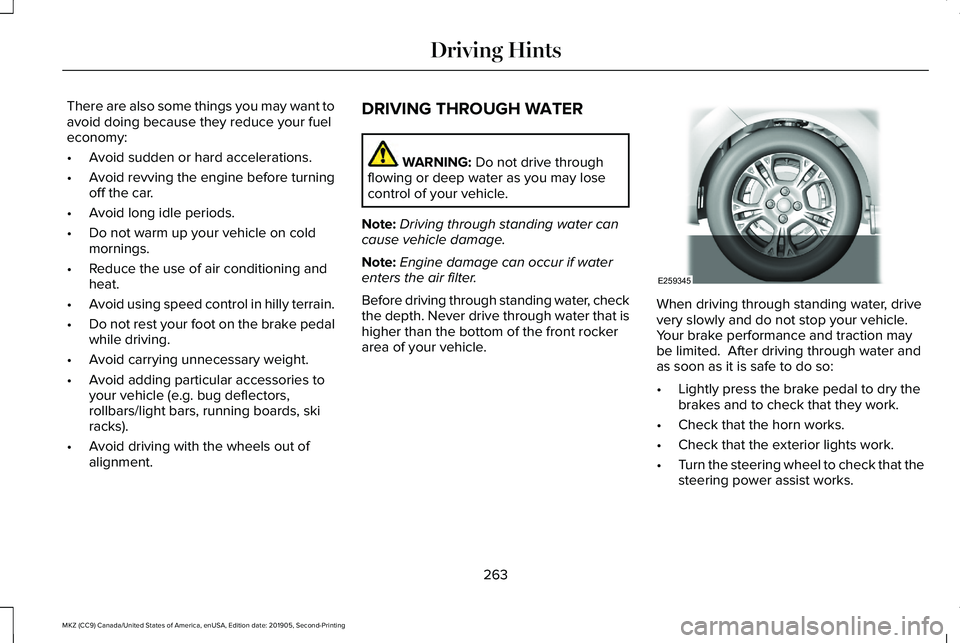
Before driving through standing water, check
the depth. Never drive through water that is
higher than the bottom of the front rocker
area of your vehicle. When driving through standing water, drive
very slowly and do not stop your vehicle.
Your brake performance and traction may
be limited. After driving through water and
as soon as it is safe to do so:
•
Lightly press the brake pedal to dry the
brakes and to check that they work.
• Check that the horn works.
• Check that the exterior lights work.
• Turn the steering wheel to check that the
steering power assist works.
263
MKZ (CC9) Canada/United States of America, enUSA, Edition date: 201905, Second-Printing Driving HintsE259345
Page 270 of 561
The fuel pump shutoff stops the flow of fuel
to the engine in the event of a moderate to
severe crash. Not every impact causes a
shutoff.
Should your vehicle shut off after a crash,
you may restart your vehicle.
If your vehicle has a key system:
1. Switch off the ignition.
2. Switch to start position.
3. Switch off the ignition.
4. Switch on the ignition to re-enable the
fuel pump.
5. If the vehicle does not start, repeat steps
1 through 4.
If your vehicle has a push button start
system:
1. Press START/STOP to switch off your
vehicle.
2. Press the brake pedal and
START/STOP
to switch on your vehicle.
3. Remove your foot from the brake pedal and press
START/STOP to switch off
your vehicle. 4. You can attempt to start the vehicle by
pressing the brake pedal and
START/STOP
, or press START/STOP
without pressing the brake pedal.
5. If the vehicle does not start, repeat steps
1 through 4.
JUMP STARTING THE VEHICLE WARNING:
Batteries normally
produce explosive gases which can cause
personal injury. Therefore, do not allow
flames, sparks or lighted substances to
come near the battery. When working near
the battery, always shield your face and
protect your eyes. Always provide correct
ventilation. WARNING:
Keep batteries out of
reach of children. Batteries contain sulfuric
acid. Avoid contact with skin, eyes or
clothing. Shield your eyes when working
near the battery to protect against possible
splashing of acid solution. In case of acid
contact with skin or eyes, flush immediately
with water for a minimum of 15 minutes and
get prompt medical attention. If acid is
swallowed, call a physician immediately. WARNING:
Use only adequately
sized cables with insulated clamps.
Preparing Your Vehicle
Do not attempt to push-start your automatic
transmission vehicle.
Note: Attempting to push-start a vehicle with
an automatic transmission may cause
transmission damage.
Note: Use only a 12-volt supply to start your
vehicle.
267
MKZ (CC9) Canada/United States of America, enUSA, Edition date: 201905, Second-Printing Roadside Emergencies
Page 335 of 561
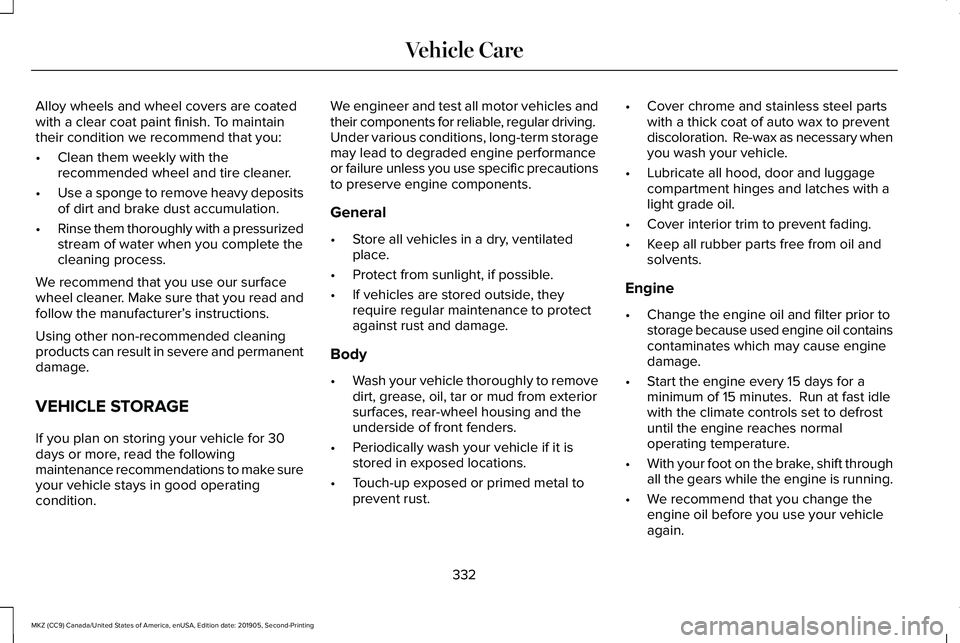
Alloy wheels and wheel covers are coated
with a clear coat paint finish. To maintain
their condition we recommend that you:
•
Clean them weekly with the
recommended wheel and tire cleaner.
• Use a sponge to remove heavy deposits
of dirt and brake dust accumulation.
• Rinse them thoroughly with a pressurized
stream of water when you complete the
cleaning process.
We recommend that you use our surface
wheel cleaner. Make sure that you read and
follow the manufacturer’ s instructions.
Using other non-recommended cleaning
products can result in severe and permanent
damage.
VEHICLE STORAGE
If you plan on storing your vehicle for 30
days or more, read the following
maintenance recommendations to make sure
your vehicle stays in good operating
condition. We engineer and test all motor vehicles and
their components for reliable, regular driving.
Under various conditions, long-term storage
may lead to degraded engine performance
or failure unless you use specific precautions
to preserve engine components.
General
•
Store all vehicles in a dry, ventilated
place.
• Protect from sunlight, if possible.
• If vehicles are stored outside, they
require regular maintenance to protect
against rust and damage.
Body
• Wash your vehicle thoroughly to remove
dirt, grease, oil, tar or mud from exterior
surfaces, rear-wheel housing and the
underside of front fenders.
• Periodically wash your vehicle if it is
stored in exposed locations.
• Touch-up exposed or primed metal to
prevent rust. •
Cover chrome and stainless steel parts
with a thick coat of auto wax to prevent
discoloration. Re-wax as necessary when
you wash your vehicle.
• Lubricate all hood, door and luggage
compartment hinges and latches with a
light grade oil.
• Cover interior trim to prevent fading.
• Keep all rubber parts free from oil and
solvents.
Engine
• Change the engine oil and filter prior to
storage because used engine oil contains
contaminates which may cause engine
damage.
• Start the engine every 15 days for a
minimum of 15 minutes. Run at fast idle
with the climate controls set to defrost
until the engine reaches normal
operating temperature.
• With your foot on the brake, shift through
all the gears while the engine is running.
• We recommend that you change the
engine oil before you use your vehicle
again.
332
MKZ (CC9) Canada/United States of America, enUSA, Edition date: 201905, Second-Printing Vehicle Care
Page 358 of 561
When Inflating Your Tires
WARNING: Do not use the tire
pressure displayed in the information
display as a tire pressure gauge. Failure to
follow this instruction could result in
personal injury or death.
When putting air into your tires (such as at a
gas station or in your garage), the tire
pressure monitoring system will not respond
immediately to the air added to your tires.
It could take up to two minutes of driving
over
20 mph (32 km/h) for the light to turn
off after you have filled your tires to the
recommended inflation pressure.
How Temperature Affects Your Tire
Pressure
The tire pressure monitoring system monitors
tire pressure in each pneumatic tire. While
driving in a normal manner, a typical
passenger tire inflation pressure could
increase about
2–4 psi (14–28 kPa) from a
cold start situation. If the vehicle is stationary
overnight with the outside temperature significantly lower than the daytime
temperature, the tire pressure could
decrease about
3 psi (21 kPa) for a drop of
30°F (17°C) in ambient temperature. This
lower pressure value could be detected by
the tire pressure monitoring system as being
significantly lower than the recommended
inflation pressure and activate the system
warning light for low tire pressure. If the low
tire pressure warning light is on, visually
check each tire to verify that no tire is flat. If
one or more tires are flat, repair as
necessary. Check the air pressure in the road
tires. If any tire is under-inflated, carefully
drive the vehicle to the nearest location
where air can be added to the tires. Inflate
all the tires to the recommended inflation
pressure.
CHANGING A ROAD WHEEL
(IF
EQUIPPED) WARNING:
If the tire pressure
monitor sensor becomes damaged it may
not function. Note:
The tire pressure monitoring system
indicator light illuminates when the spare
tire is in use. To restore the full function of
the monitoring system, mount all road
wheels equipped with tire pressure
monitoring sensors on the vehicle.
Note: You should only use tire sealants in
roadside emergencies as they may cause
damage to the tire pressure monitoring
system sensor.
If you get a flat tire when driving, do not
apply the brake heavily. Instead, gradually
decrease your speed. Hold the steering
wheel firmly and slowly move to a safe place
on the side of the road.
Have a flat serviced by an authorized dealer
to prevent damage to the tire pressure
monitoring system sensors.
See Tire
Pressure Monitoring System (page 350).
Replace the spare tire with a road tire as
soon as possible. During repairing or
replacing of the flat tire, have an authorized
dealer inspect the tire pressure monitoring
system sensor for damage.
355
MKZ (CC9) Canada/United States of America, enUSA, Edition date: 201905, Second-Printing Wheels and Tires
Page 548 of 561
9
911 Assist...........................................................55
A
A/C See: Climate Control..........................................135
About This Manual
............................................7
ABS See: Brakes...........................................................193
ABS driving hints See: Hints on Driving With Anti-Lock
Brakes................................................................194
Accessories....................................................470
Accessories See: Replacement Parts Recommendation.....15
ACC See: Using Adaptive Cruise Control.............222
Active Park Assist........................................209 Using Active Park Assist....................................210
Adaptive Headlamps
.....................................90
System Check........................................................90
Adjusting the Headlamps............................321 Horizontal Aim Adjustment..............................322
Vertical Aim Adjustment....................................321 Adjusting the Steering Wheel - Vehicles
With: Manual Adjustable Steering
Column...........................................................80
Adjusting the Steering Wheel - Vehicles With: Power Adjustable Steering
Column...........................................................80
End of Travel Position...........................................81
Memory Feature.....................................................81
AFS See: Adaptive Headlamps..................................90
Airbag Disposal
...............................................54
Air Conditioning See: Climate Control..........................................135
Air Filter See: Changing the Engine Air Filter..............322
Alarm See: Anti-Theft Alarm...........................................78
All-Wheel Drive
..............................................184
Ambient Lighting............................................92
Adjusting the Brightness....................................92
Changing the Color..............................................92
Switching Ambient Lighting Off........................92
Switching Ambient Lighting On........................92
Anti-Theft Alarm..............................................78 Arming the Alarm..................................................79
Disarming the Alarm.............................................79
Appendices...................................................508 Apps.................................................................448
SiriusXM Traffic and Travel Link......................449
Using Apps on an Android Device................449
Using Apps on an iOS Device.........................
448
Using Mobile Navigation on an Android Device...............................................................449
At a Glance
........................................................19
Audible Warnings and Indicators..............107 Headlamps On Warning Chime.......................
107
Keyless Warning Alert........................................107
Parking Brake On Warning Chime..................108
Audio Control..................................................82 You can operate the following functions with
the control:.........................................................82
Audio System
................................................400
General Information...........................................400
Audio Unit
.......................................................401
Adjusting the Volume.........................................401
Changing Radio Stations...................................401
Ejecting the CD....................................................401
Inserting a CD.....................................................402
Playing or Pausing Media................................402
Selecting the Audio Modes.............................402
Switching the Audio Unit On and Off............402
Using Seek, Fast Forward and Reverse.......402
Auto Hold........................................................196 Using Auto Hold..................................................197
545
MKZ (CC9) Canada/United States of America, enUSA, Edition date: 201905, Second-Printing Index
Page 554 of 561
Global Opening and Closing.......................96
Closing the Windows...........................................96
Opening the Windows.........................................96
H
Hazard Flashers...........................................266
Headlamp Adjusting See: Adjusting the Headlamps........................321
Headlamp Exit Delay.....................................89
Headrest See: Head Restraints...........................................141
Head Restraints..............................................141
Adjusting the Head Restraint...........................142
Tilting Head Restraints ......................................142
Heated Exterior Mirrors...............................138
Heated Rear Window...................................138
Heated Seats
..................................................148
Front Seats............................................................148
Rear Seats.............................................................149
Heated Steering Wheel.................................83
Heating See: Climate Control..........................................135
Hints on Controlling the Interior Climate...........................................................137
Defogging the Side Windows in Cold Weather.............................................................138
General Hints........................................................137 Quickly Cooling the Interior..............................138
Quickly Heating the Interior.............................138
Recommended Settings for Cooling..............138
Recommended Settings for Heating..............138
Hints on Driving With Anti-Lock Brakes............................................................194
Hood Lock See: Opening and Closing the Hood.............301
Horn....................................................................83
I
In California (U.S. Only)...............................273
Information Display Control
.........................83
Information Displays.....................................109 General Information............................................109
Information Messages
..................................115
Active Park.............................................................115
Adaptive Cruise Control.....................................116
Adaptive Headlamps...........................................117
AdvanceTrac ™.........................................................117
Airbag......................................................................117
Alarm.......................................................................118
Automatic Engine Shutdown.............................
118
AWD........................................................................\
.119
Battery and Charging System..........................120
Blind Spot Information and Cross Traffic Alert System................................................................121 Doors and Locks...................................................121
Driver Alert............................................................122
Fuel........................................................................\
.122
Hill Start Assist.....................................................123
Keys and Intelligent Access..............................123
Lane Keeping System........................................124
Maintenance.........................................................125
MyKey.....................................................................126
Park Aid..................................................................127
Park Brake.............................................................127
Power Steering....................................................128
Pre-Collision Assist.............................................129
Remote Start.........................................................129
Seats.......................................................................130
Starting System ...................................................130
Tire Pressure Monitoring System.....................131
Traction Control....................................................131
Transmission.........................................................132
Installing Child Restraints.............................23 Child Seats..............................................................23
Using Lap and Shoulder Belts...........................23
Using Lower Anchors and Tethers for
CHildren (LATCH).............................................26
Using Tether Straps..............................................28
Instrument Cluster
........................................102
Instrument Lighting Dimmer........................89
Instrument Panel..............................................19
551
MKZ (CC9) Canada/United States of America, enUSA, Edition date: 201905, Second-Printing Index