reset LINCOLN MKZ HYBRID 2013 User Guide
[x] Cancel search | Manufacturer: LINCOLN, Model Year: 2013, Model line: MKZ HYBRID, Model: LINCOLN MKZ HYBRID 2013Pages: 475, PDF Size: 3.89 MB
Page 117 of 475
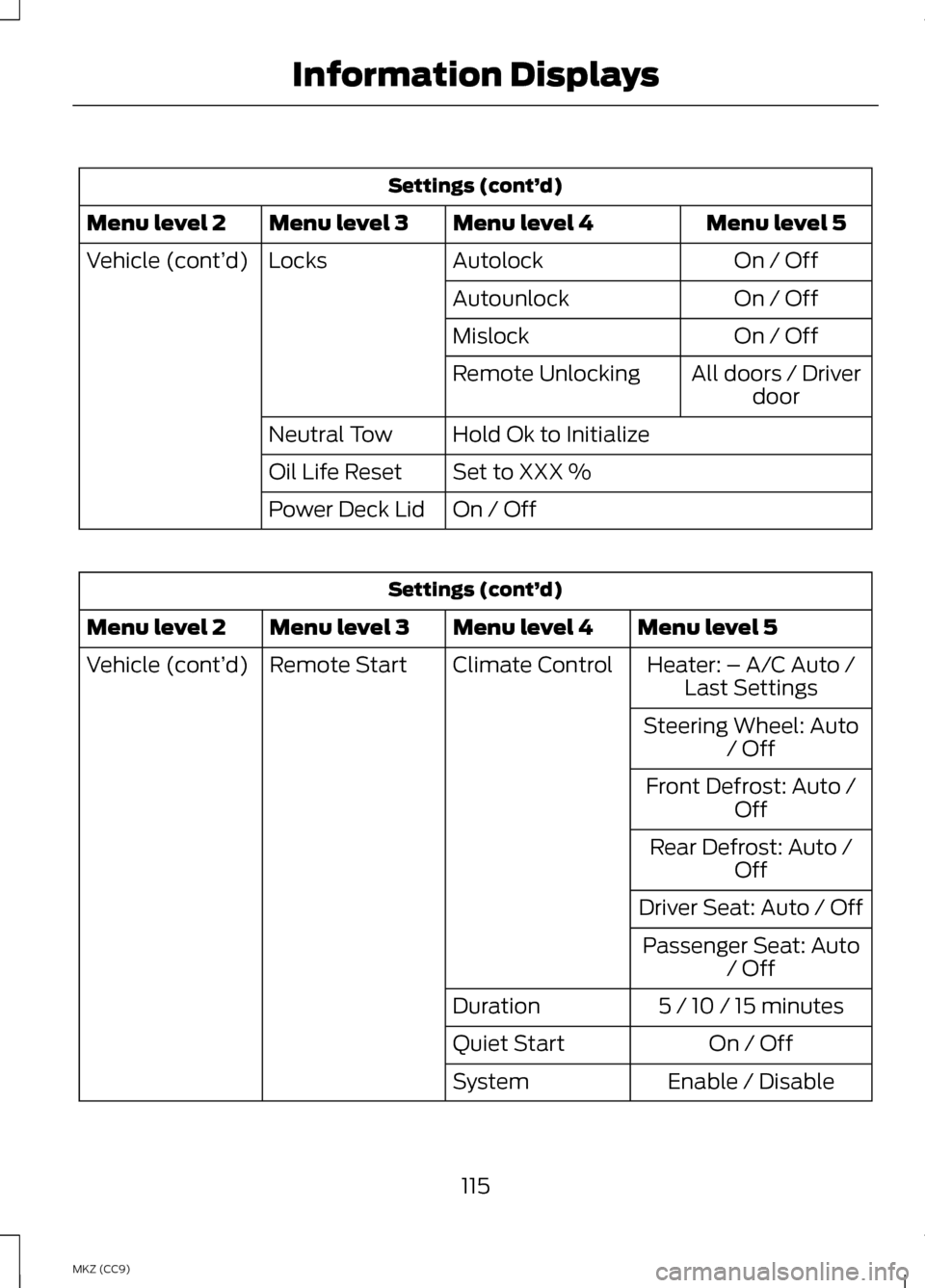
Settings (cont’
d)
Menu level 5
Menu level 4
Menu level 3
Menu level 2
On / Off
Autolock
Locks
Vehicle (cont’ d)
On / Off
Autounlock
On / Off
Mislock
All doors / Driverdoor
Remote Unlocking
Hold Ok to Initialize
Neutral Tow
Set to XXX %
Oil Life Reset
On / Off
Power Deck Lid Settings (cont’
d)
Menu level 5
Menu level 4
Menu level 3
Menu level 2
Heater: – A/C Auto /Last Settings
Climate Control
Remote Start
Vehicle (cont’ d)
Steering Wheel: Auto/ Off
Front Defrost: Auto / Off
Rear Defrost: Auto / Off
Driver Seat: Auto / Off Passenger Seat: Auto / Off
5 / 10 / 15 minutes
Duration
On / Off
Quiet Start
Enable / Disable
System
115
MKZ (CC9) Information Displays
Page 119 of 475
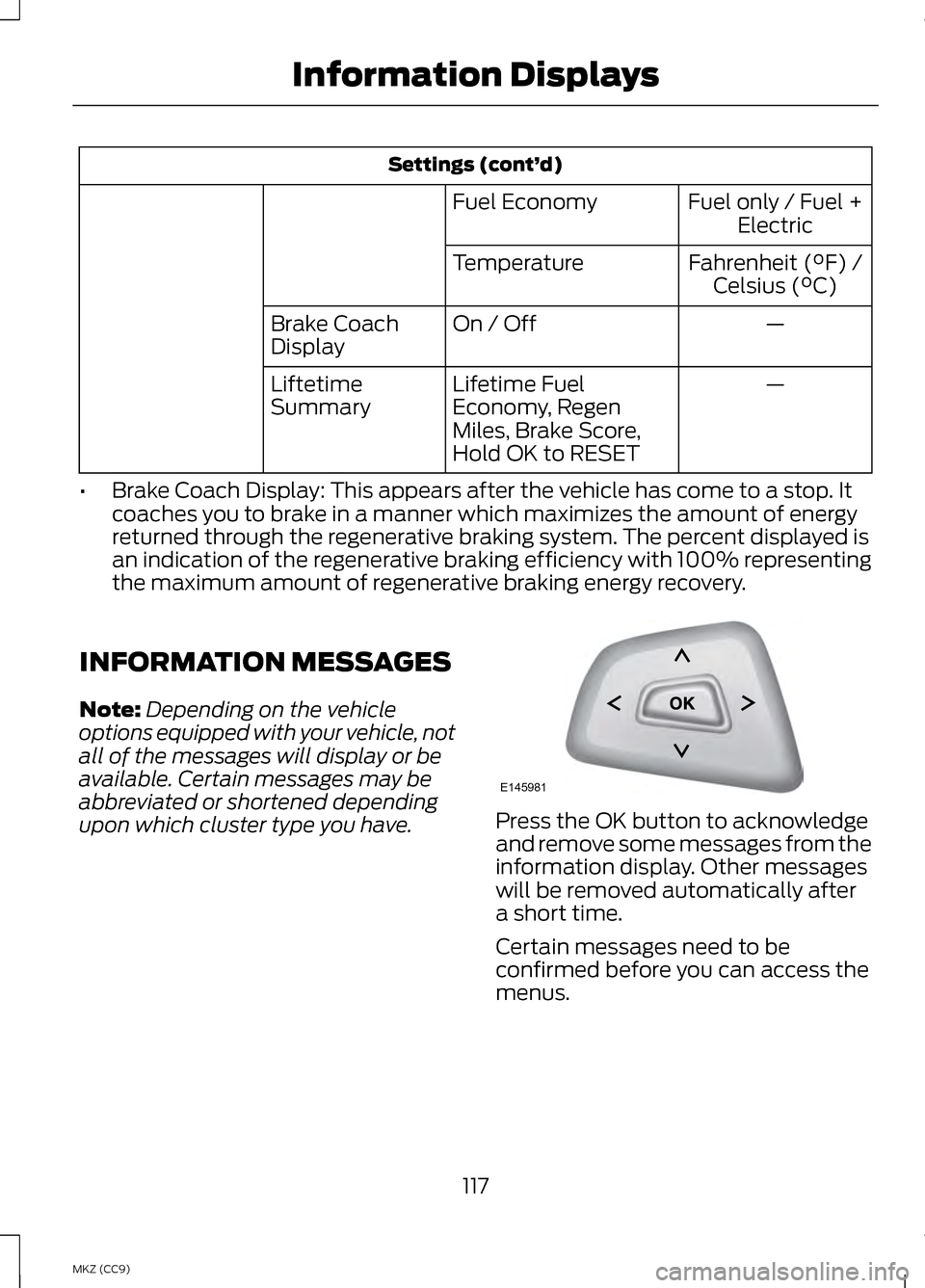
Settings (cont’
d)
Fuel only / Fuel +Electric
Fuel Economy
Fahrenheit (°F) /Celsius (°C)
Temperature
—
On / Off
Brake Coach
Display
—
Lifetime Fuel
Economy, Regen
Miles, Brake Score,
Hold OK to RESET
Liftetime
Summary
• Brake Coach Display: This appears after the vehicle has come to a stop. It
coaches you to brake in a manner which maximizes the amount of energy
returned through the regenerative braking system. The percent displayed is
an indication of the regenerative braking efficiency with 100% representing
the maximum amount of regenerative braking energy recovery.
INFORMATION MESSAGES
Note: Depending on the vehicle
options equipped with your vehicle, not
all of the messages will display or be
available. Certain messages may be
abbreviated or shortened depending
upon which cluster type you have. Press the OK button to acknowledge
and remove some messages from the
information display. Other messages
will be removed automatically after
a short time.
Certain messages need to be
confirmed before you can access the
menus.
117
MKZ (CC9) Information DisplaysE145981
Page 124 of 475
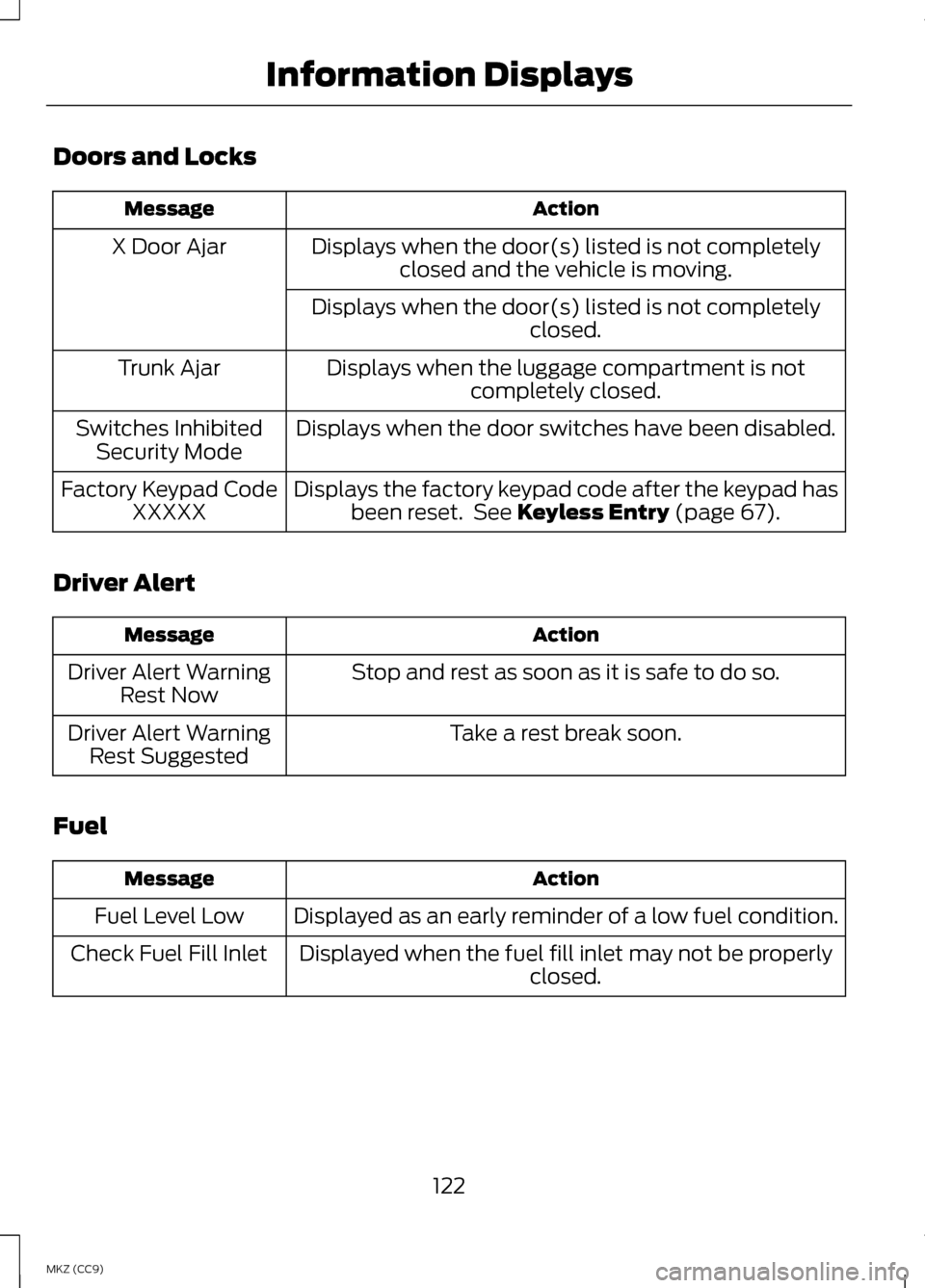
Doors and Locks
Action
Message
Displays when the door(s) listed is not completelyclosed and the vehicle is moving.
X Door Ajar
Displays when the door(s) listed is not completely closed.
Displays when the luggage compartment is not completely closed.
Trunk Ajar
Displays when the door switches have been disabled.
Switches Inhibited
Security Mode
Displays the factory keypad code after the keypad hasbeen reset. See Keyless Entry (page 67).
Factory Keypad Code
XXXXX
Driver Alert Action
Message
Stop and rest as soon as it is safe to do so.
Driver Alert Warning
Rest Now
Take a rest break soon.
Driver Alert Warning
Rest Suggested
Fuel Action
Message
Displayed as an early reminder of a low fuel condition.
Fuel Level Low
Displayed when the fuel fill inlet may not be properly closed.
Check Fuel Fill Inlet
122
MKZ (CC9) Information Displays
Page 153 of 475
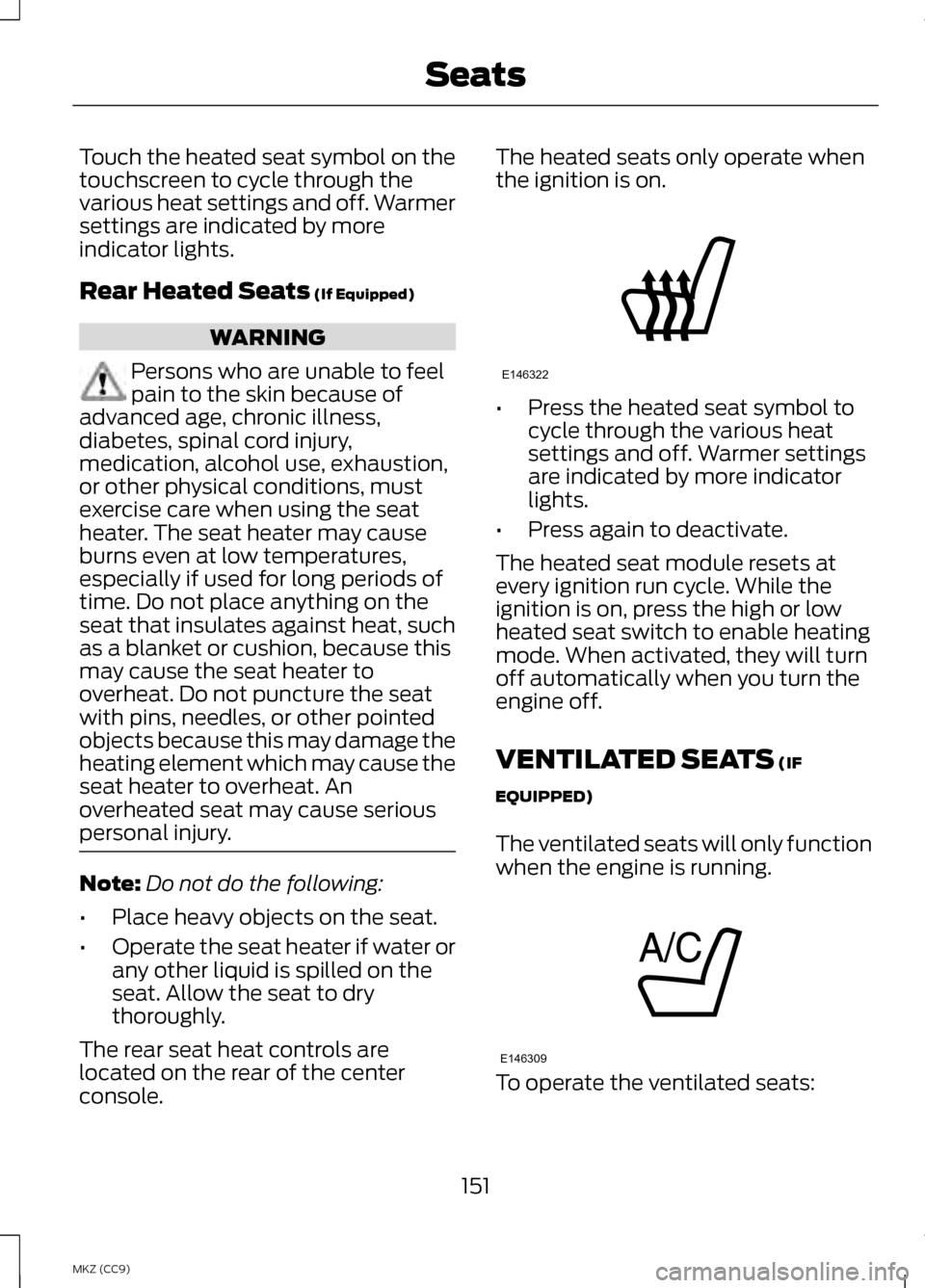
Touch the heated seat symbol on the
touchscreen to cycle through the
various heat settings and off. Warmer
settings are indicated by more
indicator lights.
Rear Heated Seats (If Equipped)
WARNING
Persons who are unable to feel
pain to the skin because of
advanced age, chronic illness,
diabetes, spinal cord injury,
medication, alcohol use, exhaustion,
or other physical conditions, must
exercise care when using the seat
heater. The seat heater may cause
burns even at low temperatures,
especially if used for long periods of
time. Do not place anything on the
seat that insulates against heat, such
as a blanket or cushion, because this
may cause the seat heater to
overheat. Do not puncture the seat
with pins, needles, or other pointed
objects because this may damage the
heating element which may cause the
seat heater to overheat. An
overheated seat may cause serious
personal injury. Note:
Do not do the following:
• Place heavy objects on the seat.
• Operate the seat heater if water or
any other liquid is spilled on the
seat. Allow the seat to dry
thoroughly.
The rear seat heat controls are
located on the rear of the center
console. The heated seats only operate when
the ignition is on.
•
Press the heated seat symbol to
cycle through the various heat
settings and off. Warmer settings
are indicated by more indicator
lights.
• Press again to deactivate.
The heated seat module resets at
every ignition run cycle. While the
ignition is on, press the high or low
heated seat switch to enable heating
mode. When activated, they will turn
off automatically when you turn the
engine off.
VENTILATED SEATS
(IF
EQUIPPED)
The ventilated seats will only function
when the engine is running. To operate the ventilated seats:
151
MKZ (CC9) SeatsE146322 E146309
Page 171 of 475
Note:
Frequent destinations are
learned by your vehicle after two to
four weeks of use. You can clear these
destinations with a Driving History reset
through the Settings menu. Note:
The EV+ feature can be turned
on or off through the Driver Assist
section of the Settings menu.
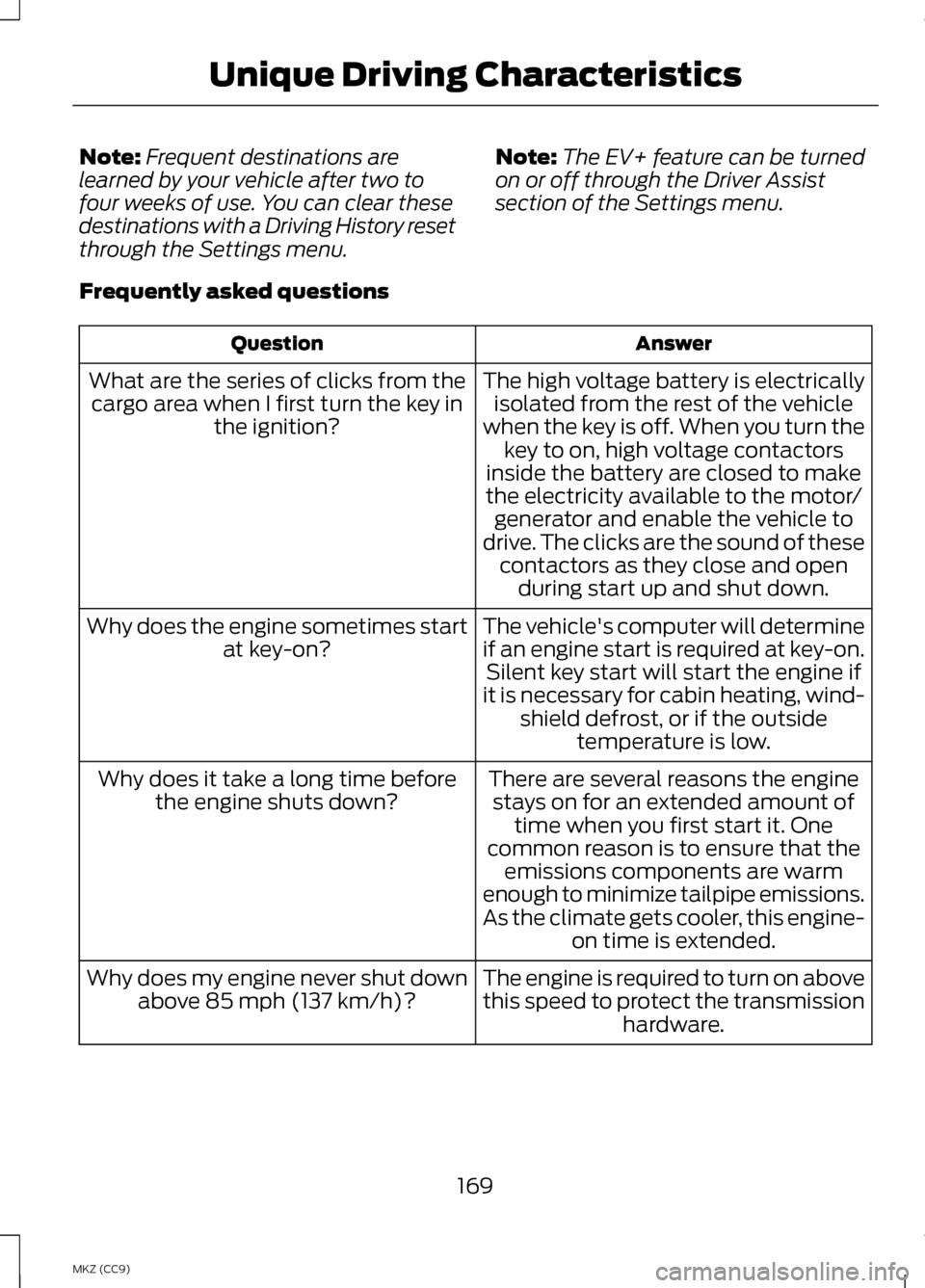
Frequently asked questions Answer
Question
The high voltage battery is electricallyisolated from the rest of the vehicle
when the key is off. When you turn the key to on, high voltage contactors
inside the battery are closed to make
the electricity available to the motor/ generator and enable the vehicle to
drive. The clicks are the sound of these contactors as they close and open during start up and shut down.
What are the series of clicks from the
cargo area when I first turn the key in the ignition?
The vehicle's computer will determine
if an engine start is required at key-on.Silent key start will start the engine if
it is necessary for cabin heating, wind- shield defrost, or if the outside temperature is low.
Why does the engine sometimes start
at key-on?
There are several reasons the enginestays on for an extended amount of time when you first start it. One
common reason is to ensure that the emissions components are warm
enough to minimize tailpipe emissions.
As the climate gets cooler, this engine- on time is extended.
Why does it take a long time before
the engine shuts down?
The engine is required to turn on above
this speed to protect the transmissionhardware.
Why does my engine never shut down
above 85 mph (137 km/h)?
169
MKZ (CC9) Unique Driving Characteristics
Page 179 of 475
Note:
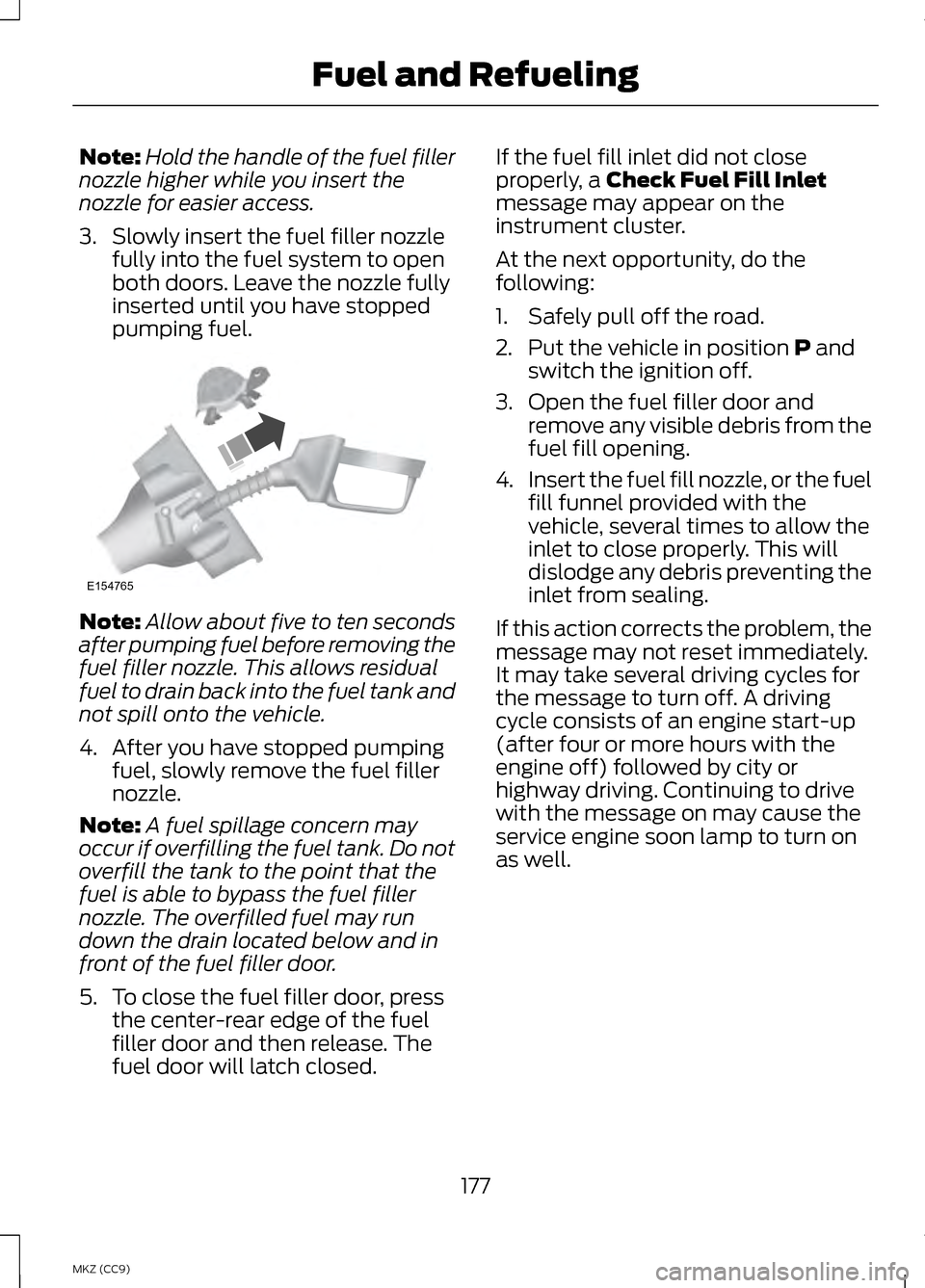
Hold the handle of the fuel filler
nozzle higher while you insert the
nozzle for easier access.
3. Slowly insert the fuel filler nozzle fully into the fuel system to open
both doors. Leave the nozzle fully
inserted until you have stopped
pumping fuel. Note:
Allow about five to ten seconds
after pumping fuel before removing the
fuel filler nozzle. This allows residual
fuel to drain back into the fuel tank and
not spill onto the vehicle.
4. After you have stopped pumping fuel, slowly remove the fuel filler
nozzle.
Note: A fuel spillage concern may
occur if overfilling the fuel tank. Do not
overfill the tank to the point that the
fuel is able to bypass the fuel filler
nozzle. The overfilled fuel may run
down the drain located below and in
front of the fuel filler door.
5. To close the fuel filler door, press the center-rear edge of the fuel
filler door and then release. The
fuel door will latch closed. If the fuel fill inlet did not close
properly, a Check Fuel Fill Inlet
message may appear on the
instrument cluster.
At the next opportunity, do the
following:
1. Safely pull off the road.
2. Put the vehicle in position
P and
switch the ignition off.
3. Open the fuel filler door and remove any visible debris from the
fuel fill opening.
4. Insert the fuel fill nozzle, or the fuel
fill funnel provided with the
vehicle, several times to allow the
inlet to close properly. This will
dislodge any debris preventing the
inlet from sealing.
If this action corrects the problem, the
message may not reset immediately.
It may take several driving cycles for
the message to turn off. A driving
cycle consists of an engine start-up
(after four or more hours with the
engine off) followed by city or
highway driving. Continuing to drive
with the message on may cause the
service engine soon lamp to turn on
as well.
177
MKZ (CC9) Fuel and RefuelingE154765
Page 210 of 475
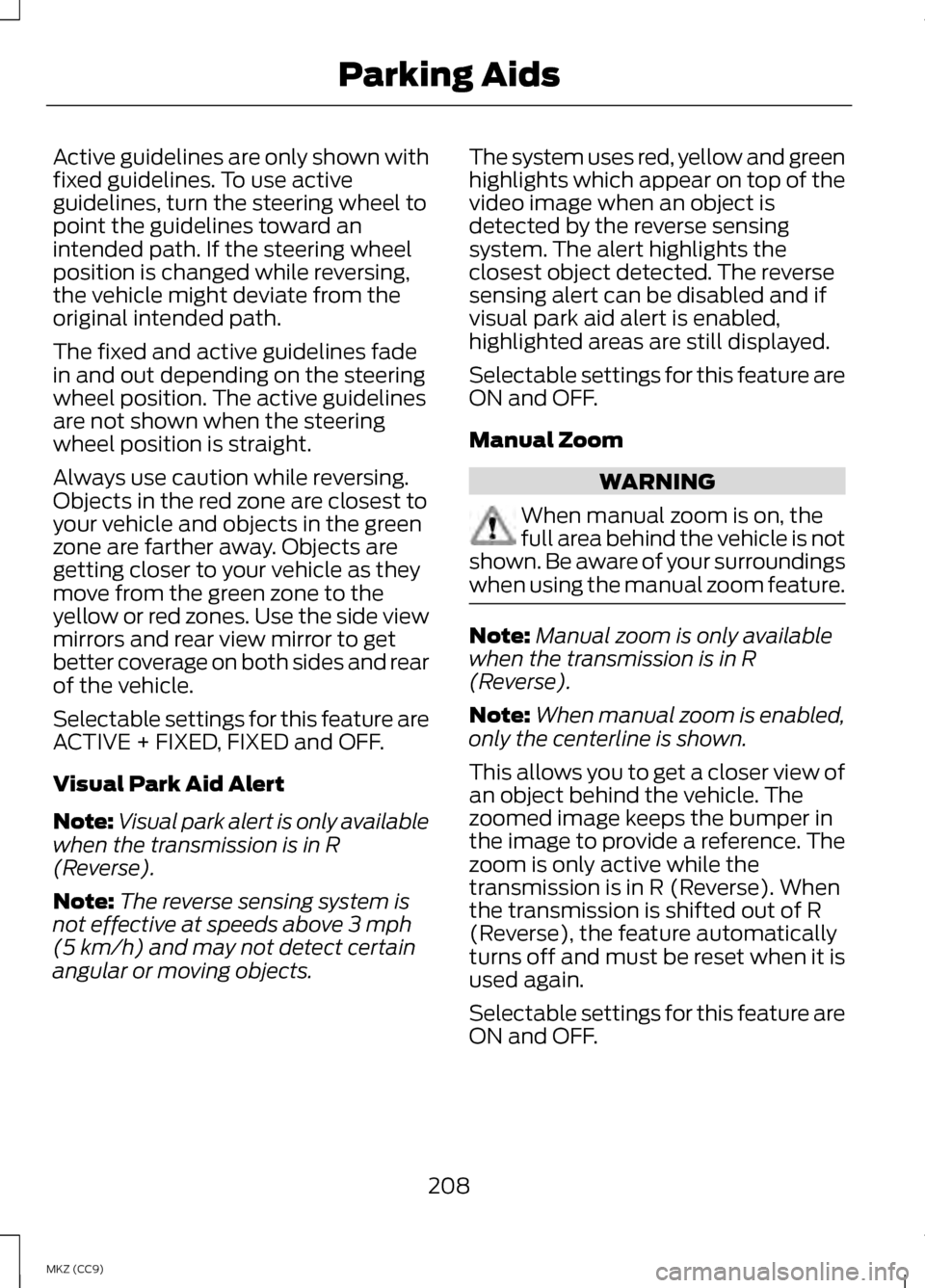
Active guidelines are only shown with
fixed guidelines. To use active
guidelines, turn the steering wheel to
point the guidelines toward an
intended path. If the steering wheel
position is changed while reversing,
the vehicle might deviate from the
original intended path.
The fixed and active guidelines fade
in and out depending on the steering
wheel position. The active guidelines
are not shown when the steering
wheel position is straight.
Always use caution while reversing.
Objects in the red zone are closest to
your vehicle and objects in the green
zone are farther away. Objects are
getting closer to your vehicle as they
move from the green zone to the
yellow or red zones. Use the side view
mirrors and rear view mirror to get
better coverage on both sides and rear
of the vehicle.
Selectable settings for this feature are
ACTIVE + FIXED, FIXED and OFF.
Visual Park Aid Alert
Note:
Visual park alert is only available
when the transmission is in R
(Reverse).
Note: The reverse sensing system is
not effective at speeds above 3 mph
(5 km/h) and may not detect certain
angular or moving objects. The system uses red, yellow and green
highlights which appear on top of the
video image when an object is
detected by the reverse sensing
system. The alert highlights the
closest object detected. The reverse
sensing alert can be disabled and if
visual park aid alert is enabled,
highlighted areas are still displayed.
Selectable settings for this feature are
ON and OFF.
Manual Zoom
WARNING
When manual zoom is on, the
full area behind the vehicle is not
shown. Be aware of your surroundings
when using the manual zoom feature. Note:
Manual zoom is only available
when the transmission is in R
(Reverse).
Note: When manual zoom is enabled,
only the centerline is shown.
This allows you to get a closer view of
an object behind the vehicle. The
zoomed image keeps the bumper in
the image to provide a reference. The
zoom is only active while the
transmission is in R (Reverse). When
the transmission is shifted out of R
(Reverse), the feature automatically
turns off and must be reset when it is
used again.
Selectable settings for this feature are
ON and OFF.
208
MKZ (CC9) Parking Aids
Page 214 of 475
Switching the System On
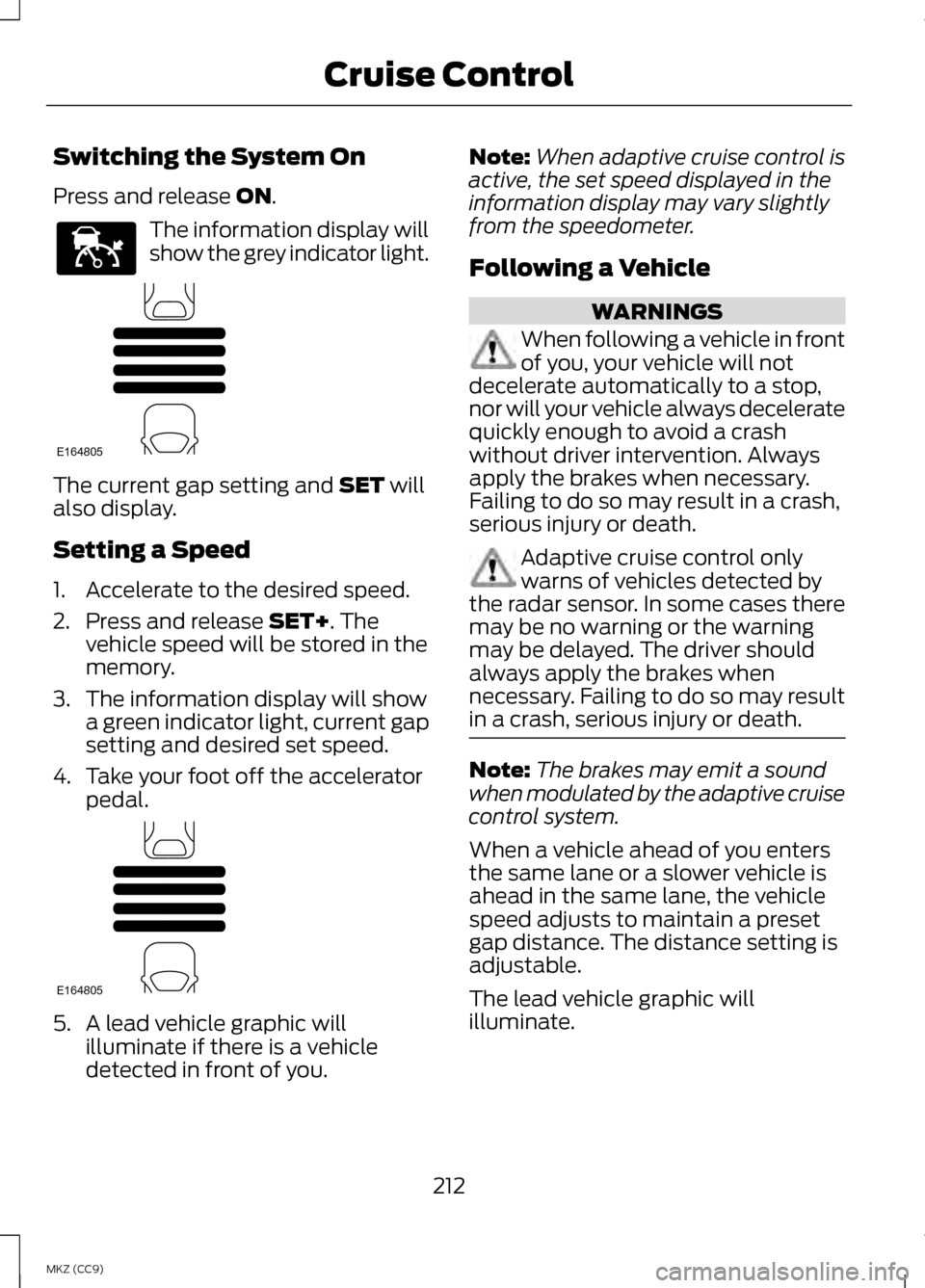
Press and release ON.
The information display will
show the grey indicator light.
The current gap setting and
SET will
also display.
Setting a Speed
1. Accelerate to the desired speed.
2. Press and release
SET+. The
vehicle speed will be stored in the
memory.
3. The information display will show a green indicator light, current gap
setting and desired set speed.
4. Take your foot off the accelerator pedal. 5. A lead vehicle graphic will
illuminate if there is a vehicle
detected in front of you. Note:
When adaptive cruise control is
active, the set speed displayed in the
information display may vary slightly
from the speedometer.
Following a Vehicle WARNINGS
When following a vehicle in front
of you, your vehicle will not
decelerate automatically to a stop,
nor will your vehicle always decelerate
quickly enough to avoid a crash
without driver intervention. Always
apply the brakes when necessary.
Failing to do so may result in a crash,
serious injury or death. Adaptive cruise control only
warns of vehicles detected by
the radar sensor. In some cases there
may be no warning or the warning
may be delayed. The driver should
always apply the brakes when
necessary. Failing to do so may result
in a crash, serious injury or death. Note:
The brakes may emit a sound
when modulated by the adaptive cruise
control system.
When a vehicle ahead of you enters
the same lane or a slower vehicle is
ahead in the same lane, the vehicle
speed adjusts to maintain a preset
gap distance. The distance setting is
adjustable.
The lead vehicle graphic will
illuminate.
212
MKZ (CC9) Cruise ControlE144529 E164805 E164805
Page 222 of 475
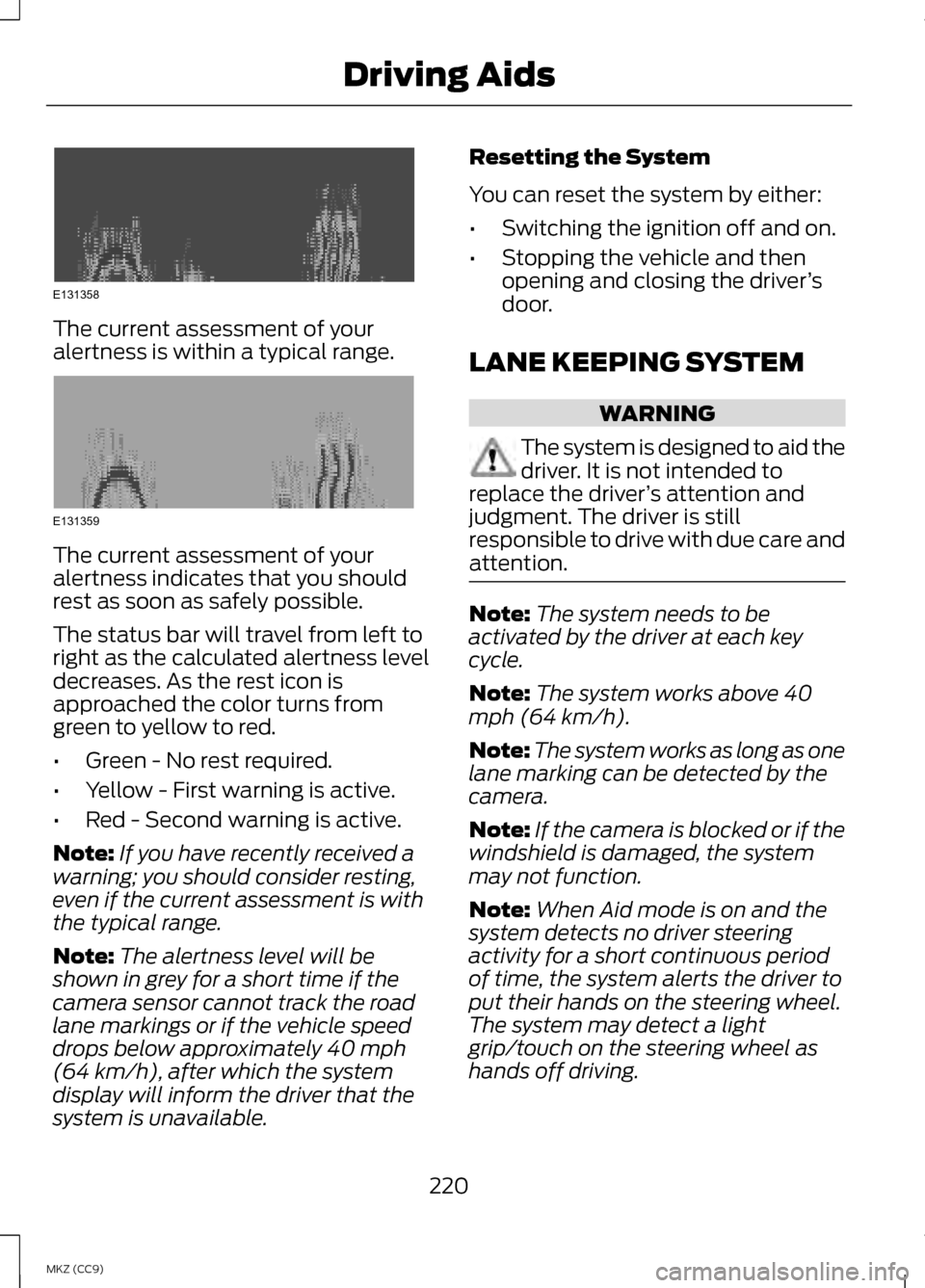
The current assessment of your
alertness is within a typical range.
The current assessment of your
alertness indicates that you should
rest as soon as safely possible.
The status bar will travel from left to
right as the calculated alertness level
decreases. As the rest icon is
approached the color turns from
green to yellow to red.
•
Green - No rest required.
• Yellow - First warning is active.
• Red - Second warning is active.
Note: If you have recently received a
warning; you should consider resting,
even if the current assessment is with
the typical range.
Note: The alertness level will be
shown in grey for a short time if the
camera sensor cannot track the road
lane markings or if the vehicle speed
drops below approximately 40 mph
(64 km/h), after which the system
display will inform the driver that the
system is unavailable. Resetting the System
You can reset the system by either:
•
Switching the ignition off and on.
• Stopping the vehicle and then
opening and closing the driver ’s
door.
LANE KEEPING SYSTEM WARNING
The system is designed to aid the
driver. It is not intended to
replace the driver ’s attention and
judgment. The driver is still
responsible to drive with due care and
attention. Note:
The system needs to be
activated by the driver at each key
cycle.
Note: The system works above 40
mph (64 km/h).
Note: The system works as long as one
lane marking can be detected by the
camera.
Note: If the camera is blocked or if the
windshield is damaged, the system
may not function.
Note: When Aid mode is on and the
system detects no driver steering
activity for a short continuous period
of time, the system alerts the driver to
put their hands on the steering wheel.
The system may detect a light
grip/touch on the steering wheel as
hands off driving.
220
MKZ (CC9) Driving AidsE131358 E131359
Page 230 of 475

Note:
It is possible to get a blockage
warning with no blockage present; this
is rare and known as a false blockage
warning. A false blocked condition
either self-corrects or clears after a key
cycle. The system uses radar sensors which
are located behind the bumper fascia
on each side of your vehicle. Do not
allow these areas to become
obstructed by mud, snow or bumper
stickers, as this can cause degraded
system performance.
If the system detects a degraded
performance condition, a message
warning of a blocked sensor or a
message warning of low visibility will
appear in the information display and
the alert indicator illuminates in the
appropriate mirror(s). The information
display warning can be cleared but
the alert indicator remains
illuminated.
When the blockage is removed, the
system can be reset in two ways:
•
when at least two objects are
detected while driving, or
• turn the ignition from on to off,
then back on. If the blockage is still present after the
key cycle, the system senses again
that it is blocked after driving in traffic. Reasons for messages being
displayed
Clean the fascia area in front of the radar or
remove the obstruction.
The radar
surface is dirty or
obstructed
Drive normally in trafficfor a few minutes to
allow the radar to detect
passing vehicles so it can clear the blocked state.
The radar
surface is not dirty or
obstructed
No action required. Thesystem automatically
resets to an unblocked
state once the rainfall or snowfall rate decreases
or stops. Do not use BLIS or cross traffic alert in these conditions.
Heavy
rainfall/
snowfall
interferes with the radar
signals
System Limitations
The BLIS and cross traffic alert
systems do have their limitations;
situations such as severe weather
conditions or debris build-up on the
sensor area may limit vehicle
detection.
228
MKZ (CC9) Driving AidsE142443