CD player LINCOLN MKZ HYBRID 2014 User Guide
[x] Cancel search | Manufacturer: LINCOLN, Model Year: 2014, Model line: MKZ HYBRID, Model: LINCOLN MKZ HYBRID 2014Pages: 445, PDF Size: 3.8 MB
Page 354 of 445
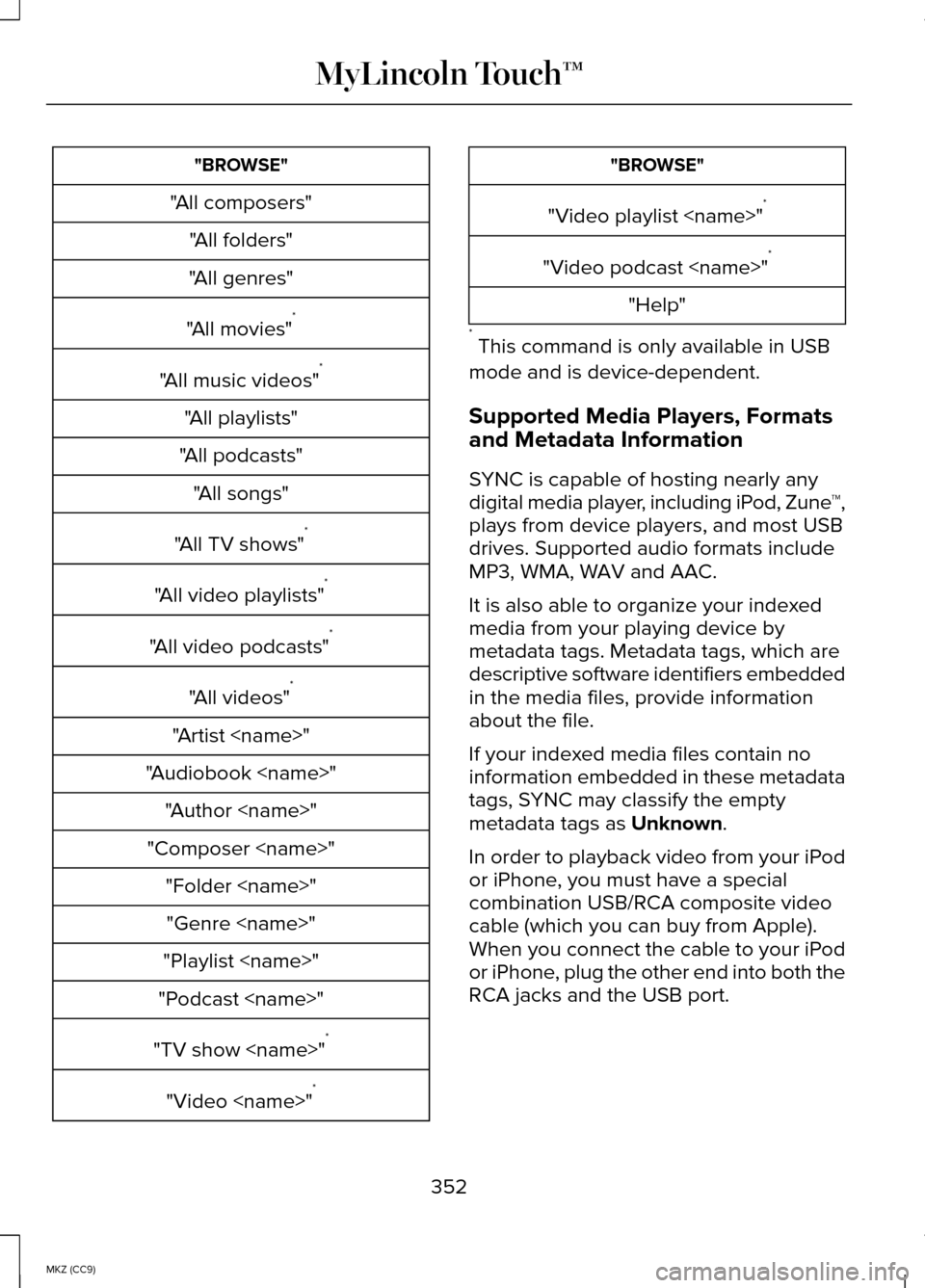
"BROWSE"
"All composers" "All folders"
"All genres"
"All movies" *
"All music videos" *
"All playlists"
"All podcasts" "All songs"
"All TV shows" *
"All video playlists" *
"All video podcasts" *
"All videos" *
"Artist
"Audiobook
"Composer
"Playlist
"Podcast
"TV show
"Video
"Video playlist
"Video podcast
"Help"
* This command is only available in USB
mode and is device-dependent.
Supported Media Players, Formats
and Metadata Information
SYNC is capable of hosting nearly any
digital media player, including iPod, Zune ™,
plays from device players, and most USB
drives. Supported audio formats include
MP3, WMA, WAV and AAC.
It is also able to organize your indexed
media from your playing device by
metadata tags. Metadata tags, which are
descriptive software identifiers embedded
in the media files, provide information
about the file.
If your indexed media files contain no
information embedded in these metadata
tags, SYNC may classify the empty
metadata tags as Unknown.
In order to playback video from your iPod
or iPhone, you must have a special
combination USB/RCA composite video
cable (which you can buy from Apple).
When you connect the cable to your iPod
or iPhone, plug the other end into both the
RCA jacks and the USB port.
352
MKZ (CC9) MyLincoln Touch™
Page 355 of 445
Bluetooth Audio
Your system allows you to stream audio
over your vehicle's speakers from your
connected, Bluetooth-enabled cellular
phone.
To access, press the lower left
corner on the touchscreen, then
select the BT Stereo tab.
Bluetooth Audio Voice Commands If you are listening to a Bluetooth
audio device, press the voice
button on the steering wheel
control. When prompted, say "Next song",
"Pause", "Play" or "Previous song".
If you are not listening to a Bluetooth audio
device, press the voice button and, after
the tone, say "Next song", "Pause", "Play"
or "Previous song".
A/V Inputs WARNINGS
Driving while distracted can result in
loss of vehicle control, crash and
injury. We strongly recommend that you
use extreme caution when using any
device that may take your focus off the
road. Your primary responsibility is the
safe operation of your vehicle. We
recommend against the use of any
handheld device while driving and
encourage the use of voice-operated
systems when possible. Make sure you
are aware of all applicable local laws that
may affect the use of electronic devices
while driving. WARNINGS
For safety reasons, do not connect
or adjust the settings on your
portable music player while your vehicle
is moving. Store the portable music player in a
secure location, such as the center
console or the glove box, when your
vehicle is moving. Hard objects may
become projectiles in a crash or sudden
stop, which may increase the risk of
serious injury. The audio extension cable
must be long enough to allow the portable
music player to be safely stored while your
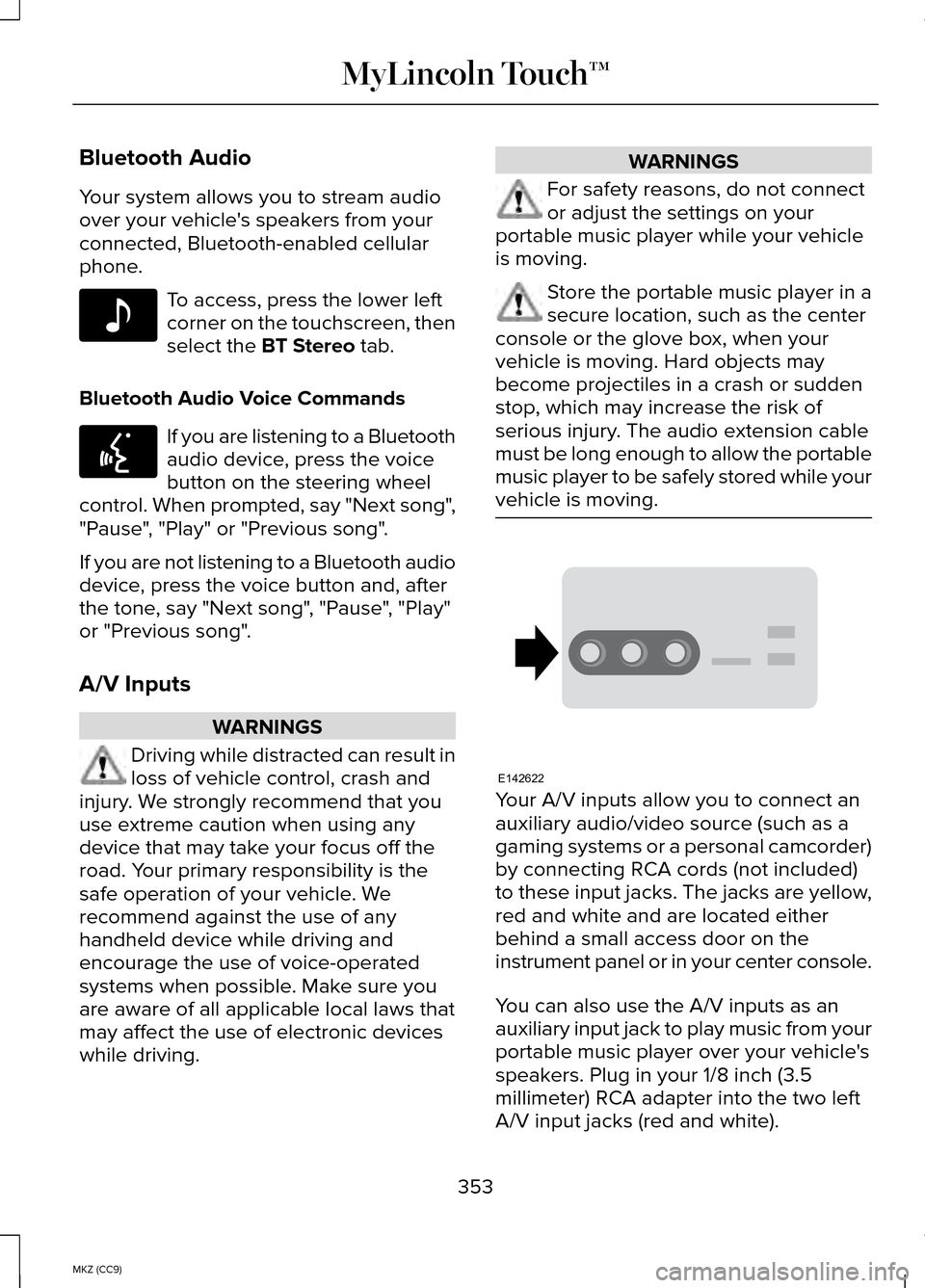
vehicle is moving. Your A/V inputs allow you to connect an
auxiliary audio/video source (such as a
gaming systems or a personal camcorder)
by connecting RCA cords (not included)
to these input jacks. The jacks are yellow,
red and white and are located either
behind a small access door on the
instrument panel or in your center console.
You can also use the A/V inputs as an
auxiliary input jack to play music from your
portable music player over your vehicle's
speakers. Plug in your 1/8 inch (3.5
millimeter) RCA adapter into the two left
A/V input jacks (red and white).
353
MKZ (CC9) MyLincoln Touch™E142611 E142599 E142622
Page 356 of 445
Press the lower left corner of the
touchscreen, and then select A/V In.
To use the auxiliary input jack feature,
make sure that your portable music player
is designed for use with headphones and
that it is fully charged. You also need an
audio extension cable with stereo male
1/8-inch (3.5 millimeter) connectors at one
end and a RCA jack at the other.
1. Switch off the engine, radio and portable music player. Set the parking
brake and put the transmission in
position
P.
2. Attach one end of the audio extension
cable to the headphone output of your
player and the other end into the
adapter in one of the two left A/V input
jacks (white or red) inside the center
console.
3. Press the lower left corner on the touchscreen. Select either a tuned FM
station or a CD (if there is a CD already
loaded into the system).
4. Adjust the volume as desired.
5. Turn the portable music player on and
adjust the volume to ½ the maximum.
6. Press the lower left corner on the touchscreen. Select the
A/V In tab.
(You should hear audio from your
portable music player although it may
be low.) 7. Adjust the sound on your portable
music player until it reaches the level
of the FM station or CD by switching
back and forth between the controls.
In order to playback video from your iPod
or iPhone, you must have a special
combination USB/RCA composite video
cable (which you can buy from Apple).
When you connect the cable to your iPod
or iPhone, plug the other end into both the
RCA jacks and the USB port.
Troubleshooting
• Do not connect the audio input jack to
a line level output. The jack only works
correctly with devices that have a
headphone output with a volume
control.
• Do not set the portable music player's
volume level higher than is necessary
to match the volume of the CD or FM
radio as this causes distortion and
reduces sound quality.
• If the music sounds distorted at lower
listening levels, turn the portable music
player volume down. If the problem
persists, replace or recharge the
batteries in the portable media player.
• Control the portable media player in
the same manner when used with
headphones, as the auxiliary input jack
does not provide control (such as Play
or Pause) over the attached portable
media player.
354
MKZ (CC9) MyLincoln Touch™
Page 398 of 445
PERFORMANCE OF THE SOFTWARE. THIS
LIMITATION SHALL APPLY EVEN IF ANY
REMEDY FAILS OF ITS ESSENTIAL
PURPOSE. IN NO EVENT SHALL MS,
MICROSOFT CORPORATION AND/OR
THEIR AFFILIATES BE LIABLE FOR ANY
AMOUNT IN EXCESS OF U.S. TWO
HUNDRED FIFTY DOLLARS (U.S.
$250.00).
•
THERE ARE NO WARRANTIES OTHER
THAN THOSE THAT MAY EXPRESSLY
BE PROVIDED FOR YOUR NEW
VEHICLE.
Adobe
Contains Adobe® [Flash® Player] or [AIR®]
technology by Adobe Systems
Incorporated. This [Licensee Product]
contains [Adobe® Flash® Player] [Adobe®
AIR®] software under license from Adobe
Systems Incorporated, Copyright
©1995-2009 Adobe Macromedia Software
LLC. All rights reserved. Adobe, Flash and
AIR are trademarks of Adobe Systems
Incorporated.
End User Notice
Microsoft® Windows® Mobile for
Automotive Important Safety Information
This system Ford SYNC™ contains software
that is licensed to Manufacturer FORD
MOTOR COMPANY by an affiliate of
Microsoft Corporation pursuant to a
license agreement. Any removal,
reproduction, reverse engineering or other
unauthorized use of the software from this
system in violation of the license
agreement is strictly prohibited and may
subject you to legal action. Read and follow instructions: Before
using your Windows Automotive- based
system, read and follow all instructions and
safety information provided in this end
user manual ("User's Guide"). Not following
precautions found in this User's Guide can
lead to an accident or other serious
consequences.
Keep User's Guide in vehicle: When kept
in the vehicle, the User's Guide will be a
ready reference for you and other users
unfamiliar with the Windows
Automotive-based system. Please make
certain that before using the system for
the first time, all persons have access to
the User's Guide and read its instructions
and safety information carefully. WARNING
Operating certain parts of this
system while driving can distract
your attention away from the road, and
possibly cause an accident or other
serious consequences. Do not change
system settings or enter data non-verbally
(using your hands) while driving. Stop the
vehicle in a safe and legal manner before
attempting these operations. This is
important since while setting up or
changing some functions you might be
required to distract your attention away
from the road and remove your hands from
the wheel. 396
MKZ (CC9) Appendices
Page 435 of 445
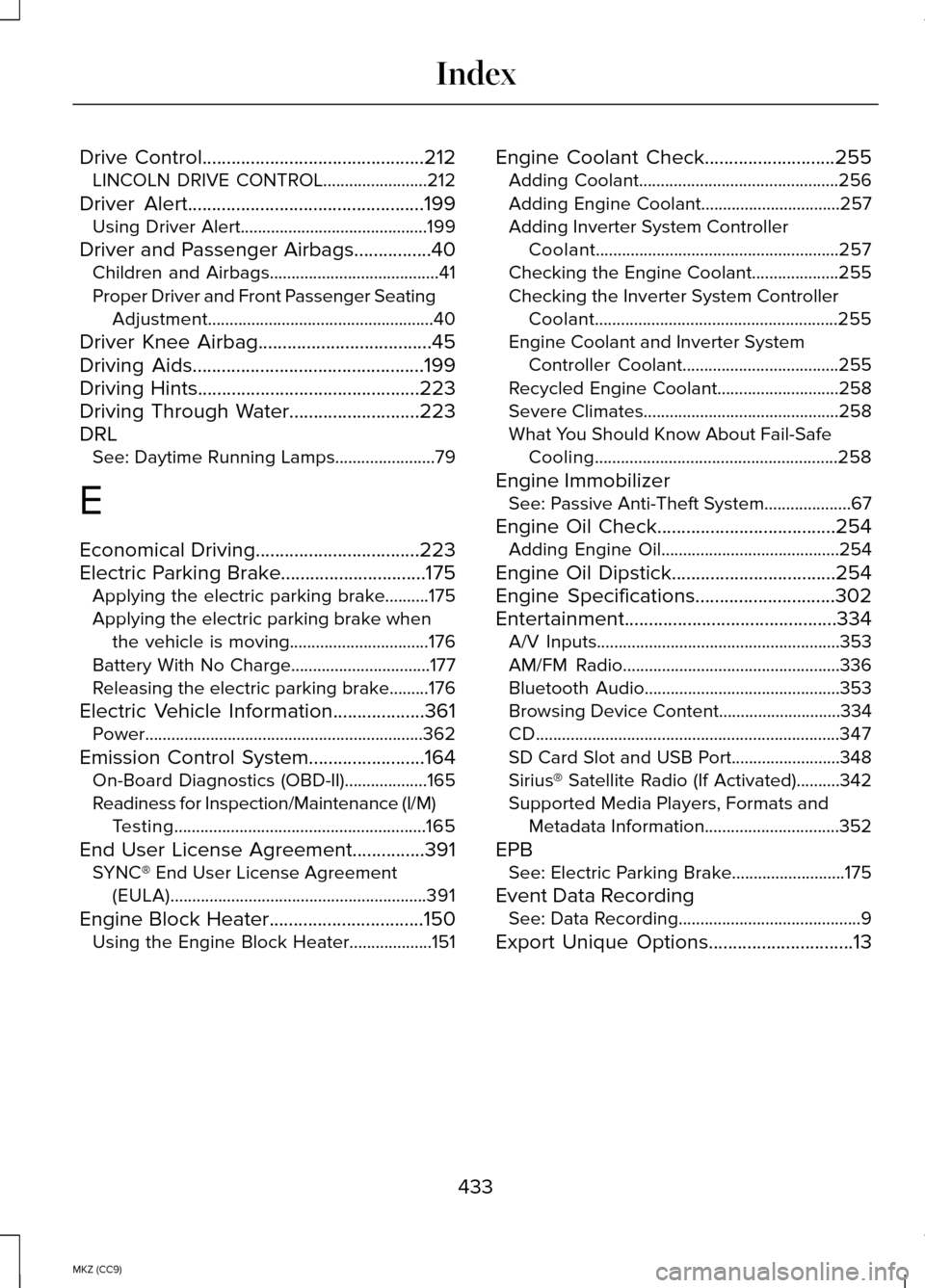
Drive Control..............................................212
LINCOLN DRIVE CONTROL........................212
Driver Alert
.................................................199
Using Driver Alert...........................................199
Driver and Passenger Airbags................40 Children and Airbags.......................................41
Proper Driver and Front Passenger Seating
Adjustment....................................................40
Driver Knee Airbag
....................................45
Driving Aids................................................199
Driving Hints..............................................223
Driving Through Water...........................223
DRL See: Daytime Running Lamps.......................
79
E
Economical Driving
..................................223
Electric Parking Brake..............................175 Applying the electric parking brake..........
175
Applying the electric parking brake when the vehicle is moving................................176
Battery With No Charge................................177
Releasing the electric parking brake.........176
Electric Vehicle Information
...................361
Power................................................................362
Emission Control System........................164 On-Board Diagnostics (OBD-II)...................
165
Readiness for Inspection/Maintenance (I/M) Testing..........................................................165
End User License Agreement
...............391
SYNC® End User License Agreement
(EULA)...........................................................391
Engine Block Heater................................150 Using the Engine Block Heater...................151 Engine Coolant Check...........................255
Adding Coolant..............................................256
Adding Engine Coolant................................257
Adding Inverter System Controller
Coolant........................................................257
Checking the Engine Coolant....................255
Checking the Inverter System Controller Coolant........................................................255
Engine Coolant and Inverter System Controller Coolant....................................255
Recycled Engine Coolant............................258
Severe Climates.............................................258
What You Should Know About Fail-Safe Cooling........................................................258
Engine Immobilizer See: Passive Anti-Theft System....................
67
Engine Oil Check
.....................................254
Adding Engine Oil.........................................254
Engine Oil Dipstick
..................................254
Engine Specifications.............................302
Entertainment............................................334 A/V Inputs........................................................353
AM/FM Radio..................................................336
Bluetooth Audio.............................................353
Browsing Device Content ............................334
CD......................................................................347
SD Card Slot and USB Port.........................348
Sirius® Satellite Radio (If Activated)..........342
Supported Media Players, Formats and Metadata Information...............................352
EPB See: Electric Parking Brake..........................175
Event Data Recording See: Data Recording..........................................9
Export Unique Options..............................13
433
MKZ (CC9) Index