ignition LINCOLN MKZ HYBRID 2014 Owner's Manual
[x] Cancel search | Manufacturer: LINCOLN, Model Year: 2014, Model line: MKZ HYBRID, Model: LINCOLN MKZ HYBRID 2014Pages: 445, PDF Size: 3.8 MB
Page 86 of 445
Accessory Delay
You can use the window switches for
several minutes after you switch the
ignition off or until you open either front
door.
GLOBAL OPENING AND
CLOSING
You can use the remote control to operate
the windows with the ignition off.
Note:
You can enable or disable this
feature in the information display or see
an authorized dealer. See General
Information (page 97).
Note: To operate this feature, accessory
delay must not be active.
Opening the Windows
You can only open the windows for a short
time after you unlock your vehicle with the
remote control. After you unlock your
vehicle, press and hold the remote control
unlock button to open the windows and
vent the moonroof. Release the button
once movement starts. Press the lock or
unlock button to stop movement.
Closing the Windows WARNING
When closing the windows and
moonroof, you should verify they are
free of obstructions and make sure that
children and pets are not in the proximity
of the window openings. To close the windows and moonroof, press
and hold the remote control lock button.
Release the button once movement starts.
Press the lock or unlock button to stop
movement.
EXTERIOR MIRRORS
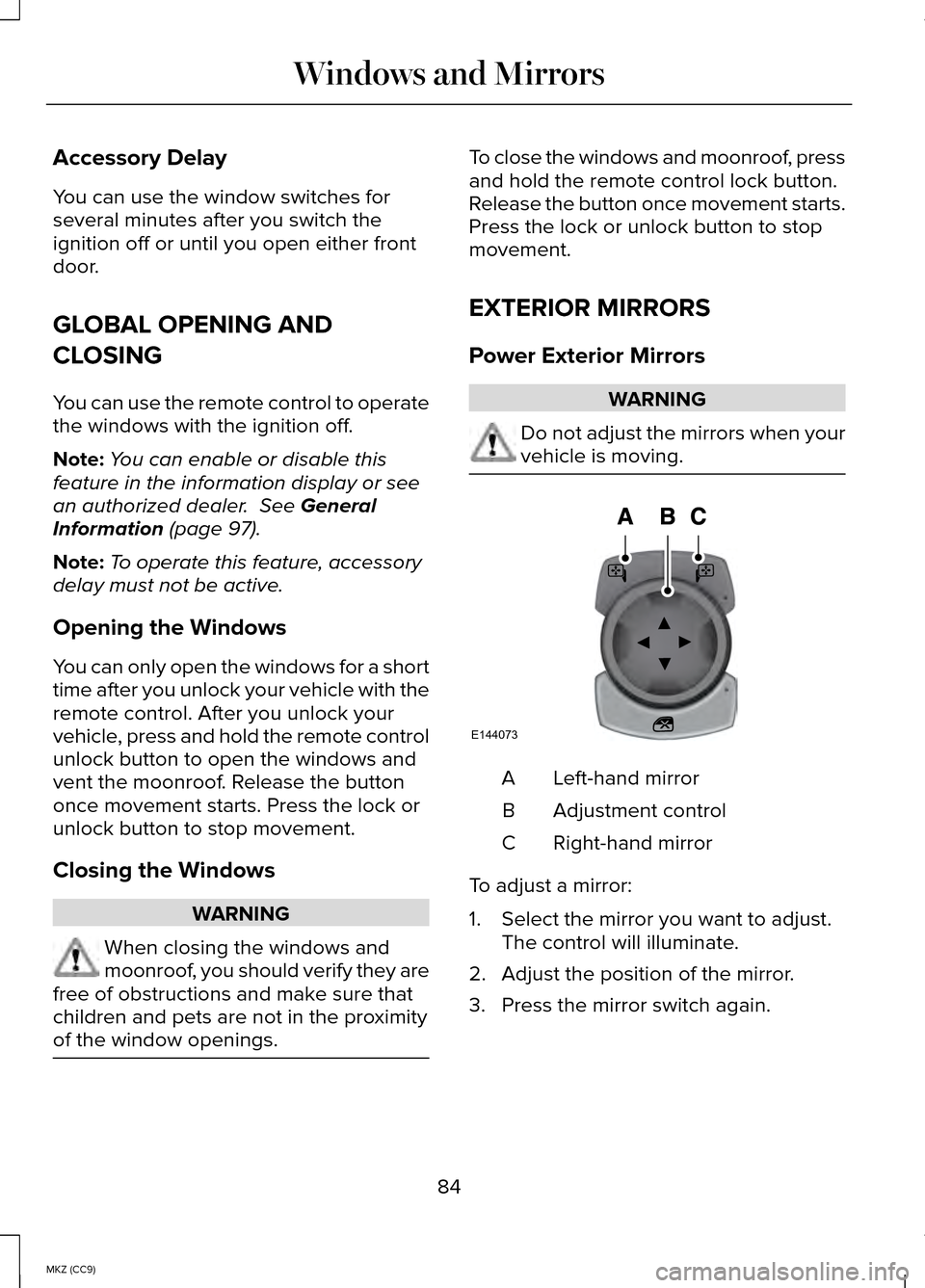
Power Exterior Mirrors
WARNING
Do not adjust the mirrors when your
vehicle is moving.
Left-hand mirror
A
Adjustment control
B
Right-hand mirror
C
To adjust a mirror:
1. Select the mirror you want to adjust. The control will illuminate.
2. Adjust the position of the mirror.
3. Press the mirror switch again.
84
MKZ (CC9) Windows and MirrorsE144073
Page 90 of 445
Retractable Panoramic Roof (If Equipped)
The moonroof controls on the overhead
console operate the same except the
moonroof will open fully when you touch
the open control.
Automatic Glass Movement
When the retractable panoramic roof is
open, it will automatically move to a
position less than full open under certain
vehicle conditions. This helps to reduce
wind noise. If the glass is between this
position and full open and your vehicle
reaches a high speed, the glass will
automatically move to the defined position.
You can override automatic movement by
touching the moonroof open or close
control. The feature will remain overridden
until you switch the ignition off and then
back on.
Power Sunscreen
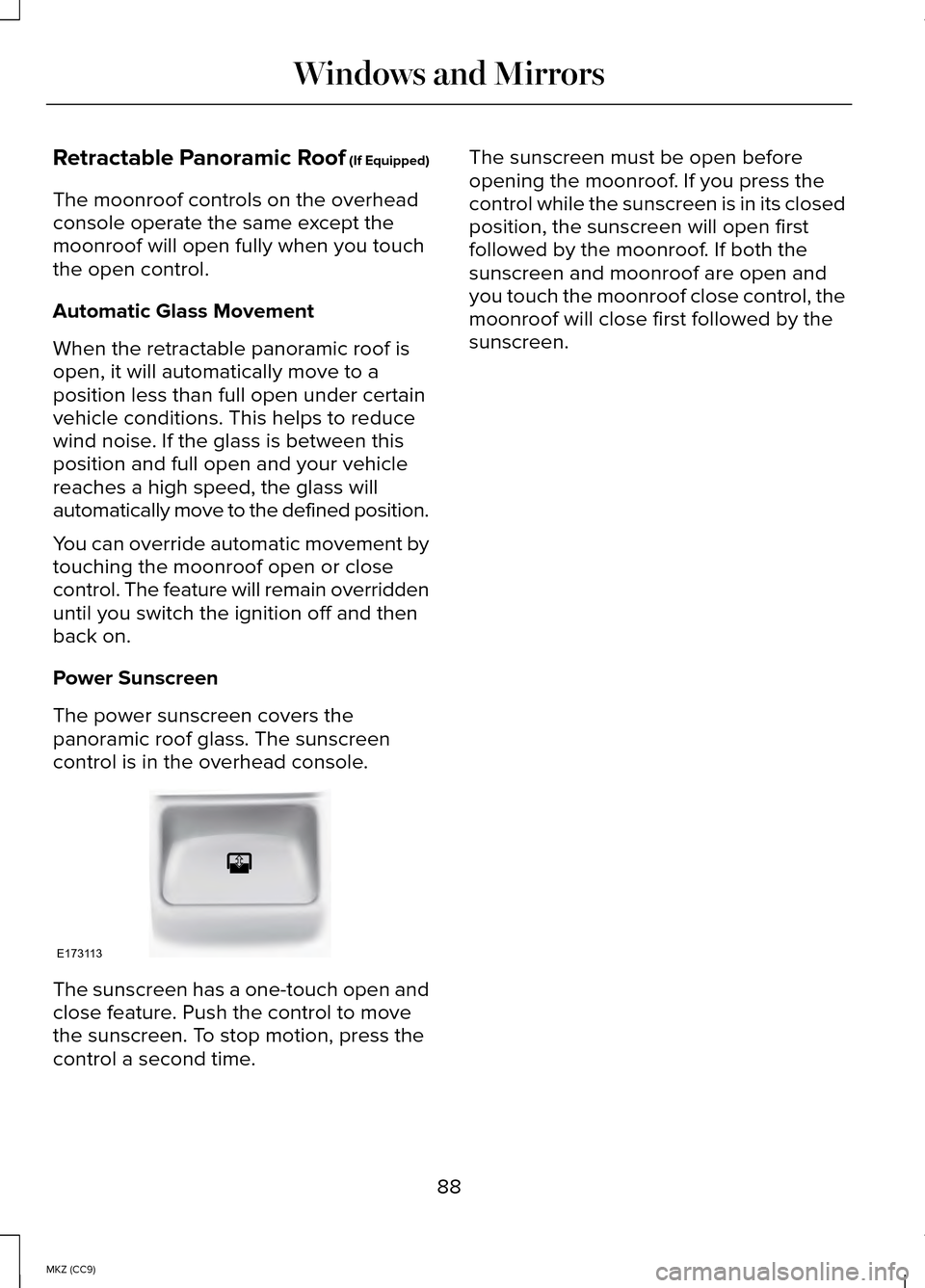
The power sunscreen covers the
panoramic roof glass. The sunscreen
control is in the overhead console. The sunscreen has a one-touch open and
close feature. Push the control to move
the sunscreen. To stop motion, press the
control a second time. The sunscreen must be open before
opening the moonroof. If you press the
control while the sunscreen is in its closed
position, the sunscreen will open first
followed by the moonroof. If both the
sunscreen and moonroof are open and
you touch the moonroof close control, the
moonroof will close first followed by the
sunscreen.
88
MKZ (CC9) Windows and MirrorsE173113
Page 94 of 445
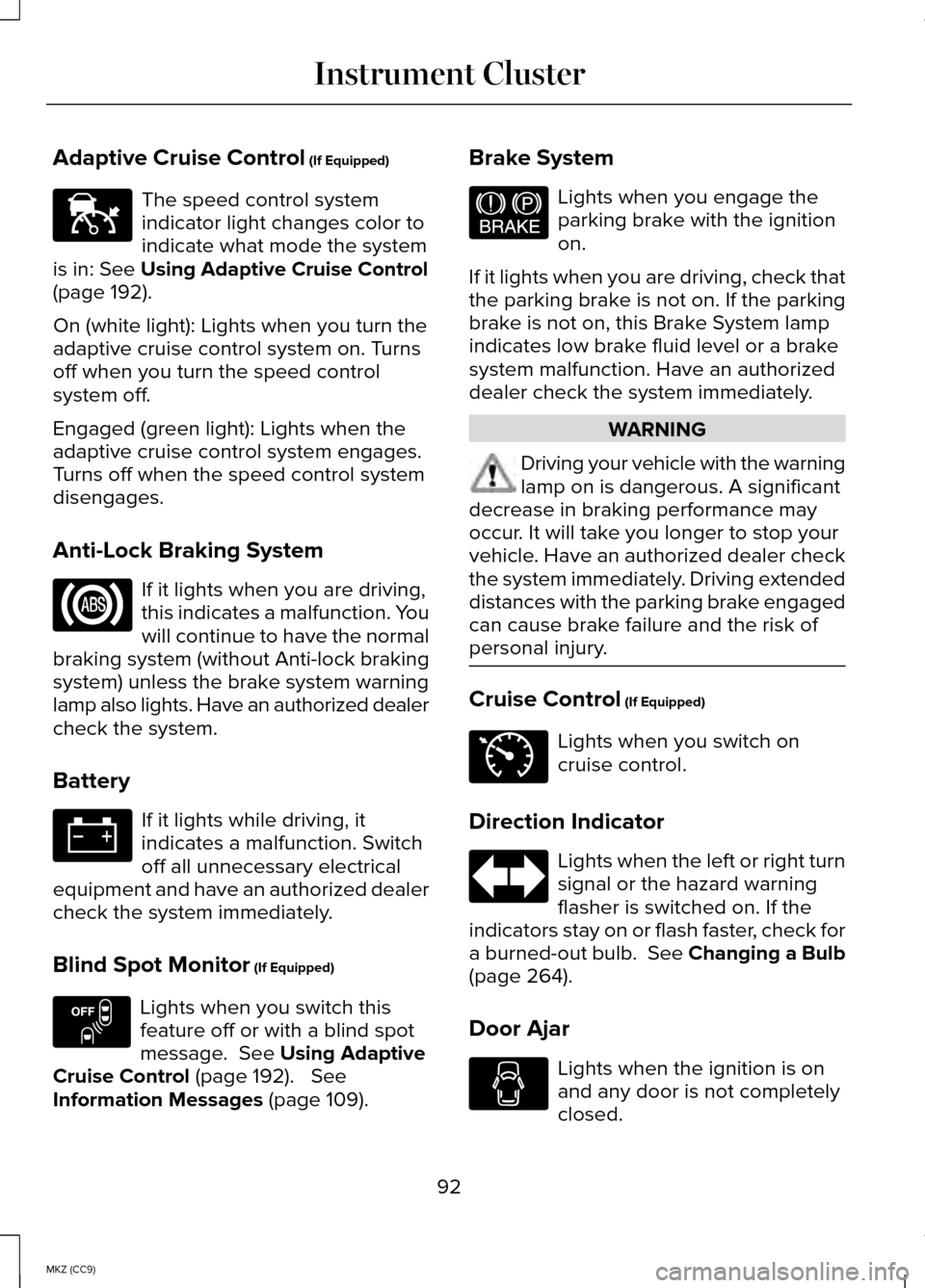
Adaptive Cruise Control (If Equipped)
The speed control system
indicator light changes color to
indicate what mode the system
is in:
See Using Adaptive Cruise Control
(page 192).
On (white light): Lights when you turn the
adaptive cruise control system on. Turns
off when you turn the speed control
system off.
Engaged (green light): Lights when the
adaptive cruise control system engages.
Turns off when the speed control system
disengages.
Anti-Lock Braking System If it lights when you are driving,
this indicates a malfunction. You
will continue to have the normal
braking system (without Anti-lock braking
system) unless the brake system warning
lamp also lights. Have an authorized dealer
check the system.
Battery If it lights while driving, it
indicates a malfunction. Switch
off all unnecessary electrical
equipment and have an authorized dealer
check the system immediately.
Blind Spot Monitor
(If Equipped) Lights when you switch this
feature off or with a blind spot
message.
See Using Adaptive
Cruise Control (page 192). See
Information Messages (page 109). Brake System Lights when you engage the
parking brake with the ignition
on.
If it lights when you are driving, check that
the parking brake is not on. If the parking
brake is not on, this Brake System lamp
indicates low brake fluid level or a brake
system malfunction. Have an authorized
dealer check the system immediately. WARNING
Driving your vehicle with the warning
lamp on is dangerous. A significant
decrease in braking performance may
occur. It will take you longer to stop your
vehicle. Have an authorized dealer check
the system immediately. Driving extended
distances with the parking brake engaged
can cause brake failure and the risk of
personal injury. Cruise Control
(If Equipped)
Lights when you switch on
cruise control.
Direction Indicator Lights when the left or right turn
signal or the hazard warning
flasher is switched on. If the
indicators stay on or flash faster, check for
a burned-out bulb. See Changing a Bulb
(page
264).
Door Ajar Lights when the ignition is on
and any door is not completely
closed.
92
MKZ (CC9) Instrument ClusterE144524 E151262 E144522 E71340
Page 95 of 445
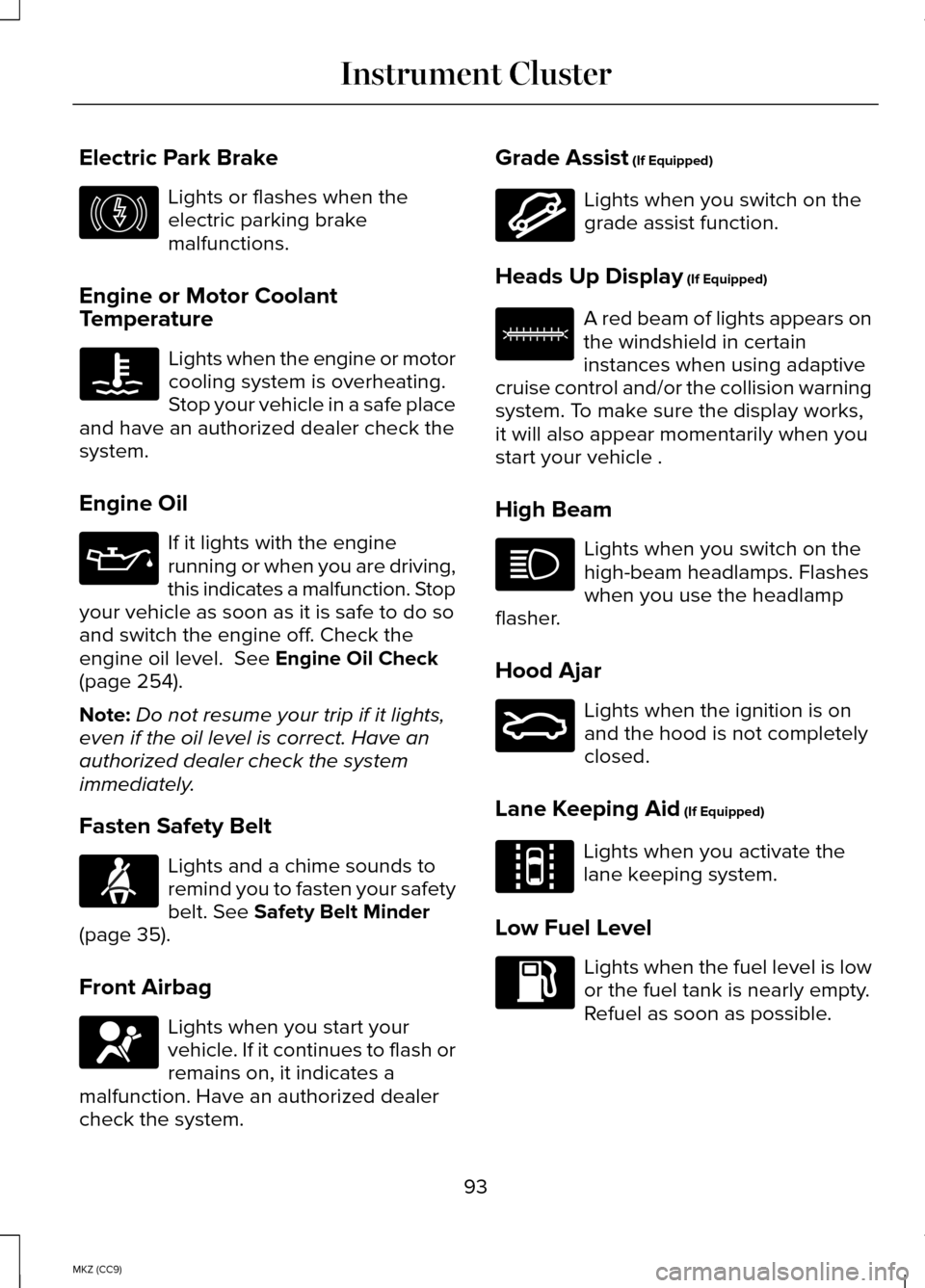
Electric Park Brake
Lights or flashes when the
electric parking brake
malfunctions.
Engine or Motor Coolant
Temperature Lights when the engine or motor
cooling system is overheating.
Stop your vehicle in a safe place
and have an authorized dealer check the
system.
Engine Oil If it lights with the engine
running or when you are driving,
this indicates a malfunction. Stop
your vehicle as soon as it is safe to do so
and switch the engine off. Check the
engine oil level. See Engine Oil Check
(page 254).
Note: Do not resume your trip if it lights,
even if the oil level is correct. Have an
authorized dealer check the system
immediately.
Fasten Safety Belt Lights and a chime sounds to
remind you to fasten your safety
belt.
See Safety Belt Minder
(page 35).
Front Airbag Lights when you start your
vehicle. If it continues to flash or
remains on, it indicates a
malfunction. Have an authorized dealer
check the system. Grade Assist
(If Equipped) Lights when you switch on the
grade assist function.
Heads Up Display
(If Equipped) A red beam of lights appears on
the windshield in certain
instances when using adaptive
cruise control and/or the collision warning
system. To make sure the display works,
it will also appear momentarily when you
start your vehicle .
High Beam Lights when you switch on the
high-beam headlamps. Flashes
when you use the headlamp
flasher.
Hood Ajar Lights when the ignition is on
and the hood is not completely
closed.
Lane Keeping Aid
(If Equipped) Lights when you activate the
lane keeping system.
Low Fuel Level Lights when the fuel level is low
or the fuel tank is nearly empty.
Refuel as soon as possible.
93
MKZ (CC9) Instrument ClusterE146190 E144523 E156133 E159324 E144813
Page 96 of 445
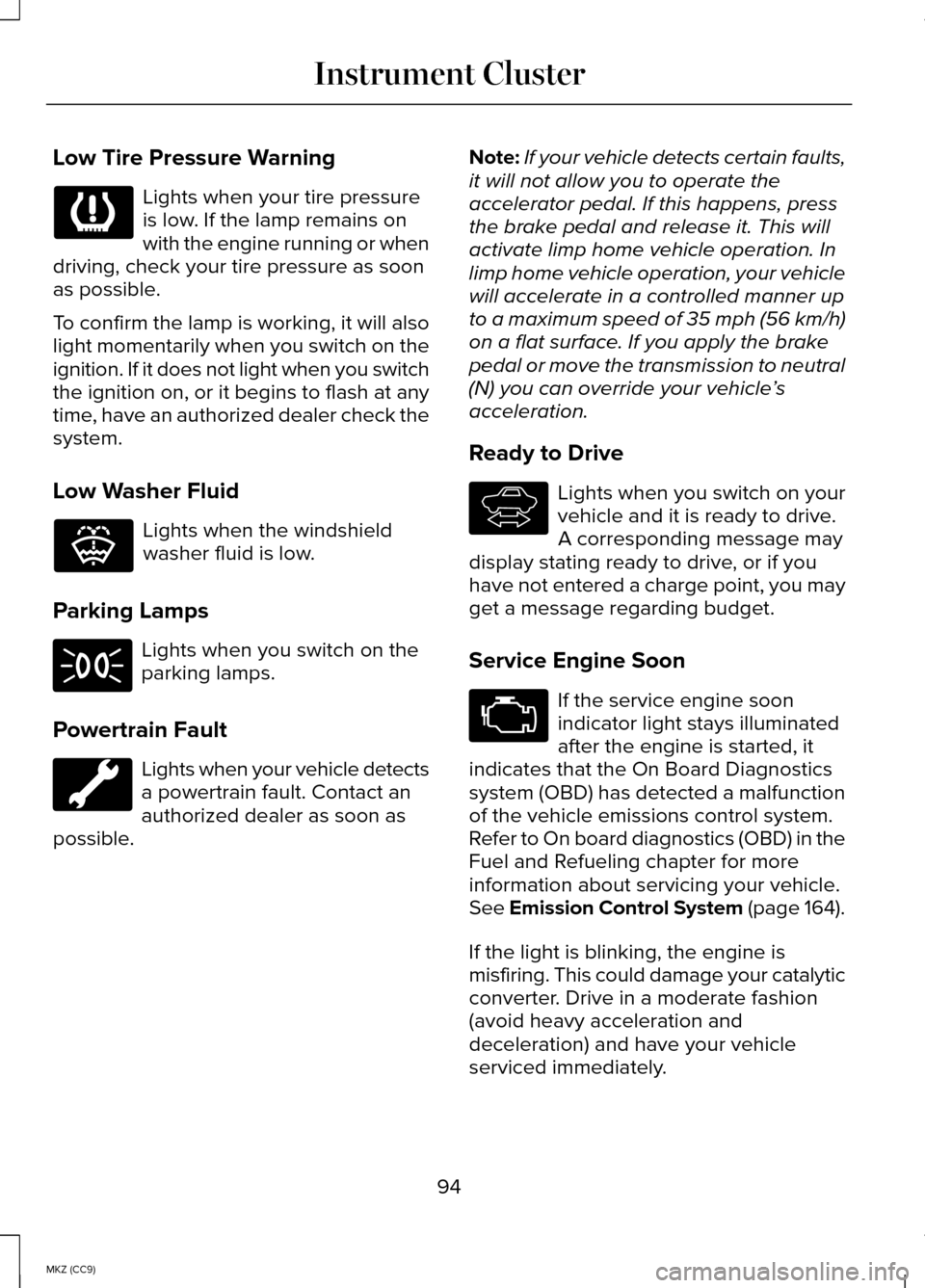
Low Tire Pressure Warning
Lights when your tire pressure
is low. If the lamp remains on
with the engine running or when
driving, check your tire pressure as soon
as possible.
To confirm the lamp is working, it will also
light momentarily when you switch on the
ignition. If it does not light when you switch
the ignition on, or it begins to flash at any
time, have an authorized dealer check the
system.
Low Washer Fluid Lights when the windshield
washer fluid is low.
Parking Lamps Lights when you switch on the
parking lamps.
Powertrain Fault Lights when your vehicle detects
a powertrain fault. Contact an
authorized dealer as soon as
possible. Note:
If your vehicle detects certain faults,
it will not allow you to operate the
accelerator pedal. If this happens, press
the brake pedal and release it. This will
activate limp home vehicle operation. In
limp home vehicle operation, your vehicle
will accelerate in a controlled manner up
to a maximum speed of 35 mph (56 km/h)
on a flat surface. If you apply the brake
pedal or move the transmission to neutral
(N) you can override your vehicle ’s
acceleration.
Ready to Drive Lights when you switch on your
vehicle and it is ready to drive.
A corresponding message may
display stating ready to drive, or if you
have not entered a charge point, you may
get a message regarding budget.
Service Engine Soon If the service engine soon
indicator light stays illuminated
after the engine is started, it
indicates that the On Board Diagnostics
system (OBD) has detected a malfunction
of the vehicle emissions control system.
Refer to On board diagnostics (OBD) in the
Fuel and Refueling chapter for more
information about servicing your vehicle.
See Emission Control System (page 164).
If the light is blinking, the engine is
misfiring. This could damage your catalytic
converter. Drive in a moderate fashion
(avoid heavy acceleration and
deceleration) and have your vehicle
serviced immediately.
94
MKZ (CC9) Instrument Cluster E132353 E144692
Page 97 of 445
Note:
If your engine is misfiring, excessive
exhaust temperatures could damage the
catalytic converter or other vehicle
components.
The service engine soon indicator lights
when the you first switch on your vehicle,
prior to engine start, to check the bulb and
to indicate whether the vehicle is ready
for inspection maintenance testing.
Normally, the service engine soon light
will stay on until the engine cranks, then
turn itself off if no malfunctions are
present. However, if after 15 seconds the
service engine soon light blinks eight
times, it means that the vehicle is not
ready for inspection maintenance testing.
See Emission Control System (page 164).
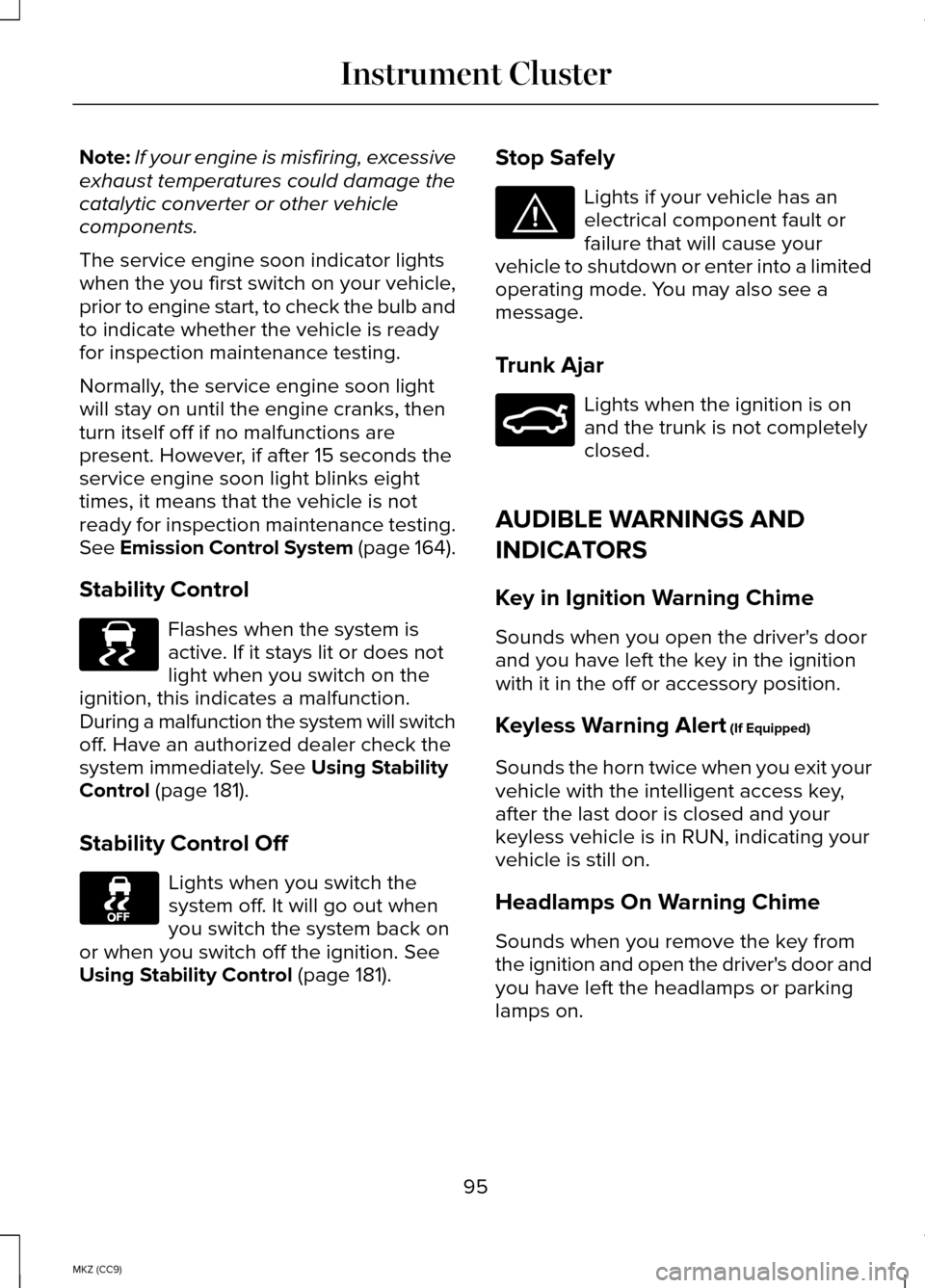
Stability Control Flashes when the system is
active. If it stays lit or does not
light when you switch on the
ignition, this indicates a malfunction.
During a malfunction the system will switch
off. Have an authorized dealer check the
system immediately.
See Using Stability
Control (page 181).
Stability Control Off Lights when you switch the
system off. It will go out when
you switch the system back on
or when you switch off the ignition.
See
Using Stability Control (page 181). Stop Safely Lights if your vehicle has an
electrical component fault or
failure that will cause your
vehicle to shutdown or enter into a limited
operating mode. You may also see a
message.
Trunk Ajar Lights when the ignition is on
and the trunk is not completely
closed.
AUDIBLE WARNINGS AND
INDICATORS
Key in Ignition Warning Chime
Sounds when you open the driver's door
and you have left the key in the ignition
with it in the off or accessory position.
Keyless Warning Alert
(If Equipped)
Sounds the horn twice when you exit your
vehicle with the intelligent access key,
after the last door is closed and your
keyless vehicle is in RUN, indicating your
vehicle is still on.
Headlamps On Warning Chime
Sounds when you remove the key from
the ignition and open the driver's door and
you have left the headlamps or parking
lamps on.
95
MKZ (CC9) Instrument ClusterE138639 E144693 E159323
Page 113 of 445
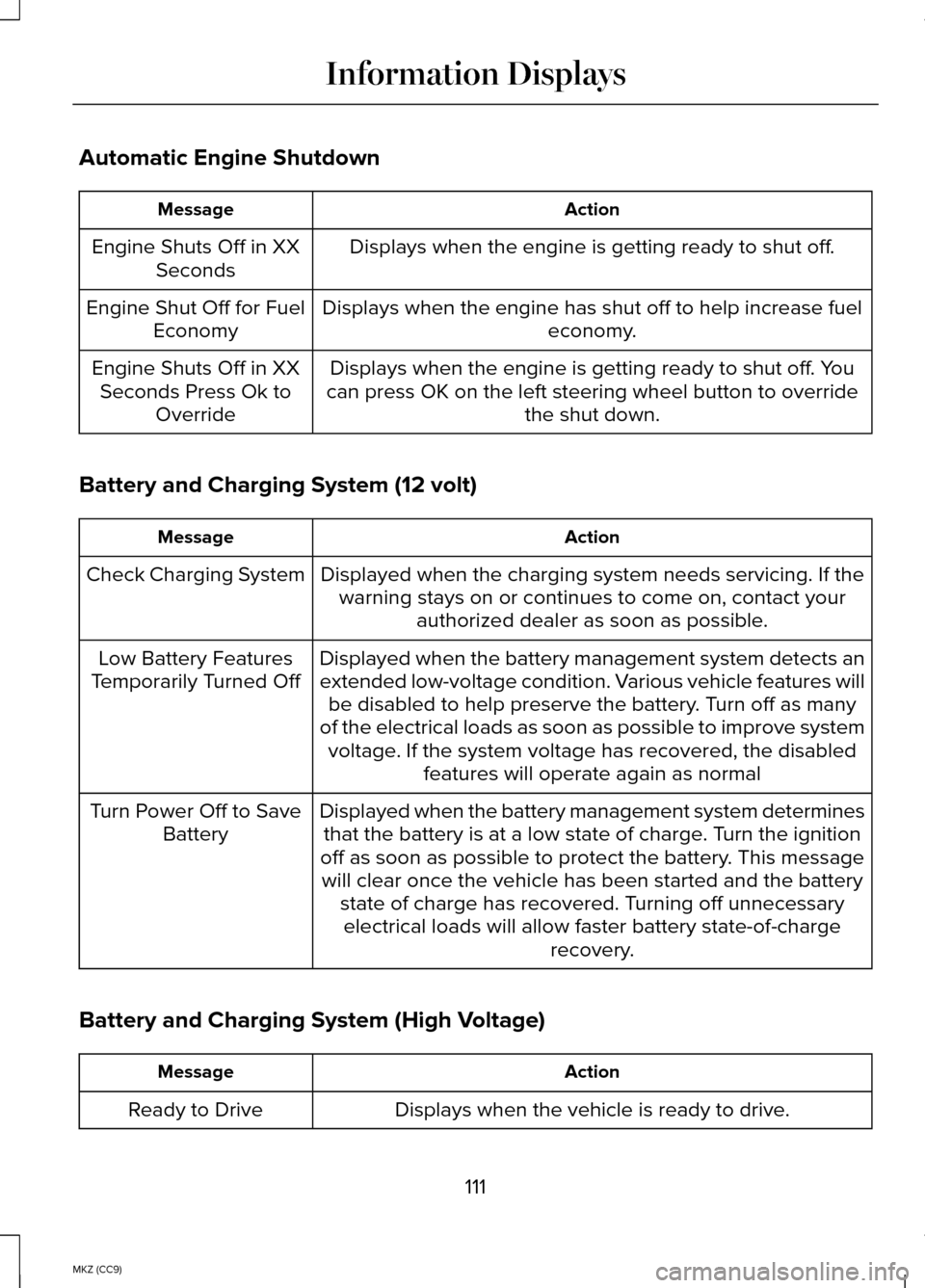
Automatic Engine Shutdown
Action
Message
Displays when the engine is getting ready to shut off.
Engine Shuts Off in XX
Seconds
Displays when the engine has shut off to help increase fuel economy.
Engine Shut Off for Fuel
Economy
Displays when the engine is getting ready to shut off. You
can press OK on the left steering wheel button to override the shut down.
Engine Shuts Off in XX
Seconds Press Ok to Override
Battery and Charging System (12 volt) Action
Message
Displayed when the charging system needs servicing. If thewarning stays on or continues to come on, contact your authorized dealer as soon as possible.
Check Charging System
Displayed when the battery management system detects an
extended low-voltage condition. Various vehicle features willbe disabled to help preserve the battery. Turn off as many
of the electrical loads as soon as possible to improve system voltage. If the system voltage has recovered, the disabled features will operate again as normal
Low Battery Features
Temporarily Turned Off
Displayed when the battery management system determinesthat the battery is at a low state of charge. Turn the ignition
off as soon as possible to protect the battery. This message will clear once the vehicle has been started and the battery state of charge has recovered. Turning off unnecessaryelectrical loads will allow faster battery state-of-charge recovery.
Turn Power Off to Save
Battery
Battery and Charging System (High Voltage) Action
Message
Displays when the vehicle is ready to drive.
Ready to Drive
111
MKZ (CC9) Information Displays
Page 116 of 445
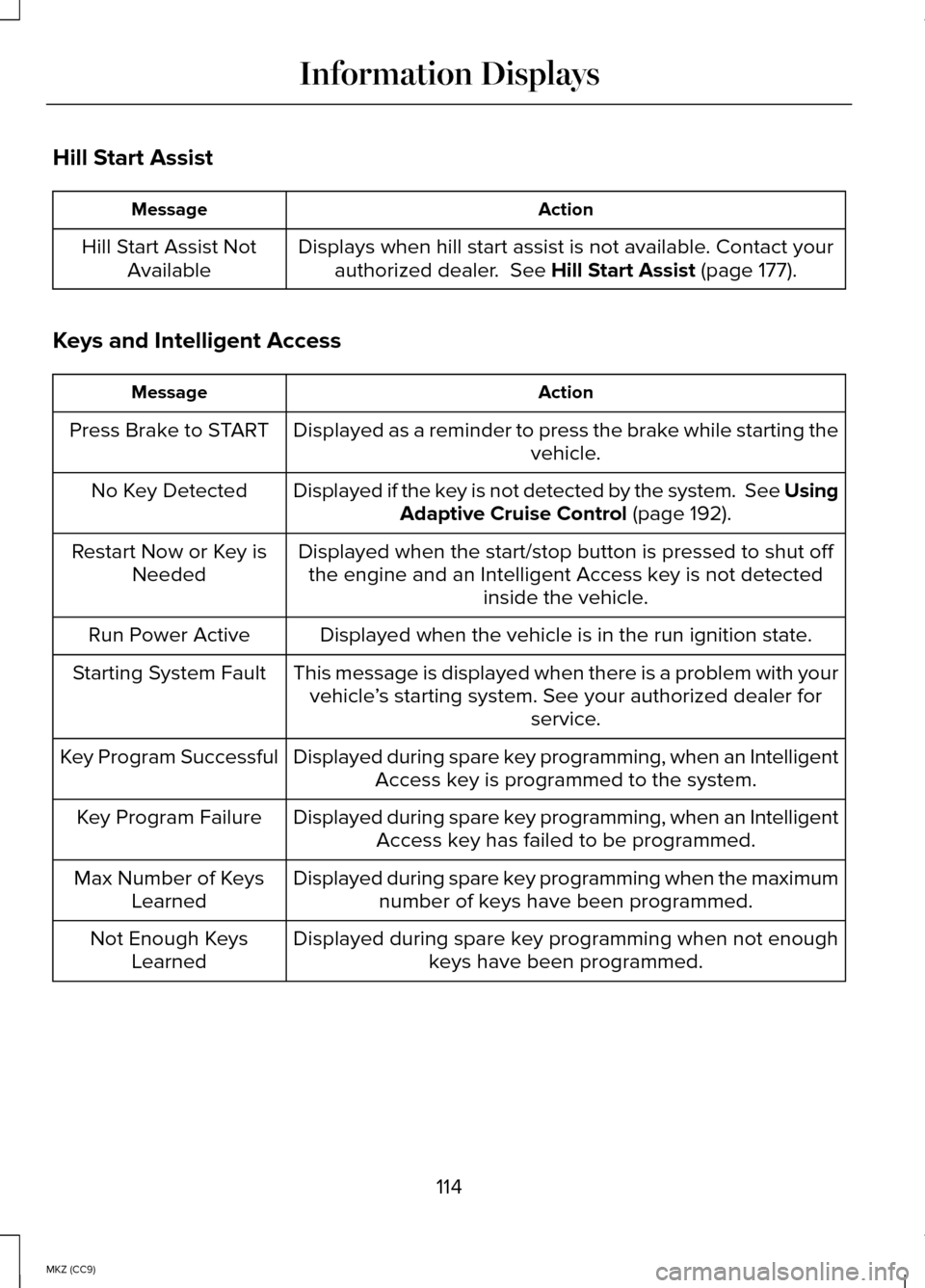
Hill Start Assist
Action
Message
Displays when hill start assist is not available. Contact yourauthorized dealer. See Hill Start Assist (page 177).
Hill Start Assist Not
Available
Keys and Intelligent Access Action
Message
Displayed as a reminder to press the brake while starting the vehicle.
Press Brake to START
Displayed if the key is not detected by the system. See UsingAdaptive Cruise Control
(page 192).
No Key Detected
Displayed when the start/stop button is pressed to shut offthe engine and an Intelligent Access key is not detected inside the vehicle.
Restart Now or Key is
Needed
Displayed when the vehicle is in the run ignition state.
Run Power Active
This message is displayed when there is a problem with yourvehicle ’s starting system. See your authorized dealer for
service.
Starting System Fault
Displayed during spare key programming, when an IntelligentAccess key is programmed to the system.
Key Program Successful
Displayed during spare key programming, when an IntelligentAccess key has failed to be programmed.
Key Program Failure
Displayed during spare key programming when the maximumnumber of keys have been programmed.
Max Number of Keys
Learned
Displayed during spare key programming when not enoughkeys have been programmed.
Not Enough Keys
Learned
114
MKZ (CC9) Information Displays
Page 125 of 445
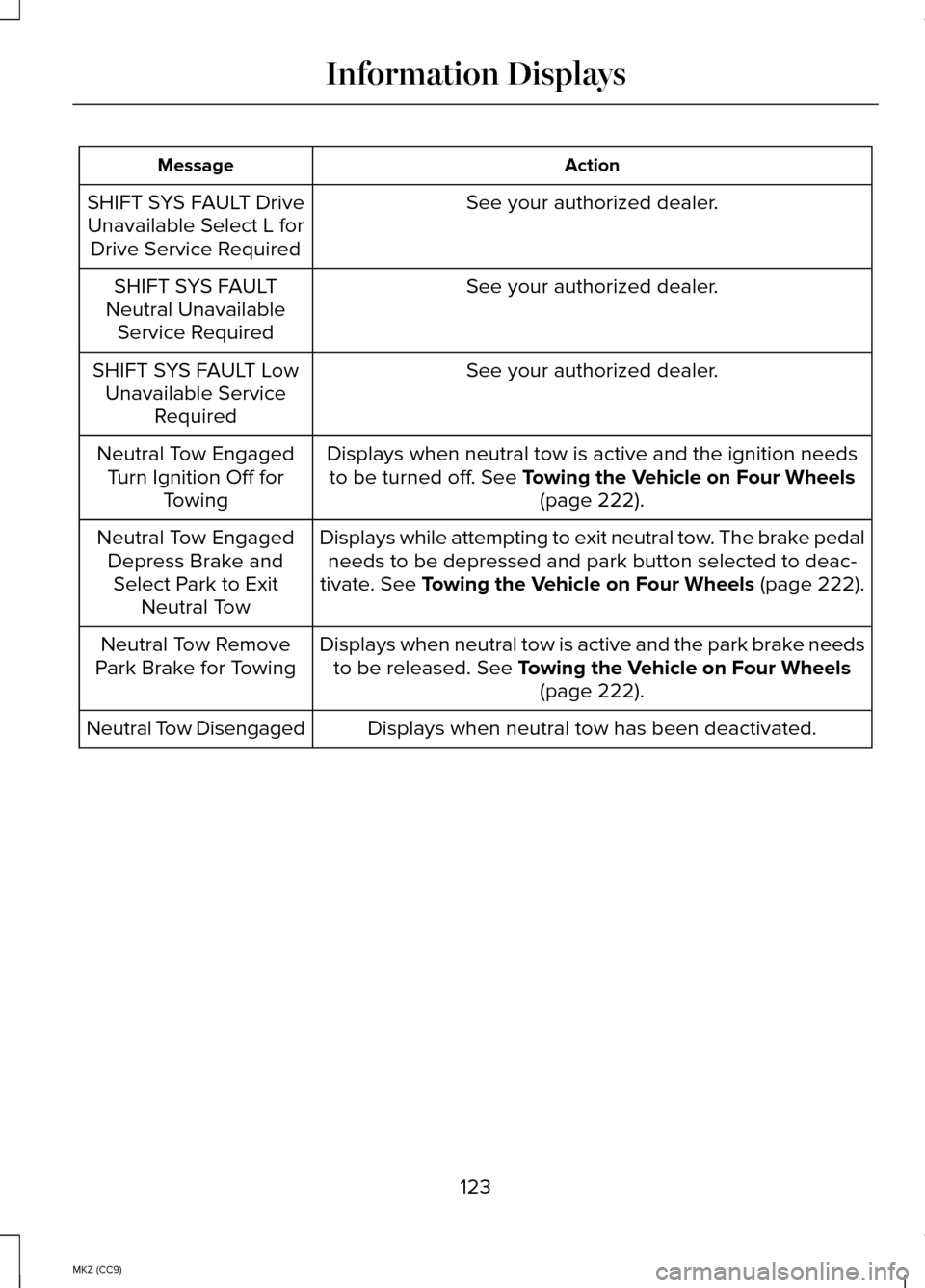
Action
Message
See your authorized dealer.
SHIFT SYS FAULT Drive
Unavailable Select L for Drive Service Required
See your authorized dealer.
SHIFT SYS FAULT
Neutral Unavailable Service Required
See your authorized dealer.
SHIFT SYS FAULT Low
Unavailable Service Required
Displays when neutral tow is active and the ignition needsto be turned off. See Towing the Vehicle on Four Wheels (page 222).
Neutral Tow Engaged
Turn Ignition Off for Towing
Displays while attempting to exit neutral tow. The brake pedalneeds to be depressed and park button selected to deac-
tivate.
See Towing the Vehicle on Four Wheels (page 222).
Neutral Tow Engaged
Depress Brake andSelect Park to Exit Neutral Tow
Displays when neutral tow is active and the park brake needsto be released.
See Towing the Vehicle on Four Wheels (page 222).
Neutral Tow Remove
Park Brake for Towing
Displays when neutral tow has been deactivated.
Neutral Tow Disengaged
123
MKZ (CC9) Information Displays
Page 128 of 445
Note:
When you select windshield
defrosting and defogging, the instrument
panel and footwell level functions
automatically switch off and air
conditioning switches on. Outside air flows
into your vehicle.
Heating the Interior Quickly
1. Press the AUTO button.
2. Adjust the temperature control to the desired setting.
Recommended Settings for Heating
1. Press the AUTO button.
2. Adjust the temperature control to a comfortable setting.
Cooling the Interior Quickly
1. Press the MAX A/C button.
2. Adjust the temperature control to the desired setting.
Recommended Settings for Cooling
1. Press the AUTO button.
2. Adjust the temperature to a comfortable setting.
Side Window Defogging in Cold
Weather
1. Press the defrost button.
2. Adjust the temperature control to the desired setting. HEATED WINDOWS AND
MIRRORS
Heated Rear Window
Note:
You must switch the ignition on to
use this feature.
Press the button to clear the rear window
of thin ice and fog. Press the button again
within 10 minutes to switch it off. It
switches off automatically after 10 minutes,
or when you switch the ignition off.
Do not use razor blades or other sharp
objects to clean the inside of the rear
window or to remove decals from the
inside of the rear window. This may
cause damage to the heated grid lines,
which your warranty does not cover.
Heated Exterior Mirror
Note: Do not remove ice from the mirrors
with a scraper or attempt to readjust the
mirror glass if it has frozen in place. These
actions could cause damage to the glass
and mirrors.
Note: Do not clean the housing or glass
of any mirror with harsh abrasives, fuel or
other petroleum-based cleaning products.
Both heated mirrors remove ice, mist and
fog when you switch on the heated rear
window.
CABIN AIR FILTER
Your vehicle is equipped with a cabin air
filter. It is located behind the glove box.
126
MKZ (CC9) Climate Control