fuel LINCOLN MKZ HYBRID 2015 User Guide
[x] Cancel search | Manufacturer: LINCOLN, Model Year: 2015, Model line: MKZ HYBRID, Model: LINCOLN MKZ HYBRID 2015Pages: 504, PDF Size: 4.45 MB
Page 109 of 504
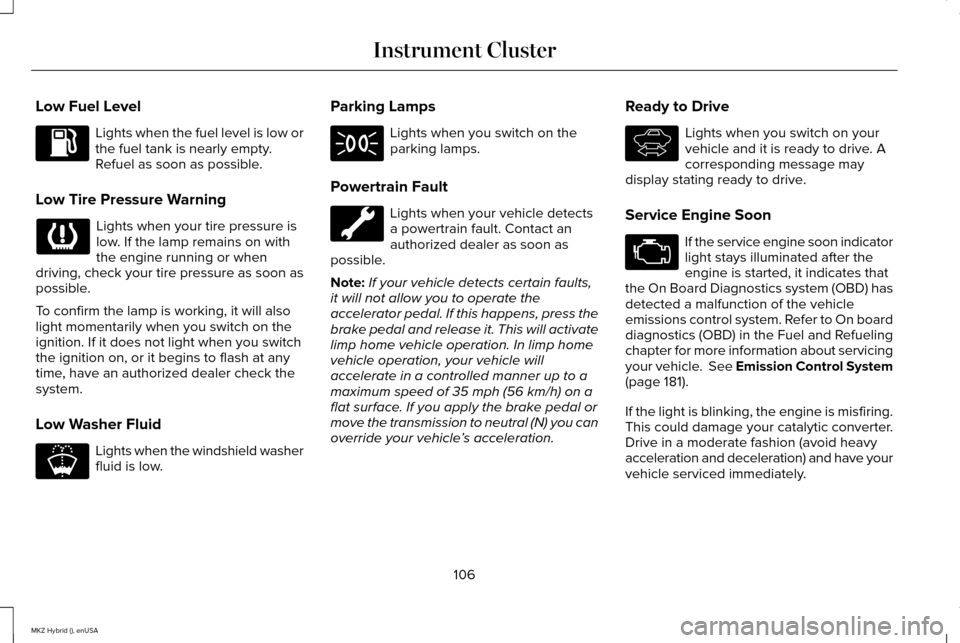
Low Fuel Level
Lights when the fuel level is low or
the fuel tank is nearly empty.
Refuel as soon as possible.
Low Tire Pressure Warning Lights when your tire pressure is
low. If the lamp remains on with
the engine running or when
driving, check your tire pressure as soon as
possible.
To confirm the lamp is working, it will also
light momentarily when you switch on the
ignition. If it does not light when you switch
the ignition on, or it begins to flash at any
time, have an authorized dealer check the
system.
Low Washer Fluid Lights when the windshield washer
fluid is low. Parking Lamps Lights when you switch on the
parking lamps.
Powertrain Fault Lights when your vehicle detects
a powertrain fault. Contact an
authorized dealer as soon as
possible.
Note: If your vehicle detects certain faults,
it will not allow you to operate the
accelerator pedal. If this happens, press the
brake pedal and release it. This will activate
limp home vehicle operation. In limp home
vehicle operation, your vehicle will
accelerate in a controlled manner up to a
maximum speed of 35 mph (56 km/h) on a
flat surface. If you apply the brake pedal or
move the transmission to neutral (N) you can
override your vehicle ’s acceleration. Ready to Drive Lights when you switch on your
vehicle and it is ready to drive. A
corresponding message may
display stating ready to drive.
Service Engine Soon If the service engine soon indicator
light stays illuminated after the
engine is started, it indicates that
the On Board Diagnostics system (OBD) has
detected a malfunction of the vehicle
emissions control system. Refer to On board
diagnostics (OBD) in the Fuel and Refueling
chapter for more information about servicing
your vehicle. See Emission Control System
(page 181).
If the light is blinking, the engine is misfiring.
This could damage your catalytic converter.
Drive in a moderate fashion (avoid heavy
acceleration and deceleration) and have your
vehicle serviced immediately.
106
MKZ Hybrid (), enUSA Instrument Cluster E178202 E144692
Page 113 of 504
Note:
The cluster will remember the menu
level 2 state when the individual key state
is changed from the RUN position to the OFF
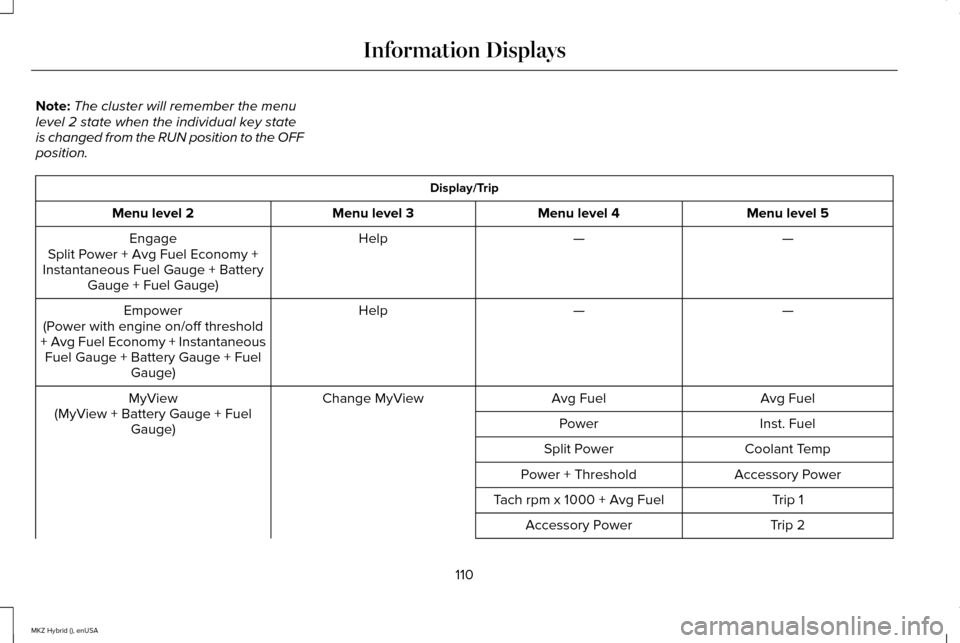
position. Display/Trip
Menu level 5
Menu level 4
Menu level 3
Menu level 2
—
—
Help
Engage
Split Power + Avg Fuel Economy +
Instantaneous Fuel Gauge + Battery Gauge + Fuel Gauge)
—
—
Help
Empower
(Power with engine on/off threshold
+ Avg Fuel Economy + Instantaneous Fuel Gauge + Battery Gauge + Fuel Gauge)
Avg Fuel
Avg Fuel
Change MyView
MyView
(MyView + Battery Gauge + Fuel Gauge) Inst. Fuel
Power
Coolant Temp
Split Power
Accessory Power
Power + Threshold
Trip 1
Tach rpm x 1000 + Avg Fuel
Trip 2
Accessory Power
110
MKZ Hybrid (), enUSA Information Displays
Page 114 of 504
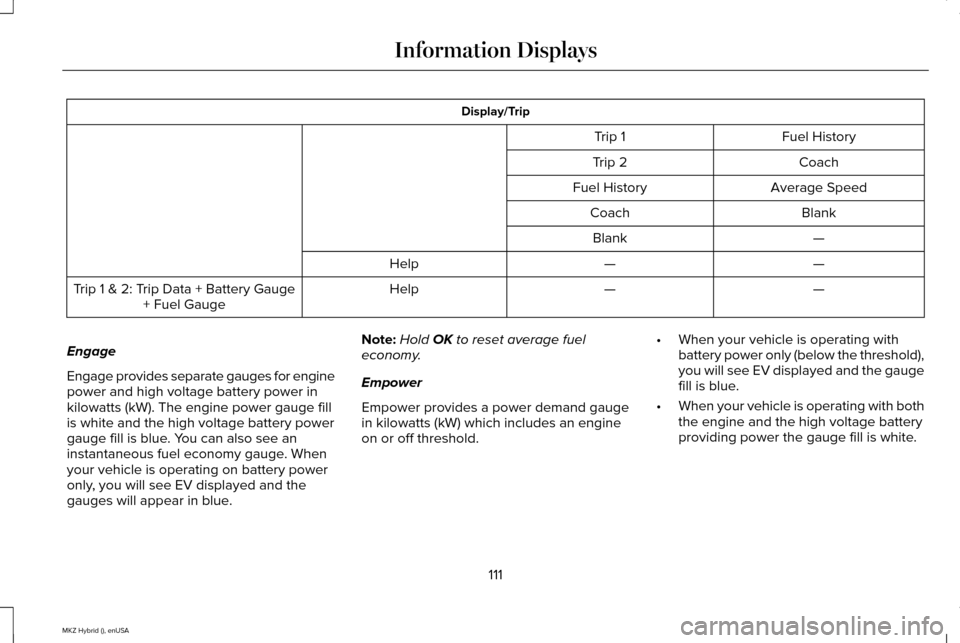
Display/Trip
Fuel History
Trip 1
Coach
Trip 2
Average Speed
Fuel History
Blank
Coach
—
Blank
—
—
Help
—
—
Help
Trip 1 & 2: Trip Data + Battery Gauge
+ Fuel Gauge
Engage
Engage provides separate gauges for engine
power and high voltage battery power in
kilowatts (kW). The engine power gauge fill
is white and the high voltage battery power
gauge fill is blue. You can also see an
instantaneous fuel economy gauge. When
your vehicle is operating on battery power
only, you will see EV displayed and the
gauges will appear in blue. Note:
Hold OK to reset average fuel
economy.
Empower
Empower provides a power demand gauge
in kilowatts (kW) which includes an engine
on or off threshold. •
When your vehicle is operating with
battery power only (below the threshold),
you will see EV displayed and the gauge
fill is blue.
• When your vehicle is operating with both
the engine and the high voltage battery
providing power the gauge fill is white.
111
MKZ Hybrid (), enUSA Information Displays
Page 115 of 504
•
When power demand surpasses the
amber indicator, this level of demand and
associated fuel economy displays in
amber.
• When the engine is on, reducing power
demand to less than the threshold will
allow the engine to turn off.
You can also see an instantaneous fuel
economy gauge.
Note: Hold OK to reset average fuel
economy.
MyView
You can choose what to display in this view.
Selecting
Change MyView in the options
menu allows you to scroll through two
columns of content choices.
• Press the up or down arrow to view
content.
• Press OK to save your selected content
• You must select content in both columns
before you can save your new MyView. Unique content available in MyView:
•
Accessory Power— Indicates electrical
power demands from your vehicle ’s
accessory systems. Accessories use
power but do not contribute to propelling
your vehicle. The gauge separately
displays power demand in kilowatts (kW)
for climate and other accessories.
• Climate includes the power being
used by high voltage climate control
components such as the electric A/C
compressor.
• Other includes all power being used
by the low voltage accessories (cabin
fans, headlights and heated seats).
• Coolant Temp – Indicates engine coolant
temperature. At normal operating
temperature, the level indicator will be
white and will be in the normal range
(between H and C). If the engine coolant
temperature exceeds the normal range,
the level indicator will change to red to
indicate that the engine is overheating.
Stop your vehicle as soon as safely
possible, turn your vehicle off and let the
engine cool. •
Tach rpm x 1000 — When the gasoline
engine is running, the tachometer gauge
displays the engine speed in revolutions
per minute (RPM). When your vehicle is
operating on battery power only with the
engine off, EV displays and the
tachometer is greyed out.
Note: The trip data, and average fuel
economy cannot be reset in MyView.
Trip 1 & 2
Provides trip odometer, trip average fuel
economy and trip timer.
Distance traveled on battery power only with
the engine off is shown in blue next to total
trip distance.
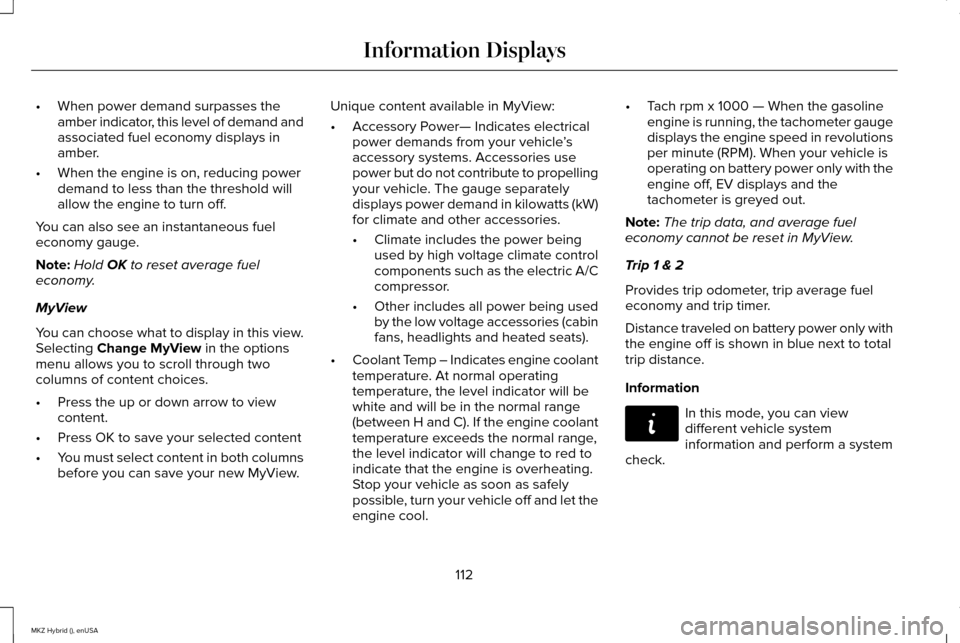
Information In this mode, you can view
different vehicle system
information and perform a system
check.
112
MKZ Hybrid (), enUSA Information DisplaysE144642
Page 121 of 504
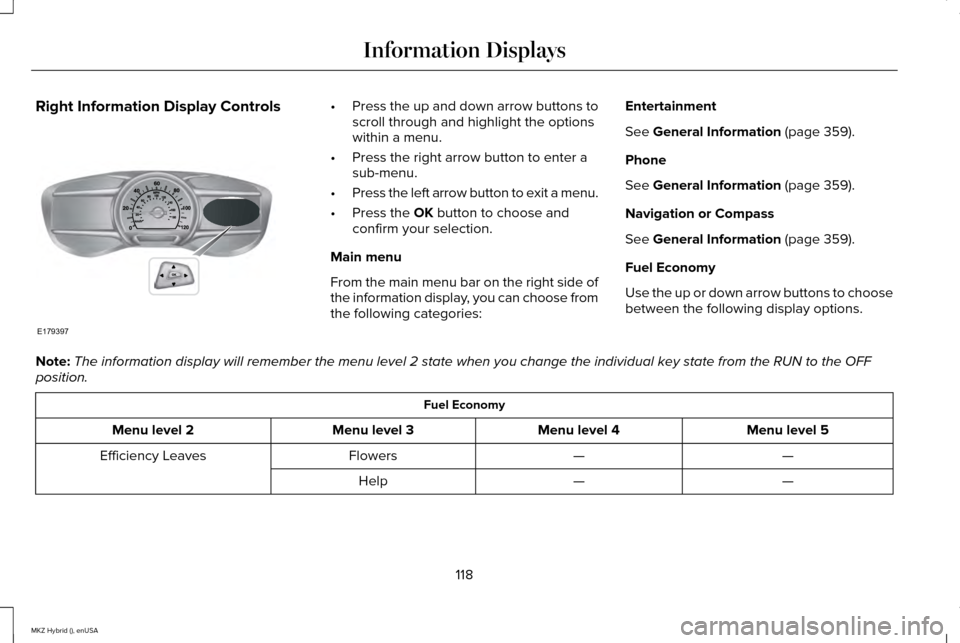
Right Information Display Controls •
Press the up and down arrow buttons to
scroll through and highlight the options
within a menu.
• Press the right arrow button to enter a
sub-menu.
• Press the left arrow button to exit a menu.
• Press the OK button to choose and
confirm your selection.
Main menu
From the main menu bar on the right side of
the information display, you can choose from
the following categories: Entertainment
See
General Information (page 359).
Phone
See
General Information (page 359).
Navigation or Compass
See
General Information (page 359).
Fuel Economy
Use the up or down arrow buttons to choose
between the following display options.
Note: The information display will remember the menu level 2 state when you ch\
ange the individual key state from the RUN to the OFF
position. Fuel Economy
Menu level 5
Menu level 4
Menu level 3
Menu level 2
—
—
Flowers
Efficiency Leaves
—
—
Help
118
MKZ Hybrid (), enUSA Information DisplaysE179397
Page 122 of 504
Fuel Economy
—
5, 10 or 30 minutes
Duration
Fuel History
(Instantaneous Fuel Economy + Fuel Economy History + Avg Fuel Economy) —
—
Help
—
—
Help
Coach
Efficiency Leaves
Efficiency leaves indicate short term driving
efficiency measured over the last few
minutes. The more leaves and vines that
appear on the display, the better your fuel
economy. Leaves and vines will occasionally
appear and disappear to indicate a change
in your driving efficiency.
Flowers appear on the efficiency leaves
screen in addition to the leaves and vines.
The flowers indicate long term driving
efficiency. The more flowers that appear on
the display, the more efficiently you have
driven. Once earned, the flowers will remain
unless reset, unlike the leaves, which come
and go as your short term fuel economy
changes. This feature can be reset in the information
displays settings menu under Driving History.
See General Information (page 109).
Fuel History
From left to right this view includes an
instantaneous fuel economy gauge, historical
fuel economy data and average fuel
economy. The historical data represents an
average over time intervals of either 1, 2 or
6 minutes, with the leftmost interval being
the most recent. Shown at the bottom of the
view is the total time duration for the 5
intervals. You can select total duration in the
options menu. Intervals shown in grey color
are from the previous drive. The blue
horizontal line represents the average fuel
economy value shown to the right. Note:
Hold
OK to reset average fuel
economy.
Coach
This view provides a comparison of your
recent acceleration, braking and cruising
behavior, then recommends the most
efficient use of energy under present
conditions. The horizontal bars fill from left
to right with best behavior and appear blue
when at least half full. When the bars are less
than half full, the color is amber, suggesting
that you need a change in your driving
behavior to achieve better energy efficiency.
Note: Fuel Economy will be impacted by your
use of brakes, accelerator and accessories,
as well as environmental conditions such as
hills and weather.
119
MKZ Hybrid (), enUSA Information Displays
Page 123 of 504
Note:
Fuel economy is not always a measure
of appropriate driving behavior. For example,
when driving uphill and maintaining an
appropriate speed, your instant fuel
economy may not be good (losing leaves)
but the Coach may show a blue bar for
Acceleration and Cruising.
Common Displays
Both Average fuel economy and an
instantaneous fuel economy gauge are
included in Engage, Empower and MyView
(if selected) on the left information display.
They are also included in Fuel History on the
right information display.
Average Fuel Economy
Average Fuel Economy is continuously
averaged since the last reset. You can reset
your average fuel economy by pressing and
holding the OK button on the corresponding
steering wheel controls. Note:
Average fuel economy cannot be reset
in MyView.
Instantaneous Fuel Economy
If your instantaneous fuel economy is greater
than the maximum value displayed, a + sign
will be shown next to the maximum scale
number. When your vehicle is operating on
battery power only, EV will display and the
gauge fill will show in blue.
INFORMATION MESSAGES
Note: Depending on the vehicle options
equipped with your vehicle, not all of the
messages will display or be available.
Certain messages may be abbreviated or
shortened depending upon which cluster
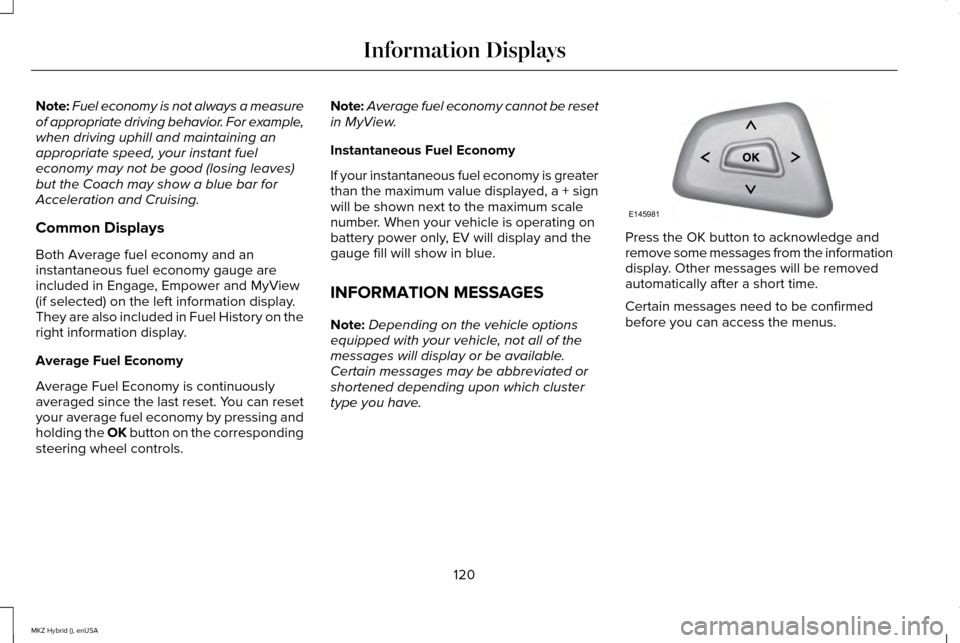
type you have. Press the OK button to acknowledge and
remove some messages from the information
display. Other messages will be removed
automatically after a short time.
Certain messages need to be confirmed
before you can access the menus.
120
MKZ Hybrid (), enUSA Information DisplaysE145981
Page 126 of 504
Alarm
Action
Message
Displays when the alarm has been triggered due to unauthorized entry. See Anti-Theft Alarm
(page 76).
Vehicle Alarm to Stop Alarm, Start Vehicle
Automatic Engine Shutdown Action
Message
Displays when the engine is getting ready to shut off.
Engine Shuts Off in XX Seconds
Displays when the engine has shut off to help increase fuel economy.
Engine Shut Off for Fuel Economy
Displays when the engine is getting ready to shut off. You can press OK on the left steeringwheel button to override the shut down.
Engine Shuts Off in XX Seconds Press Ok
to Override
123
MKZ Hybrid (), enUSA Information Displays
Page 129 of 504

Action
Message
Displays when the door switches have been disabled.
Switches Inhibited Security Mode
Displays when there is a system malfunction with the child locks. Contac\
t your authorized dealeras soon as possible.
Child Lock Malfunction Service Required
Displays the factory keypad code after the keypad has been reset. See Keyless Entry (page
70).
Factory Keypad Code XXXXX
Driver Alert Action
Message
Stop and rest as soon as it is safe to do so.
Driver Alert Warning Rest Now
Take a rest break soon.
Driver Alert Warning Rest Suggested
Fuel Action
Message
Displayed as an early reminder of a low fuel condition.
Fuel Level Low
Displayed when the fuel fill inlet may not be properly closed.
Check Fuel Fill Inlet
126
MKZ Hybrid (), enUSA Information Displays
Page 145 of 504
2. Adjust the temperature control to the
desired setting. Use 72°F (22°C) as a
starting point, then adjust the setting as
necessary.
3. Direct the instrument panel side air vents
toward the side windows.
4. Close the instrument panel vents.
HEATED WINDOWS AND MIRRORS
Heated Rear Window
Note: You must switch the ignition on to use
this feature. Press the button to clear the rear
window of thin ice and fog. Press
the button again within 10 minutes
to switch it off. It switches off automatically
after 10 minutes, or when you switch the
ignition off. Do not use razor blades or other sharp
objects to clean the inside of the rear
window or to remove decals from the inside
of the rear window. This may cause damage
to the heated grid lines, which your
warranty does not cover.
Heated Exterior Mirror
Note:
Do not remove ice from the mirrors
with a scraper or attempt to readjust the
mirror glass if it has frozen in place. These
actions could cause damage to the glass
and mirrors.
Note: Do not clean the housing or glass of
any mirror with harsh abrasives, fuel or other
petroleum-based cleaning products.
Both heated mirrors remove ice, mist and
fog when you switch on the heated rear
window.
CABIN AIR FILTER
Your vehicle is equipped with a cabin air
filter. It is located behind the glove box. The particulate filtration system reduces the
concentration of airborne particles such as
dust, spores and pollen in the air supplied to
the interior of your vehicle.
Note:
To prevent foreign objects from
entering the system, make sure the cabin air
is in place at all times. Running the system
without a filter in place could result in
degradation or damage to the system.
The particulate filtration system gives you
and your passengers the following benefits:
• It improves your driving comfort by
reducing particle concentration.
• It improves the interior compartment
cleanliness.
• It protects the climate control
components from particle deposits.
Replace the filter at regular intervals. See
Scheduled Maintenance (page 468).
For additional cabin air filter information, or
to replace the filter, see an authorized dealer.
142
MKZ Hybrid (), enUSA Climate ControlE72507