warning light LINCOLN MKZ HYBRID 2015 User Guide
[x] Cancel search | Manufacturer: LINCOLN, Model Year: 2015, Model line: MKZ HYBRID, Model: LINCOLN MKZ HYBRID 2015Pages: 504, PDF Size: 4.45 MB
Page 51 of 504
on the floor. Sitting improperly can increase
the chance of injury in a crash event. For
example, if an occupant slouches, lies down,
turns sideways, sits forward, leans forward
or sideways, or puts one or both feet up, the
chance of injury during a crash is greatly
increased.
The conditions listed above may cause the
weight of a properly seated occupant to be
incorrectly interpreted by the front passenger
sensing system. The person in the front
passenger seat may appear heavier or lighter
due to the conditions described in the list
above.
To know if the front passenger
sensing system is operating
properly, See Crash Sensors and
Airbag Indicator (page 51).
Do not attempt to repair or service the
system. Take your vehicle immediately to an
authorized dealer.
If it is necessary to modify an advanced front
airbag system to accommodate a person
with disabilities, contact the Ford Customer
Relationship Center.
See Getting the
Services You Need (page 260). SIDE AIRBAGS WARNINGS
Do not place objects or mount
equipment on or near the airbag cover,
on the side of the seatbacks (of the front
seats), or in front seat areas that may come
into contact with a deploying airbag. Failure
to follow these instructions may increase the
risk of personal injury in the event of a crash. Do not use accessory seat covers. The
use of accessory seat covers may
prevent the deployment of the side airbags
and increase the risk of injury in an accident. Do not lean your head on the door. The
side airbag could injure you as it
deploys from the side of the seatback. Do not attempt to service, repair, or
modify the airbag, its fuses or the seat
cover on a seat containing an airbag as you
could be seriously injured or killed. Contact
your authorized dealer as soon as possible. WARNINGS
If the side airbag has deployed, the
airbag will not function again. The side
airbag system (including the seat) must be
inspected and serviced by an authorized
dealer. If the airbag is not replaced, the
unrepaired area will increase the risk of injury
in a crash. The side airbags are located on the outboard
side of the seatbacks of the front seats. In
certain sideways crashes, the airbag on the
side affected by the crash will be inflated.
The airbag was designed to inflate between
the door panel and occupant to further
enhance the protection provided occupants
in side impact crashes.
48
MKZ Hybrid (), enUSA Supplementary Restraints System
Page 54 of 504
The design and development of the side
curtain airbags included recommended
testing procedures that were developed by
a group of automotive safety experts known
as the Side Airbag Technical Working Group.
These recommended testing procedures
help reduce the risk of injuries related to the
deployment of side curtain airbags.
CRASH SENSORS AND AIRBAG
INDICATOR
WARNING
Modifying or adding equipment to the
front end of the vehicle (including
frame, bumper, front end body structure and
tow hooks) may affect the performance of
the airbag system, increasing the risk of
injury. Do not modify the front end of the
vehicle. Your vehicle has a collection of crash and
occupant sensors which provide information
to the restraints control module. The
restraints control module deploys (activates)
the front safety belt pretensioners, driver
airbag, passenger airbag, knee airbag(s), seat
mounted side airbags, side curtain airbags
and optional rear inflatable safety belts.
Based on the type of crash (frontal impact or
side impact), the restraints control module
will deploy the appropriate safety devices.
The restraints control module also monitors
the readiness of the above safety devices
plus the crash and occupant sensors. The
readiness of the safety system is indicated
by a warning indicator light in the instrument
cluster or by a backup tone if the warning
light is not working. Routine maintenance of
the airbag is not required.
A difficulty with the system is indicated by
one or more of the following:
The readiness light will not
illuminate immediately after the
ignition is turned on.•
The readiness light will either flash or
stay lit.
• A series of five beeps will be heard. The
tone pattern will repeat periodically until
the problem, the light or both are
repaired.
If any of these things happen, even
intermittently, have the supplemental
restraint system serviced at an authorized
dealer immediately. Unless serviced, the
system may not function properly in the
event of a crash.
The safety belt pretensioners and the front
airbag supplemental restraint system are
designed to activate when the vehicle
sustains frontal deceleration sufficient to
cause the restraints control module to deploy
a safety device.
51
MKZ Hybrid (), enUSA Supplementary Restraints System
Page 59 of 504
4. Install new batteries with the + facing
each other.
Note: Make sure to replace the label
between the two batteries.
5. Reinstall the housing and cover.
Car Finder Press the button twice within three
seconds. The horn sounds and
direction indicators will flash. We
recommend that you use this method to
locate your vehicle, rather than using the
panic alarm.
Sounding a Panic Alarm
Note: The panic alarm will only operate
when the ignition is off. Press the button to activate the
alarm. Press the button again or
switch the ignition on to deactivate. Remote Start WARNING
To avoid exhaust fumes, do not use
remote start if your vehicle is parked
indoors or areas that are not well ventilated. Note:
Do not use remote start if your vehicle
is low on fuel. The remote start button is on the
transmitter.
This feature allows you to start your vehicle
from outside the vehicle. The transmitter has
an extended operating range.
You can configure automatic climate control
to operate when the vehicle is remote
started.
See Climate Control (page 139).
Manual climate control systems will run at
the setting set when you switched off the
vehicle.
Many states and provinces restrict the use
of remote start. Check your local and state
or provincial laws for specific requirements
regarding remote start systems. The remote start system will not work if:
•
The ignition is on.
• The alarm system is triggered.
• You disable the feature.
• The hood is open.
• The transmission is not in
P.
• The vehicle battery voltage is too low.
• The service engine soon light is on.
Remote Control Feedback
An LED on the remote control provides status
feedback of remote start or stop commands.
56
MKZ Hybrid (), enUSA Keys and Remote ControlsE138623 E138624 E138625
Page 73 of 504
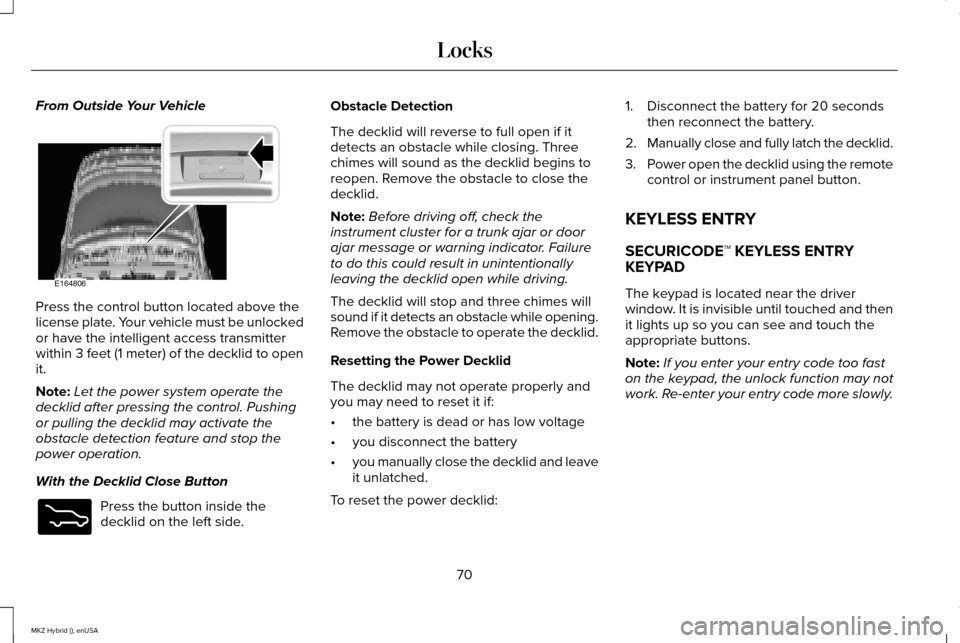
From Outside Your Vehicle
Press the control button located above the
license plate. Your vehicle must be unlocked
or have the intelligent access transmitter
within 3 feet (1 meter) of the decklid to open
it.
Note:
Let the power system operate the
decklid after pressing the control. Pushing
or pulling the decklid may activate the
obstacle detection feature and stop the
power operation.
With the Decklid Close Button Press the button inside the
decklid on the left side. Obstacle Detection
The decklid will reverse to full open if it
detects an obstacle while closing. Three
chimes will sound as the decklid begins to
reopen. Remove the obstacle to close the
decklid.
Note:
Before driving off, check the
instrument cluster for a trunk ajar or door
ajar message or warning indicator. Failure
to do this could result in unintentionally
leaving the decklid open while driving.
The decklid will stop and three chimes will
sound if it detects an obstacle while opening.
Remove the obstacle to operate the decklid.
Resetting the Power Decklid
The decklid may not operate properly and
you may need to reset it if:
• the battery is dead or has low voltage
• you disconnect the battery
• you manually close the decklid and leave
it unlatched.
To reset the power decklid: 1. Disconnect the battery for 20 seconds
then reconnect the battery.
2. Manually close and fully latch the decklid.
3. Power open the decklid using the remote
control or instrument panel button.
KEYLESS ENTRY
SECURICODE™ KEYLESS ENTRY
KEYPAD
The keypad is located near the driver
window. It is invisible until touched and then
it lights up so you can see and touch the
appropriate buttons.
Note: If you enter your entry code too fast
on the keypad, the unlock function may not
work. Re-enter your entry code more slowly.
70
MKZ Hybrid (), enUSA LocksE164806 E173217
Page 89 of 504
AUTOLAMPS (If Equipped)
WARNING
The daytime running lamps system
does not activate the tail lamps and
may not provide adequate lighting during
low visibility driving conditions. Also, the
autolamps switch position may not activate
the headlamps in all low visibility conditions,
such as daytime fog. Always ensure that your
headlamps are switched to auto or on, as
appropriate, during all low visibility
conditions. Failure to do so may result in a
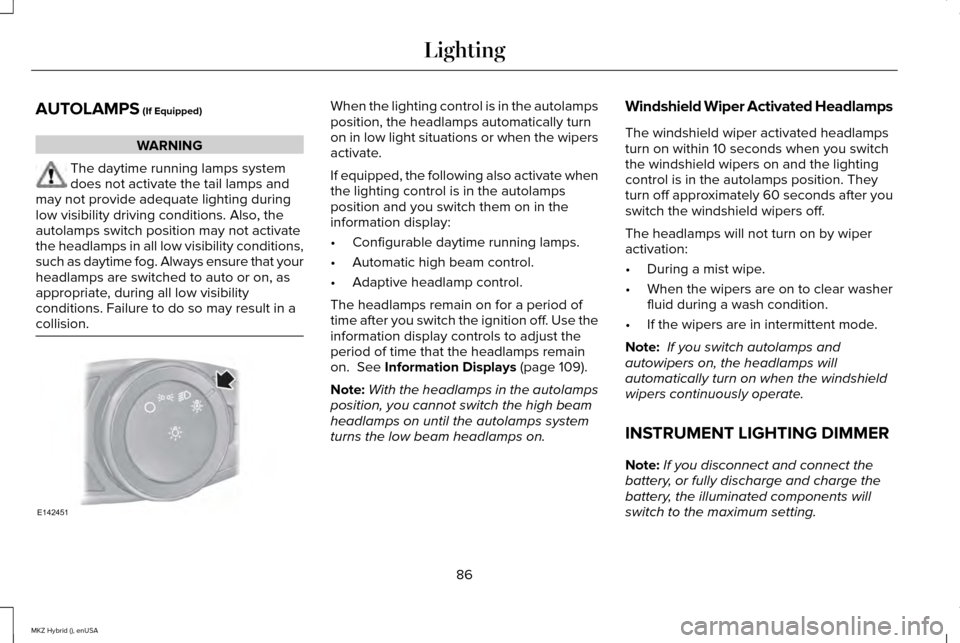
collision. When the lighting control is in the autolamps
position, the headlamps automatically turn
on in low light situations or when the wipers
activate.
If equipped, the following also activate when
the lighting control is in the autolamps
position and you switch them on in the
information display:
•
Configurable daytime running lamps.
• Automatic high beam control.
• Adaptive headlamp control.
The headlamps remain on for a period of
time after you switch the ignition off. Use the
information display controls to adjust the
period of time that the headlamps remain
on.
See Information Displays (page 109).
Note: With the headlamps in the autolamps
position, you cannot switch the high beam
headlamps on until the autolamps system
turns the low beam headlamps on. Windshield Wiper Activated Headlamps
The windshield wiper activated headlamps
turn on within 10 seconds when you switch
the windshield wipers on and the lighting
control is in the autolamps position. They
turn off approximately 60 seconds after you
switch the windshield wipers off.
The headlamps will not turn on by wiper
activation:
•
During a mist wipe.
• When the wipers are on to clear washer
fluid during a wash condition.
• If the wipers are in intermittent mode.
Note: If you switch autolamps and
autowipers on, the headlamps will
automatically turn on when the windshield
wipers continuously operate.
INSTRUMENT LIGHTING DIMMER
Note: If you disconnect and connect the
battery, or fully discharge and charge the
battery, the illuminated components will
switch to the maximum setting.
86
MKZ Hybrid (), enUSA LightingE142451
Page 90 of 504
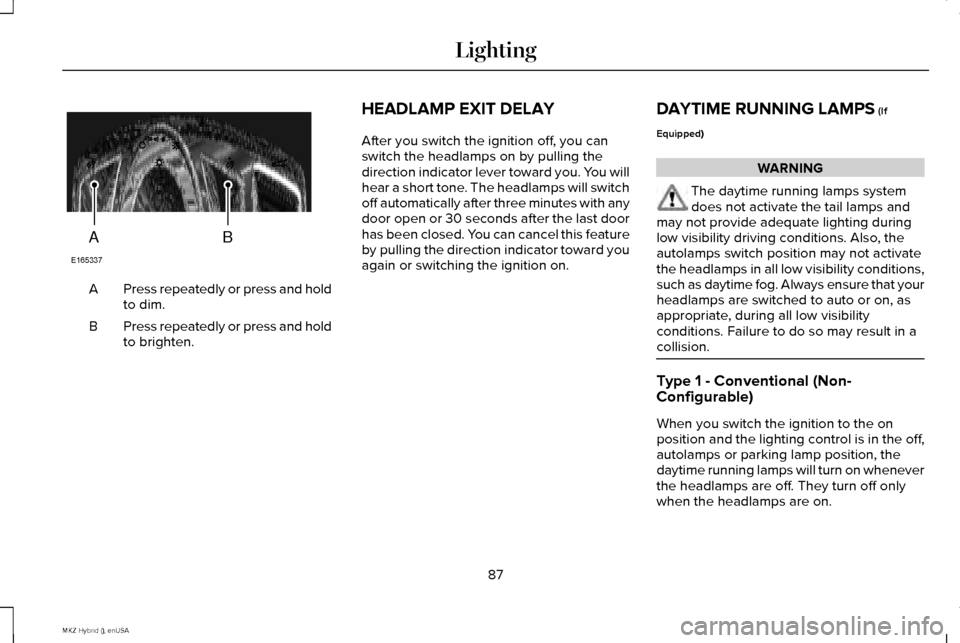
Press repeatedly or press and hold
to dim.
A
Press repeatedly or press and hold
to brighten.
B HEADLAMP EXIT DELAY
After you switch the ignition off, you can
switch the headlamps on by pulling the
direction indicator lever toward you. You will
hear a short tone. The headlamps will switch
off automatically after three minutes with any
door open or 30 seconds after the last door
has been closed. You can cancel this feature
by pulling the direction indicator toward you
again or switching the ignition on.
DAYTIME RUNNING LAMPS (If
Equipped) WARNING
The daytime running lamps system
does not activate the tail lamps and
may not provide adequate lighting during
low visibility driving conditions. Also, the
autolamps switch position may not activate
the headlamps in all low visibility conditions,
such as daytime fog. Always ensure that your
headlamps are switched to auto or on, as
appropriate, during all low visibility
conditions. Failure to do so may result in a
collision. Type 1 - Conventional (Non-
Configurable)
When you switch the ignition to the on
position and the lighting control is in the off,
autolamps or parking lamp position, the
daytime running lamps will turn on whenever
the headlamps are off. They turn off only
when the headlamps are on.
87
MKZ Hybrid (), enUSA LightingAB
E165337
Page 96 of 504
POWER WINDOWS
WARNINGS
Do not leave children unattended in
your vehicle and do not let them play
with the power windows. They may seriously
injure themselves. When closing the power windows, you
should verify they are free of
obstructions and make sure that children and
pets are not in the proximity of the window
openings. Note:
Window operation may stop or delay
during low battery conditions and engine
re-cranking. It will resume after the engine
starts. Note:
You may hear a pulsing noise when
just one of the windows are open. Lower the
opposite window slightly to reduce this
noise.
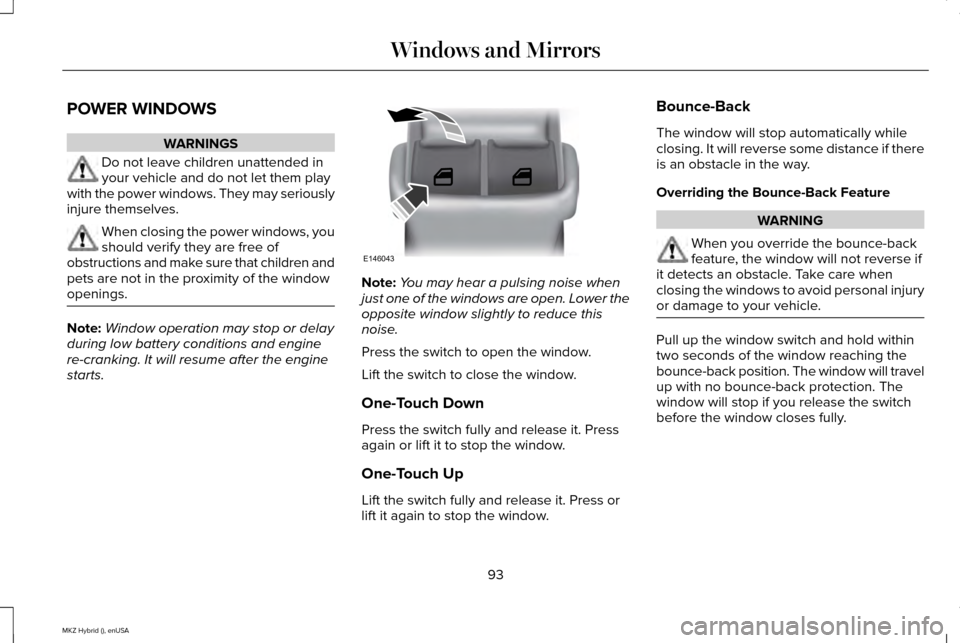
Press the switch to open the window.
Lift the switch to close the window.
One-Touch Down
Press the switch fully and release it. Press
again or lift it to stop the window.
One-Touch Up
Lift the switch fully and release it. Press or
lift it again to stop the window. Bounce-Back
The window will stop automatically while
closing. It will reverse some distance if there
is an obstacle in the way.
Overriding the Bounce-Back Feature
WARNING
When you override the bounce-back
feature, the window will not reverse if
it detects an obstacle. Take care when
closing the windows to avoid personal injury
or damage to your vehicle. Pull up the window switch and hold within
two seconds of the window reaching the
bounce-back position. The window will travel
up with no bounce-back protection. The
window will stop if you release the switch
before the window closes fully.
93
MKZ Hybrid (), enUSA Windows and MirrorsE146043
Page 106 of 504
Trip Summary
Trip Summary displays upon shutting off your
vehicle. The information is cumulative over
the last trip. A new trip begins each time your
start your vehicle (when the Ready to Drive
message comes on). Corresponding trip
efficiency leaves appear on the right
information display.
•
Distance - Displays the total distance
traveled, distance traveled on battery
power only (EV distance) and Regen
distance. Regen distance is the estimated
range gained from energy recaptured
through regenerative braking.
• Energy Use - Displays the average fuel
economy.
• Brake Score - The percent displayed is
an indication of the regenerative braking
efficiency for the trip.
Right Information Display
Entertainment
See General Information (page 359). Phone
See
General Information (page 359).
Navigation or Compass
See
General Information (page 359).
Fuel Economy
See
(page 109).
Vehicle Range
Located at the bottom of the display. It
indicates the estimated distance to empty
based on the fuel remaining in the tank.
Changes in your driving pattern and climate
control use may cause the value to vary.
Trip Efficiency Leaves
Trip Efficiency Leaves display upon shutting
off your vehicle. The number of leaves
represent the average for the last trip. A new
trip begins each time you start your vehicle
(when the Ready to Drive message comes
on). Corresponding Trip Summary data
displays on the left information display. WARNING LAMPS AND
INDICATORS
The following warning lamps and indicators
will alert you to a vehicle condition that may
become serious. Some lamps light when you
start your vehicle to make sure they work. If
any lamps remain on after starting your
vehicle, refer to the respective system
warning lamp for further information.
Note:
Some warning indicators appear in
the information display and function the
same as a warning lamp but do not light
when you start your vehicle.
Adaptive Cruise Control
(If Equipped) The speed control system indicator
light changes color to indicate
what mode the system is in:
See
Using Adaptive Cruise Control (page 213).
On (white light): Lights when you turn the
adaptive cruise control system on. Turns off
when you turn the speed control system off.
103
MKZ Hybrid (), enUSA Instrument ClusterE144524
Page 107 of 504
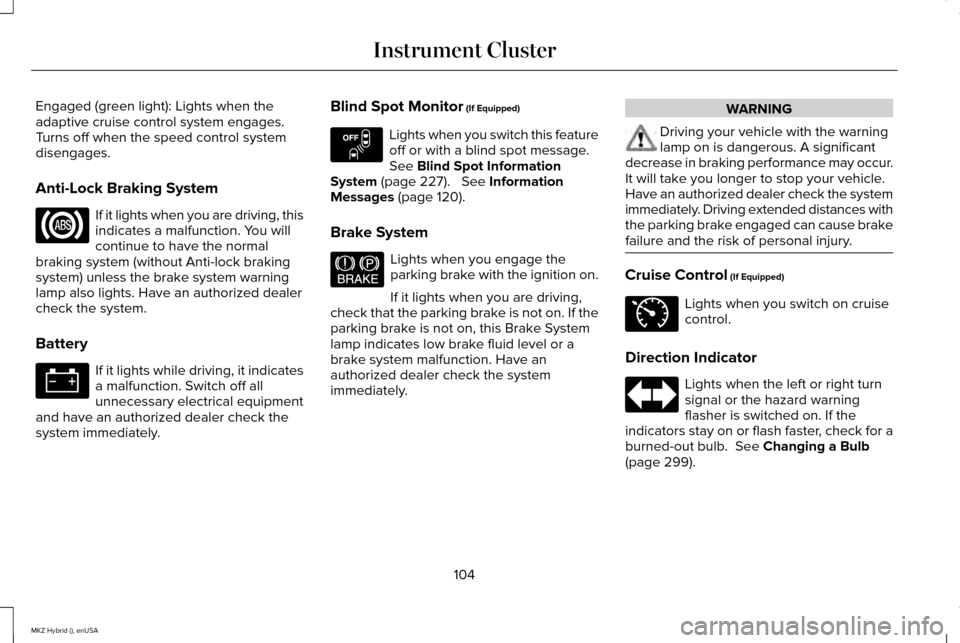
Engaged (green light): Lights when the
adaptive cruise control system engages.
Turns off when the speed control system
disengages.
Anti-Lock Braking System
If it lights when you are driving, this
indicates a malfunction. You will
continue to have the normal
braking system (without Anti-lock braking
system) unless the brake system warning
lamp also lights. Have an authorized dealer
check the system.
Battery If it lights while driving, it indicates
a malfunction. Switch off all
unnecessary electrical equipment
and have an authorized dealer check the
system immediately. Blind Spot Monitor (If Equipped) Lights when you switch this feature
off or with a blind spot message.
See
Blind Spot Information
System (page 227). See Information
Messages (page 120).
Brake System Lights when you engage the
parking brake with the ignition on.
If it lights when you are driving,
check that the parking brake is not on. If the
parking brake is not on, this Brake System
lamp indicates low brake fluid level or a
brake system malfunction. Have an
authorized dealer check the system
immediately. WARNING
Driving your vehicle with the warning
lamp on is dangerous. A significant
decrease in braking performance may occur.
It will take you longer to stop your vehicle.
Have an authorized dealer check the system
immediately. Driving extended distances with
the parking brake engaged can cause brake
failure and the risk of personal injury. Cruise Control
(If Equipped)
Lights when you switch on cruise
control.
Direction Indicator Lights when the left or right turn
signal or the hazard warning
flasher is switched on. If the
indicators stay on or flash faster, check for a
burned-out bulb.
See Changing a Bulb
(page 299).
104
MKZ Hybrid (), enUSA Instrument Cluster E151262 E144522 E71340
Page 108 of 504
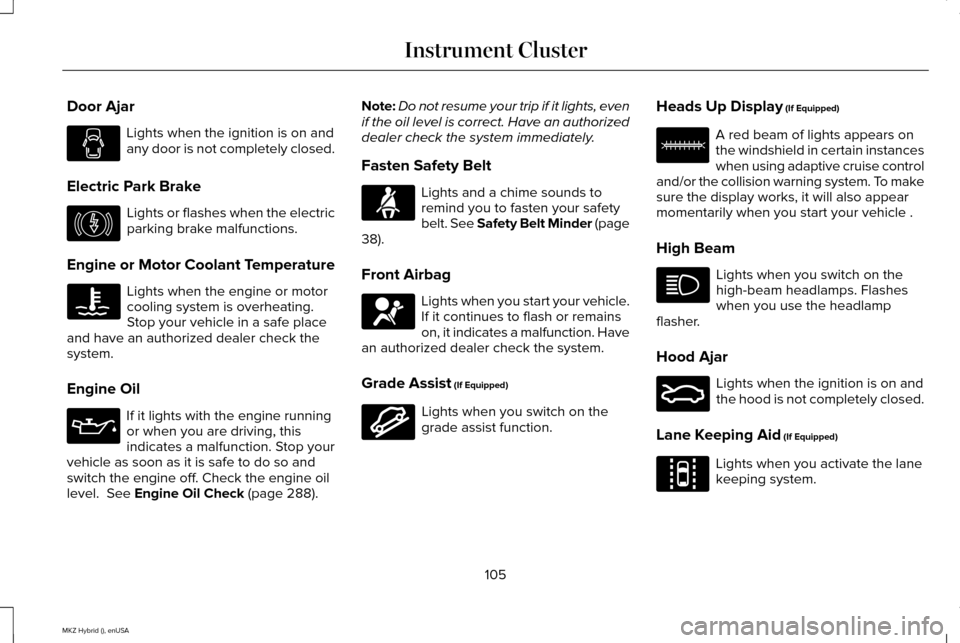
Door Ajar
Lights when the ignition is on and
any door is not completely closed.
Electric Park Brake Lights or flashes when the electric
parking brake malfunctions.
Engine or Motor Coolant Temperature Lights when the engine or motor
cooling system is overheating.
Stop your vehicle in a safe place
and have an authorized dealer check the
system.
Engine Oil If it lights with the engine running
or when you are driving, this
indicates a malfunction. Stop your
vehicle as soon as it is safe to do so and
switch the engine off. Check the engine oil
level. See Engine Oil Check (page 288). Note:
Do not resume your trip if it lights, even
if the oil level is correct. Have an authorized
dealer check the system immediately.
Fasten Safety Belt Lights and a chime sounds to
remind you to fasten your safety
belt. See Safety Belt Minder (page
38
).
Front Airbag Lights when you start your vehicle.
If it continues to flash or remains
on, it indicates a malfunction. Have
an authorized dealer check the system.
Grade Assist
(If Equipped) Lights when you switch on the
grade assist function.Heads Up Display
(If Equipped) A red beam of lights appears on
the windshield in certain instances
when using adaptive cruise control
and/or the collision warning system. To make
sure the display works, it will also appear
momentarily when you start your vehicle .
High Beam Lights when you switch on the
high-beam headlamps. Flashes
when you use the headlamp
flasher.
Hood Ajar Lights when the ignition is on and
the hood is not completely closed.
Lane Keeping Aid
(If Equipped) Lights when you activate the lane
keeping system.
105
MKZ Hybrid (), enUSA Instrument Cluster E146190 E144523 E156133 E159324 E144813