warning LINCOLN MKZ HYBRID 2015 Service Manual
[x] Cancel search | Manufacturer: LINCOLN, Model Year: 2015, Model line: MKZ HYBRID, Model: LINCOLN MKZ HYBRID 2015Pages: 504, PDF Size: 4.45 MB
Page 81 of 504
ADJUSTING THE STEERING WHEEL
WARNING
Do not adjust the steering wheel when
your vehicle is moving.
Note:
Make sure that you are sitting in the
correct position. See Sitting in the Correct
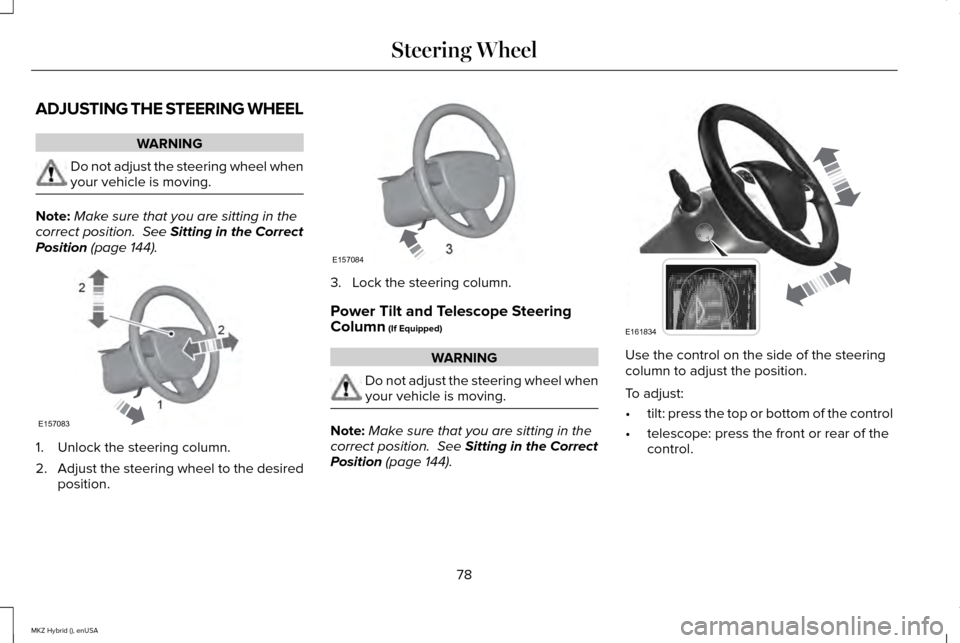
Position (page 144). 1. Unlock the steering column.
2.
Adjust the steering wheel to the desired
position. 3. Lock the steering column.
Power Tilt and Telescope Steering
Column
(If Equipped)
WARNING
Do not adjust the steering wheel when
your vehicle is moving.
Note:
Make sure that you are sitting in the
correct position.
See Sitting in the Correct
Position (page 144). Use the control on the side of the steering
column to adjust the position.
To adjust:
•
tilt: press the top or bottom of the control
• telescope: press the front or rear of the
control.
78
MKZ Hybrid (), enUSA Steering Wheel2
2
1E157083 E157084 E161834
Page 89 of 504
AUTOLAMPS (If Equipped)
WARNING
The daytime running lamps system
does not activate the tail lamps and
may not provide adequate lighting during
low visibility driving conditions. Also, the
autolamps switch position may not activate
the headlamps in all low visibility conditions,
such as daytime fog. Always ensure that your
headlamps are switched to auto or on, as
appropriate, during all low visibility
conditions. Failure to do so may result in a
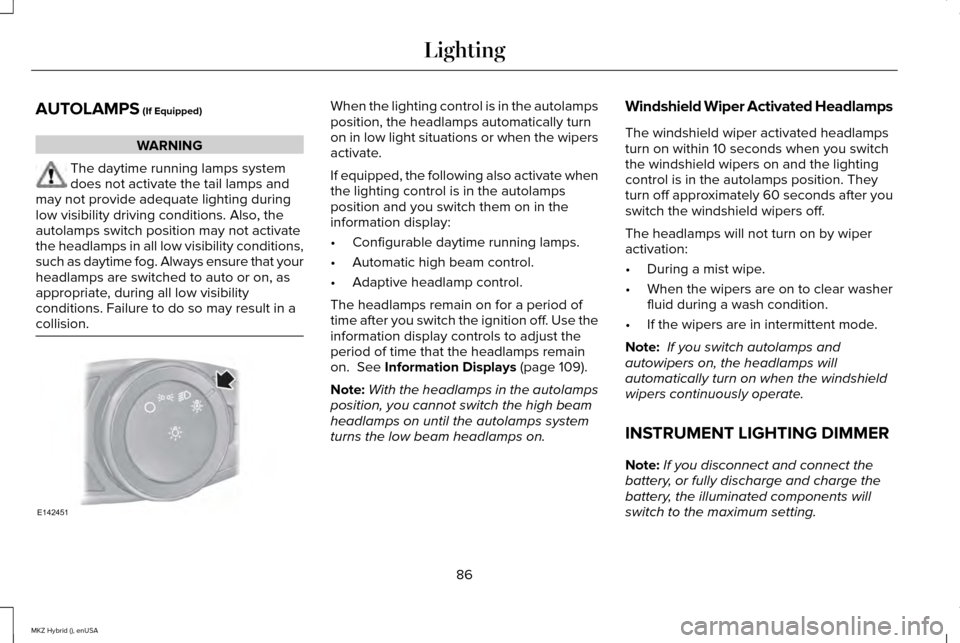
collision. When the lighting control is in the autolamps
position, the headlamps automatically turn
on in low light situations or when the wipers
activate.
If equipped, the following also activate when
the lighting control is in the autolamps
position and you switch them on in the
information display:
•
Configurable daytime running lamps.
• Automatic high beam control.
• Adaptive headlamp control.
The headlamps remain on for a period of
time after you switch the ignition off. Use the
information display controls to adjust the
period of time that the headlamps remain
on.
See Information Displays (page 109).
Note: With the headlamps in the autolamps
position, you cannot switch the high beam
headlamps on until the autolamps system
turns the low beam headlamps on. Windshield Wiper Activated Headlamps
The windshield wiper activated headlamps
turn on within 10 seconds when you switch
the windshield wipers on and the lighting
control is in the autolamps position. They
turn off approximately 60 seconds after you
switch the windshield wipers off.
The headlamps will not turn on by wiper
activation:
•
During a mist wipe.
• When the wipers are on to clear washer
fluid during a wash condition.
• If the wipers are in intermittent mode.
Note: If you switch autolamps and
autowipers on, the headlamps will
automatically turn on when the windshield
wipers continuously operate.
INSTRUMENT LIGHTING DIMMER
Note: If you disconnect and connect the
battery, or fully discharge and charge the
battery, the illuminated components will
switch to the maximum setting.
86
MKZ Hybrid (), enUSA LightingE142451
Page 90 of 504
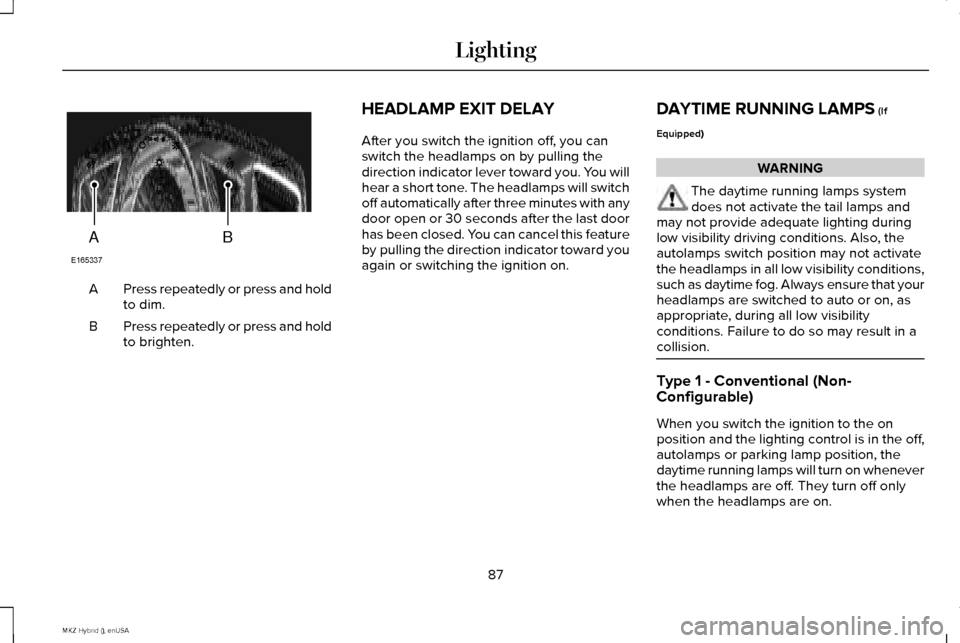
Press repeatedly or press and hold
to dim.
A
Press repeatedly or press and hold
to brighten.
B HEADLAMP EXIT DELAY
After you switch the ignition off, you can
switch the headlamps on by pulling the
direction indicator lever toward you. You will
hear a short tone. The headlamps will switch
off automatically after three minutes with any
door open or 30 seconds after the last door
has been closed. You can cancel this feature
by pulling the direction indicator toward you
again or switching the ignition on.
DAYTIME RUNNING LAMPS (If
Equipped) WARNING
The daytime running lamps system
does not activate the tail lamps and
may not provide adequate lighting during
low visibility driving conditions. Also, the
autolamps switch position may not activate
the headlamps in all low visibility conditions,
such as daytime fog. Always ensure that your
headlamps are switched to auto or on, as
appropriate, during all low visibility
conditions. Failure to do so may result in a
collision. Type 1 - Conventional (Non-
Configurable)
When you switch the ignition to the on
position and the lighting control is in the off,
autolamps or parking lamp position, the
daytime running lamps will turn on whenever
the headlamps are off. They turn off only
when the headlamps are on.
87
MKZ Hybrid (), enUSA LightingAB
E165337
Page 96 of 504
POWER WINDOWS
WARNINGS
Do not leave children unattended in
your vehicle and do not let them play
with the power windows. They may seriously
injure themselves. When closing the power windows, you
should verify they are free of
obstructions and make sure that children and
pets are not in the proximity of the window
openings. Note:
Window operation may stop or delay
during low battery conditions and engine
re-cranking. It will resume after the engine
starts. Note:
You may hear a pulsing noise when
just one of the windows are open. Lower the
opposite window slightly to reduce this
noise.
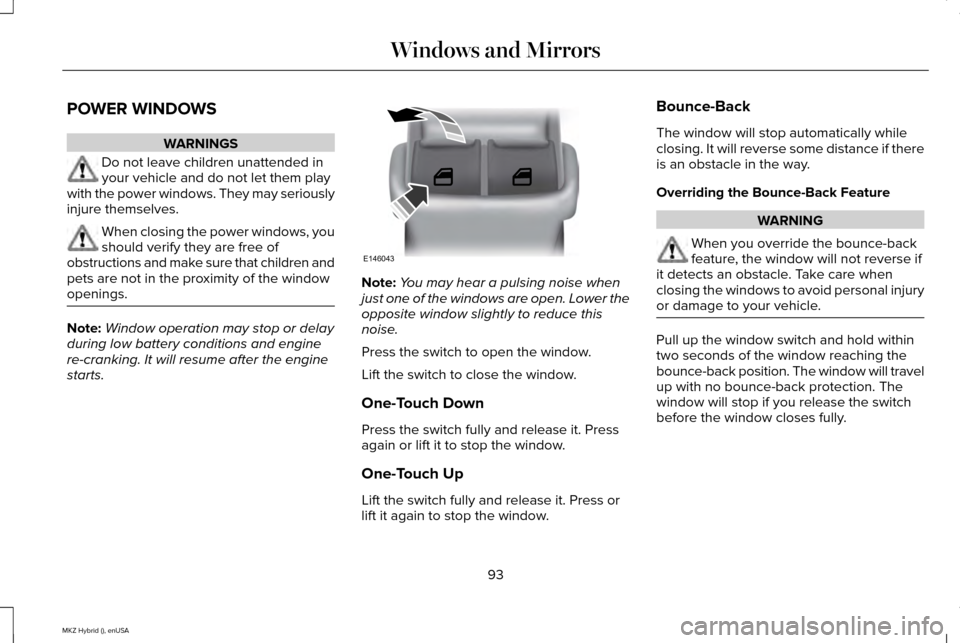
Press the switch to open the window.
Lift the switch to close the window.
One-Touch Down
Press the switch fully and release it. Press
again or lift it to stop the window.
One-Touch Up
Lift the switch fully and release it. Press or
lift it again to stop the window. Bounce-Back
The window will stop automatically while
closing. It will reverse some distance if there
is an obstacle in the way.
Overriding the Bounce-Back Feature
WARNING
When you override the bounce-back
feature, the window will not reverse if
it detects an obstacle. Take care when
closing the windows to avoid personal injury
or damage to your vehicle. Pull up the window switch and hold within
two seconds of the window reaching the
bounce-back position. The window will travel
up with no bounce-back protection. The
window will stop if you release the switch
before the window closes fully.
93
MKZ Hybrid (), enUSA Windows and MirrorsE146043
Page 97 of 504
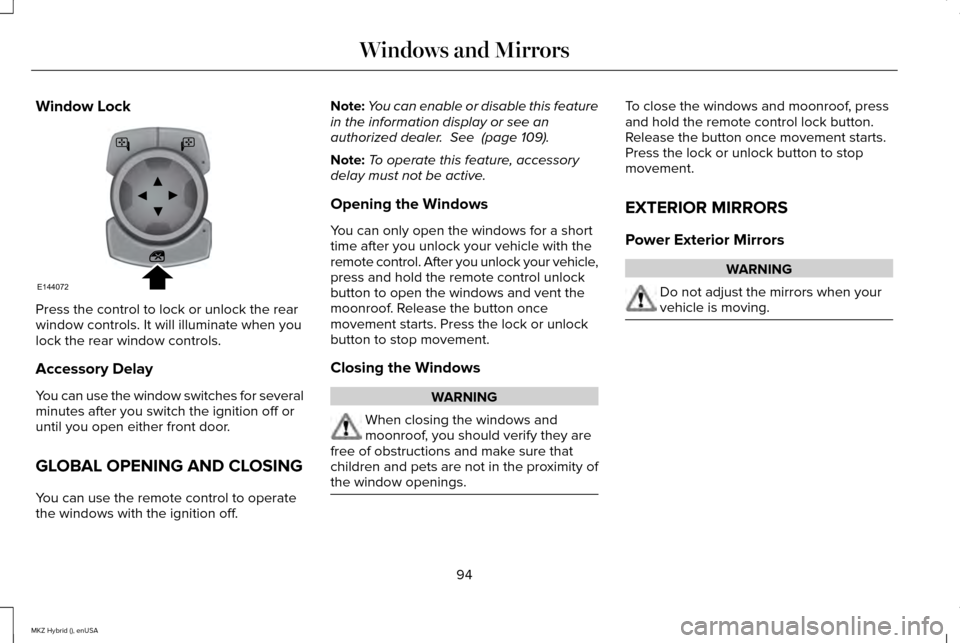
Window Lock
Press the control to lock or unlock the rear
window controls. It will illuminate when you
lock the rear window controls.
Accessory Delay
You can use the window switches for several
minutes after you switch the ignition off or
until you open either front door.
GLOBAL OPENING AND CLOSING
You can use the remote control to operate
the windows with the ignition off. Note:
You can enable or disable this feature
in the information display or see an
authorized dealer. See (page 109).
Note: To operate this feature, accessory
delay must not be active.
Opening the Windows
You can only open the windows for a short
time after you unlock your vehicle with the
remote control. After you unlock your vehicle,
press and hold the remote control unlock
button to open the windows and vent the
moonroof. Release the button once
movement starts. Press the lock or unlock
button to stop movement.
Closing the Windows WARNING
When closing the windows and
moonroof, you should verify they are
free of obstructions and make sure that
children and pets are not in the proximity of
the window openings. To close the windows and moonroof, press
and hold the remote control lock button.
Release the button once movement starts.
Press the lock or unlock button to stop
movement.
EXTERIOR MIRRORS
Power Exterior Mirrors
WARNING
Do not adjust the mirrors when your
vehicle is moving.
94
MKZ Hybrid (), enUSA Windows and MirrorsE144072
Page 99 of 504
Integrated Blind Spot Mirrors (If Equipped)
WARNING
Objects in the blind spot mirror are
closer than they appear.
Blind spot mirrors have an integrated convex
mirror built into the upper outboard corner
of the exterior mirrors. Their design can
increase your visibility along the side of your
vehicle.
Check the main mirror first before a lane
change, then check the blind spot mirror. If
no vehicles are present in the blind spot
mirror and the traffic in the adjacent lane is
at a safe distance, signal that you intend to
change lanes. Glance over your shoulder to
verify traffic is clear and carefully change
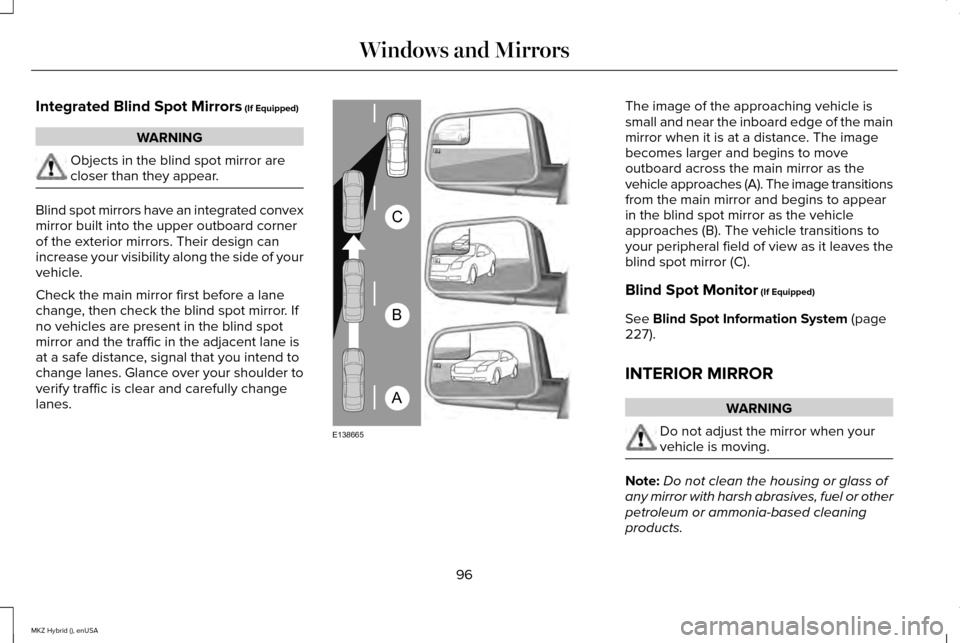
lanes. The image of the approaching vehicle is
small and near the inboard edge of the main
mirror when it is at a distance. The image
becomes larger and begins to move
outboard across the main mirror as the
vehicle approaches (A). The image transitions
from the main mirror and begins to appear
in the blind spot mirror as the vehicle
approaches (B). The vehicle transitions to
your peripheral field of view as it leaves the
blind spot mirror (C).
Blind Spot Monitor
(If Equipped)
See
Blind Spot Information System (page
227).
INTERIOR MIRROR WARNING
Do not adjust the mirror when your
vehicle is moving.
Note:
Do not clean the housing or glass of
any mirror with harsh abrasives, fuel or other
petroleum or ammonia-based cleaning
products.
96
MKZ Hybrid (), enUSA Windows and MirrorsA
B
C
E138665
Page 101 of 504
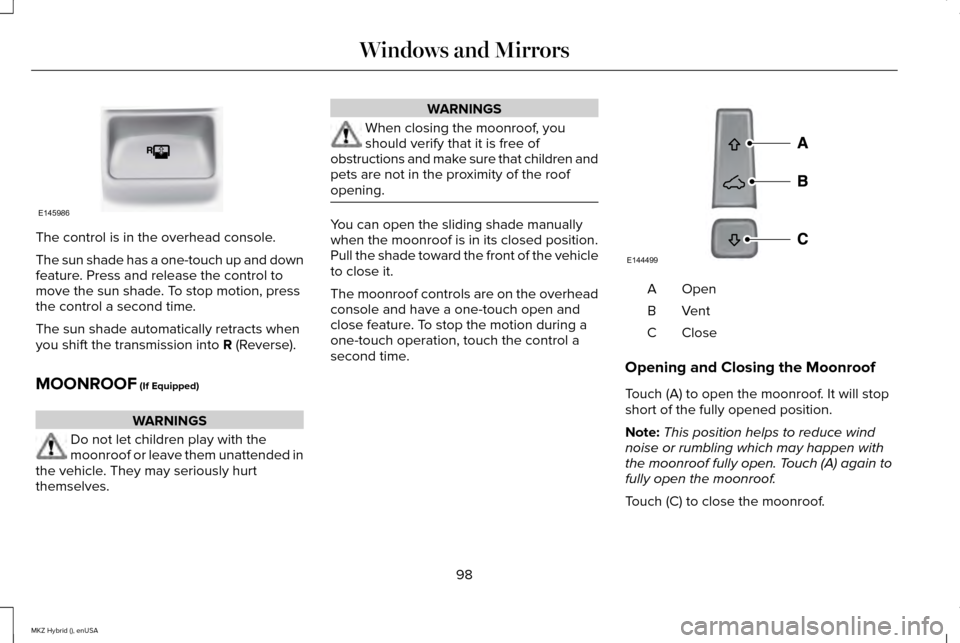
The control is in the overhead console.
The sun shade has a one-touch up and down
feature. Press and release the control to
move the sun shade. To stop motion, press
the control a second time.
The sun shade automatically retracts when
you shift the transmission into R (Reverse).
MOONROOF
(If Equipped) WARNINGS
Do not let children play with the
moonroof or leave them unattended in
the vehicle. They may seriously hurt
themselves. WARNINGS
When closing the moonroof, you
should verify that it is free of
obstructions and make sure that children and
pets are not in the proximity of the roof
opening. You can open the sliding shade manually
when the moonroof is in its closed position.
Pull the shade toward the front of the vehicle
to close it.
The moonroof controls are on the overhead
console and have a one-touch open and
close feature. To stop the motion during a
one-touch operation, touch the control a
second time.
OpenA
VentB
CloseC
Opening and Closing the Moonroof
Touch (A) to open the moonroof. It will stop
short of the fully opened position.
Note: This position helps to reduce wind
noise or rumbling which may happen with
the moonroof fully open. Touch (A) again to
fully open the moonroof.
Touch (C) to close the moonroof.
98
MKZ Hybrid (), enUSA Windows and MirrorsE145986 E144499
Page 106 of 504
Trip Summary
Trip Summary displays upon shutting off your
vehicle. The information is cumulative over
the last trip. A new trip begins each time your
start your vehicle (when the Ready to Drive
message comes on). Corresponding trip
efficiency leaves appear on the right
information display.
•
Distance - Displays the total distance
traveled, distance traveled on battery
power only (EV distance) and Regen
distance. Regen distance is the estimated
range gained from energy recaptured
through regenerative braking.
• Energy Use - Displays the average fuel
economy.
• Brake Score - The percent displayed is
an indication of the regenerative braking
efficiency for the trip.
Right Information Display
Entertainment
See General Information (page 359). Phone
See
General Information (page 359).
Navigation or Compass
See
General Information (page 359).
Fuel Economy
See
(page 109).
Vehicle Range
Located at the bottom of the display. It
indicates the estimated distance to empty
based on the fuel remaining in the tank.
Changes in your driving pattern and climate
control use may cause the value to vary.
Trip Efficiency Leaves
Trip Efficiency Leaves display upon shutting
off your vehicle. The number of leaves
represent the average for the last trip. A new
trip begins each time you start your vehicle
(when the Ready to Drive message comes
on). Corresponding Trip Summary data
displays on the left information display. WARNING LAMPS AND
INDICATORS
The following warning lamps and indicators
will alert you to a vehicle condition that may
become serious. Some lamps light when you
start your vehicle to make sure they work. If
any lamps remain on after starting your
vehicle, refer to the respective system
warning lamp for further information.
Note:
Some warning indicators appear in
the information display and function the
same as a warning lamp but do not light
when you start your vehicle.
Adaptive Cruise Control
(If Equipped) The speed control system indicator
light changes color to indicate
what mode the system is in:
See
Using Adaptive Cruise Control (page 213).
On (white light): Lights when you turn the
adaptive cruise control system on. Turns off
when you turn the speed control system off.
103
MKZ Hybrid (), enUSA Instrument ClusterE144524
Page 107 of 504
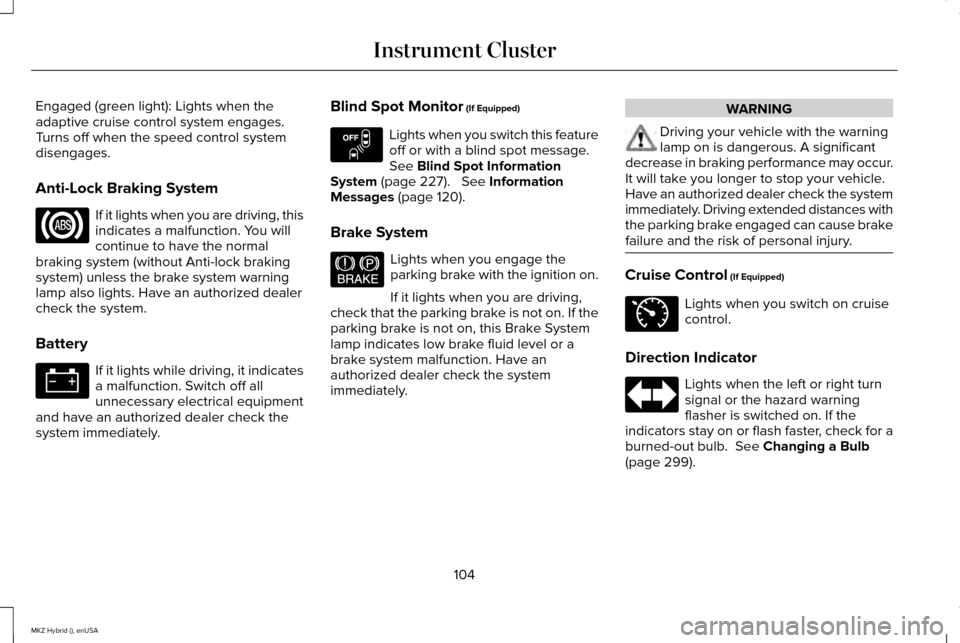
Engaged (green light): Lights when the
adaptive cruise control system engages.
Turns off when the speed control system
disengages.
Anti-Lock Braking System
If it lights when you are driving, this
indicates a malfunction. You will
continue to have the normal
braking system (without Anti-lock braking
system) unless the brake system warning
lamp also lights. Have an authorized dealer
check the system.
Battery If it lights while driving, it indicates
a malfunction. Switch off all
unnecessary electrical equipment
and have an authorized dealer check the
system immediately. Blind Spot Monitor (If Equipped) Lights when you switch this feature
off or with a blind spot message.
See
Blind Spot Information
System (page 227). See Information
Messages (page 120).
Brake System Lights when you engage the
parking brake with the ignition on.
If it lights when you are driving,
check that the parking brake is not on. If the
parking brake is not on, this Brake System
lamp indicates low brake fluid level or a
brake system malfunction. Have an
authorized dealer check the system
immediately. WARNING
Driving your vehicle with the warning
lamp on is dangerous. A significant
decrease in braking performance may occur.
It will take you longer to stop your vehicle.
Have an authorized dealer check the system
immediately. Driving extended distances with
the parking brake engaged can cause brake
failure and the risk of personal injury. Cruise Control
(If Equipped)
Lights when you switch on cruise
control.
Direction Indicator Lights when the left or right turn
signal or the hazard warning
flasher is switched on. If the
indicators stay on or flash faster, check for a
burned-out bulb.
See Changing a Bulb
(page 299).
104
MKZ Hybrid (), enUSA Instrument Cluster E151262 E144522 E71340
Page 108 of 504
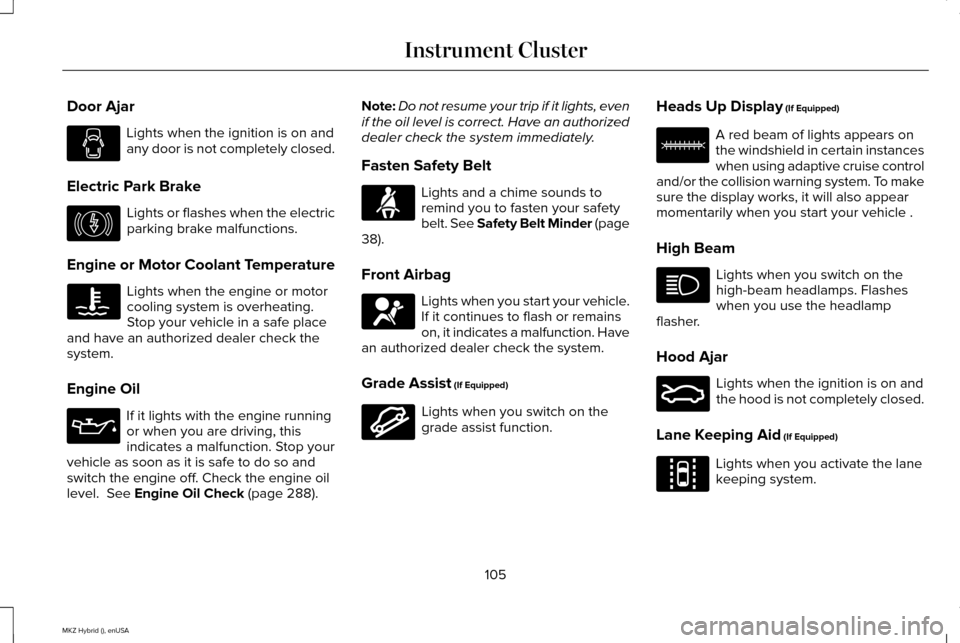
Door Ajar
Lights when the ignition is on and
any door is not completely closed.
Electric Park Brake Lights or flashes when the electric
parking brake malfunctions.
Engine or Motor Coolant Temperature Lights when the engine or motor
cooling system is overheating.
Stop your vehicle in a safe place
and have an authorized dealer check the
system.
Engine Oil If it lights with the engine running
or when you are driving, this
indicates a malfunction. Stop your
vehicle as soon as it is safe to do so and
switch the engine off. Check the engine oil
level. See Engine Oil Check (page 288). Note:
Do not resume your trip if it lights, even
if the oil level is correct. Have an authorized
dealer check the system immediately.
Fasten Safety Belt Lights and a chime sounds to
remind you to fasten your safety
belt. See Safety Belt Minder (page
38
).
Front Airbag Lights when you start your vehicle.
If it continues to flash or remains
on, it indicates a malfunction. Have
an authorized dealer check the system.
Grade Assist
(If Equipped) Lights when you switch on the
grade assist function.Heads Up Display
(If Equipped) A red beam of lights appears on
the windshield in certain instances
when using adaptive cruise control
and/or the collision warning system. To make
sure the display works, it will also appear
momentarily when you start your vehicle .
High Beam Lights when you switch on the
high-beam headlamps. Flashes
when you use the headlamp
flasher.
Hood Ajar Lights when the ignition is on and
the hood is not completely closed.
Lane Keeping Aid
(If Equipped) Lights when you activate the lane
keeping system.
105
MKZ Hybrid (), enUSA Instrument Cluster E146190 E144523 E156133 E159324 E144813