battery LINCOLN MKZ HYBRID 2017 Manual PDF
[x] Cancel search | Manufacturer: LINCOLN, Model Year: 2017, Model line: MKZ HYBRID, Model: LINCOLN MKZ HYBRID 2017Pages: 546, PDF Size: 5.12 MB
Page 382 of 546
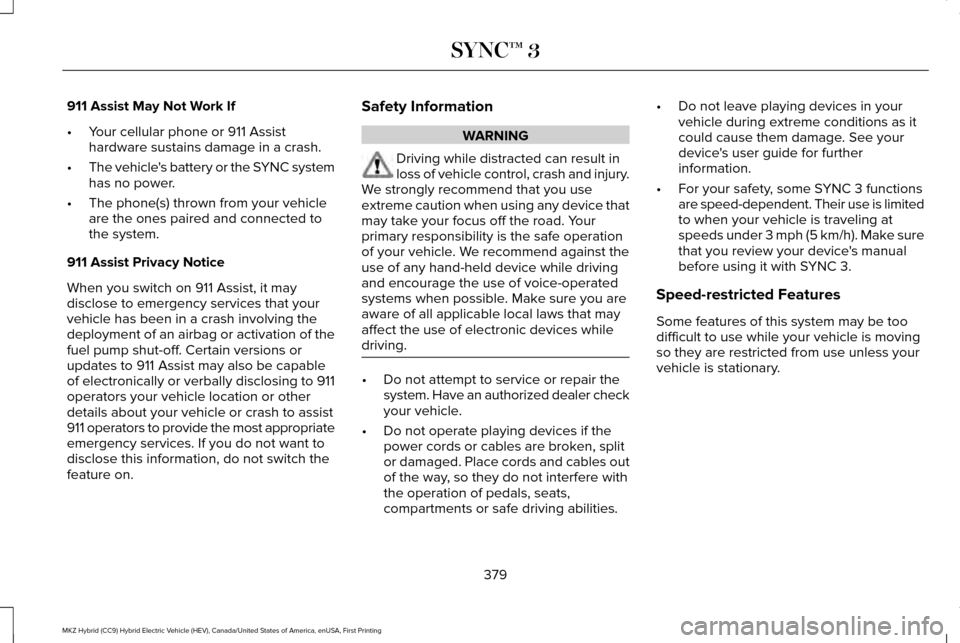
911 Assist May Not Work If
•
Your cellular phone or 911 Assist
hardware sustains damage in a crash.
• The vehicle's battery or the SYNC system
has no power.
• The phone(s) thrown from your vehicle
are the ones paired and connected to
the system.
911 Assist Privacy Notice
When you switch on 911 Assist, it may
disclose to emergency services that your
vehicle has been in a crash involving the
deployment of an airbag or activation of the
fuel pump shut-off. Certain versions or
updates to 911 Assist may also be capable
of electronically or verbally disclosing to 911
operators your vehicle location or other
details about your vehicle or crash to assist
911 operators to provide the most appropriate
emergency services. If you do not want to
disclose this information, do not switch the
feature on. Safety Information WARNING
Driving while distracted can result in
loss of vehicle control, crash and injury.
We strongly recommend that you use
extreme caution when using any device that
may take your focus off the road. Your
primary responsibility is the safe operation
of your vehicle. We recommend against the
use of any hand-held device while driving
and encourage the use of voice-operated
systems when possible. Make sure you are
aware of all applicable local laws that may
affect the use of electronic devices while
driving. •
Do not attempt to service or repair the
system. Have an authorized dealer check
your vehicle.
• Do not operate playing devices if the
power cords or cables are broken, split
or damaged. Place cords and cables out
of the way, so they do not interfere with
the operation of pedals, seats,
compartments or safe driving abilities. •
Do not leave playing devices in your
vehicle during extreme conditions as it
could cause them damage. See your
device's user guide for further
information.
• For your safety, some SYNC 3 functions
are speed-dependent. Their use is limited
to when your vehicle is traveling at
speeds under 3 mph (5 km/h). Make sure
that you review your device's manual
before using it with SYNC 3.
Speed-restricted Features
Some features of this system may be too
difficult to use while your vehicle is moving
so they are restricted from use unless your
vehicle is stationary.
379
MKZ Hybrid (CC9) Hybrid Electric Vehicle (HEV), Canada/United States of America, enUSA, First Printing SYNC™ 3
Page 388 of 546

Home screen display
Tile
Item
Shows the active media source.
Audio
A
If your vehicle does not have navigation, this space contains the compas\
s.
The name of the connected phone appears on the screen. The status of the\
phone features also
appear. This includes signal strength, battery charge, 911 assist setting state (On or Off ), text messaging
and roaming.
Phone
B
This map displays your current location or current route in real time.
*
Navigation
C
When you have navigation active, you also see the next turn and the length of time and distance to
your destination.
If your vehicle does not have navigation, this space contains the audio \
information.
* If equipped.
You can touch any of the feature displays to
access that feature.
Anytime you select the home button, the
system returns you to this screen. USING VOICE RECOGNITION
The SYNC 3 system allows you to use voice
commands, to control features like audio and
climate controls. By using voice commands,
you can keep your hands on the wheel and
your eyes on the road.
You can access each feature controlled by
SYNC 3 through a variety of commands. To activate the SYNC 3 voice
commands push the voice button
on the steering wheel and wait for
the prompt.
___ is a dynamic listing, meaning that it can
be the name of anything, such as artist, the
name of contact or number. The context and
the description of the command tell you what
to say for this dynamic option.
There are some commands that work for
every feature, these commands are:
385
MKZ Hybrid (CC9) Hybrid Electric Vehicle (HEV), Canada/United States of America, enUSA, First Printing SYNC™ 3E142599
Page 421 of 546
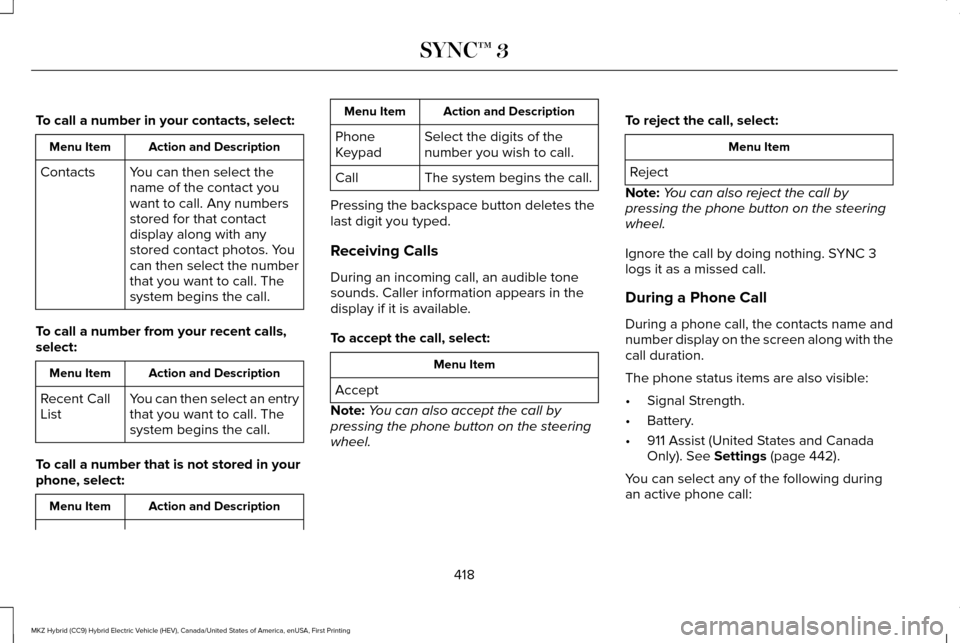
To call a number in your contacts, select:
Action and Description
Menu Item
You can then select the
name of the contact you
want to call. Any numbers
stored for that contact
display along with any
stored contact photos. You
can then select the number
that you want to call. The
system begins the call.
Contacts
To call a number from your recent calls,
select: Action and Description
Menu Item
You can then select an entry
that you want to call. The
system begins the call.
Recent Call
List
To call a number that is not stored in your
phone, select: Action and Description
Menu Item Action and Description
Menu Item
Select the digits of the
number you wish to call.
Phone
Keypad
The system begins the call.
Call
Pressing the backspace button deletes the
last digit you typed.
Receiving Calls
During an incoming call, an audible tone
sounds. Caller information appears in the
display if it is available.
To accept the call, select: Menu Item
Accept
Note: You can also accept the call by
pressing the phone button on the steering
wheel. To reject the call, select: Menu Item
Reject
Note: You can also reject the call by
pressing the phone button on the steering
wheel.
Ignore the call by doing nothing. SYNC 3
logs it as a missed call.
During a Phone Call
During a phone call, the contacts name and
number display on the screen along with the
call duration.
The phone status items are also visible:
• Signal Strength.
• Battery.
• 911 Assist (United States and Canada
Only). See Settings (page 442).
You can select any of the following during
an active phone call:
418
MKZ Hybrid (CC9) Hybrid Electric Vehicle (HEV), Canada/United States of America, enUSA, First Printing SYNC™ 3
Page 437 of 546
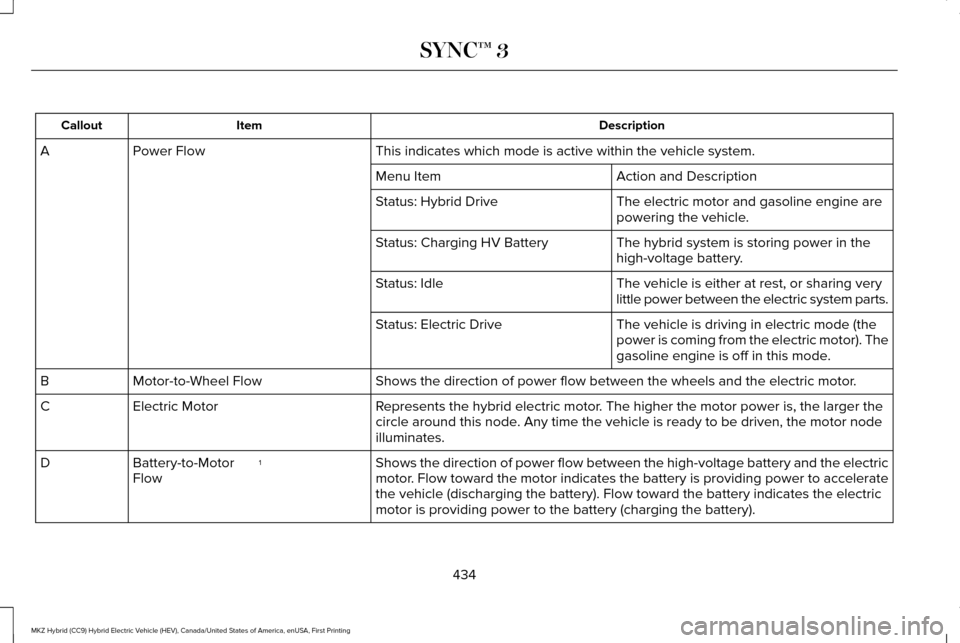
Description
Item
Callout
This indicates which mode is active within the vehicle system.
Power Flow
A
Action and Description
Menu Item
The electric motor and gasoline engine are
powering the vehicle.
Status: Hybrid Drive
The hybrid system is storing power in the
high-voltage battery.
Status: Charging HV Battery
The vehicle is either at rest, or sharing very
little power between the electric system parts.
Status: Idle
The vehicle is driving in electric mode (the
power is coming from the electric motor). The
gasoline engine is off in this mode.
Status: Electric Drive
Shows the direction of power flow between the wheels and the electric mo\
tor.
Motor-to-Wheel Flow
B
Represents the hybrid electric motor. The higher the motor power is, the larger the
circle around this node. Any time the vehicle is ready to be driven, the motor node
illuminates.
Electric Motor
C
Shows the direction of power flow between the high-voltage battery and t\
he electric
motor. Flow toward the motor indicates the battery is providing power to acce\
lerate
the vehicle (discharging the battery). Flow toward the battery indicat\
es the electric
motor is providing power to the battery (charging the battery).
1
Battery-to-Motor
Flow
D
434
MKZ Hybrid (CC9) Hybrid Electric Vehicle (HEV), Canada/United States of America, enUSA, First Printing SYNC™ 3
Page 438 of 546

Description
Item
Callout
Includes all power usage from the low voltage accessories such as the cl\
imate control
fan, headlights and heated seats. The higher the power usage is from the\
se
accessories, the larger the circle around the node. This node illuminates anytime the
vehicle is on since there is always some low level power in use.
2
Other
E
Includes the power usage from the high-voltage climate control component\
s such
as the electric A/C compressor and the electric heater (Energi only). \
The higher the
power usage is from these components, the larger the circle around this \
node.
2,3
Climate
F
Represents your high-voltage battery. A circle illuminates around the node when the
high-voltage battery is receiving power from regenerative braking or eng\
ine charging.
The higher the power going into the high-voltage battery, the larger the circle around
this node.
Battery
G
Represents the fuel tank in the vehicle.
Fuel
H
Shows flow from the fuel tank to the engine when the engine is on and us\
ing fuel
(there are some cases where the engine is on, but not using any fuel).\
When the
engine is on, but not using fuel, the engine node is active, but the fuel flow path is
off. An example of this is when your foot is off the accelerator pedal and \
the vehicle
is traveling at a high speed.
Fuel-to-Engine Flow
I
Provides you with the reason(s) the gasoline engine is on. When the ga\
soline engine
is off, this display does not appear. Engine On due to reasons displayed by the system
are in a chart following this list.
Engine On due to:
J
435
MKZ Hybrid (CC9) Hybrid Electric Vehicle (HEV), Canada/United States of America, enUSA, First Printing SYNC™ 3
Page 439 of 546

Description
Item
Callout
Shows the direction of power flow between the engine and the electric mo\
tor. The
direction indicates if the engine is providing power to the high-voltage\
electrical
system, or if the high-voltage electrical system is providing power to c\
ontrol or start
the engine.
Motor-to-Engine Flow
K
Represents the gasoline engine. It illuminates only when the gasoline engine is on.
The higher the engine power is, the larger the circle around this node.
Engine
L
Shows the direction of the power flow between the engine and the wheels.\
Engine-to-Wheels Flow
M
Represents the power going to the wheels. The higher the wheel power is, \
the larger
the circle around this node. When the engine is off, drive power displays in blue.
When the engine is on, drive power displays in grey.
Drive
N
1 The battery-to-motor flow includes battery
power the vehicle is using for acceleration.
It does not include energy the vehicle is
using for accessories (such as air
conditioning, headlights and radio). This
screen displays accessories and climate
usage separately. 2
Accessories indicates electrical power
demands from your vehicle ’s accessory
systems. Accessories use power but do not
contribute to making the vehicle move. The
power flow displays power usage from the
climate control system and other accessories
separately. 3
The climate control system may determine
A/C is necessary even when you turn it off.
In this case, you may see some climate
power when the A/C is off.
436
MKZ Hybrid (CC9) Hybrid Electric Vehicle (HEV), Canada/United States of America, enUSA, First Printing SYNC™ 3
Page 440 of 546
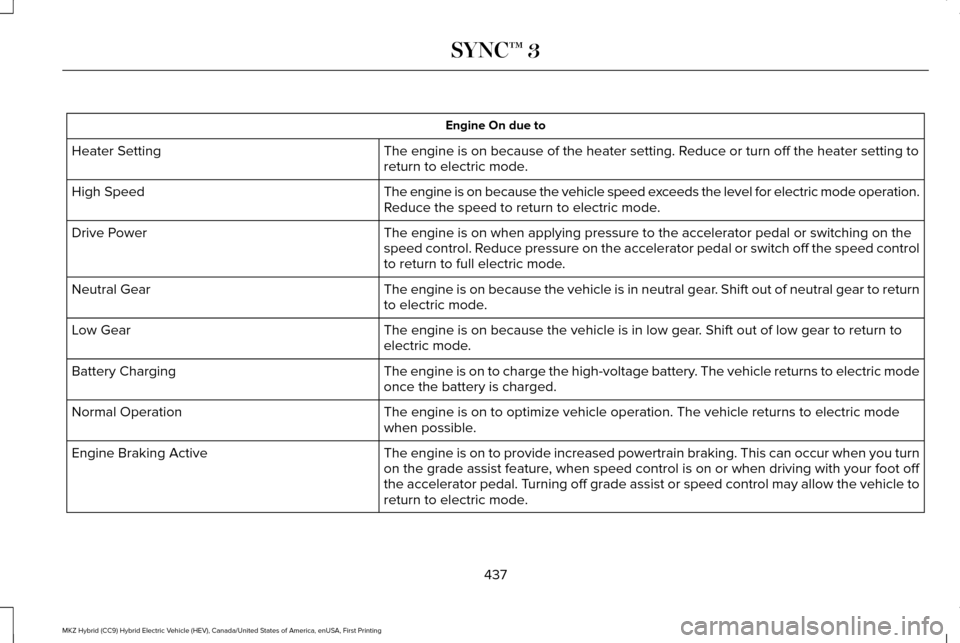
Engine On due to
The engine is on because of the heater setting. Reduce or turn off the heater setting to
return to electric mode.
Heater Setting
The engine is on because the vehicle speed exceeds the level for electric mode operation.
Reduce the speed to return to electric mode.
High Speed
The engine is on when applying pressure to the accelerator pedal or swit\
ching on the
speed control. Reduce pressure on the accelerator pedal or switch off the speed control
to return to full electric mode.
Drive Power
The engine is on because the vehicle is in neutral gear. Shift out of neutral gear to return
to electric mode.
Neutral Gear
The engine is on because the vehicle is in low gear. Shift out of low gear to return to
electric mode.
Low Gear
The engine is on to charge the high-voltage battery. The vehicle returns to electric mode
once the battery is charged.
Battery Charging
The engine is on to optimize vehicle operation. The vehicle returns to e\
lectric mode
when possible.
Normal Operation
The engine is on to provide increased powertrain braking. This can occur\
when you turn
on the grade assist feature, when speed control is on or when driving with your foot off
the accelerator pedal. Turning off grade assist or speed control may allow the vehicle to
return to electric mode.
Engine Braking Active
437
MKZ Hybrid (CC9) Hybrid Electric Vehicle (HEV), Canada/United States of America, enUSA, First Printing SYNC™ 3
Page 451 of 546
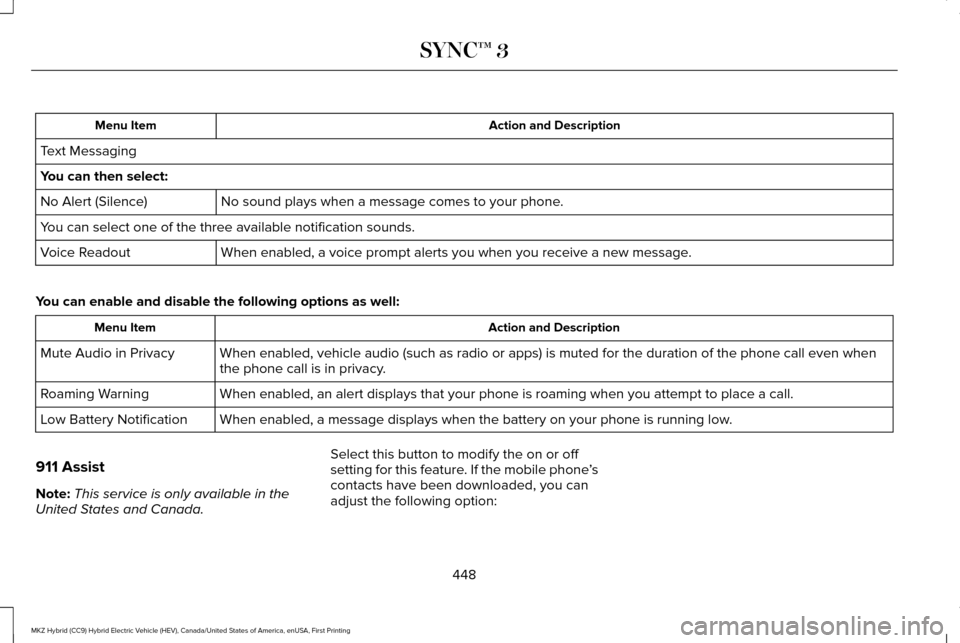
Action and Description
Menu Item
Text Messaging
You can then select: No sound plays when a message comes to your phone.
No Alert (Silence)
You can select one of the three available notification sounds.
When enabled, a voice prompt alerts you when you receive a new message.
Voice Readout
You can enable and disable the following options as well: Action and Description
Menu Item
When enabled, vehicle audio (such as radio or apps) is muted for the d\
uration of the phone call even when
the phone call is in privacy.
Mute Audio in Privacy
When enabled, an alert displays that your phone is roaming when you atte\
mpt to place a call.
Roaming Warning
When enabled, a message displays when the battery on your phone is runni\
ng low.
Low Battery Notification
911 Assist
Note: This service is only available in the
United States and Canada. Select this button to modify the on or off
setting for this feature. If the mobile phone
’s
contacts have been downloaded, you can
adjust the following option:
448
MKZ Hybrid (CC9) Hybrid Electric Vehicle (HEV), Canada/United States of America, enUSA, First Printing SYNC™ 3
Page 462 of 546
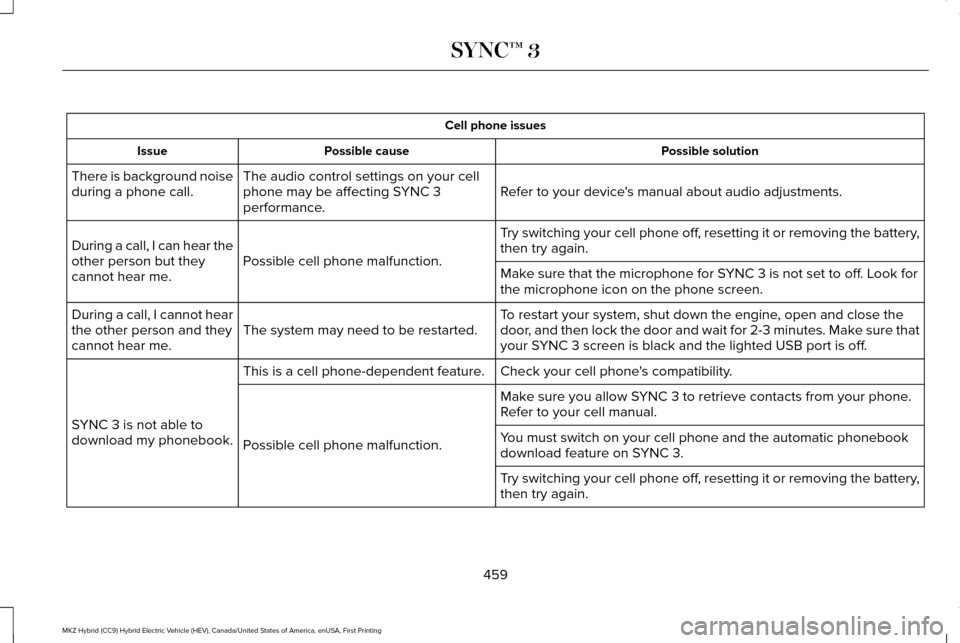
Cell phone issues
Possible solution
Possible cause
Issue
Refer to your device's manual about audio adjustments.
The audio control settings on your cell
phone may be affecting SYNC 3
performance.
There is background noise
during a phone call.
Try switching your cell phone off, resetting it or removing the battery,
then try again.
Possible cell phone malfunction.
During a call, I can hear the
other person but they
cannot hear me.
Make sure that the microphone for SYNC 3 is not set to off. Look for
the microphone icon on the phone screen.
To restart your system, shut down the engine, open and close the
door, and then lock the door and wait for 2-3 minutes. Make sure that
your SYNC 3 screen is black and the lighted USB port is off.
The system may need to be restarted.
During a call, I cannot hear
the other person and they
cannot hear me.
Check your cell phone's compatibility.
This is a cell phone-dependent feature.
SYNC 3 is not able to
download my phonebook. Make sure you allow SYNC 3 to retrieve contacts from your phone.
Refer to your cell manual.
Possible cell phone malfunction. You must switch on your cell phone and the automatic phonebook
download feature on SYNC 3.
Try switching your cell phone off, resetting it or removing the battery,
then try again.
459
MKZ Hybrid (CC9) Hybrid Electric Vehicle (HEV), Canada/United States of America, enUSA, First Printing SYNC™ 3
Page 463 of 546
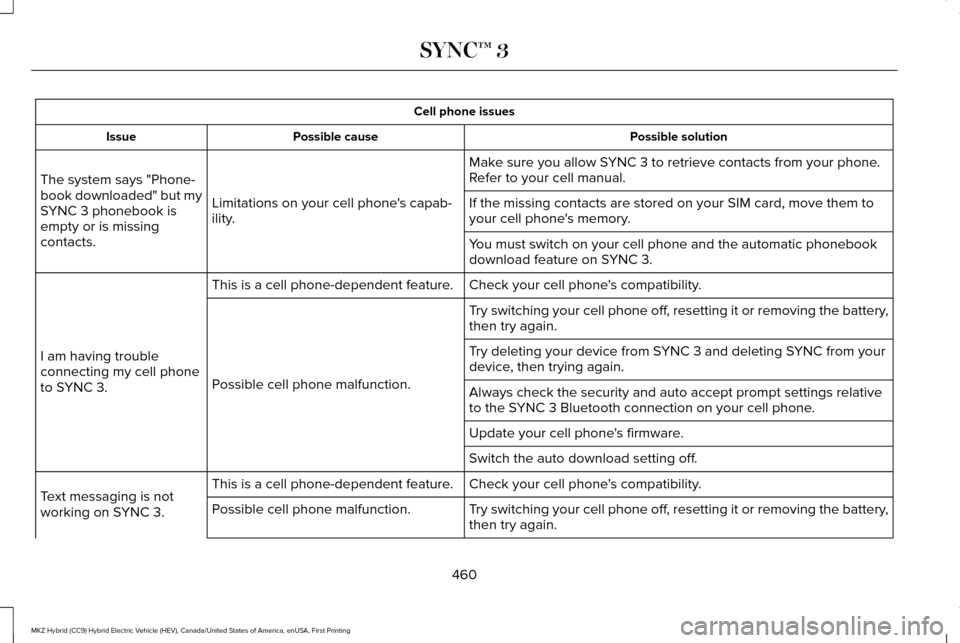
Cell phone issues
Possible solution
Possible cause
Issue
Make sure you allow SYNC 3 to retrieve contacts from your phone.
Refer to your cell manual.
Limitations on your cell phone's capab-
ility.
The system says "Phone-
book downloaded" but my
SYNC 3 phonebook is
empty or is missing
contacts. If the missing contacts are stored on your SIM card, move them to
your cell phone's memory.
You must switch on your cell phone and the automatic phonebook
download feature on SYNC 3.
Check your cell phone's compatibility.
This is a cell phone-dependent feature.
I am having trouble
connecting my cell phone
to SYNC 3. Try switching your cell phone off, resetting it or removing the battery,
then try again.
Possible cell phone malfunction. Try deleting your device from SYNC 3 and deleting SYNC from your
device, then trying again.
Always check the security and auto accept prompt settings relative
to the SYNC 3 Bluetooth connection on your cell phone.
Update your cell phone's firmware.
Switch the auto download setting off.
Check your cell phone's compatibility.
This is a cell phone-dependent feature.
Text messaging is not
working on SYNC 3. Try switching your cell phone off, resetting it or removing the battery,
then try again.
Possible cell phone malfunction.
460
MKZ Hybrid (CC9) Hybrid Electric Vehicle (HEV), Canada/United States of America, enUSA, First Printing SYNC™ 3