radio LINCOLN MKZ HYBRID 2018 Owner's Guide
[x] Cancel search | Manufacturer: LINCOLN, Model Year: 2018, Model line: MKZ HYBRID, Model: LINCOLN MKZ HYBRID 2018Pages: 572, PDF Size: 4.49 MB
Page 414 of 572
Website
http://hdradio.com/stations/feedback
HD Radio Technology manufactured underlicense from DTS Inc. and foreign patents.HD Radio and the HD and HD Radio logosare proprietary trademarks of DTS Inc. FordMotor Company and DTS Inc. are notresponsible for the content sent using HDRadio technology. Content may be changed,added or deleted at any time at the stationowner's discretion.
CD (If equipped)
Once you select this option, the systemreturns you to the main audio screen.
The current audio information appears onthe screen.
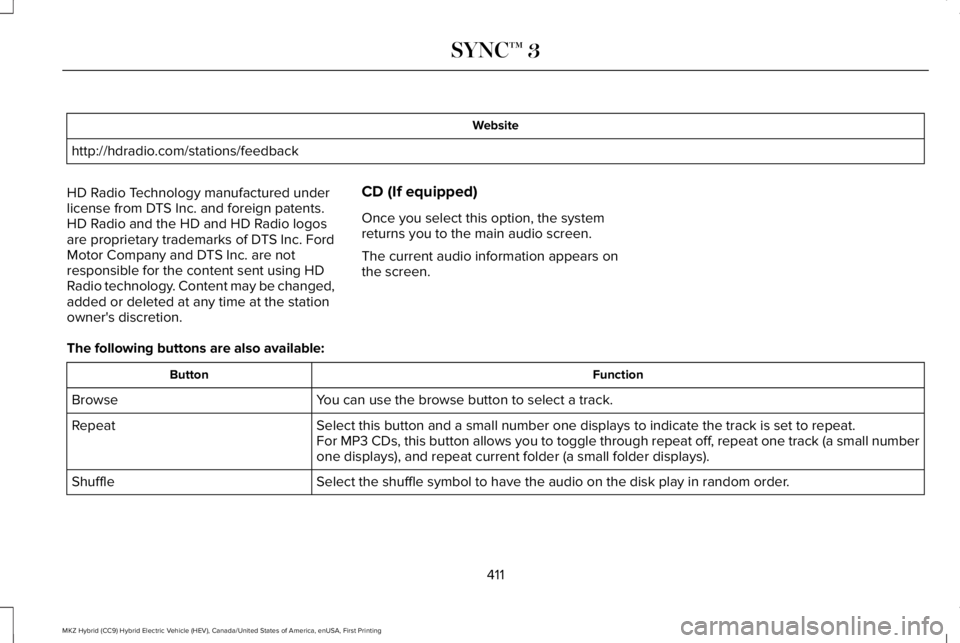
The following buttons are also available:
FunctionButton
You can use the browse button to select a track.Browse
Select this button and a small number one displays to indicate the track is set to repeat.RepeatFor MP3 CDs, this button allows you to toggle through repeat off, repeat one track (a small numberone displays), and repeat current folder (a small folder displays).
Select the shuffle symbol to have the audio on the disk play in random order.Shuffle
411
MKZ Hybrid (CC9) Hybrid Electric Vehicle (HEV), Canada/United States of America, enUSA, First Printing
SYNC™ 3
Page 417 of 572
USB Ports
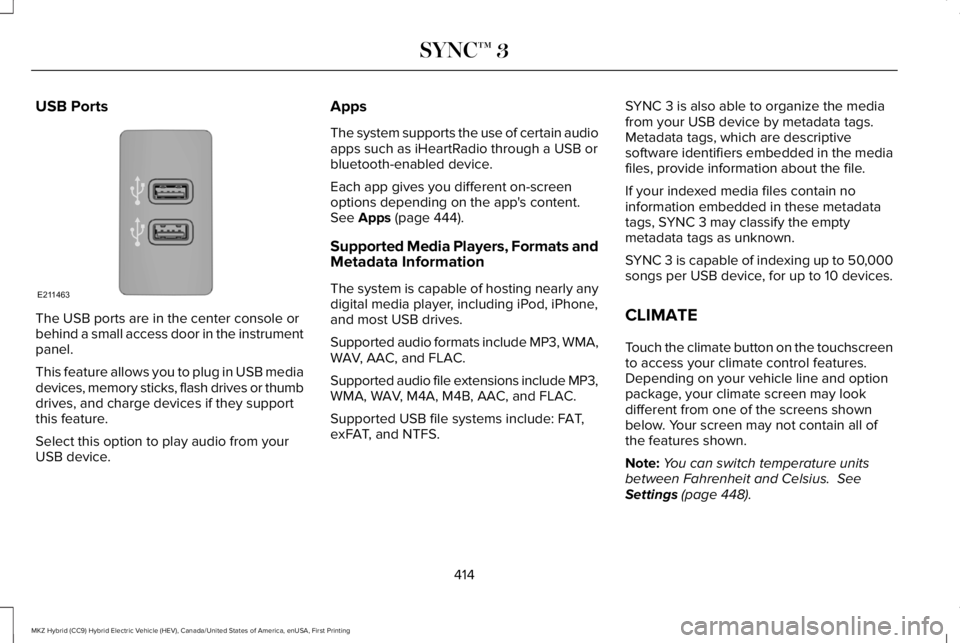
The USB ports are in the center console orbehind a small access door in the instrumentpanel.
This feature allows you to plug in USB mediadevices, memory sticks, flash drives or thumbdrives, and charge devices if they supportthis feature.
Select this option to play audio from yourUSB device.
Apps
The system supports the use of certain audioapps such as iHeartRadio through a USB orbluetooth-enabled device.
Each app gives you different on-screenoptions depending on the app's content.See Apps (page 444).
Supported Media Players, Formats andMetadata Information
The system is capable of hosting nearly anydigital media player, including iPod, iPhone,and most USB drives.
Supported audio formats include MP3, WMA,WAV, AAC, and FLAC.
Supported audio file extensions include MP3,WMA, WAV, M4A, M4B, AAC, and FLAC.
Supported USB file systems include: FAT,exFAT, and NTFS.
SYNC 3 is also able to organize the mediafrom your USB device by metadata tags.Metadata tags, which are descriptivesoftware identifiers embedded in the mediafiles, provide information about the file.
If your indexed media files contain noinformation embedded in these metadatatags, SYNC 3 may classify the emptymetadata tags as unknown.
SYNC 3 is capable of indexing up to 50,000songs per USB device, for up to 10 devices.
CLIMATE
Touch the climate button on the touchscreento access your climate control features.Depending on your vehicle line and optionpackage, your climate screen may lookdifferent from one of the screens shownbelow. Your screen may not contain all ofthe features shown.
Note:You can switch temperature unitsbetween Fahrenheit and Celsius. SeeSettings (page 448).
414
MKZ Hybrid (CC9) Hybrid Electric Vehicle (HEV), Canada/United States of America, enUSA, First Printing
SYNC™ 3E211463
Page 445 of 572
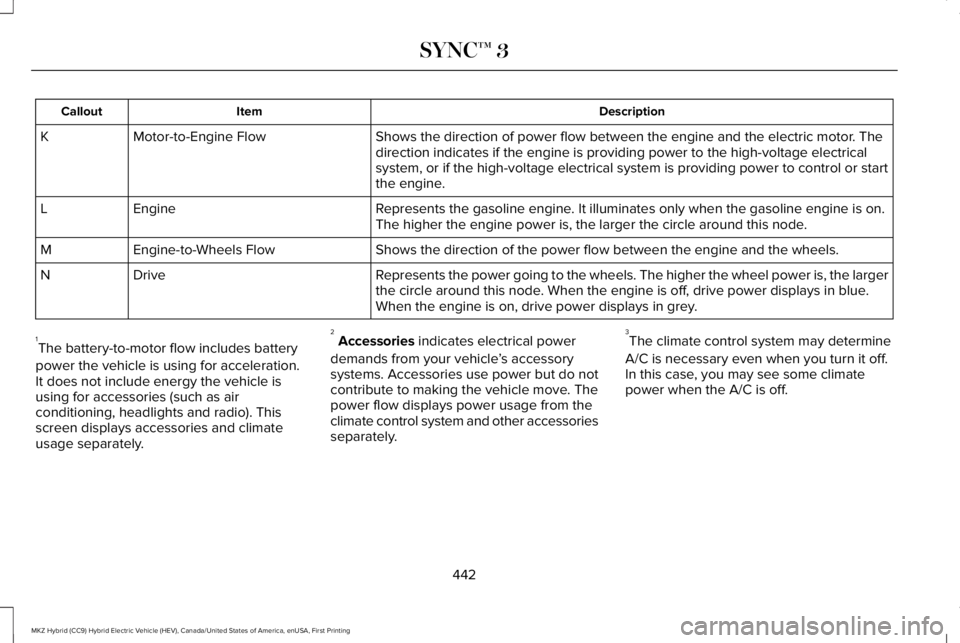
DescriptionItemCallout
Shows the direction of power flow between the engine and the electric motor. Thedirection indicates if the engine is providing power to the high-voltage electricalsystem, or if the high-voltage electrical system is providing power to control or startthe engine.
Motor-to-Engine FlowK
Represents the gasoline engine. It illuminates only when the gasoline engine is on.The higher the engine power is, the larger the circle around this node.EngineL
Shows the direction of the power flow between the engine and the wheels.Engine-to-Wheels FlowM
Represents the power going to the wheels. The higher the wheel power is, the largerthe circle around this node. When the engine is off, drive power displays in blue.When the engine is on, drive power displays in grey.
DriveN
1The battery-to-motor flow includes battery
power the vehicle is using for acceleration.It does not include energy the vehicle isusing for accessories (such as airconditioning, headlights and radio). Thisscreen displays accessories and climateusage separately.
2Accessories indicates electrical power
demands from your vehicle’s accessorysystems. Accessories use power but do notcontribute to making the vehicle move. Thepower flow displays power usage from theclimate control system and other accessoriesseparately.
3The climate control system may determine
A/C is necessary even when you turn it off.In this case, you may see some climatepower when the A/C is off.
442
MKZ Hybrid (CC9) Hybrid Electric Vehicle (HEV), Canada/United States of America, enUSA, First Printing
SYNC™ 3
Page 457 of 572
Action and DescriptionMenu Item
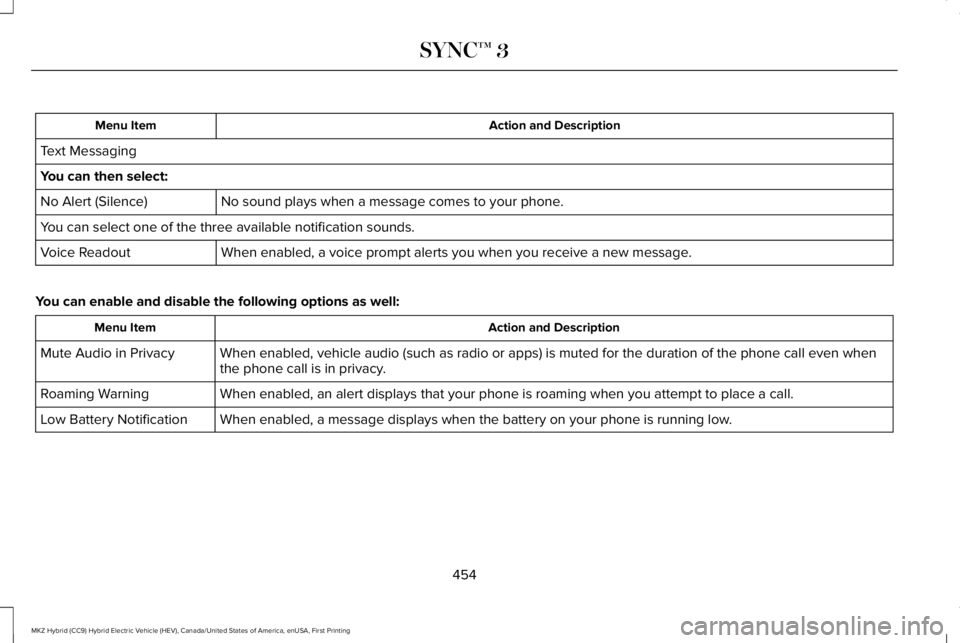
Text Messaging
You can then select:
No sound plays when a message comes to your phone.No Alert (Silence)
You can select one of the three available notification sounds.
When enabled, a voice prompt alerts you when you receive a new message.Voice Readout
You can enable and disable the following options as well:
Action and DescriptionMenu Item
When enabled, vehicle audio (such as radio or apps) is muted for the duration of the phone call even whenthe phone call is in privacy.Mute Audio in Privacy
When enabled, an alert displays that your phone is roaming when you attempt to place a call.Roaming Warning
When enabled, a message displays when the battery on your phone is running low.Low Battery Notification
454
MKZ Hybrid (CC9) Hybrid Electric Vehicle (HEV), Canada/United States of America, enUSA, First Printing
SYNC™ 3
Page 459 of 572
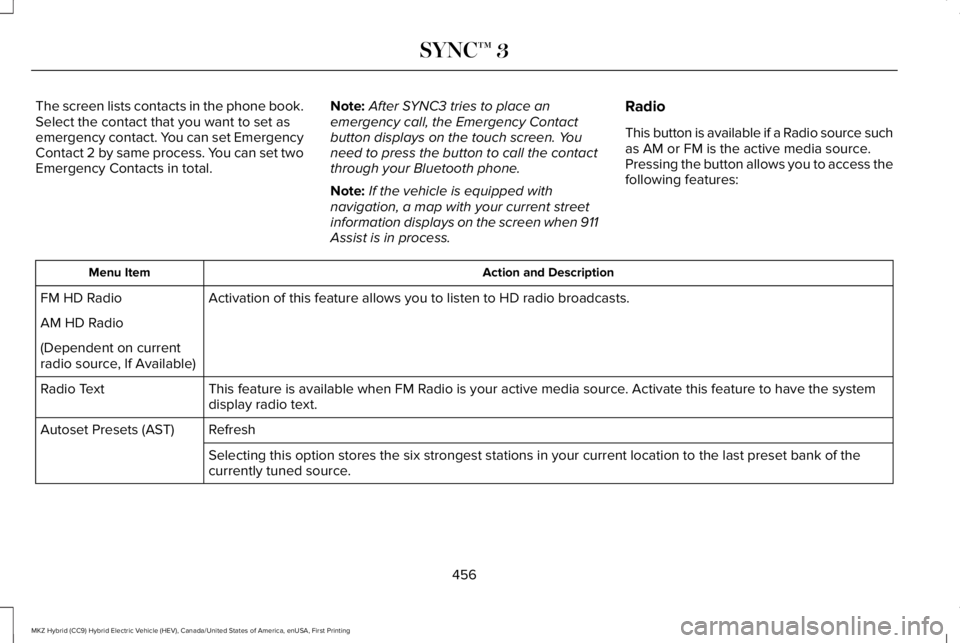
The screen lists contacts in the phone book.Select the contact that you want to set asemergency contact. You can set EmergencyContact 2 by same process. You can set twoEmergency Contacts in total.
Note:After SYNC3 tries to place anemergency call, the Emergency Contactbutton displays on the touch screen. Youneed to press the button to call the contactthrough your Bluetooth phone.
Note:If the vehicle is equipped withnavigation, a map with your current streetinformation displays on the screen when 911Assist is in process.
Radio
This button is available if a Radio source suchas AM or FM is the active media source.Pressing the button allows you to access thefollowing features:
Action and DescriptionMenu Item
Activation of this feature allows you to listen to HD radio broadcasts.FM HD Radio
AM HD Radio
(Dependent on currentradio source, If Available)
This feature is available when FM Radio is your active media source. Activate this feature to have the systemdisplay radio text.Radio Text
RefreshAutoset Presets (AST)
Selecting this option stores the six strongest stations in your current location to the last preset bank of thecurrently tuned source.
456
MKZ Hybrid (CC9) Hybrid Electric Vehicle (HEV), Canada/United States of America, enUSA, First Printing
SYNC™ 3
Page 460 of 572
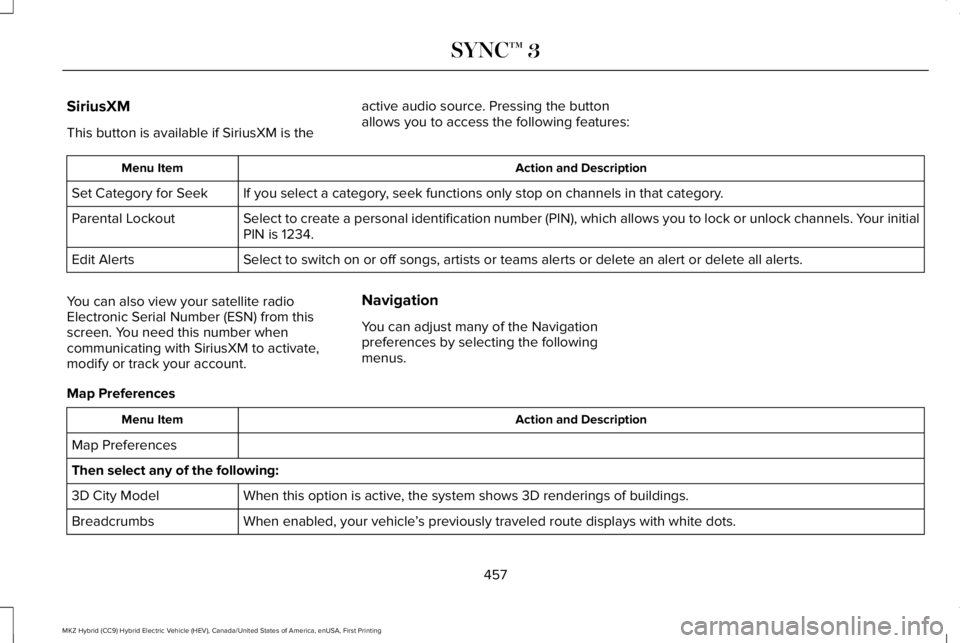
SiriusXM
This button is available if SiriusXM is the
active audio source. Pressing the buttonallows you to access the following features:
Action and DescriptionMenu Item
If you select a category, seek functions only stop on channels in that category.Set Category for Seek
Select to create a personal identification number (PIN), which allows you to lock or unlock channels. Your initialPIN is 1234.Parental Lockout
Select to switch on or off songs, artists or teams alerts or delete an alert or delete all alerts.Edit Alerts
You can also view your satellite radioElectronic Serial Number (ESN) from thisscreen. You need this number whencommunicating with SiriusXM to activate,modify or track your account.
Navigation
You can adjust many of the Navigationpreferences by selecting the followingmenus.
Map Preferences
Action and DescriptionMenu Item
Map Preferences
Then select any of the following:
When this option is active, the system shows 3D renderings of buildings.3D City Model
When enabled, your vehicle’s previously traveled route displays with white dots.Breadcrumbs
457
MKZ Hybrid (CC9) Hybrid Electric Vehicle (HEV), Canada/United States of America, enUSA, First Printing
SYNC™ 3
Page 468 of 572
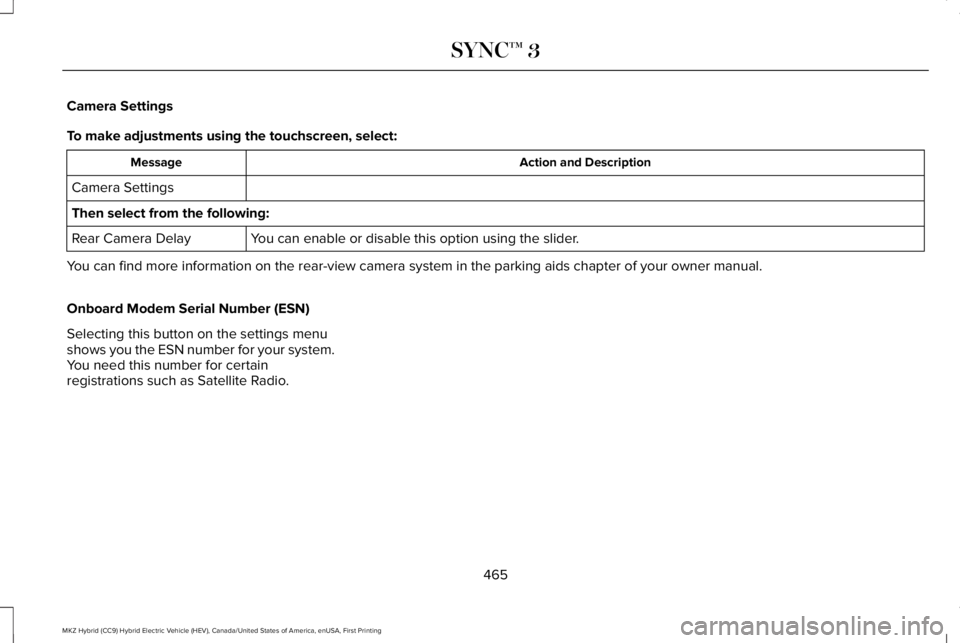
Camera Settings
To make adjustments using the touchscreen, select:
Action and DescriptionMessage
Camera Settings
Then select from the following:
You can enable or disable this option using the slider.Rear Camera Delay
You can find more information on the rear-view camera system in the parking aids chapter of your owner manual.
Onboard Modem Serial Number (ESN)
Selecting this button on the settings menushows you the ESN number for your system.You need this number for certainregistrations such as Satellite Radio.
465
MKZ Hybrid (CC9) Hybrid Electric Vehicle (HEV), Canada/United States of America, enUSA, First Printing
SYNC™ 3
Page 485 of 572
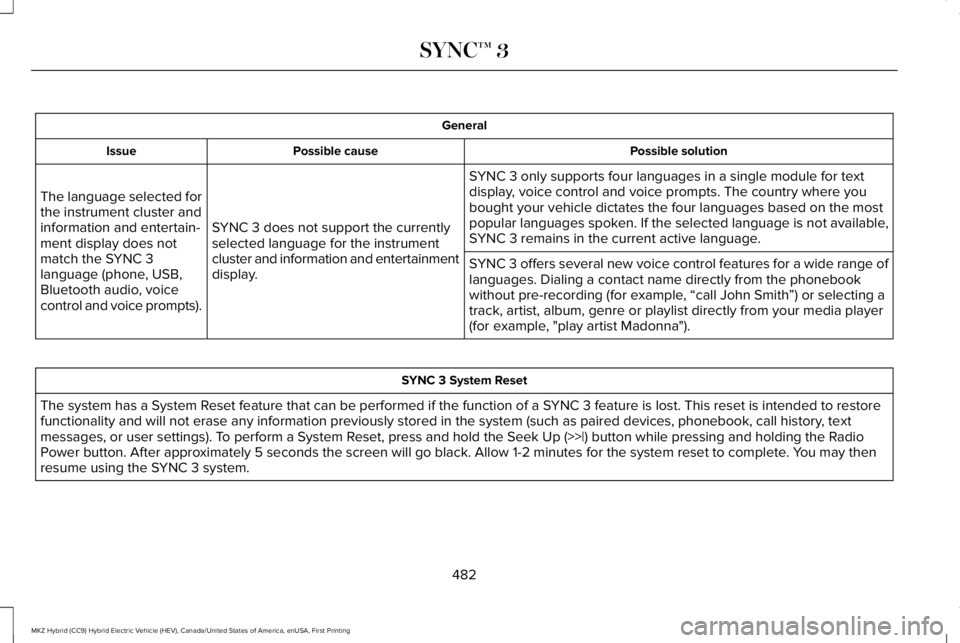
General
Possible solutionPossible causeIssue
SYNC 3 only supports four languages in a single module for textdisplay, voice control and voice prompts. The country where youbought your vehicle dictates the four languages based on the mostpopular languages spoken. If the selected language is not available,SYNC 3 remains in the current active language.SYNC 3 does not support the currentlyselected language for the instrumentcluster and information and entertainmentdisplay.
The language selected forthe instrument cluster andinformation and entertain-ment display does notmatch the SYNC 3language (phone, USB,Bluetooth audio, voicecontrol and voice prompts).
SYNC 3 offers several new voice control features for a wide range oflanguages. Dialing a contact name directly from the phonebookwithout pre-recording (for example, “call John Smith”) or selecting atrack, artist, album, genre or playlist directly from your media player(for example, "play artist Madonna").
SYNC 3 System Reset
The system has a System Reset feature that can be performed if the function of a SYNC 3 feature is lost. This reset is intended to restorefunctionality and will not erase any information previously stored in the system (such as paired devices, phonebook, call history, textmessages, or user settings). To perform a System Reset, press and hold the Seek Up (>>|) button while pressing and holding the RadioPower button. After approximately 5 seconds the screen will go black. Allow 1-2 minutes for the system reset to complete. You may thenresume using the SYNC 3 system.
482
MKZ Hybrid (CC9) Hybrid Electric Vehicle (HEV), Canada/United States of America, enUSA, First Printing
SYNC™ 3
Page 488 of 572
For maximum vehicle performance, keep thefollowing information in mind when addingaccessories or equipment to your vehicle:
•When adding accessories, equipment,passengers and luggage to your vehicle,do not exceed the total weight capacityof the vehicle or of the front or rear axle(GVWR or GAWR as indicated on theSafety Compliance Certification label). Consult an authorized dealer for specificweight information.
•The Federal CommunicationsCommission (FCC) and Canadian RadioTelecommunications Commission (CRTC)regulate the use of mobilecommunications systems that areequipped with radio transmitters, forexample two-way radios, telephones andtheft alarms. Any such equipmentinstalled in your vehicle should complywith the Federal CommunicationsCommission (FCC) and Canadian RadioTelecommunications Commission (CRTC)regulations and should be installed onlyby an authorized dealer.
•Mobile communications systems mayharm the operation of your vehicle,particularly if their manufacturer did notdesign them specifically for automotiveuse.
•If you or an authorized Lincoln dealer addany non-Lincoln electrical or electronicaccessories or components to yourvehicle, you may adversely affect batteryperformance and durability. In addition,you may also adversely affect theperformance of other electrical systemsin the vehicle.
485
MKZ Hybrid (CC9) Hybrid Electric Vehicle (HEV), Canada/United States of America, enUSA, First Printing
Accessories
Page 522 of 572
ELECTROMAGNETIC
COMPATIBILITY
WARNINGS
Do not place objects or mountequipment on or near the airbag cover,on the side of the seatbacks (of the frontseats), or in front seat areas that may comeinto contact with a deploying airbag. Failureto follow these instructions may increase therisk of personal injury in the event of a crash.
WARNINGS
Do not fasten antenna cables tooriginal vehicle wiring, fuel pipes andbrake pipes.
Keep antenna and power cables atleast 4 in (10 cm) from any electronicmodules and airbags.
Note:We test and certify your vehicle tomeet electromagnetic compatibilitylegislation (UNECE Regulation 10 or otherapplicable local requirements). It is yourresponsibility to make sure that anyequipment an authorized dealer installs onyour vehicle complies with applicable locallegislation and other requirements.
Note:Any radio frequency transmitterequipment in your vehicle (such as cellulartelephones and amateur radio transmitters)must keep to the parameters in the followingtable. We do not provide special provisionsor conditions for installations or use.
519
MKZ Hybrid (CC9) Hybrid Electric Vehicle (HEV), Canada/United States of America, enUSA, First Printing
Appendices