change time LINCOLN NAUTILUS 2021 Owner's Manual
[x] Cancel search | Manufacturer: LINCOLN, Model Year: 2021, Model line: NAUTILUS, Model: LINCOLN NAUTILUS 2021Pages: 579, PDF Size: 6.9 MB
Page 430 of 579
Note:
You can only enter a valid station for
the audio source you are currently listening
to.
Using Seek Press either button. The system
stops at the first station it finds in
that direction.
Using the Station List
1. Press Browse.
Note: Available on FM radio only.
2. Press a station.
SWITCHING THE DISPLAY ON AND
OFF
Audio Unit Press the button. Touchscreen
To switch the display off:
1. Press
Settings on the touchscreen.
2. Press
Display Settings.
3. Press
Display Off.
Note: The display defaults to on each time
you switch your vehicle on.
To switch the display on, press anywhere on
the touchscreen.
DIGITAL RADIO
What Is Digital Radio
HD Radio ™ technology is the digital evolution
of analog AM/FM radio.
For additional information, visit
www .HDR adio . com .HD Radio Technology is manufactured under
license from iBiquity Digital Corporation and
foreign patents. HD Radio and the HD and
HD Radio logos are proprietary trademarks
of DTS. The vehicle manufacturer and DTS
are not responsible for the content sent using
HD Radio technology. Content may be
changed, added or deleted at any time at
the station owner's discretion.
How Does Digital Radio Work
Your system has a special receiver that
allows it to receive digital broadcasts in
addition to analog broadcasts.
HD1 signifies the main programming status
and is available in both analog and digital
broadcasts. Other multicast stations are only
available digitally and could contain new or
different content.
Note:
When the system first receives an HD1
station, it plays the station in the analog
version until it verifies the station is an HD
Radio station. Then it shifts to the digital
version.
426
2021 Nautilus (CD9) Canada/United States of America, enUSA, Edition date: 202011, First-Printing Audio System E272035
Page 432 of 579
For additional information about extended
subscription terms, visit www
.Sirius XM. com
in the United States, www .Sirius XM. ca in
Canada, or call SiriusXM at 1-888-539-7474.
Note: SiriusXM reserves the unrestricted
right to change, rearrange, add or delete
programming including canceling, moving
or adding particular channels, and its prices,
at any time, with or without notice to you.
Neither SiriusXM and its affiliates nor Ford
Motor Company and its affiliates will be
liable to you or any third party for any such
modification, suspension or termination.
Satellite Radio Limitations
For optimal reception performance, keep the
antenna clear of snow and ice build-up and
keep luggage and other material as far away
from the antenna as possible.
Hills, mountains, tall buildings, bridges,
tunnels, freeway overpasses, parking
garages, dense tree foliage and
thunderstorms can interfere with your
reception. When you pass a ground-based
broadcast-repeating tower, a stronger signal
may overtake a weaker one and could result
in the audio system muting. Your display
could show an error message to indicate the
interference.
Locating the Satellite Radio
Identification Number
1. Select SiriusXM as the audio source.
2. Tune to channel 0.
Selecting a Channel
Manually Selecting a Channel
Press the button to find the
previous or next available satellite
radio station.
Using Direct Tune
1. Press
Direct Tune to open the number
pad. 2. Enter the channel you prefer.
Using Seek Press either button.
Using the Channel List
1. Press
Browse.
2. Select a channel.
Satellite Radio Settings
Subscription
Your subscription status is displayed. You
can subscribe or manage your subscription
directly from the touchscreen.
Listener Add/Switch
You can create up to five listener profiles per
SiriusXM account. Each listener profile can
be personalized with a name and profile
image.
428
2021 Nautilus (CD9) Canada/United States of America, enUSA, Edition date: 202011, First-Printing Audio SystemE328569 E328570
Page 441 of 579
PHONE PRECAUTIONS
WARNING: Driving while distracted
can result in loss of vehicle control, crash
and injury. We strongly recommend that
you use extreme caution when using any
device that may take your focus off the
road. Your primary responsibility is the safe
operation of your vehicle. We recommend
against the use of any hand-held device
while driving and encourage the use of
voice-operated systems when possible.
Make sure you are aware of all applicable
local laws that may affect the use of
electronic devices while driving.
CONNECTING YOUR PHONE
Go to the settings menu on your cell phone
and switch Bluetooth on. Select the phone option on the
feature bar.
1. Select
Add Phone. Note:
A prompt alerts you to search for your
vehicle on your cell phone.
2. Select your vehicle on your cell phone.
Note: A number appears on your cell phone
and on the touchscreen.
3. Confirm that the PIN (personal identification number) on your cell phone
matches the number on the touchscreen.
Note: The touchscreen indicates that you
have successfully paired your cell phone.
4. Download the phonebook from your cell
phone when you are prompted.
Note: If you pair more than one cell phone,
use the phone settings to specify the primary
phone. You can change this setting at any
time.
PHONE MENU
This menu becomes available after pairing
a phone. Recent Call List
Display and select an entry from a list of
previous calls.
Contacts
Display a smart search form to look up your
contacts. Use the List button to alphabetically
sort your contacts.
Favorites
Display the list of favorite contacts that are
set up on your phone.
Messaging
Displays the list of text messages to read,
listen to, or respond to.
Email
Displays the list of emails to read, listen to,
or respond to.
Phone List
Display the list of paired or connected
devices that you can select.
437
2021 Nautilus (CD9) Canada/United States of America, enUSA, Edition date: 202011, First-Printing Phone
Page 448 of 579
APP PRECAUTIONS
WARNING: Driving while distracted
can result in loss of vehicle control, crash
and injury. We strongly recommend that
you use extreme caution when using any
device that may take your focus off the
road. Your primary responsibility is the safe
operation of your vehicle. We recommend
against the use of any hand-held device
while driving and encourage the use of
voice-operated systems when possible.
Make sure you are aware of all applicable
local laws that may affect the use of
electronic devices while driving.
APP REQUIREMENTS
When you start an app through the system
for the first time, you could be asked to grant
certain permissions. You can review and
change the permissions that you have
granted at any time when your vehicle is not
moving. We recommend that you check your
data plan before using your apps through the system. Using them could result in
additional charges. We also recommend that
you check the app provider's terms and
conditions and privacy policy before using
their app. Make sure that you have an active
account for apps that you want to use
through the system. Some apps will work
with no setup. Others require you to
configure some personal settings before you
can use them.
ACCESSING APPS
Select the apps option on the
feature bar.
ENABLING APPS ON AN IOS
DEVICE Select the apps option on the
feature bar.
1. Select Mobile Apps Help.
2. Follow the instructions to pair and connect your device via Bluetooth or with
a USB cable. 3. Start the apps on your device that you
want to use.
4. Select the app that you want to use on the touchscreen.
Note: Some apps may run through Apple
CarPlay if it is enabled.
Note: Closing an app on your device will
close it on the touchscreen.
Note: For troubleshooting assistance select
Mobile Apps List under Mobile Apps Help.
ENABLING APPS ON AN ANDROID
DEVICE Select the apps option on the
feature bar.
1. Select Mobile Apps Help.
2. Follow the instructions to pair and connect your device via Bluetooth or with
a USB cable.
3. Start the apps on your device that you want to use.
4. Select
Find Mobile Apps.
444
2021 Nautilus (CD9) Canada/United States of America, enUSA, Edition date: 202011, First-Printing Apps
Page 462 of 579
There are several Lincoln Protect extended
service plans available in various time,
distance and deductible combinations. Each
plan is tailored to fit your own driving needs,
including reimbursement for towing and
rental. When you purchase a Lincoln Protect
extended service plan, you receive added
peace-of-mind protection throughout
Canada, the United States and Mexico,
provided by a network of participating
authorized Lincoln Motor Company dealers.
Note:
Repairs performed outside of Canada,
the United States and Mexico are not eligible
for Lincoln Protect extended service plan
coverage.
This information is subject to change. For
more information, visit your local Lincoln of
Canada dealer or www.LincolnCanada.com
to find the Lincoln Protect extended service
plan that is right for you.
458
2021 Nautilus (CD9) Canada/United States of America, enUSA, Edition date: 202011, First-Printing Lincoln Protect
Page 463 of 579
GENERAL MAINTENANCE
INFORMATION
Why Maintain Your Vehicle?
Carefully following the maintenance
schedule helps protect against major repair
expenses resulting from neglect or
inadequate maintenance and may help to
increase the value of your vehicle when you
sell or trade it. Keep all receipts for
completed maintenance with your vehicle.
It is important that you have your vehicle
serviced at the proper times. These intervals
serve two purposes: first is to maintain the
reliability of your vehicle and the second is
to keep the cost of owning your vehicle
down.
It is your responsibility to have all scheduled
maintenance performed and to make sure
that the materials used meet the
specifications identified in this owner's
manual. See Capacities and Specifications
(page 400).
Failure to perform scheduled maintenance
and regularly inspect your vehicle may result
in vehicle damage not covered by the vehicle
Warranty.
Why Maintain Your Vehicle at Your
Dealership?
Our Genuine Replacement Parts
Dealerships stock our parts and our
authorized branded re-manufactured
replacement parts. These parts meet or
exceed our specifications. Parts installed at
your dealership carry a nationwide 24-month
or unlimited mile (kilometer) parts and labor
limited warranty.
If you do not use our authorized parts they
may not meet our specifications and could
affect emissions compliance.
Protecting Your Investment
Maintenance is an investment that pays
dividends in the form of improved reliability,
durability and resale value. To maintain the
proper performance of your vehicle and its
emission control systems, make sure you
have scheduled maintenance performed at
the designated intervals.
Your vehicle comes with the Intelligent
Oil-Life Monitor system, a message appears
in the information display at the proper oil
change interval. This interval may be up to
one year or
10,000 mi (16,000 km), hybrid
vehicles could exceed 10,000 mi (16,000 km).
When the oil change message appears in
the information display, it is time for an oil
change. Make sure you perform the oil
change within two weeks or 500 mi (800 km)
of the message appearing. Make sure to
reset the Intelligent Oil-Life Monitor after
each oil change. See Resetting the Engine
Oil Change Reminder
(page 339).
459
2021 Nautilus (CD9) Canada/United States of America, enUSA, Edition date: 202011, First-Printing Scheduled Maintenance
Page 464 of 579
If your information display resets prematurely
or becomes inoperative, you should perform
the oil change interval at six months or
5,000 mi (8,000 km) from your last oil
change. Never exceed one year or 10,000 mi
(16,000 km)
between oil change intervals.
You can drive high performance vehicles in
such a way that may lead to higher oil
consumption including extended time at high
engine speeds, high loads, engine braking,
hard cornering maneuvers, track and off-road
usage. Under these conditions, oil
consumption of approximately 1 quart per
500 miles (1 liter per 800 km) is possible.
Check the engine oil level at every refueling
and adjust to maintain proper levels to avoid
engine damage.
It is important to rely upon your dealership
to properly diagnose and repair your vehicle. We strongly recommend only using our
genuine or our authorized re-manufactured
replacement parts engineered for your
vehicle.
Additives and Chemicals
We do not recommend using chemicals or
additives not approved by us as part of your
vehicle
’s normal maintenance. Please consult
your warranty information.
Oils, Fluids and Flushing
In many cases, fluid discoloration is a normal
operating characteristic and, by itself, does
not necessarily indicate a concern or that the
fluid needs to be changed. Have discolored
fluids that also show signs of overheating or
foreign material contamination checked
immediately. Make sure to change the vehicle
’s oils and
fluids at the specified intervals or in
conjunction with a repair. Flushing is a viable
way to change fluid for many vehicle
sub-systems during scheduled maintenance.
It is critical that systems are flushed only with
new fluid that is the same as that required
to fill and operate the system or using our
approved flushing chemical.
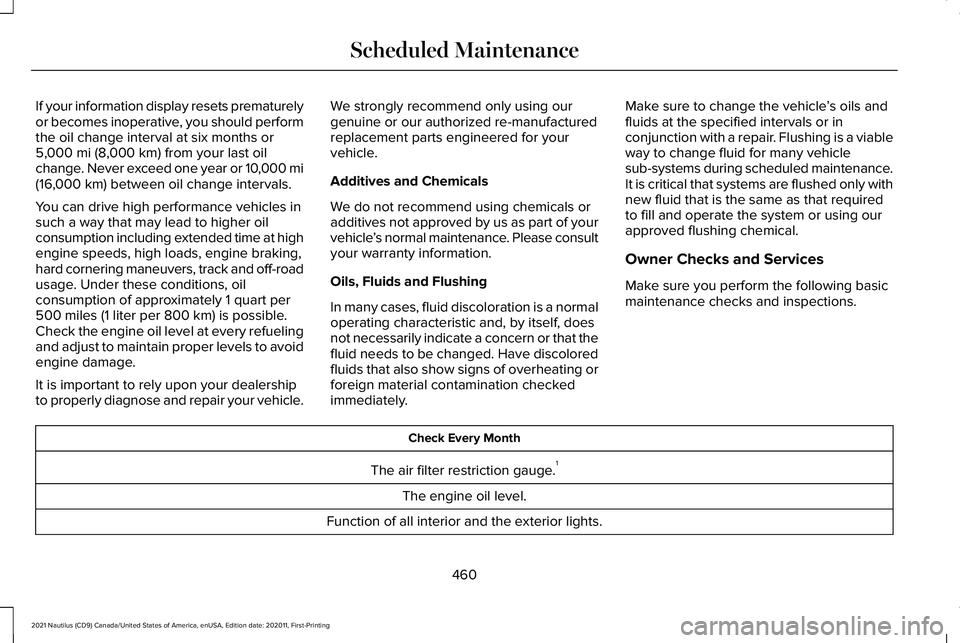
Owner Checks and Services
Make sure you perform the following basic
maintenance checks and inspections. Check Every Month
The air filter restriction gauge. 1
The engine oil level.
Function of all interior and the exterior lights.
460
2021 Nautilus (CD9) Canada/United States of America, enUSA, Edition date: 202011, First-Printing Scheduled Maintenance
Page 471 of 579
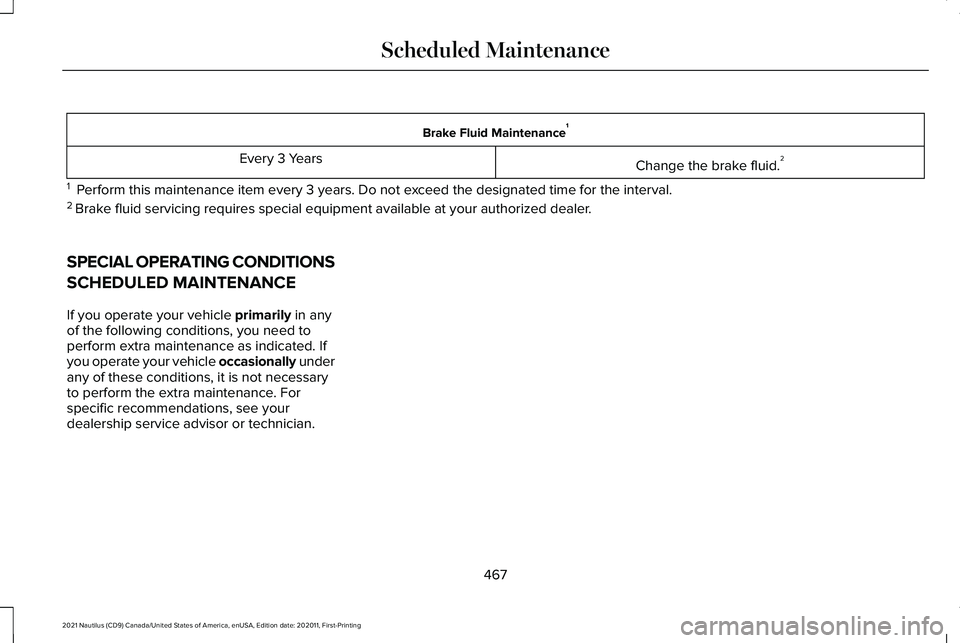
Brake Fluid Maintenance
1
Change the brake fluid. 2
Every 3 Years
1 Perform this maintenance item every 3 years. Do not exceed the designated time for the interval.
2 Brake fluid servicing requires special equipment available at your authorize\
d dealer.
SPECIAL OPERATING CONDITIONS
SCHEDULED MAINTENANCE
If you operate your vehicle primarily in any
of the following conditions, you need to
perform extra maintenance as indicated. If
you operate your vehicle occasionally under
any of these conditions, it is not necessary
to perform the extra maintenance. For
specific recommendations, see your
dealership service advisor or technician.
467
2021 Nautilus (CD9) Canada/United States of America, enUSA, Edition date: 202011, First-Printing Scheduled Maintenance
Page 477 of 579
Disputes submitted to the BBB AUTO LINE
program are usually decided within forty days
after you file your claim with the BBB. You
are not bound by the decision, and may
reject the decision and proceed to court
where all findings of the BBB Auto Line
dispute, and decision, are admissible in the
court action. Should you choose to accept
the BBB AUTO LINE decision, Ford is then
bound by the decision, and must comply with
the decision within 30 days of receipt of your
acceptance letter.
BBB AUTO LINE Application: Using the
information provided below, please call or
write to request a program application. You
will be asked for your name and address,
general information about your new vehicle,
information about your warranty concerns,
and any steps you have already taken to try
to resolve them. A Customer Claim Form will
be mailed that will need to be completed,
signed and returned to the BBB along with
proof of ownership. Upon receipt, the BBB
will review the claim for eligibility under the
Program Summary Guidelines.
You can get more information by calling
BBB AUTO LINE at 1-800-955-5100, or
writing to:
BBB AUTO LINE
3033 Wilson Boulevard, Suite 600
Arlington, Virginia 22201
BBB AUTO LINE applications can also be
requested by calling the Ford Motor
Company Customer Relationship Center at
1-800-392-3673.
For additional information refer to the Better
Business Bureau website.
Note:
Ford Motor Company reserves the
right to change eligibility limitations, modify
procedures, or to discontinue this process
at any time without notice and without
obligation. THE MEDIATION AND
ARBITRATION PROGRAM
For vehicles delivered to authorized
Canadian dealers. In those cases where you
continue to feel that the efforts by Ford of
Canada and the authorized dealer to resolve
a factory-related vehicle service concern
have been unsatisfactory, Ford of Canada
participates in an impartial third party
mediation/arbitration program administered
by the Canadian Motor Vehicle Arbitration
Plan (CAMVAP).
The CAMVAP program is a straightforward
and relatively speedy alternative to resolve
a disagreement when all other efforts to
produce a settlement have failed. This
procedure is without cost to you and is
designed to eliminate the need for lengthy
and expensive legal proceedings.
473
2021 Nautilus (CD9) Canada/United States of America, enUSA, Edition date: 202011, First-Printing Customer Information
Page 548 of 579
Gracenote uses a unique identifier to track
queries for statistical purposes. The purpose
of a randomly assigned numeric identifier is
to allow Gracenote to count queries without
knowing anything about who you are. For
more information, see the web page at
www.gracenote.com for the Gracenote
Privacy Policy.
THE GRACENOTE SOFTWARE, EACH ITEM
OF GRACENOTE DATA AND THE
GRACENOTE CONTENT ARE LICENSED TO
YOU "AS IS". NEITHER GRACENOTE MAKES
ANY REPRESENTATIONS OR WARRANTIES,
EXPRESS OR IMPLIED, REGARDING THE
ACCURACY OF ANY GRACENOTE DATA
FROM THE GRACENOTE SERVERS OR
GRACENOTE CONTENT. GRACENOTE
COLLECTIVELY AND SEPARATELY RESERVE
THE RIGHT TO DELETE DATA AND/OR
CONTENT FROM THE COMPANIES'
RESPECTIVE SERVERS OR, IN THE CASE OF
GRACENOTE, CHANGE DATA CATEGORIES
FOR ANY CAUSE THAT GRACENOTE
DEEMS SUFFICIENT. NO WARRANTY IS
MADE THAT EITHER GRACENOTE
CONTENT OR THE GRACENOTE SOFTWARE
OR GRACENOTE SERVERS ARE
ERROR-FREE OR THAT THE FUNCTIONING
OF THE GRACENOTE SOFTWARE OR
GRACENOTE SERVERS WILL BE
UNINTERRUPTED. GRACENOTE IS NOT
OBLIGATED TO PROVIDE YOU WITH ANY
ENHANCED OR ADDITIONAL DATA TYPES
THAT GRACENOTE MAY CHOOSE TO
PROVIDE IN THE FUTURE AND IS FREE TO
DISCONTINUE ITS ONLINE SERVICES AT
ANY TIME. GRACENOTE DISCLAIM ALL
WARRANTIES EXPRESS OR IMPLIED,
INCLUDING, BUT NOT LIMITED TO, IMPLIED
WARRANTIES OF MERCHANTABILITY,
FITNESS FOR A PARTICULAR PURPOSE,
TITLE, AND NON-INFRINGEMENT. NEITHER
GRACENOTE WARRANTS THE RESULTS
THAT WILL BE OBTAINED BY YOUR USE
OF THE GRACENOTE SOFTWARE OR ANY
GRACENOTE SERVER. IN NO CASE WILL
GRACENOTE BE LIABLE FOR ANY
CONSEQUENTIAL OR INCIDENTAL
DAMAGES OR FOR ANY LOST PROFITS OR
LOST REVENUES FOR ANY REASON
WHATSOEVER. © Gracenote 2007.
Taiwan Territory
Note: In accordance with the management
approach of low-power radio wave radiation
motors:
Article 12: For approved and certified
low-power radiation motor models,
companies, firms or users must not alter the
frequency, increase the power or change the
characteristics and functions of the original
design without authorization.
Article 14: The usage of low-power
radio-frequency motors must not affect
aviation safety and interfere with legal
telecommunications. Should interference be
detected, immediately stop using the device
and only resume usage after ensuring that
there is no longer any interference. For the
legal telecommunication and wireless
telecommunication of the telco, the
low-power radio frequency motor must be
able to tolerate legal limits of interference
from telecommunication, industrial, scientific
and radio wave equipment.
544
2021 Nautilus (CD9) Canada/United States of America, enUSA, Edition date: 202011, First-Printing Customer Information