steering LINCOLN NAUTILUS 2021 Owner's Manual
[x] Cancel search | Manufacturer: LINCOLN, Model Year: 2021, Model line: NAUTILUS, Model: LINCOLN NAUTILUS 2021Pages: 579, PDF Size: 6.9 MB
Page 126 of 579
Daytime running lamps are always on unless
you switch on the headlamps or your vehicle
is in park (P).
Switching the Front Fog Lamps On and
Off (If Equipped)
The front fog lamp button is on the lighting
control. Press the button to switch the front
fog lamps on or off.
Note: Only switch the front fog lamps on
during reduced visibility.
Note: The brightness of the daytime running
lamps may decrease when the front fog
lamps are switched on.
Note: When the lighting control is in the
autolamps position, you cannot switch the
fog lamps on unless the headlamps are on.
Switching Welcome Lighting On and
Off
Lincoln Embrace: W elcome Lighting Welcome lighting slowly turns on the exterior
lamps when you approach your vehicle with
an authenticated device or unlock the doors.
1. Using the instrument cluster controls on
the steering wheel, select Settings.
2. Select
Vehicle.
3. Select
Lighting.
4. Switch
Welcome Lighting on or off.
Exterior Lamp Indicators
Front Fog Lamp It illuminates when you switch the
front fog lamps on.
Turn Signal Lamp It flashes when you switch the turn
signal lamps on.
Note: An increase in the rate of flashing
warns of a failed turn signal lamp bulb. Exterior Lamp Audible Warning
Exterior Lamps On
Sounds when you open the driver door and
the exterior lamps are on.
AUTOMATIC HIGH BEAM CONTROL
How Does Automatic High Beam
Control Work
Automatic high beam control turns the high
beams on if it is dark enough and no other
traffic is present. If it detects an approaching
vehicle
’s headlamps or tail lamps, or street
lighting ahead, the system turns the high
beams off.
A camera sensor, centrally mounted behind
the windshield of your vehicle, continuously
monitors conditions to turn the high beams
on and off.
122
2021 Nautilus (CD9) Canada/United States of America, enUSA, Edition date: 202011, First-Printing Exterior Lighting
Page 128 of 579
•
The system detects an approaching
vehicle's headlamps or rear lamps.
• The system detects severe rain, snow or
fog.
• The system detects street lighting.
• The camera has reduced visibility.
• The vehicle speed falls below
approximately 27 mph (44 km/h).
Switching Automatic High Beam
Control On and Off
1. Using the instrument cluster controls on the steering wheel, select
Settings.
2. Select
Vehicle.
3. Select
Lighting.
4. Switch
Auto High Beam on or off. Automatic High Beam Control
Indicators Illuminates to confirm when the
system is ready to assist.
Overriding Automatic High Beam
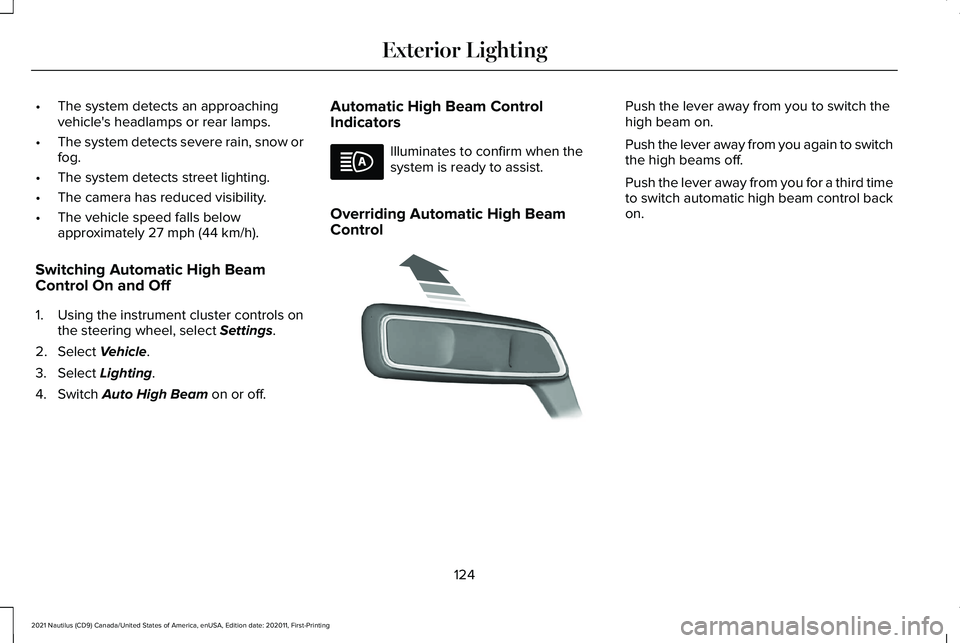
Control Push the lever away from you to switch the
high beam on.
Push the lever away from you again to switch
the high beams off.
Push the lever away from you for a third time
to switch automatic high beam control back
on.
124
2021 Nautilus (CD9) Canada/United States of America, enUSA, Edition date: 202011, First-Printing Exterior Lighting E273182
Page 129 of 579
AUTOMATIC HIGH BEAM CONTROL – TROUBLESHOOTING
Automatic High Beam Control – Information Messages
Description
Message
The camera has reduced visibility. Clean the windshield. If the message continues to appear,
have your vehicle checked as soon as possible.
Front Camera Low Visibility Clean Screen
The camera has malfunctioned. Wait a short period of time for the camera to cool down. If the
message continues to appear, have your vehicle checked as soon as possible.
Front Camera Temporarily Not Available
The camera has malfunctioned. Have your vehicle checked as soon as possible.
Front Camera Malfunction Service
Required
ADAPTIVE FRONT LIGHTING
How Does Adaptive Front Lighting
Work
Speed Dependent Lamps
Adaptive front lighting provides additional
light on the road depending on your vehicle
speed and steering wheel input.
125
2021 Nautilus (CD9) Canada/United States of America, enUSA, Edition date: 202011, First-Printing Exterior Lighting
Page 130 of 579
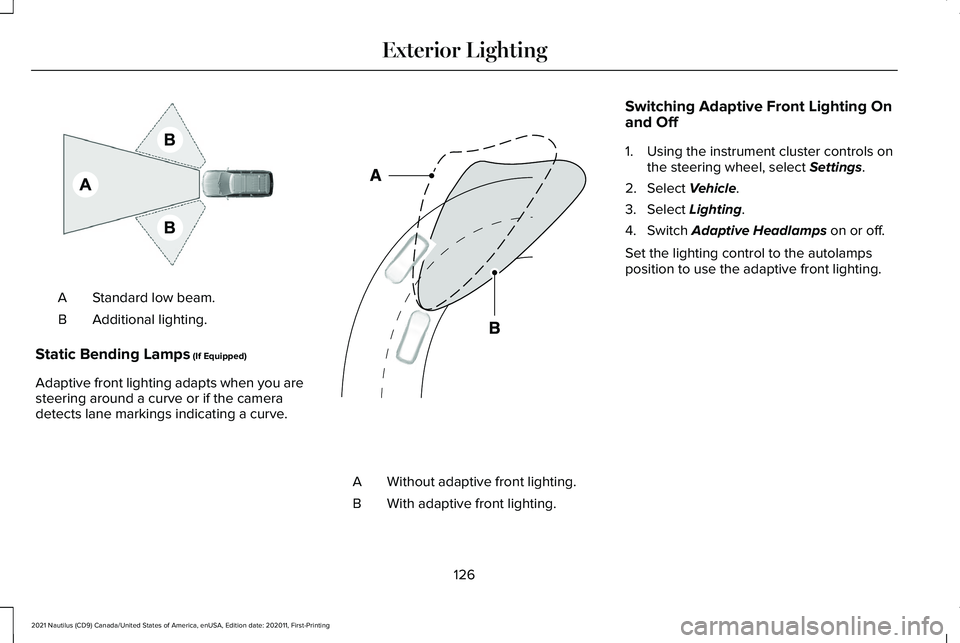
Standard low beam.
A
Additional lighting.
B
Static Bending Lamps (If Equipped)
Adaptive front lighting adapts when you are
steering around a curve or if the camera
detects lane markings indicating a curve. Without adaptive front lighting.
A
With adaptive front lighting.
B Switching Adaptive Front Lighting On
and Off
1. Using the instrument cluster controls on
the steering wheel, select
Settings.
2. Select
Vehicle.
3. Select
Lighting.
4. Switch
Adaptive Headlamps on or off.
Set the lighting control to the autolamps
position to use the adaptive front lighting.
126
2021 Nautilus (CD9) Canada/United States of America, enUSA, Edition date: 202011, First-Printing Exterior LightingE275680 E161714
Page 145 of 579
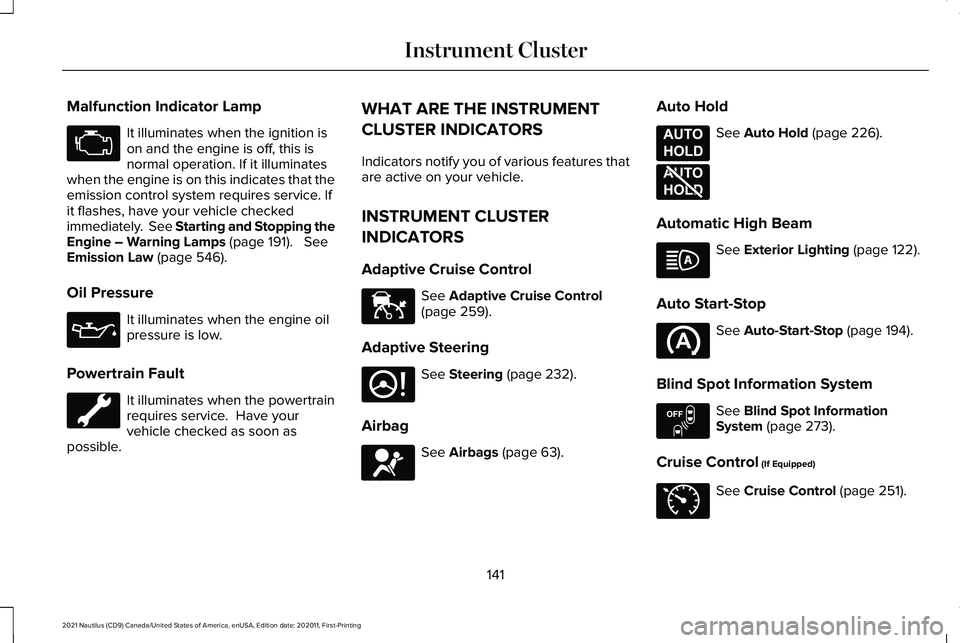
Malfunction Indicator Lamp
It illuminates when the ignition is
on and the engine is off, this is
normal operation. If it illuminates
when the engine is on this indicates that the
emission control system requires service. If
it flashes, have your vehicle checked
immediately. See Starting and Stopping the
Engine – Warning Lamps (page 191). See
Emission Law (page 546).
Oil Pressure It illuminates when the engine oil
pressure is low.
Powertrain Fault It illuminates when the powertrain
requires service. Have your
vehicle checked as soon as
possible. WHAT ARE THE INSTRUMENT
CLUSTER INDICATORS
Indicators notify you of various features that
are active on your vehicle.
INSTRUMENT CLUSTER
INDICATORS
Adaptive Cruise Control
See
Adaptive Cruise Control
(page 259).
Adaptive Steering See
Steering (page 232).
Airbag See
Airbags (page 63).Auto Hold See
Auto Hold (page 226).
Automatic High Beam See
Exterior Lighting (page 122).
Auto Start-Stop See
Auto-Start-Stop (page 194).
Blind Spot Information System See
Blind Spot Information
System (page 273).
Cruise Control
(If Equipped) See
Cruise Control (page 251).
141
2021 Nautilus (CD9) Canada/United States of America, enUSA, Edition date: 202011, First-Printing Instrument Cluster E144524 E223375 E67017 E197933 E197934 E151262 E71340
Page 147 of 579
USING THE INSTRUMENT
CLUSTER DISPLAY CONTROLS
WARNING: Driving while distracted
can result in loss of vehicle control, crash
and injury. We strongly recommend that
you use extreme caution when using any
device that may take your focus off the
road. Your primary responsibility is the safe
operation of your vehicle. We recommend
against the use of any hand-held device
while driving and encourage the use of
voice-operated systems when possible.
Make sure you are aware of all applicable
local laws that may affect the use of
electronic devices while driving.
Note: Some options may appear slightly
different or not at all if the items are optional.
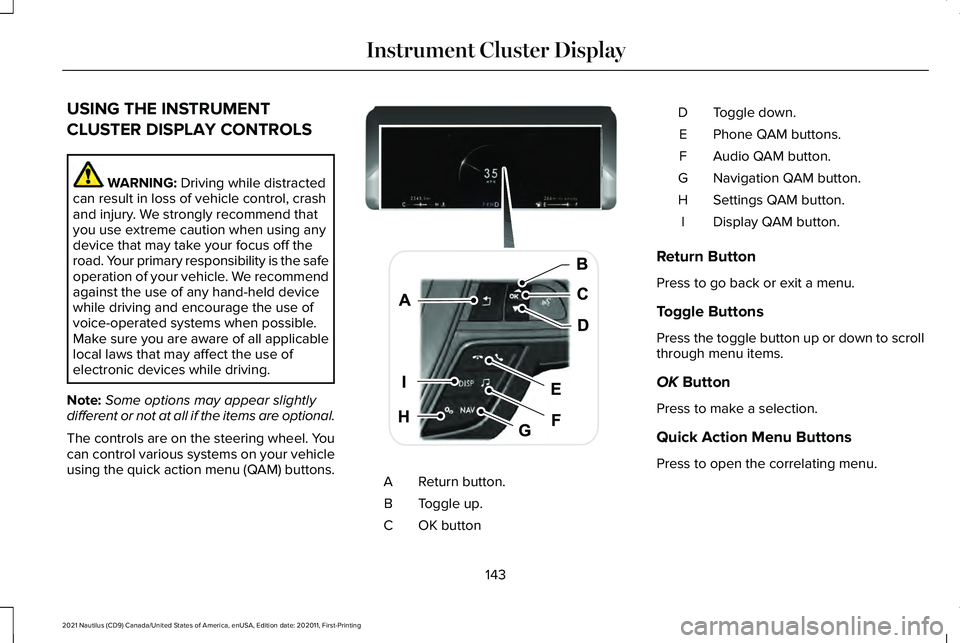
The controls are on the steering wheel. You
can control various systems on your vehicle
using the quick action menu (QAM) buttons. Return button.
A
Toggle up.
B
OK button
C Toggle down.
D
Phone QAM buttons.
E
Audio QAM button.
F
Navigation QAM button.
G
Settings QAM button.
H
Display QAM button.
I
Return Button
Press to go back or exit a menu.
Toggle Buttons
Press the toggle button up or down to scroll
through menu items.
OK
Button
Press to make a selection.
Quick Action Menu Buttons
Press to open the correlating menu.
143
2021 Nautilus (CD9) Canada/United States of America, enUSA, Edition date: 202011, First-Printing Instrument Cluster DisplayE247519
Page 148 of 579
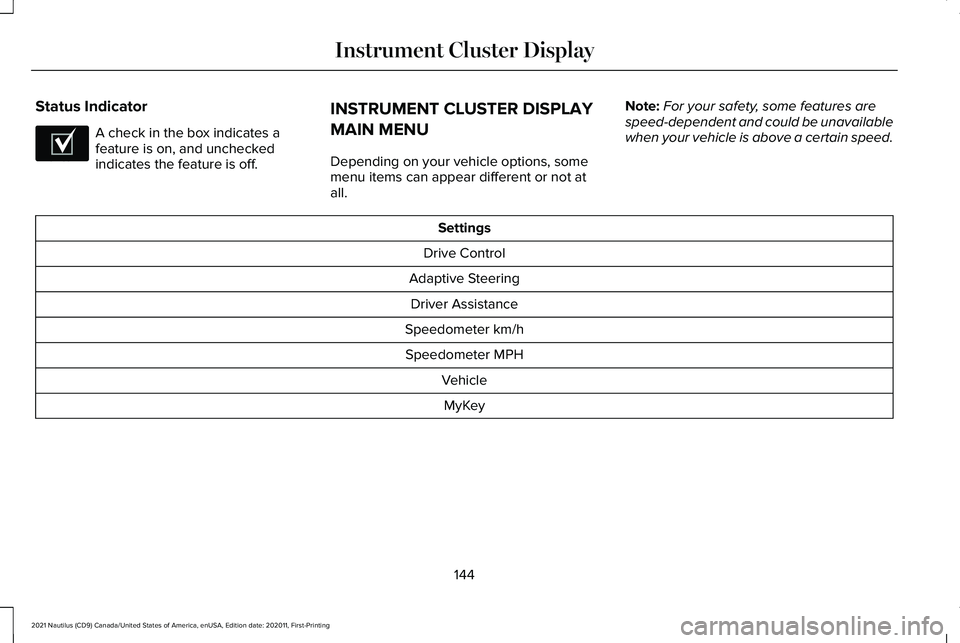
Status Indicator
A check in the box indicates a
feature is on, and unchecked
indicates the feature is off.
INSTRUMENT CLUSTER DISPLAY
MAIN MENU
Depending on your vehicle options, some
menu items can appear different or not at
all. Note:
For your safety, some features are
speed-dependent and could be unavailable
when your vehicle is above a certain speed. Settings
Drive Control
Adaptive Steering Driver Assistance
Speedometer km/h Speedometer MPH VehicleMyKey
144
2021 Nautilus (CD9) Canada/United States of America, enUSA, Edition date: 202011, First-Printing Instrument Cluster DisplayE204495
Page 155 of 579
WHAT IS REMOTE START
The system allows you to remotely start your
vehicle and to adjust the interior temperature
according to the settings that you chose.
REMOTE START PRECAUTIONS
WARNING: Do not start the engine
in a closed garage or in other enclosed
areas. Exhaust fumes are toxic. Always
open the garage door before you start the
engine. Failure to follow this instruction
could result in personal injury or death.
REMOTE START LIMITATIONS
Remote start does not work under the
following conditions:
• The alarm horn is sounding.
• The hood is open.
• The transmission is not in park (P). •
The ignition is on.
• The battery voltage is below the
minimum operating voltage.
Note: Do not use remote start if your fuel
level is low.
Note: To use remote start with Lincoln Way
or Phone as a Key, enable the modem.
See
Connecting the Vehicle to a Wi-Fi Network
(page
417).
ENABLING REMOTE START
1. Using the instrument cluster display controls on the steering wheel, select
Settings
.
2. Select
Vehicle.
3. Select
Remote Start.
4. Switch
System on.
Note: To use remote start, make sure that
the modem is enabled.
See Enabling and
Disabling the Modem (page 417). REMOTELY STARTING AND
STOPPING THE VEHICLE
Remotely Starting the Vehicle Press the button on the remote
control.
Within three seconds, press the
button on the remote control.
Within three seconds, press the
button again.
Note: You can also use the Lincoln Way App
to start the vehicle.
Note: The direction indicators flash twice.
Note: The parking lamps turn on when the
vehicle is running.
Note: The horn sounds if the system fails to
start.
Note: All other vehicle systems remain off
when you have remotely started the vehicle.
Note: The vehicle remains secured when
you have remotely started the vehicle. A
valid key must be inside your vehicle to
switch the ignition on and drive your vehicle.
151
2021 Nautilus (CD9) Canada/United States of America, enUSA, Edition date: 202011, First-Printing Remote StartE138623 E138625
Page 156 of 579
Remotely Stopping the Vehicle
Within three seconds, press the
button on the remote control.
Within three seconds, press the
button again.
EXTENDING THE REMOTE START
DURATION
To extend the remote start duration during
remote start, do the following: Press the button on the remote
control.
Within three seconds, press the
button on the remote control.
Within three seconds, press the
button again.
If the duration is set to 15 minutes, the
duration extends by another 15 minutes. This
provides a total of 30 minutes.
Note: Remote start can only be extended
once. Note:
A maximum of two remote starts, or
one remote start with an extension, are
allowed. To reset the restart procedure
switch the vehicle to on, then to off.
REMOTE START REMOTE
CONTROL INDICATORS
Remote Control Feedback
An LED on the remote control provides status
feedback of remote start or stop commands. Status
LED
Remote startsuccessful.
Solid green.
Remote stopsuccessful.
Solid red.
Request failed or
status not received.
Blinking red.
Status incomplete.
Blinking green. REMOTE START SETTINGS
Switching Climate Control Last
Settings On and Off
1. Using the instrument cluster display
controls on the steering wheel, select
Settings.
2. Select
Vehicle.
3. Select
Remote Start Setup.
4. Select
Climate Control.
5. Select
Auto or Last settings.
Note: If you switch the last settings on, the
system remembers the last used settings.
Switching the Heated Seat Settings On
and Off
1. Using the instrument cluster display controls on the steering wheel, select
Settings
.
2. Select
Vehicle.
3. Select
Remote Start.
4. Select
Seats.
152
2021 Nautilus (CD9) Canada/United States of America, enUSA, Edition date: 202011, First-Printing Remote StartE138625 E138623 E138625
Page 157 of 579
5. Select Auto or Off.
Note: If you switch the heated seat settings
on, the heated seats turn on during cold
weather.
Note: You cannot adjust the heated seat
settings when you have remotely started the
engine.
Switching the Heated Steering Wheel
Settings On and Off
1. Using the instrument cluster display controls on the steering wheel, select
Settings
.
2. Select
Vehicle.
3. Select
Remote Start.
4. Select
Seats and Wheel.
5. Select
Auto or Off.
Note: If you switch the heated steering wheel
settings on, the heated steering wheel turns
on during cold weather.
Note: You cannot adjust the heated steering
wheel settings when you have remotely
started the engine. Setting the Remote Start Duration
You can set a duration for the engine to run.
Note:
Wait a few seconds before remotely
starting the engine after the engine stops
running.
1. Using the instrument cluster display controls on the steering wheel, select
Settings
.
2. Select
Vehicle.
3. Select
Remote Start.
4. Select
Duration.
153
2021 Nautilus (CD9) Canada/United States of America, enUSA, Edition date: 202011, First-Printing Remote Start